Slipway
Find, check and install custom firmware on your M-VAVE FM-1, from one small app for Windows and Mac.
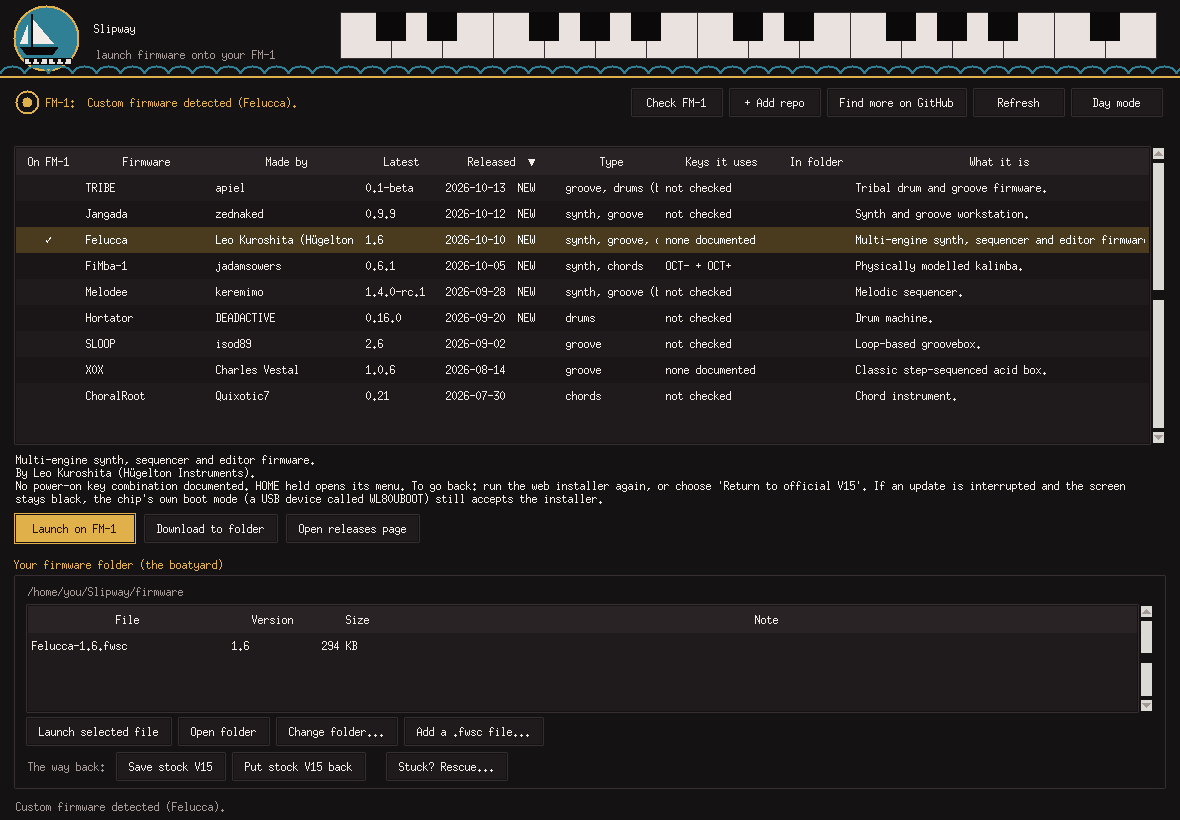
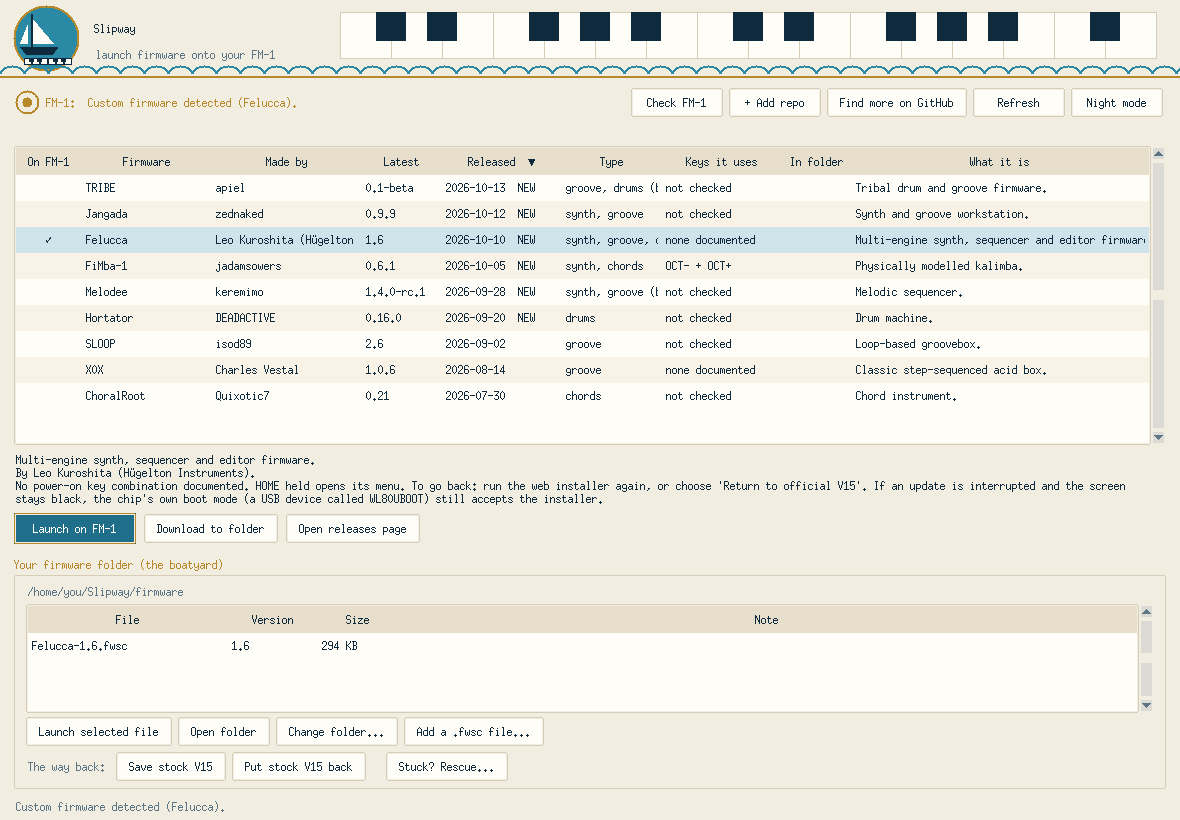
Slipway lists the community's FM-1 firmware with who made it, what it does and when it was released, checks the file, and puts it on your FM-1 in a click. It always keeps a way back to the stock V15, and if something goes wrong it walks you through getting the FM-1 running again, even from a black screen.
What you get
- A live list of firmware. Author, version, release date, a NEW tag for the last 30 days, and which keys it uses. Click any heading to sort.
- One-click install through Felucca's own installer, with the file checked first.
- Download to folder. Files land in a "boatyard" folder you can see, and are never downloaded twice.
- Stock first, every time. A custom firmware only goes on after the official V15 is saved, and between two custom installs the stock V15 goes back first, so the way back is always clean.
- Stuck? Rescue. Step-by-step USB rescue that puts the stock V15 back.
- A full recovery guide for a black-screen FM-1 (the "WL82 UBOOT1.00" case), with two checked backups and a byte-for-byte verify. It includes a route for Windows PCs that answer "Access is denied".
- Nautical, readable, quiet. Night and day modes, plain warnings, and a ship's bell instead of the system chime.
Install (Windows)
- Install Python (free). Download it from python.org/downloads and open it.
On the first screen of the installer, tick the box "Add python.exe to PATH" at the bottom. It is not ticked
by default, and Slipway can't find Python without it. Then click Install Now.
Use Python 3.12 if you can (python.org/downloads/windows, pick a 3.12.x release). The MIDI library Slipway needs
(
python-rtmidi) has ready-made builds for 3.12 but, on the one PC where this was tried, none for 3.13, and without a ready-made build Windows tries to compile it and fails with "Couldn't install them" / "Unknown compiler".install.batpicks 3.12 (then 3.11, then 3.13) when more than one Python is installed. Python from the Microsoft Store can also fail with "Access is denied": use the python.org installer instead. - Download Slipway. Get Slipway.zip from Releases and unzip it somewhere you want to keep it (right-click, Extract All).
- Double-click
install.bat. It sets up what it needs, makes a Desktop and Start-menu shortcut with the sailboat logo, and starts the app. If Windows says "Windows protected your PC", click More info, then Run anyway. - Next time, just use the shortcut.
V15 or V16? These are two different official files, and Slipway accepts both as your "stock" file, each checked byte for byte: V15 (699,956 bytes, SHA-256
db1642b2...edb8a,FM-1_015inside) and V16 (718,196 bytes, SHA-256d017fb65...61d5,FM-1_016inside). M-VAVE's download page used to give V15 (an earlier note here said it labelled that file V16; that was a labelling quirk) and now gives only V16. Custom firmware has been installed on an FM-1 running V16, and V16 is accepted as stock, but putting V16 back on an FM-1 through Slipway has not yet been tested on a real device. V15 is the tested way back. If you still have the V15 file, keep it safe in more than one place: M-VAVE no longer offers it. Slipway checks the file's contents, not its name or the website label. If it refuses a file, it shows the file's size and fingerprint.
Android: there is a phone version too, see Install (Android) below. No download or installer needed.
Install (Mac)
Tested on a real Mac: a MacBook Air (Apple silicon, Python 3.15 from python.org): app, firmware list, FM-1 detection, put stock V15 back and install a custom firmware all worked. Not yet tried on an Intel Mac - please open an issue if anything goes wrong.
- Install Python from python.org/downloads/macos (open the installer and
click Continue). Apple's built-in python3 is too old; Slipway skips it. Homebrew:
brew install python python-tk. - Download Slipway.zip from Releases and unzip it somewhere you want to keep it.
- Right-click
install.command-> Open -> Open. (A plain double-click is refused the first time because the script is unsigned. Still blocked? System Settings -> Privacy & Security -> Open Anyway.) It sets up a private environment, makes the firmware folder, adds Slipway (with the sailboat logo) to your Applications folder and starts it. - Next time, open Slipway from Spotlight or Applications.
If something goes wrong on a Mac
- "could not be executed / no access privileges": the files lost their executable flag (this happens with GitHub's green Code download). Use the zip from Releases, or in Terminal:
cdinto the Slipway folder, thenchmod +x install.command run_slipway.commandand./install.command. - "Apple could not verify ... is free of malware": the scripts are unsigned. Try to open once, then System Settings -> Privacy & Security -> Open Anyway. If instead it says the file will damage your computer with only a Bin button, do not override it: open an issue.
- "The MIDI libraries did not install" / messages about a compiler: type
xcode-select --installin Terminal, let it finish, then runinstall.commandagain. - "Couldn't reach GitHub" although you are online: python.org's Python needs its certificates step;
install.commandnow runs it for you. If you installed Python afterwards, open Applications -> Python 3.x -> Install Certificates.command. - The FM-1 is not found: use a USB data cable, switch the FM-1 on first, allow the accessory if macOS asks (System Settings -> Privacy & Security -> Allow accessories to connect), then press Check FM-1.
- On Apple-silicon Macs Slipway now always starts natively. If you see an "incompatible architecture (have 'arm64', need 'x86_64')" error, run
./install.commandagain.
The black-screen USB recovery tool does not support macOS: use a Windows/Linux PC or a Linux virtual machine (see the in-app recovery guide, Plan C).
Install (Android)
Nothing to install: it runs as a web page in Chrome on Android. Tested on one real Android phone with a real FM-1: the firmware list loaded (79 firmwares), SLOOP 2.7.1 was downloaded from the list and installed, the official V15 was put back, and the FM-1 worked normally each time. Only one phone has been tried.
You need: Chrome on the phone, a USB data cable (some cables only charge) with a USB-OTG adapter if your phone needs one, and the official FM-1.fwsc from M-VAVE's download page saved on the phone (it is your way back).
- On the phone, open Chrome and go to discodave-glitch.github.io/slipway/app. For an app icon, tap Chrome's ⋮ menu -> Add to Home screen (or Install app). Tested: the icon opens Slipway in Chrome and finds the FM-1 like the normal page. There is no APK download: a wrapper app that only opens this page was tried and Android blocked its MIDI permission, so use the Chrome shortcut.
- Connect the FM-1 to the phone with the cable and switch the FM-1 on.
- Step 1 - Your FM-1: press Find my FM-1 and allow MIDI (with SysEx) when Chrome asks. It should say
FM-1_015 official V15(or the custom firmware that is on it now). - Step 2 - Stock V15: press Choose the official FM-1.fwsc and pick the file from M-VAVE (it is checked byte for byte and kept in the browser as your way back). It must be the official V15 (
FM-1_015, 699,956 bytes) or V16 (FM-1_016, 718,196 bytes); M-VAVE's site now offers only V16. V16 is accepted but putting it back is untested, so keep your V15 safe. A custom firmware cannot be installed until this is done. - Step 3 - Pick a firmware: the list loads from the public catalogue. Search if you like, tap a firmware, read its note, press Get this firmware. It is downloaded and checked against the catalogue's SHA-256. (Or skip the list and use Choose a firmware file from your phone in step 4.)
- Step 4 - Install: read the firmware's own README (how to enter update mode and get back to stock), tick the box, press Install, confirm, and do not unplug anything or let the screen sleep while it writes. Then press Find my FM-1 again to see what is on it.
- To go back: Put stock V15 back.
If something goes wrong on Android
- Still shows an old page: open the address in a Chrome Incognito tab. The footer shows the page version.
- "Couldn't load the firmware list": press Try again; open Technical log at the bottom to see why. You can still choose a
.fwscfile yourself. - The FM-1 is not found / MIDI blocked: use a data cable, switch the FM-1 on first, allow MIDI with SysEx, and use Chrome (other mobile browsers may not support it).
- The file picker shows no Downloads (work profile phones): use the picker's Work tab, or save the file in your personal storage.
- A write stopped halfway: don't unplug. Press Find my FM-1 and follow the message (resume), or open Stuck? Rescue. Black-screen recovery needs a Windows or Linux PC (recovery guide).
More detail: README_ANDROID.md. The web version is GPL-3.0 (it embeds Felucca's installer code); the desktop apps are MIT.
Need more detail? The full, step-by-step guide is README.txt: how the list works, safety confirmations, the firmware folder, Stuck? Rescue, and what to do if your FM-1 shows a black screen.
Safety
Flashing firmware can leave a device unusable. Slipway installs only through Felucca's own installer, and the recovery guide always takes two checked backups first. Use it at your own risk. Slipway is not made by or affiliated with M-VAVE or the Felucca project.
Licence and credits
MIT, see LICENSE. Everything Slipway relies on is credited in CREDITS.md.
Sound: the ship's bell is "Ship Bell Two Chimes" by Sojan (Freesound, via Pixabay), used under the Pixabay Content License. It is not covered by Slipway's MIT licence.