OpenTracker
OpenTracker is an open-source, clean-room firmware for the original Polyend Tracker, written from behavioural specifications. It contains no Polyend code, fonts, icons or graphics, and is not affiliated with or endorsed by Polyend.
Screenshots (2.2.1, on an original Tracker)
| Pattern (synth drums, FX) | 8-track view (Pattern + Note) |
|---|---|
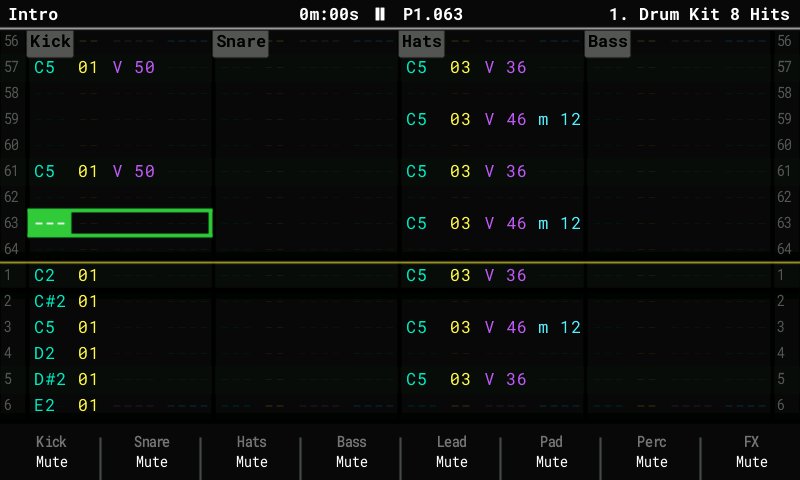 | 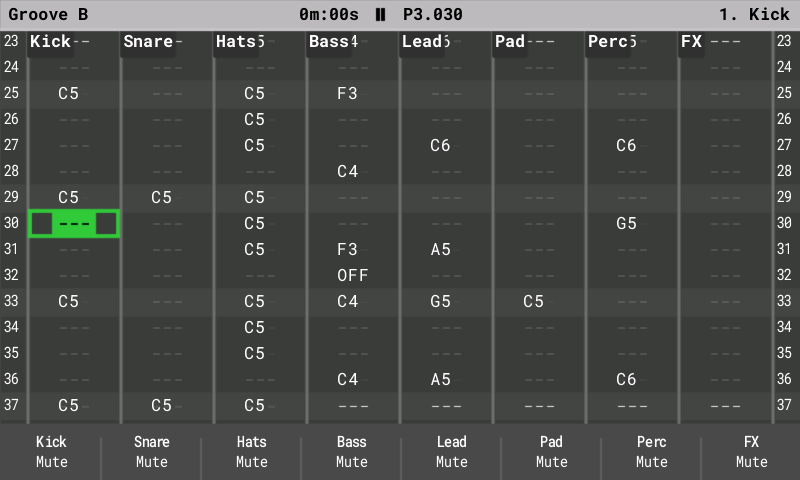 |
| Synth Parameters (ACD) | Edit Patch (PERC kit) |
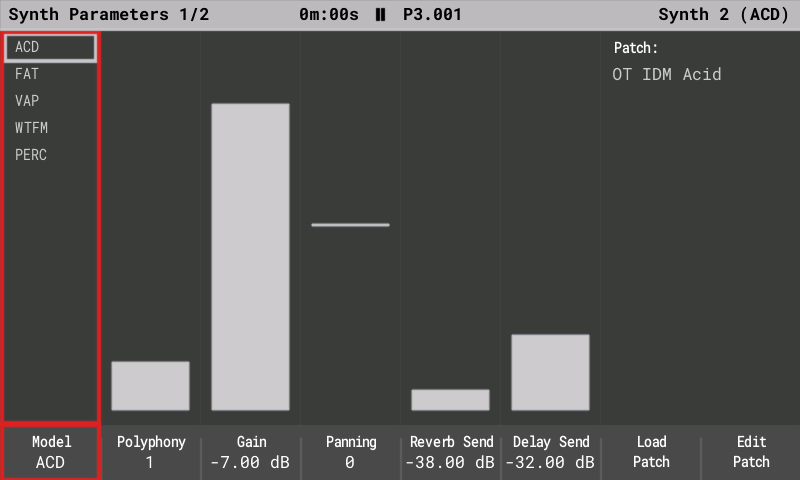 | 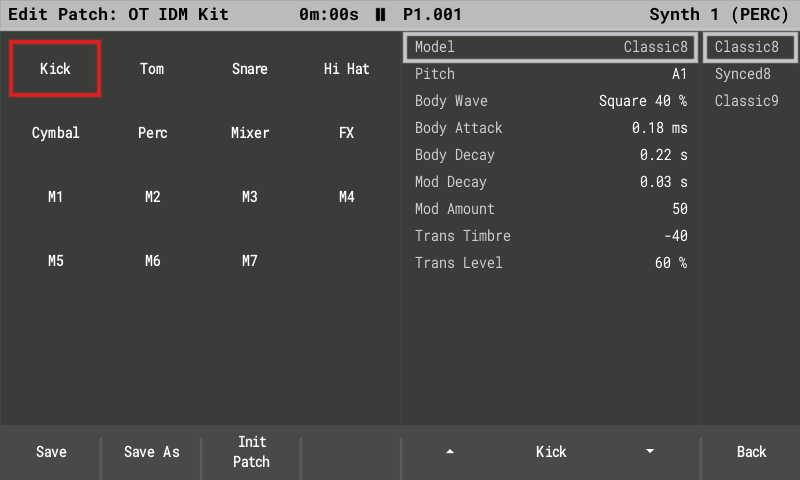 |
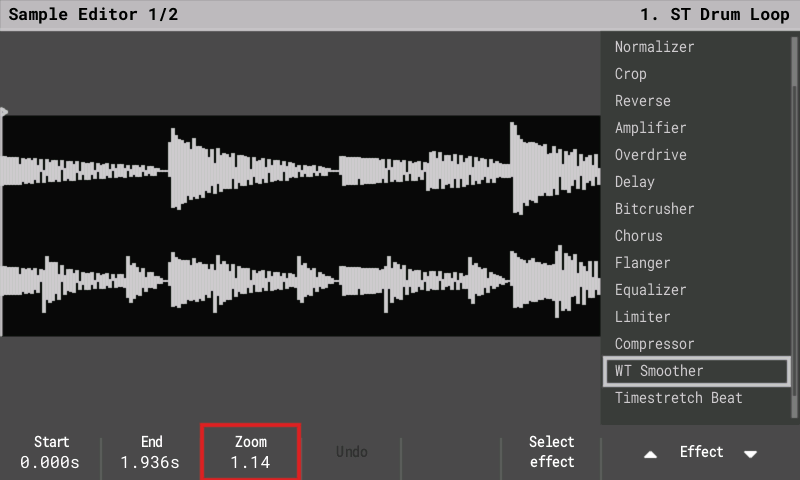
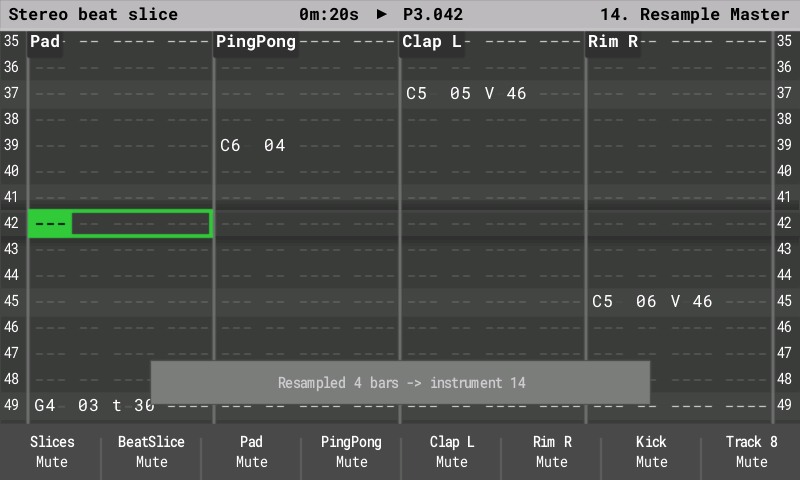
| Sample Editor, stereo sample | Live resampling |
 |  |
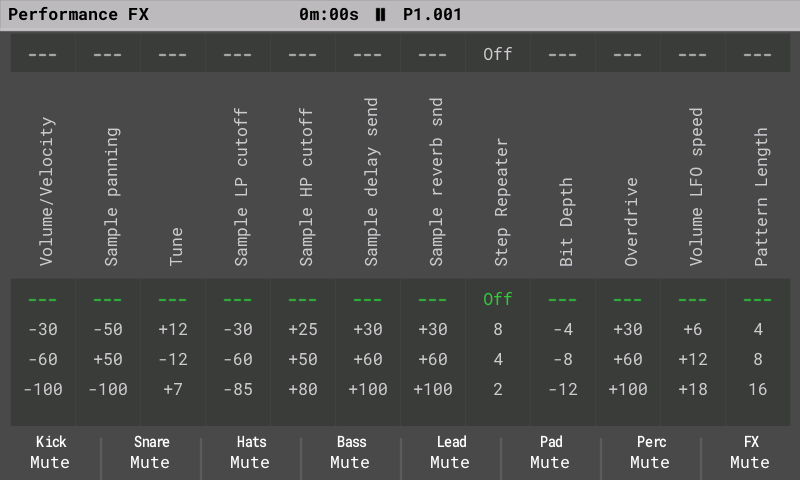
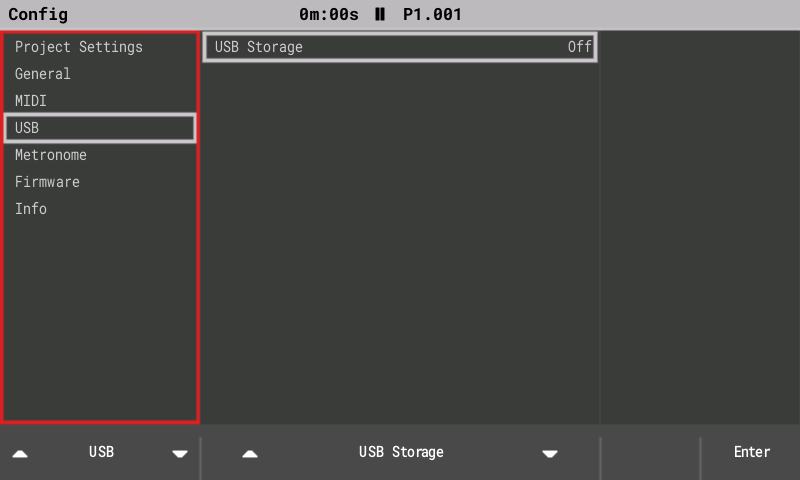
| Performance FX | Config: USB Storage |
 |  |
2.x brings the newer Tracker Mini features to the original hardware: 16 tracks, synth engines, stereo samples, Mini-compatible project files and USB Storage mode. These notes cover the whole 2.x line (2.0 to 2.2.3); the full list is in the release notes of the 2.2.3 download.
New in 2.2.2 to 2.2.3
- Stream long samples from the card (optional, Off by default): Config > General >
Stream from card. Long samples load only their start into memory and play the rest from
the SD card, so projects with long stems fit. The Sample Loader marks files that will
stream with
~. - Your own colour themes: theme files in
/Themeson the card, plus Export theme. Twelve example themes come as a separate download, among them Halloween (contributed by AnthonyBerg1983). - Steady MIDI clock on the DIN jack while you change screens, and pitch bend from a MIDI keyboard on live notes.
- Synth stereo Width, and a hand-turned Synth Macro now takes over from a pattern FX CC.
- Stack overflow protection (contributed by syamajala) and many fixes from user and beta reports, among them the Sample Editor, synth notes in the pattern editor and starting without an SD card.
New in 2.1 to 2.2.1
- All five Mini synth models play: FAT (2.1) and WTFM (2.2) joined ACD, VAP and PERC, with
74 presets of our own in the preset pack (
OpenTracker-Presets-1.2). - Live resampling (2.1.2, contributed by syamajala): record the mix, one track or Line In into a new instrument while the pattern keeps playing.
- Waveforms like the Tracker+ / Mini: sample envelopes, stereo samples as two lanes, and a preview playhead on the Sample Recorder and Sample Editor.
- Closer to the stock manual: about 30 details fixed after a check against the stock 1.9.2 manual (live-record velocity, Slice-mode pads, Performance labels, MIDI CC lists and more).
- User-report fixes: live recording (first note with Pre-roll, OFF steps, red cursor), MIDI channels on the pads, a crack in the headphones at power-on, headphone level +1 dB.
- More free memory: Games is no longer built into the image (
make OT_GAMES=1brings it back), and the file browsers share one buffer (PR #28, syamajala).
New in 2.0
Tracker Mini project compatibility
- Projects are saved in the Tracker Mini 2.2.1 format: 16-track patterns, the three synth slots, track names and mutes for tracks 13–16.
- Synth patches use the Mini's
.patchfiles. They are stored with the project and in a library atPatches/<ENGINE>/. All 299 Mini factory patches load and save back unchanged. - Older original-Tracker projects open as they are, with tracks 13–16 empty.
16 tracks
- Tracks 13–16 work like MIDI tracks 9–12: notes, MIDI channels, CC A–F, pitch bend, velocity, mute and solo. Performance Play mode, Pattern length and Step repeater act on them too (no voice FX, levels or per-track patterns, as on the Mini).
- Pattern pages through all 16 tracks. Song shows a scrolling 12-track window.
- Fill, copy and paste work across all 16 tracks.
Synth engines (instruments S1–S3)
- Three synth slots, played from any track as instruments S1–S3.
- Five engines, our own sound design following the Mini's parameter sets:
- ACD: acid bass and lead, with a 24 dB and a ladder-style filter, and glide;
- VAP: virtual-analog poly, with morphing oscillators, hard sync, 15 filter types and a 6-slot modulation matrix;
- PERC: drum kit with kick, snare, hats, cymbal, perc and tom;
- FAT (2.1): a stack of detuned saws for supersaw pads, leads and basses;
- WTFM (2.2): two-operator wavetable FM, from electric pianos to bells.
- Macros: FX columns A–F drive macros 1–6, and Volume drives macro 7.
- Voices: a shared pool of 4 voices by default, adjustable in Config > General > Synth voices (1–8).
- Screens, after the Mini's layout:
- Synth Parameters: model, polyphony, gain, pan, sends.
- Synth Macros.
- Edit Patch: sections on the pads; Save, Save As, Init.
- Load Patch popup with Preview.
- Synth 1–3 level columns with meters on Global Mixer page 3.
- Exports include separate stems
synth_1..3.wav.
Stereo samples
- Stereo WAVs keep both channels on import.
- They play in stereo in one-shot, loop, slice and beat-slice modes. Pan works as balance.
Performance and monitoring
- CPU meter in the title bar (Config > General > CPU meter: Auto, Always or Off).
- Voice limiter: if the audio gets close to its limit, only synth voices are cut; sample tracks never are.
- Faster loading: project loading does about half the work in our host model (not yet timed on the device).
- Smoother display: frames go to the screen over DMA without waiting.
- More code in fast internal RAM: the hottest audio and synth code runs from it.
- USB serial diagnostics: CPU, peak breakdown, display, SD and radio/recorder lines.
USB Storage mode (2.0.1)
- Config > USB > USB Storage: On shows the SD card on a connected computer as a USB drive, as on the Tracker Mini. Copy projects, samples and patches without taking the card out.
- Playback stops and the project is saved first. Keep the power and the USB cable connected while files are transferred.
- To finish: eject the drive on the computer, then press Exit (or set the row back to Off). The project reloads from the card. If the computer still uses the drive, Exit first reminds you to eject it.
- The setting is always Off after power-on.
- About 1 MB/s (full-speed USB; measured 1,033 KB/s on a real Tracker). Tested with Linux and macOS; Linux can take a few seconds longer to notice the drive. USB MIDI and the serial log keep working.
- If the cable is pulled during a transfer, the Tracker recovers within half a second.
- The drive has a stable serial number, so a computer keeps recognising the same Tracker. On Windows, the Tracker may appear once as a new device (new COM/MIDI port).
Install
- Copy
PolyendTrackerOTv223.ptfto/Firmwareon the SD card. Keep the name; the bootloader only accepts 24-character names. - Go to Config > Firmware update, select it and confirm. If the screen stays dark after the update, press the power button once.
Going back: keep the stock PolyendTracker_1.9.2.ptf in /Firmware. Install it the
same way, or put its file name into /Firmware/ot_restore.txt and power-cycle. Keep only the
image you want, plus stock, in /Firmware: the rear reset button installs a random .ptf
from that folder.
Stack guard: 2.x stops a stack overflow with a reset and says "Restarted after a crash
(stack overflow)" on the next boot. To run without the guard, put an empty
/Firmware/ot_noguard.txt on the card.
Note: projects saved by 2.x use the Mini's 16-track patterns. Stock firmware for the original Tracker reads only tracks 1–8 of those patterns (expected from the stock loader's rules; not yet confirmed on a stock unit).
Known limitations
- The synth sound is own design: settings match the Mini, the sound is close but not identical.
- The synth voice pool defaults to 4 because of the processor's speed.
- USB Storage mode: back up the card before first use; Linux systems without a desktop may need
partprobeor a re-plug to see the card. - The USB ID is the pid.codes test ID 1209:0001.
- Live resampling from Line In starts 10–14 ms late (the round trip through external gear); compensation is planned.
- Games (the NES player) is not in the release image since 2.2.1.
- Stream from card is new and Off by default; please report anything odd when you turn it on.
- A couple of Performance screen issues are still open (among them the global Pattern length in Song mode); fixes are planned for the next version.
Test songs
The package's Projects/ folder holds eleven OT Test songs (among them one per synth engine
and an IDM track using three engines at once) and seven BLAST GRID synth remixes
(Title, World 1, World 4, Battle, Battle FM, Boss, Final Boss). Copy them to /Projects on
the card.
Downloads: https://github.com/sandlbn/polyend-tracker-re/releases