plooper
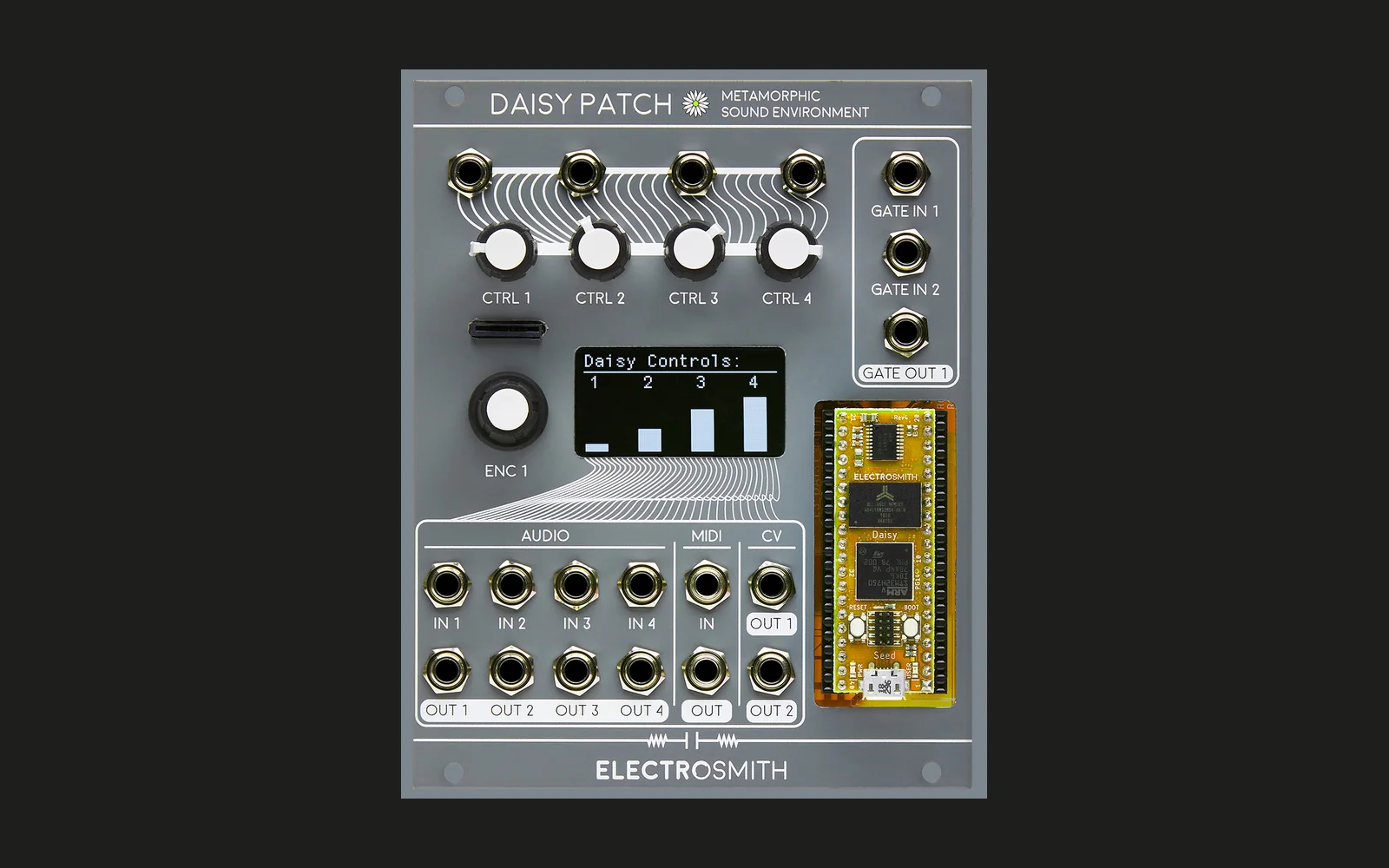
Hype17/100Four-playhead looper with strange reverbs and tape-style fading for the Electrosmith Daisy Patch (Eurorack)
plooper is custom firmware for the Electro-Smith Daisy Patch, by @billwolfhub. Open source under MIT, latest release v0.1.1 (September 2026).
forElectro-Smith Daisy Patch·by@billwolfhub
Unclaimed. Is this yours? Sign in with GitHub as @billwolfhub to claim it.
Plooper-v0.1.1.bin· 118 KB
MIT· billwolfhub/plooper·downloads come from the creator’s GitHub releases
v0.1.1Plooper v0.1.1Latest1 file
A small update to v0.1.0: Plooper can now show how hard it's working the Daisy.
What's new
- CPU load item in SETUP (read-only): the audio callback's average load, the peak over the last second, and the highest peak since power-up, e.g.
48% pk51 mx61. Click it to reset the highest peak. It isn't saved with the settings. - More comments in the source explaining the architecture and algorithms.
Saved SETUP settings from v0.1.0 carry over.
Installing
Plooper-v0.1.1.binis built for the Daisy bootloader (APP_TYPE = BOOT_SRAM), so the Patch needs the Daisy bootloader v6.4 installed first. Install it once from the Bootloader tab at flash.daisy.audio (choose v6.4).Then flash Plooper: tap RESET, press BOOT while the Seed's LED is slowly pulsing, and run:
dfu-util -a 0 -s 0x90040000:leave -D Plooper-v0.1.1.bin -d ,0483:df11Don't flash this file to internal flash (0x08000000): that would overwrite the bootloader, and Plooper won't run from there.
Build details
- Source:
bbb3002 - libDaisy
v8.1.0-20-gfacb66c7, DaisySP599511b, DaisySP-LGPLc89d380 - arm-none-eabi-gcc 10.3 (Daisy Toolchain)
- SHA-256:
883fae2170b96509aa8d4f3656bfaf0a152a364cfbffb8317513a77b6f898199
- CPU load item in SETUP (read-only): the audio callback's average load, the peak over the last second, and the highest peak since power-up, e.g.
v0.1.0Plooper v0.1.01 file
First release of Plooper, a four-playhead looper with strange reverbs and tape-style fading for the Electrosmith Daisy Patch. See the README for controls.
Highlights
- Up to 60 s stereo loop; press the encoder to start and close the first take (sample-accurate loop length)
- Four playheads (A–D) with their own level, speed (reverse below centre), start, window length, direction, and pan
- Punch in by holding the encoder; hold past 2 loops to latch overdub; GATE IN 1 / GATE IN 2 control too
- Six reverbs: Plate, Shimmer, Sub, Backwards, Ghost, Freeze
- Tape section for Frippertronics: dub fade, decay, age, wow
- INPUT page mixing IN 1–4 into the loop
Installing
Plooper-v0.1.0.binis built for the Daisy bootloader (APP_TYPE = BOOT_SRAM), so the Patch needs the Daisy bootloader v6.4 installed first. Install it once from the Bootloader tab at flash.daisy.audio (choose v6.4).Then flash Plooper: tap RESET, press BOOT while the Seed's LED is slowly pulsing, and run:
dfu-util -a 0 -s 0x90040000:leave -D Plooper-v0.1.0.bin -d ,0483:df11Don't flash this file to internal flash (0x08000000): that would overwrite the bootloader, and Plooper won't run from there.
Build details
- Source:
e78d186 - libDaisy
v8.1.0-20-gfacb66c7, DaisySP599511b, DaisySP-LGPLc89d380 - arm-none-eabi-gcc 10.3 (Daisy Toolchain)
- SHA-256:
ed3751f6ef317bb6f27e0b5174fc499b59b4ca6fe0520dd87e27fcc56b36369c