Phantasmagoria v2.11
Spectral Delay for the Electrosmith Daisy Seed / PedalPCB Terrarium
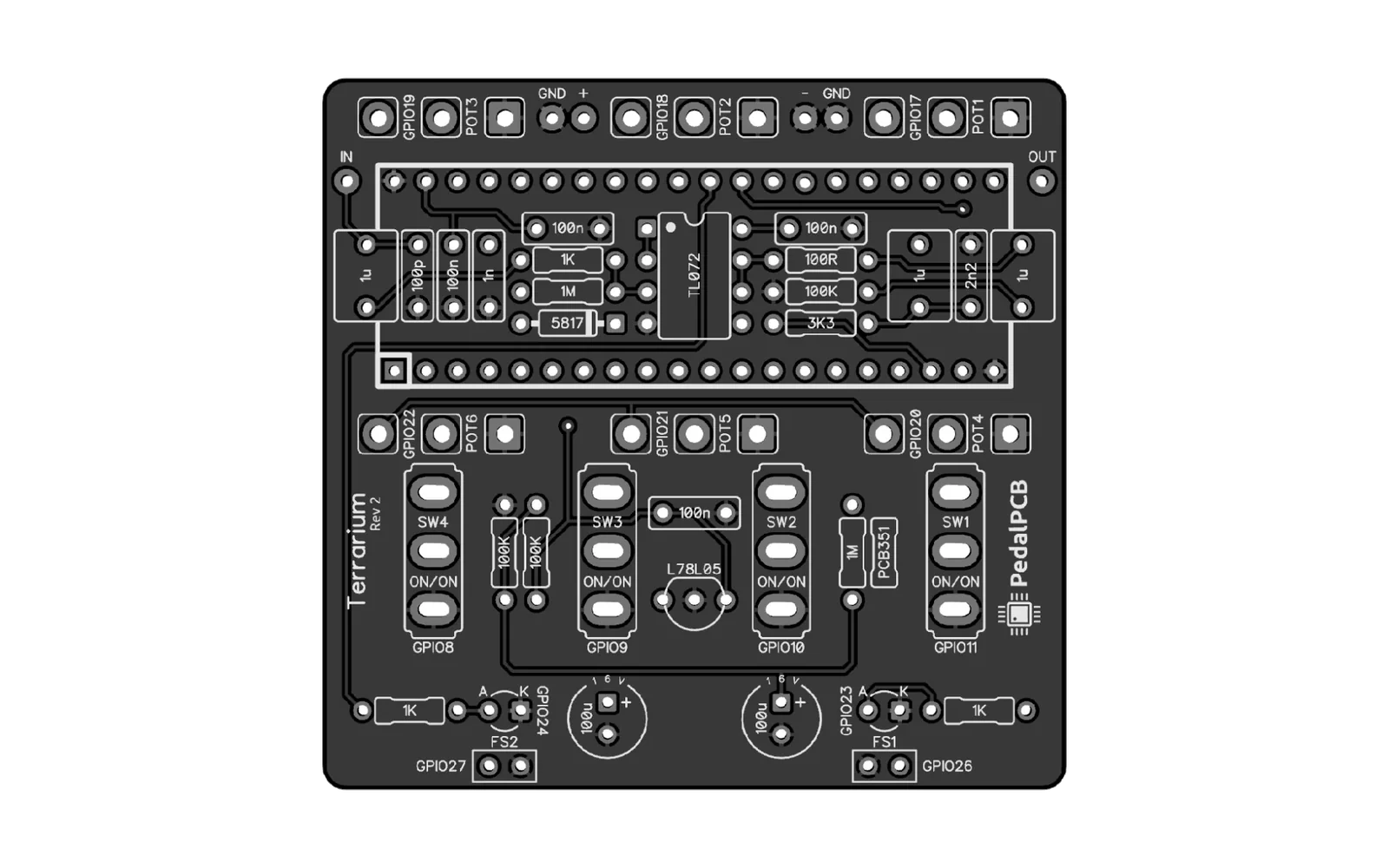
Phantasmagoria is a complex, atmospheric delay effect implemented in C++ for the Daisy Seed microcontroller running on the PedalPCB Terrarium guitar pedal platform.
It combines spectral delay, reverse delay, spatial room shaping, ambient halo textures, evolving freeze, and reverb into a single unified instrument.
Features
- Spectral Delay - multi-tap echo chamber reverb with carefully tuned tap timing
- Reverse Delay - sweeping reverse buffer with tape warble modulation for consistent feel
- Room Mode - chamber memory folds into the repeat structure, making the space itself part of the delay world
- Halo Mode - detached late aura behind the wet signal, adding a trailing ghost layer to the ambient field
- Freeze - hold audio in the buffer indefinitely; hold to accumulate new layers; survives bypass
- Freeze Evolution - frozen layer slowly breathes and moves when engaged
- Reverb - 48kHz echo chamber with taps at 83 / 151 / 227 / 311 ms
- Hi-Fi Dynamics - conditional soft-clipping preserves tube amp transients and pick dynamics
Controls
| Control | Function |
|---|---|
| Knob 1 | Delay Time (20ms - 1800ms) |
| Knob 2 | Feedback (0 - 95%) |
| Knob 3 | Reverb Mix |
| Knob 4 | Tape Warble Depth |
| Knob 5 | LFO Speed |
| Knob 6 | Dry/Wet Mix |
Switches
| Switch | Label | OFF | ON |
|---|---|---|---|
| SW1 | REV | Forward delay | Reverse delay |
| SW2 | ROOM | Standard delay + reverb | Chamber memory folds into repeats |
| SW3 | HALO | Normal wet field | Detached trailing aura behind the effect |
| SW4 | EVOL | Stable frozen anchor | Frozen layer slowly lives and moves |
Footswitches
| Switch | Function |
|---|---|
| FS1 | Bypass (freeze remains active if engaged) |
| FS2 | Freeze - tap to toggle, hold to accumulate layers |
LED2 dims to 75% when accumulate mode is active.
Switch Design Philosophy
The switch system was redesigned around behaviors that shape the pedal's core identity rather than adding disconnected layers on top.
| Switch | Changes... |
|---|---|
| REV | the time world |
| ROOM | the spatial world |
| HALO | the ambient aura |
| EVOL | the frozen world |
Each switch changes how the existing system behaves. Nothing is added - the instrument itself transforms.
Hardware Requirements
- Electrosmith Daisy Seed
- PedalPCB Terrarium (or compatible Daisy Seed pedalboard)
- ARM DFU-capable USB connection for flashing
Flashing (No Computer Skills Required)
You don't need to install anything or know how to code. Just download the .bin file from the Releases page and follow these steps:
Step 1 - Put your Daisy Seed into bootloader mode
- Locate the two small buttons on the Daisy Seed: BOOT and RESET
- Hold down BOOT
- While holding BOOT, tap RESET
- Release BOOT
- The Daisy Seed is now ready to receive firmware
Step 2 - Flash using the web programmer
- Go to flash.daisy.audio
- Click the File Upload tab
- Click BROWSE... and select the
phantasmagoria.binfile you downloaded - Click the FLASH button (this may prompt you to select your Daisy Seed from a browser popup)
- Wait for it to finish, and your pedal is ready!
The web programmer works in Chrome or Edge. It will not work in Firefox or Safari.
Windows Users: Web Flasher Not Working?
If your Windows PC doesn't recognize the Daisy Seed in the browser flasher, you likely need to replace the default USB driver with WinUSB.
- Put your Daisy Seed in BOOT mode (Hold BOOT, tap RESET, release BOOT).
- Download and run Zadig.
- Go to Options > List All Devices.
- Select DFU in FS Mode (or STM32 BOOTLOADER) from the main dropdown menu.
- Ensure the target driver with the green arrow points to WinUSB.
- Click Replace Driver.
- Refresh the web flasher page and try connecting again.
Building from Source
1. Clone the DaisyCloudSeed repository and its submodules
git clone https://github.com/GuitarML/DaisyCloudSeed
cd DaisyCloudSeed
git submodule update --init --recursive
2. Build the required libraries
make -C libdaisy
make -C DaisySP
3. Clone Phantasmagoria into the petal folder
cd petal
git clone https://github.com/FuzzyLotus/Phantasmagoria
cd Phantasmagoria
4. Build and flash
make
make program-dfu
Connect your Daisy Seed via USB and put it into DFU mode (hold BOOT, tap RESET, release BOOT) before running
make program-dfu.
Toolchain
You need the ARM GCC embedded toolchain. On most Linux systems:
# Fedora/RHEL
sudo dnf install arm-none-eabi-gcc arm-none-eabi-newlib

# Ubuntu/Debian
sudo apt install gcc-arm-none-eabi
Or download directly from ARM's website.
Project Structure
Phantasmagoria/
├── phantasmagoria.cpp   # Main DSP source
├── terrarium.h          # Terrarium hardware abstraction (included locally)
├── Makefile
└── README.md
terrarium.h is included directly in this repo so you don't need to rely on the Terrarium submodule separately.
Contributing
Pull requests are welcome! If you build on this project, please share your work openly under the same license.
- Fork the repo
- Create a branch:
git checkout -b my-feature - Commit your changes:
git commit -m "Add my feature" - Push and open a Pull Request
Please test on real hardware before submitting.
License
GNU General Public License v3.0 - see LICENSE for details.
You are free to use, modify, and share this project. You may not use it in closed-source or commercial products. Any derivatives must also be released under GPL-3.0.
Credits
Built on the GuitarML DaisyCloudSeed build environment, which bundles libDaisy and DaisySP.
The reverb lineage traces back to ValdemarOrn/CloudSeed, the original open source algorithmic reverb plugin that inspired this entire ecosystem.
terrarium.h is copyright PedalPCB, included with original copyright notice intact.