op1-sdk
Build anything on your OP-1. New synth engines, effects, step sequencers, chord keyboards, quantizers, screen overlays — whatever you can imagine, in C or assembly. Test it in a simulator, then flash it to your Teenage Engineering OP-1 (firmware R246) in minutes.
Everything here runs on real hardware: the build pipeline is verified byte for byte, and the features below have been flashed and played on a real OP-1.
First: check out what's already built
One image ("op1plus"), composed from the feature library — build it, flash it, have fun.
Synth engines — six new rows in TE's engine list with 114 ready-to-play sounds between them, each engine with its own bank (shift + blue turn), knob push flips pages:
| sounds | ||
|---|---|---|
| LOFI | 14 | chiptune waves + 16 pitch-tracking bytebeat formulas |
| WHEEL | 24 | tonewheel organ: registrations, percussion, click, drive, rotary speaker |
| WARP | 16 | 8 waves x 16 phase/output warps, sweep, motion, unison, colour |
| TRIO | 16 | SID-style 3 oscillators (ring/sync/AND) into an SVF filter, drive, noise |
| MONO 3 | 16 | classic 70s-style mono synth, played with 4 voices: 3 band-limited oscillators (range / wave / level), noise, a 4-pole ladder filter that self-oscillates in tune, filter and loudness contours, glide — fat basses, leads, brass, pads |
| STATION 1 | 28 | late-80s-style sample workstation: 100 sampled multisounds (pianos, organs, strings, choir, brass, bells, basses, waves), two layered per sound, B transposed / fading in, low-pass with envelope; a sound library included (+ two drum kits for the drum sampler) |
| engine_plus | DRIVE / FILTER / RESO / CRUSH parameters for TE's own engines (fm, digital, string, cluster, phase, dna, voltage, iter) |
Sound quality first: the engines render at the OP-1's internal 88.2 kHz; MONO 3's oscillators are band-limited (no aliasing whine on high notes) and its filter stays stable at every setting; STATION 1 plays a sound library at 31.25 kHz, with its key splits and tuning. Their simulator tests sweep every parameter through its full range, so each knob moves its sound one way, as the screen says.
Effects — new rows in TE's FX list (synth, drum and master):
| RESO | resonator: four strings tuned to the notes you play |
| SHIMMER | reverb whose tail rises an interval per pass |
| FX MIX | seven effects in one slot: phaser, flanger, fold, fuzz, DJ filter, transient, texture |
Performance features:
| open with | ||
|---|---|---|
| DRUM ROLL | shift + blue knob press on the finger sequencer screen (drums) | step editor for TE's finger sequencer: each of the 14 finger patterns as 8 lanes with per-sample length, rate and filter, per-step velocity, probability, ratchets; swing; the finger keys play it; kept across restarts; black keys = punch-in effects in three banks (PO-20 set, arcade: 8-bit, laser, coin, echo, reverse …, time: half / double time, build …) |
| NOTE ROLL | shift + blue knob press on the finger sequencer screen (synth) | step editor for TE's synth finger sequencer, DRUM ROLL's twin: chords up to 6 notes, per-note velocity and length (ties), nudge, probability, ratchets, patterns up to 64 steps; the finger keys play it; black keys = punch-in effects in three banks (PO-20 set, arcade: chip arps, power up, coin, trill, echo …, time + solos); kept across restarts |
| SYNTH ROLL (requantize) | shift + blue knob press (tape screen) | fix a recorded take on a piano roll in DRUM ROLL's look: by default every note snaps clean to the grid (start and length), single notes or the whole take, grids to 1/32T |
| CHORD+ | shift + insert | chord keyboard: white keys play scale chords, held black keys modify (lower octave: min/maj, 7th, sus4, 9th, inversion; upper: power, sus2, open / wide voicing, more inversion) |
Content:
| drumtrim | TE's 14 factory drum kits without their silent tails: −1.43 MB of flash, every hit bit-identical up to the cut (made from your own firmware file, nothing of TE's is committed) |
Two more recipes build on op1plus: recipes/op1disk.json adds noalbum (album sides cut to
1 s, ~128 MB more free flash) and the diskinfo flash usage panel; recipes/op1mem.json adds the
meminfo SDRAM panel (debug).
Controls and internals per feature: features/<name>/README.md. Full catalog:
docs/features.md, or python3 tools/features.py list.
Image samples
Screens drawn by the real feature code in the simulator benches (python3 tools/test_all.py
writes them to build/demo/):
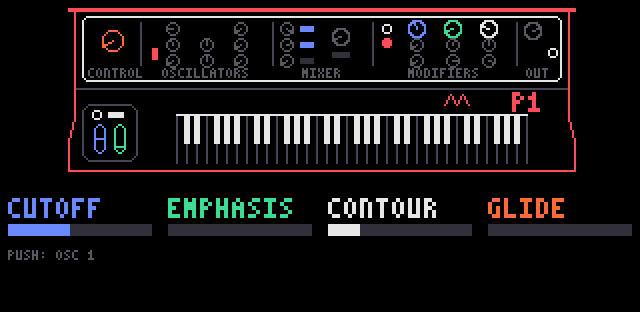 MONO 3: synth panel, page 1 (cutoff, emphasis, contour, glide) |
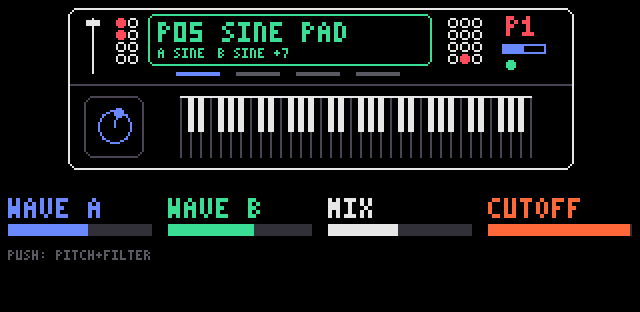 STATION 1: two multisounds layered (built-in waves, a sound library) |
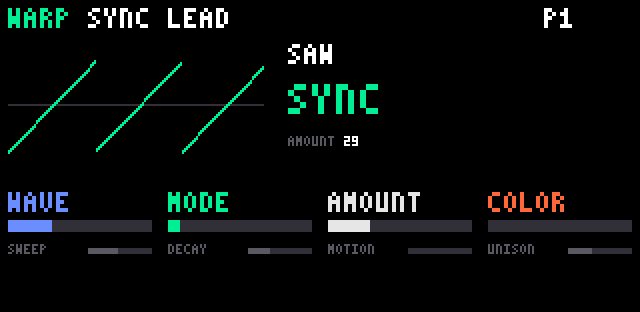 WARP: preset SYNC LEAD, saw through the SYNC warp |
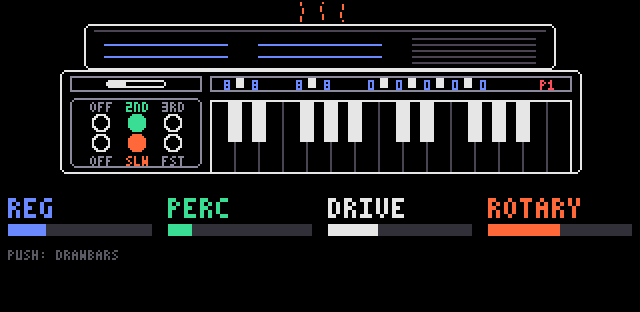 WHEEL: preset SOUL JAZZ, drawbars, percussion and rotary |
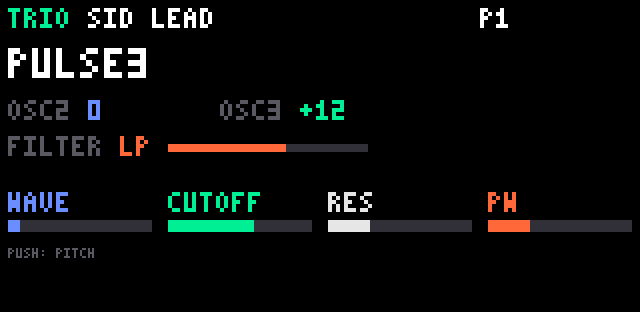 TRIO: preset SID LEAD, three oscillators into the filter |
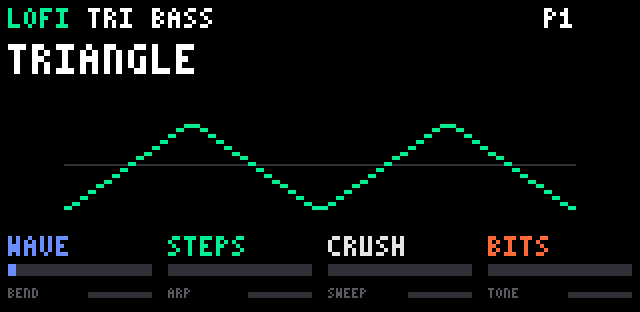 LOFI: preset TRI BASS, stepped triangle |
Get it on your OP-1
You need an original OP-1, a Mac, and your own copy of the official firmware file op1_246.op1
(R246, from Teenage Engineering's support page). The tools verify its SHA-256
(c5315218…13a9) and refuse to work on anything else. One-time setup: ./setup_toolchain.sh builds the
toolchain.
# 1. compose the op1plus image from your copy of the firmware
python3 tools/compose.py recipes/op1plus.json /path/to/op1_246.op1

# 2. OP-1 off → hold COM while switching on → choose "Firmware Upload", then:
python3 tools/flash.py build/apps/op1plus/build/op1plus.op1 --eject
The OP-1 shows Found firmware package... → Done! Restart and play.
Changed your mind? Flash your original op1_246.op1 the same way and you are back to stock —
te-boot (the bootloader) is never touched, so restoring always works.
Build your own — pair it with an AI coding model
This SDK is designed to be used together with a state-of-the-art AI coding model. That combination lets you build practically anything you like, even without knowing Blackfin assembly or the OP-1's internals: describe the synth or effect you want, point your agent at this repo, and let it iterate until the tests pass — then flash and listen.
Why it works well with agents:
- every OP-1 address the SDK uses is declared with its signature and evidence in
include/op1/te246.h - every feature is a self-contained folder: manifest, sources, tests, simulator bench
python3 tools/test_all.pyverifies everything without hardware — the agent's feedback loop- nothing is guessed: firmware hash checks, original-instruction checks, hook-collision checks
That is exactly how everything above was built.
Start your own feature:
python3 tools/features.py new my_feature --prefix mf_ --author "Your Name"
Learn from examples/ (smallest first: hello, counter_c, midi_events); hook points for
keys, knobs, MIDI, note flow, display frame and sequencer tick: docs/features.md.
Share it
- As a .zip —
python3 tools/features.py pack my_feature; anyone installs it withfeatures.py install my_feature.zip(docs/feature-package.md) - To this repo — a pull request adding
features/my_feature/(CONTRIBUTING.md)
Thanks
This SDK stands on the shoulders of other people's work — thank you all:
| op1r | the R246 mod that proved custom code runs on the OP-1; our build pipeline reproduces its image byte for byte, and its hook technique and free memory region showed the way |
| op1repacker | unpacking and repacking .op1 firmware files (our op1pack.py matches its LZMA settings) |
| JIANT | ideas behind LOFI, WHEEL, RESO and SHIMMER |
| sloop-fm1 | ideas behind CHORD+, TRIO and parts of FX MIX |
| strudel | ideas behind WARP and parts of FX MIX |
| GNU binutils, GCC, GDB | the bfin-elf toolchain and the Blackfin simulator every test runs on |
Ideas only — all code here is our own (see docs/ideas.md for sources and licenses).
And thanks to Teenage Engineering for building the OP-1.
The fine print
- The OP-1's firmware is proprietary, so this repo contains none of it — you patch your own
copy. Images you build contain TE's firmware: they are for your own device, don't redistribute
.op1/.ldrfiles. - MIT licensed (
LICENSE), except the sound library infeatures/m1/build/(M1 multisounds, not ours:NOTICE). Not affiliated with or endorsed by Teenage Engineering. - Flashing always carries a small risk; restoring stock works by re-flashing
op1_246.op1.
Dig deeper
docs/toolchain.md | build the bfin-elf toolchain (binutils, GCC, GDB + simulator) |
docs/lessons.md | lessons learned per dev day: TE internals found, DSP techniques, how we work |
docs/features.md | feature library, manifests, shared hook points |
docs/feature-package.md | the packaging standard for sharing features |
docs/internals.md | under the hood: R246 reverse-engineering notes, flashing internals, simulator benches |
CONTRIBUTING.md | pull-request rules |