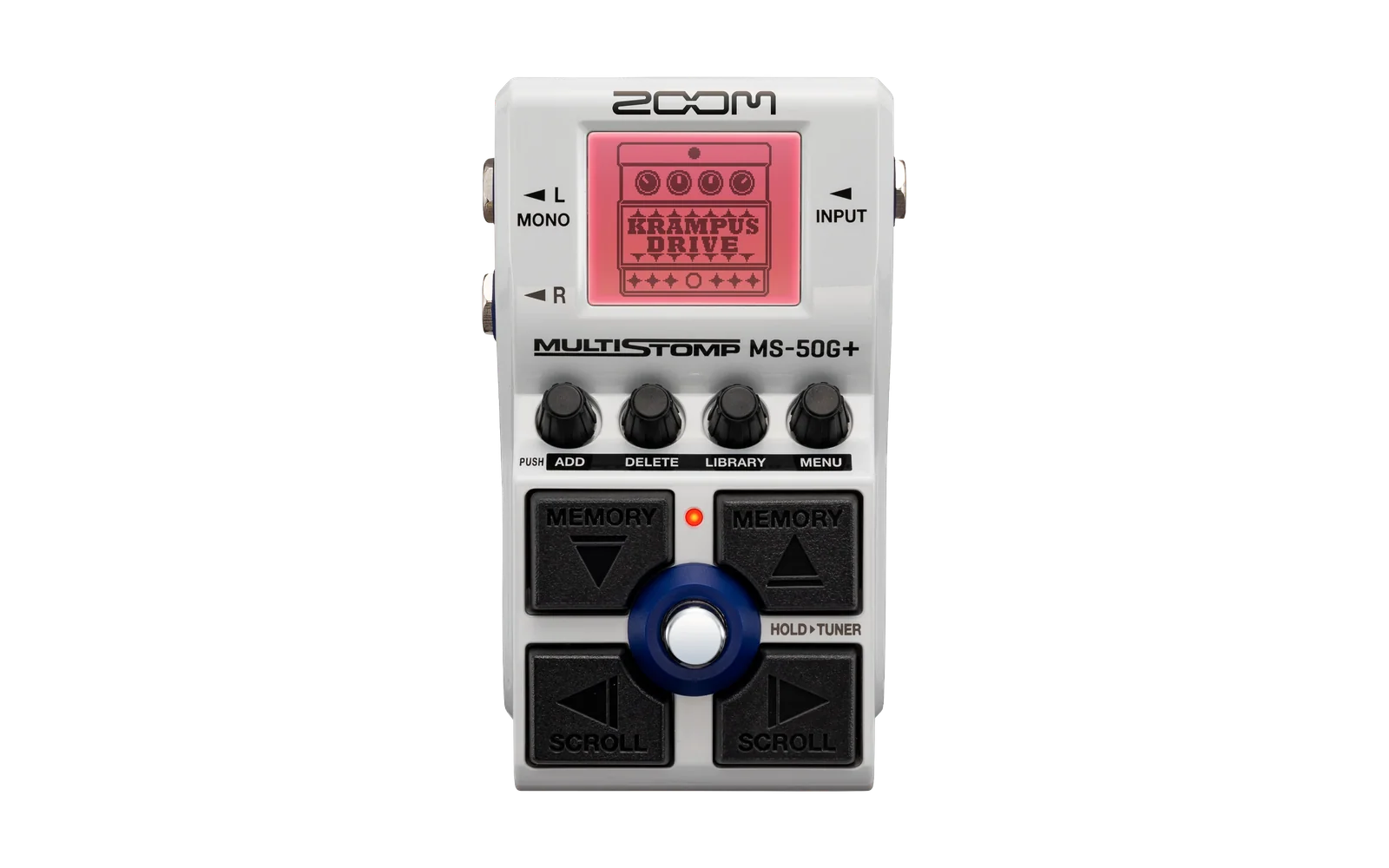
nam-to-zoom
Rising58/100Convert NAM profiles into custom effects for Zoom MS-50G+ and compatible MultiStomp pedals.
nam-to-zoom is a tool for the Zoom MS-50G+, by @freelender. Open source under MIT, latest release v1.2.3 (October 2026), 21 stars on GitHub.
forZoom MS-50G+·by@freelender
Unclaimed. Is this yours? Sign in with GitHub as @freelender to claim it.
nam2zoom-v1.2.3-windows-x64.zip· 448 MB· +3 files
MIT· freelender/nam-to-zoom·downloads come from the creator’s GitHub releases
v1.2.3nam2zoom v1.2.3Latest4 files
Version 1.2.3 introduces a reworked desktop app and an experimental macOS release, alongside expanded model banks and device support.
- New cross-platform desktop interface with an updated workflow and tooltips.
- Portable builds for Windows x64 and Apple Silicon Macs running macOS 14 or later. Intel Mac builds are temporarily disabled.
- Up to 10 NAM models per bank, with model ordering, custom pedal labels, and optional cabinet IRs.
- Compact remains the only enabled profile. A2 Lite is disabled pending further testing.
- MS-60B+ support, alongside MS-50G+ and MS-70CDR+.
- Bundled conversion dependencies, audio previews, cached conversions, and saved model lists.
WARNING THE macOS VERSION HAS NOT BEEN TESTED ON REAL HARDWARE. App operation, conversion, and USB-MIDI installation remain unverified on macOS. Successful builds and automated checks do not establish safe pedal transfers or reliable audio performance. Treat this release as experimental and proceed carefully. Custom effects can cause crackling, overflow, freezing, or permanent device failure.
How to approach testing safely
- Start without connecting a pedal. Check app startup, model loading, conversion, bank building, and original/converted audio previews.
- Before installation, prepare the pedal. Keep full backup enabled, disable autosave, select a stock patch, and remove N2Z/custom effects from saved patches before replacement.
- Test one model with N2Z as the only effect in an unsaved patch. Begin at low monitoring volume, then check every control and model switch.
- Add effects gradually. Check for clipping, crackling, dropouts, sluggish controls, and overflow. Saved-patch recall and reboot behavior require separate testing after basic operation succeeds.
- Keep USB and power connected throughout transfers. If a write fails, preserve logs and backups and consult the bundled safety instructions before retrying or power-cycling. Measurement and test reports Use consistent input signals, gain settings, and recording levels when comparing results. For fidelity checks, use an independent guitar recording and level-matched A/B listening; conversion scores alone do not prove accuracy. The declared load of 150 is scheduling metadata, not measured DSP utilization. When reporting results, include your OS version, Mac chip or Windows CPU, pedal model and firmware, bank size, conversion settings, exact effect chain, and whether the result covers live audio, saved-patch recall, or reboot. Device status: MS-50G+ firmware 1.40 and MS-70CDR+ firmware 1.20 have prior hardware confirmation. MS-60B+ firmware 1.20 remains experimental. All macOS pedal operations remain untested.
New app look:
v1.1.1nam2zoom-v1.1.1-preview-windows-x641 file
What’s new
- Increased N2Z Bank capacity from 5 to 10 NAM models.
- Added a Compact / Lite (alone) selector:
- Compact: the existing 14-layer profile, selected by default.
- Lite (alone): an experimental 23-layer NAM A2 Lite profile, adapted to 44.1 kHz.
- Added experimental support for Zoom MS-60B+ firmware 1.20. Hardware testing of N2Z Bank on this pedal is still pending.
- Updated the desktop app with tooltips explaining controls, model profiles, training settings, and cabinet IR options.
- Replaced the Best effort checkbox with a conversion-quality review dialog. After conversion, models below the quality threshold are listed with their scores, and A/B previews open before you decide whether to continue.
- Converted NAM files are now organized into Converted_NAM/Compact and Converted_NAM/Lite, with separate caches for each profile.
- Saved model lists now remember the selected profile.
- Improved build-folder handling and preservation of audio previews when a conversion is declined.
- Updated the user guide and compatibility documentation. Important notes Lite uses the full pedal DSP budget and must run as the only active effect. Adding other effects has caused slowdown and crackling during testing. Saved-patch recall and reboot behavior still need verification. All models in a bank must use the same profile. Compatible existing Compact conversions can be reused without retraining. Installation Download the Windows x64 portable ZIP, extract the complete folder, and run nam2zoom-desktop.exe. Rebuild and reinstall your bank to use the updated pedal effect.
v1.1.0-previewnam2zoom-v1.1.0-preview-windows-x641 file
What's New
- N2Z Bank is now moved to PREAMP section with new artwork
- New effect will use ID 0x04001787 (ensured backwards compatibility)
- Updated validation
- Guidance is now updated
- Minor fix for backup
- Retrained NAM models are now automatically saved in the Converted_NAM folder, located next to the application .exe. These converted models are already retrained and ready to use. When you load them into the app again, the retraining step is skipped and the app goes directly to building the effect. You can also share these converted NAM files with other users. This is especially useful for people who don't have a powerful GPU, since they can use an already-converted model without having to perform the retraining process themselves.
Installation
Download the portable ZIP, extract the complete folder, and run
nam2zoom-desktop.exe.Rebuild and reinstall your bank with this version to apply the pedal-side fixes.
New effect location in pedal
