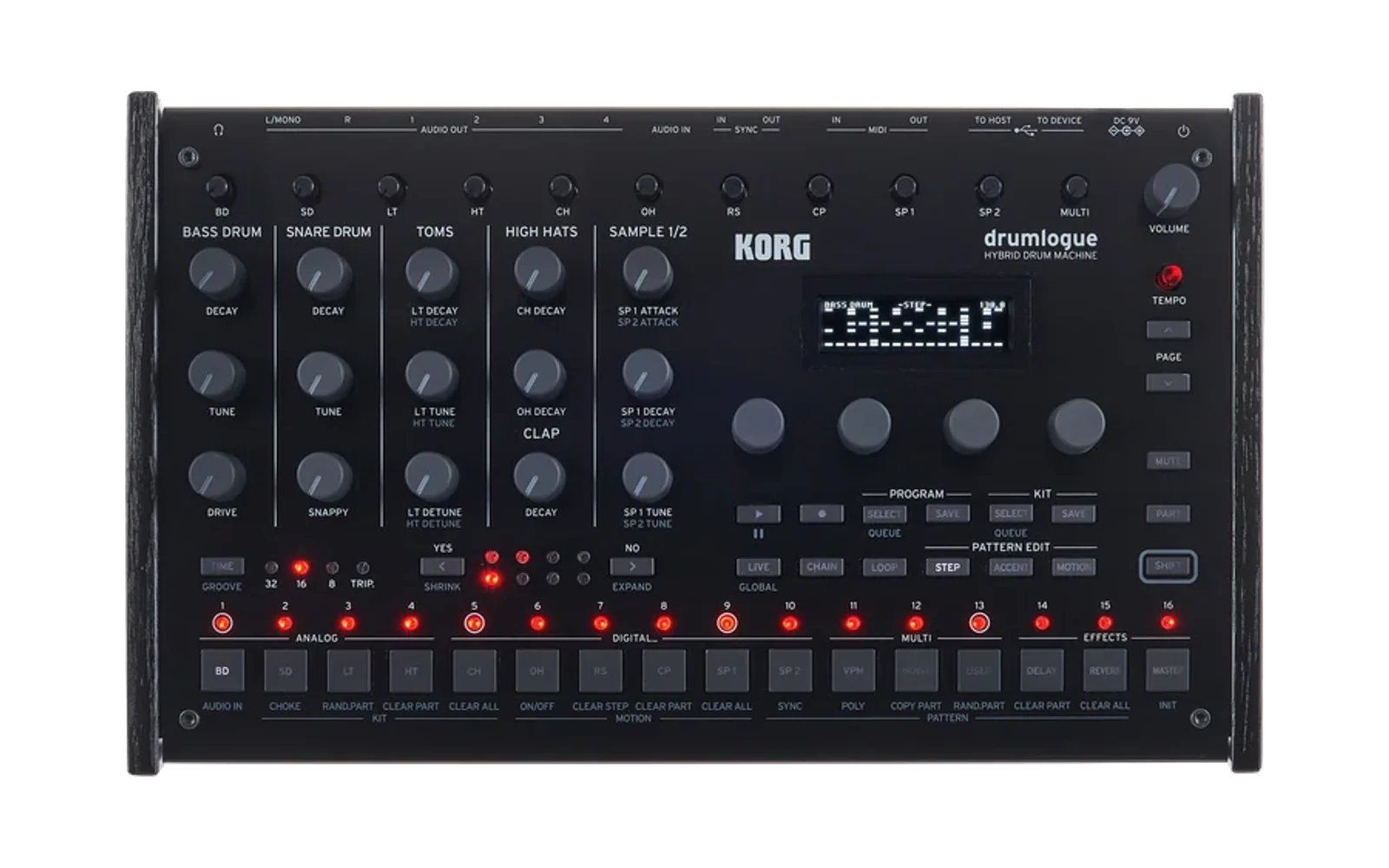
drumlogue-units
Custom DSP units for the Korg drumlogue drum machine, bringing professional-grade effects and synthesizers to your groovebox.



📖 Visit the Documentation Site for detailed unit information, sound demos, and installation guides.
🎛️ Available Units
🌫️ Clouds Reverb FX (v1.2.1)
Lush atmospheric reverb with texture processing, micro-granular effects, pitch shifting, and dual assignable LFOs. Based on Mutable Instruments Clouds.
Features: Granular reverb • Pitch shifter • Diffuser • Dual LFOs • 4 texture modes
🔔 Elementish Synth (v1.2.0)
Modal synthesis voice combining bow, blow, and strike exciters with versatile resonator models. Based on Mutable Instruments Elements.
Features: Physical modeling • Bow/Blow/Strike exciters • Resonator • 6 presets • Comprehensive modulation
🌊 Pepege-Synth (v1.1.0)
2-voice polyphonic PPG wavetable synthesizer with dual oscillators, comprehensive modulation, and authentic 8-bit character.
Features: 2-voice polyphony • 16 wavetable banks • 3 interpolation modes • Dual ADSR • LFO • State-variable filter
🪐 Drupiter Synth (v1.2.0)
Jupiter-8 inspired polyphonic/monophonic synthesizer with dual DCOs, multi-mode filter, hard sync, and cross-modulation. Based on Bristol Jupiter-8 emulation.
Features: Polyphonic/Unison/Mono modes • Dual DCOs • Hard sync • Cross-modulation • Multi-mode filter • Dual ADSR • 12 presets
Druteus Synth (v0.1.0)
E-mu Proteus/1 SoundFont player with 442 factory patches, dual-layer voice architecture, modulation, effects, and 16-voice polyphony.
Features: SF2 playback • 442 Proteus/1 patches • Dual layers • AHDSR envelopes • Crossfade/splits • Chorus/reverb • Trance gate • User LFO
🚀 Quick Start for Users
Installation
- Download the
.drmlgunitfile from the releases page - Connect your drumlogue to your computer via USB (appears as USB drive)
- Copy the file to the
Units/folder on the drumlogue - Eject safely and power cycle the drumlogue
- Select the unit from the drumlogue's unit menu
For detailed instructions, see the Installation Guide.
🛠️ Development Setup
This repository combines:
- Mutable Instruments eurorack modules (
eurorack/) - High-quality open-source DSP algorithms - Korg logue SDK (
logue-sdk/) - Official SDK for building drumlogue units - Custom build tools - Containerized build system for consistent compilation
Quick Start
Prerequisites
- Podman or Docker (for containerized builds)
- Git with submodule support
- GitHub Copilot (optional, for AI-assisted development)
Setup
-
Clone the repository with submodules:
git clone --recursive https://github.com/cldmnky/drumlogue-units.git cd drumlogue-units -
Or initialize submodules in an existing clone:
git submodule update --init --recursive
Building Units
Using the build script (Recommended):
./build.sh <unit-name>        # Build a unit
./build.sh <unit-name> clean  # Clean build
Using the Makefile (for releases):
make build UNIT=<unit-name>                    # Build
make version UNIT=<unit-name> VERSION=1.0.0    # Update version
make release UNIT=<unit-name> VERSION=1.0.0    # Full release prep
make tag UNIT=<unit-name> VERSION=1.0.0        # Create git tag
Example:
./build.sh drupiter-synth
The build produces a .drmlgunit file in drumlogue/<unit-name>/ that can be loaded onto the drumlogue via USB.
Project Structure
drumlogue-units/
├── .github/
│   ├── agents/                         # Custom Copilot agents
│   │   └── drumlogue-dsp-expert.md    # DSP development expert
│   ├── workflows/                      # CI/CD pipelines
│   │   ├── qemu-test.yml              # QEMU ARM testing
│   │   ├── dsp-test.yml               # Desktop DSP tests
│   │   └── pages.yml                  # GitHub Pages deployment
│   ├── instructions/                   # Development guidelines
│   ├── prompts/                        # Reusable prompts
│   └── copilot-instructions.md        # Copilot guidance
├── drumlogue/                          # Custom units
│   ├── clouds-revfx/                  # Clouds reverb effect
│   ├── elementish-synth/              # Elementish synthesizer
│   ├── pepege-synth/                  # PPG wavetable synth
│   ├── drupiter-synth/                # Jupiter-8 synth
│   ├── druteus/                       # Proteus/1 SoundFont synth
│   └── common/                        # Shared DSP utilities
├── eurorack/                          # Mutable Instruments (submodule)
├── logue-sdk/                         # Korg SDK (submodule)
├── test/                              # Test harnesses
│   ├── qemu-arm/                      # QEMU ARM tests
│   └── <unit-name>/                   # Desktop unit tests
├── docs/                              # GitHub Pages site
├── build.sh                           # Main build script
└── Makefile                           # Release management
🧪 Testing
Desktop Testing
Test DSP algorithms on your development machine (fast iteration):
cd test/<unit-name>
make                     # Build test harness
make test                # Run automated tests
./<unit>_test in.wav out.wav
QEMU ARM Testing
Test actual .drmlgunit files in ARM emulation (pre-hardware validation):
cd test/qemu-arm
./test-unit.sh <unit-name>
CI/CD
- Desktop tests run on every PR (Ubuntu + macOS)
- QEMU ARM tests validate ARM builds for all units
- Artifacts available for download (WAV outputs)
See Testing Guide for details.
🎨 Creating New Units
1. Choose a Template
Copy from logue-sdk/platform/drumlogue/:
dummy-synth- Synthesizer unit (drum voices, melodic synths)dummy-delfx- Delay effects (echo, chorus, flanger)dummy-revfx- Reverb effects (spatial, ambience)dummy-masterfx- Master effects (final output stage)
2. Configure Your Unit
Edit these files:
config.mk- Project name, type, source files, includesheader.c- Developer ID, unit metadata, parameters (up to 24)unit.cc- DSP implementation (unit_init,unit_render, etc.)
3. Build and Test
# Build
./build.sh <unit-name>

# Desktop test
cd test/<unit-name> && make test

# QEMU ARM test
cd test/qemu-arm && ./test-unit.sh <unit-name>

# Hardware test
# Copy .drmlgunit to drumlogue via USB
4. Release
make release UNIT=<unit-name> VERSION=1.0.0
# Then commit, tag, and push
See Create Unit Prompt for detailed workflow.
🤖 GitHub Copilot Integration
This repository is optimized for GitHub Copilot:
Custom Agents
- @drumlogue-dsp-expert - Expert mode for C/C++ DSP development
- ARM Cortex-M optimization
- Real-time audio constraints
- Logue SDK APIs
- DSP algorithm implementation
Usage
Ask @drumlogue-dsp-expert to create a delay effect unit with tempo sync
Documentation
- Copilot Instructions - Repository overview
- C/C++ Guidelines - Coding standards
- Build System - Build configuration
- Testing Standards - Test harnesses
Reusable Prompts
📚 Resources
Documentation
- GitHub Pages Site - User documentation and guides
- Installation Guide - Setup instructions
- Unit Documentation - Detailed unit references
External Links
- Korg logue SDK - Official SDK documentation
- Mutable Instruments - Original DSP source code
- Drumlogue Manual - Official hardware manual
Development
- QEMU Testing Guide - ARM emulation testing
- Release Process - Version management
- DSP Porting Guide - Mutable Instruments ports
🤝 Contributing
Contributions welcome! Areas of interest:
- New units - Port more Mutable Instruments modules or create original DSP
- Bug fixes - Improve stability and performance
- Documentation - Enhance guides and examples
- Testing - Expand test coverage and CI/CD
Please ensure:
- Code follows C/C++ style guidelines
- DSP algorithms are well-documented
- Builds successfully with
./build.sh - Desktop and QEMU tests pass
- Hardware testing when possible
📜 License
- Project code: MIT License
- Eurorack DSP: MIT (STM32) / GPLv3 (AVR) - See individual module licenses
- logue SDK: Check upstream repository
- Hardware designs: CC-BY-SA (Mutable Instruments)
See LICENSE and individual directories for details.
🆘 Support
For Users
- Download units: Releases page
- Installation help: Installation Guide
- Unit documentation: Units page
- Issues: GitHub Issues
For Developers
- Development guide: Copilot Instructions
- Ask questions: Use
@drumlogue-dsp-expertCopilot agent - Report bugs: GitHub Issues
- Contribute: See Contributing section
Built with ❤️ using DSP algorithms from Mutable Instruments