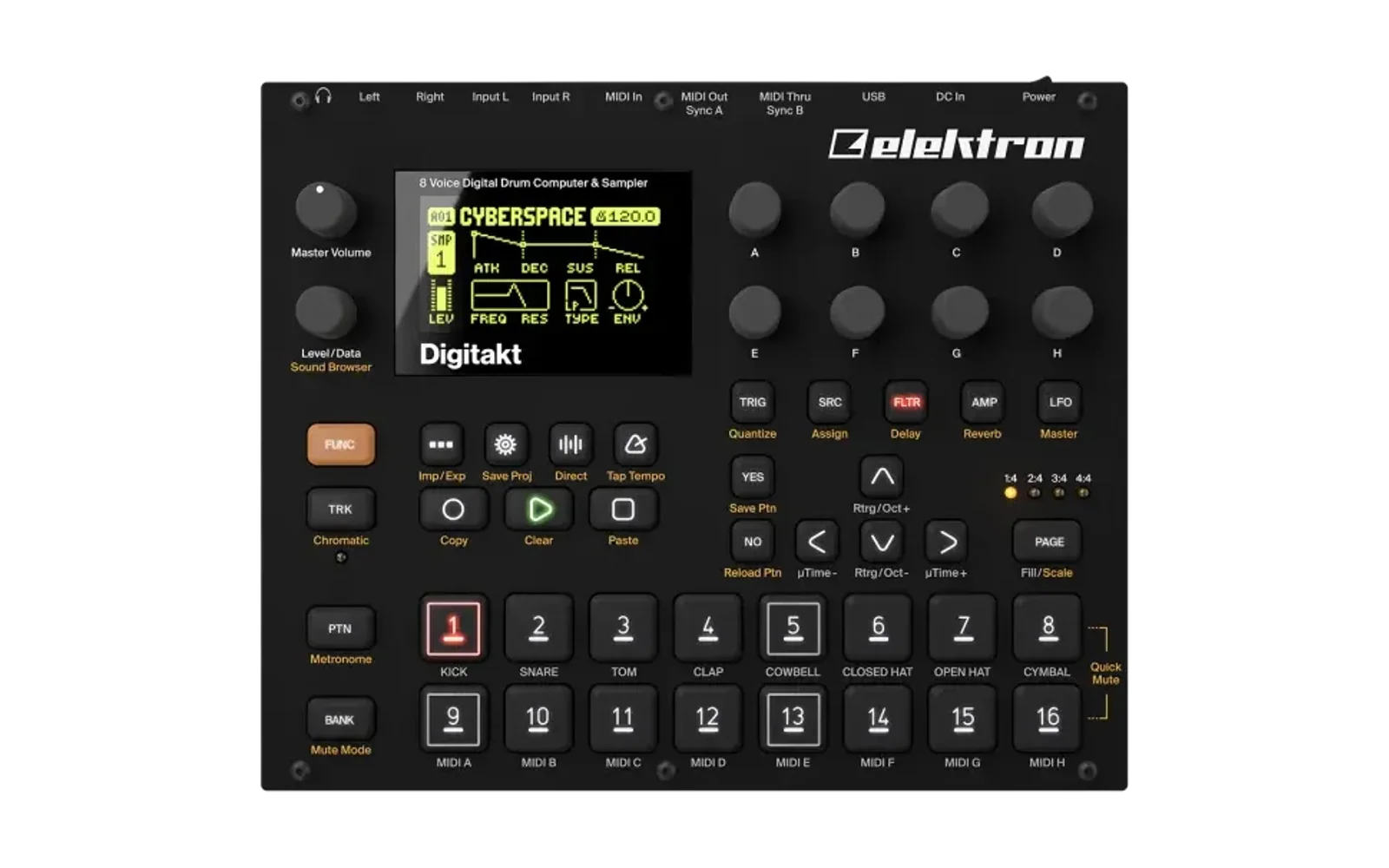
digislicer
Rising67/100Slicer for the Digitakt Mk1
digislicer is a mod for the Elektron Digitakt, by @irpina. Open source under GPL-2.0, latest release v2.5 (October 2026), 49 stars on GitHub.
forElektron Digitakt·by@irpina
Unclaimed. Is this yours? Sign in with GitHub as @irpina to claim it.
digislicer-2.5-os1.54.elemod· 104 KB· +5 files
GPL-2.0· irpina/digislicer·downloads come from the creator’s GitHub releases
v2.5digislicer 2.5Latest6 files
A new SRC machine for the Digitakt (mk1), DIGISLICER: the SLICE machine with a slice editor, for OS 1.53 and 1.54, as an elekloader mod.
What's new in 2.5: STRETCH
Knob G of DIGISLICER's SRC page is now STRETCH (STR). It changes a slice's length without changing its pitch, and it takes GRID's place.
- The values: OFF, or a speed from x0.25 (four times as long) through x1.00 to x3.29.
- 0-7 is OFF. From 8 up it goes an octave every 32: x0.25 at 8, x0.50 at 40, x1.00 at 72, x2.00 at 104.
- Pitch: the slice keeps its pitch from TUNE, its LFO and the note. At x1.00, TUNE changes the pitch without changing the length.
- Locks and LFOs: STRETCH locks per step, and the LFOs reach it, as any SRC parameter.
- Hits stay in time: in a window of several slices (LEN), each slice starts when its time comes, so hits inside a stretched window are not doubled or smeared.
- Up to 4 tracks stretch at once. A note that would make a fifth plays unstretched. Stretched playback runs on the Digitakt's main CPU, and 4 tracks at x0.25 are about as much as it has to spare.
- Forward PLAY only: FWD.L plays once when stretched, and REV, REV.L and PIPO play unstretched.
GRID is gone from DIGISLICER. A sample plays its own slices (from the editor), or AUTO's (on its transients) when it has none. AUTO's are found the first time a track plays the sample, and an even 16 grid plays until they're ready. For equal slices, use the editor's CREATE GRID: it makes them the sample's own.
Kits from older versions load with STRETCH OFF, because GRID's old values (0-5, AUTO being 5) all read as OFF. Your slices on the +Drive (
/cfw/slices.a,.b) are unchanged.The idea of peak-aligned splices and of starting hits on time comes from Heavylight Industries' capicola ("Keyframe Time Stretching via Extrema Sampling", DAFx26). The code is digislicer's own, in integers (the Digitakt has no FPU), and GPL-2.0-or-later.
The README has every control.
Files
file sha256 digislicer-2.5.elemod846a2ec329d5ebd490a5201169d053c7a9b4645a33469f4b33021a38167e658adigislicer-2.5-os1.54.elemod6dd4c6d97db4d2de14a1461175651155f2f344e4f4e39019810378fd145ad6f8core-4.0.elemod5f578843cf162621e09c92fdbfb5d92a162430eaa5f90c09d70d97ef7699fa61core-4.0-os1.54.elemod8b6e5af584973f6eb3aaecffd8b6ab1825f15fabbb5e82eac38ba23aa5f49d39machine-pages-1.2.elemod8526d61694c798bc765ae07b48ff613126d071813e887df516281c17a56c6c94machine-pages-1.2-os1.54.elemodd716bbeb70c8f7c9e8acc8bdb81681217eb8eb25ce700fe9a6ab786fed02d1f0- The files without
-os1.54are for OS 1.53. Pick the files for the OS your unit runs; elekloader refuses the others. - digislicer 2.5 needs core 3.0 or later and elekloader's machine-pages mod, as 2.3 and 2.4 did. Core 4.0 and machine-pages 1.2 are attached, the same files as on core-v4.0 and machine-pages-v1.2. For core 2.1, use digislicer 2.2.
Install
-
Get the stock OS file your unit runs,
Digitakt_OS1.54.syxorDigitakt_OS1.53.syx, from Elektron. -
Build with elekloader, from source or in its web shop:
python -m elekloader.patch --stock Digitakt_OS1.54.syx \ --mod core-4.0-os1.54.elemod --mod machine-pages-1.2-os1.54.elemod \ --mod digislicer-2.5-os1.54.elemod \ --out Digitakt_OS1.54-slicer.syx --version DS25 -
Send the
.syxto the unit as you would any OS update.
Recovery: hold FUNC while powering on for the startup menu, then send the stock OS file. elekloader never changes the bootloader.
It combines with digihealth and with the other machines built on core 3.0, such as NEIGHBOR 0.7.
Checked
- On a unit: a build of exactly these files (with digihealth 1.0) was tried on a Digitakt.
- In digikit's emulator, on OS 1.53 and 1.54, with core 4.0 and machine-pages 1.2:
- At x1.00 the stretched sound matches the stock voice's (correlation 0.999, same level).
- A 178 ms slice sounds 352 ms at x0.51 and 720 ms at x0.25.
- Knob G reads OFF and x0.25-x3.29. CREATE LINEAR and RANDOM LOCKS still work with it set.
- With 6 tracks triggered at once, 4 stretch.
- CPU, in the emulator's cycle model of the audio render: with 8 tracks triggered and 4 of them stretched at x0.25, the render takes 73% of each block on average and 87.8% at worst, against 63.7% stock.
- These files are byte-identical to the builds tested.
Custom firmware is at your own risk. Not affiliated with Elektron.
- The values: OFF, or a speed from x0.25 (four times as long) through x1.00 to x3.29.
v2.4digislicer 2.42 files
A new SRC machine for the Digitakt (mk1), DIGISLICER: the SLICE machine with a slice editor, for OS 1.53 and 1.54, as an elekloader mod.
What's new in 2.4
Two fixes in the slice editor (press SRC again on a DIGISLICER track's SRC page). Thanks to Dean2678 for reporting both.
- The other keys work while the editor is open. It used to take every key except TRIG, FLTR, AMP, LFO, PLAY and STOP. Now it takes only its own keys: YES, NO, the arrows and the trig keys.
- PLAY, STOP and FUNC work as ever, and the editor stays open. FUNC + NO, FUNC + YES and FUNC + LEFT / RIGHT still work in the editor.
- Any other key closes the editor and does what it does on the SRC page. FUNC + TRK turns the keyboard on or off; PTN, BANK and TRK pick a pattern, bank or track; RECORD records; SETTINGS, SONG, SAMPLE, TEMPO and FUNC + SRC open their menus.
- Knobs E, F and G set SLICE, LEN and GRID, as on the SRC page.
- A trig key let go early keeps playing its slice. Previewing a slice past slice 1 and letting go of the key before the slice ended made the note go on from slice 1. Now the slice plays to its end, as when the key is held.
Everything else is as in 2.3: the DIGISLICER machine, GRID = AUTO, PLAY = PIPO, the keyboard's trig slice mode, and your slices on the +Drive (
/cfw/slices.a,.b, the same files and format).The README has every control.
Files
file sha256 digislicer-2.4.elemod5753b5ea77a8c920bc090e0ce75da1b7d74babd62bf383da7fc61e7322e95c86digislicer-2.4-os1.54.elemod8af30cc443e0a26dcb5dff413c15cab25d4197d07183bcc3ba57e11b8f9bef9bdigislicer-2.4.elemodis for OS 1.53 anddigislicer-2.4-os1.54.elemodfor OS 1.54. Pick the file for the OS your unit runs; elekloader refuses the other one.digislicer 2.4 needs core 3.0 or later and elekloader's machine-pages mod, as 2.3 did. Both are on elekloader's releases: core 4.0 and machine-pages 1.2 are the newest. The elekloader 0.4.0 app bundles only core 2.1, so build from source with those files. For core 2.1, use digislicer 2.2.
Install
-
Get the stock OS file your unit runs,
Digitakt_OS1.54.syxorDigitakt_OS1.53.syx, from Elektron, and the core and machine-pages files for that OS. -
Build with elekloader from source:
python -m elekloader.patch --stock Digitakt_OS1.54.syx \ --mod core-4.0-os1.54.elemod --mod machine-pages-1.2-os1.54.elemod \ --mod digislicer-2.4-os1.54.elemod \ --out Digitakt_OS1.54-slicer.syx --version DS24 -
Send the
.syxto the unit as you would any OS update.
Recovery: hold FUNC while powering on for the startup menu, then send the stock OS file. elekloader never changes the bootloader.
It combines with digihealth and with the other machines built on core 3.0, such as NEIGHBOR 0.7 and SOPHIE.
Checked
In digikit's emulator, against 2.3, on OS 1.53 and 1.54, with core 4.0 and machine-pages 1.2:
- The keys: FUNC + TRK, SETTINGS, PTN + a trig key, BANK, TRK + a trig key, RECORD, SONG, SAMPLE, TEMPO, FLTR and FUNC + SRC each close the editor and work as on the SRC page; 2.3 ignored them. FUNC + NO still deletes a slice. Knob E moves SLICE, where 2.3 ignored it.
- The editor's own keys (the trig keys, UP, YES's menu, RIGHT, PLAY, STOP and NO) give the same screens as 2.3.
- A short preview: trig 3 tapped for 80 ms plays slice 3 and stops at its end (0.86 s), the same audio as the key held through. 2.3 played on to 1.56 s. The next note on that track, from the keyboard, plays the slice SLICE is set to.
- 1.54's screens are 1.53's. These files are byte-identical to the builds tested.
Custom firmware is at your own risk. Not affiliated with Elektron.
- The other keys work while the editor is open. It used to take every key except TRIG, FLTR, AMP, LFO, PLAY and STOP. Now it takes only its own keys: YES, NO, the arrows and the trig keys.
v2.2digislicer 2.24 files
A new SRC machine for the Digitakt (mk1), DIGISLICER: the SLICE machine with a slice editor, for OS 1.53 and 1.54, as an elekloader mod.
What's new in 2.2
It takes 15 KB of the RAM elekloader's mods share, where 2.1 took 92 KB. That leaves room for other mods: with core, digihealth and digineighbor, the four now take 49,232 of the 131,072 bytes instead of 125,976.
digislicer code data in all 2.1 16,414 bytes 75,756 bytes 92,170 bytes 2.2 12,522 bytes 2,904 bytes 15,426 bytes - Its big tables live on the Digitakt's own heap (16 MB, with megabytes free). These are the slice tables and its copy of your slices on the +Drive, 70 KB in all. They are set up the first time a DIGISLICER track plays or the editor opens, and the heap then has about 0.1 MB less free.
- Its code is compiled for size.
What it does is unchanged:
- the DIGISLICER machine and its slice editor (press SRC again on its SRC page);
- GRID = AUTO and PLAY = PIPO;
- the keyboard's trig slice mode.
Your slices are kept in the same files on the +Drive (
/cfw/slices.a,.b), in the same format, with the same room: 128 samples of up to 64 slices each.The README has every control.
Files
file sha256 digislicer-2.2.elemod20cfd79492c40289653c62667003e4a60eda7cc4ceed7abdb7fbde9e051a3527digislicer-2.2-os1.54.elemodc660a7232a5986a677696d61a18688256cfe208510d146c3ea876df50c738c27core-2.1.elemodf38b0c193677a060b3fdb28fe71b9332be8a5e7d36ecaf91a3c86a61bab558ebcore-2.1-os1.54.elemod8c1fe78ccd1427d6a93f181eaad9f064efb65cf6dd683192dbcc33e83dc548b9digislicer-2.2.elemodis for OS 1.53 anddigislicer-2.2-os1.54.elemodfor OS 1.54. Pick the file for the OS your unit runs; elekloader refuses the other one.digislicer 2.2 needs core 2.1, the same core as 2.0 and 2.1.
core-2.1.elemod(OS 1.53) andcore-2.1-os1.54.elemod(OS 1.54) are elekloader 0.4.0's, built from itsmods/core. The Windows and macOS apps bundle both from 0.4.0 on. From source, install the core for your OS with the mod.Install
-
Get elekloader 0.4.0 or later, and the stock OS file your unit runs,
Digitakt_OS1.54.syxorDigitakt_OS1.53.syx, from Elektron. -
In elekloader's window, Install from file the digislicer file for that OS (from source, its core too). Tick digislicer, choose your stock file and Build firmware. Or:
python -m elekloader.patch --stock Digitakt_OS1.53.syx \ --mod core-2.1.elemod --mod digislicer-2.2.elemod \ --out Digitakt_OS1.53-slicer.syx --version DS22 -
Send the
.syxto the unit as you would any OS update.
Recovery: hold FUNC while powering on for the startup menu, then send the stock OS file. elekloader never changes the bootloader.
It combines with digihealth and with digineighbor 0.6.
Checked
In digikit's emulator, against 2.1:
- The editor tests:
- the arrow, cursor and vertical zoom tests give exactly 2.1's results, frame for frame;
- the editor and menu tests give the same slices, splits, deletions and stored records;
- they differ only where the emulator groups knob notches by the UI's timing, which happens on stock's own SRC page too.
- Your slices on the +Drive: an edit is saved, and loads back the same after the copy in RAM is wiped.
- The keyboard's trig slice mode and PIPO: the same results as 2.1.
- A DIGISLICER script, on OS 1.53 and on 1.54. It picks DIGISLICER, sets GRID to AUTO and PLAY to PIPO, opens the editor, uses the keyboard's trig slice mode and plays the pattern. Every screen and the audio are identical to 2.1's.
- The heap: after the tables are set up, every free list is intact.
- Cold boots against stock, on OS 1.53 and 1.54, with and without digihealth and digineighbor: every screen is identical, and the audio is identical or 1 ms longer at its silent end.
Not yet tried on a unit. On one, digihealth's SYSTEM INFO should show about 0.1 MB less RAM free once a DIGISLICER track has played, and no further drop after that.
Custom firmware is at your own risk. Not affiliated with Elektron.
v2.1digislicer 2.14 files
A new SRC machine for the Digitakt (mk1), DIGISLICER: the SLICE machine with a slice editor, for OS 1.53 and 1.54, as an elekloader mod.
What's new in 2.1
The keyboard plays the slices. Turn the keyboard on (FUNC + TRK) on a DIGISLICER track, and the trig keys work as the Octatrack's trig slice mode:
- Trig 1 plays slice 1, trig 2 slice 2, and so on, whatever SLICE is set to. Each plays at the track's pitch: TUNE moves it, the key does not.
- The trig keys of the sample's slices light up, every fourth one blue. With fewer than 16 slices, the rest stay dark and silent. The count is what the track plays: your own slices, AUTO's, or the grid.
- UP / DOWN go to slices 17-32, 33-48 and 49-64, as far as the sample has slices. The popup and the keyboard menu (FUNC + TRK held) count the pages, for example
Slice Page: 2/3. - Live recording (REC + PLAY) records each key as a trig with a slice lock, which plays that slice at the track's NOTE, as a slice lock entered on the grid does. STEP REC (REC + STOP, then FUNC + a trig key) records the same at the cursor.
- With the keyboard off, or on any other machine, the trig keys work as ever. The slice editor's trig keys still audition its slices.
Worth knowing: a key plays its slice at note 60 (plus TUNE). A recorded trig plays it at the track's NOTE (the TRIG page's NOTE); at its default the two sound the same.
OS 1.54. The same mod for Digitakt OS 1.54, Elektron's release of 2026-09-30:
digislicer-2.1-os1.54.elemod, withcore-2.1-os1.54.elemod. It needs elekloader 0.4.0. Pick the file for the OS your unit runs; elekloader refuses the other one.Everything from 2.0 is unchanged: the DIGISLICER machine and its slice editor (press SRC again on its SRC page), GRID = AUTO, and PLAY = PIPO. The README has every control.
Files
file sha256 digislicer-2.1.elemod351bfb3a7c8bbbc8f925e085d77ee136114ad7edb90beeed9a6ea351f2cde51fdigislicer-2.1-os1.54.elemodb484401eac741c72dbc334e11dd7e0df6b799237cafd9581d020b43e06a0a277core-2.1.elemodf38b0c193677a060b3fdb28fe71b9332be8a5e7d36ecaf91a3c86a61bab558ebcore-2.1-os1.54.elemod8c1fe78ccd1427d6a93f181eaad9f064efb65cf6dd683192dbcc33e83dc548b9digislicer 2.1 needs core 2.1, elekloader's hook bus with its SRC machine slots: the same core as digislicer 2.0.
core-2.1.elemod(OS 1.53) andcore-2.1-os1.54.elemod(OS 1.54) are elekloader 0.4.0's, built from itsmods/core. The Windows and macOS apps bundle both from 0.4.0 on. From source, install the core for your OS with the mod.Install
-
Get elekloader 0.4.0 or later, and the stock OS file your unit runs,
Digitakt_OS1.54.syxorDigitakt_OS1.53.syx, from Elektron. -
In elekloader's window, Install from file the digislicer file for that OS (from source, its core too). Tick digislicer, choose your stock file and Build firmware. Or:
python -m elekloader.patch --stock Digitakt_OS1.53.syx \ --mod core-2.1.elemod --mod digislicer-2.1.elemod \ --out Digitakt_OS1.53-slicer.syx --version DS21 -
Send the
.syxto the unit as you would any OS update.
Recovery: hold FUNC while powering on for the startup menu, then send the stock OS file. elekloader never changes the bootloader.
It combines with digihealth and with digineighbor 0.6.
Checked
In digikit's emulator, on a DIGISLICER track with the keyboard on:
-
The keys: trig keys 1, 2 and 16 play slices 1, 2 and 16, and on page 2 trig 16 plays slice 32, with SLICE at 5 and with SLICE on the keyboard icon.
-
The LEDs: all 16 lit with 32 slices; with a sample's own 6 slices, keys 1-6 lit, 7-16 dark, and trig 7 silent; with AUTO, AUTO's count.
-
The pages: UP stops at the last page; the popup and the keyboard menu count the pages; a page left past the last one, after a change to a sample with fewer slices, reads as the last.
-
Recording: a key recorded with REC + PLAY plays its slice on that step every loop; STEP REC records the slice lock at the cursor.
-
Unchanged: the keyboard off, a ONESHOT track, and the slice editor's trig keys.
-
The patched places were checked by a second reader against the firmware's code.
-
Cold boots against stock (with and without digihealth and digineighbor): every screen is identical; the audio is identical, or 1 ms longer at its silent end.
-
OS 1.54: core + digislicer against stock 1.54: every stage passes, and the nine screens are identical. With digihealth and digineighbor, for 1.54 against the same for 1.53: DIGISLICER in the machine menu, its SRC page, GRID to AUTO, PLAY to PIPO and the keyboard's slice pages are identical, screen for screen. That emulator had no samples, so your slices and their playback have not run on 1.54.
Not yet tried on a unit.
Custom firmware is at your own risk. Not affiliated with Elektron.
v2.0digislicer 2.02 files
A new SRC machine for the Digitakt (mk1), DIGISLICER: the SLICE machine with a slice editor, for OS 1.53, as an elekloader mod.
What's new in 2.0
- DIGISLICER is its own machine. Pick it with FUNC + SRC: it is below SLICE in the list, with its own icon.
- Its SRC page is SLICE's, and it plays everything SLICE plays: GRID, SLICE, LEN, slice locks, the keyboard's slice pages.
- Press SRC again for the slice editor, the page's waveform view. SRC or NO takes you back to the parameters; TRIG, FLTR, AMP or LFO closes it and goes to that page. Holding YES no longer opens it.
- The stock SLICE machine is back to stock. Your own slices, AUTO, PIPO and the editor are DIGISLICER's only.
- PLAY = PIPO, the Octatrack's ping-pong loop, on DIGISLICER.
- The slice plays forward, then backward, then forward again, for as long as the note lasts. Each note starts forward.
- It works on GRID's slices, AUTO's and your own, and across the slices LEN spans.
- The SRC page shows it as
|<-->|.
- A playhead in the editor: a line through the waveform, and a tick on the line under the top row, where the sample is playing. It moves back and forth with PIPO.
- Kits keep DIGISLICER when you load them back.
Coming from 1.x: SLICE tracks that used your own slices, AUTO or PIPO play as stock SLICE now. Switch them to DIGISLICER (FUNC + SRC). Your slices are still on the +Drive (
/cfw/slices.a,.b) and play there at once.Worth knowing:
- On stock firmware, or a build without digislicer, a DIGISLICER track loads as ONESHOT: the Digitakt turns machines it doesn't know into ONESHOT.
- A track you switch from DIGISLICER to SLICE keeps its PLAY setting, as the Digitakt keeps PLAY across machines. So a PIPO track keeps showing PIPO, and plays it as FWD, until you turn PLAY.
The README has every control.
Files
file sha256 digislicer-2.0.elemod79f697787ed2c1a5d3be1966707d5f0613ee81d1a240dafeee5cebf33c266d12core-2.1.elemodd97ac09eacccb91e3f5f4999077956be09008bb508807003757b01c71ee23c28digislicer 2.0 needs core 2.1, elekloader's hook bus with its new SRC machine slots.
core-2.1.elemodis built from elekloader'smods/core. The Windows and macOS apps build with the core they bundle, so they need an elekloader release with core 2.1. From source, installcore-2.1.elemodwith the mod.Install
-
Get elekloader and the stock
Digitakt_OS1.53.syxfrom Elektron. -
In elekloader's window, Install from file
digislicer-2.0.elemod(from source,core-2.1.elemodtoo). Tick digislicer, choose your stock file and Build firmware. Or:python -m elekloader.patch --stock Digitakt_OS1.53.syx \ --mod core-2.1.elemod --mod digislicer-2.0.elemod \ --out Digitakt_OS1.53-slicer.syx --version DS20 -
Send the
.syxto the unit as you would any OS update.
Recovery: hold FUNC while powering on for the startup menu, then send the stock OS file. elekloader never changes the bootloader.
It combines with digihealth and with digineighbor 0.6, whose NEIGHBOR machine sits between SLICE and DIGISLICER.
Checked
In digikit's emulator:
- The machine: chosen in the menu, it plays as SLICE; its page, SLICE's slice-lock menu and the editor's SRC, NO and page keys work.
- The editor tests (editor, menu, arrows, cursor, vertical zoom) pass on a DIGISLICER track.
- PIPO: clean turns within the slice, FAST AUDIO off and on, on all tracks, at TUNE -12 to +24, on GRID's, AUTO's and your own slices, with LEN up to 3.
- The playhead is where the voice is on every frame, and goes when the note ends.
- SLICE stops at FWD and 64, and plays the stock grid.
- Cold boots against stock (with and without digihealth and digineighbor): every screen is identical; the audio is identical, or 1 ms longer at its silent end.
Not yet tried on a unit.
Custom firmware is at your own risk. Not affiliated with Elektron.
- DIGISLICER is its own machine. Pick it with FUNC + SRC: it is below SLICE in the list, with its own icon.
v1.2digislicer 1.22 files
A slice editor for the Digitakt (mk1) SLICE machine, for OS 1.53, as an elekloader mod.
What's new in 1.2
The editor's waveform view now works like the Octatrack's audio editor.
- A cursor on LEVEL, like the Octatrack's waveform marker.
- It sits on the selected slice's start until you turn LEVEL. Then it moves freely, and the waveform scrolls to keep it on screen.
- Knob D zooms around it.
- ADD SLICE HERE, the first item of the YES menu: a new slice starts at the cursor. As on the Octatrack, it is listed only where a slice can start.
- Zoom Y on knob H: the waveform up to 64 times taller, to see quiet tails and soft hits.
- A slider right of the waveform shows the Y zoom.
- A line under the top row shows the part of the sample in view.
- Labels in two rows, laid out as the knobs are:
A:SEL   B:MOVE  C:FINE  D:ZOOM X
LVL:CURSOR 1.415s       H:ZOOM Y
Until you turn LEVEL or H, the editor works as in 1.1. Your slices carry over: the store on the +Drive (
/cfw/slices.a,.b) is unchanged.The README has every control.
Files
file sha256 digislicer-1.2.elemodfcedbfe1856cfac20e46745f4d8f429bb03f386af214ca865acbaeb77223c3ebcore-2.0a.elemod21f868b9ecf5e765fe2b813c430ad269ad599fa1493f9220a7e20267bd2801d0core-2.0a.elemodis elekloader's hook bus, which every linkable mod needs. It is built from elekloader'smods/coreand is the same file as in 1.0 and 1.1.Install
-
Get elekloader and the stock
Digitakt_OS1.53.syxfrom Elektron. -
In elekloader's window, Install from file
digislicer-1.2.elemod. Running elekloader from source, installcore-2.0a.elemodtoo. Tick digislicer, choose your stock file and Build firmware. Or:python -m elekloader.patch --stock Digitakt_OS1.53.syx \ --mod core-2.0a.elemod --mod digislicer-1.2.elemod \ --out Digitakt_OS1.53-slicer.syx --version SL12 -
Send the
.syxto the unit as you would any OS update.
Recovery: hold FUNC while powering on for the startup menu, then send the stock OS file. elekloader never changes the bootloader.
It combines with digihealth: add
digihealth-1.0.elemodto the same build.Checked
In digikit's emulator:
- Zoom: a test zooms D in and out, then H up to 64 times and back. On every frame, the slice starts, the view line and the slider are where they should be, pixel for pixel.
- Cursor: a test moves it, zooms around it, scrolls with it, and uses ADD SLICE HERE. The new slice lands at the cursor, plays at once and is stored on the +Drive.
- Knob A steps as before.
- Earlier tests: the editor, menu and arrow tests pass.
- Cold boot: against 1.0, the screens and audio are identical.
Not yet tried on a unit in this exact build.
Custom firmware is at your own risk. Not affiliated with Elektron.
- A cursor on LEVEL, like the Octatrack's waveform marker.
v1.1digislicer 1.12 files
A slice editor for the Digitakt (mk1) SLICE machine, for OS 1.53, as an elekloader mod.
What's new in 1.1
- Knob labels. The editor's bottom row names what knobs A-D do: A:SEL · B:MOVE · C:FINE · D:ZOOM. The sample slot moved to the top row. The YES:MENU hint went to make room; YES still opens the menu.
- Smooth zoom on knob D. In 1.0, D zoomed an octave at a time with a dead zone before each step, which was far too slow. It now zooms in small steps (about 4% a count) and faster the faster you turn it. It goes from the whole sample down to two samples a column.
- Knob A is unchanged: one slice a notch, as before.
- Fix: at deep zoom, slice markers could be drawn a few columns away from the waveform they mark.
The README has every control.
Files
file sha256 digislicer-1.1.elemod677f950877d9261f0f400444e467064be7f50de7cd232006472eddcfe01f04e1core-2.0a.elemod21f868b9ecf5e765fe2b813c430ad269ad599fa1493f9220a7e20267bd2801d0core-2.0a.elemodis elekloader's hook bus, which every linkable mod needs. It is built from elekloader'smods/coreand is the same file as in 1.0.Install
-
Get elekloader and the stock
Digitakt_OS1.53.syxfrom Elektron. -
In elekloader's window, Install from file
digislicer-1.1.elemod(and, running elekloader from source,core-2.0a.elemod), tick digislicer, choose your stock file and Build firmware. Or:python -m elekloader.patch --stock Digitakt_OS1.53.syx \ --mod core-2.0a.elemod --mod digislicer-1.1.elemod \ --out Digitakt_OS1.53-slicer.syx --version SL11 -
Send the
.syxto the unit as you would any OS update.
Your slices from 1.0 carry over: the store on the +Drive (
/cfw/slices.a,.b) is unchanged.Recovery: hold FUNC while powering on for the startup menu, then send the stock OS file. elekloader never changes the bootloader.
It combines with digihealth: add
digihealth-1.0.elemodto the same build.Checked
In digikit's emulator:
- Zoom: a new test takes D to the deepest zoom and back. At all 17 zoom levels tried, each slice start is drawn in its waveform's column.
- Knob A: it gets the same events and the same filter state as in 1.0.
- Editor tests: the editor, menu and arrow tests pass.
- Cold boot against 1.0: through the real bootloader, the screens and audio are identical.
Not yet tried on a unit.
Custom firmware is at your own risk. Not affiliated with Elektron.
v1.0digislicer 1.02 files
A slice editor for the Digitakt (mk1) SLICE machine, for OS 1.53, as an elekloader mod.
- Hold YES on a SLICE track's SRC page to open the editor.
- Slice where you want, or use the YES menu: SPLIT SLICE, DELETE SLICE, AUTO SLICE (on transients), CREATE GRID (4-64), DELETE ALL.
- Play the slices from the trig keys and the arrows.
- A sample's own slices play on every SLICE track, whatever GRID says. They are kept per sample on the +Drive.
- GRID also gets AUTO.
The README has every control.
Files
file sha256 digislicer-1.0.elemod83d8dae2f489944c2a6699c595a845b373198f1680544438ffc9bf610b8bef06core-2.0a.elemod21f868b9ecf5e765fe2b813c430ad269ad599fa1493f9220a7e20267bd2801d0core-2.0a.elemodis elekloader's hook bus, which every linkable mod needs. It is built from elekloader'smods/coreand is the same file in every release that carries it.Install
-
Get elekloader (Python 3.9+) and the stock
Digitakt_OS1.53.syxfrom Elektron. -
In elekloader's window, Install from file both
.elemodfiles, tick them, choose your stock file and Build firmware. Or:python -m elekloader.patch --stock Digitakt_OS1.53.syx \ --mod core-2.0a.elemod --mod digislicer-1.0.elemod \ --out Digitakt_OS1.53-slicer.syx --version SL10 -
Send the
.syxto the unit as you would any OS update.
Recovery: hold FUNC while powering on for the startup menu, then send the stock OS file. elekloader never changes the bootloader.
It combines with digihealth: add
digihealth-1.0.elemodto the same build.Checked
In digikit's emulator:
- Editor tests: at every step it matches the custom build it came from (1.8J): open, select, zoom, move, split, delete, the menu, the arrows and the audition windows.
- Cold boots: against stock through the real bootloader, the screens and audio are identical to stock's. The only exception is where the recording ends, which moves by one silent 1 ms block.
On a unit, in the custom builds this came from: the editor, its slices playing, the arrows and the trig-key audition.
Custom firmware is at your own risk. Not affiliated with Elektron.