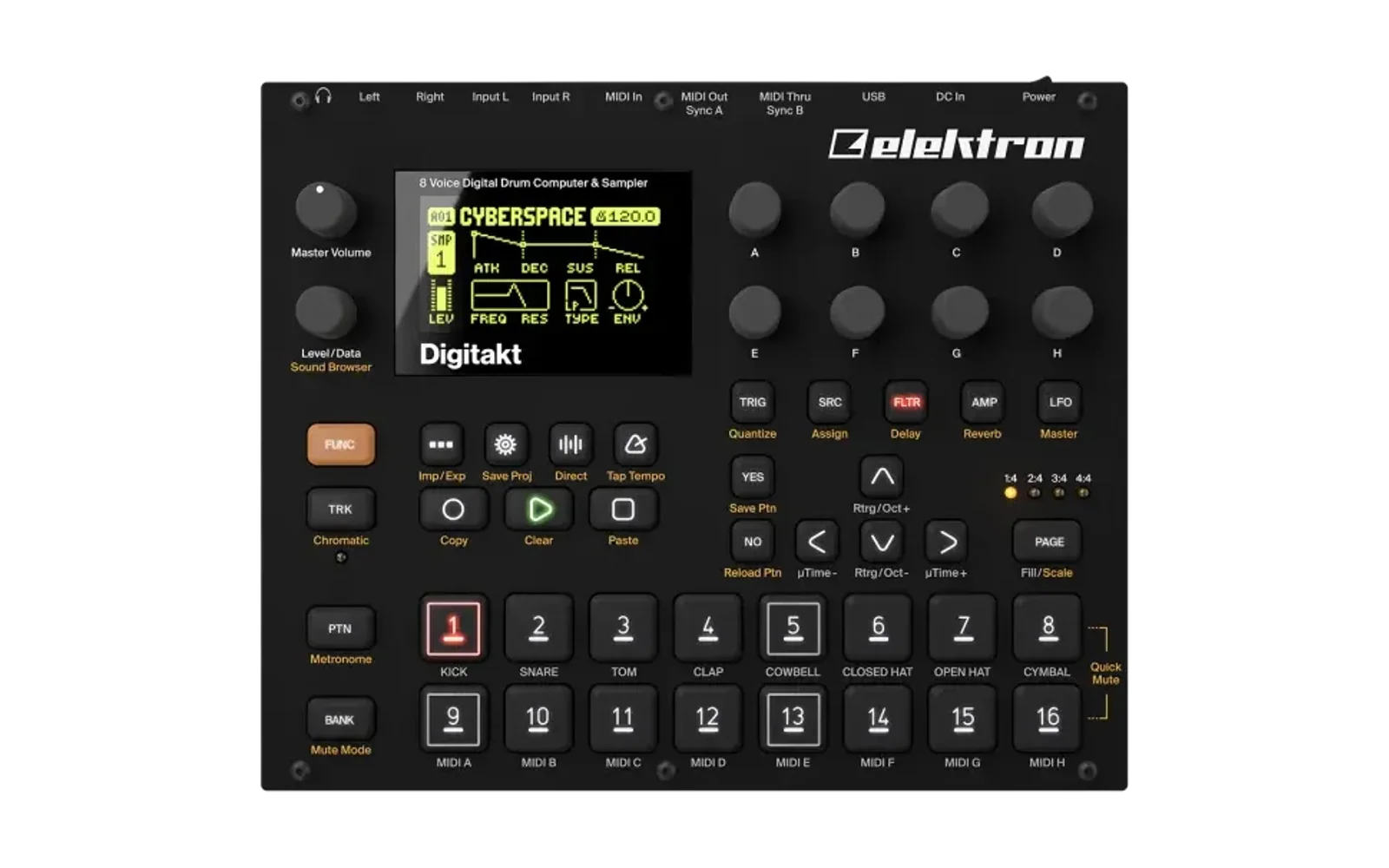
digislicer
A new SRC machine for the Digitakt (mk1): DIGISLICER, the SLICE machine with a slice editor. Slice a sample where you want, auto-slice it on its transients or on an equal grid, watch it play, and play each slice from the sequencer and the trig keys, stretched in time if you like without changing its pitch. There is no need to save a sliced copy to the +Drive first.
It is an elekloader mod for OS 1.53 and 1.54, a file for each. elekloader builds a custom OS file on your own machine, from your stock OS file and the mods you pick; nothing from Elektron is distributed.
2.3 and later need core 3.0 and elekloader's machine-pages mod, which draws the SRC page from what DIGISLICER describes (in 2.5: PLAY one step further, to PIPO, and STRETCH where GRID was). That is what lets it share a build with the other machines built that way: SOPHIE, NEIGHBOR 0.7 and Digi Mono. For core 2.1, use 2.2: it does the same.
What it does
- The DIGISLICER machine. Pick it as any machine: FUNC + SRC, then
DIGISLICER, below SLICE, in the list.
- Its SRC page is SLICE's, and it plays everything SLICE plays: SLICE, LEN, slice locks. Knob G is STRETCH instead of GRID (below).
- Press SRC again for its waveform view: the slice editor, on the track's sample. SRC, NO or another page key takes you back.
- The editor opens on the sample's own slices if it has some, and on AUTO's otherwise.
- Your slices play everywhere. A sample with its own slices plays them on every DIGISLICER track that uses it. SLICE, the keyboard and slice locks pick from them.
- They are kept. A second after you close the editor, the slices are
saved to the +Drive per sample (by content, so they follow the sample into
every project). They live in
/cfw/slices.aand/cfw/slices.b; a/cfwfolder appears in the sample browser. - AUTO slices otherwise. A sample with no slices of its own plays AUTO's: slices on its transients, found the first time a DIGISLICER track plays it (an even 16 grid plays until they are ready). For equal slices, the editor's CREATE GRID makes them the sample's own.
- STRETCH (knob G). The slice's length, apart from its pitch: OFF, or
a speed from x0.25 (four times as long) through x1.00 to x3.29. 0-7 is
OFF; from 8 it goes an octave every 32, x0.50 at 40, x1.00 at 72, x2.00
at 104.
- The pitch is the slice's as ever (TUNE, its LFO, the note), so at x1.00 TUNE changes the pitch and not the length.
- It locks per step and the LFOs reach it, as any SRC parameter.
- Hits inside a stretched slice stay in time and are not doubled: a window of several slices (LEN) starts each one when its time comes.
- Up to 4 tracks stretch at once; a note that would make a fifth plays unstretched. Stretched playback reads the sample on the main CPU, and four voices at x0.25 add up to a quarter of a block's time to the audio render in its busiest blocks.
- Forward PLAY only: FWD.L plays once when stretched, and REV, REV.L and PIPO play unstretched.
- It keeps GRID's place in the sound, so a kit saved with an older digislicer (GRID 0-5, AUTO being 5) loads with STRETCH OFF.
- How it works: a grid moves through the slice at STRETCH's speed while a read head plays at the slice's pitch; when the head has drifted from the grid, a second head takes over near the grid, its waveform peak lined up with the first's, over a crossfade. The idea of peak-aligned splices and of starting hits on time comes from Heavylight Industries' capicola ("Keyframe Time Stretching via Extrema Sampling", DAFx26); the code is digislicer's own, in integers (the Digitakt has no FPU).
- PLAY = PIPO. On DIGISLICER, PLAY goes one past FWD to PIPO, the
Octatrack's ping-pong loop.
- The slice plays forward, then backward, then forward again, for as long as the note lasts. Each note starts forward.
- It works on AUTO's slices and your own, and across the slices LEN spans.
- The SRC page shows it as
|<-->|.
- The keyboard plays the slices. Turn the keyboard on (FUNC + TRK) on
a DIGISLICER track, and the trig keys work as the Octatrack's trig slice
mode:
- Trig 1 plays slice 1, trig 2 slice 2, and so on, whatever SLICE is set to. Each plays at the track's pitch: TUNE moves it, the key does not.
- The trig keys of the sample's slices light up, every fourth one blue; with fewer than 16 slices, the rest stay dark and silent.
- UP / DOWN go to slices 17-32, 33-48 and 49-64, as far as the sample
has slices. The popup and the keyboard menu (FUNC + TRK held) count
its pages (
Slice Page: 2/3). - Live recording (REC + PLAY) records each key as a trig with a slice lock, which plays that slice at the track's NOTE, as a slice lock entered on the grid does. STEP REC (REC + STOP, then FUNC + a trig key) records the same at the cursor.
- With the keyboard off, or on any other machine, the trig keys work as ever.
- The stock SLICE machine is left as it is. Your slices, AUTO, PIPO
and the editor are DIGISLICER's only.
- A track you switch from DIGISLICER to SLICE keeps its PLAY setting, as the Digitakt keeps PLAY across machines. So a PIPO track keeps showing PIPO, and plays it as FWD, until you turn PLAY.
- Kits keep it. A project saved with DIGISLICER tracks loads back with them. It needs core 2.1 or later, which holds the machine slots that DIGISLICER and other added machines (such as digineighbor's NEIGHBOR) share; 2.3 and later need core 3.0.
- On stock firmware, or a build without digislicer, a DIGISLICER track loads as ONESHOT: the Digitakt turns machines it doesn't know into ONESHOT.
- It leaves room for other mods. Of the 128 KB of RAM that elekloader's mods share, digislicer takes about 15 KB. Its slice tables and its copy of the slices on the +Drive (70 KB) are on the Digitakt's own heap, which has megabytes free, from the first time a DIGISLICER track plays or the editor opens.
From 1.x: SLICE tracks that used your own slices, AUTO or PIPO play as stock SLICE now. Switch them to DIGISLICER (FUNC + SRC): your slices are still on the +Drive and play there at once.
The editor
| control | |
|---|---|
| knob A | select a slice (one per notch, as the SAMP knob steps) |
| knob B | move its start |
| knob C | move its start by single samples |
| knob D | zoom horizontally, smoothly, around the cursor: turn it faster to zoom faster |
| knob H | zoom vertically, up to 64 times taller, to see quiet parts |
| knobs E, F, G | SLICE, LEN and STRETCH, as on the SRC page |
| LEVEL | move the cursor; the waveform scrolls with it |
| LEFT / RIGHT | previous / next slice, played while held |
| trig keys | select slice 1-16 and play it while held (UP / DOWN: 17-32, 33-48, 49-64) |
| FUNC + LEFT / RIGHT | previous / next sample slot (the track's SAMP moves with it) |
| FUNC + NO | delete the selected slice |
| FUNC + YES | AUTO SLICE |
| YES | the slice menu |
| NO, SRC | close (the slices are kept): back to the SRC page |
| PLAY, STOP, FUNC | work as ever; the editor stays open |
| any other key | closes the editor and does what it does on the SRC page: TRIG, FLTR, AMP, LFO and the menus (SETTINGS, SAMPLE, ...) go to their pages; PTN, BANK and TRK pick a pattern, bank or track; RECORD records; FUNC + TRK turns the keyboard on or off |
The cursor works as the Octatrack's waveform marker. It is an I-beam on the waveform.
- It sits on the selected slice's start, and jumps there whenever you select a slice or move its start.
- LEVEL moves it anywhere: a view column at a time when turned slowly, faster when turned faster. The waveform scrolls to keep it an eighth of the screen from the edge.
- Knob D zooms around it.
- YES then offers ADD SLICE HERE.
The screen:
- The two bottom rows name what the knobs do, laid out as the knobs
are, like the stock parameter pages:
A:SEL B:MOVE C:FINE D:ZOOM Xon the upper row;LVL:CURSORwith the cursor's position, andH:ZOOM Yunder D, on the lower row.
- The top row shows the selected slice and how many there are, the sample slot, and the trig keys' page (P2-P4).
- The line under the top row is the whole sample, as on the Octatrack. The solid part of it is the part in view.
- The slider right of the waveform fills as knob H makes the waveform taller, as on the Octatrack.
- The playhead shows where the sample is playing, whether from the
pattern, the trig keys or anything else. It moves as it plays, back and
forth with PIPO.
- A line through the waveform marks where each track playing the sample is.
- A tick on the line under the top row marks where that is in the whole sample, even when the view is zoomed elsewhere.
- It goes when the note ends.
The slice menu (YES): UP / DOWN or knob A choose, YES does it, NO backs out.
- ADD SLICE HERE: a new slice starts at the cursor, and is selected. As on the Octatrack, it is listed only when a slice can start there: not on or within 64 samples of a start or of the end, and not with 64 slices already.
- SPLIT SLICE: cuts the selected slice at its middle.
- DELETE SLICE: removes it; its start joins the slice before.
- AUTO SLICE: slices on the sample's transients.
- CREATE GRID : n equal slices (LEFT / RIGHT: 4, 8, 16, 32, 64), each start moved back to a zero crossing.
- DELETE ALL: the sample goes back to AUTO's slices.
At most 64 slices a sample.
Install
You need three things:
- elekloader:
- Windows: download
elekloader-<version>-windows.zipfrom elekloader's releases, unzip it and runelekloader.exe. The core mod, which every linkable mod needs, is built in. - Other systems: run elekloader from source with Python 3.9 or newer
(see its README). There
you also need core 2.1 for your OS,
core-2.1.elemod(1.53) orcore-2.1-os1.54.elemod(1.54), which are attached to this repository's releases too. - digislicer 2.3 and later need core 3.0 and machine-pages, from elekloader's releases; 2.0 to 2.2 need core 2.1 (its machine slots). The Windows app builds with the cores it bundles and takes 3.0 when you tick 2.5.
- Windows: download
- This mod, from
this repository's releases:
digislicer-2.5.elemodfor OS 1.53,digislicer-2.5-os1.54.elemodfor OS 1.54. They are the same mod. - The stock OS file your unit runs:
Digitakt_OS1.54.syxorDigitakt_OS1.53.syx, from Elektron's Digitakt downloads. elekloader recognises it by its hash, and refuses a mod file made for the other OS.
Then build your OS in elekloader's window:
- Change stock firmware... (top right): choose your stock OS file.
- + Install from file...: choose the digislicer file for that OS. From source, install its core the same way.
- Tick digislicer. core is ticked with it. The check below the list should say "No conflicts ... Ready to build". To add digihealth (FAST AUDIO and SYSTEM INFO), install and tick it as well.
- OS version shown: the 4 characters the unit will show, for example
DS22. - BUILD FIRMWARE, and save the
.syx. elekloader verifies it before writing it.
Flash it with Elektron Transfer, as for any OS update (Elektron's instructions):
- Connect the unit over USB.
- In Transfer, select the unit and Connect.
- Drag the
.syxonto Drop files here. - Press YES on the unit.
Don't turn it off until the upgrade is done.
Or on the command line (elekloader from source):
python -m elekloader.patch --stock Digitakt_OS1.54.syx \
    --mod core-3.0-os1.54.elemod --mod machine-pages-1.0-os1.54.elemod \
    --mod digislicer-2.5-os1.54.elemod \
    --out Digitakt_OS1.54-slicer.syx --version DS25
Recovery: elekloader never changes the bootloader, so the stock OS
file always restores the unit. Hold FUNC while powering on for the
startup menu, and press TRIG 4 for OS UPGRADE. Then send the stock
.syx with Transfer's legacy OS upgrade mode.
Build it from source
The Digitakt mk1 cross toolchain (m68k binutils and gcc; on Debian or
Ubuntu, apt install binutils-m68k-linux-gnu gcc-m68k-linux-gnu; on
Windows, inside WSL) and elekloader:
python -m elekloader.sdk.build . --stock Digitakt_OS1.53.syx       # -> out/digislicer-2.5.elemod
python -m elekloader.sdk.build . --stock Digitakt_OS1.54.syx       # -> out/digislicer-2.5-os1.54.elemod
python -m elekloader.lint out/digislicer-2.5-os1.54.elemod --stock Digitakt_OS1.54.syx \
    --with core-3.0-os1.54.elemod --with machine-pages-1.0-os1.54.elemod
| file | |
|---|---|
mod.json | the mod: its sites, its hook-bus handlers, its resources; under ports, 1.54's sites |
slice.c | the transient analysis, the slice tables, the +Drive store, the editor |
kbd.c | the keyboard's trig slice mode: which tracks have it, their slices, the slice lock a key's note gets, recording |
glue.s | the DIGISLICER machine (its core descriptor, icon and page: PLAY's range, STRETCH on knob G), the patched sites (the SLICE window, GRID's and PLAY's text and icon, the render's PLAY reads, the SRC page's key handler, the keyboard's slice layout, its notes and their recording) and the handlers |
stretch.c | STRETCH in the render: on machine-pages' ev_render_voices it replaces a stretched track's block, knob G's text, the 4-track limit |
dsl_stretch.c, dsl_stretch.h | the time stretch itself, one voice, in integers |
os153.inc, os154.inc | the stock routines and data glue.s uses, for each OS (1.54's port defines OS154) |
os153.h, os154.h | the same for slice.c and kbd.c |
How it was checked
These checks ran in digikit's emulator, which runs the stock OS and the mods through the real bootloader.
-
Against the build it came from: the mod is the tested custom build 1.8J split into mods. Linked with core and digihealth, it gives the same state as 1.8J at every step of the editor tests: open, select, zoom, move, split, delete, the menu (CREATE GRID, DELETE ALL), the arrows and the audition windows.
-
A cold boot of core + digislicer against stock: every screen is identical. The audio is identical, apart from one 1 ms block of silence at the end of the recording: the hook bus changes the UI task's timing by a few instructions, and
corealone does the same. -
A cold boot of core + digihealth + digislicer against 1.8J: a slicer script (GRID to AUTO, the SRC page, trigs, then the pattern playing). The audio is identical for 20.9 s. The last, silent 51 ms differ by under 0.05 of a 16-bit step (RMS).
-
On a unit: the editor, its slices playing on the pattern, the arrows and the trig-key audition were tried on a Digitakt mk1 in the custom builds this mod comes from.
-
1.1 (the smooth zoom and the knob labels):
- Knob A gets the same events and filter state as in 1.0, event for event.
- Knob D zooms 3/8 of an octave a notch, to the deepest zoom and back.
- At every zoom level tried, each slice start is drawn in the column whose waveform holds it.
- The editor, menu and arrow tests pass: split, delete, the menu, the audition windows, the store on the +Drive, and the arrows. B moves a start one view column at a time, so its steps now follow the finer zoom.
- A cold boot of core + digislicer 1.1 against 1.0: every screen and the audio are identical.
- Not yet tried on a unit.
-
1.2 (the vertical zoom, the view line and the slider; the cursor and ADD SLICE HERE):
- On every frame of a test that zooms D in and out, then H up to 64 times and back, each slice start, the view line and the slider are exactly where they should be.
- The cursor:
- LEVEL moves it six view columns a notch, and leaves the selected slice alone.
- D zooms around it.
- Scrolled right, the view keeps it an eighth of the view from the edge, and it is drawn in its column with its I-beam.
- ADD SLICE HERE:
- It is listed only off a slice start.
- It adds the slice at the cursor, in order, and selects it.
- The slice plays at once (the slot's table is republished), and is stored on the +Drive when the editor closes.
- The labels: in two rows, as the knobs are laid out; the frame checks above ran on this layout.
- H leaves the view alone, and D leaves H's zoom alone. Back at no zoom, the screen is the one before, pixel for pixel.
- Knob A steps exactly as the firmware's filter does for the events it gets, as in 1.1.
- The editor, menu and arrow tests pass.
- A cold boot against 1.0: every screen and the audio are identical.
- Not yet tried on a unit.
-
2.0 (the DIGISLICER machine, with PIPO and the playhead; SLICE back to stock). Linked with core 2.1, alone, with digihealth, and with digihealth and digineighbor 0.6.
- The machine menu: FUNC + SRC lists DIGISLICER below SLICE (and NEIGHBOR, when installed, between them), with its icon. The cursor follows the machine, and the list scrolls to it, when stepping and on opening. Choosing it sets the sound's machine to 5; the render takes it as SLICE, and core records it as 5.
- The SRC page is SLICE's, titled DIGISLICER, then
DSLC: <sample>. YES opens SLICE's slice-lock menu. - The editor: SRC opens it on the track's sample; SRC and NO take
the page back to its parameters; TRIG closes it and goes to the TRIG
page. The editor, menu, arrow, cursor and vertical zoom tests pass on
a DIGISLICER track.
- The arrow and cursor tests give exactly 1.2's results.
- The others differ from 1.2 only in how far knob turns went: A's steps in the menu and vertical zoom tests, and D's zoom (then the positions B moved a start to) in the editor and menu tests.
- In the emulator, how its fixed knob notches group into events depends on the UI's timing. In the editor test, D's counts reached the editor as 4+4+4+4+8, where 1.2 got 8+4+4+4.
- The playhead, with the pattern playing PIPO on unequal slices and
LEN 2, then zoomed in, then after STOP (FAST AUDIO off and on):
- On every frame, the tick and the line are where the voice was when the editor drew them.
- With FWD, it shows while each note plays and is gone between notes.
- PIPO on DIGISLICER: the samples are replaced with sawtooths, one
ramp per 1/64 of the sample, so the voice's direction shows in its
output, taken straight from the render.
- Each note ping-pongs within its slice, with FAST AUDIO off and on, on track 1 and on tracks 2-8's voices.
- At a turn the output steps at most 1.16 times the ramp's own step, at TUNE 0, +12 and +24. At -12 the output's own steps alternate between about 0.3 and 1.7 times their median, and each turn stays within that.
- Nowhere else does it step more than 3 times the ramp's own step.
- The same holds for your own slices of unequal lengths, for AUTO's, and for LEN set on the SRC page to 2 or 3 slices. The voice turns at the end of the last slice LEN covers, and at the first slice's start, and never jumps.
- Between notes, a trig's locks reach the voice a block (0.67 ms) before its note starts, while the old note fades out. That block plays on in the old note's slice and direction.
- A watch on every read of both voices' PLAY during playback finds no reader left unpatched.
- SLICE is stock: PLAY stops at FWD and GRID at 64 on a SLICE track, and a SLICE track plays the stock grid even for a sample with its own slices.
- Loading: the firmware's sound loader, run on its own, keeps a stored machine 5 (and 4 when digineighbor is installed); an unknown one becomes ONESHOT, as on stock.
- On stock firmware: a voice whose PLAY is PIPO plays sample for sample what FWD plays.
- Cold boots against stock (core 2.1 alone, and with digislicer and the others): the check's nine screens are identical, pixel for pixel. The audio is identical, or 1 ms longer at its silent end: the timing effect above.
- Not yet tried on a unit.
-
2.1 (the keyboard's trig slice mode). In the emulator, from a snapshot of a pattern playing on a SLICE track: track 1 switched to DIGISLICER in the machine menu, GRID set to 32 and SLICE to 5 (and, in another run, left on the keyboard icon), the keyboard turned on with FUNC + TRK.
- The keys: trig keys 1, 2 and 16 play slices 1, 2 and 16; after UP, trig 16 plays slice 32. Each note reaches the voice with SLICE = 0 and picks its slice by the note, in both runs.
- The LEDs (what the panel is sent): all 16 keys lit with 32 slices, keys 1, 5, 9 and 13 blue. With the sample's own 6 slices, keys 1-6 lit and 7-16 dark, and trig 7 plays nothing. With AUTO, the keyboard counts AUTO's slices for the track's sample.
- The pages: UP shows
Slice Page: 2/2, and a second UP stays on page 2. A page left past the last one (page 2, then a sample with 6 slices) reads as page 1: keys 1-6 lit, and UP showsSlice Page: 1/1. The keyboard menu showsSLICE PAGE: 2/2after UP, and keeps it on a second UP. (Stock firmware, on the same track as SLICE with FOLD off, shows its octave line there.) - Live recording: a key recorded during REC + PLAY becomes a trig on the nearest step with a slice lock of its slice and the track's NOTE. The pattern then plays that slice on that step every time round.
- STEP REC: FUNC + trig 3 records a trig at the cursor with a slice lock of 3.
- Unchanged: with the keyboard off, trig 9 plays track 9 as on stock. On a ONESHOT track with the keyboard on, the keys keep stock's piano layout (keys 1, 4 and 8 dark) and trig 9 plays note 60, with no slice lock. With the keyboard on, the slice editor's trig keys still audition its slices: only the keyboard's own notes get the slice lock (the firmware's trig preview and a view that plays note 60 use the same note path, and are told apart the same way).
- The patched sites were checked by a second reader against the firmware's code: the bytes each replaces, nothing branching into them, and every register, flag and stack slot the code after them uses.
- Cold boots against stock (with core 2.1; with digihealth; with digihealth and digineighbor 0.6): the check's screens are identical, pixel for pixel, and the audio is identical apart from 1 ms at its silent end, as for 2.0.
- Not yet tried on a unit.
-
OS 1.54 (the same mod, with 1.54's addresses), in the emulator:
- core + digislicer 2.1 against stock 1.54: every stage passes, and the check's nine screens are identical.
- core + digihealth + digineighbor + digislicer for 1.54 against the same four for 1.53, through the same scripts: DIGISLICER chosen in the machine menu (after NEIGHBOR, with its icon), its SRC page, GRID to AUTO and PLAY to PIPO, the keyboard's trig slice mode and its pages; and the NEIGHBOR, FAST AUDIO and SYSTEM INFO scripts. Every screen is identical between the two, but for SYSTEM INFO's readout, whose two pages alternate at different moments. The emulator's cold boot has no samples, so these runs play silence: they check the screens and that nothing sounds, not the audio of a playing sample.
- So the editor, your slices and their playback have not been run on 1.54: the same code, with addresses found again in 1.54 (each by its own bytes and by the code that calls it). Not yet tried on a unit.
-
2.2 (15 KB of the mods' RAM instead of 92 KB). The slice tables, the copy of the store and the two analyses moved to the Digitakt's heap, and the C code is compiled for size (
-Os): the code went from 16.4 KB to 12.5 KB and the data from 75.8 KB to 2.9 KB. With core, digihealth and digineighbor, the four mods take 49,232 of the 131,072 bytes instead of 125,976. What it does is unchanged. Against 2.1, in the emulator:- The editor tests: the arrow, cursor and vertical zoom tests give exactly 2.1's results, frame for frame. The editor and menu tests give the same slices, splits, deletions, tables and stored records; only knob A's and D's steps differ where the emulator groups knob notches by the UI's timing, stock's own SRC page included.
- The store: an edit is saved to the +Drive, and loaded back the same after the copy in RAM is wiped.
- The keyboard's trig slice mode and PIPO (the sawtooth test on tracks 1 and 2): the same results.
- A script that picks DIGISLICER, sets GRID to AUTO and PLAY to PIPO, opens the editor, uses the keyboard's trig slice mode and plays the pattern, on 1.53 and on 1.54: every screen and the audio are the same as 2.1's, and 1.54's screens are 1.53's.
- Cold boots against stock (1.53: with core, with digihealth, with digihealth and digineighbor; 1.54: with core, and with all four): every screen is identical, and the audio is identical or 1 ms longer at its silent end.
- Not yet tried on a unit.
-
2.3 (core 3.0's machine pages). PLAY's and GRID's ranges are in DIGISLICER's descriptor, and elekloader's machine-pages applies them, in place of its four range hooks. Against 2.2 on core 2.1, with NEIGHBOR in both, in the emulator: the menu, the page, GRID to AUTO, PLAY to PIPO, the editor, the keyboard's trig slice mode and the pattern playing give every screen the same, but the menu, where DIGISLICER now has its icon (core 2.1 drew only the first added machine's); the audio is identical apart from its silent end. In a build with NEIGHBOR 0.7 and SOPHIE too, its screens are the same as without them. On a unit (OS 1.54), in a build of core 3.0 and machine-pages with NEIGHBOR 0.7, SOPHIE, Digi Mono, Digi Poly and digihealth: it worked.
-
2.4 (the editor's keys, and a trig key let go early). Two fixes in the editor, reported on a unit:
- It took every key but TRIG, FLTR, AMP, LFO, PLAY and STOP, so nothing else worked while it was open. Now it takes only its own keys and knobs; any other key closes it and does what it does on the SRC page, and knobs E, F and G set SLICE, LEN and GRID.
- A trig key let go before its slice ended made the note go on from slice 1 (the window, asked for every block, read SLICE again). The slice is now kept for the note.
In the emulator, against 2.3, on 1.53 and 1.54: FUNC + TRK (the keyboard on), SETTINGS and back, PTN + trig 2 (pattern A02), BANK, TRK + trig 2 (track 2), RECORD, SONG, SAMPLE, TEMPO, FLTR and FUNC + SRC (the machine menu) each close the editor and work as on the SRC page, where 2.3 swallowed them; FUNC + NO still deletes a slice, knob E moves SLICE where 2.3 left it, and the editor's own keys (trig keys, UP, YES's menu, RIGHT, PLAY and STOP, NO) give the same screens as 2.3. Trig 3 tapped for 80 ms plays slice 3 and stops at its end, 0.86 s, the same audio as the key held through (correlation 1.00, quieter after the note-off), where 2.3 played on to 1.56 s; the next note on that track, from the keyboard, plays as SLICE says. 1.54's screens are 1.53's.
-
2.5 (STRETCH on knob G).
- How the stretch works: the stock voice plays the slice as ever, and on machine-pages' render event (order 50) a stretched track's block is replaced with the stretched one. The filter, the AMP envelope, the LFOs and the sends then work on it as on a sample. The voice's pitch is read from the render's own working value (TUNE after locks and LFOs, the note by SLICE's rule, the sample's rate).
- GRID is gone from DIGISLICER: every DIGISLICER voice plays the sample's own slices or AUTO's, and asks for AUTO's when there are none.
- Prototyped on a computer first, against capicola's own engine run as a slice player, on a full mix, a chord loop, a drum-and-chord loop, an 808 and a sine sweep, at x0.5 to x1.5 and -7 to +5 semitones. Measured against an ideal stretch, the spectra came out 2.5 dB off where capicola's were 5.4 dB off (its keyframes keep only the extrema).
- Emulator, on 1.53 and 1.54:
- At x1.00 the stretched block matches the stock voice's (correlation 0.999, level within 0.1 dB, 52 samples' latency matched).
- An 8,620-sample slice that sounds 178 ms stock sounds 352 ms at x0.51 and 720 ms at x0.25, played to its end after the stock voice has stopped.
- Knob G reads OFF and x0.25-x3.29, and the pop-up "Stretch=x0.51".
- CREATE LINEAR and RANDOM LOCKS still work with STRETCH set.
- With 6 tracks triggered at once, 4 stretch and the rest play stock.
- The emulator's cycle model of the audio render (period 166,685
cycles at 250 MHz), with 8 tracks triggered every 800 ms:
- stock: 63.7% at worst;
- with 4 of them stretched at x0.25: 73% on average and 87.8% at worst;
- without the limit, 8 stretched tracks reached 100.8%.
- Each voice's first splice comes at a different moment, at most two
splice searches run a block, and the stretch code is built
-O2.
- On a unit: the owner tried a test build of it on their Digitakt.
Licence
GPL-2.0-or-later. digislicer is free software: you can redistribute it and/or modify it under the terms of the GNU General Public License as published by the Free Software Foundation, either version 2 of the License, or (at your option) any later version. It is distributed in the hope that it will be useful, but WITHOUT ANY WARRANTY; without even the implied warranty of MERCHANTABILITY or FITNESS FOR A PARTICULAR PURPOSE. See the GNU General Public License for more details: LICENSE holds version 2.
Not affiliated with Elektron. Digitakt is a trademark of Elektron. Custom firmware is at your own risk.