CoralFlower
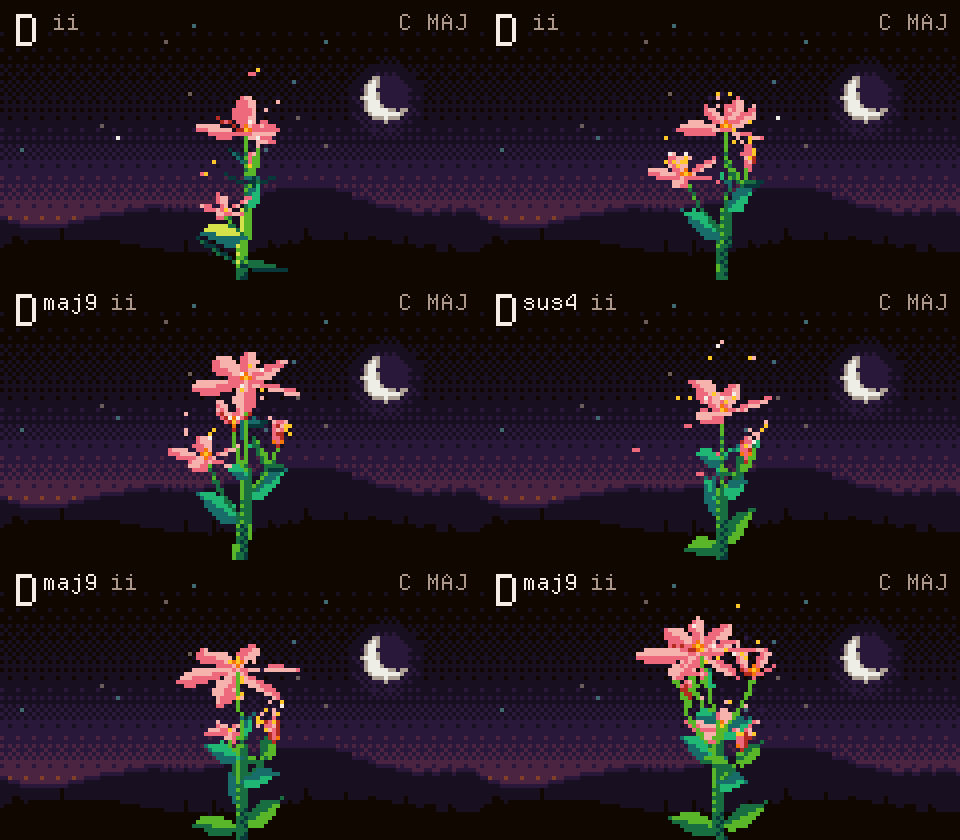
Your M-VAVE FM-1, made for chords. CoralFlower is free firmware for the FM-1. Press a chord key, and every note you play becomes a whole chord, with a bass underneath. While you play, a pixel flower grows from your chords.
CoralFlower is inspired by the Telepathic Instruments Orchid. Its controls are redesigned for the FM-1's keys and buttons, because every instrument is played differently.
Play it in your browser · Install it on your FM-1 · Releases
Not sure yet? The browser version runs the same firmware with sound. Try it with your mouse or computer keyboard before you install anything.
What it does
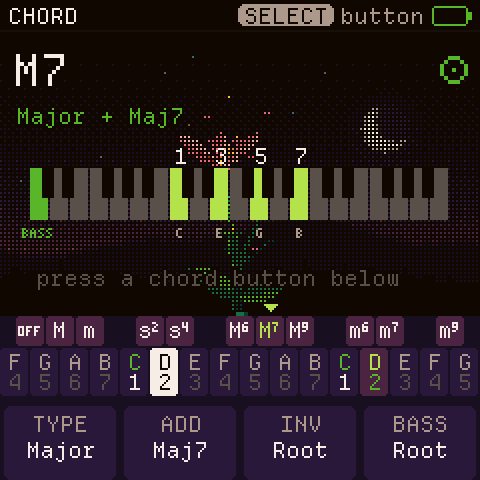
- Notes or chords. The lower keys play the notes of a scale you choose. Press an upper key, and each note becomes a chord: major, minor, sus2 or sus4, plus major and minor 6, 7 and add9. Press two upper keys together to combine them. The chord stays on until you choose another one. The key marked Off turns chords off, and the keys play single notes, several at once. Choose from 27 scales, chromatic included, starting on any note. Chord glide (off by default) slides each note into the next chord.
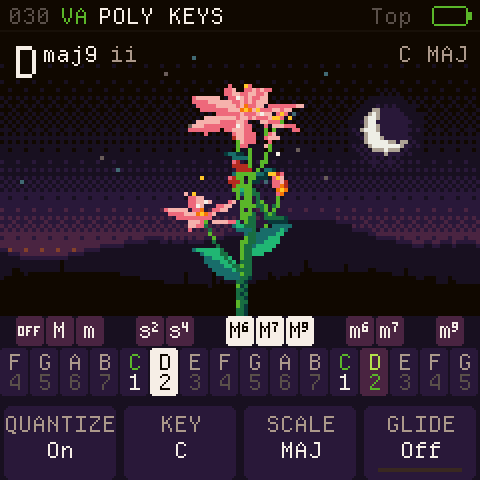
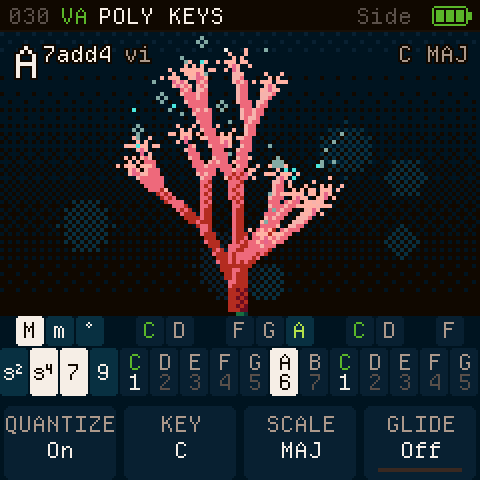
- Two layouts, each with a Lock mode. In the Top layout, the upper row picks the chord type and the lower row the root. In the Side layout, a few keys on the left pick the type and the rest play roots. Lock mode keeps the chord type you tapped, so you don't have to hold its key. A new FM-1 starts in Top with Lock; without Lock, a chord plays only while you hold its key.
- A bass part under your chords (you can turn it off), with its own sound and range, plus an octaver that doubles each bass note.
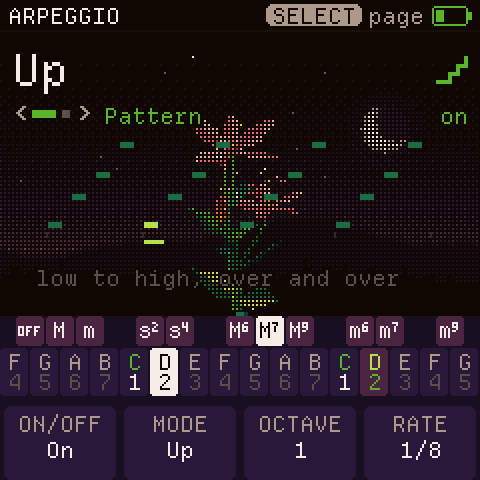
- An arpeggiator with nine patterns, including a strum like the one on the Orchid chord synth. It locks to the metronome or to an external MIDI clock.
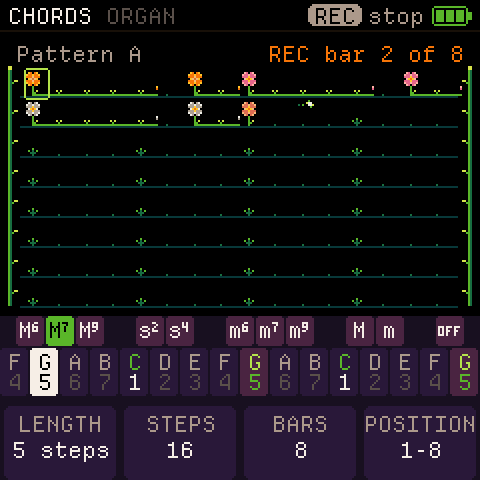
- A sequencer with eight patterns of chords, bass, drums and one more sound (the layer), and a song made of them. REC on the main screen records what you play into a new pattern, after a one-bar count-in.
- Six effects in an order you choose: filter, drive, chorus, phaser, delay and reverb.
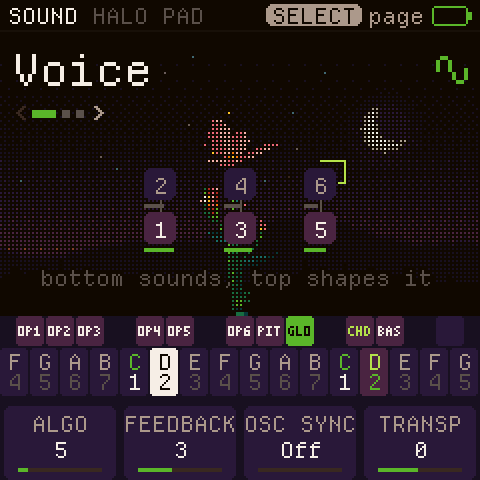
- About 60 sounds from two synth engines, virtual analogue and FM: pads, keys, strings and basses. Many pads change slowly on their own. Chords and basses have separate lists. Every sound has an editor, and you can save your own.
- A plant that grows from your music. In the Top key layout a flower grows; in the Side layout, a coral. Each note of the chord adds a part: a bloom, a bud, a cluster of berries. The plant's structure follows PlantStudio, a program that models real plants.
- MIDI over USB. The chords, the bass and the sequencer's Layer and Drums go out on four channels you set. The FM-1 follows an external MIDI clock or sends its own.
 |
 |
 |
 |
 |
 |
Install
- Open https://ficusficusov.github.io/CoralFlower/ in Chrome or Edge on a computer. Only these browsers can talk to the FM-1 over USB.
- Connect the FM-1 straight to the computer. Don't use a USB hub, and use a cable that carries data, not a charge-only one.
- Press Install on your FM-1. Keep the page open and the cable in for about a minute. The FM-1 restarts as CoralFlower.
If the FM-1 runs CoralFlower, ChoralRoot or Felucca, the installer saves your sounds to a file first. The official firmware's sounds can't be backed up. To return to the stock firmware, download FM-1 V15 from m-vave.com and install it from the same CoralFlower page. Installing firmware is at your own risk.
Build it yourself
- From a fresh clone. Nothing generated is in git: every build first writes the fonts, icons, tables and samples
into
build/gen/, with Python 3, Pillow and fontTools.python3 tools/build.py --gen-onlydoes that step alone, for any other way of building the firmware. On GitHub, the check workflow (.github/workflows/check.yml) builds a fresh clone on every push. - The emulator and the site. Install the Emscripten SDK, then run
sh tools/emu/web/build_web.shandsh tools/make_site.sh build/site. The site lands inbuild/site/, with the emulator inbuild/site/play/. - The headless runner.
sh tools/emu/cf_headless.sh SCRIPTplays a script of key presses, takes screenshots and records audio. The tests use it. - The firmware package.
./build.sh --release X.Yneeds the toolchain from JieLi, the maker of the FM-1's chip. The toolchain runs on Linux x86-64 only, andtools/get_toolchain.shfetches it. On GitHub, the release workflow (.github/workflows/release.yml) builds the package for you.
Credits and licence
CoralFlower is a fork of ChoralRoot FM-1 by Quixotic7, which is itself a fork of Felucca by Leo Kuroshita (Hügelton Instruments). The FM engine comes from Melodee by Kerem Kilic, and the screens use Departure Mono, a font by Helena Zhang. Thank you all.
CoralFlower is free software under the GPL-3.0. LICENSE and LICENSING.md have the details.
M-VAVE and FM-1 are trademarks of their respective owners. Orchid is a product of Telepathic Instruments. CoralFlower is not affiliated with M-VAVE, Cuvave or Telepathic Instruments.
Feedback and support
CoralFlower is new, and your feedback decides what comes next. Tell me what feels good, what feels off, and which sounds or features you want:
- open a GitHub issue;
- email me at iambemoli@gmail.com;
- follow the news in the Telegram channel t.me/ficusficusov.
CoralFlower has no ads and no paid version. To support it, press Support on the site: it lists crypto wallets.