MIDISTOMP 2.0
Custom firmware that turns a Zoom MultiStomp pedal into a performance instrument:
effect chain routing, a looper, Perform mode, mastering meters, and full MIDI control.
User guide · Download · MIDI chart · Demo · Effects · Roadmap · Feedback
MIDISTOMP is free and made by one person with one pedal. If it makes your pedal more fun, a coffee keeps it going:
💙 PayPal · ☕ Buy Me a Coffee
New here?
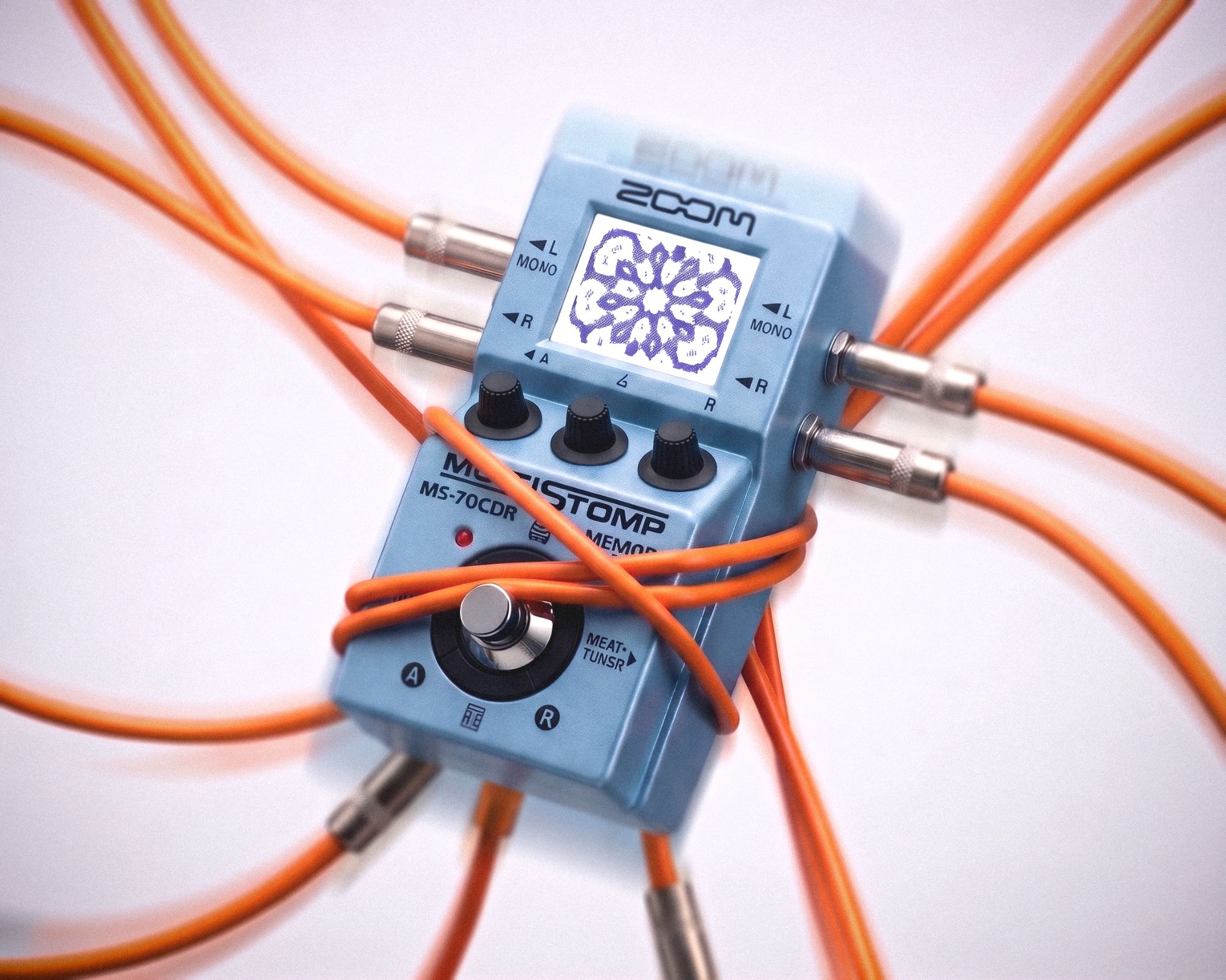
MIDISTOMP replaces the operating system of a Zoom MS-50G, MS-60B or MS-70CDR (the original models, not the Plus or the Four series). The pedal keeps working the way you know: same effects, same patches, same knobs. On top of that it gets new screens, new routing and full MIDI control from a DAW, an app or a drum machine. Same little pedal, a lot more tricks.
To install it you need the pedal, a USB cable, a computer (Windows or Mac) and Zoom's free official updater. To play it over MIDI you also need something that talks USB MIDI: a computer, an iPhone or iPad, or a USB-MIDI host box for gear with DIN jacks. Your patches and installed effects are kept, and you can always go back to stock with Zoom's own updater.
What 2.0 adds
| Feature | What it does |
|---|---|
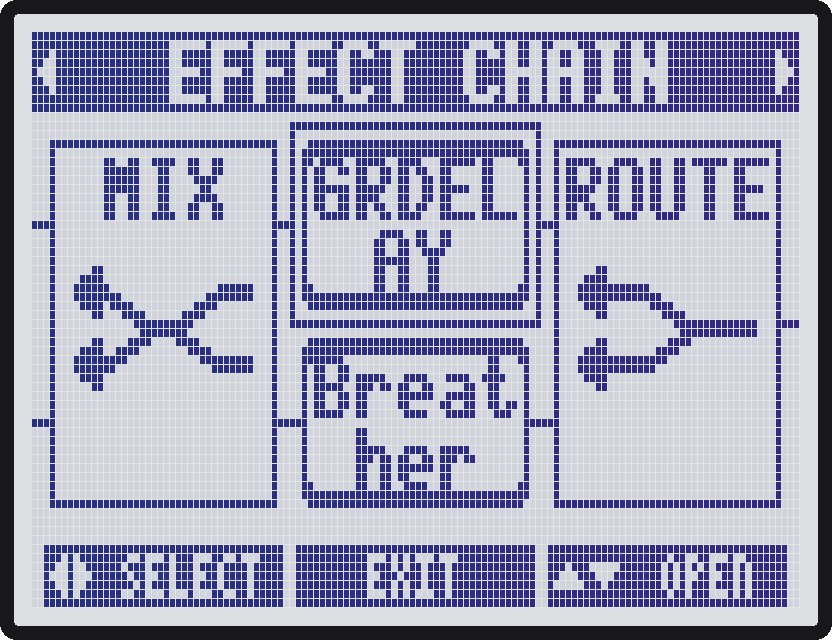
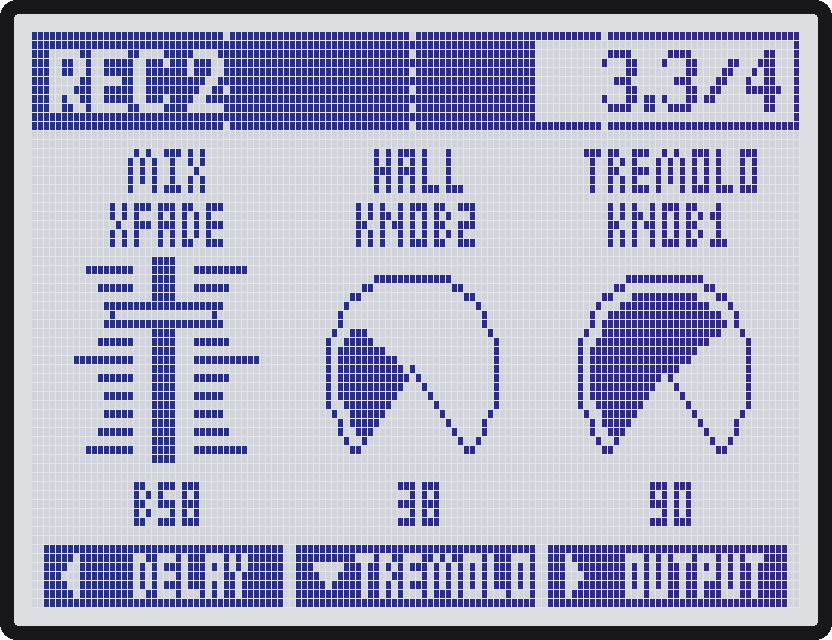
| EFFECT CHAIN ROUTING | Your chain can branch now. [ROUTE] splits it into two parallel buses and [MIX] brings them back together, with crossfade, levels, mute and solo per bus. The nodes don't take effect slots, so you still get 6 effects. On the MS-70CDR (SETTINGS > INPUT: STEREO) Split sends L to bus A and R to bus B, and the output can send bus A left and bus B right. A safety limiter at the very end catches level boosts, so the output never clips. |
| PERFORM MODE | Turn the pedal into an instrument: every knob, press and the footswitch gets a target (an effect knob, a routing control or the looper). Moves can wait for the next beat, bar or cycle, glide over time, and fire a follow move later. |
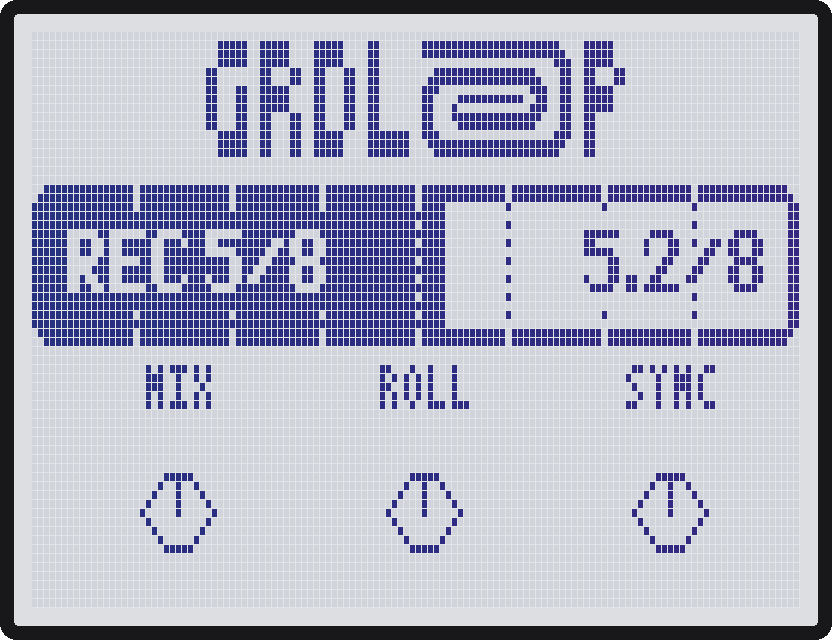
| LOOPER | GRDLOOP: a tempo-synced looper that records whole bars, with latched rolls (1/2 to 1/32), and keeps playing after MIDI Stop if you want. It works seamlessly with Perform mode, so a knob or the footswitch can record, roll and drop on the grid. |
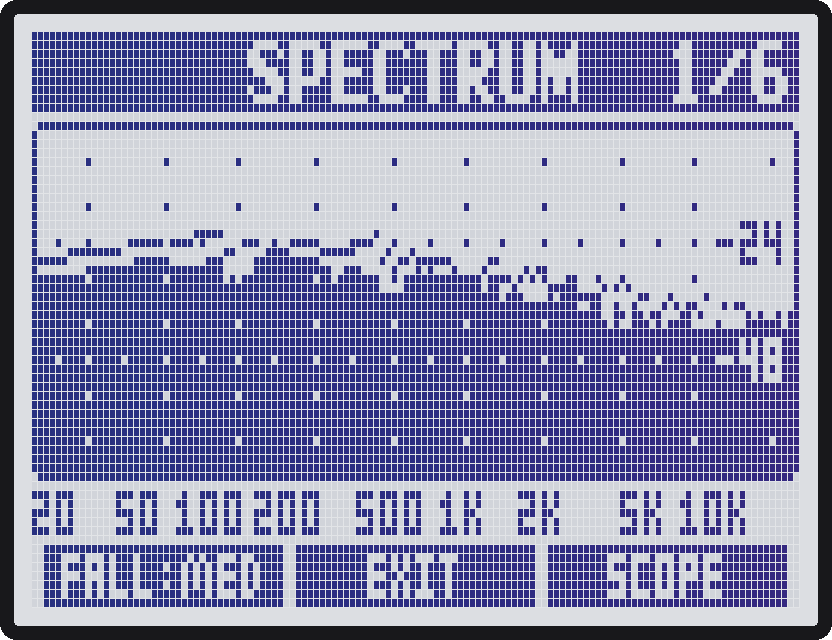
| MASTER | Studio meters in a stompbox: SPECTRUM, SCOPE with a tuner, STEREO, LOUDNESS (LUFS), IN METER and OUT METER. Free while it's closed. |
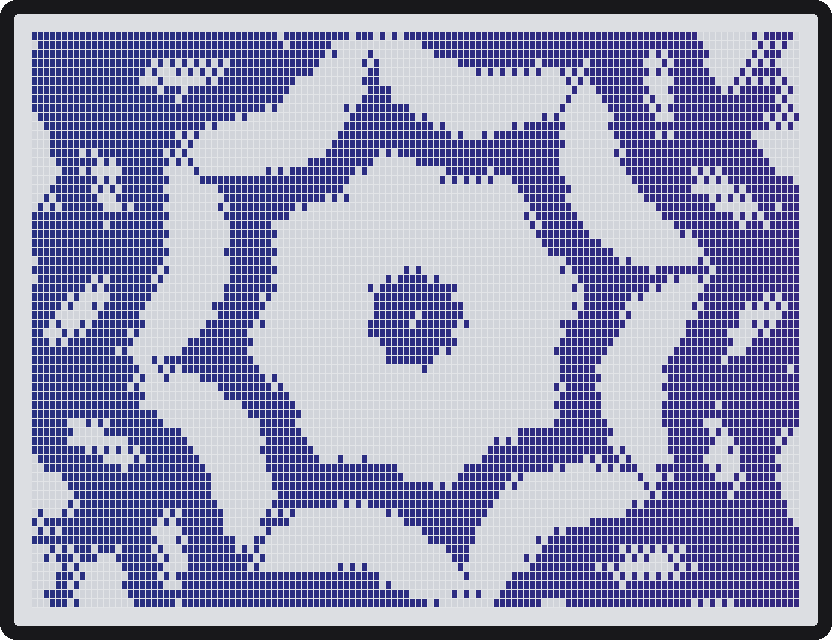
| KALEIDO | A full-screen visual that dances to your sound and flashes on every beat of the MIDI clock. Pure fun. |
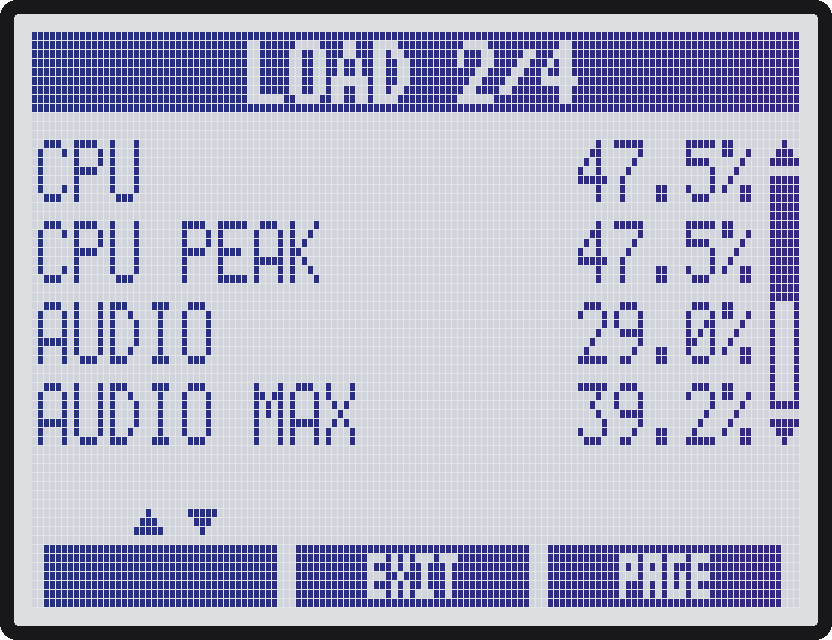
| DSP 300 | The pedal's DSP limit goes from 225 to 300, so heavier patches fit. A counter in the MENU title bar shows the patch's DSP (DSP 135/300) and the CPU load. |
| SYSTEM | The old VERSION screen grows up: the version, the CPU load, the load of each effect, and how much each part of MIDISTOMP costs. Handy for finding what makes a heavy patch heavy. |
Everything is saved in the patch: routing, levels, the looper settings and the Perform setup.
MIDI
| Message | What it does |
|---|---|
| Program Change | loads patches from a DAW, an app or a drum machine |
| Control Change | effects 1-6 on/off and every knob, see the CC chart |
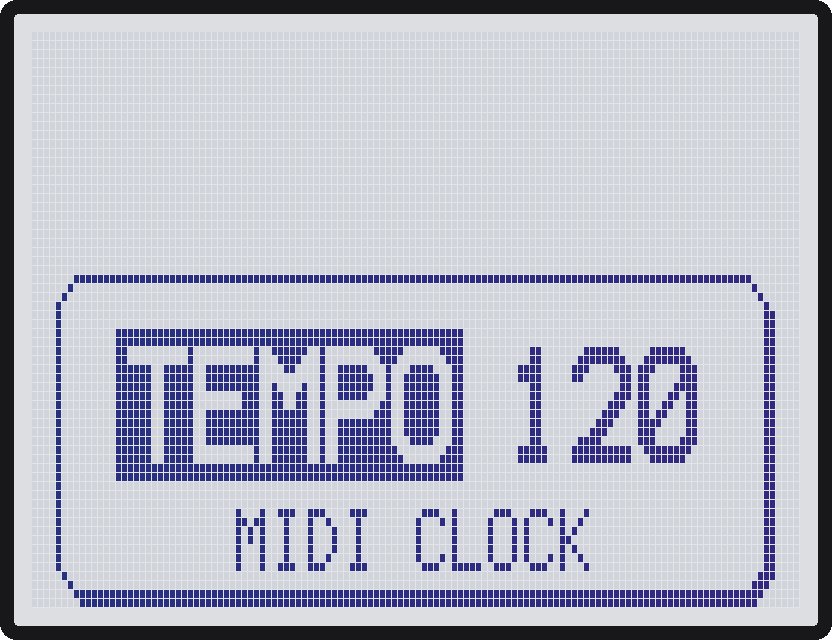
| MIDI clock + Start/Stop | tempo-synced effects follow your clock; custom effects stay on the beat |
| Patch up/down by CC | CC 80 / 81 load the previous / next patch |
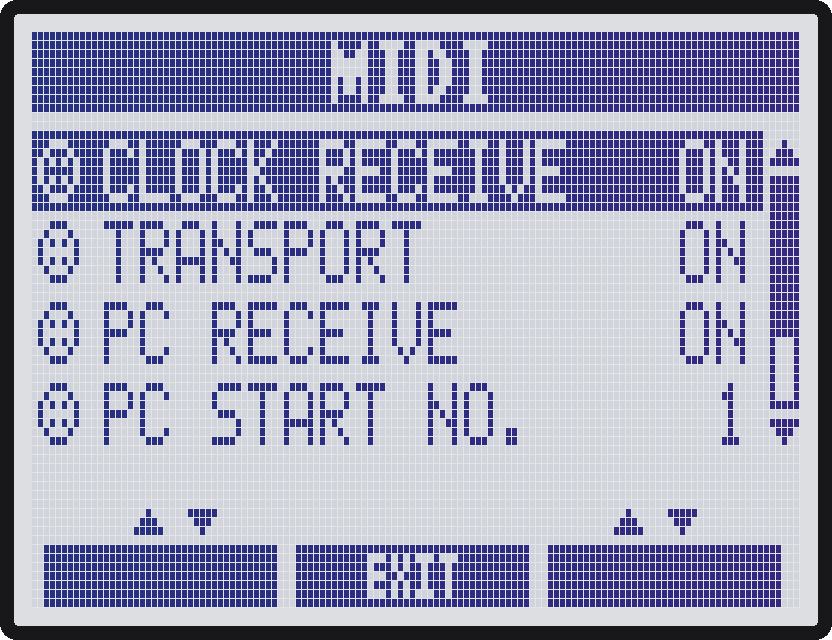
| MIDI menu | receive on/off per message type, MIDI channel, PC numbering |
QOL improvements
Small things that make the stock pedal nicer to live with.
| Change | What it does |
|---|---|
| Tempo Lock | set the tempo by turning the knob or tapping, and keep one tempo across patches |
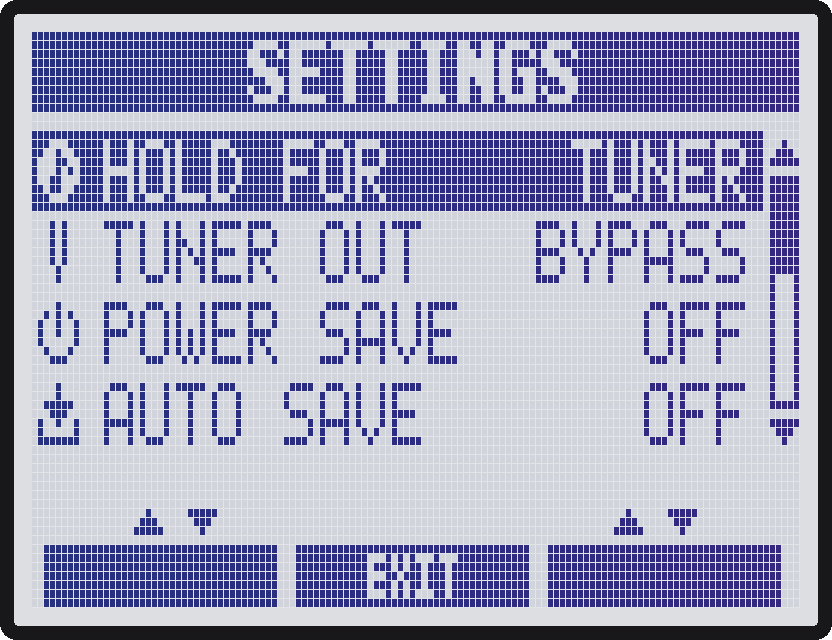
| HOLD FOR | a footswitch hold opens the tuner or the tempo, or works as a momentary switch |
| Faster scrolling | on the effect select (carousel) screen, left/right scroll faster and wrap around from the last effect to the first |
| Button combos | down + right = tuner, down + left = tempo |
| EXIT goes back | EXIT returns to the MENU entry you left |
| INPUT MONO/STEREO | tell the pedal which input it has, in SETTINGS |
| Levels up to 150 | Input and Master levels go past unity (100) |
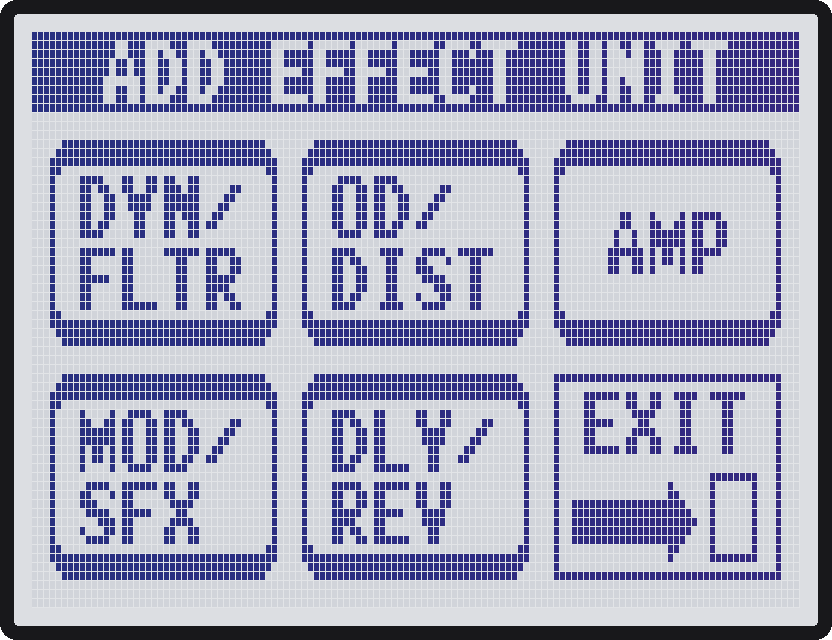
| MS-50G effect select | the category screen is the MS-50G's: DYN/FLTR, OD/DIST, AMP, MOD/SFX, DLY/REV and EXIT |
Custom effects
MIDISTOMP is at its best with the free custom effects from zoom-ms-zdl-effects-pack.
Stock Zoom effects work fine: MIDI clock sets their tempo and CC moves their knobs. But they were made long before this firmware: they don't know about MIDI Start/Stop, some delays cut out when the tempo changes, and nothing lines up to the bar.
The effects in the pack are built around MIDISTOMP. They follow the pedal's tempo with no Tempo knob, lock to the clock's grid, restart on the downbeat when your DAW or drum machine sends Start, and keep running after Stop. Synced gates, pitch shifters, delays, filters, the looper, a choir and more. New effects keep coming.
Get the effects · What each knob does
Demo
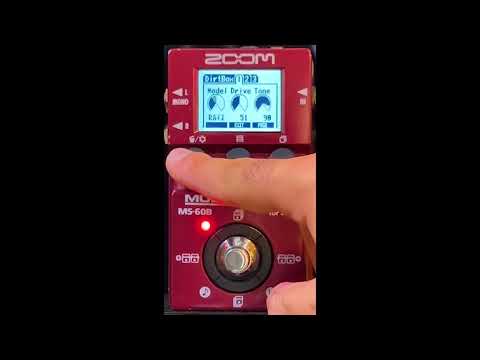
MIDISTOMP on an MS-60B, sequenced on a Digitakt through Loopy Pro. In line effects on a Meeblip Triode. Click to watch on YouTube.
Compatibility
| Pedal | Status |
|---|---|
| MS-70CDR | tested, with stereo input |
| MS-60B | tested (v1.2), mono input |
| MS-50G | tested (v2.0, and v1.2 from a Mac), mono input |
| MS-50G+, MS-70CDR+, MS-200D+ and the Four series | not supported: different hardware |
One build runs on all three pedals. It is made from Zoom's MS-70CDR 2.10 firmware, so after the update every pedal reports itself as an MS-70CDR over USB. If you run it on a pedal not listed as tested, please tell me how it went.
Install
Your patches are kept, but back them up first anyway, just in case (with your usual patch editor).
- Download Zoom's official MS-70CDR 2.10 updater. Use it for every pedal, also the MS-50G and MS-60B.
- Drag it onto MIDISTOMP-builder-Windows.exe from the releases. It writes the MIDISTOMP updater next to it.
- Hold the up and down keys while you plug in USB, then run the MIDISTOMP updater.
- On the pedal, go to MENU > SETTINGS > INPUT and choose your input: STEREO on an MS-70CDR (needed for the Split routing modes), MONO on the MS-50G and MS-60B.
Full steps and recovery are in the user guide.
On a Mac: the same, with Zoom's Mac updater and MIDISTOMP-builder-Mac from the releases (AppleSilicon or Intel, to match your Mac): open the builder and drag Zoom's updater app into its window. It writes and signs the MIDISTOMP updater app. Tested on an MS-50G from an Apple Silicon Mac. Details in On a Mac.
FAQ and troubleshooting
- Can it brick my pedal? The updater never rewrites the bootloader, so update mode (up + down while plugging in USB) always works and you can flash again. Read docs/safety.md first.
- How do I go back to stock? Enter update mode and run Zoom's original updater for your pedal. See Recovery.
- Does it work on a Mac? Yes, use MIDISTOMP-builder-Mac with Zoom's Mac updater. See On a Mac.
- Do my effects and patches survive? Yes, the effects area is never touched.
- Which effects work? All stock effects, and every effect in the pack. Effect Manager keeps working.
- No MIDI jacks? MIDI runs over USB: plug into a computer or an iPhone/iPad, or use a USB-MIDI host box for hardware with DIN MIDI.
- Why do I need Zoom's updater? Zoom's firmware can't be shared here; the builder only changes your own copy.
- Something is wrong. Open an issue with your pedal, your MIDISTOMP version, what you did and what happened.
What's next
- More than 6 effects per patch, limited only by the DSP.
- PERFORM per gesture: a different effect and parameter for each press, hold or turn (to be tested).
- Modwerk integration: the MIDISTOMP firmware mods and the effects pack inside Modwerk, so you pick the mods and effects you want and flash them from the browser, without Python or a builder.
- More stereo effects in the pack.
Want something else? Open an issue and tell me.
Feedback and support
MIDISTOMP is made by one person with one pedal, so every report helps a lot. If something doesn't work, looks wrong, or you have an idea, please open an issue. Reports from MS-50G and MS-60B owners are especially welcome.
MIDISTOMP is free. If it's useful to you, you can buy me a coffee:
💙 PayPal · ☕ Buy Me a Coffee
For developers
MIDISTOMP is built by patching Zoom's OS. The three pedals share one platform (the same .ZDL effect modules for
the TI C6000 DSP and the same updater layout), so this repo is one codebase with a build config per pedal in
models/.
- Build and flash · Roadmap · How work is organized · Safety
- Contributing: issues and pull requests are welcome. Run
pip install -e '.[midi,dev]'andpytestbefore you send one, and say which pedal you tested on. - Related projects:
- ZoomMultistompZDL (MIT): ZDL format, custom effect linker, loader safety notes.
- Zoom-Firmware-Editor (MIT): updater flash layout.
- zoom-zt2: SysEx file transfer for the newer pedals.
- License: MIT.
Credits
- ZoomMultistompZDL by Roman Rusinov (themanro): the ZDL format, the custom effect linker and the loader safety notes.
- Zoom-Firmware-Editor by Barsik-Barbosik: the updater flash layout.
- zoom-zt2 by mungewell: SysEx file transfer.
- Alexander Lim. The live screens and the zvis kit, the pedal's file-size cap and DSP limit, and linker pitfalls.
- Testers: Jannik Aßfalg, Roman Rusinov, nilsjesper and Snozaz. Thank you for flashing betas onto your pedals.
Not affiliated with or supported by Zoom. Flashing modified firmware can brick a pedal.