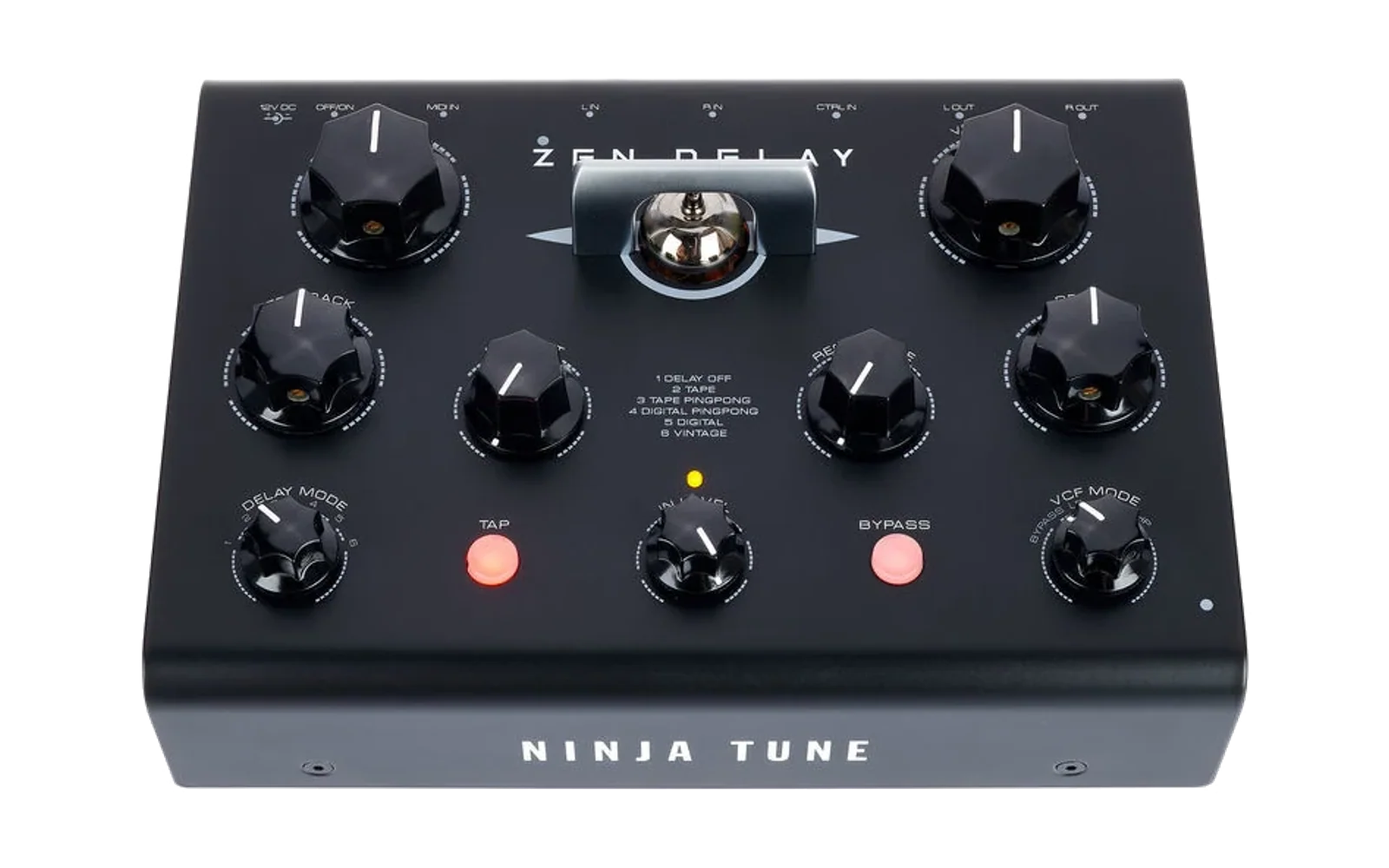
Zen Delay Guildfordia's Mod
An unofficial firmware mod for the Erica Synths Zen Delay (firmware 1.1.0): tap tempo with musical divisions, MIDI CC control, input send for dub throws, freeze, and a TAP LED that shows what the delay is doing.
Unofficial, at your own risk. Not affiliated with or endorsed by Erica Synths or Ninja Tune. Installing modified firmware may void your warranty. The update only rewrites the application, never the Zen's bootloader: you can always go back to the official firmware (see Going back).
This repository contains no Erica Synths code. You download the official update file from Erica Synths, and the patcher turns it into the modded update file on your own computer.
What it adds
Three time modes, chosen with the TAP button
| Mode | How to get there | DELAY TIME knob |
|---|---|---|
| FREE (at power-on) | hold TAP 1.5 s, release before 3 s | free delay time (as stock) |
| TAP | tap a tempo | divisions of the tapped tempo |
| SYNC | hold TAP 3 s | divisions of the incoming MIDI clock |
- Turning the knob never changes the mode. Entering FREE keeps the current delay until the knob reaches it (no jump). After a tap or a mode change, TAP/SYNC stay at x1 until the knob passes 12 o'clock.
- MIDI clock is only followed in SYNC; TAP keeps your tempo even if a clock is running.
- Tap tempo needs at least 250 ms between taps (two faster taps = freeze, below). For faster delays, tap slower and use a division.
Divisions (TAP and SYNC) — 13 equal zones, x1 at 12 o'clock
/8 /4 /3 /2 /1.5 /1.33 | x1 | x1.33 x1.5 x2 x3 x4 x8
With a quarter-note beat: /2 = eighth, /3 = eighth triplet, /1.33 = dotted eighth, /1.5 = quarter triplet, x1.5 = dotted quarter…
Freeze
- Double TAP (second press less than 250 ms after the first), or CC 22.
- The input stops feeding the delay and the feedback is held at exactly 1: what is in the delay loops forever. In tape modes the tape character keeps evolving; digital modes are stable.
- Pedal and CC share the same state ("last touched wins").
TAP LED
| State | LED |
|---|---|
| FREE | off |
| TAP | short flash on each beat |
| SYNC | on, short blackout on each received clock beat (steady on = no clock) |
| Frozen | fast blink |
MIDI CC — channel 16 ("last touched wins": moving the knob takes over again)
| CC | Function | Values |
|---|---|---|
| 20 | FEEDBACK | 0-127 |
| 21 | INPUT SEND (dub throws: the repeats keep going) | 0 = closed … 127 = open (default) |
| 22 | FREEZE | 0-63 off, 64-127 on |
| 23 | DELAY TIME | 0-127 (FREE: time, TAP/SYNC: division) |
| 24 | DELAY MODE | 5 zones: off, tape, tape ping-pong, digital ping-pong, digital |
| 25 | TAP | any value > 0 = one tap |
| 26 | Time mode | 0-42 FREE, 43-85 TAP, 86-127 SYNC |
Dub throw: keep CC 21 at 0, open it briefly on the hit you want to throw, with FEEDBACK around 1-2 o'clock.
Other changes
- The FEEDBACK and DELAY TIME knobs no longer take over by themselves (ADC drift), so CC values stay put.
- The internal debug messages (serial port, not connected to anything) are switched off; that freed the room for the mod's code.
Not reachable by firmware
CUTOFF, RESONANCE, VCF MODE, DRIVE, DRY/WET, IN LEVEL and BYPASS are analog / hardware: no MIDI control, and BYPASS cannot be combined with TAP. The VINTAGE delay mode is an analog loop and is not affected by the mod.
Installing
- Download the official update
ZenDelay_V1.1.0.wavfrom Erica Synths (Zen Delay support / firmware page). - Patch it (Python 3 with numpy):
The patcher refuses any other file, checks its result and writes the modded update file.pip install numpy python zen_patch.py ZenDelay_V1.1.0.wav zen_delay_guildfordia_mod.wav - Flash it like an official update:
- Zen off, hold TAP while powering on: TAP blinks fast = update mode.
- IN LEVEL at 12 o'clock, cable into L IN, nothing in R IN.
- Play the file unaltered at 48 kHz, from start to end (about 89 s). A computer's headphone output
worked best for us; on macOS,
python tools/hp_flash.py zen_delay_guildfordia_mod.wavdoes it (needssounddevice). Audio interfaces / mixers work too but failed more often. - Slow TAP blink + yellow IN LEVEL LED = failed update. Nothing is broken: power-cycle into update mode and play the file again.
- Power-cycle normally (without TAP). Check: after a few taps, the TAP LED flashes on the beat.
The modded file uses longer pauses between memory blocks than the official one (3.5 s instead of 2.5 s): it gives the Zen more time to erase its flash and made updates much more reliable in our tests. Do not lengthen the short pauses after blocks 4 and 5: the bootloader takes a long silence there as the end of the update and starts a half-written program.
Going back to the official firmware
Flash ZenDelay_V1.1.0.wav from Erica Synths the same way.
For developers
patch.json: the mod's bytes only, applied byzen_patch.py(input and output fingerprints checked).src/: the hooks in ARM Thumb assembly (*.S), the linker script andpatch1.py, which rebuilds the patched image from the decoded official image (needsarm-none-eabibinutils). Each hook's header explains where it plugs in and why.tools/qpsk_decode.py/tools/qpsk_encode.py: decoder and encoder for the update file format.- Ideas, bug reports and improvements are welcome in the GitHub issues.
Credits
- The update file format is the Mutable Instruments stm-audio-bootloader (QPSK), MIT licence, by Émilie Gillet; the decoder/encoder here are independent re-implementations of that format.
- Mod by guildfordia, developed with the help of an AI assistant (Claude) and tested on real hardware.
Licence
The mod's own code and files are under the MIT licence. This licence does not cover the Zen Delay firmware, which belongs to Erica Synths and is not included here. "Erica Synths", "Zen Delay" and "Ninja Tune" are trademarks of their respective owners, used only to say which device this mod is for.