VLTN Tone Studio
A desktop editor and librarian for Valeton multi-effects:
GP-5 · GP-50 · GP-150 · GP-180 · GP-200 · GP-200LT · GP-200JR
Shape tones live, sort and back up every slot, match a song's guitar tone, and bring NAM captures and IRs from TONE3000 straight to the pedal.





Download v0.9.0





Also runs in Chrome & Edge · Install notes · All versions and release notes
Like it? A ⭐ on GitHub helps other Valeton players find Tone Studio.
Bugs and ideas are welcome in Issues. For a pedal problem, attach the session log (Device › Diagnostics › Save log).

Download · Rig · Library · Tones · Song · GP-200 family · Devices · Install · Troubleshooting · Build · License
Every knob. Live.
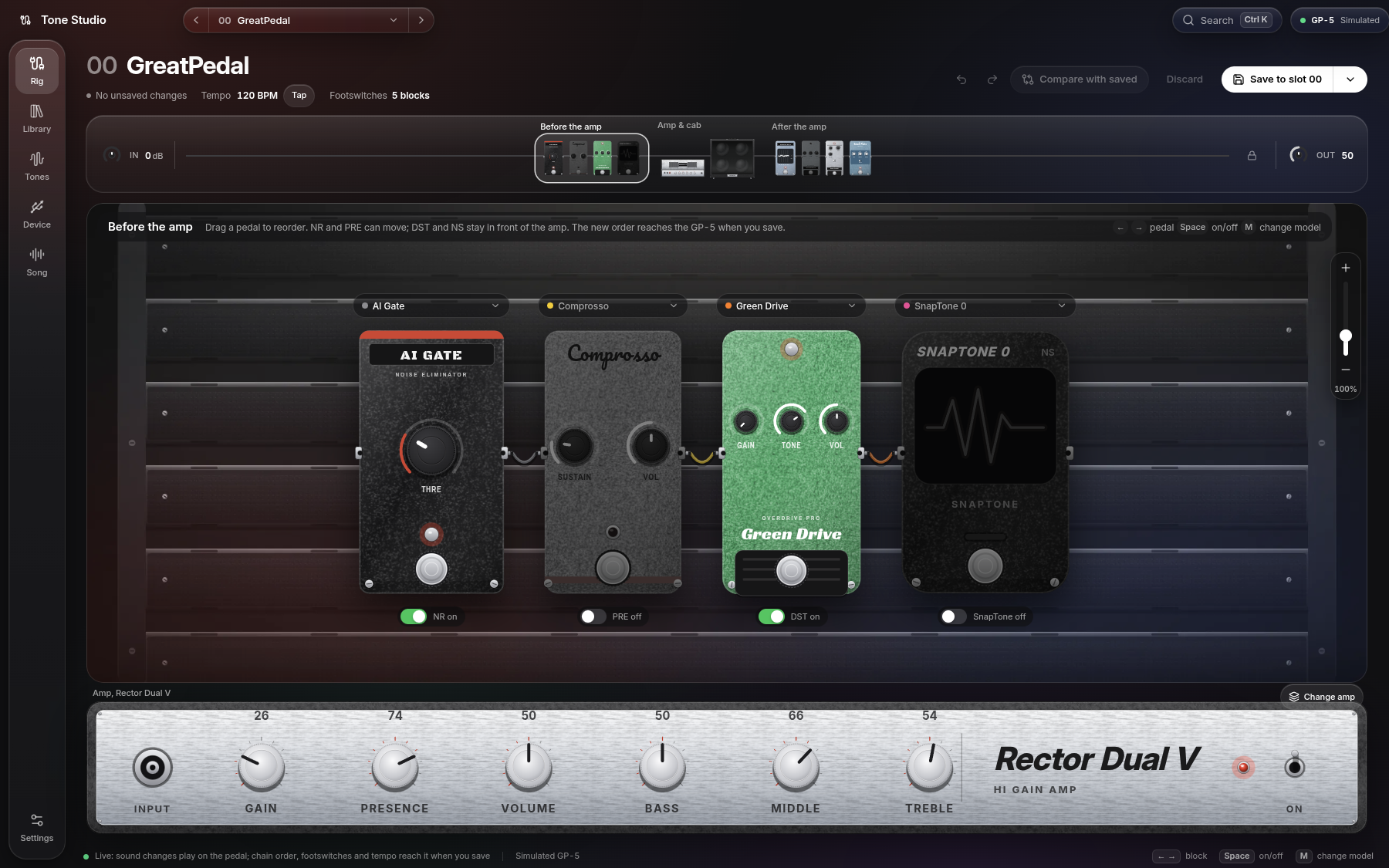
Turn a knob on screen and you hear it on the pedal right away, with a loupe that shows the knob you are turning.
Nothing is saved until you say so. Compare with the saved preset, undo, and drag pedals into a new order.
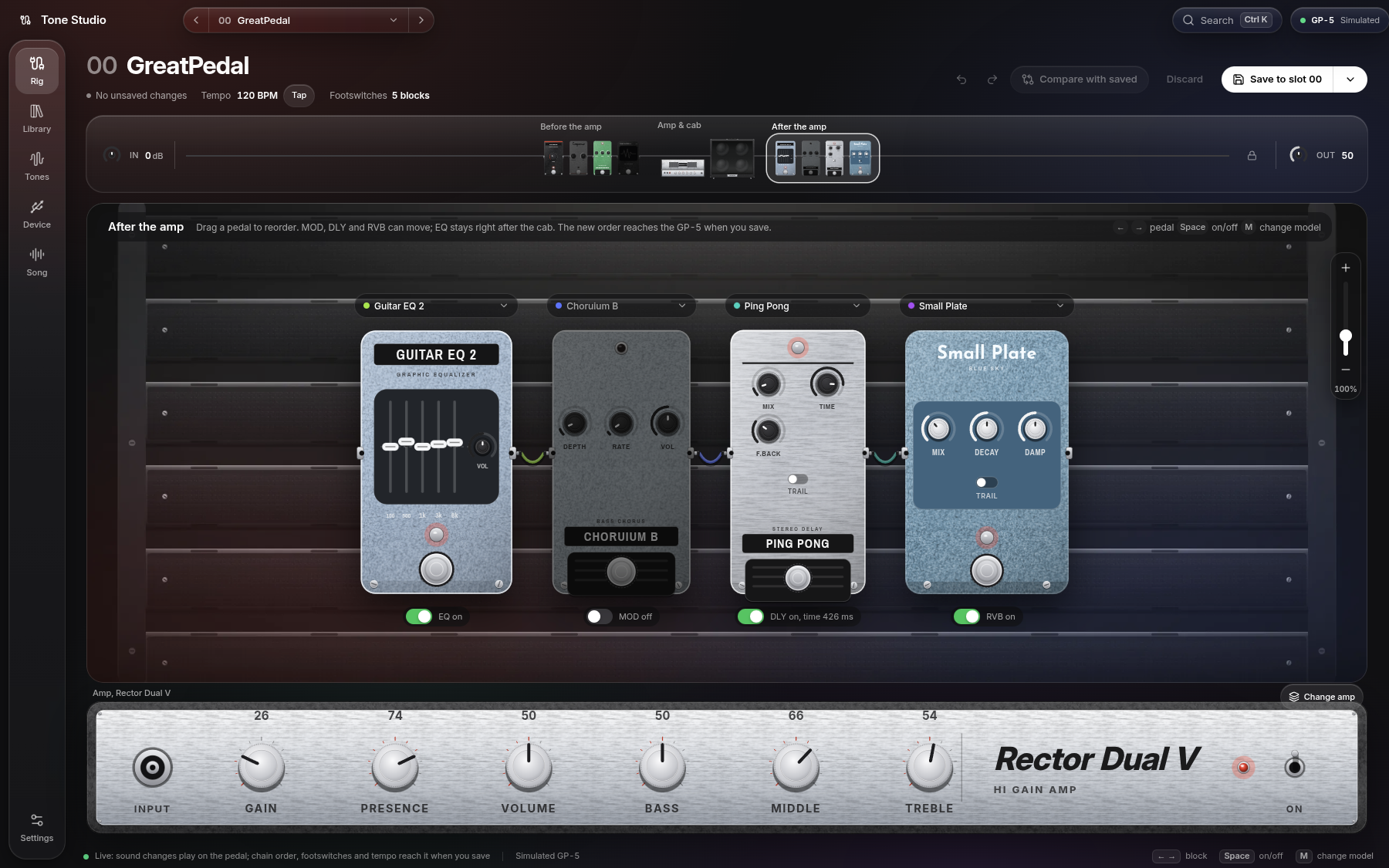
Every effect is drawn after the real pedal it models, with its own colour, size and lettering, and patch cables join them. The board fits itself to the window, and a zoom bar beside it takes you closer.
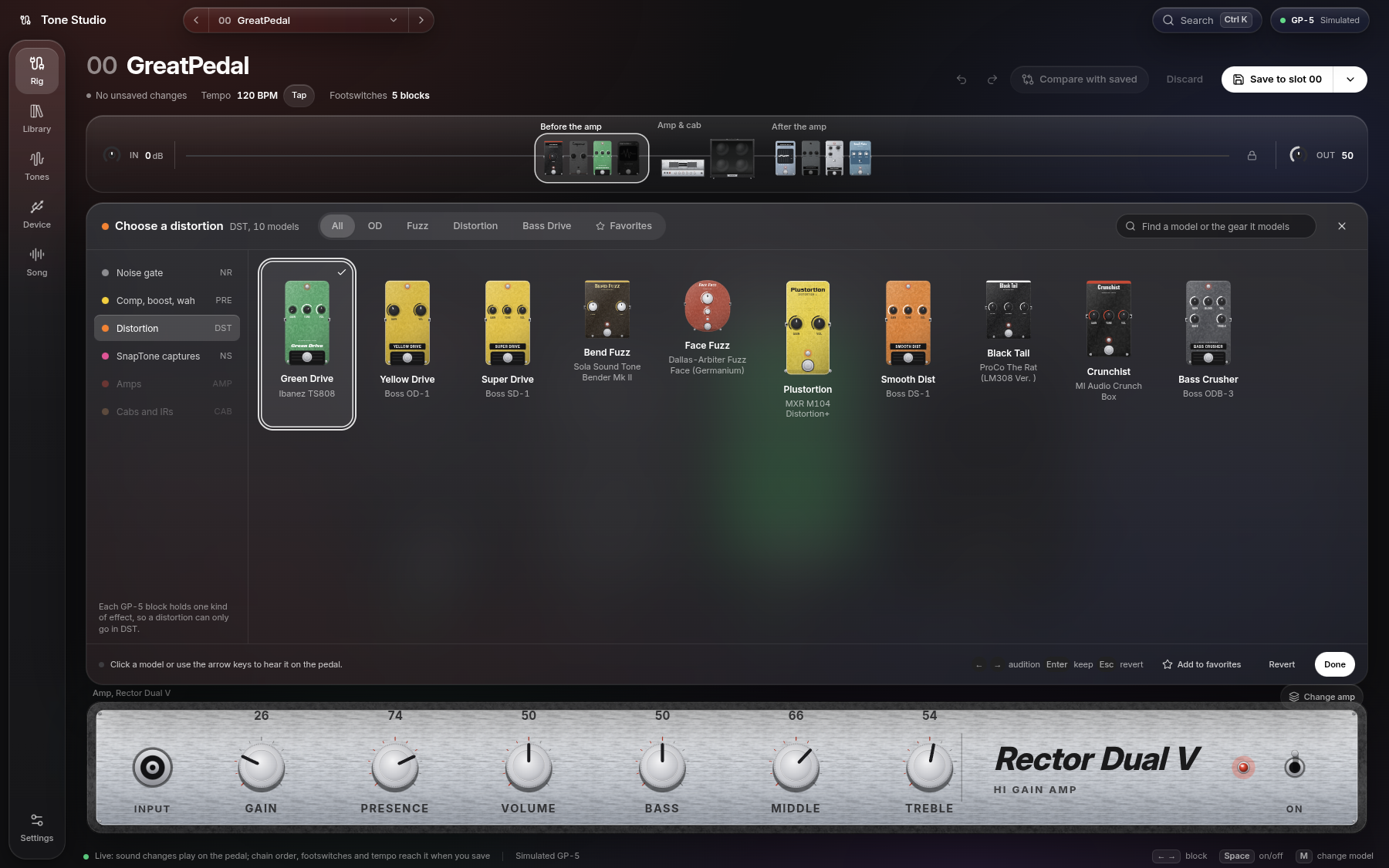
Hear it before you pick it.
Every model of a block in one grid. On the GP-5 and GP-50, each one names the real gear it's based on.
Use the arrow keys to move through them and hear each one on the pedal. Press Enter to keep one, or Esc to go back.
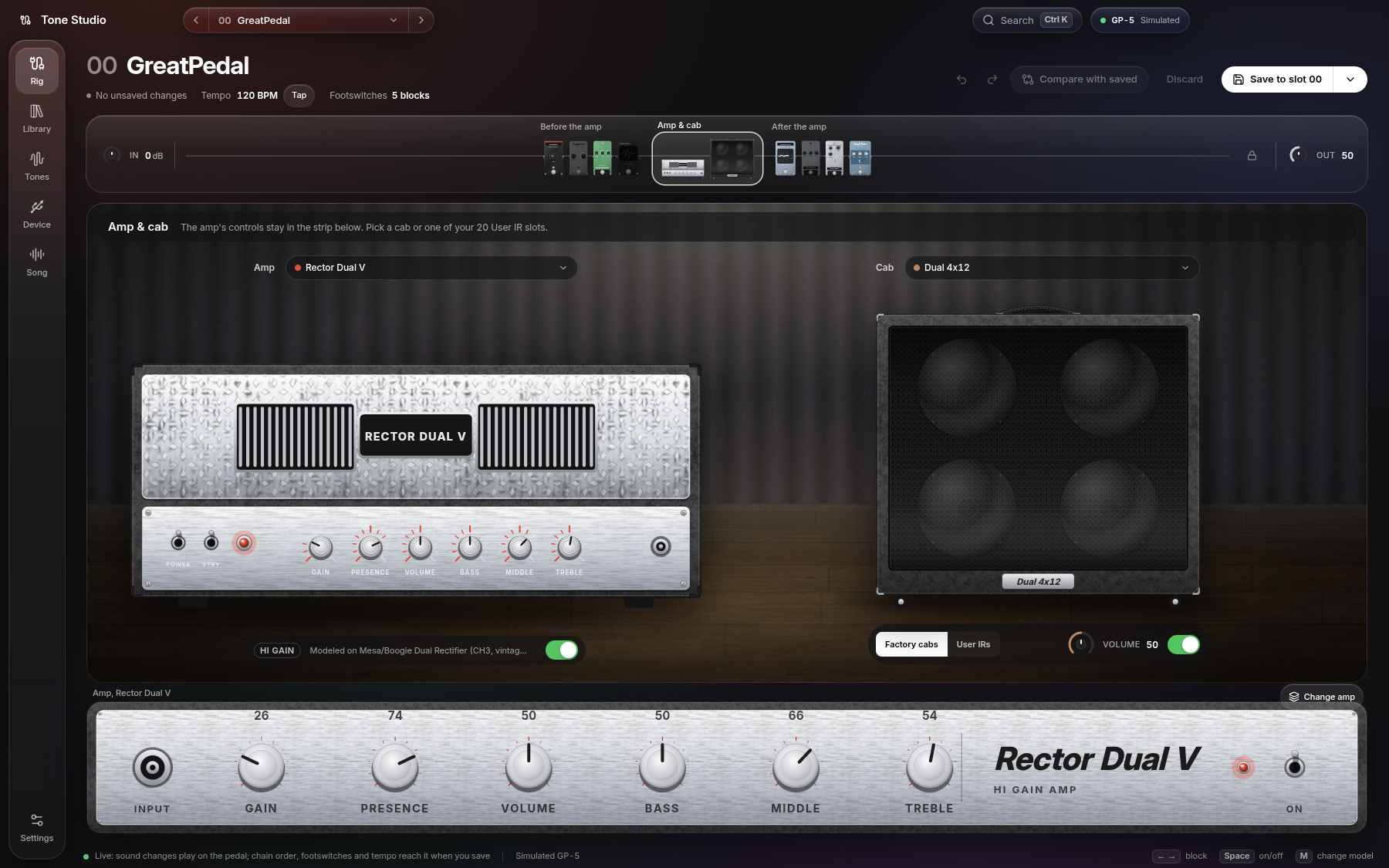
The amp, then the cab.
Pick an amp and a cabinet, or load one of your 20 User IR slots.
Each amp head is dressed like the real one (Marshall, Orange, Mesa, Peavey, Diezel, Vox, Fender and more) and stands on a 4x12 stack. The amp's controls stay in the strip at the bottom of the screen.
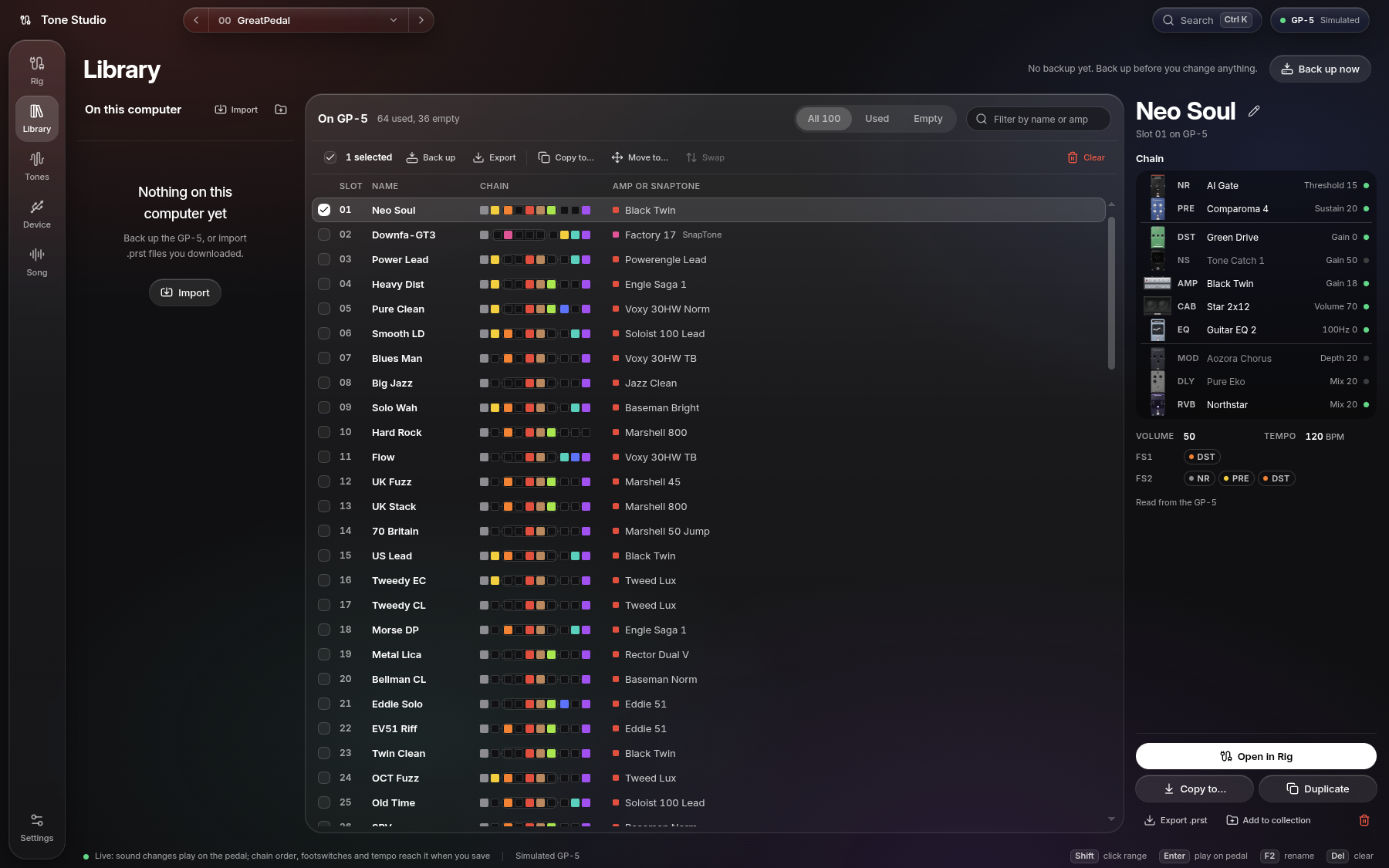
Every preset. One view.
See the whole signal chain of every slot as a row of colours: 100 on the GP-5 and GP-50, 256 on the GP-200.
Select several slots, then copy, move, swap or export them at once. Import .prst files, open backups, and get back any preset that was overwritten.
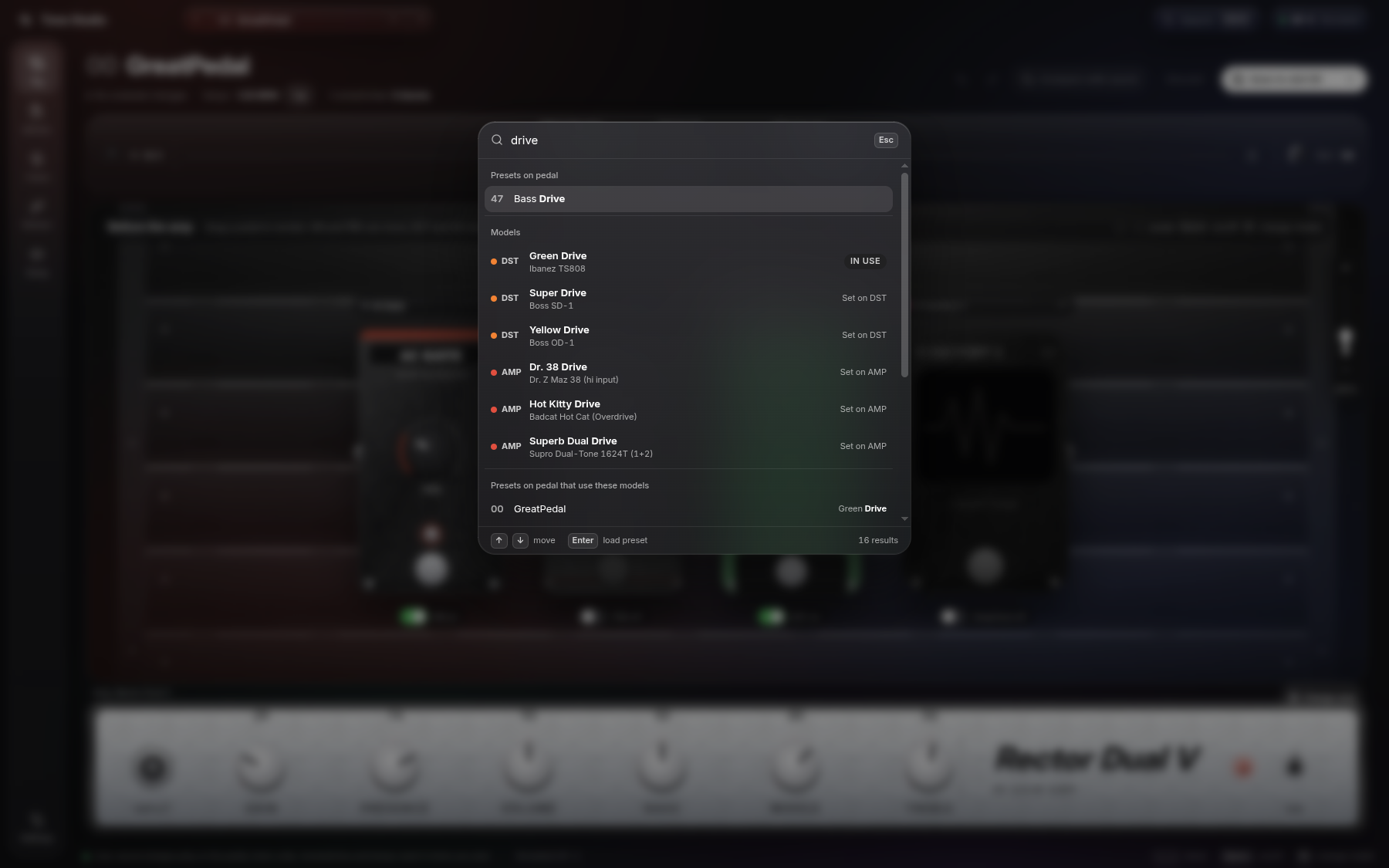
Just type.
Press Ctrl K and start typing.
Search presets, models, and every preset that uses a model, all from one box.
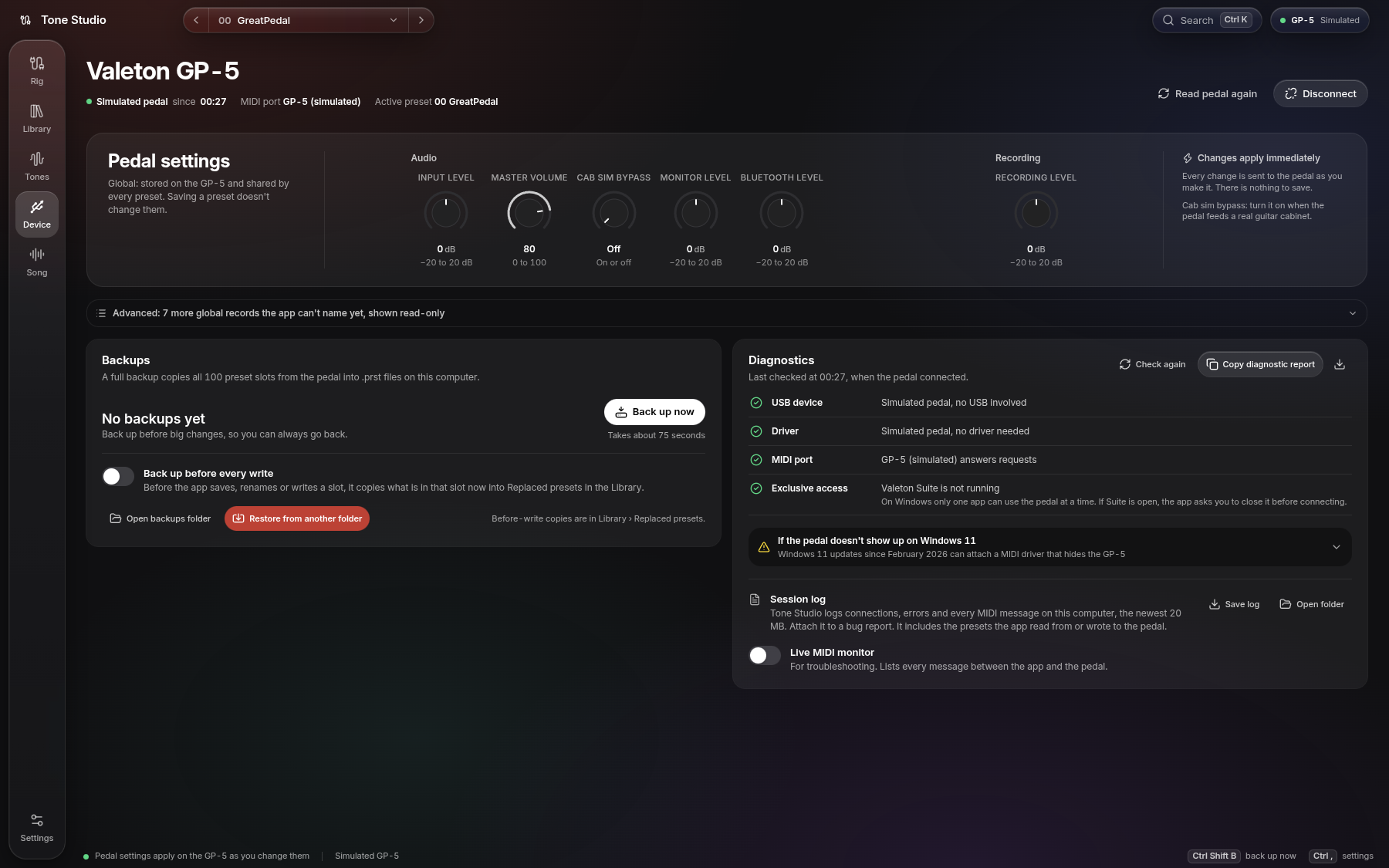
Your pedal, looked after.
Change the pedal's global settings, and the Global EQ on the GP-200 family. Back up every slot with one click, and restore any backup.
Diagnostics check each step of the connection: the USB device, the driver Windows gave it, the MIDI port, and whether Valeton Suite or the GP-200 editor holds the port.
A session log keeps every connection step, error and MIDI message, ready to attach to a bug report. A live MIDI monitor shows and decodes the messages as they go.
Tones from TONE3000.
Browse, search and download NAM captures and IRs from TONE3000, and see which slots on your pedal already hold them.
The Search tab finds an amp, pedal or artist and narrows it down by gear, NAM architecture and sort order.
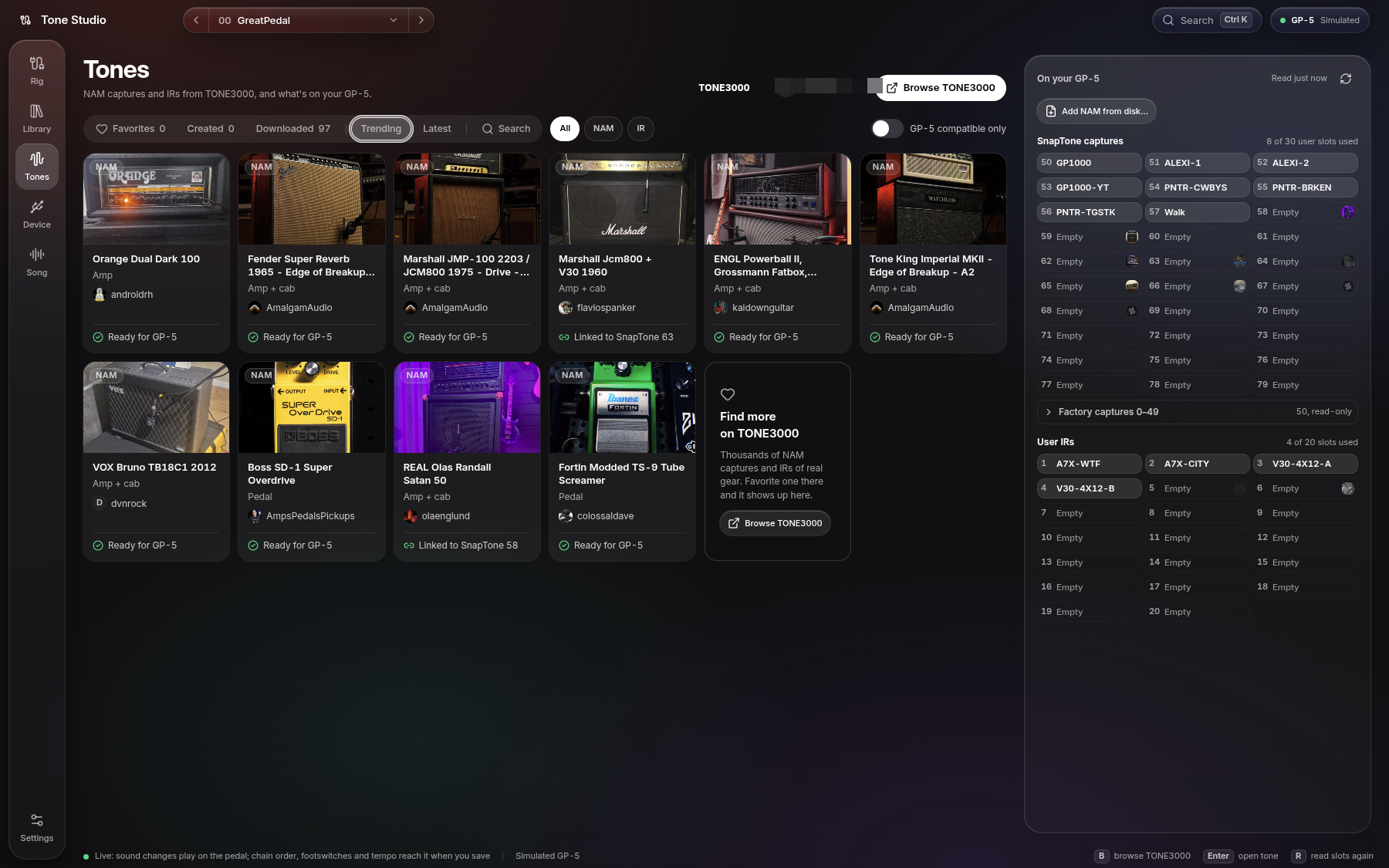
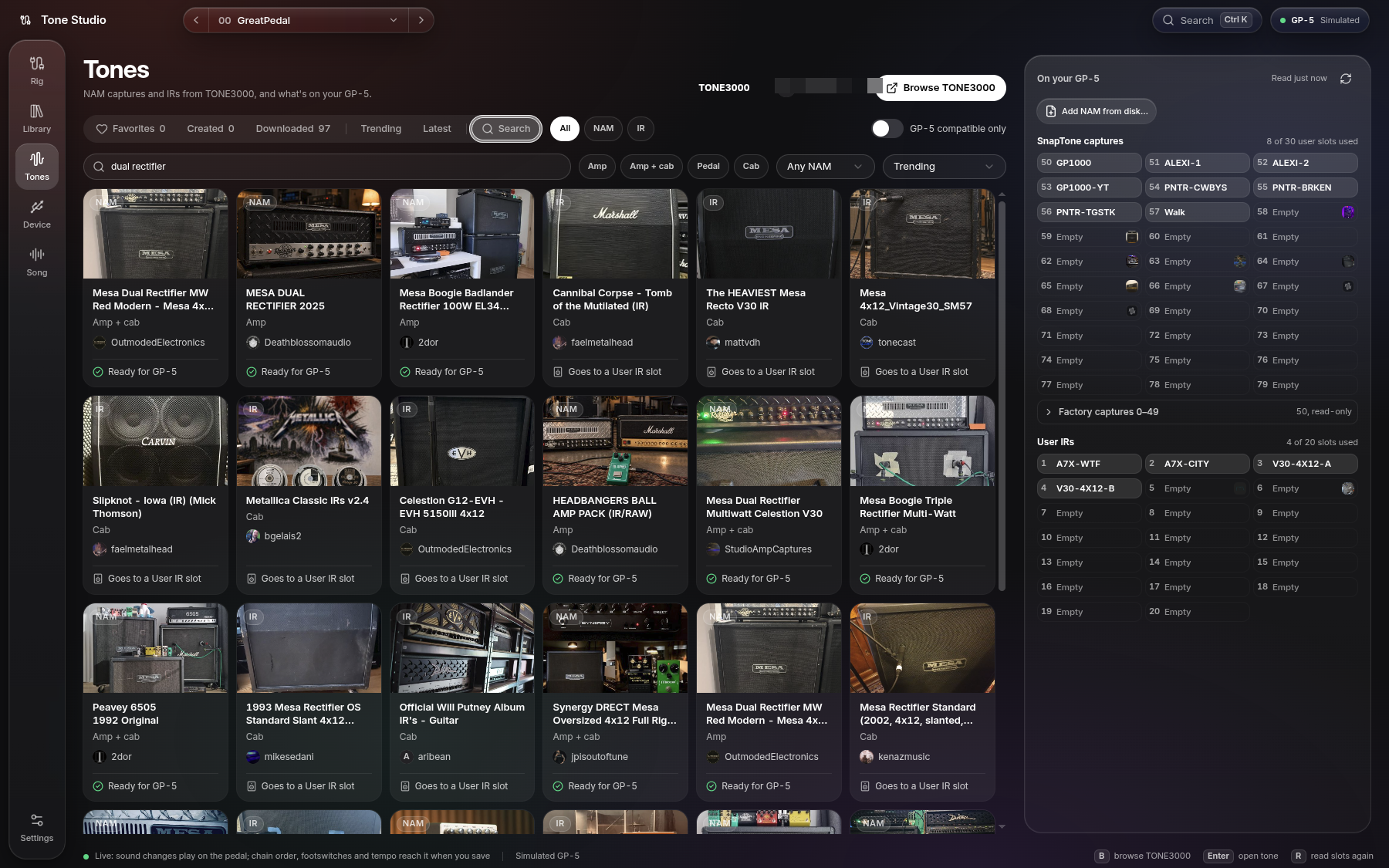
A NAM capture, A1 or A2, becomes a SnapTone right in the app and goes straight to a user slot over USB.
On the GP-5 and GP-50 an amp-only capture can take a cab IR along, so it sounds complete when the SnapTone bypasses CAB.
IRs go straight to one of the 20 User IR slots. No Valeton Suite needed.
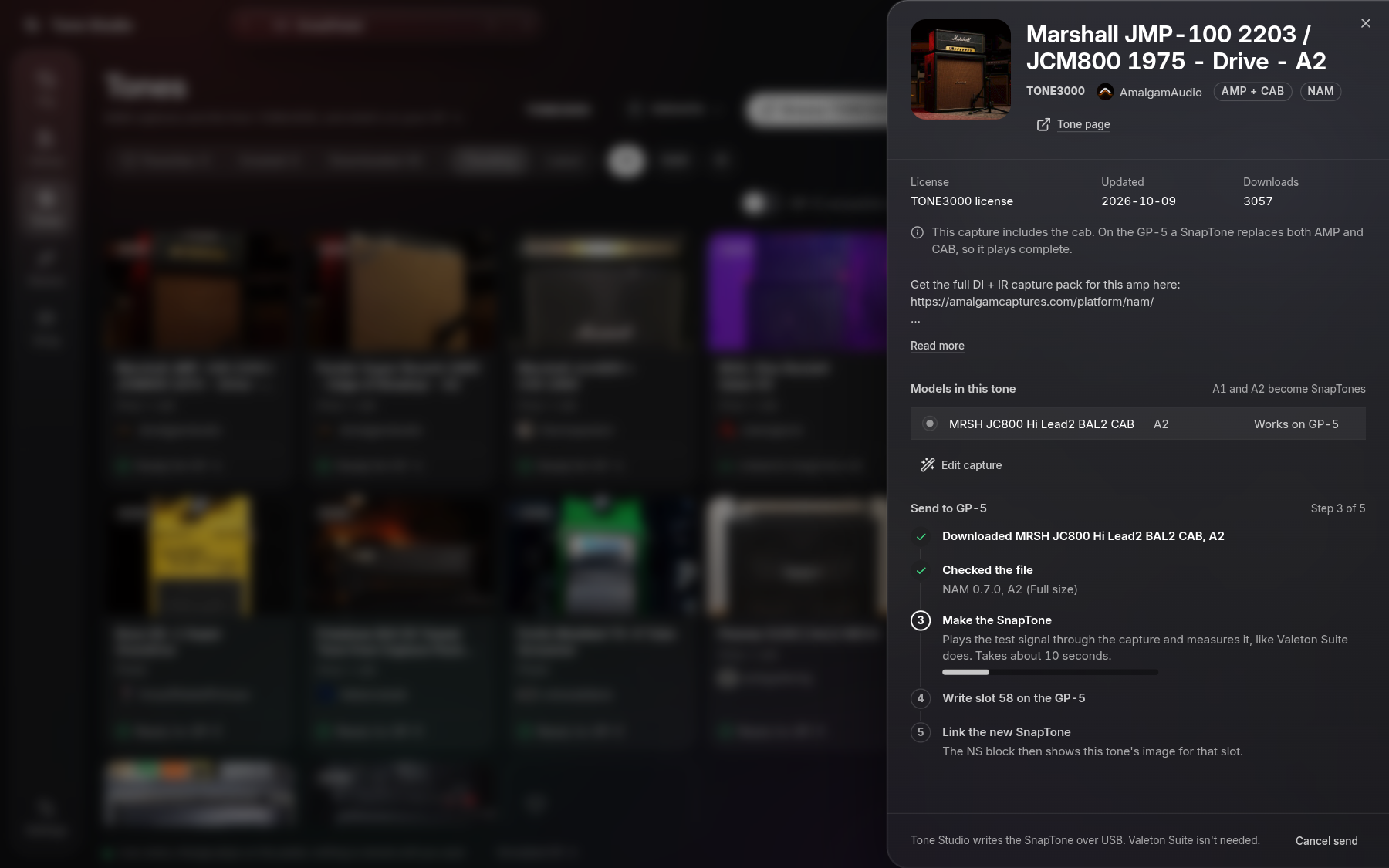
The capture editor plays your guitar through a capture, using the input of your audio interface.
Compare its sizes, match levels, and shape it before it goes to the pedal.
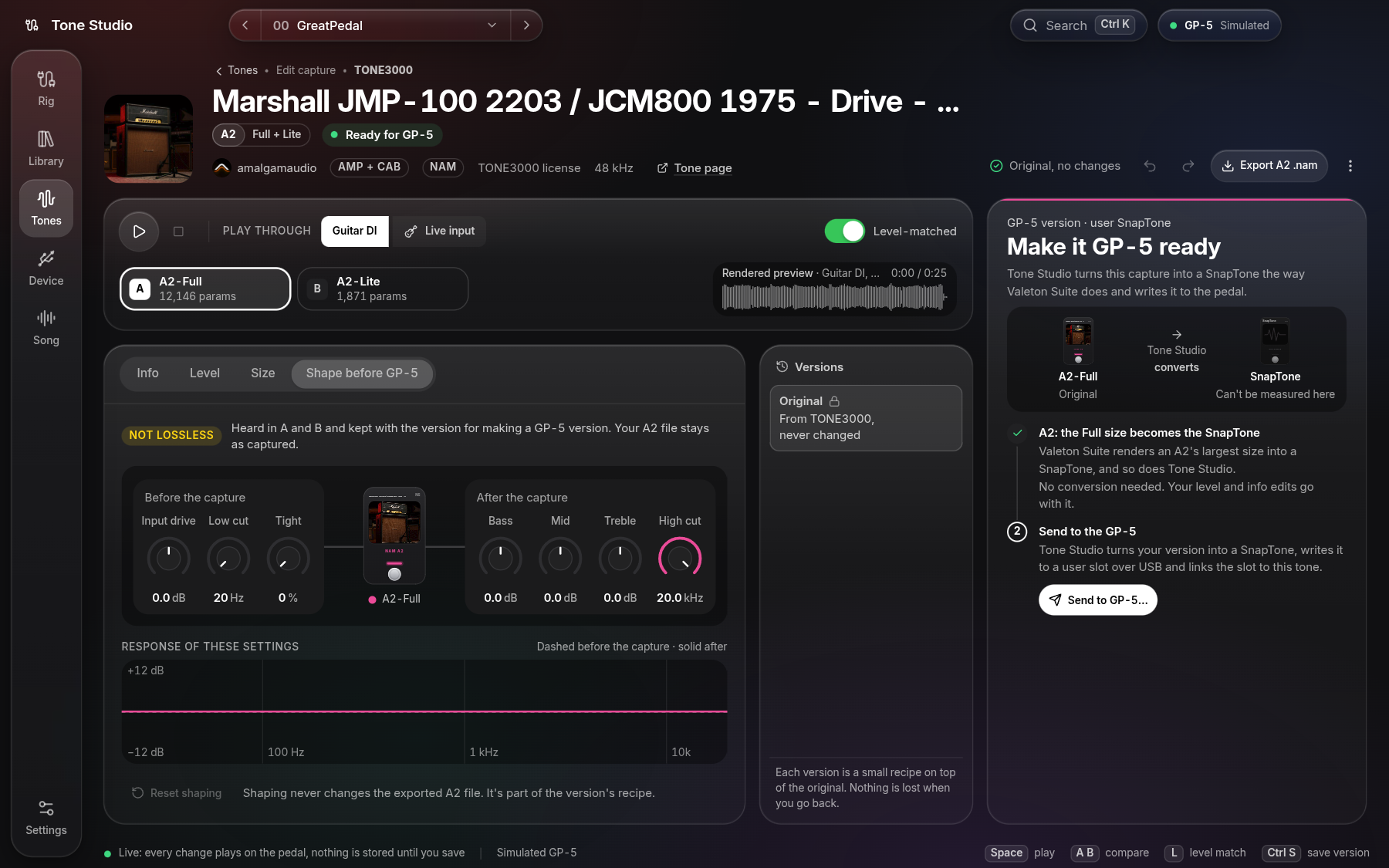
From a song to a tone.
Drop a song and split it into drums, bass, guitar, piano, vocals and the rest, on your own computer.
Choose the separation model (Standard, Best or Fine-tuned) and the quality (Fast, Balanced or Max) before you split. Mute or solo any stem and export them as WAV.
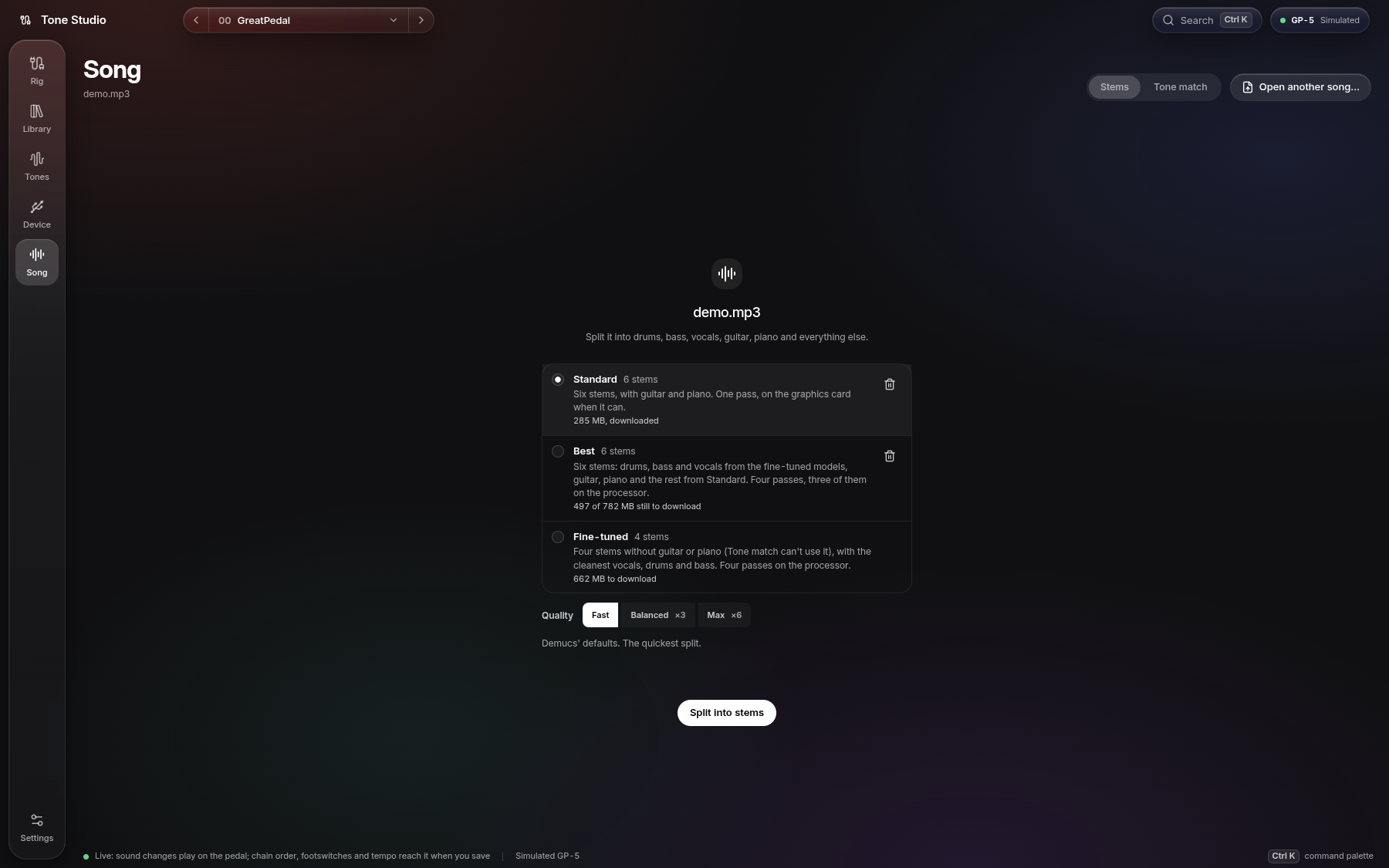
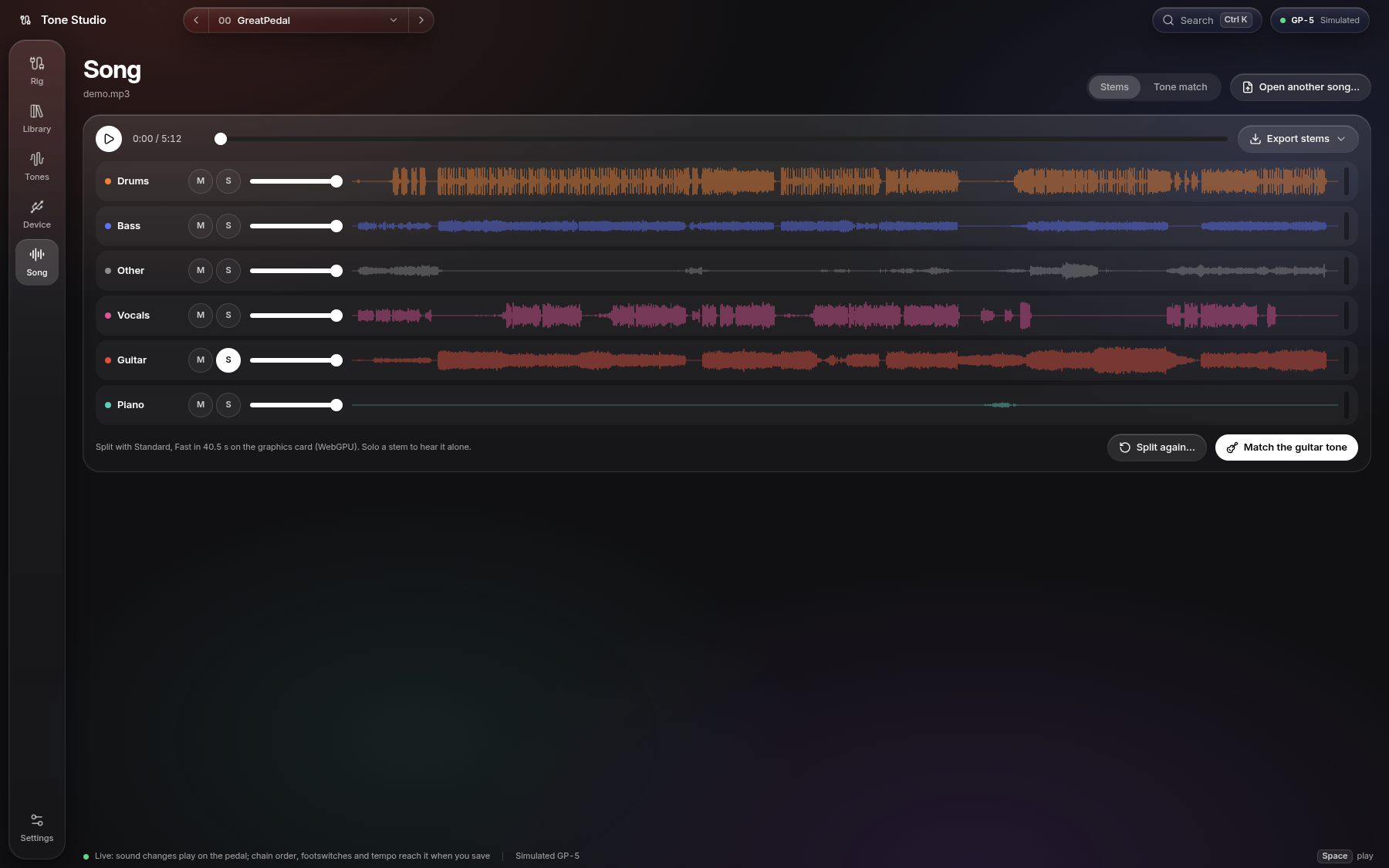
Tone Match listens to the guitar alone and proposes a preset for your GP-5, GP-50 or GP-200 (LT and JR too) that you can play on the pedal right away.
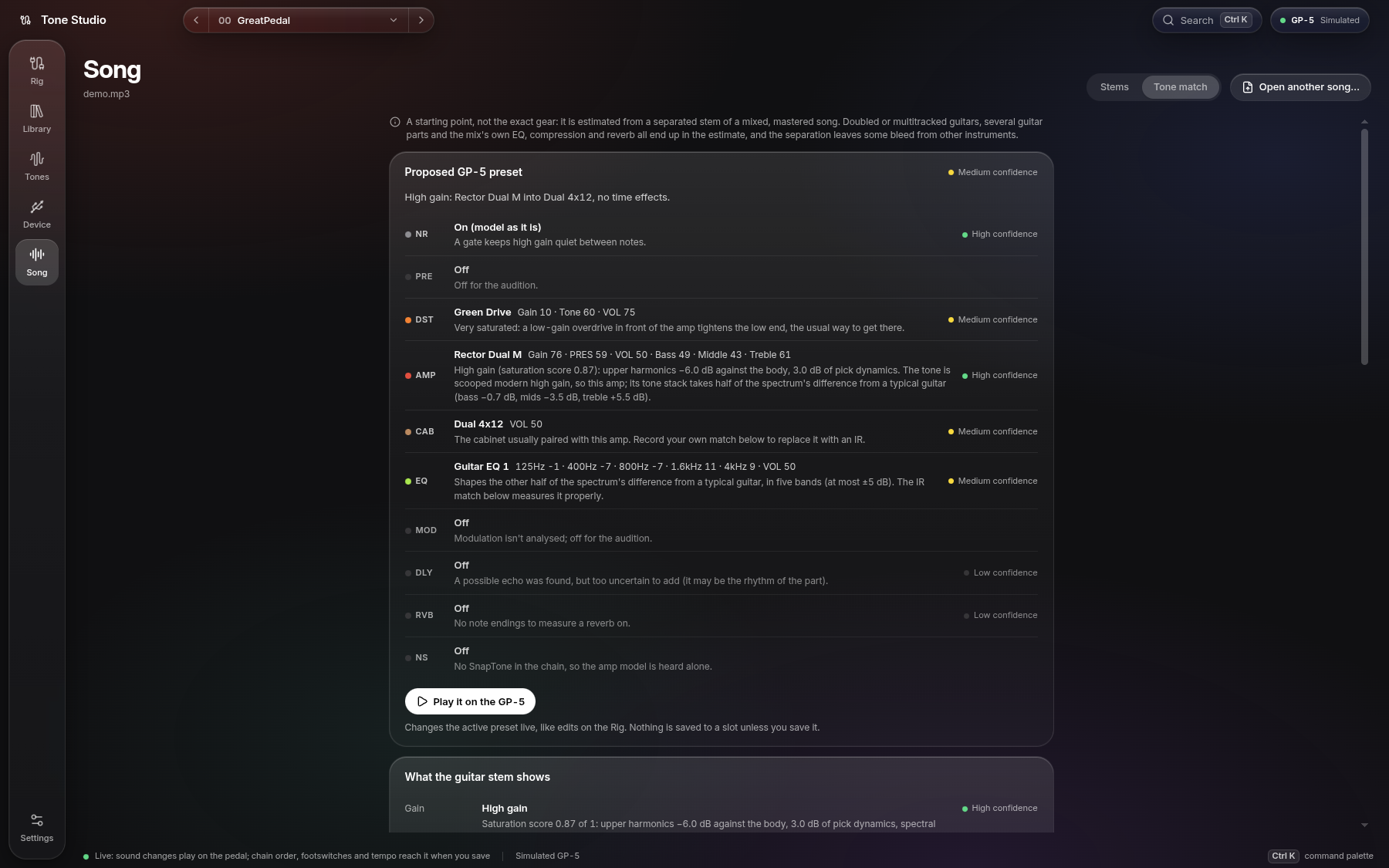
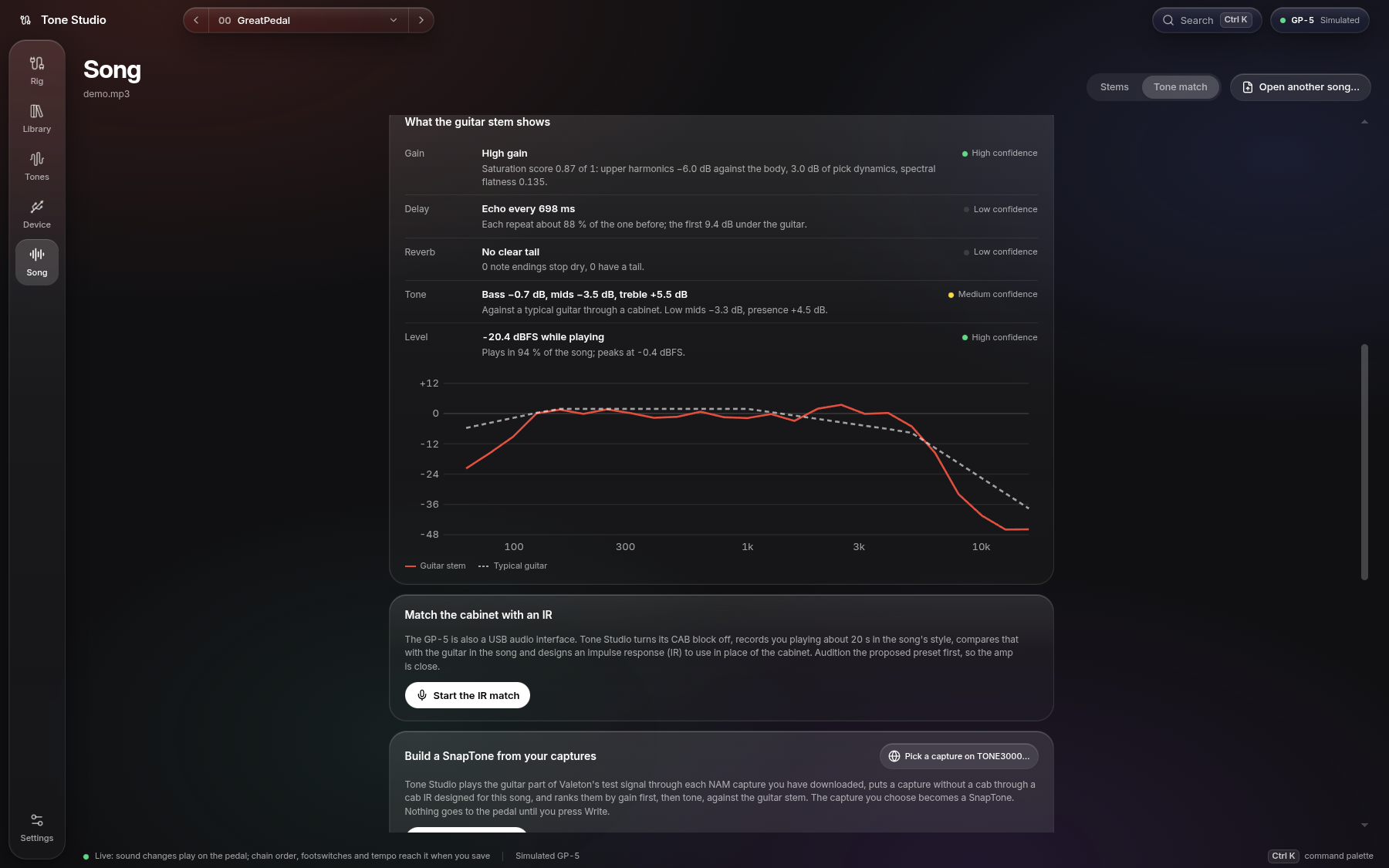
It shows what it heard: gain, echo, reverb, level, and the guitar's spectrum against a typical guitar.
Record yourself through the pedal and it designs a cabinet IR that brings your tone closer to the song's. Write it to a User IR slot and pick it in the CAB block.
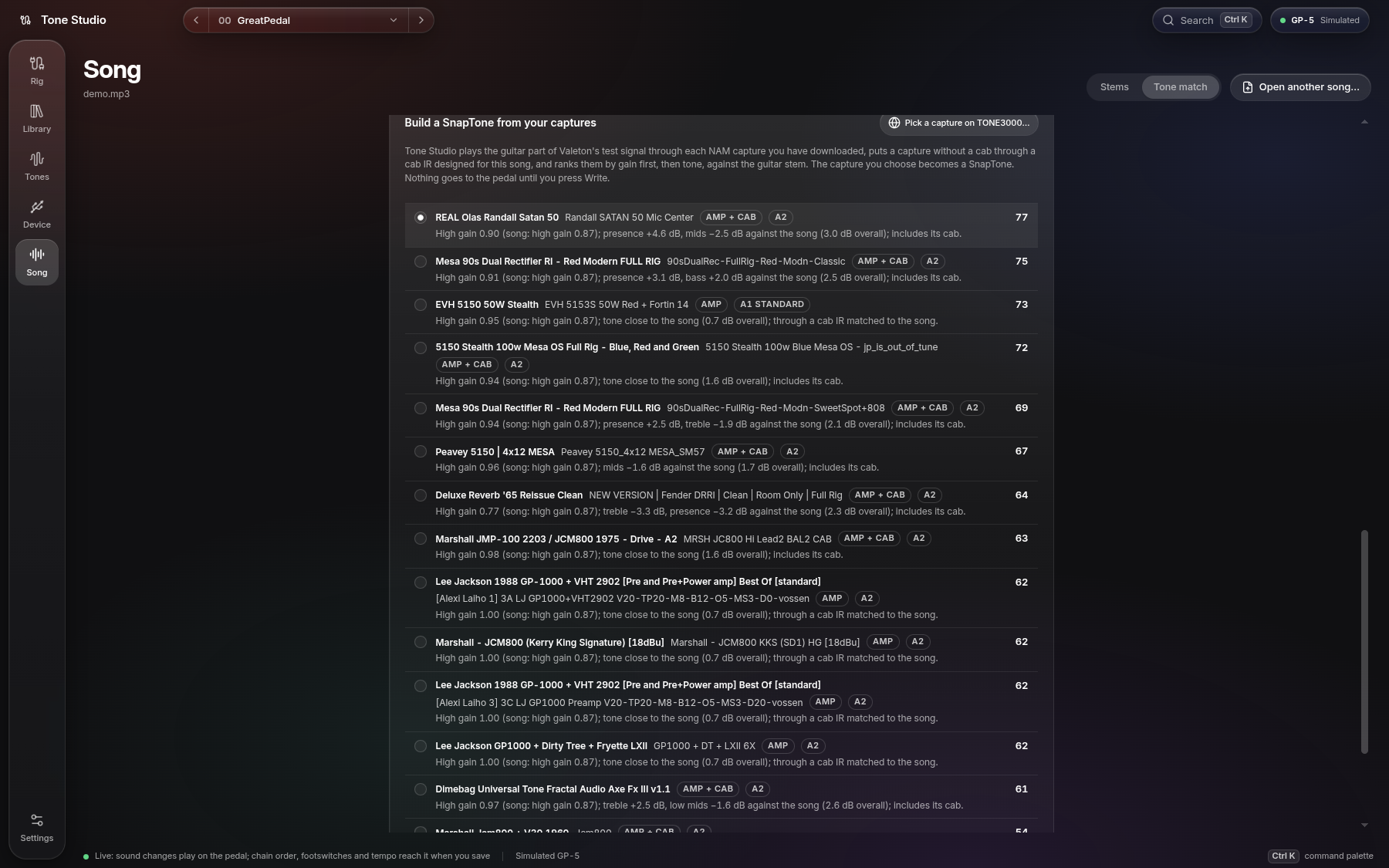
The NAM captures you downloaded from TONE3000 are ranked against the song's guitar. Pick one and Tone Studio builds a SnapTone from it, with a cab IR designed for the song. Nothing goes to the pedal until you press Write.
The GP-200 family.
The GP-200 (also R and X), GP-200LT and GP-200JR get the same screens, shaped to how they work.
| 🔗 Flat chain | Every block moves, and so do the FX loop's send and return. |
| 🎛️ CTRL 1–8 | Footswitch assignments per preset, as many as the model has. |
| ⚙️ Patch settings | EXP 1A/1B/2, Quick Access 1–3, pan, FX loop, drum style, author and note. |
| ⏱️ Tempo | 40–250 BPM with tap tempo, sent to the pedal live. |
| 📚 Library | 256 slots (255 on the JR) labelled like the pedal, 01-A to 64-D, with 16-character names. A slot resets to an init patch. |
| 🧠 SnapTones | 10 slots: 0–4 play in AMP, 5–9 in DST. CAB keeps playing after them. |
| 🔊 User IRs | 20 slots of 1024 samples. |
| 🎚️ Global EQ | On the Device screen, next to the pedal's settings. |
| 📖 Effect list | Built in: all 305 models with their knobs, ready the moment the pedal connects. |
| 🎸 Tone Match | Proposes a GP-200 preset from a song, with the same amps, delays and reverbs as on the GP-5. |
[!NOTE] The effect list comes with the app. The GP-200's effect names and knob ranges are taken from GP200 Studio. For units, Auto CAB Match and exact menu values, Device › GP-200 effect list can read
algorithm.xmlfrom Valeton's GP-200 editor (Find automatically in the desktop app, or Choose file…) and keep it on your computer. Use the built-in list goes back.
Devices.
| GP-5 | GP-50 | GP-150 | GP-180 | GP-200 · 200R · 200X | GP-200LT | GP-200JR | |
|---|---|---|---|---|---|---|---|
| Recognised over USB | ✅ | ✅ | ✅ | ✅ | ✅ | ✅ | ✅ |
| Live editing | ✅ | ✅ | ✅ | ✅ | ✅¹ | ✅¹ | ✅¹ |
| Preset library | ✅ 100 slots | ✅ 100 slots | ✅ 200 slots | ✅ 200 slots | ✅ 256 slots | ✅ 256 slots | ✅ 255 slots |
| Backups | ✅ | ✅ | ✅ | ✅ | ✅ | ✅ | ✅ |
| Restore a backup | ✅ | ✅ | ✅ | ✅ | ✅ | ✅ | ✅ |
.prst export | ✅ | ✅ | ✅ | ✅ | ✅ | ✅ | ✅ |
.prst import | ✅ | ✅ | ✅ | ✅ | ✅ | ✅ | ✅ |
| Pedal settings | ✅ | ✅ | ✅ | ✅ | ✅ | ✅ | ✅ |
| Global EQ | — | — | ✅ | ✅ | ✅² | ✅² | ✅² |
| Footswitches and chain order | ✅ FS1–2 | ✅³ FS1–2 | ✅ FS A–B | ✅ FS A–C | ✅ CTRL 1–8 | ✅ | ✅ |
| Tempo and tap tempo | ✅ | ✅³ | ✅ | ✅ | ✅ | ✅ | ✅ |
| Expression pedal and patch settings | — | ✅³ | ✖️ | ✖️ | ✅ | ✅ | ✅ |
| SnapTones (NAM) over USB | ✅ 30 user slots | ✅ 30 user slots | ✅ 50 user slots | ✅ 50 user slots | ✅ 10 slots | ❔ | ❔ |
| Cab IR inside a SnapTone | ✅ | ✅ | — | — | — | — | — |
| User IRs over USB | ✅ 20 × 512 | ✅ 20 × 512 | ✅ 20 slots | ✅ 20 slots | ✅ 20 × 1024 | ✅ 20 × 1024 | ✅ 20 × 1024 |
| Tone Match | ✅ | ✅ | ✅ | ✅ | ✅ | ✅ | ✅ |
| Simulated pedal | ✅ | ✅ | ✅ | ✅ | ✅ | ✅ | ✅ |
✅ works · ✖️ not in Tone Studio · ❔ not known yet whether the pedal has it · — the pedal doesn't have it or doesn't need it
¹ GP-200 knobs come from the built-in effect list, or from Valeton's editor if you import its list.
² The Global EQ write is known only from Valeton's GP-200 editor, so it's behind Settings › Experimental pedal commands.
³ Some GP-50 commands sit behind Settings › Experimental pedal commands: live footswitch, order and tempo changes, expression pedal settings, reading a slot without selecting it, and the pedal's own delete, copy and move. With the switch off, footswitches, order and tempo reach the pedal when you save. The simulator always has them.
Which pedal is connected? Tone Studio works it out by itself and names it everywhere.
Presets across models. A GP-5 preset goes onto a GP-50 unchanged. A GP-50 preset loses its GP-50-only models, its expression pedal settings and synced Time/Rate values on a GP-5, and the app lists what changes before writing. The GP-200, LT and JR share one .prst file. Presets don't move between the GP-5 and GP-200 families.
GP-150 and GP-180. Both speak one protocol and use one .prst file, known from USB captures of a GP-180 published by Valeton-GP180-Rev-Eng (GPL-3.0). Tone Studio tells them apart by the MIDI port name. All 12 modules in any order, with the models and knob ranges of Valeton Suite 2.1.0's GP-150 list built in. The library shows 200 slots, 001 to 200. A preset's expression pedal and knob 1–3 assignments are kept as they are, not edited. The .prst files carry a checksum whose algorithm isn't known: Tone Studio clears it when it changes a preset (the pedal is reported to accept that) and checks imported files by their layout only. The GP-180 has a third footswitch (FS C) in the footswitch assignments.
Install.
| Windows | Run …-x64.exe. SmartScreen warns about an unsigned app: choose More info → Run anyway. |
| macOS | …-arm64.dmg for Apple silicon, …-x64.dmg for Intel. The app isn't signed yet. If macOS says it is damaged or can't be opened, run this once after copying it to Applications:xattr -dr com.apple.quarantine "/Applications/VLTN Tone Studio.app" |
| Linux | sudo apt install ./vltn-tone-studio-…-amd64.deb, or make the .AppImage executable and run it. MIDI needs access to /dev/snd/seq (the audio group on some distros); Device › Diagnostics shows what is missing. |
| Updates | When a new version is out, the app asks at launch whether to install it. The Windows installer and the AppImage update in place; on macOS and with the .deb, the app opens the release page. |
When the pedal doesn't connect.
Device › Diagnostics checks each step and says what to fix. The usual causes:
| Another app has the port | On Windows only one app can use the pedal at a time. Quit Valeton Suite or the GP-200 editor (also from the system tray), any DAW, and any browser with a MIDI page open: Chrome keeps running in the background after its last window closes. Then unplug and replug the pedal. |
| Windows 11 driver | Windows 11 can give the pedal its "USB MIDI 2.0" driver, and Valeton's ASIO driver can take over its MIDI interface. The port then shows up but nothing answers. Diagnostics name the driver, and the guide under If the pedal doesn't show up on Windows 11 switches it back to "USB Audio Device". Restart the computer if it still fails. |
| Linux permissions | MIDI needs access to /dev/snd/seq. Join the group Diagnostics names (usually audio), then log in again. |
| Browser build | Chrome or Edge on a desktop computer, from https:// or localhost. Chromium 152 can't exchange SysEx with the pedal; use 153 or newer. |
Still stuck? Copy diagnostic report gives a short summary without preset contents. Save log saves the session log: every connection step, error and MIDI message, with the bytes in hex, including the presets read from or written to the pedal. The desktop app keeps the newest 20 MB of it in the logs folder of its data folder (Open folder); the browser build keeps it while the tab is open. Attach both to an issue.
Under the hood.
| Connection | WebMIDI with SysEx, straight to the pedal over USB |
| App | Electron 43, React 19, TypeScript, Tailwind CSS v4 |
| Presets | Reads and writes .prst files byte for byte: 507 bytes (GP-5), 552 (GP-50), 1224 (GP-200 family) |
| SnapTones | Converts NAM A1 and A2 captures the way Valeton Suite does, in a Web Worker, then uploads them over USB |
| User IRs | Prepared like Valeton Suite does it (first channel, 44.1 kHz, 24-bit), 512 or 1024 samples per model |
| Stems | Demucs on your computer: Standard (htdemucs_6s), Fine-tuned (htdemucs_ft) or Best (both); WebGPU when the graphics card can run it |
| Safety | Backs up a slot automatically before it's overwritten |
| GP-200 effect list | Generated from GP200 Studio's catalog at a pinned commit (app/scripts/gp200-catalog-from-studio.mjs); your own algorithm.xml replaces it |
| Diagnostics | USB, driver and port checks per OS, and a rotating session log (4 MB files, newest 20 MB) in the app's data folder |
| Packages | .dmg, NSIS installer, AppImage and .deb |
Build it yourself.
cd app
npm install
npm run dev        # desktop app
npm run web        # in the browser at http://localhost:5790
No pedal? Add ?mock to the browser address for a simulated GP-5 loaded with a full 100-slot backup, or pick another model:
| GP-5 | GP-50 | GP-150 | GP-180 | GP-200 | GP-200LT | GP-200JR |
|---|---|---|---|---|---|---|
?mock | ?mock=gp50 | ?mock=gp150 | ?mock=gp180 | ?mock=gp200 | ?mock=gp200lt | ?mock=gp200jr |
The desktop app offers the same under Device › Simulate. All commands and the code layout are in app/README.md; what changed in each version is in the changelog.
License.
VLTN Tone Studio is free software under the GNU General Public License v3.0. You may use, study, change and share it; a version you distribute must stay under the same license, with its source. The GP-200 effect list comes from GP200 Studio (GPL-3.0), the GP-150 protocol and effect list from Valeton-GP180-Rev-Eng (GPL-3.0). Other open-source work it builds on is credited in app/src/renderer/src/gp5/NOTICE.md, app/src/renderer/src/gp200/NOTICE.md and app/src/renderer/src/gp150/NOTICE.md.
VLTN Tone Studio is an independent project. It is not affiliated with or endorsed by Valeton.