TR-8S Studio
Talk to your Roland TR-8S. Get a track back.
An open-source studio for the Roland TR-8S drum machine: a web UI that mirrors the machine live, a reverse-engineered SysEx layer that reads and writes every pattern and kit byte-exact, and an AI assistant that turns "make me a warm house track with a real bassline" into a finished, playing pattern in about a minute, using your own Claude subscription.
"Make me a house track on 8-02, warm and classic, around 124 BPM, with a real bassline."
74 seconds later: a kit chosen from measured tones, eight arranged variations, a walking bassline in A minor, the machine switched to it, the seed reported, undo offered.
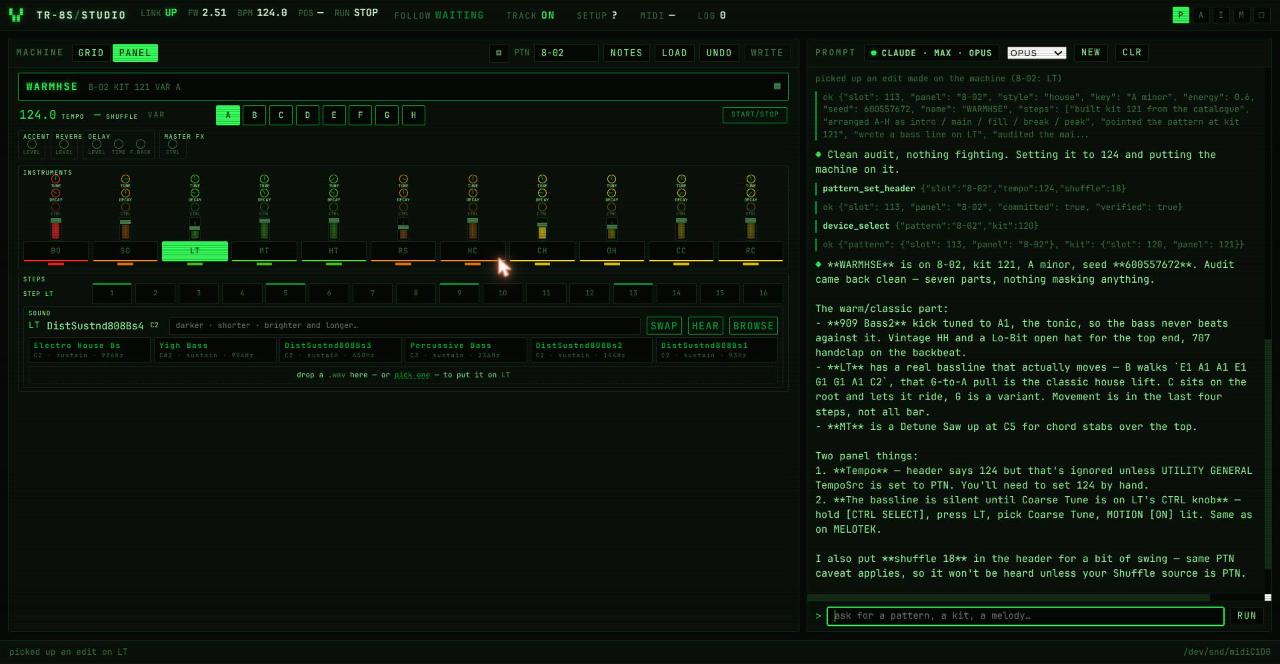
Watch it happen (1 min, machine audible): https://youtu.be/9lKcmGzcwPQ
First, what is a TR-8S?
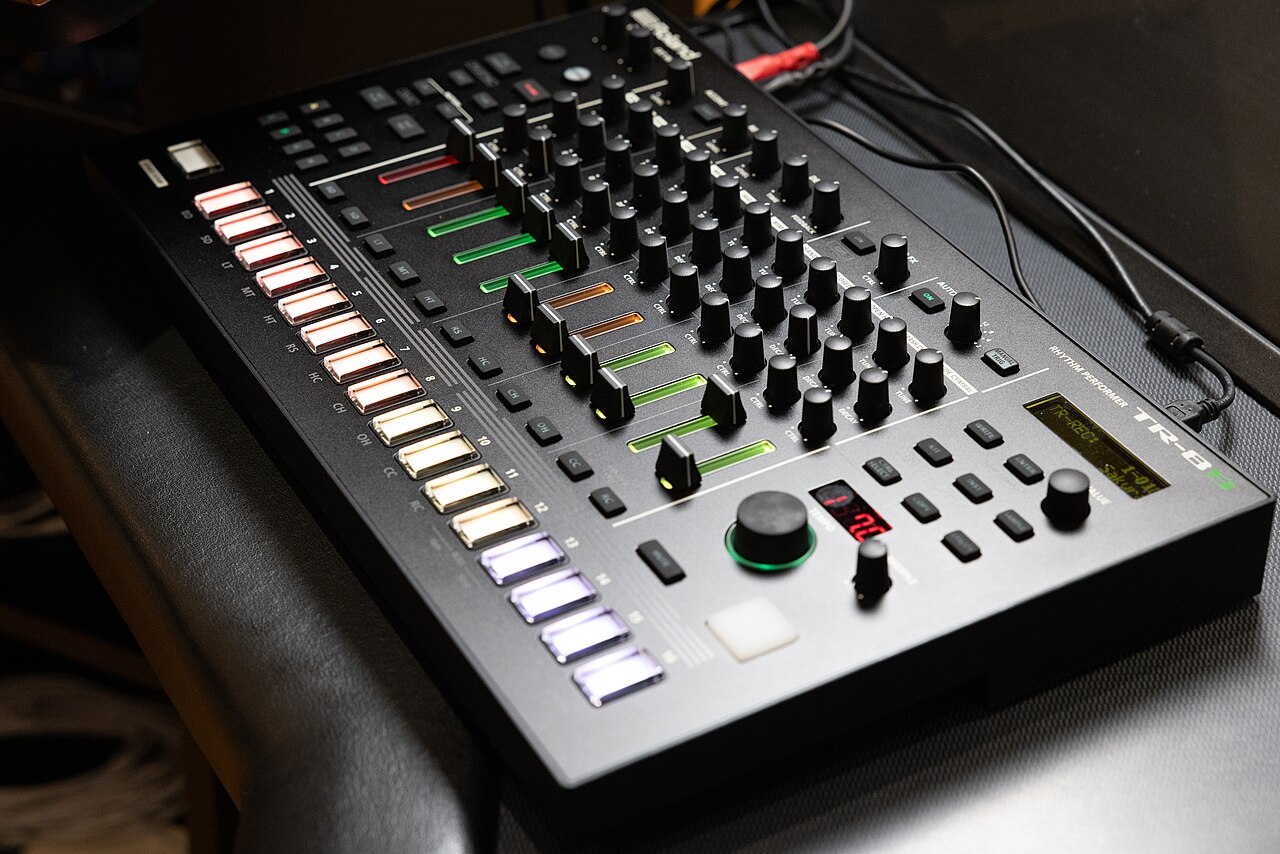
The Roland TR-8S is a drum machine: a box that plays drum sounds in a pattern you program by pressing buttons. Sixteen pads along the bottom are the sixteen steps of a bar; press a pad and the selected drum sounds on that step. Eleven instruments (kick, snare, toms, rimshot, clap, hats, cymbals) each have their own row of steps, a fader for level and knobs for tune, decay and one more thing. Eight variations, A to H, let you build an intro, a main groove, a break and a drop, and 128 slots hold your patterns. It has the sounds of the old 808 and 909 that half of dance music was built on, plus samples. Nearly every techno, house and hip hop record you know started on a machine like this, and many still do.
It is a wonderful instrument and a brick wall of a learning curve.
This software needs the real machine. It talks to the TR-8S over its USB cable; it does not emulate one, and nothing here makes a sound on its own. Plug the machine in, start the studio, and the two become one instrument.
Photo: "Roland TR-8S Drum Machine" by Nir Yaniv, Wikimedia Commons, CC BY-SA 4.0.
The vision
This is not another tool for letting an AI make music. There are better ones for that, and that was never the point.
The point is the person at the machine. A drum computer is a wonderful thing to learn on and a hard thing to learn from: sixteen buttons, eleven sounds, a hundred settings, and no one to tell you why the hats go there and what makes a groove roll. TR-8S Studio wants to be the tutor sitting next to you. It should be able to say "that's a house beat; the clap on two and four is what you're hearing; try moving the open hat to the offbeat and listen to what changes", let you do it with your own fingers on the real pads, hear what you did, and tell you what just happened in words a beginner can use.
Where it goes from there: genre lessons you play through rather than read, the assistant as a patient teacher rather than a producer-for-hire, and a playful layer on top: think sprites and little crowds that get moving when the groove locks in, a bit of Guitar Hero spirit in service of actually learning an instrument. Rhythm, genres, drum programming, and the joy of it.
The pieces that exist today (live mirror of the machine, the assistant that sees what you see, sounds chosen from measurement, melodies, undo) are the foundation for that. The tutoring, the lessons and the fun on top are wide open.
Why it exists
It started with a lazy request. The author asked Claude to set up a few basic patterns on his TR-8S and fetch some new sounds from the internet, because doing that on the machine is a hassle of menu diving. There was no way for it to talk to the machine, so it started reverse-engineering the protocol, one byte at a time, with a human changing one thing on the panel and the AI reading the result back. At some point the only sensible answer was: well, why not go all the way. The studio grew around the protocol, then the assistant, and then "make me a house track" simply worked.
The intent was never that the AI makes the music. The intent is that the TR-8S becomes a machine that helps you learn: pick a genre, see what a typical lo-fi beat looks like on the steps and why, get a starting point, then get feedback from a purely technical standpoint on what you do with it. The human does the feeling part. The AI does the theory, the chores and the patient explaining.
Its author has three kids, one wife, and a TR-8S, and only one of those three comes with an off switch. The other two have made it clear that this does not get to become a second job. So it is here, in the open, for anyone who finds the idea as exciting as he does. It is up for grabs. Fork it, take it somewhere, join in, and please do. He will be in the comments, in between bedtimes.
What it does
A studio that follows the machine. Change pattern on the TR-8S and the studio is there. Play it and every step lights as it sounds, the variation letter is recognised by ear, knobs and faders move on screen as you touch them. Add a step on the panel while it plays and TRACK jumps to that instrument within a bar. Nothing is polled; the machine is the source of truth.
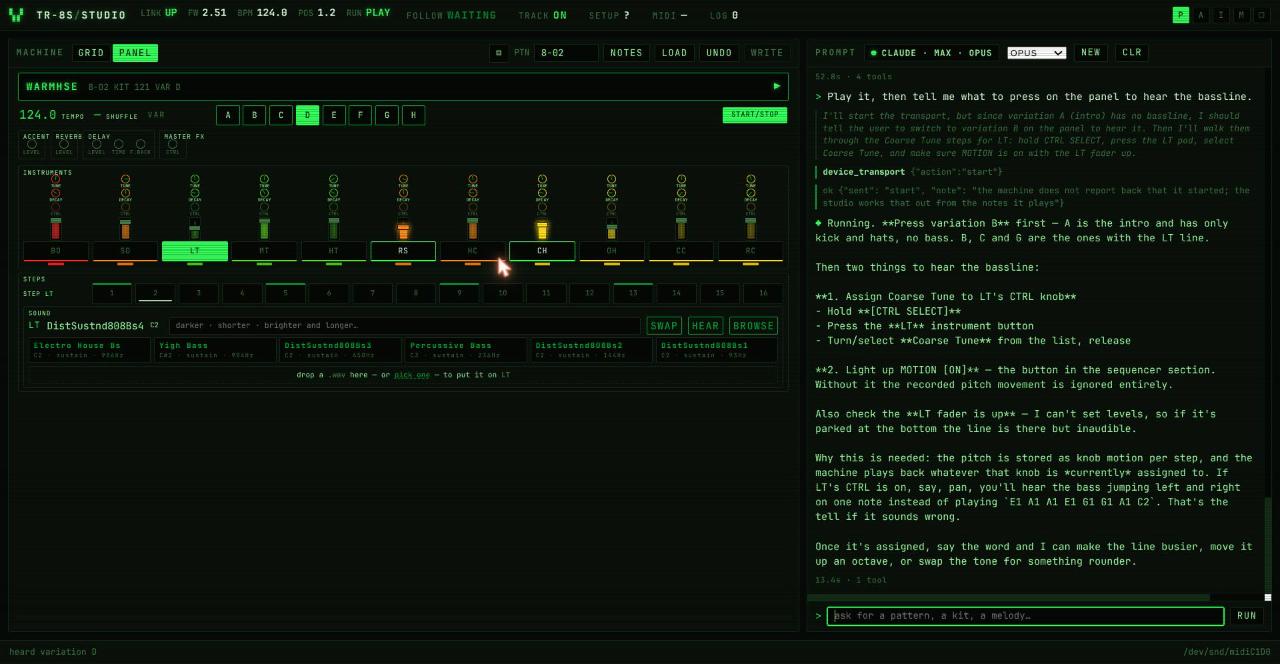
Editing that is live. Click a step in the grid or on the pads and the machine has it before the bar comes round. A write lands in what is playing, so there is no "load", no "send", no waiting for a stop.
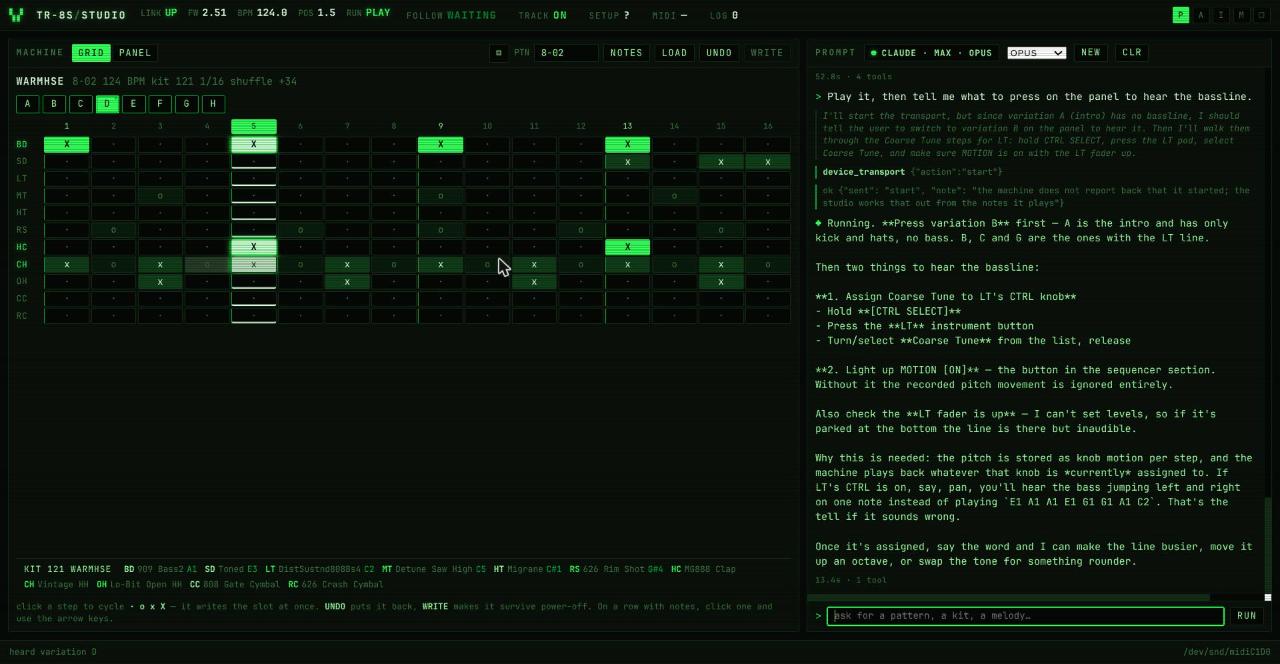
An assistant that works the way a collaborator does. It sees what you see: the pattern on screen, whether the machine is playing, which variation is heard, what changed recently and who changed it. It reasons out loud, calls the studio's tools, and tells you in musical terms what it did.
- "The clap needs more snap, and give the hats a little swing." It swapped the clap for a shorter, brighter one chosen by measured decay and brightness, centred its pan, and set shuffle, then told you the one caveat that matters on this machine.
- "Play it, then tell me what to press to hear the bassline." It started the transport and walked you through Coarse Tune and MOTION ON, which the hardware needs and cannot do for you.
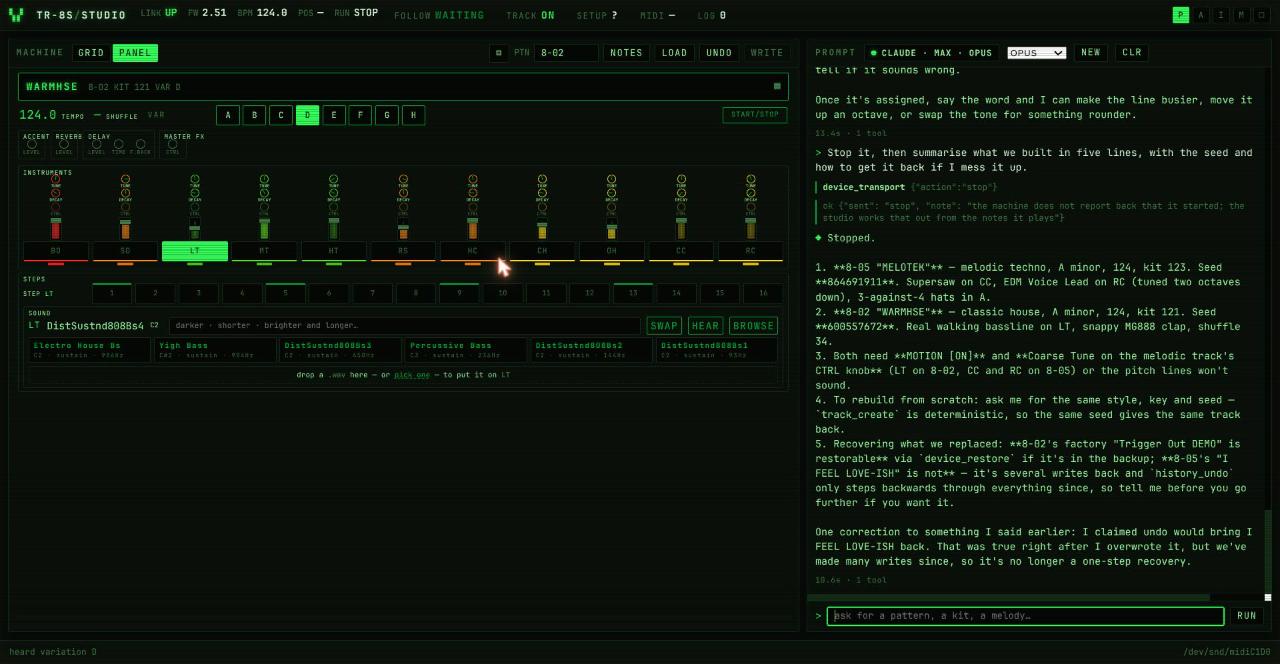
- "Stop, and summarise what we built." Five lines, both tracks from the session, seeds included, and a correction of something it had said earlier about undo.
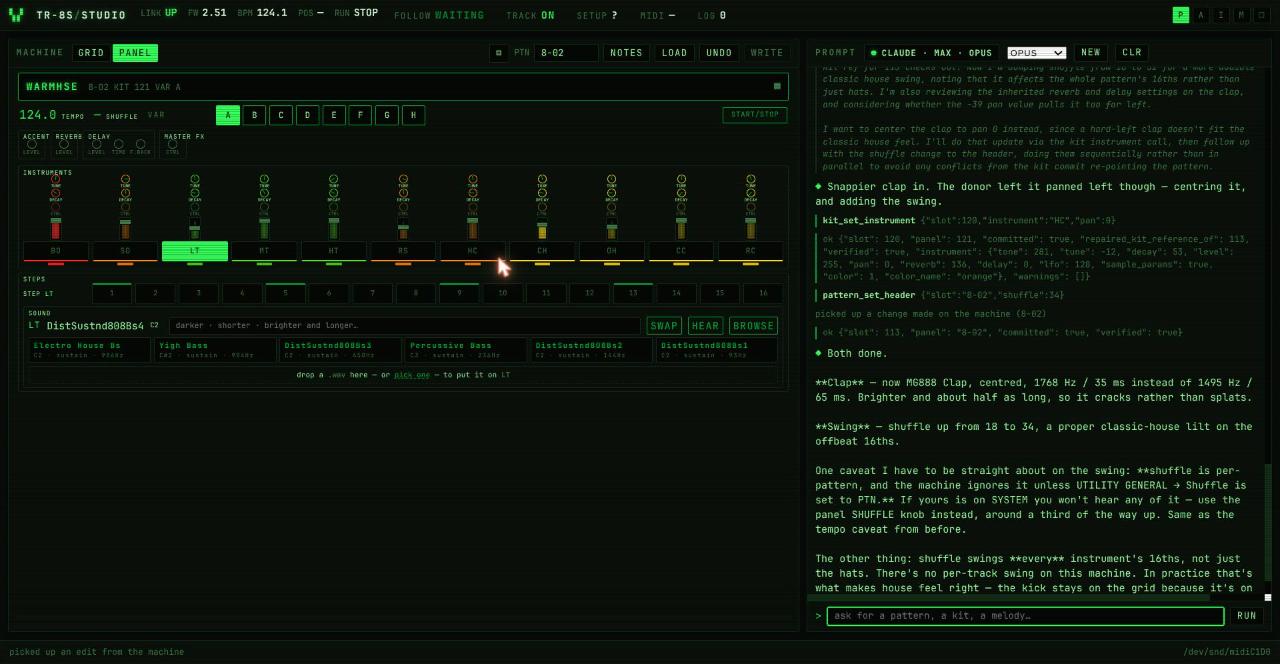
Sounds chosen from data, not names. Every melodic tone on the machine has been measured: the note it really sounds at, how long it rings, how bright it is. "A darker, shorter kick" is a query, not a guess, and a bassline comes out in key because the tone's real root is looked up first.
Melodies the hardware makes almost impossible by hand. Per-step Coarse Tune motion, four octaves, exact semitones, written as note names.
A memory. A colour-coded change log records what the user did on the panel, what the studio did, and what the assistant did, and it survives restarts. So does the conversation.
Safety rails. Every mutating tool snapshots the slot it is about to change, so there is an undo ring. The assistant reads before it overwrites and says what it is replacing.
Bring your own assistant
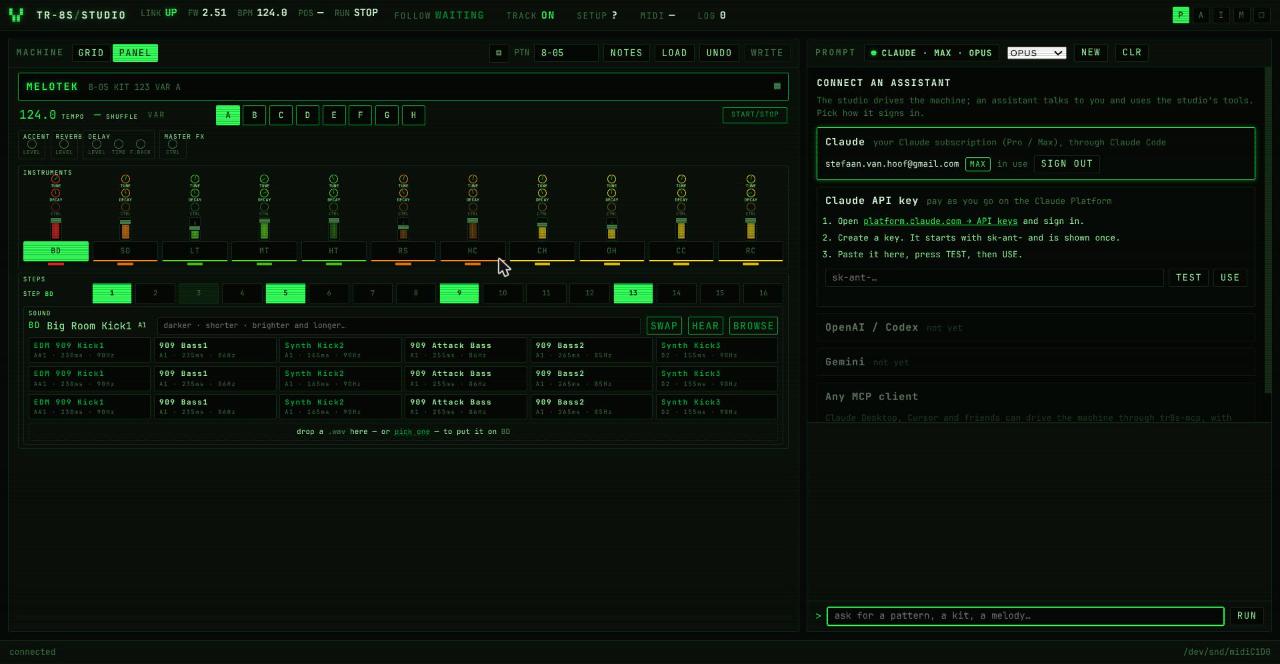
- Claude, with the subscription you already have. Sign in once through the
browser; the studio shows who is signed in and on which plan. This runs on
the Claude Agent SDK, which drives the same
claudebinary you use in the terminal. - Claude with an API key. Three steps in the UI, a TEST button that makes a real call, then USE.
- Any MCP client. Claude Desktop, Cursor and friends can drive the machine
through
tr8s-mcpwith their own sign-in. - OpenAI and Gemini backends are on the list; the tool registry is provider-neutral and contributions here are very welcome.
A note on terms: Anthropic's Agent SDK documentation does not allow third-party products to offer claude.ai login without approval. Signing in with your own account on your own machine, as this studio does, is personal use. Do not redistribute a hosted version of this with subscription login.
Quick start
git clone <this repo> && cd tr8s
python3 -m venv .venv && .venv/bin/pip install -e . claude-agent-sdk anthropic
# plug in the TR-8S over USB, then:
scripts/restart.sh                     # finds the MIDI port, starts the studio
# open http://127.0.0.1:8733
For the assistant, either have Claude Code
installed and signed in (claude auth login), or paste an API key in the
studio's connect panel. scripts/restart.sh --offline runs the UI without a
machine.
On the TR-8S, three settings make the studio's life easy: UTILITY → MIDI → Tx Prog Chg ON (pattern follow), Tx EditData ON (knob follow and the beat counter), and UTILITY → GENERAL → tempo, shuffle and kit sources set to PTN so per-pattern settings are honoured.
Under the hood
src/tr8s/transport.py,device.py,pattern.py,kit.py— the wire format and the models. The protocol is reverse-engineered and documented indocs/PROTOCOL.md, every claim marked verified or not.src/tr8s/tools/— 52 tools, one decorator each with a JSON schema. The same registry drives the CLI, the studio, the assistant and the MCP server.src/tr8s/server.py— the studio: HTTP + SSE, following, live overlay, panel-edit detection.src/tr8s/agent.py— the assistant on the Claude Agent SDK, tools served in-process as an MCP server (only this process can hold the MIDI port).src/tr8s/web/— vanilla HTML, JS and CSS. No build step.docs/— start withHANDOFF.md;LESSONS.mdis every trap already hit, with the fix.
465 tests run without hardware against a fake transport. Verified against a real TR-8S on firmware 2.51.
Things the hardware imposes
Bulk SysEx reads hang while the machine plays, so the studio reads only when it stops and hears the rest. The panel sends nothing when a step is toggled or a variation is selected; both are recognised from what plays. Levels belong to the physical faders and cannot be set. Melodies need Coarse Tune on the instrument's CTRL knob and MOTION ON, by hand. The studio and the assistant know all of this and say so at the moment it matters, not before.
More of the session
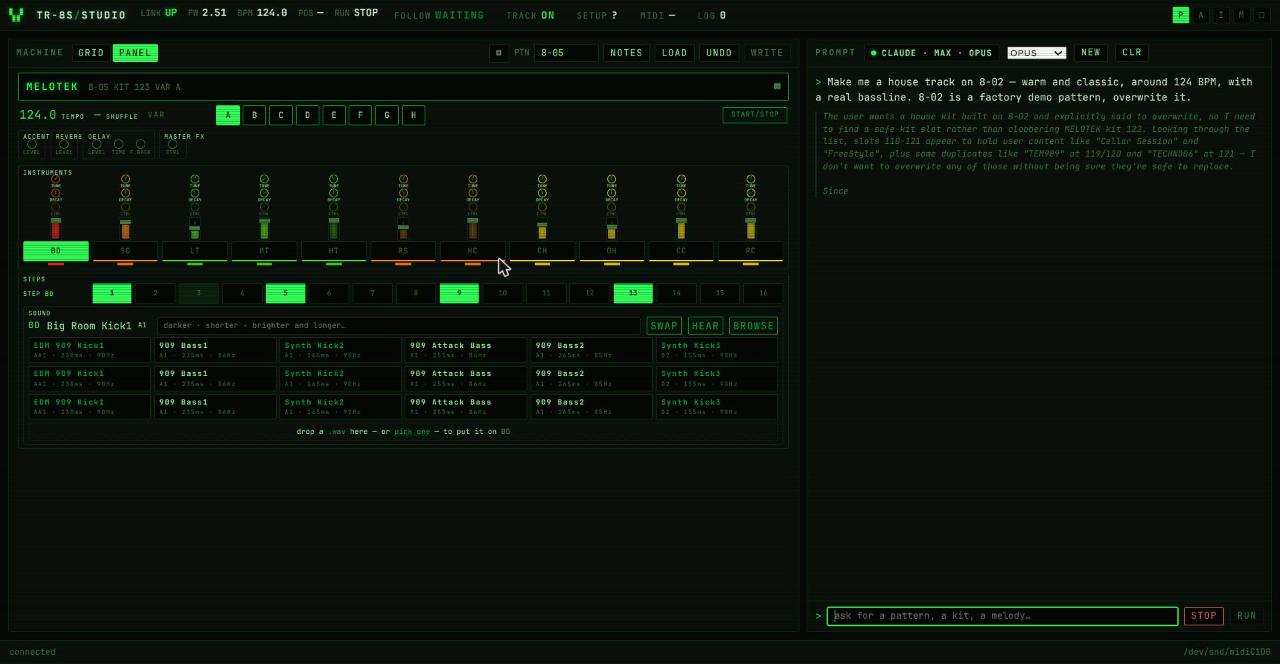
The assistant thinking out loud while it reads the slot and picks a safe kit:
And the wrap-up, both tracks of the session summarised from memory, with the seeds and a self-correction about undo:
Contributing
This project moved from "can we even read a pattern" to "make me a house track" in a few days, and the vision above is mostly unbuilt. It is meant to be picked up by many hands, not maintained by one. Some directions:
-
The tutor. Lessons a beginner plays through: what a backbeat is, why house and techno differ, where swing lives. The assistant explaining what the user just did on the pads, not only doing things for them.
-
The fun layer. Sprites, a crowd, something that reacts when the groove locks in. The machine already tells the studio every hit as it happens.
-
More assistants. An OpenAI or Gemini backend over the same tool registry.
-
Music intelligence. Better mappings from words ("hypnotic", "peak time", "dubby") to steps and tones; critique from recorded audio.
-
A pattern library worth keeping, loadable by name, with what each is for.
-
Performance. Variation chaining, timed fills, mute groups.
-
Other machines. The architecture (transport, models, tools, studio, assistant) is not TR-8S specific in shape.
Read docs/HANDOFF.md first, then
docs/UX-NOTES.md for known rough edges that are good
first issues. Run pytest tests/ before and after.
Licence
MIT. See LICENSE.
Roland and TR-8S are trademarks of Roland Corporation. This project is an independent, community effort: it is not affiliated with, endorsed by or supported by Roland. It contains no Roland firmware, samples or software; the protocol was worked out by observing a TR-8S over its own USB port.