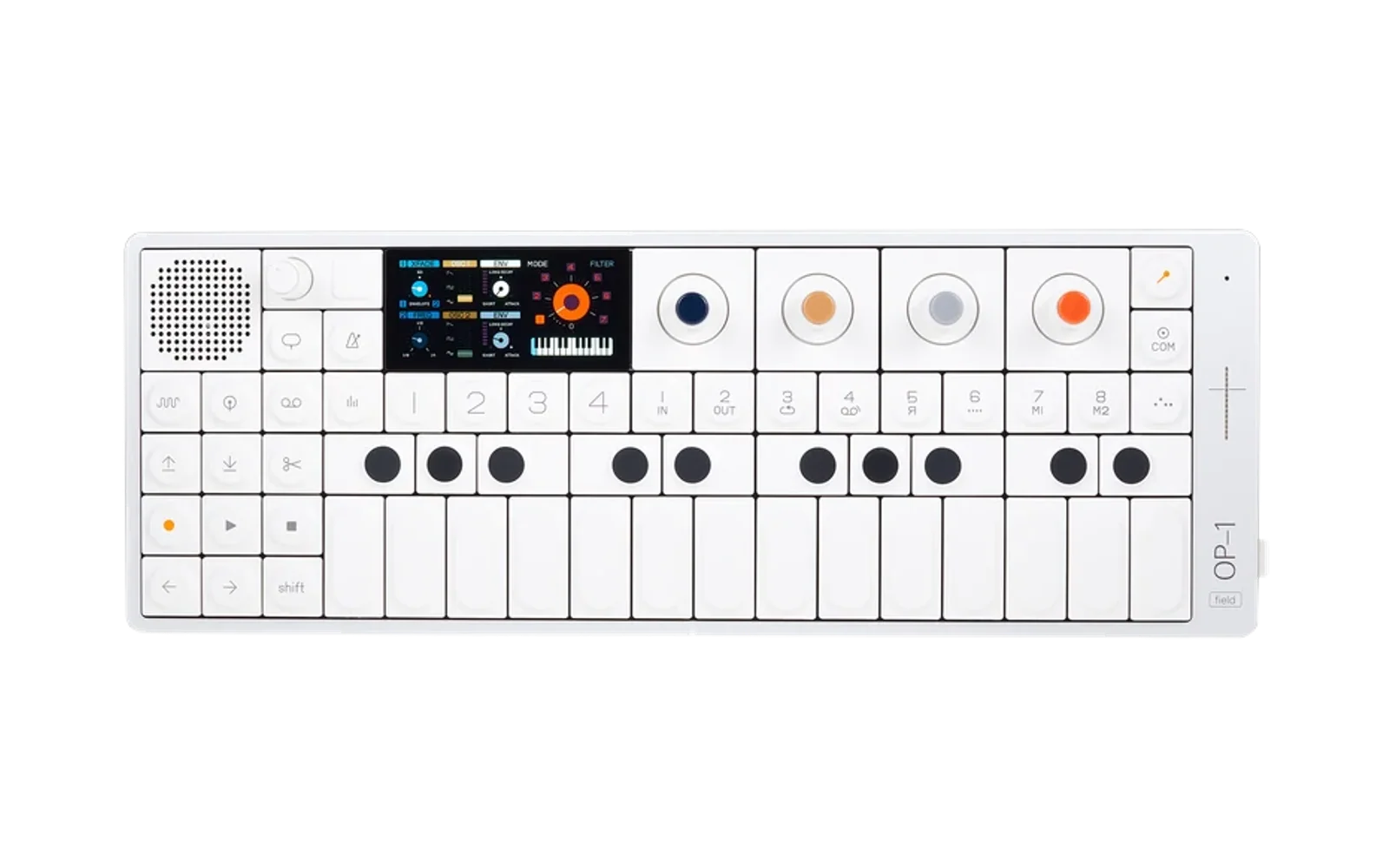
te-op1
A community patch library and a preset-format reference for the Teenage Engineering
OP-1 Field (firmware 1.7.3), live at https://te-op1.pages.dev. This repo also
holds mondo, the C toolkit that reads, writes, and moves OP-1 patch files.
TL;DR
- Want sounds? Open the Library, download a
.aif, and copy it intosynth/on your OP-1.- Want to know how a preset works? Open the Lab, or read The preset format.
- Want to work on the code?
./master-control.sh setup, then./master-control.sh dev up. See For developers.
Two paths
The site splits in two at its home page, and so does this README.
| Library: for musicians | Lab: for developers | |
|---|---|---|
| Who | OP-1 Field owners who want sounds | Sound designers and tool builders who want the format |
| On the site | Browse, open in the editor, download, like, build packs, upload | Format map, knob layouts, value mappings, .aif inspector |
| In this README | For musicians | For developers |
For musicians
Get a patch onto your OP-1
- Find a patch in the Library and download its
.aif, or select several to get one.zip. - Connect the OP-1 Field over USB-C. It appears as a portable device (MTP), not a drive. On Windows, it's under This PC.
- Copy the
.aifintosynth/, or into a folder inside it such assynth/mine/. The OP-1 allows one folder level.
From a Windows terminal, mondo op1 does the same thing: mondo op1 push patch.aif synth/mine. See mondo op1.
Back up and restore the whole OP-1
mondo project pull mybackup saves everything you can change on the device (patches, slots, tapes, mixdowns) into projects/mybackup/, and mondo project push mybackup -f puts it all back. mondo project push factory-reset -f returns the OP-1 to its factory state. See mondo project.
The desktop app
potion.exe (Windows; it began as mondo-gui) does all of this without a terminal, in six tabs:
- Projects: back the OP-1 up into a project, restore one onto it, compare the two, or start a new project as a copy of another. Every back up and restore shows its changes first; nothing is copied until you apply them
- Editor: browse the archive, a project or a pack as a folder tree and edit its patches with the same knobs, ADSR scope, drum-pad keyboard, copy and paste, and undo as the site's editor. Save writes the
.aifback in place and keeps its audio (a sampler's sound, a drum kit's samples). A sampler shows its sound with START, LOOP IN, LOOP OUT and END to drag; a drum kit shows each pad's sound and its key settings (pitch, play mode, direction, volume, pan, attack). Load a sound with Load… or by dropping audio files (.wav,.aif,.mp3,.ogg,.flac) on the window: a kit takes them on pads in a row from the selected one, and rebuilds its audio so each pad keeps its own sound. Clicking a pad or ▷ plays it. Synth patches pick from the synth engines and drum patches from dbox and drum (a sample kit), becausesynth/holds synths anddrum/holds drums; + New patch starts either one (Ctrl+N, Ctrl+Shift+N). The SLOT 1–8 buttons put the open patch into that slot of the project, and the patch already there goes to the recycle bin. Under the tree, Backup and Restore sync the folder or patch picked in it with the OP-1: Backup copies the OP-1's version into the project, Restore makes the OP-1's match the project, each previewed first (the whole project is on the Projects page). The tree also holds the project's notes: areadme.txtgoes onto the OP-1 with the next push, aNOTES.md(the Notes button) or any other.md/.txtstays on the computer; click one to edit it. Stars and tags go with a sound; the side panel holds the clipboard, the history, and Sounds (what you've copied this run: a sampler's sound, a kit pad's, a mixdown's range) - Mixdowns: one copy of each project's recordings in
mixdowns/<project>/. Pick a range, find its hits, and make a sampler or a drum kit from it (or append it to the kit that's open) - Packs: sets of patches in
packs/<name>/. Add patches from the editor or by dropping.aiffiles on the window, export a.zipto share, or install a pack into a project (synths tosynth/<pack>/, drums todrum/<pack>/), then push that project. Drop a.zipfrom the site's Packs page to import it - Transfer: two places side by side (the
archive/, any project, any pack), each listed by patch name and file name. Select patches with a click, a drag, Shift or Ctrl, then move or copy them across, or drag the selection onto a folder on either side (Ctrl copies). Cut, Copy and Paste (Ctrl+X, Ctrl+C, Ctrl+V) paste into the folder last clicked, so patches move between folders of the same project or the archive too; drums always land underdrum/and synths undersynth/. The folder button makes a newsynth/ordrum/folder. A patch the other side already has (the same settings and audio, whatever it's named) isn't copied twice. One that would land on a different patch, by name or in a taken slot, shows what differs and asks you to skip, keep both, or replace. The archive has no patch limit; a project shows its count against the 500 the OP-1 Field holds. Whatever a move takes off a side goes to the recycle bin - Search: every patch in the archive, the projects and the packs in one list, grouped by place. Find one by its name or file, engine, FX, LFO, tag, stars or place, and open it in the Editor
Download the zip from Releases, unzip it anywhere and run potion.exe. It isn't signed, so Windows SmartScreen may say "Windows protected your PC": More info, then Run anyway. Or build it with desktop\build.bat; see Potion. What it does, feature by feature, is in desktop/CHANGELOG.md.
On the site
- Library: search by name, or filter by engine and tag
- Patch editor: open any patch, shape it, and download the
.aif. Signed in, you can save a copy, update your own patches, or start from + New patch - Packs: curated sets of patches, downloaded as one
.zip - Favorites and Mine: what you've liked, and what you've uploaded or built
- Upload: shares the patch settings from an
.aif. Sampler audio isn't stored, so a downloaded sampler patch carries a placeholder tone
Browsing and downloading are open to everyone. Sign in (Google, Microsoft, Yahoo, or GitHub) to upload, like, and build packs. A GitHub sign-in also lets you file site issues.
For developers
What's in the repo
te-op1/
  src/                 React SPA: home, Library, Packs, Favorites, Mine, Upload, Lab, Issues, Mod
  functions/           Cloudflare Pages Functions: the /api (auth, patches, packs, likes, issues)
  functions/_shared/   validation, tagging, and .aif rebuild: TypeScript ports of mondo.c
  public/              static pages and the shared format data:
                         patch.html    patch editor (Library) and inspector (Lab)
                         params.html   Lab knob layout
                         display.html  Lab value mappings
                         layout-params.js, mapping-data.js, knob-model.js   format data
                         op1-stats.js  coverage numbers shared by the Lab pages
                         aif.js        .aif <-> JSON in the browser
  migrations/          D1 schema
  scripts/             database seeding, master-control helpers, gen-desktop-data.mjs
  master-control.sh    dev toolbox: setup, dev server, builds, tests, deploy
  mondo.c              the C toolkit, one source file (with op1_aif.h, cJSON.c/.h)
  build.bat            build mondo.exe with MSVC
  desktop/             Potion, the raylib desktop app (desktop\build.bat)
  raylib/, raygui/     submodules Potion builds against, pinned
  op1-params.json      knob name database read by mondo dump
  oracle/              exports saved on the hardware: the ground truth, never regenerated
  presets/             .aif patches and their .json sidecars
  collection/          patch collections: .aif, .json, and .tags per preset
  sandbox/             hardware probe sets (gitignored; ./master-control.sh probe)
  projects/            whole-device OP-1 backups (gitignored but for its README; mondo project)
  packs/               Potion's packs, one folder of .aif each (gitignored but for its README)
  explore/             generated boundary patches (gitignored; mondo build explore)
Run the website locally
./master-control.sh setup     # deps, .dev.vars, local DB schema
./master-control.sh dev up    # http://localhost:8788
./master-control.sh help      # every command: build, test, db, deploy
The stack is Vite + React on Cloudflare Pages, with Pages Functions for the API and D1 for storage. Setup by hand, OAuth, mock logins, and Cloudflare configuration are in README-WEB.md.
The preset format
What each knob is on every engine, and how its raw value turns into the number on the screen, lives on the site: Layout for every engine's eight array slots, Mappings for raw-to-display values, and the Inspector to read back any .aif. The data behind them is public/layout-params.js, public/mapping-data.js, and public/knob-model.js; edit those, not a copy. This section only covers the container and the JSON shape.
File structure
OP-1 Field patch files are standard AIFF-C containers (IFF with big-endian chunk lengths). Every patch file contains exactly four chunks in this order:
| Chunk | Size | Contents |
|---|---|---|
FVER | 4 bytes | AIFC version constant 0xA2805140 - always this value |
COMM | 64 bytes | Audio format: mono, 16-bit, 22050 Hz, sowt (little-endian signed PCM) |
APPL | 1028 bytes | OP-1 synth metadata (see below) |
SSND | varies | Raw PCM audio sample data used by the synth engine |
APPL chunk layout
[4 bytes]  "op-1"          application signature
[N bytes]  {...}           JSON string with synth parameters
[pad]      spaces          space-padded to fill exactly 1028 bytes total
The JSON is always compact (no whitespace), followed by \n then spaces
to reach the 1028-byte boundary.
Audio (SSND)
For sample-based synths like cluster, the SSND contains the actual
waveform the engine operates on. Replacing it with silence produces a
valid but soundless patch. mondo build writes 28896 frames of silence
at 22050 Hz (~1.310 s), which matches hardware-exported patches.
JSON schema
Every array value is a 16-bit integer: most run 0–32767, some are signed (Mappings says which).
{
  "name":          "epiphany",      // patch name shown on device
  "type":          "cluster",       // synth engine
  "synth_version": 3,               // engine version
  "octave":        0,               // octave offset (-2 to +2)
  "mtime":         1709403000.0,    // Unix modification timestamp

  "knobs":         [7104, 29657, 7872, 454, 0, 0, 0, 0],   // 8 synth knobs
  "adsr":          [64, 16320, 22016, 16320, 2048, 7232, 18432, 13568],

  "fx_type":       "mother",        // effect engine
  "fx_active":     true,
  "fx_params":     [21064, 0, 25574, 17000, 0, 0, 0, 0],   // 8 FX knobs

  "lfo_type":      "tremolo",       // LFO engine
  "lfo_active":    true,
  "lfo_params":    [5476, 1017, 4190, 15696, 0, 0, 0, 0]   // 8 LFO knobs
}
Key order: The OP-1 Field firmware uses a streaming JSON parser that requires keys in strict alphabetical order.
mondo buildpasses JSON through as-is - callers must order keys correctly. Required order:adsr, fx_active, fx_params, fx_type, knobs, lfo_active, lfo_params, lfo_type, mtime, name, octave, synth_version, type
dbox (drum box) presets differ: drum_version: 2 in place of synth_version, no adsr, and per-pad arrays instead - dbox_data (24 pads × 8 values), dyna_env (8), and the optional pan, pan_ab, attack, fademode, stereo.
mondo: the C toolkit
One source file (mondo.c), one executable, one subcommand per job. Build it with build.bat (MSVC) or ./master-control.sh build c (cl, else clang, else gcc).
| Subcommand | What it does |
|---|---|
dump | print a patch's metadata and write a .json sidecar |
build | .json → device-loadable .aif; boundary-patch generator |
test | check an .aif against the file spec |
diff | show which fields and indices differ between two patches |
explore | low-level chunk and byte inspector |
summarize | per-type knob ranges across all presets |
rename | set each patch's "name" to its filename |
sort | file patches into synth/<engine>/ |
tag | derive musical descriptor tags |
wrap | turn an audio file into a sampler patch |
samples | generate samples.js from preset JSON |
op1 | list, copy, and delete files on a connected OP-1 (Windows) |
project | back up, restore, or reset the whole OP-1 as a project folder (Windows) |
tape | each tape's name, type, and clip count from its tape.json |
mondo dump
Reads a .aif patch file, prints all synth metadata with named parameters,
and writes a .json sidecar. Pass a directory to process all .aif files recursively.
mondo dump <file.aif>
mondo dump <directory>
mondo dump epiphany.aif         → prints metadata, writes epiphany.json
mondo dump presets/             → dumps all .aif files recursively, prints stats
- Reads
op1-params.jsonfrom the current working directory (not the file's directory) - Console output: container info, audio format, synth knobs, ADSR, FX params, LFO params, raw JSON
- Each parameter printed as
name : raw_value (normalized)where normalized = raw / 32767 - Non-zero unnamed slots printed as
knob N [unknown]- add them toop1-params.jsononce identified - Always writes a
.jsonsidecar at the same path as the input file - Directory mode prints a final summary:
=== Done: N processed, N failed (X.XX sec) ===
mondo build
Creates a valid OP-1 Field .aif from a .json patch file. Pass a directory to convert all .json files recursively. Also generates all 756×2 boundary patches via the explore subcommand.
Note: mondo build explore (this boundary-patch generator) is unrelated to the
top-level mondo explore subcommand (the low-level binary .aif inspector,
formerly explore-aif.exe) - the shared word is a naming coincidence, not a typo.
mondo build <patch.json> [output.aif]
mondo build zero <patch.json> [output.aif]
mondo build max  <patch.json> [output.aif]
mondo build <directory>
mondo build explore [-dest <synth|envelope|fx|mix>] [-param <N>]
mondo build mypatch.json                → writes mypatch.aif
mondo build mypatch.json out.aif        → writes out.aif
mondo build zero mypatch.json           → zeros knobs/fx_params/lfo_params
mondo build max  mypatch.json           → sets all three arrays to 32767
mondo build presets/                    → converts all .json files recursively
mondo build explore                     → generates all 3024 files in explore\
mondo build explore -dest fx            → min patches with dest = FX
mondo build explore -dest fx -param 5824
- Output format: AIFC with FVER + COMM (mono, 16-bit, 22050 Hz,
sowt, 28896 frames ~1.310 s) + APPL (1028 bytes) + SSND (silence) - JSON must be ≤ 1024 bytes; exits with an error message if too large
- Automatically injects
"mtime":<unix_ts>.0at write time - Single-file mode refuses to overwrite an existing output file; directory mode overwrites
- Strips UTF-8 BOM from input JSON if present
- Sampler patches: looks for a
.wavsidecar at the same path; embeds it if found, falls back to a 440 Hz sine tone if not
explore subcommand - generates min and max boundary patches for all 15 × 9 × 6 = 810 synth/FX/LFO combinations (3240 files total):
- Deletes and recreates
explore\at the start of each run - Output structure:
explore\aif\[mode]\[synth]\[lfo]\*.aifandexplore\json\[mode]\[synth]\[lfo]\*.json - min uses hardware minimums per parameter type; types with non-zero floors use explicit per-type values
- max uses hardware maximums per type; types with ceilings below 32767 use explicit per-type values
- ADSR is fixed to instant-attack / full-sustain values so every combination produces audible output
mondo test
Validates that a generated .aif file conforms to the OP-1 Field file spec (29 checks).
mondo test <file.aif>
Checks include: file size, chunk order and sizes (FVER/COMM/APPL/SSND), COMM spec (22050 Hz, 28896 frames, 16-bit sowt), APPL JSON (all required keys present, alphabetical key order, mtime presence and validity, no UTF-8 BOM), and SSND audio byte count. Exits 0 on pass, non-zero on any failure.
mondo diff
Diffs two patch files and shows exactly which fields and array indices changed.
mondo diff <file_a> <file_b>
mondo diff presets\name0001.json presets\name0002.json
mondo diff sandbox\epiphany.aif  presets\epiphany0005.aif
- Accepts
.jsonor.aif; if.aifis given, it looks for a.jsonsidecar next to it - runmondo dumpfirst if the sidecar is missing - Skips
name,mtime, and_fileautomatically (they always differ between snapshots) - For array fields: lists each changed index with before and after values and signed delta (
+N/-N) - Prints "No differences" if the patches are identical (excluding skipped fields)
mondo explore
Low-level binary inspector for .aif file internals. Multiple flags can be combined in one call.
mondo explore <file.aif> [flags]
| Flag | Description |
|---|---|
--read-bytes [N] | Hex + ASCII dump of the first N bytes of the file (default: 128) |
--parse-chunks | Walk the IFF chunk tree - prints chunk ID, file offset, and size for every chunk |
--dump-chunk <ID> | Hex + ASCII dump of a specific chunk by its 4-char ID (e.g. APPL, COMM, SSND, FVER) |
--show-json | Scan the file for {...} blocks and print each one found |
--decode-fver | Print the FVER version constant and confirm whether it matches 0xA2805140 |
--decode-comm | Full COMM decode: channels, frame count, bit depth, 80-bit extended sample rate, compression type |
--analyze-ssnd | SSND audio stats: byte count, sample count, min/max sample, silence %, peak level in dBFS |
mondo explore epiphany.aif --parse-chunks
mondo explore epiphany.aif --dump-chunk APPL
mondo explore epiphany.aif --decode-comm
mondo explore epiphany.aif --analyze-ssnd
mondo explore epiphany.aif --show-json
mondo explore epiphany.aif --parse-chunks --decode-comm --show-json
mondo summarize
Reads all parsed presets and produces a grouped report.
mondo summarize
- Prerequisite: run
dump-all.batfirst to generate the.jsonsidecars - Reads:
presets/*.json,op1-params.json,op1-params-ok.json - Output sections: Synth Engines, FX, LFO - each type shows per-knob min/max raw + normalized ranges and patch count
- Trailing "Missing from op1-params.json" section prints exact stub lines to paste in
mondo rename
Renames the "name" field inside each .json patch to match the file's own filename (without extension). Edits in place.
mondo rename <patch.json> [patch2.json ...]
mondo rename <directory>
mondo rename presets\epiphany.json         → sets name: "epiphany"
mondo rename collection\_anonymized-popular → renames all .json files recursively
- Useful for normalising a batch of anonymised or exported patches before loading them on device
- Directory mode prints a final summary:
=== Done: N processed, N failed ===
mondo sort
Moves .json and .aif patch pairs into a synth/<engine>/ folder tree, organised by synth engine type. The synth/ folder is created as a sibling of the directory passed in.
mondo sort <patch.json>
mondo sort <directory>
mondo sort collection\_anonymized-popular
  → collection\synth\cluster\patch (1).{json,aif}
  → collection\synth\dimension\patch (2).{json,aif}
  ...
- Skips any subdirectory named
synthto avoid re-processing already-sorted files - Never overwrites an existing destination file - prints
skip (exists)and moves on .aifsidecars are moved alongside their.json; missing sidecars are silently skipped- Directory mode prints a final summary:
=== Done: N moved, N skipped, N failed ===
mondo tag
Interprets OP-1 patch parameters and outputs a comma-separated list of musical descriptor tags (e.g. pad, metallic, lush, percussive). Also writes a .tags sidecar file alongside each .json for easy grepping.
mondo tag <patch.json> [patch2.json ...]
mondo tag <directory>
mondo tag presets\epiphany.json
  → epiphany: cluster, morphing, pad, lush, spacious, slow tremolo, ambient

mondo tag collection\synth\
  → (tags every .json recursively, writes .tags sidecars, prints stats)
Tags are derived from six domains - engine type, envelope shape, FX character, LFO motion, octave register, and composite combinations:
| Domain | Example tags |
|---|---|
| Engine | cluster, fm, dimension, morphing, wide, inharmonic |
| Envelope | pad, percussive, sustained, swelling, tight, legato |
| FX | lush, spacious, reverb-heavy, echo, chorus, vintage |
| LFO | tremolo, vibrato, slow tremolo, animated, unpredictable |
| Octave | low register, sub, upper register |
| Composite | ambient, stab, cinematic, lead, bell |
The .tags sidecar is a single comma-separated line - grep-friendly:
grep "bell\|metallic" collection\synth\fm\*.tags
The website tags uploads with a simplified port of this (functions/_shared/tags.ts), and caps hand-added tags at 7 per patch.
mondo wrap
Wraps an audio file into an OP-1 Field sampler patch. The root note defaults to middle C, and it warns about clips longer than the ~6 s the hardware's own sampler patches use.
mondo wrap <input.aif | input.wav> [output.aif]
mondo wrap <directory>
mondo samples
Generates samples.js from preset JSON files. That file feeds the patch editor's sample list and the local database seed (node scripts/seed.mjs).
mondo samples <preset.json | directory> [output.js]
mondo samples collection samples.js
mondo op1
List, copy, create, rename, and delete files on a connected OP-1 Field (Windows only).
TL;DR: mondo op1 ls -r synth to look around, mondo op1 pull synth presets\op1 to back up, mondo op1 push mypatch.aif synth/myfolder to load a patch.
The OP-1 Field connects over MTP, not USB mass storage. Explorer lists it under This PC, but it never gets a drive letter, so copy, xcopy, and plain fopen can't reach it. mondo op1 uses the Windows Portable Devices API instead. ./master-control.sh op1 <verb> ... runs the same commands.
mondo op1 [-d <device>] ls    [-r] [path]
mondo op1 [-d <device>] pull  <path> [local dest]
mondo op1 [-d <device>] push  [-f] <local file|folder> <device folder>
mondo op1 [-d <device>] mkdir [-p] <path>
mondo op1 [-d <device>] rm    [-r] <path>
mondo op1 [-d <device>] mv    <path> <new name>
mondo op1 ls                                      → drum/ mixdown/ synth/ tapes/
mondo op1 ls -r synth                             → every synth folder and patch, with size and date
mondo op1 pull synth/_cluster/bass-4440.aif .     → copies one patch into the current folder
mondo op1 pull synth backup\synth                 → copies the whole synth tree (recursive)
mondo op1 push presets\epiphany.aif synth/mine    → uploads a patch into synth/mine
mondo op1 push -f presets\epiphany.aif synth/mine → replaces it if it already exists
mondo op1 push sandbox\mypatches synth            → uploads a folder as synth/mypatches
mondo op1 mkdir synth/mine                        → creates a patch folder
mondo op1 mv synth/mine/old.aif new.aif           → renames in place
mondo op1 rm synth/mine/new.aif                   → deletes a patch
mondo op1 rm -r synth/mine                        → deletes a folder and its contents
- Device paths use
/, start at the OP-1's root (synth,drum,tapes,mixdown), and match case-insensitively pullworks likecp: an existing local folder (or a dest ending in\) gets the item placed inside it; otherwise the dest is the new namepushwon't replace an existing file unless you pass-f. MTP has no in-place overwrite, so-fdeletes the old file and then uploads the new onermneeds-rfor folders, and it refuses to delete the root or the four top-level folders- The OP-1 allows only one folder level (
synth/<folder>/patch.aif), so a deepermkdiror folderpushfails - Renaming a patch also changes its
"name"field. The OP-1 rewrites the APPL JSON to match the new file name, so the bytes after a rename differ from the original -d <name>picks a device by its friendly name. By default it matchesOP-1, or any teenage engineering USB device (VID2367)
mondo project
Back up, restore, or reset everything you can change on a connected OP-1 Field (Windows only).
TL;DR: mondo project pull mybackup to back up, mondo project push mybackup -f to restore, mondo project push factory-reset -f to start over from factory state.
A project is a folder in projects/ (gitignored) holding the device's whole changeable state:
projects/<name>/
  drum/     slots/1-8/ and your folders, every .aif at any depth
  synth/    the same
  mixdown/  side_a.wav, side_b.wav
  tapes/    <tape>/tape.json, track_1.wav ... track_4.wav
  README.md written by mondo: what the folder is and how to restore it
mondo project list                          projects in projects/, with file counts and sizes
mondo project pull <name> [-f]              back up the OP-1 into projects/<name>/
mondo project push <name> [-f]              restore projects/<name>/ onto the OP-1
mondo project diff <name>                   what differs between the project and the OP-1
... --only tapes|mixdown|<path>              just tapes/, mixdown/, or one folder or patch (synth/user, drum/slots/1/kit.aif)
mondo project init <name> [--from <p>] [-f] a new project copied from projects/factory-reset/ (or <p>)
-fapplies, its absence previews. Pulling into a new folder copies at once. Pulling into an existing project, or any push, without-fonly lists the changes (+add,~replace,-delete) and exits.- Push
-fmirrors. The OP-1 ends up exactly like the project: files and folders on the device that aren't in the project are deleted. Take apullbackup first if the device holds anything you want to keep. - Only changes move. Files match by path and size, so updating a backup of large tapes copies only what changed.
- Notes. A project can describe itself in two ways:
- On the computer only: the generated
README.mdand any other file you add that the device can't hold (NOTES.md,tapes/<tape>/notes.md, …). These are never pulled, pushed, or deleted. Insidedrum/andsynth/, only audio files (.aif,.aiff,.aifc,.wav) sync. - On the device too: the OP-1's own text files — each folder's
readme.txtand theyou may create folders heremarker. Edit them in the project, and push writes them over the device's copies, which come with the factory text. The OP-1 lets these be rewritten but refuses to create any new non-audio file. So a hint the device doesn't have stays in the project, marked!in the output. A tape folder made by a push starts empty of hints, but opening it once on the OP-1 fills it in (a factoryreadme.txt, a freshtape.json, empty tracks). Push again after that and its notes go across. Hints are never deleted on either side, and a pull keeps the project's text when it differs from the device's (=in the output).
- On the computer only: the generated
- Folder deletes are never recursive, so a folder still holding a hint or your notes stays.
factory-resetis a capture, not a template we invented. Factory-reset the OP-1, then runmondo project pull factory-reset.initcopies that capture as the starting point for new projects, and pushing it resets the device../master-control.sh project <verb> ...runs the same commands.mondo project listshows each project's tapes by type (seemondo tape).
mondo tape
mondo tape [-v] <tape.json | tape folder | tapes folder | project name>
Prints each tape's name, type, and clip count. -v adds every field stored in tape.json.
mondo tape tape-types
  d                    Disk Mini          0 clips   (firmware layout)
  s                    Studio 4-Track     0 clips   (firmware layout)
- A tape's folder name is its name on the OP-1: naming a tape on the device renames
tapes/<name>/. tape_typeis0Studio 4-Track,1Vintage 4-Track,2Porta 4-Track,3Disk Mini, captured from one tape of each type made on the device. The other fields (tempo, loop, mixer, metronome, sync, clips) print as stored until they're probed one setting at a time.tape.jsonhas two layouts: the one in the factory image (nomixer_params,loopstored as0) and the one the firmware writes when it creates or opens a tape (mixer_params,loopas true/false).
Potion: the desktop app
TL;DR: install Visual Studio 2022's C++ tools, open an x64 Native Tools Command Prompt for VS 2022, and run the six lines below.
potion.exelands in the repo root, besidemondo.exe.
Build it on Windows
You need
- Windows 10 or 11, 64-bit
- Git for Windows
- Visual Studio 2022 (Community is free) or the Build Tools for Visual Studio 2022, with the Desktop development with C++ workload. It brings the compiler (
cl.exe) and the Windows SDK (rc.exe, which builds the app's icon)
Steps. Open x64 Native Tools Command Prompt for VS 2022 from the Start menu (a plain Command Prompt or PowerShell doesn't have the compiler on its PATH), then:
git clone https://github.com/jstnfst/te-op1.git
cd te-op1
git submodule update --init --depth 1
build.bat
desktop\build.bat
potion.exe
git cloneandcd: the repo, and into it. Every later step runs from the repo rootgit submodule update --init --depth 1: fetches raylib and raygui intoraylib/andraygui/, each at the commit the repo pinsbuild.bat: buildsmondo.exe. Potion runs it for every backup, restore and compare, and finds its own folder by itdesktop\build.bat: buildspotion.exe. The first build also compiles raylib intodesktop\build\raylib.lib, which takes a while; later builds reuse it (desktop\build.bat cleanrebuilds it)potion.exe: starts the app. It works from the folder that holdsmondo.exe, soprojects/andpacks/are the same folders the command line uses
If it fails
'cl' is not recognized: the prompt isn't a Visual Studio one. Open the x64 Native Tools prompt, or runvcvars64.batfrom Visual Studio'sVC\Auxiliary\Buildfolder in the one you have'rc' is not recognized: the Windows SDK is missing. In the Visual Studio Installer, Modify and add a Windows 11 SDK under Individual componentsCannot open include file: 'raylib.h': the submodules aren't there. Run thegit submodule updateline- Building in a git worktree: point it at the main checkout's submodules with
set RAYLIB_DIR=<checkout>\raylibandset RAYGUI_DIR=<checkout>\raygui
To hand it to someone, copy it into a folder that runs on a PC without Visual Studio: potion.exe, mondo.exe, the words, the license files and vcruntime140.dll. Run it from Git Bash or Cygwin:
bash desktop/dist.sh <folder>
Running it
potion.exe                             open on the tab it was closed on
potion.exe --version                   print the version and quit (mondo.exe --version too)
potion.exe --tab projects              open on a tab (projects, editor, packs, transfer, mixdowns, search; doctor)
potion.exe synth\user\pad.aif          open a patch; a .zip imports as a pack
potion.exe --lang fr                   its words from desktop/lang/fr.txt (or set MONDO_LANG)
The app works from the folder that holds mondo.exe, so projects/ and packs/ are the same folders the command line uses. It keeps its settings, clipboard, tags and stars, and an index of the patch files in .appdata.bin there (gitignored), written through a temp file. Sounds copied in a run stay in memory only.
How it's built. Everything that touches the OP-1 runs mondo.exe on a background thread and streams its output into the console under every view: project init, pull, push, diff. Pull and push run without -f first, and the apply button only lights once that preview finds changes. Patches, packs, and zips are handled in-process:
| File | What it does |
|---|---|
main.c | window, tabs, console, the mondo job runner's output, drag and drop |
projects.c / editor.c / packs.c / transfer.c / mixdowns.c | the five tabs (tapes.c is the tape editor, doctor.c the Doctor) |
patch.c | load and save .aif / .json; section paste; the LFO PARAMETER options (port of patch.html) |
knob.c | the knob model: travel, on-screen value, dial position (port of knob-model.js) |
op1_data.h | knob names, value mappings, and knob tables, generated from public/*.js |
store.c / zip.c | projects/, packs/, archive/, and .zip read/write (DEFLATE via raylib) |
meta.c / hash.c | .appdata.bin: tags and stars per sound, the patch index; a sound's fingerprint |
sample.c / wave.c | a patch's audio: AIFF read/write, kit layout, the sampler's 6 s scale, preview, waveforms |
undo.c | the last file action, once (Transfer, Packs, the editor's tree) |
i18n.c / lang/en.txt | every word the app shows, by key |
ui.c / sys_win.c | widgets and theme (DESIGN.md's tokens, raygui restyled); Win32 calls kept apart from raylib.h |
Saving keeps the file. An opened patch is saved by swapping the JSON inside its own .aif, so every other chunk (the audio above all) stays byte for byte; the APPL chunk grows only if the JSON outgrows it. Unedited numbers keep the text they were read with ("base_freq":261.625550), and a file that's opened and saved without edits gets no new keys, so a drum sample kit ("type":"drum") or an older patch stays as the device wrote it. The site's editor fills in missing keys on load; the desktop app only does that when you change the engine or paste.
Keep the data in step. op1_data.h comes from the site's format data, plus scripts/desktop-data-extra.js for what the site doesn't show yet (a drum kit's per-key settings). After editing public/layout-params.js, mapping-data.js, or knob-model.js, regenerate it and rebuild:
node scripts/gen-desktop-data.mjs
desktop\build.bat
Releasing
echo 0.2.0> VERSION
git commit -am "Potion 0.2.0"
git tag v0.2.0
git push origin master v0.2.0
VERSIONholds the version. Both build scripts read it into the exes (--version, and Properties in Explorer). Add a## 0.2.0 (<date>)section to the top ofdesktop/CHANGELOG.mdin the same commit: it becomes the release notes- The
v0.2.0tag runs.github/workflows/release.yml: it builds both exes on Windows, checks--versionmatches the tag, packages them withdesktop/dist.sh, and publishespotion-0.2.0-win64.zipandSHA256SUMS.txtas a GitHub Release. A tag that doesn't matchVERSION, or a missing CHANGELOG section, fails the run - Running the workflow by hand (Actions, Run workflow) builds the zip as an artifact, with no Release
Testing on the hardware
Two folders hold patches made for, or saved by, the OP-1 itself.
sandbox/: probe sets (gitignored, yours to make and throw away). A probe set is a folder of patches that differ in one array slot, so loading them one by one on the device shows what that slot does at each raw value. master-control.sh runs the whole loop (Windows, with the OP-1 connected):
# one patch per value of lfo_params[2], from a base preset, built to .aif
./master-control.sh probe sweep presets/x.json lfo_params 2 1024,2144,4160,7168 rd
./master-control.sh probe push rd     # onto the OP-1 as synth/_rd/
#   ...load each on the device and read the screen; save any you change...
./master-control.sh probe pull rd     # what the device saved -> sandbox/rd/from-device/, dumped to JSON
./master-control.sh probe clean rd    # remove synth/_rd/ from the OP-1
./master-control.sh probe list        # the sets you have
Each patch is named <set> i<index> <value> (e.g. rd i2 1024) so it reads on the device's screen. A sweep from an .aif keeps that file's audio, and a drum set goes to drum/_<set>/. For a drum kit's per-key settings, one patch can carry a whole sweep, one value per pad:
# pad 1 = 0, pad 2 = 4096, ...: load it, play each key, read its PLAY MODE
./master-control.sh probe pads projects/x/drum/slots/1/cherry.aif playmode 0,4096,8192,12288 pm
To go the other way, from a change on the device to the JSON: load a patch on the OP-1, change one thing, hold a number key to save a snapshot, and repeat. scripts/snapshot-diff.sh drum <the patch you loaded>.aif then pulls drum/snapshot/ and prints what each snapshot changed from the one before it (synth for synth snapshots). probe build <set> rebuilds a set after you edit its .json files by hand. The pulled copies are how firmware quirks show up: the random LFO's DESTINATION, for one, doesn't survive a save on the device.
oracle/: ground truth (tracked in git, never generated). Reference exports saved directly from the OP-1 Field with known knob positions.
- Never regenerate oracle files from JSON.
mondo buildrefuses to overwrite them. - To capture one: set the knobs on the hardware → save the preset → copy the
.aifintooracle/(./master-control.sh op1 pull synth/<folder>/<file>.aif oracle/) →mondo dump oracle\<file>.aifand read the raw values from the JSON sidecar. - Naming:
<synth>-<fx>-<lfo>-<tag>.aif, where tag is0000(all-min),ffff(all-max), or a short descriptor.
License
Copyright © 2026 Justin. Licensed under the PolyForm Noncommercial License 1.0.0: you may use, change and share it for any noncommercial purpose, such as personal use, study, hobby projects, or a charity or school. Any commercial use, selling it included, needs a separate license from the copyright holder. Pass on the Required Notice: line at the top of LICENSE with any copy. raylib, raygui and cJSON keep their own licenses (THIRD_PARTY_LICENSES).
OP-1 and OP-1 Field are trademarks of teenage engineering. This project is not affiliated with or endorsed by teenage engineering.