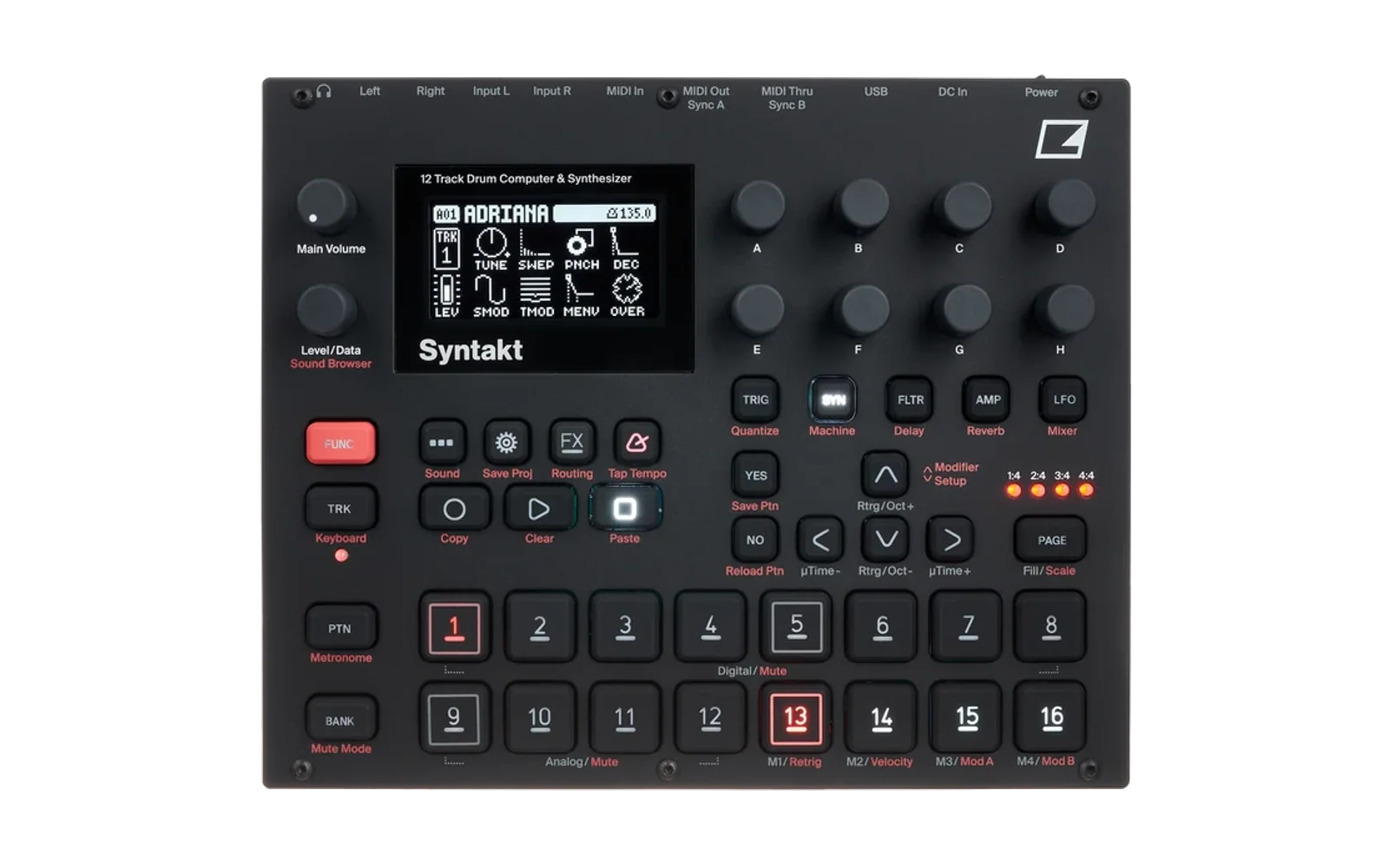
Syntakt Firmware Workbench
An unofficial, browser-based workbench for owners of the Elektron Syntakt. You load the official OS 1.41 file that you downloaded from Elektron, make your changes in a tool, and the page builds a new file for you to flash yourself. Everything happens in your browser tab. Nothing is uploaded, and the site cannot talk to your instrument.
Not affiliated with, endorsed by or supported by Elektron. Syntakt and Elektron are trademarks of their owner.
Read this first
- Make sure you can put the official firmware back before you flash anything. Try the restore procedure from the Syntakt manual once, with the official file, before you need it.
- Flashing modified firmware can leave your instrument unusable, and it voids your warranty. You do this entirely at your own risk.
- Back up your projects and sounds with Elektron Transfer first.
What is available
SY CHORD Wave Bank - put your own single-cycle waves into the SY CHORD machine. You pick them with its WAVE knob, as before.
- 31 waves can be changed (WAVE 4, 8, 12 ... 124); the values in between morph from one wave to the next.
- Takes single-cycle WAV files of any length, 8 to 32 bit, mono or stereo (left channel is used).
- Makes chord waves: one wave that holds a whole chord (major, minor, sus, diminished, augmented, sixths, sevenths, ninths), in any inversion. With the default tuning the root is four octaves above the note you play, so lower TUNE to bring the chord down; "Pure intervals" tunes every interval exactly instead.
- Fills many waves at once from a WaftWave bank (.json) or a ZIP of WAV files. A bank with more waves than fit can be spread evenly over the free waves.
- The tool resizes each wave to one cycle, centres it, sets it to full level, lines it up to start at zero and limits its brightness (40 harmonics by default, adjustable for each wave).
- Replace one wave, or insert a wave so that the waves above it move up one step.
- The small wave picture on the Syntakt screen is redrawn to match your waves (checked on an instrument on 22 September 2026). You can switch it off in the tool's Settings; then only the sound changes.
How it was checked
Files built with this tool were flashed onto a Syntakt running OS 1.41 and measured from the instrument's own audio output (September 2026):
- a saw and a square wave came out within 1% of the waves that went in, over 40 harmonics;
- every WAVE value that was left alone measured exactly as it did before;
- adding a second change to a file that had already been changed was tested the same way;
- the screen pictures were checked by eye on the same unit: a square, a triangle, a saw and a pulse showed up as those shapes, and untouched WAVE values kept their original pictures;
- a chord wave and a wave from a WaftWave bank were played and looked at on the same unit on 23 September 2026.
Before it offers a download, the page checks that the new file differs from the official one only in the parts that hold the SY CHORD waves and their pictures.
Known limits
- OS 1.41 only. Any other file is refused rather than changed blindly.
- WAVE 0 is a sine that other machines also use. It is locked by default; if you unlock and change it, those machines change too.
- SY CHORD keeps one copy of each wave for all notes, so very bright waves sound harsh on high notes.
- Patterns and sounds that use a WAVE value you changed, or one next to it, will sound different. Flash the official file to get everything back.
Deja Vu LFO - a new LFO shape, DV-H, after RND on the WAVE knob of every LFO. It is a loop of random levels that moves one step with every note; between notes the level holds. The behaviour is inspired by the Deja Vu control of Mutable Instruments Marbles.
- SPD sets the length of the loop: 1 to 32 steps. Negative values play the loop backwards.
- SPH sets how the loop behaves: at 0 it plays new values all the time, at 64 it repeats, at 127 it plays the same values in a new order.
- MODE and MULT have no function for this shape; the MODE cell shows two dashes.
- Version 3 (20 October 2026) replaces the two earlier shapes, DV-F and DV-T, which ran on the LFO clock. If you built an image before that, build it again.
- The seven original shapes are unchanged.
Checked on a Syntakt running OS 1.41, on its screen and by ear; the details are in the technical notes below. The file the page builds is byte for byte the one that was checked. OS 1.41 only; a sound saved with DV-H plays a different shape on the official firmware.
Technical notes
SY CHORD Wave Bank
| Slots | 31 waves: WAVE 4, 8, 12 ... 124. The machine interpolates the values in between. WAVE 0 is a sine shared with other machines and is locked unless you allow it. |
| Slot format | 257 samples, big-endian signed Q31: one cycle in 256 points plus a guard sample equal to the first. The cycle starts at a rising zero crossing, carries no DC, and is scaled to full level. |
| Chord waves | Equal-level sines on whole-number harmonics, with phases picked from a fixed search to keep the peak low. "Root on the note you play": root on harmonic 16, other notes rounded to the nearest harmonic (at most 27 cents from just intonation). "Pure intervals": the smallest whole numbers with the exact ratios (4:5:6, 10:12:15, ...). Inversions move the lowest notes up an octave. The band limit is raised to the chord's top harmonic so no note is cut. |
| WaftWave banks | .json with format: "mmdt-digipro-bank": up to 64 waves of 96 unsigned 8-bit samples (128 = zero), read from data or the older dataU8; empty slots are skipped. A ZIP is read in the browser (stored or deflated entries); its WAVs are taken in name order. More waves than free slots: spread evenly from the first to the last, or the first ones. |
| Accepted input | One single-cycle WAV of any length: PCM 8, 16, 24 or 32 bit, IEEE float 32 or 64 bit, WAVE_FORMAT_EXTENSIBLE, mono or stereo. Only the first channel is read. |
| Done to each input | DFT to the band limit (8 to 127 harmonics, 40 by default, kept per wave), resynthesised at 256 points, phase-aligned to a rising zero crossing, DC removed, scaled to full level. Always derived from the WAV samples, never from an earlier result. |
| Part of the firmware that changes | The SY CHORD wave tables in the part that holds sound data and, when the screen pictures are switched on, the 128 small wave pictures the screen draws for the WAVE knob, plus three 4-byte pointers that say which picture three of the WAVE values use. No program instructions, no other machine. Waves you do not touch are copied byte for byte from the file you loaded. |
| Size of the built file | The same as the file you loaded when only the waves change. With the screen pictures on, the part of the firmware that holds them has to be packed again, so the file comes out a little smaller or larger; the page shows the old and the new size before you download. That also makes the build take about twenty seconds. |
| What does not change | Every other machine, and everything else on the screen. Your projects, patterns and sounds, which live on the instrument, not in the firmware file. They are not rewritten, but any that use a changed WAVE value will sound different. |
| Checks before download | Eight, all shown under "Details": the loaded file still verifies; no two tools write the same bytes; every tool stayed inside the regions it declared (stray bytes are discarded, not applied); the new file decodes again with valid checksums; the size it came out at; every section matches the official OS 1.41 SHA-256 fingerprints outside the allowed regions; what the file now contains; and its SHA-256. A failed check means no download. |
| Confirmed on hardware | 2026-09-21, one unit on OS 1.41, measured from its audio output over USB audio with notes sent over USB MIDI. A saw and a square came out within 0.009 of the harmonics that went in over h1..h40; every untouched WAVE value measured identical to factory (0.000); a build stacked on an already modified image changed only the wave it addressed, and left the earlier one bit-identical. Screen pictures: 2026-09-22, same unit: a square, a triangle, a saw and a 25 % pulse placed at WAVE 4, 8, 12 and 124 were drawn on the screen as those shapes, the in-between values morphed, and untouched values kept the original pictures. |
| Future OS versions | OS 1.41 only. Where the waves sit was found by measuring, not from documentation, so another OS release can move them. Other versions are refused rather than patched blindly. |
| Combines with | Any tool whose byte regions are disjoint from this one's. The site declares the regions of every tool up front, checks them before you open a tool and again before the build, and refuses an overlap. Disjoint bytes mean the tools cannot corrupt each other; they do not mean the combination makes musical sense. |
Deja Vu LFO
| Shapes | Eight on the WAVE knob of every LFO: the seven original ones, unchanged, then DV-H. |
| How the loop works | Each LFO keeps its own loop of random levels. Every note moves the loop one step on and the LFO puts out that step's level until the next note; the LFO cycle and its speed play no part. SPH decides what happens at each step: below 64 a step is more and more likely to get a new random level (always at 0); at 64 the loop repeats exactly; above 64 it more and more often jumps to another of its own levels, so the same levels come in a new order (always at 127). |
| Loop length | SPD sets the length, 1 to 32 steps (0 counts as 1, values beyond 32 as 32). A negative SPD plays the same loop backwards. |
| Notes, fade, depth, destination | The shape always behaves as in TRIG mode: a note moves the loop and restarts FADE. DEP and DEST work as for any other shape. MODE and MULT have no function for this shape. |
| On the screen | The shape name DV-H in the WAVE cell, a fixed picture of held steps, and two dashes in the MODE cell. |
| Part of the firmware that changes | The main program: our own code and small tables for the shape, written into space that is empty in the official file, plus a few small changes in place so that the WAVE knob offers eight shapes and the screen names and draws it. No sound data, no other machine, nothing else on the screen. |
| Size of the built file | The main program part has to be packed again, so the file comes out a little smaller or larger; the page shows the old and the new size before you download. |
| What does not change | Every sound, pattern and LFO setting that uses one of the seven original shapes. |
| Checks before download | The same eight checks as for every tool. The file the page builds is byte for byte the one checked on the instrument. |
| Confirmed on hardware | Versions 1 and 2 (2026-09-23 and 2026-09-24), one unit on OS 1.41, on its screen and by ear: every loop length, SPH 0, 64 and 127, both LFOs of a track and several tracks at once; a locked loop of 8 recorded for 40 s repeated exactly, 9 times over. Version 3 (2026-10-20): the build this page makes flashed and checked by ear on a synth track with TUNE as destination: a loop of 4 repeated the same four pitches, SPD -4 played them backwards, SPD 1 held one, SPH 0 gave a new pitch on every note and SPH 127 the same four in a new order; the level held between notes. Every change to program code was first run in an emulator before it was flashed. |
| Version 3 | 2026-10-20. The two shapes of versions 1 and 2, DV-F (free running) and DV-T (restarted by notes), stepped on the LFO clock; users found a loop that holds a level per note more useful, so one shape, DV-H, replaces both, and the loop length moved from MODE to SPD. The loops of every LFO stay separate (version 2), and the loader for projects saved by a very old OS still never reads this tool's data. A sound saved with DV-F or DV-T now plays DV-H, the last shape on the knob. |
| Your existing sounds | A sound saved with DV-H plays a different shape on the official firmware, because that firmware knows only seven. |
| Future OS versions | OS 1.41 only. Other versions are refused rather than patched blindly. |
| Combines with | SY CHORD Wave Bank, and any other tool whose byte regions are disjoint from this one's; the site checks this before the build. |
In progress
- A safer test loop - every change that touches program code is now tried in an emulator before it goes anywhere near a real instrument (the digikit emulator, a separate GPL project, unmodified in spirit: it runs our firmware file, we do not ship it). Data-only changes (waves, pictures) never needed this.
If you are working on something similar, or want to, open an issue first so we can avoid doing the same thing twice.
What this repository does not contain
No Elektron firmware, no factory sounds and no excerpts of either. You supply your own official file; everything the page shows is read from that file on your own computer. Do not add firmware files, images built with the tool, or anything extracted from them to this repository, to issues or to pull requests.
What is here
| Folder | Contents |
|---|---|
web/ | The site: plain HTML, CSS and JavaScript modules. No build step, no frameworks, no external requests. web/README.md explains the structure and how to add a tool. |
web/test/ | Node tests. Several of them need your own copy of the official file on disk; none is included. |
tools/ | din_loopback_test.py (Windows): checks that your MIDI interface can carry a whole firmware file over a DIN cable without losing data, by looping its MIDI OUT to its own MIDI IN. Worth running before you rely on that interface to restore the official firmware. syntakt_os_flash.py (Windows): flashes an OS file over USB without pressing YES on the instrument - see "Flash from the command line" below. |
Flash from the command line
tools/syntakt_os_flash.py (Windows, Python 3.8 or later, no packages) sends an OS file to a Syntakt
over USB the way Elektron Transfer does, and confirms the upgrade itself, so the instrument does not
ask "UPGRADE OS NOW?". The Syntakt still checks the whole file before it writes anything.
python tools/syntakt_os_flash.py check              talk to the Syntakt, change nothing
python tools/syntakt_os_flash.py probe FILE.syx     send the start of FILE, then cancel
python tools/syntakt_os_flash.py flash FILE.syx     flash FILE (you type FLASH to confirm)
- Make sure you can put the official OS back first (Early Startup Menu, OS UPGRADE, over a MIDI DIN cable). The instrument does not ask again, so check the file name twice.
- Close Elektron Transfer first: only one program can use the Syntakt's MIDI port.
- The script prints the file's SHA-256 and says whether it is the official OS 1.41 file.
- Tested on one Syntakt on OS 1.41 in September 2026: this script flashed an image built here, and the same sequence flashed the official file. It uses the connection Transfer uses, which Elektron does not document; another OS may change it.
Run it locally
python web/dev/serve.py 8765
Then open http://127.0.0.1:8765/ . The small server only exists to stop the browser from caching JavaScript modules while you edit them.
node web/test/dsp.test.mjs
runs the tests that need no firmware file.
Credits
- elektron-firmware-tool by mischa85 (MIT) - the file-format groundwork that Elektron firmware projects build on.
- dn2_firmware_explore - the model for a browser-only tool that works on the owner's own file.
- digikit - its notes on the Elektron MIDI connection were the
starting point for
syntakt_os_flash.py(the script is our own code; no digikit code is included). - Mutable Instruments Marbles by Émilie Gillet - the Deja Vu idea behind the Deja Vu LFO tool.
License
MIT - see LICENSE. The license covers the code and text in this repository only.