1/6
Firmware
SparkyMK2
Hype9/100Feature matched cross-platform app for the Roland SP404-MKII
SparkyMK2 is custom firmware for the Roland SP-404MKII, by @TuscanPL. Open source under GPL-3.0, latest release v0.7.3 (October 2026), 15 stars on GitHub.
forRoland SP-404MKII·by@TuscanPL
Unclaimed. Is this yours? Sign in with GitHub as @TuscanPL to claim it.
Download v0.7.3
sparkymk2_0.7.3_x64-setup.exe· 3.1 MB· +5 files
GPL-3.0· TuscanPL/SparkyMK2·downloads come from the creator’s GitHub releases
11 releases
v0.7.3SparkyMK2 v0.7.3Latest6 files
Fixed
- Importing samples and any other write to the card failed at once on Windows ("The semaphore timeout period has expired", os error 121): the serial port gave every write 2 ms to go out, too short for a 20 KB file chunk. Writes now get 5 seconds.
v0.7.2SparkyMK2 v0.7.26 files
Added
- A diagnostic log, turned on in Settings: every command the app runs, its result and timing, the device requests behind it and any error, written to a file to send in with a bug report. Open log folder shows where it is. It stays on across starts, with a new file each start and the last 10 kept.
Fixed
- Writes to the card wait up to 20 seconds for the unit to finish storing a file, rather than failing after 5, and the app runs one device operation at a time, so a status poll no longer lands in the middle of an import or a restore.
v0.7.1SparkyMK2 v0.7.16 files
Fixed
- Small layout slips: the Key label in the Samples tab matches the other labels, a one-bar pattern says "1 bar", Clear project's option names stay on one line, and Settings uses the width of a wide window.
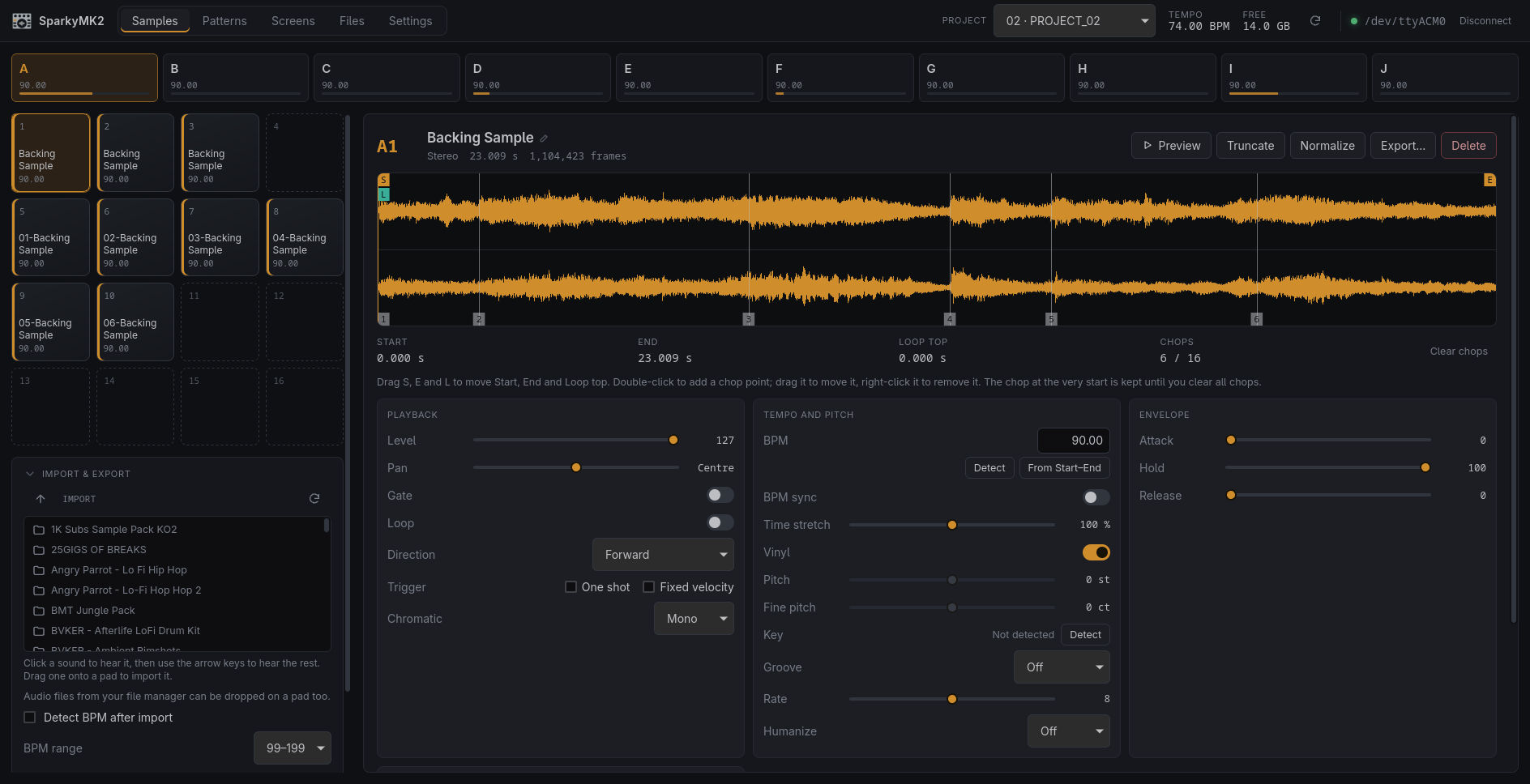
Also new since 0.6.0
0.7.0 was never published, so its changes arrive with this release.
Added
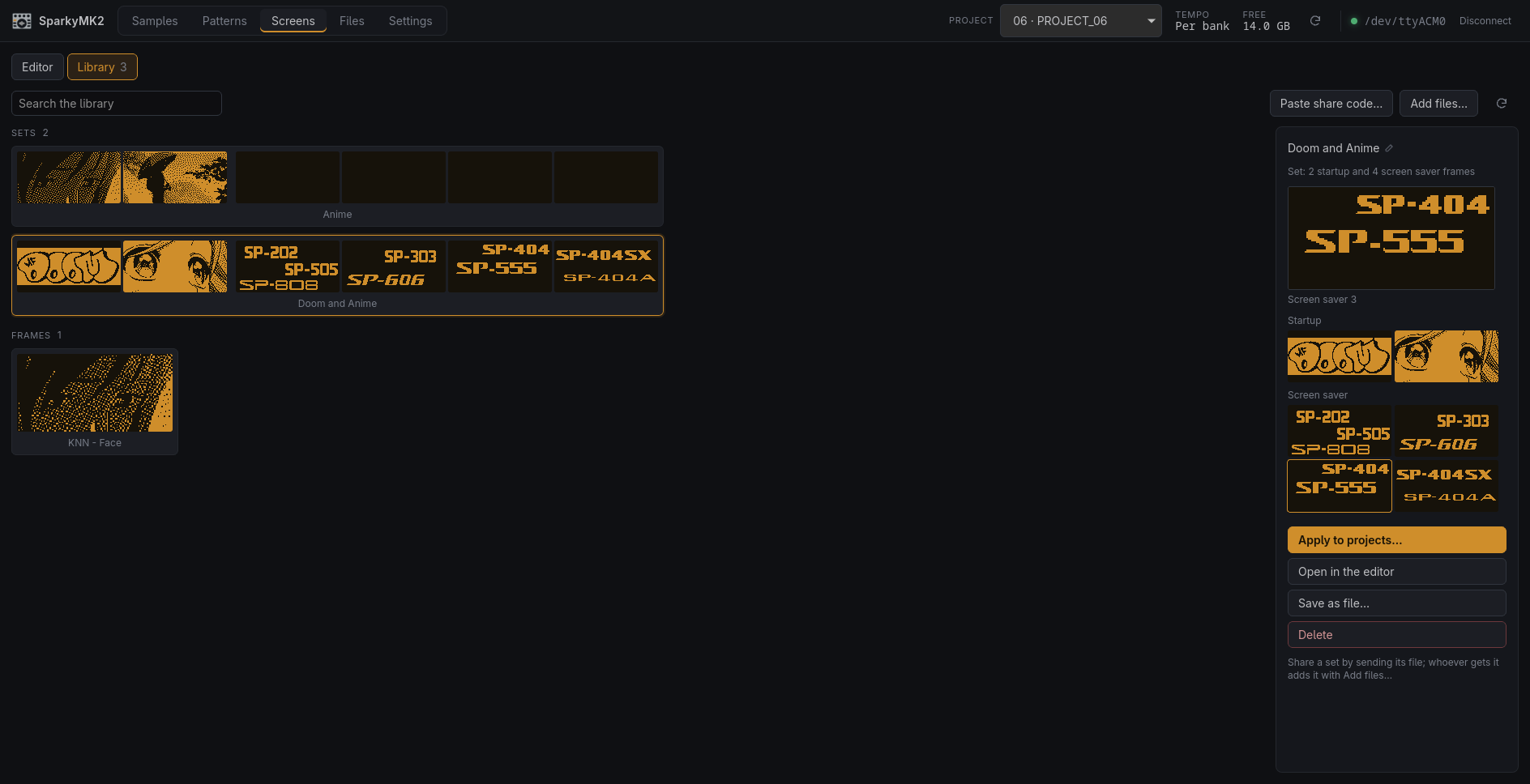
- A screen library, in the Screens tab's new Library view: display images kept in a folder
on the computer (
~/Documents/SparkyMK2/Screensunless another is picked in Settings), as PNGs you can also open, sync or add to outside the app. An entry is a single frame or a set of all six. Every image applied in the editor lands there once by itself, and a frame or a whole project's six can be saved by name. (#4) - Apply a frame or a set from the library to many projects at once. The images go straight into each project's folder, so the unit stays on the project it is on, and the images they replace are kept on the computer. (#4)
- Share a frame as a share code, a line of text to paste into a chat; Paste share code… picks it out of a whole message. Sets are shared as their PNG file, which Add files… takes back, along with card BMPs. (#4)
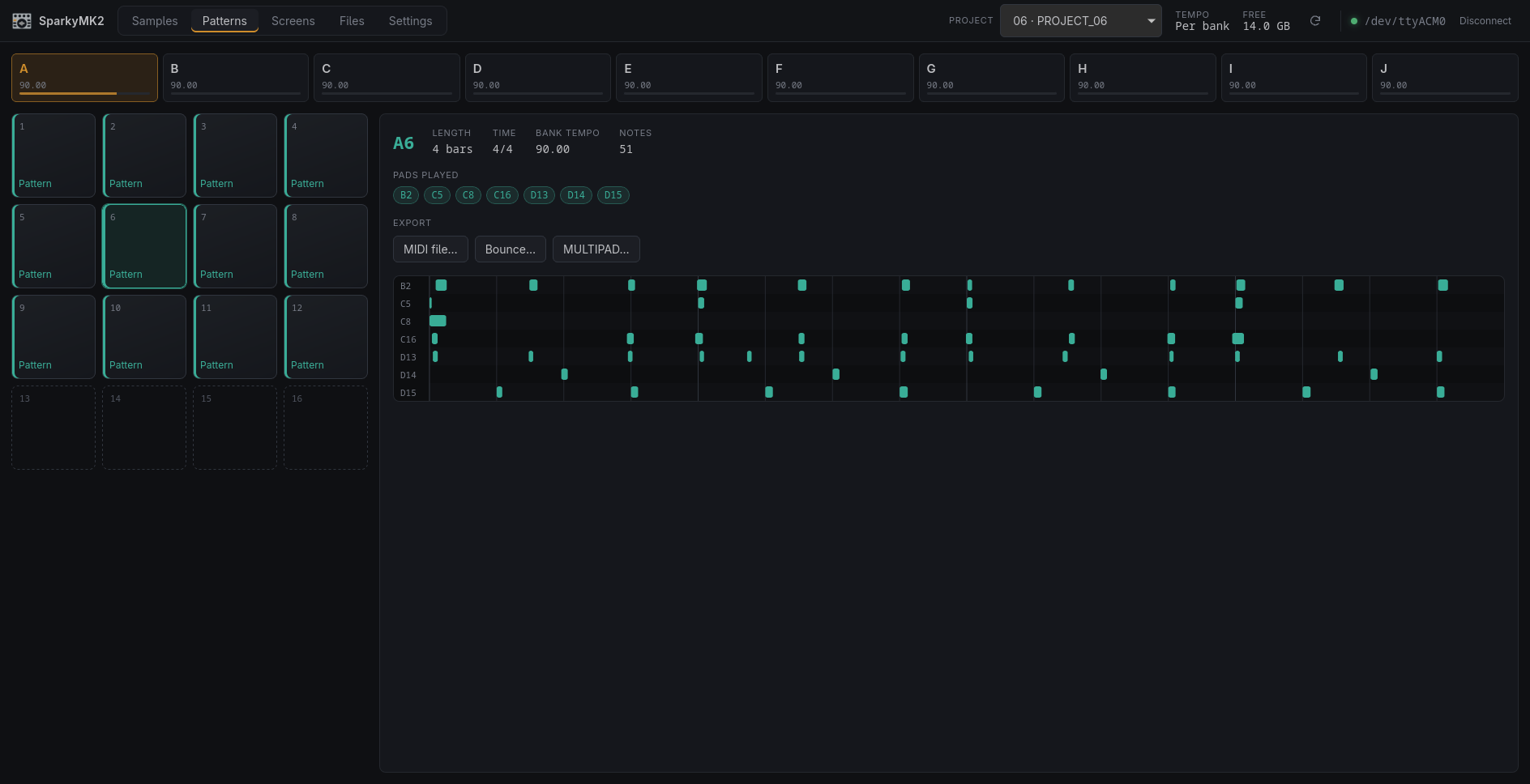
- Export a pattern from the Patterns tab, as the official app does: a MIDI file at its
bank's tempo, a Bounce (one WAV of the whole pattern) or MULTIPAD (a WAV per pad it
plays), to the SD card's
EXPORTfolder or to the computer. The unit renders the WAVs itself, so those take as long as the pattern plays. - Back up a project to the computer and restore a backup into the current project, in
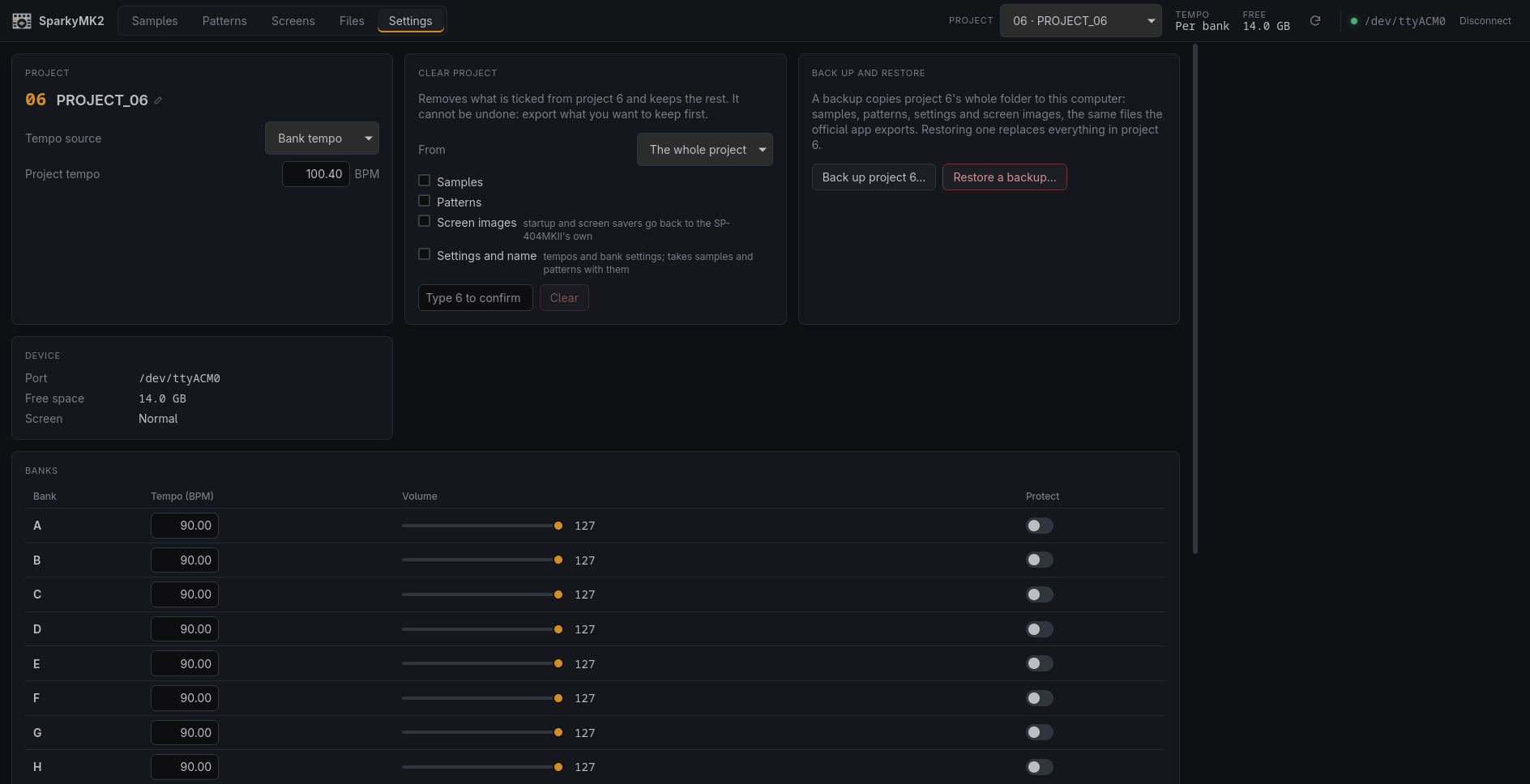
Settings. A backup is the project's whole folder, the same files the official app
exports; restoring takes that folder or one laid out as
ROLAND/SP-404MKII/PROJECT_xx, and asks for the project number before it replaces anything. - Clear project can clear one bank's samples or patterns, the device's Samples Bank and Patterns Bank inits.
- Detect a pad's key, between Start and End, in the Samples tab. It is shown in the app only: the SP-404MKII accepts a key but keeps none (firmware 5.52).
Changed
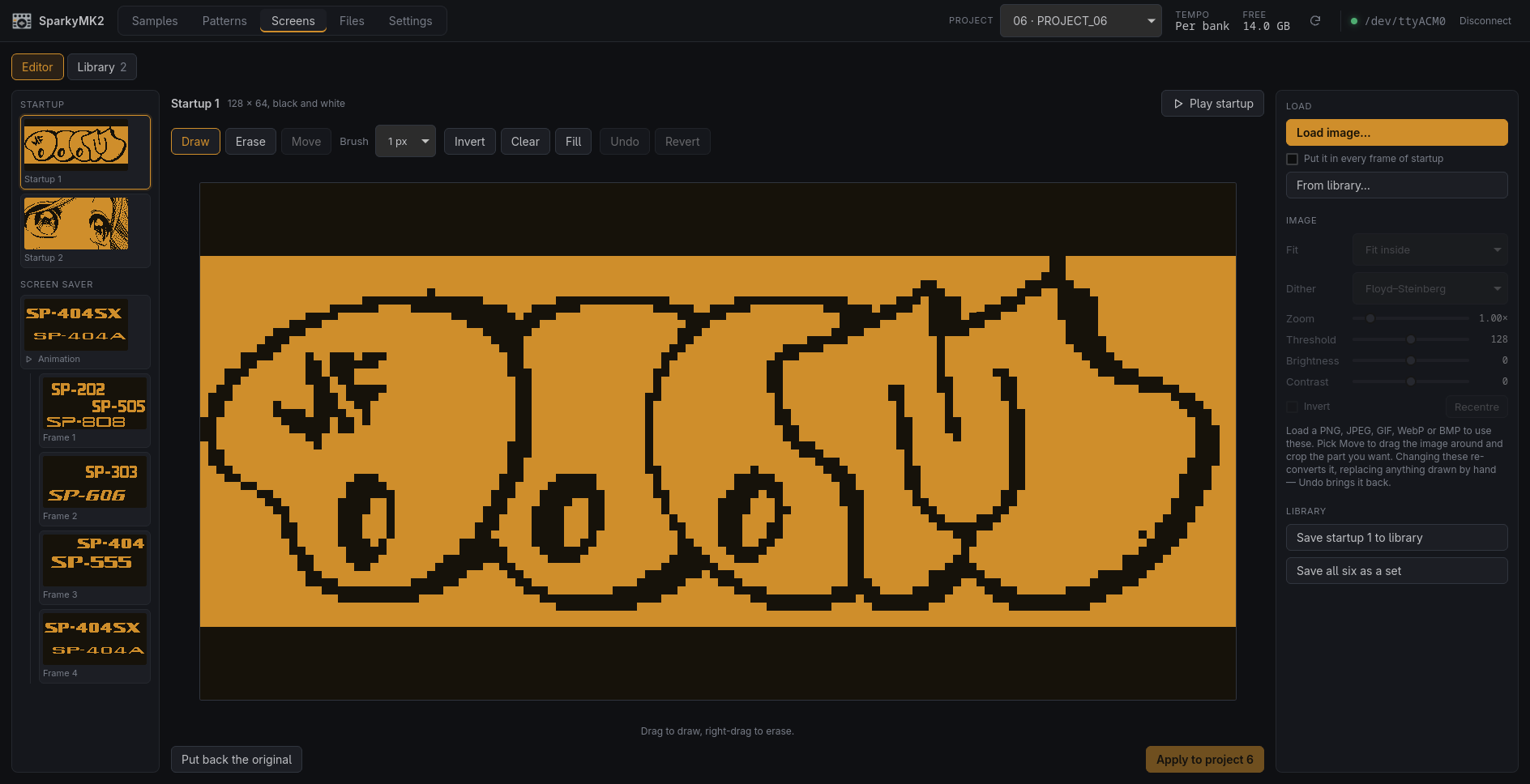
- The Screens tab's editor puts the image first: the six slots are a list on the left, with the screen saver's frames under a thumbnail that plays it, the image fills the middle at the largest size the window allows, and loading an image or a library entry, the image settings and saving to the library sit in a column on the right. (#4)
Fixed
- Groove, Rate and Humanize show in the Samples tab. They were set like the other parameters but left out, because where the pad keeps them was not known.
- Files dropped on a pad on a Linux screen scaled above 100% land on that pad; the drop position was divided by the scale, which only Windows needs.
- Disconnecting, switching to another port or quitting the app sends MKII EXIT, so the SP-404MKII leaves its remote screen instead of staying on it with nothing connected.
v0.6.0SparkyMK2 v0.6.06 files
Added
- Settings shows the app's version, so a bug report can say which one it is about. (#2)
- Clear project, in Settings: remove any of samples, patterns, screen images, and settings with the name from the current project, and keep the rest. Settings can only go with samples and patterns (the device's Init "All" takes all three, and the screen images too, so those are put back unless they were ticked). Typing the project's number confirms it. (#3)
- The app follows the unit: hit a pad there and the grid moves to its bank and selects it, and the pad lights while it sounds. It works the other way too: select a pad in the app and the unit selects it, and choosing a bank selects its first pad on both, as the unit does, so the grid and the pad editor always show the same bank. (#5)
Changed
- A new app icon, the Faceplate: a sampler's top panel with four knobs, a round display and effect buttons, drawn for SparkyMK2 by diamond-one, with its own drawings for the smallest sizes. (#1)
- Preview on the Samples tab plays the pad from its start to its end rather than for at most four seconds, turns into a Stop button while it plays, and runs a playhead across the waveform. (#5)
- Big folders open at once: the names show first and the file sizes follow in the background. An 832-file folder used to look like it never finished listing, because each size is asked for separately and every ask searches the whole folder. (#5)
- Deleting a folder on the SD card in the Files tab takes everything inside it along, instead of refusing unless it is empty, with a progress bar while it goes. Folders in the device's own storage, which holds the projects, still have to be emptied first. (#7)
Fixed
- Project names stick. The SP-404MKII renames whichever project is current, whatever
project the rename names, and a name typed in Settings was saved as the project menu
closed, so picking the next project quickly could hand it the name meant for the last
one. Switching projects now waits for that save. Renaming a project that is not current
(as
sp404 rename-projectallowed), an empty slot, or one saved by older firmware is refused with the reason: the device keeps a name only in a project'sPADCONF.BIN, and those have none, so the name was shown and then lost. (#2) - The Files tab and the Import browser read their folder again whenever saving finishes, whether it worked or not, and whenever the Files tab is opened or the top bar's reload button is pressed. Files deleted, imported or exported no longer linger in the list until it is refreshed by hand, and a delete that fails halfway shows what it left. (#6)
- Unplugging the device while connected goes back to the connect screen with one message, instead of a Broken pipe toast for each action and a restart to recover, and the app connects again by itself once the device is plugged back in. (#5)
- Files dropped on a pad from Finder on a Retina screen land on that pad; the drop position was halved, sending pad 11 to pad 2. (#5)
- The Mac's own files on a card (
._*twins,.DS_Store,.Spotlight-V100,.Trashes,.fseventsd) no longer show in the Files tab or the Import browser, and are left out of folders saved to the computer. (#5) - On macOS the device is listed once, on its
cu.*port, rather than twice. (#5)
v0.5.0SparkyMK2 v0.5.06 files
Added
- Export pads as WAV files: one pad, a whole bank, or the whole project, to the SD card
(in
IMPORT, where the device's own IMPORT finds them) or to a folder on the computer. Each sound is named after its pad (C05 Kick.wav), so a folder sorts in pad order, and a bank or project goes into a folder of its own, named after it and the time. - Restore such an export and every sound goes back on its own pad, gaps and all, with its
settings: start, end, loop top, chop points, level, pitch, envelope and the rest travel
in a
sparkymk2.jsonbeside the WAVs. Restore from the card in the Import browser, or from the computer with Restore…. It can land in another project, which makes it a way to copy a bank across. - Dropping several files that all start with a pad (
C05 …) onto the pads puts each on its own pad, instead of filling the pads in a row. One file still goes where it lands. - The Import browser takes the keyboard: click a sound, then the arrow keys walk the list and each sound plays as it is reached. Enter or → opens a folder, Backspace or ← goes back up to the folder just left, Space replays, Home and End jump to either end.
- Sounds already heard play again at once instead of being read over USB a second time, and holding an arrow key skips ahead without fetching every sound it passes.
- The Files tab browses the same way: a click on a sound plays it, and the arrow keys, Enter, Backspace, Space, Home and End work as they do in the Import browser.
- Settings → App → Preload sounds when a folder opens: every sound in a folder is fetched as it opens, so browsing it plays each one at once. Off by default, since it keeps the device busy for longer. The folder is usable while it loads, and a sound clicked meanwhile waits behind one file, not the whole folder.
- A macOS build: each release now carries an Apple Silicon
.dmgalongside the Linux and Windows downloads. It is unsigned, so macOS quarantines it on first open; the README says how to get past that. Untested on a Mac so far.
- Export pads as WAV files: one pad, a whole bank, or the whole project, to the SD card
(in
v0.4.2SparkyMK2 v0.4.25 files
Added
- Screens tab: a Move tool frames a loaded image. Drag it around, scroll to zoom, and everything outside the 128 × 64 screen is cropped off, so a detail of a much larger picture can be used. Recentre puts it back.
v0.4.1SparkyMK2 v0.4.15 files
0.4.0 was tagged but never released, so everything below ships for the first time here.
Added
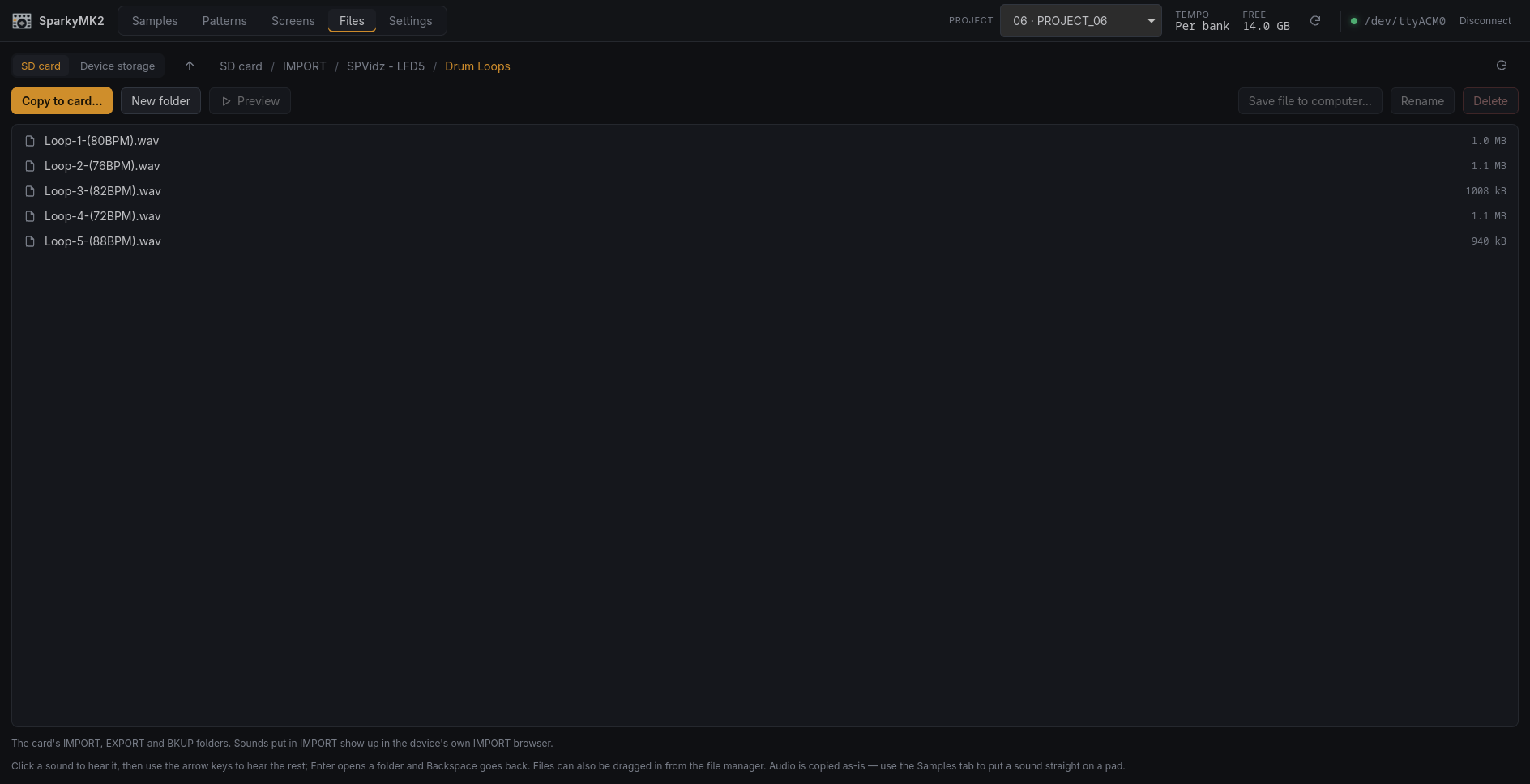
- Files tab: browse both of the device's filesystems over USB and move files either way —
its own storage (projects, samples, the factory library) and the SD card (
IMPORT,EXPORT,BKUP). Copy folders on or off, rename, delete, make folders. Transfers show progress, and files can be dragged in from the file manager. - Audio copied into the card's
IMPORTfolder appears in the SP-404MKII's own IMPORT browser, so sample packs can be loaded without taking the card out. - Samples tab: the Import panel folds away, and holds a browser of the card's sounds. Drag one onto a pad to import it straight from the card, with no round trip through the computer's disk.
- Preview any sound on the device, in the Files tab or the Import browser: audio files on
the card and the device's own
.SMPsamples alike. The protocol can only preview a pad, so these play through the computer's speakers. sp404 put,rm,mv,mkdirandrmdirdo the same from the command line. Paths prefixedSD:address the card; plain paths address the device's own storage.- The file API turns out to serve two filesystems, not one:
/SP404REMOTE//is the device's own storage and/is the SD card. Itsmkdir,rmdirandrenameoperations, previously guesses, are decoded. All of it is indocs/re/01-transport.md.
Fixed
- Leaving a menu on the device now re-reads its state. Edits made on the SP-404MKII itself happen behind that menu and are not announced, so the app could sit on a stale view until something else made it reload.
- Listing a directory on the SD card no longer fails at the end: the card closes its own
directory handle once the listing runs out and then refuses
closedir. - Dragging a pad, a sound, a waveform marker or the pixels of a display image no longer drags a text selection along with it.
- Deleting a pad's sample said it erased the sample "from the pad and the SD card". It only ever removed the copy the project keeps in the device's own storage; nothing on the SD card was touched. The same stale wording was in the Files tab's delete confirmation and in several command-line help strings.
- Files tab: browse both of the device's filesystems over USB and move files either way —
its own storage (projects, samples, the factory library) and the SD card (
v0.3.0SparkyMK2 v0.3.05 files
Added
- Screens tab: edit a project's startup animation and screen saver, and write them to the device. Load a PNG, JPEG, GIF, WebP or BMP and convert it with a choice of dithering, threshold, brightness and contrast, or draw the 128 × 64 pixels by hand. The image each slot held before the app first changed it is kept, so it can be put back.
sp404 screens,sp404 export-screenandsp404 import-screendo the same from the command line.
v0.2.0SparkyMK2 v0.2.05 files
Added
- Windows installers (
.exeand.msi), built for each release alongside the Linux packages. Untested on Windows hardware so far.
- Windows installers (
v0.1.1SparkyMK2 v0.1.13 files
Fixed
- Samples tab: the Trigger checkboxes and the Chromatic menu now line up with the rows above them, at any window size.
Changed
- The README says the project is vibe coded, and points at
docs/re/for anyone who would rather reimplement it by hand. - Releasing pushes the tag on its own, so the build actually starts.
v0.1.0SparkyMK2 v0.1.03 files
First public release.
Desktop app
- Connect to an SP-404MKII over USB and switch between its 16 projects.
- Samples: pad grid per bank, a waveform with draggable Start, End, Loop top and chop points, and all pad parameters.
- Import WAV, AIFF, FLAC and MP3 by dropping files on pads, with optional BPM detection.
- Move or swap samples by dragging pads; rename, truncate, normalize and delete them.
- Detect a pad's BPM, or set it from the Start–End length.
- Patterns: which slots hold patterns, with their length, tempo and notes.
- Settings: project name, tempo source and tempo, bank tempo, volume and protection.
- The Debian, Fedora and Arch packages let the logged-in user open the SP-404MKII without joining a group.
Command-line tool
sp404: status, projects, pads and parameters, sample import and export, project backup and restore, pattern export to MIDI, bounce and MULTIPAD rendering.
Credits
- The app icon is Sampler icons created by Magnific - Flaticon.
Protocol
- USB protocol and file formats documented in
docs/re/, verified on firmware 5.52.