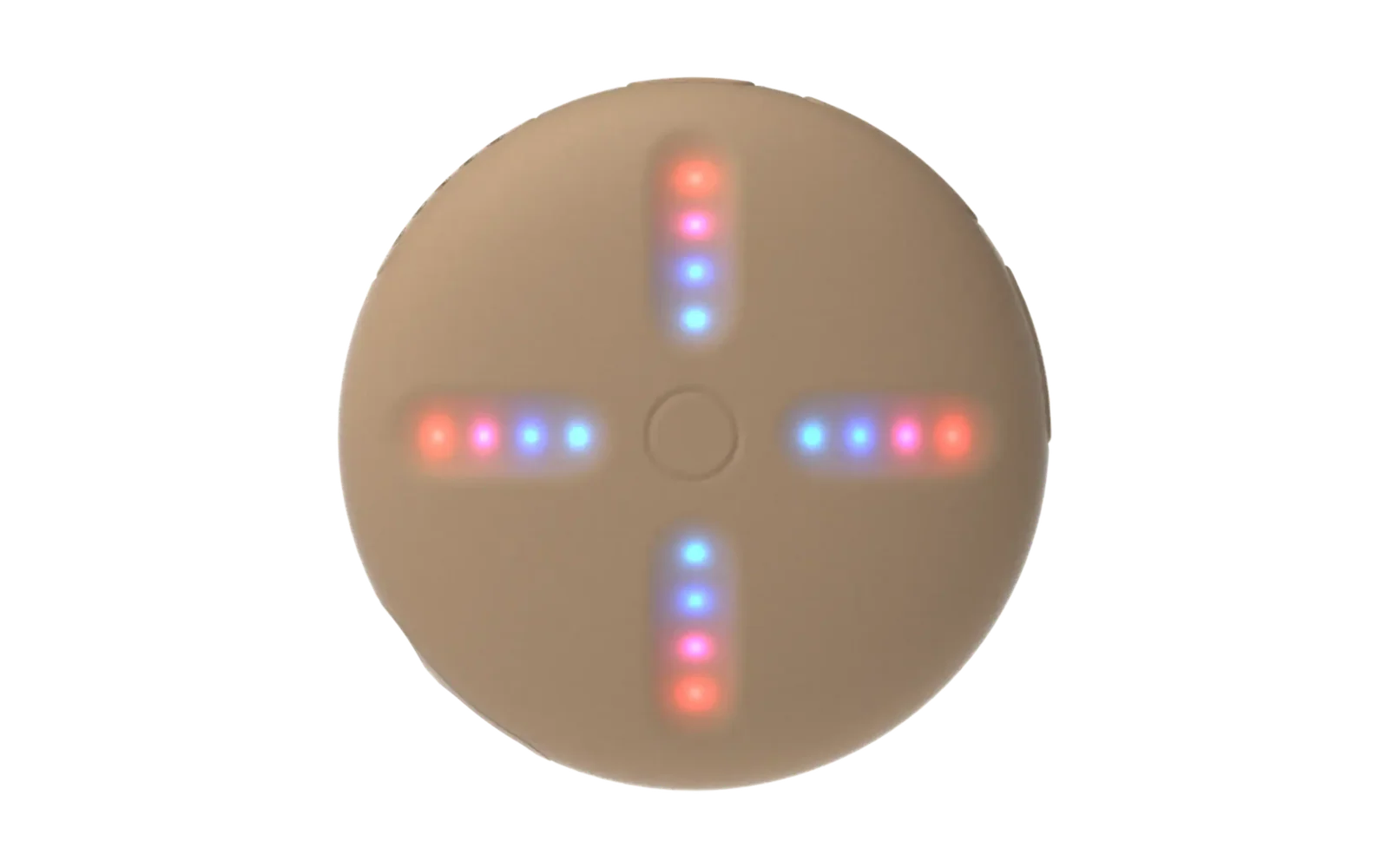
SP-1 Remote
Firmware that turns a Teenage Engineering SP-1 stem player into a generic 4-fader / 4-button MIDI controller. It sends MIDI CCs out the SP-1's TRS sync jack, and also over USB MIDI, so the puck can drive hardware from the jack and a computer from the cable.
The shipped default profile targets the PopGoblin string synth on a Tiliqua,
but nothing in the firmware is specific to it: the whole control surface is
one table in firmware/src/profile.c.
Status
Working on hardware. Pop (the dev puck) is a functioning 4-fader, 4-button USB MIDI controller.
| Phase | ||
|---|---|---|
| 0 | toolchain | done, proved by a byte-identical rebuild of the reference firmware |
| 1 | recovery drill | passed; TRS proven later with a plain cable, no multimeter needed |
| 2 | board bring-up | done and verified: LEDs, watchdog, power-off, charging, DFU escape hatch |
| 3 | transmit path | done; USB MIDI verified live on the Mac |
| 4 | faders | done and verified: all four drive CC 102/104/107/108 across 0-127 |
| 5 | buttons | done and verified: freeze toggles cleanly, shimmer steps the synth's enum |
| 6 | LEDs | done |
| 7 | presets | done and verified: save, persist across a power cycle, recall |
The whole signal chain is now proven on hardware, including TRS MIDI out, which needs only an ordinary 3.5 mm cable: data is on the tip (P0.20, Type A), so it reaches a Type A input like the Tiliqua's or a USB MIDI interface directly.
-
Plan:
docs/superpowers/plans/2026-08-08-sp1-remote-implementation.md -
Design:
docs/spec.md -
Measurements:
docs/hardware-notes.md -
Flashing and recovery:
docs/flashing.md -
Reviews:
docs/codex-review-2026-08-08.md,docs/fable-review-2026-08-08.md -
Plan:
docs/superpowers/plans/2026-08-08-sp1-remote-implementation.md -
Design:
docs/spec.md -
Reviews:
docs/codex-review-2026-08-08.md,docs/fable-review-2026-08-08.md
Default profile
| Control | MIDI | PopGoblin function |
|---|---|---|
| Fader 1 | CC 102 | filter cutoff |
| Fader 2 | CC 104 | reverb wet |
| Fader 3 | CC 107 | delay time |
| Fader 4 | CC 108 | delay feedback |
| Track button 1 | CC 64 | freeze, toggles on press |
| Track button 2 | CC 105 | shimmer, steps off / low / full / boost |
| Track button 3 | CC burst | preset A: press to recall, hold 2 s to save |
| Track button 4 | CC burst | preset B: press to recall, hold 2 s to save |
To change the mapping, edit firmware/src/profile.c. Nothing else in the
firmware hard-codes a CC number.
Running the tests
The decision logic is Zephyr-free C and runs on any machine:
make -C tests/host test
Building the firmware
Needs Zephyr v4.3.1 and Zephyr SDK 0.17.4; see docs/toolchain.md for the
install and the environment.
The repo must live at a path without spaces (Zephyr's devicetree
preprocessing splits on whitespace, and a symlink does not help). The
canonical location is ~/dev/sp1-remote.
source ~/zephyrproject/.venv/bin/activate
export ZEPHYR_BASE=~/zephyrproject/zephyr
export ZEPHYR_SDK_INSTALL_DIR=~/zephyr-sdk-0.17.4
export ZEPHYR_TOOLCHAIN_VARIANT=zephyr
west build -p -b stem_player firmware -- -DBOARD_ROOT=$(pwd)
Flashing
Put the SP-1 in bootloader mode: power off, hold Track 1 + Track 4, plug in
USB-C, release once the Track 1 LED lights. Then flash build/zephyr/zephyr.bin
with the firmware utility at solderless.engineering, using Chrome or Edge.
Recovery
There is no reset pin on this hardware, so read this before flashing anything.
- The bootloader is entered by the Track 1 + Track 4 hold above, from power off.
- While this firmware is running, holding Track 1 + Track 4 for about 1.2 s resets straight into the bootloader. All four track LEDs light to confirm.
- The firmware feeds a 4 second watchdog and uses SYSTEM_OFF as its only power-down path, so a hang reboots rather than bricking.
Credits
Built on the work of the SP-1 community: chattock and marcabisamra (sp1-tape-looper, the TRS MIDI transmitter and most of the board bring-up), timknapen (SP-1-dev, the pin map and wiki), ericlewis (sp1-midi, the board definition and USB MIDI), and the Solderless team (the browser flasher that makes any of this reversible).