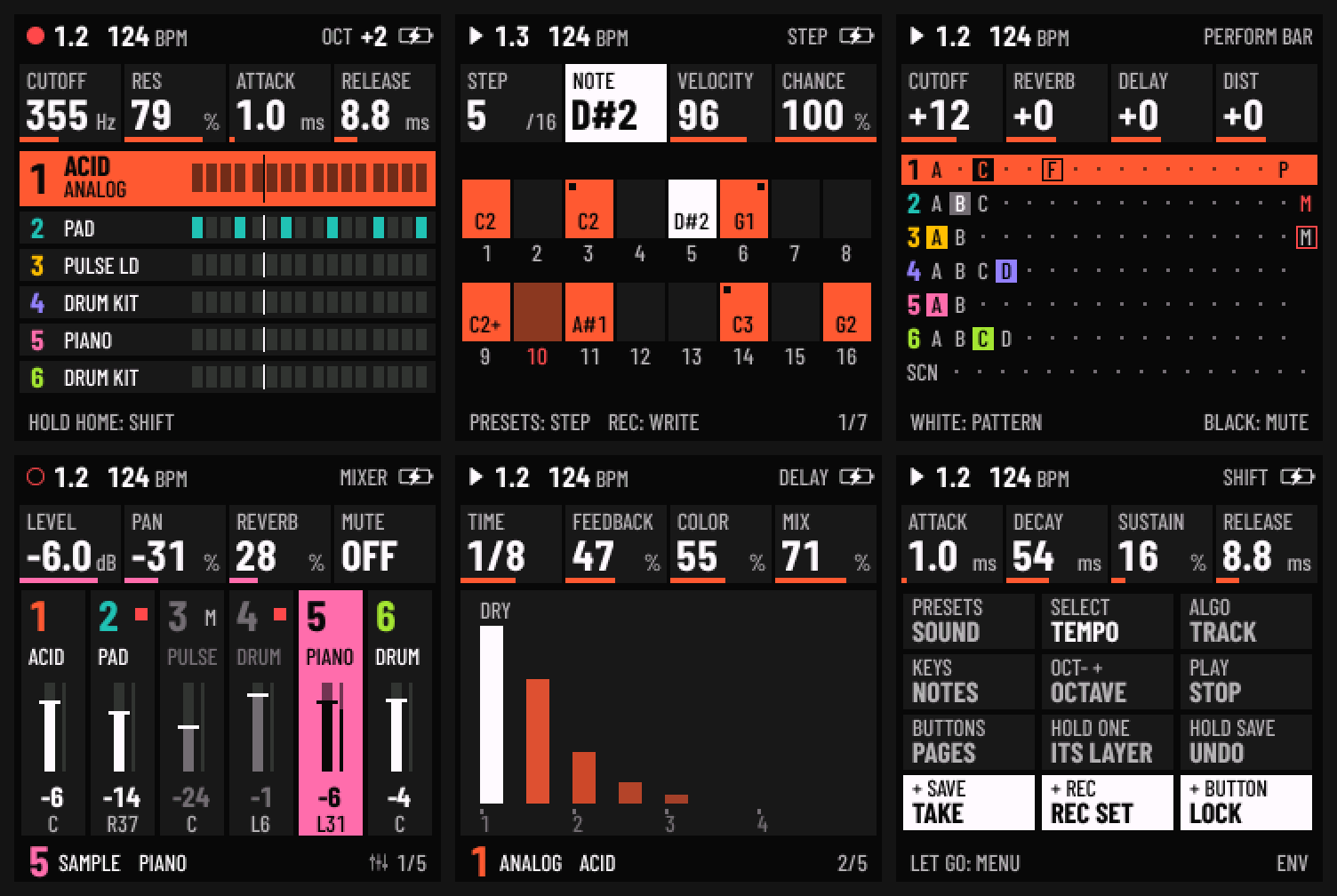
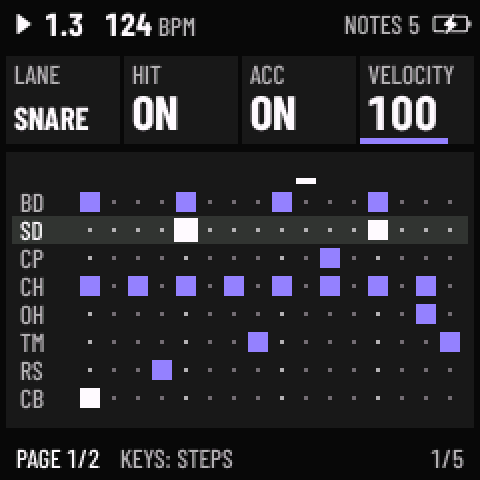
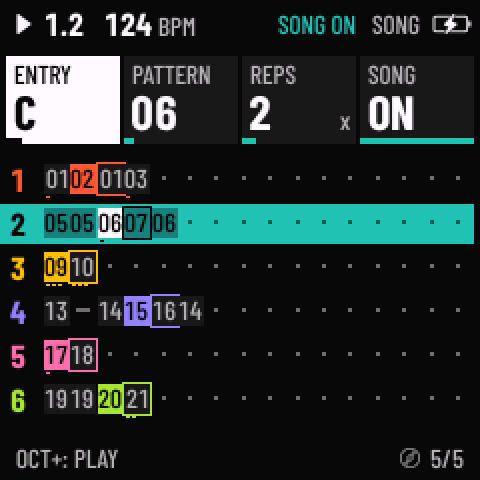
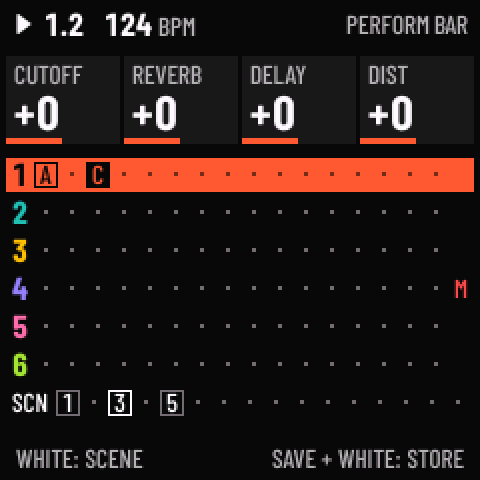
Skiff
Loud93/100Six-track groovebox with fourteen synth and drum engines and a 64-step sequencer.
forM-VAVE FM-1·by@illuminus5
Unclaimed. Is this yours? Sign in with GitHub as @illuminus5 to claim it.
skiff-2.1.1.fwsc· 596 KB· +4 files
GPL-3.0· illuminus5/skiff·illuminus5.github.io/skiff/·downloads come from the creator’s GitHub releases
v2.1.1Skiff 2.1.1Latest5 files
Skiff 2.1.1: a drum struck again while it still rings starts without a click.
Install on the FM-1: in Chrome or Edge with the Skiff installer, or download
skiff-2.1.1.fwscbelow and runpython tools/fm1_install.py skiff-2.1.1.fwsc. Custom firmware, at your own risk; the installer page also takes the FM-1 back to the official firmware, V15 or V16.Install on the SMK-37 Pro: read SMK37.md first, then the same installer page, or
python tools/fm1_install.py skiff-2.1.1-smk37.fwsc.From 2.0 to 2.1: your projects, sounds and patterns stay as they are. From 1.x or Felucca: read 2.0's notes first: the installer page takes a backup and converts what needs it.
Fixed
- A drum struck again while it still rang clicked. On DRUM's own kits, a lane hit again before its last hit had died away jumped straight to the new hit's start: a click in tom rolls, ratchets and the long-decay kits such as WAR DRUMS. The new hit now starts from where the last one was, and that step falls away over about 3 ms, as your own kits' re-hits (2.0) and SAMPLE's re-strikes (2.0.3) already do.
Known
- 2.1.1's fix is tested on the computer, not yet on a unit. Chord follow and QUANTIZE SOLO (2.1) are tried on an FM-1, not yet on an SMK-37 (the same code, tested on the computer for both).
- MIDI OUT sends a following track's keys as you press them, not where chord follow moves them.
- As in 2.1: on the SMK-37, an update loader started by switching the keyboard on after a power cut mid-write is still reset by the watchdog about 40 to 45 s into each run; the installer resumes it until the write finishes. The SMK-37's sustain pedal hold is tested on the computer only.
- A full backup from the editor doesn't keep the samples' own levels and sends (nor SLICE's hand-set slices): they stay with the slot on the unit.
Going back to 2.1
- Install
skiff-2.1.fwsc(or the SMK package) from 2.1's release. Nothing saved changes between 2.1 and 2.1.1.
Credits
Skiff is built on Felucca by Leo Kuroshita (Hügelton Instruments). The README's Credits have the rest.
Files
skiff-2.1.1.fwsc: the FM-1 package (identity FM-1_721, as 2.1's)skiff-2.1.1.zip: the FM-1 package, the app image,SHA256SUMSand every licence and attribution text they needskiff-2.1.1-smk37.fwsc: the SMK-37 Pro package (identity SMK-37 Pro_721)skiff-2.1.1-smk37-elite.fwsc,skiff-2.1.1-smk37-mke.fwsc: the SMK-37 Elite and MKE-P37 packages (identities SMK-37 Elite_721, MKE-P37_721), not tried on a keyboard yet
SHA-256:
0cfae2431f351365d83842bf1a381ee48baead371e81f77faaa2b3c6aabbd304  skiff-2.1.1.fwsc
87b4a8be91291b5608a78fef3b01a65442eaf617a3b7efadfdde86828e33883b  skiff-2.1.1.zip
b089cff369e326d7275e1350209a0dec1b1d339df2c6f1f963437230026e8c81  skiff-2.1.1-smk37.fwsc
d88da97e3177aebf6b4fb1b403cc29312b03207c46929c3eae534f44b6b59db3  skiff-2.1.1-smk37-elite.fwsc
e885b128e921f27e70235bec0a7f0cbcc682ac93a9e25ba1a74439366a5438ce  skiff-2.1.1-smk37-mke.fwsc
The packages hold three unmodified files of the JieLi AC79 SDK (Apache-2.0); see LICENSING.md. M-VAVE, FM-1 and SMK-37 are trademarks of their respective owners; Skiff is not affiliated with or endorsed by them.
v2.1Skiff 2.15 files
Skiff 2.1: chord follow, and QUANTIZE SOLO for a tune on the black keys.
Thank you, @kovacsarnold, for asking for the black keys (#74).
Install on the FM-1: in Chrome or Edge with the Skiff installer, or download
skiff-2.1.fwscbelow and runpython tools/fm1_install.py skiff-2.1.fwsc. Custom firmware, at your own risk; the installer page also takes the FM-1 back to the official firmware, V15 or V16.Install on the SMK-37 Pro: read SMK37.md first, then the same installer page, or
python tools/fm1_install.py skiff-2.1-smk37.fwsc.From 2.0 to 2.0.3: your projects, sounds and patterns stay as they are. From 1.x or Felucca: read 2.0's notes first: the installer page takes a backup and converts what needs it.
New
- Chord follow. Press SEL a third time for SCL › FOLLOW. Write a bass line or an arp once, in its track's own key, and let another track's chords move it; only the following track is set. FOLLOW picks the chord track (OFF, T1 to T6). MODE: KEY moves every note by the distance from the track's ROOT to the chord's note, the nearest way (C E G under an F chord plays F A C); SCALE moves the notes along the track's own scale by as many steps, so they stay in key (C E G in C major under Am plays A C E); FIT moves each note to the chord's nearest note. NOTE (for KEY and SCALE) says which note of the chord counts: its ROOT, worked out from its notes (inversions too: F for A C F), its lowest, its highest or the one started last. The chord is the chord track's latest step, or the keys and MIDI notes it holds. Every note the following track sounds moves (its steps, keys, MIDI IN and arpeggio), while what you record is what you played. STOP clears the chords. Drum kits neither follow nor lead. The page shows the chord and what the track does with it ("T1 KEY +5"); the web editor has it under SCALE.
- QUANTIZE SOLO (#74). SCL › SCALE › QUANTIZE SOLO plays chords on the white keys and a tune on the black ones. The white keys play as with WHITE, CHORD's chords too. The black keys walk the same scale one note at a time, five to an octave: C#4 plays the ROOT, F#3, G#3 and A#3 the three scale notes below it, and the run goes up to F#5 (on the SMK-37, C#3, D#3, G#5 and A#5 carry it on). A black key never plays a chord; with the ARP on it sounds directly while the white keys' chords go into the arpeggio, and SCALE LEDS light the black keys too.
Known
- Chord follow and QUANTIZE SOLO are tried on an FM-1, not yet on an SMK-37 (the same code, tested on the computer for both).
- MIDI OUT sends a following track's keys as you press them, not where chord follow moves them.
- As in 2.0.3: on the SMK-37, an update loader started by switching the keyboard on after a power cut mid-write is still reset by the watchdog about 40 to 45 s into each run; the installer resumes it until the write finishes. The SMK-37's sustain pedal hold is tested on the computer only.
- A full backup from the editor doesn't keep the samples' own levels and sends (nor SLICE's hand-set slices): they stay with the slot on the unit.
Going back to 2.0.3
- Install
skiff-2.0.3.fwsc(or the SMK package) from 2.0.3's release. Projects saved on 2.1 open there: a following track plays as written, and a SOLO track opens as SEQ+T (every key snapped to the scale).
Credits
Skiff is built on Felucca by Leo Kuroshita (Hügelton Instruments). The README's Credits have the rest.
Files
skiff-2.1.fwsc: the FM-1 package (identity FM-1_721)skiff-2.1.zip: the FM-1 package, the app image,SHA256SUMSand every licence and attribution text they needskiff-2.1-smk37.fwsc: the SMK-37 Pro package (identity SMK-37 Pro_721)skiff-2.1-smk37-elite.fwsc,skiff-2.1-smk37-mke.fwsc: the SMK-37 Elite and MKE-P37 packages (identities SMK-37 Elite_721, MKE-P37_721), not tried on a keyboard yet
SHA-256:
f64bc76b82e207cb7b9fdf269d42c75b585e4d7db514acbde6f92dc33fb263af  skiff-2.1.fwsc
e8fd5126137a86024d37d4e2bf8fb1a3a50bc9769b1a4af50225e05c1e7cc34f  skiff-2.1.zip
935d9f3d9a915a8a378706c3215dc554e6bea73ba98d18e403c444675f5bf90b  skiff-2.1-smk37.fwsc
1a3366cadd962532767a311acfb23e84085641b2335b395360810615cad1c47b  skiff-2.1-smk37-elite.fwsc
227f9047495a0de787c53d8a3a2f5330dc6905d76620cfeef8d998960365627f  skiff-2.1-smk37-mke.fwsc
The packages hold three unmodified files of the JieLi AC79 SDK (Apache-2.0); see LICENSING.md. M-VAVE, FM-1 and SMK-37 are trademarks of their respective owners; Skiff is not affiliated with or endorsed by them.
v2.0.3Skiff 2.0.35 files
Skiff 2.0.3: KBD HOLD, whole chords into the arpeggiator on MONO sounds, and fixes from your issues.
Thank you, @benjaminguerrer, for three more precise reports (#69, #70, #71), @fengqiaoqu for the fix for #70, your first pull request (#73), @jonathanvink-prog for asking for KBD HOLD (#72), @rufous86 for taking an FM-1 back to V16 and on to Skiff again (#64), @rissato for the SMK-37 report behind a clearer message (#64), and MrBeerscuits on YouTube for the chords on MONO sounds.
Install on the FM-1: in Chrome or Edge with the Skiff installer, or download
skiff-2.0.3.fwscbelow and runpython tools/fm1_install.py skiff-2.0.3.fwsc. Custom firmware, at your own risk; the installer page also takes the FM-1 back to the official firmware, V15 or V16.Install on the SMK-37 Pro: read SMK37.md first, then the same installer page, or
python tools/fm1_install.py skiff-2.0.3-smk37.fwsc.From 2.0, 2.0.1 or 2.0.2: your projects, sounds and patterns stay as they are. From 1.x or Felucca: read 2.0's notes first: the installer page takes a backup and converts what needs it.
New
- KBD HOLD (#72). ARP 2 › HOLD ON with the ARP's MODE OFF holds the notes you play, without an arpeggio: let go and they go on sounding. The next key you press with no key down starts a new chord, and keys pressed while others are still down join it. HOLD off, the ARP on or another track ends them; a DRUM track's keys are never held. On the SMK-37 the sustain pedal holds the keys as before, and while it is down a new chord doesn't end what it holds.
- Whole chords into the arpeggiator on MONO, LEGATO and UNISON sounds. A chord key gave these one-voice sounds the chord's root, so the arpeggiator played only that. With the ARP on, the whole chord now goes into it; with the ARP off they still play the root, and the CHORD page says ROOT ONLY only then.
- Learn's videos re-made on 2.0. The eleven chapters on the Learn page whose videos still showed Skiff 1.3 have new ones, made on 2.0.
Fixed
- FX let go with an effect key still held put KNOB 1 to 4 back (#69). They now stay while the key is held and go back over RETURN once it is let go; FX pressed again before that holds them on, and OCT+ keeps them, as with FX held.
- The same pattern on two neighbouring SONG entries played an edit on the second one a pass late (#71). When the next entry is the pattern already playing, the track goes on with its own copy, every edit with it; only the entry's sound changes.
- On a crowded header the octave covered the BPM (#70). @fengqiaoqu's fix (#73): with too little room the header drops the word OCT and keeps the number, or leaves the octave out.
- A change to the next SONG entry came a round late. The song lines up each track's next entry as soon as the one before comes in, and a change after that (COPY+ into the entry, another pattern or sound for it, or the playing entry's REPS) was heard only the round after. The song now lines the entry up again, so it is heard that round.
- A sampled note clicked when it struck a voice that still sounded: a ringing note played again, and on a MONO sound every new note. The new note now starts from where the old one was, and that falls away over about 3 ms, as a user kit's re-hits do since 2.0.
- On an SMK-37 whose start-up part isn't V016's, the way back said to replug and press Install again (#64). Replugging can't help there: the installer now says that nothing was written, that V016 can't go back on this keyboard (nor through M-VAVE's own updaters while Skiff runs), and asks what it ran before Skiff.
Known
- 2.0.3 is tested on the computer and in the emulator, not yet on a unit. Please tell us if something behaves differently on yours.
- As in 2.0.1: on the SMK-37, an update loader started by switching the keyboard on after a power cut mid-write is still reset by the watchdog about 40 to 45 s into each run; the installer resumes it until the write finishes. The SMK-37's sustain pedal hold is tested on the computer only.
- A full backup from the editor doesn't keep the samples' own levels and sends (nor SLICE's hand-set slices): they stay with the slot on the unit.
Going back to 2.0.2
- Install
skiff-2.0.2.fwsc(or the SMK package) from 2.0.2's release. Nothing saved changes between 2.0.2 and 2.0.3; there, ARP 2 › HOLD with the ARP off does nothing.
Credits
Skiff is built on Felucca by Leo Kuroshita (Hügelton Instruments). The README's Credits have the rest.
Files
skiff-2.0.3.fwsc: the FM-1 package (identity FM-1_720)skiff-2.0.3.zip: the FM-1 package, the app image,SHA256SUMSand every licence and attribution text they needskiff-2.0.3-smk37.fwsc: the SMK-37 Pro package (identity SMK-37 Pro_720)skiff-2.0.3-smk37-elite.fwsc,skiff-2.0.3-smk37-mke.fwsc: the SMK-37 Elite and MKE-P37 packages (identities SMK-37 Elite_720, MKE-P37_720), not tried on a keyboard yet
SHA-256:
c4cda17ca1066201c9fa1870d8135703dcf78677763804590cca217748114677  skiff-2.0.3.fwsc
4fa0bd6614cd6229743b9034874b0606dccae966e6703f753b4e4d9a907073aa  skiff-2.0.3.zip
392455562307661ed71131537cbabdeb15039e484b434827c29f9a2f6aaf3d1c  skiff-2.0.3-smk37.fwsc
b3b25de128eb7c5ec8a261e192acde6f58508ecdab1580c340d86a887328ecd7  skiff-2.0.3-smk37-elite.fwsc
ddb531ba80cff79473ee6ed6cbc1753d3adc43fb2d2ca7b53b0050f34fcb824d  skiff-2.0.3-smk37-mke.fwsc
The packages hold three unmodified files of the JieLi AC79 SDK (Apache-2.0); see LICENSING.md. M-VAVE, FM-1 and SMK-37 are trademarks of their respective owners; Skiff is not affiliated with or endorsed by them.
v2.0.2Skiff 2.0.25 files
Skiff 2.0.2: fixes from your issues, notes up to 128 steps long, and the way back to the official firmware takes V16 too.
Thank you, @benjaminguerrer, for three precise bug reports (#57, #61, #56), @awchx for asking for longer notes (#58), and @rufous86 for the report of an FM-1 that came with V16 and couldn't go back (#64).
Install on the FM-1: in Chrome or Edge with the Skiff installer, or download
skiff-2.0.2.fwscbelow and runpython tools/fm1_install.py skiff-2.0.2.fwsc. Custom firmware, at your own risk; the installer page also takes the FM-1 back to the official firmware, V15 or V16.Install on the SMK-37 Pro: read SMK37.md first, then the same installer page, or
python tools/fm1_install.py skiff-2.0.2-smk37.fwsc.From 2.0 or 2.0.1: your projects, sounds and patterns stay as they are. From 1.x or Felucca: read 2.0's notes first: the installer page takes a backup and converts what needs it.
New
- Notes up to 128 steps (#58). LENGTH on NOTES, and PRESETS while entering steps, go on past 16 steps: up to 64 within a pattern, and past its end on through all of the next part of a chain (SONG, KNOB 3 below 1x).
- The way back takes V16 (#64). M-VAVE's download page has given V16 as FM-1.fwsc since October 21. An FM-1 that ran V16 goes back to V16; one that only ever ran V15 goes back to V15. Its start-up part decides (Skiff never writes a different one), and the installer now says which one a unit needs when you pick the other, or to update Skiff first when an older Skiff can't take V16. V15 is still in M-VAVE's fm1_open repository as
sdk/firmware/FM-1_015.fwsc.
Fixed
- An FX key held as the layer locked stayed on, on every page (#57). Now it stays on, latched: its next press turns it off, and so does closing the layer.
- MOD's route 8 lit the grid's ENV › AMP cell too (#61). It lights its own row only.
- After SEQ › PATTERN, a held drum step offered GATE alone (#56). SEQ's own pages no longer decide which knobs a held step locks, so it keeps KIT, PITCH, TONE and DECAY (or the last sound page's). This retires the old way to a step's own GATE, KNOB 4 after PATTERN; NOTES' LENGTH sets it since 2.0.
- ARCADE stopped rising at middle F. NOISE's shift-register mode stepped its register at most once a sample, and ARCADE clocks it seven octaves over the key, which reaches the sample rate at F4. It now steps up to 32 times a sample, so it keeps rising; below F4 it sounds as before.
- New patterns' notes started at 50 % when the track came from a pattern made before 2.0 (50 % was the default then). A NEW pattern and an empty entry now start at 1 STEP. A pattern from before 2.0 keeps its 50 %, so it sounds as it did; PATTERN › GATE at 100 % changes it.
Known
- The way back to V16 is new and tried in the emulator only, not yet on a unit. In the emulator V16's first start rebuilds its settings and sequencer areas over what Skiff leaves there (and over random bytes); the rest of its sequencer area keeps Skiff's data, and what V16 does with it later is untested. If V16 misbehaves after the way back, M-VAVE's M-UPGRADE writes V16 again. Please tell us on #64 how it went.
- On an FM-1 that ran V16 before Skiff, Skiff updating itself goes through V16's start-up code, which we haven't tried either. If the installer says the update loader didn't appear, nothing was written and Skiff carries on as it was: please tell us on #64.
- As in 2.0.1: on the SMK-37, an update loader started by switching the keyboard on after a power cut mid-write is still reset by the watchdog about 40 to 45 s into each run; the installer resumes it until the write finishes. The SMK-37's sustain pedal hold is tested on the computer only.
- A full backup from the editor doesn't keep the samples' own levels and sends (nor SLICE's hand-set slices): they stay with the slot on the unit.
- Some Learn videos still show Skiff 1.3; new ones for 2.0 are on the way.
Going back to 2.0.1
- Install
skiff-2.0.1.fwsc(or the SMK package) from 2.0.1's release. Nothing saved changes between 2.0.1 and 2.0.2; there, LENGTH shows a note longer than 16 steps but turns it back to 16 at most.
Credits
Skiff is built on Felucca by Leo Kuroshita (Hügelton Instruments). The README's Credits have the rest.
Files
skiff-2.0.2.fwsc: the FM-1 package (identity FM-1_720)skiff-2.0.2.zip: the FM-1 package, the app image,SHA256SUMSand every licence and attribution text they needskiff-2.0.2-smk37.fwsc: the SMK-37 Pro package (identity SMK-37 Pro_720)skiff-2.0.2-smk37-elite.fwsc,skiff-2.0.2-smk37-mke.fwsc: the SMK-37 Elite and MKE-P37 packages (identities SMK-37 Elite_720, MKE-P37_720), not tried on a keyboard yet
SHA-256:
e3592e5ce04823df8ac72b90f69c3a4d575cb13449cc3bb9e845cf1bfa3d546a  skiff-2.0.2.fwsc
ffe141b8b668465849fa351dd0443b625d8bbd72856144d7ed1236ef0634f364  skiff-2.0.2.zip
1acfaf4f46c9cb9a1bd81b2d813758a7b4899cec31cec9742d7b90446b1911ce  skiff-2.0.2-smk37.fwsc
3f960ff856e8b3e903a6ff16ff5a96a4408b676085fb8f8552bb2c7cf4a42e94  skiff-2.0.2-smk37-elite.fwsc
31b886536fd65f193694c3fcec3138772e188a07db27e3b854ab4463ab41b1b6  skiff-2.0.2-smk37-mke.fwsc
The packages hold three unmodified files of the JieLi AC79 SDK (Apache-2.0); see LICENSING.md. M-VAVE, FM-1 and SMK-37 are trademarks of their respective owners; Skiff is not affiliated with or endorsed by them.
v2.0.1Skiff 2.0.15 files
Skiff 2.0.1: fixes from your issues. FM6 sounds from DX7 banks no longer crackle, OCT+ in the EDIT layer turns every drum lane back on, and the web editor finds the unit on a Mac too.
Thank you, @mauricecalhoun, for the FM6 fix and its test (#52, after isod89's Sloop), @benjaminguerrer for asking for every lane at once (#54), and @squishysquid9000 for the editor report from a Mac (#50).
Install on the FM-1: in Chrome or Edge with the Skiff installer, or download
skiff-2.0.1.fwscbelow and runpython tools/fm1_install.py skiff-2.0.1.fwsc. Custom firmware, at your own risk; the installer page also takes the FM-1 back to the official V15 firmware.Install on the SMK-37 Pro: read SMK37.md first, then the same installer page, or
python tools/fm1_install.py skiff-2.0.1-smk37.fwsc.From 2.0: your projects, sounds and patterns stay as they are. From 1.x or Felucca: read 2.0's notes first: the installer page takes a backup and converts what needs it.
Fixed
- FM6 sounds from DX7 banks crackled (#52). An operator with LFO AMP above 0 (the DX7's amplitude modulation sensitivity) went through a calculation that overflowed, so imported voices that use it came out dull, then full of hiss once the LFO's TREMOLO was up. The factory FM6 sounds all have LFO AMP 0, which is why they were clean. Fixed by @mauricecalhoun, after isod89's fix in Sloop; the factory sounds don't change.
- The web editor didn't find the unit on some Macs (#50), while the installer did. The installer tries every MIDI port the unit could be on and asks it who it is; the editor only took a port named "Felucca", and macOS can give it another name. The editor now looks for the unit the way the installer does.
New
- OCT+ in the EDIT layer turns every drum lane on (#54). Holding EDIT on a DRUM or DRUM-X track, the black keys mute the lanes one by one; OCT+ now brings them all back at once, ALL LANES ON. OCT− still puts them back as they were when the layer opened.
Known
- As in 2.0: on the SMK-37, an update loader started by switching the keyboard on after a power cut mid-write is still reset by the watchdog about 40 to 45 s into each run; the installer resumes it until the write finishes. The SMK-37's sustain pedal hold is tested on the computer only.
- A full backup from the editor doesn't keep the samples' own levels and sends (nor SLICE's hand-set slices): they stay with the slot on the unit.
- Some Learn videos still show Skiff 1.3; new ones for 2.0 are on the way.
Going back to 2.0
- Install
skiff-2.0.fwsc(or the SMK package) from 2.0's release. Nothing saved changes between 2.0 and 2.0.1.
Credits
Skiff is built on Felucca by Leo Kuroshita (Hügelton Instruments). The FM6 fix ports isod89's correction from Sloop (GPL-3.0). The README's Credits have the rest.
Files
skiff-2.0.1.fwsc: the FM-1 package (identity FM-1_720)skiff-2.0.1.zip: the FM-1 package, the app image,SHA256SUMSand every licence and attribution text they needskiff-2.0.1-smk37.fwsc: the SMK-37 Pro package (identity SMK-37 Pro_720)skiff-2.0.1-smk37-elite.fwsc,skiff-2.0.1-smk37-mke.fwsc: the SMK-37 Elite and MKE-P37 packages (identities SMK-37 Elite_720, MKE-P37_720), not tried on a keyboard yet
SHA-256:
5cb6526bb6720e02bb4d5308edc39e4ca1a7bf0befd543e377748ba56c627d02  skiff-2.0.1.fwsc
6518e9bc90be779f24cd91e299f260af5589008ad10c4090b9fe824daa2eff76  skiff-2.0.1.zip
f88e6990417727cbf16ec60438294633bfdd138b21dd888b722f27a3dd431547  skiff-2.0.1-smk37.fwsc
eb29e3570a71d34624c8826471378b6400308dabd6944e001799e2454b864492  skiff-2.0.1-smk37-elite.fwsc
ac9f43bff1240d1684ad6de01768046a1ef7626d8dcbe868783f67425449e3a5  skiff-2.0.1-smk37-mke.fwsc
The packages hold three unmodified files of the JieLi AC79 SDK (Apache-2.0); see LICENSING.md. M-VAVE, FM-1 and SMK-37 are trademarks of their respective owners; Skiff is not affiliated with or endorsed by them.
v2.0Skiff 2.05 files
Skiff 2.0: a new sequencer, songs that chain, play once and change sounds, drum lanes panned and your own drum kits, one mute and one MOD page, new save formats with a converter, and room to grow: the FM-1 build is 30 KB smaller than 1.4's with all of it.
Thank you, @SeattleUser0 for per-note ties (#25), @kovacsarnold for note lengths that work (#40), @awchx for the song ideas (#31, #32, #33, #34, #44, #45, #46, #47), @efabric for sounds that change with the song (#30), @gurusoundchinowski for panned drum lanes (#36), @solitairethegreat1 and FranciscoBo on YouTube for drum kits of your own (#35), @Guillel51 for the preset's name on HOME (#20), @elsni for the PD BRASS clicks (#41), and everyone in the YouTube comments, where the REC fix and most of these began.
Install on the FM-1: in Chrome or Edge with the Skiff installer, or download
skiff-2.0.fwscbelow and runpython tools/fm1_install.py skiff-2.0.fwsc. Custom firmware, at your own risk; the installer page also takes the FM-1 back to the official V15 firmware.Install on the SMK-37 Pro: read SMK37.md first (M-VAVE's V016 on the keyboard and a backup of its flash come before anything else), then the same installer page, or
python tools/fm1_install.py skiff-2.0-smk37.fwsc.Updating from 1.x or Felucca: 2.0 saves in new formats. It reads everything Skiff 1.0 and later saved and keeps it in 2.0's formats from then on. The installer page first saves a complete backup to your computer (
Skiff-backup-DATE.json: keep it, it is the way back), and after the install it converts what 2.0 can't read as it was (Felucca's projects and user sounds, DIGITAL sounds, the oldest formats) and lists what it converted.tools/fm1_install.pyconverts nothing: take a backup in the Skiff Editor first and restore it after the install; the Restore converts it. A slot 2.0 can't read shows OLD FORMAT and is kept.New
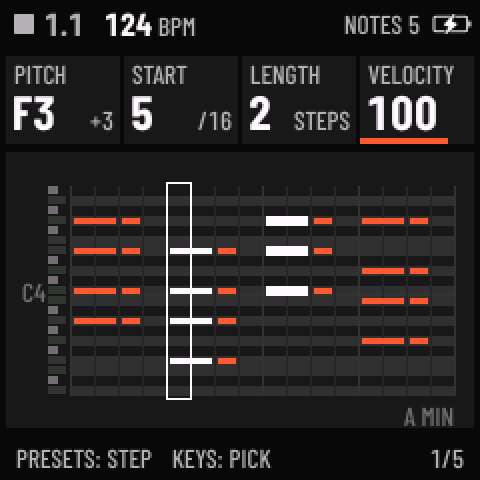
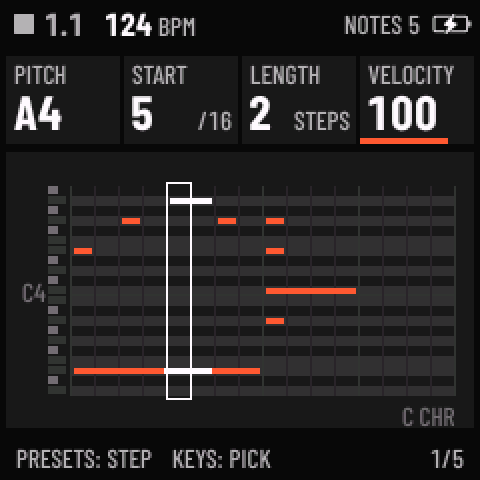
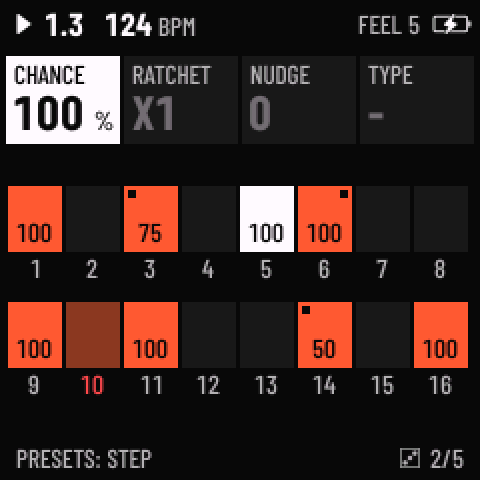
- NOTES and FEEL: the step pages, four become two. SEQ › NOTES is the piano roll: PITCH, START, LENGTH and VELOCITY for a selection, the cursor's step or a range (SHIFT + PRESETS), moved and changed as one. SEQ › FEEL, sixteen tiles, sets CHANCE and the conditions, RATCHET and FLAM, NUDGE and the accent and slide on every selected step. SHIFT + OCT− / OCT+ copy and paste the selection and SHIFT + EDIT deletes it; on the drum grid copy and paste follow the LANE card, so a figure moves from lane to lane.
- Notes that overlap, each with its own length (#25, #40). A long note goes on under the notes after it and a chord's notes can end apart: 1 to 99 % of a step, 1 STEP, or 2 to 16 steps. REC and TAKE record them as played, and a new note is 1 STEP long. Stepping in notes with REC on, keys held together are a chord, and PRESETS turned meanwhile sets their LENGTH (#31).
- Chains (#44, #45). On SEQ › SONG, REPS turned below 1x is CHAIN: the entry goes on into the next, and entries on CHAIN are played and edited as one long pattern, each part with its own LENGTH, DIV and SWING. NOTES counts on through the parts and a note can go on from one into the next. Each chain sits on a box of its own on the SONG rows.
- More of SONG (#32, #33, #34, #46, #47). KNOB 2's NEW puts a new empty pattern on the entry, COPY+ copies the entry's pattern into the first empty entry after it, and a copy takes the first free number after its original's, so copies sit beside it in the pool. SONG ONCE plays every list once from its first entry and stops. SAVE › PATTERNS' ACTION has EMPTY (a pattern's notes and automation go, the entries keep naming it) and UNUSED (every pattern nothing uses).
- Sounds on song entries (#30). SONG's KNOB 2, past CLEAR: SOUND puts the track's sound on the entry (a user sound by its slot, a factory one by its engine and preset), NO SOUND takes it off. The entry's tile loses a corner and the footer names its sound; the track loads it whenever it comes onto the entry: the song moving on, a launch, or PLAY from stopped. The web editor's Song tab sets them too.
- Drum lanes panned (#36). EDIT › LANE MIX on DRUM and DRUM-X: each lane's LEVEL and PAN, the lane picked by KNOB 1 or by striking its key; the track's PAN still moves the whole kit.
- Your own drum kits (#35). DRUM's KIT goes on past PERC to USR1, USR2 and USR3 (USR1 on the SMK-37): a user sample slot played as the kit, each lane the slot's sample on its key, with the lanes' level, tune, decay and pan, the hat choke and the grid as on any kit; a lane with no sample is silent and dimmed. In the web editor's Samples tab, a slot's Drum kit switch takes a WAV a lane, each with a level, the files keeping their levels to each other.
- Your sound keeps its name (#20). A track playing one of your user sounds stays that sound: SAVE › USER puts the track on the slot it saved to, and HOME names it after a project load and after power-on. (Preset packs, the rest of #20, come later.)
- One mute, one way back, one MOD page, one shaper. The black keys F#3 to F#4 are the six tracks' MUTE in the GLO, FX and PERFORM layers alike: a tap mutes or unmutes, held cuts the track only while held. MOMENTARY, the FX layer's macros and PERFORM's throws come back the same way, as MENU › CONTROL › RETURN says (SNAP, 1 BEAT, 1 BAR), and OCT+ keeps them in all three. LFO › MOD is one page: the LFO's and the envelope's routes drawn as a grid over the four matrix slots. DIST's types are INSERT's shapers: SOFT, HARD, FOLD, CRUSH and FUZZ.
- The SMK-37's sustain pedal holds the keys. While it's down, notes played on the keybed keep sounding after the keys are let go, until the pedal goes up or the key is struck again. DRUM tracks ignore it.
- The music comes back sooner. RESTORE LAST writes the music 2 s after the last change (at most once every 20 s), and a save brings it up to date at once, so switching off soon after a change or a save loses nothing.
- Room. New save formats (projects, settings, user presets, every parameter by a stored id) and a smaller build: fonts, tables and code tightened so the FM-1 has about 30 KB free again for what comes next. Release builds no longer carry the serial console (MENU › USB SERIAL; builds from source keep it), so macOS 13 to 15 should see the FM-1's USB audio input without a setting (not tried on a Mac).
Fixed
- REC looked stuck. REC arms the selected track, and its LED stays lit while any track is armed, so with one track armed and another selected, REC never put the light out. REC on an armed track now disarms every track (thanks, @aaronthomas4072 and @robm6009 on YouTube).
- SEQ TOOLS' RANDOM drew notes in the first bar only of a line whose LENGTH was turned up: an empty bar now takes the rhythm of the bar before it (thanks, @MrBeerscuits).
- PD BRASS and other PHASE sounds clicked on the unit (#41): a bend moving with DCW now fades over the block.
- Coming from Felucca 1.4+ or JIANT, PLAY could do nothing: their settings were read as Skiff's CLOCK, MIDI IN and TUNE. Felucca 1.4+ projects, which showed EMPTY on Skiff, are converted now, and its user presets are matched by name.
- A sound saved on SAVE › USER came back as the factory sound after switching off soon after (fixed with the RESTORE LAST and #20 changes above).
Known
- On the SMK-37, an update loader started by switching the keyboard on after a power cut mid-write is still reset by the watchdog about 40 to 45 s into each run (its flash speed, half of the cause, is fixed). The installer resumes it until the write finishes: switch the keyboard back on and wait. A loader the running Skiff starts (every normal install) is not affected. Tested on one SMK-37 Pro.
- The SMK-37's sustain pedal hold is tested on the computer only: the test unit has no pedal, so the pedal's threshold and both pedal polarities are untried on a keyboard.
- The Learn videos show Skiff 1.3; the Learn page's steps are 2.0's, and its chapters say where the video differs.
- A full backup from the editor doesn't keep the samples' own levels and sends (nor SLICE's hand-set slices): they stay with the slot on the unit.
- After a return to the official V15, the FM-1 writes its Bluetooth settings anew on its first start: pair Bluetooth devices again if they don't connect.
Going back to 1.4
- Install 1.4.x, then restore the backup the installer saved before 2.0 (or one from the editor) in the Skiff Editor.
- 1.x doesn't read what 2.0 saves: projects and user sounds saved on 2.0 look empty there (their bytes stay until saved over), and 1.x's settings start at their defaults.
Credits
Skiff is built on Felucca by Leo Kuroshita (Hügelton Instruments); 2.0's converter reads Felucca 1.2+'s projects and user presets after Felucca's own sources. The SMK-37 build uses the board layer of genkigenki's SMK-37 port of Felucca (GPL-3.0-only) and the hardware notes of their fm1-to-smk37 kit. The README's Credits have the rest.
Files
skiff-2.0.fwsc: the FM-1 package (identity FM-1_720)skiff-2.0.zip: the FM-1 package, the app image,SHA256SUMSand every licence and attribution text they needskiff-2.0-smk37.fwsc: the SMK-37 Pro package (identity SMK-37 Pro_720)skiff-2.0-smk37-elite.fwsc,skiff-2.0-smk37-mke.fwsc: the SMK-37 Elite and MKE-P37 packages (identities SMK-37 Elite_720, MKE-P37_720), not tried on a keyboard yet
SHA-256:
7e183ac81e213dad8daaebb4ebfac00bfaf67bc9d8a895db9fe4fdefc6e5af56  skiff-2.0.fwsc
768069d9483cde211f95709993d5451168499a23f1c5707c1c7e235f60412339  skiff-2.0.zip
ef4a05f65fabd0f77aff70311f60adb219dbd2fa1c9c864301e40da055f77b41  skiff-2.0-smk37.fwsc
44ff46b497d401c40762eb419a458c96d7755163320157798f034ea59a2c2a37  skiff-2.0-smk37-elite.fwsc
7fe665486a3cf6c5e2c2295770331cb4111dae427d9ca2233bd66816e542a76e  skiff-2.0-smk37-mke.fwsc
The packages hold three unmodified files of the JieLi AC79 SDK (Apache-2.0); see LICENSING.md. SLICE's BREAK and FUNK were made with YuE2 by Multimodal Art Projection. M-VAVE, FM-1 and SMK-37 are trademarks of their respective owners; Skiff is not affiliated with or endorsed by them.
v1.4Skiff 1.45 files
Skiff 1.4: Skiff on M-VAVE's SMK-37 Pro keyboard, REST in SONG, your own theme colours, each user sample's own level and sends, and an installer that carries on when an install is cut off.
Thank you, @jphn7, for the SONG report with drum tracks (#29), @awchx for the REST idea (#28), @tradiuz for custom colours and a quieter playhead (#27), and @positionhigh for each sample's own level and sends (#21). The SMK-37 build stands on genkigenki's SMK-37 port of Felucca and their fm1-to-smk37 kit.
Install on the FM-1: in Chrome or Edge with the Skiff installer, or download
skiff-1.4.fwscbelow and runpython tools/fm1_install.py skiff-1.4.fwsc. Custom firmware, at your own risk; the installer page also takes the FM-1 back to the official V15 firmware. Your projects, sounds and patterns from 1.3.3 stay as they are.Install on the SMK-37 Pro: read SMK37.md first. The keyboard must run M-VAVE's V016, and a backup of its flash comes before anything else: it holds the keyboard's own key calibration. Then the same installer page finds the keyboard and picks its build, or run
python tools/fm1_install.py skiff-1.4-smk37.fwsc.New
- Skiff on the SMK-37 Pro. The same six tracks, engines, sequencer and screens as on the FM-1, played from 37 velocity keys (MENU › CONTROL › KEY VELOCITY: DYNAMIC, SOFT, HARD or fixed). The 16 pads are a step grid for the selected track, or the FM-1's key maps where a page has its own (layers, the DRUM grid, NAME, SLICES), lit as the screen's tiles. The four faders are a mixer for the tracks on screen, with FADER BANK stepping LEVEL, PAN, REVERB and DELAY. The wheels and the pedal play as MIDI in, K1 is the master level, KNOB BANK works as SHIFT, and < > step through the selected track's song entries. The MIDI OUT jack sends what USB sends, plus clock. The SMK keeps one user sample slot (USR1). Skiff never writes the keyboard's calibration or Bluetooth data, and its way back to M-VAVE's V016 keeps them. Tested on one SMK-37 Pro. The SMK-37 Elite and MKE-P37 packages are built the same way but not tried on a keyboard yet. Everything is in SMK37.md.
- REST in SONG. On SEQ › SONG, KNOB 2 now has REST, just before 01, for any entry, and OCT+ sets it. A REST is silent for its REPS passes of the track's length wherever it is in the list, so a REST first makes a track start later and one after its last pattern makes it end sooner, without an empty pattern. Its tile shows a dash, lit in the track's colour while it plays. GLO + PLAY starts a track on its REST, a PERFORM key on one makes the track drop out at its launch point, and CLEAR removes it at once. The web editor's Song tab has it too. Empty entries work as before: between patterns they rest, at either end they're passed over (#28).
- Your own colours: THEME › CUSTOM. In the web editor's Settings › Device display, pick eleven colours (the background, the tiles, the text, the values, the one active thing and each track's) and the look they wear: SKIFF's tiles, or CRYPT's, NEON's or QUARK's letters, widgets and motifs. The unit shows each change as you make it; Save keeps them on it as THEME's last value, CUSTOM, which MENU › DISPLAY › THEME steps to like any other theme. Start from any theme's own colours; colours that are hard to read get a warning. On the SMK-37 the pads take your track colours too. After Felucca 1.6's custom palette (#27).
- PLAYHEAD LINE. MENU › DISPLAY › PLAYHEAD: THEME, as before (CRYPT's torch, NEON's car, QUARK's collision on HOME's selected lane), or LINE, the playhead's line only (#27).
- Each sample's own level and sends. Every sample in a user sample slot (USR1 to USR3 on the FM-1, USR1 on the SMK-37 Pro) now has its own LEVEL, REVERB and DELAY. On the unit, a SAMPLE track playing a USR set has a new page after EDIT 2, SAMPLES, with the sample's waveform: KNOB 1 picks the sample by its number (or just play its key), KNOB 2 sets its LEVEL, KNOB 3 its REVERB, KNOB 4 its DELAY. In the web editor's Samples tab, each file gets a Level, Reverb and Delay before you upload, and the samples already on the unit can be changed there too;
tools/fm1_sample_upload.py mixdoes the same from a terminal. LEVEL 100 % plays a sample as it was loaded (50 % plays it at a quarter, as DRUM's lane levels do). A sample's REVERB and DELAY are added to its track's own sends (up to 100 % in all), so a dry kick and a wet snare can share one track. The values are kept with the slot once the music stops (MIX SAVED). Slots loaded with an older Skiff play exactly as before (#21). - An installer that carries on. If the cable or the power goes during an install, the unit stays in update mode: plug it back in or switch it on within two minutes and the installer (the page or
tools/fm1_install.py) picks up where it was, up to five times. Skiff's update loader now writes the firmware's first sector last, on both boards, so a cut write never leaves a half-written firmware to start. The progress bar only moves forward. With an FM-1 and an SMK-37 on one computer, each package goes only to its own model's unit.
Fixed
- In SONG, the last track could stay on one pattern. When the tracks' lists moved on together and an edited pattern was still waiting to be written (Skiff writes them once the music has been stopped for a while), track 6 never got its turn: it played its entry over and over while the other five moved on. Every track now moves on at its pass end, whatever is waiting. If you edit more patterns while playing than Skiff can hold until the next stop, that one track waits on its entry and the screen says PATTERNS FULL, STOP TO SAVE; nothing is lost (#29).
Known
- On the SMK-37, an update loader started by switching the keyboard on after a power cut mid-write can reset itself during the write. The installer resumes it until the write finishes.
- A full backup from the editor doesn't keep the samples' own levels and sends yet (nor SLICE's hand-set slices): they stay with the slot on the unit.
- After a return to the official V15, the FM-1 writes its Bluetooth settings anew on its first start: pair Bluetooth devices again if they don't connect.
Going back to 1.3.3
- A project that holds a REST doesn't open on 1.3.3 or earlier; projects without one open as they are.
- Settings saved with CUSTOM in use show its look's own theme on 1.3.3, and are CUSTOM again after updating back. Nothing else saved changes.
Credits
Skiff is built on Felucca by Leo Kuroshita (Hügelton Instruments). The SMK-37 build uses the board layer of genkigenki's SMK-37 port of Felucca (GPL-3.0-only: the input, screen, pad LED, flash map, update and installer parts) and the hardware notes of their fm1-to-smk37 kit. 1.3's release notes have the rest of the credits.
Files
skiff-1.4.fwsc: the FM-1 package (identity FM-1_714)skiff-1.4.zip: the FM-1 package, the app image,SHA256SUMSand every licence and attribution text they needskiff-1.4-smk37.fwsc: the SMK-37 Pro package (identity SMK-37 Pro_714)skiff-1.4-smk37-elite.fwsc,skiff-1.4-smk37-mke.fwsc: the SMK-37 Elite and MKE-P37 packages (identities SMK-37 Elite_714, MKE-P37_714), not tried on a keyboard yet
SHA-256:
0622a752e8304777c042ccea0732ba023e1413baa6dbc8724576e2ec76de02e0  skiff-1.4.fwsc
1b0a741e3d44a66948b4bf07c3cd415b55aa72920b08ae02465ec15347501e6a  skiff-1.4.zip
91e404b85831718618d5eb06dabb0f888283873b10f57915b68fef52b57abd3c  skiff-1.4-smk37.fwsc
14b08f7940927609c97ac7ecac47c754987cec4bbebe820f4a19f94ec2b2c1d5  skiff-1.4-smk37-elite.fwsc
af63a6eb5ff4c7f534207ccde344b0a386393ffcdcee0bb42c166d5083a4d158  skiff-1.4-smk37-mke.fwsc
The packages hold three unmodified files of the JieLi AC79 SDK (Apache-2.0); see LICENSING.md. SLICE's BREAK and FUNK were made with YuE2 by Multimodal Art Projection. M-VAVE, FM-1 and SMK-37 are trademarks of their respective owners; Skiff is not affiliated with or endorsed by them.
v1.3.3Skiff 1.3.32 files
Skiff 1.3.3: QUARK's scope becomes the tour video's event display, live, and fixes from your comments and issues. HOME names the sound in every view, PLAY says when it waits for an external clock, and the installer says what it found.
Thank you, @Yutorpea, for asking for the sound's name on HOME (#22), and @artqcid for the installer log that showed the way back to V15 stumbling (#23). On YouTube, thanks to ncseb_electromaker, whose PLAY and REC did nothing after an install, MarkDHastingsMusic, whose HOME looked different with LARGE on, and The-word-I-does-not-exist, who asked about conditions on a drum step.
Install: in Chrome or Edge with the Skiff installer, or download
skiff-1.3.3.fwscbelow and runpython tools/fm1_install.py skiff-1.3.3.fwsc. Custom firmware, at your own risk; the installer page also takes the FM-1 back to the official V15 firmware. Your projects, sounds and patterns from 1.3.2 stay as they are.New
- QUARK's scope is an event display. In the QUARK theme, the scope (tap HOME while on HOME) now plays the event display from the 1.2 tour video, live: every note any of the six tracks plays is a collision at the centre, with three particles flying out in that track's colour and curling away, then fading. Round the rings, eight calorimeter towers for each track rise with how loud it is (a muted track's stay dark). With MENU › DISPLAY › ANIM OFF the particles appear whole instead of flying out. It replaces QUARK's old scope, the sound's wave wrapped round the rings.
Fixed
- HOME didn't always name the sound. HOME's lanes name every track's sound, and the selected track's engine. With MENU › DISPLAY › LARGE on (tall knob cards over a scope), or in HOME's scope view (HOME tapped on HOME), there are no lanes, and with HINTS on the footer showed HOLD [HOME] SHIFT, so the sound was named nowhere. There, the footer now names the selected track's engine and sound, as it does on every other page (#22).
- PLAY with an external clock that sends nothing looked broken. With MENU › MIDI › CLOCK on USB or TRS, PLAY follows that clock: without one, the music stands still and recording waits with it. A second after PLAY, the screen now says WAITING FOR USB CLOCK (or TRS), then MENU > MIDI > CLOCK, where INT puts the FM-1 back on its own tempo. CLOCK can come along from the session Skiff restores on its first start after an install, which is how PLAY and REC seemed dead after one install until RESET SETTINGS.
- The installer's way back to V15 asked the running firmware for a Skiff backup before anything else, so on a unit already on V15, or on another firmware, it stopped with "Backup timed out. Keep the FM-1 connected and stopped." Now it says the FM-1 already runs official V15, or that it isn't running Skiff and has no Skiff music to back up, with what it reports. From another firmware, M-VAVE's updater goes back (#23).
- When the installer can't find the FM-1 in update mode, it now says to plug it straight into the computer: a USB hub or USB-sharing software can lose it when it switches to update mode (#23). The README's "If the FM-1 does not start" says so too.
Also
- On a drum track, a step's CHANCE, RATCH and COND cover every hit on it, so a condition set on a step applies to all of its sounds. The README and Learn Skiff now say so, and how to give one sound its own: a track of its own.
- The installer links Learn Skiff, the manual with a video for every chapter, in English and Japanese.
Going back to 1.3.2
Nothing in what Skiff saves has changed: everything saved with 1.3.3 opens on 1.3.2 as it is.
Credits
Skiff is built on Felucca by Leo Kuroshita (Hügelton Instruments); 1.3's release notes have the rest of the credits.
Files
skiff-1.3.3.fwsc: the firmware package (identity FM-1_713, as 1.3 to 1.3.2)skiff-1.3.3.zip: the package, the app image,SHA256SUMSand every licence and attribution text they need
The package holds three unmodified files of the JieLi AC79 SDK (Apache-2.0); see LICENSING.md. SLICE's BREAK and FUNK were made with YuE2 by Multimodal Art Projection.
v1.3.2Skiff 1.3.22 files
Skiff 1.3.2: a stereo HALL reverb, Skiff in your browser, an update mode that says what it is, and a finer vibrato.
Thank you, @positionhigh and @benjaminguerrer, for finding that HALL was mono (#19), @benjaminguerrer for asking for a browser emulator (#18), everyone who reported an FM-1 that stayed black after an install, and the comment that found the vibrato too strong at 1 %.
Install: in Chrome or Edge with the Skiff installer, or download
skiff-1.3.2.fwscbelow and runpython tools/fm1_install.py skiff-1.3.2.fwsc. Custom firmware, at your own risk; the installer page also takes the FM-1 back to the official V15 firmware. Your projects, sounds and patterns from 1.3.1 stay as they are.New
- HALL is stereo. Skiff's HALL was its own reverb: ROOM's network run at half the rate, with one output for both sides. It is now Felucca's HALL: eight delay lines that all feed each other, read through slow drifts so the tail doesn't ring, with their own left and right outputs. SIZE sets the tail from about 0.4 s to 4.6 s, and DAMP how fast its top dies away. Projects that use HALL sound a little different: smoother, denser and wide. ROOM and SPRING are as they were.
- Try Skiff in your browser. The page runs the firmware itself, compiled to WebAssembly, on a drawn FM-1: the screen, the lights and the sound. Play it with the mouse, a touch screen or the computer keyboard (Z to ' and Q to O are the keys, 1 to = the buttons, [ and ] OCT, the arrows SELECT and ALGORITHM). A MIDI keyboard on the computer plays it too, in browsers with Web MIDI. Its saves stay in your browser. Not there: USB (the editor, MIDI out, USB audio) and the TRS MIDI jack.
Fixed
- Update mode had a black screen. An install that is cut off (a cable pulled, a computer asleep) leaves the FM-1 in update mode, where it comes back at every power-on until an install finishes. It looked dead: the screen stayed black, and M-VAVE's updater can't see it. Now the update loader says UPDATE MODE, WAITING FOR THE SKIFF INSTALLER, KEEP USB CONNECTED (you'll see it for a moment during every install). On a unit whose install was cut off, run the Skiff installer again and it finishes the install. While it writes it shows WRITING, DO NOT SWITCH OFF and a bar, and UPDATE FAILED with the same way out if a write stops. The loader comes with the package being installed, so this is there from installs of 1.3.2 on. The README's "If the FM-1 does not start" now begins with this case.
- LFO DEST PITCH was too strong at its lowest settings. At +1 % it was already a ±19-cent vibrato, and it moved in 6-cent steps. Its depth is now squared: +100 % still reaches ±11.8 semitones, while the low end is fine (+1 % is under a cent, +6 % about ±5 cents, +12 % the ±19 cents that +1 % used to be), and the vibrato glides smoothly. The factory sounds with a vibrato are retuned to sound as before. Your own sounds and projects: a vibrato set before 1.3.2 is now gentler. For the old depth, set +1 % to +12 %, +3 % to +17 %, +6 % to +25 %, +15 % to +39 %, +31 % to +57 % and +50 % to +71 %. MOD's PITCH destination is as it was.
- MENU's STEP PREVIEW and SCREEN OFF show a new value as soon as you turn them; before, the row kept the old one until something else redrew the MENU.
- The README's table of sound types adds up to the 148 factory sounds again (BASS 19, LEAD 24, DRUM 34, as SAVE › PRESETS lists them).
Going back to 1.3.1
Everything saved with 1.3.2 opens on 1.3.1, where a project set to HALL plays 1.3.1's mono HALL, and an LFO PITCH depth plays deeper (1.3.1 reads it on its old, straight scale).
Credits
The HALL and the browser build are Felucca's, by Leo Kuroshita (Hügelton Instruments); the browser build follows charlesvestal's X0X (GPL-3.0). Skiff is built on Felucca; 1.3's release notes have the rest of the credits.
Files
skiff-1.3.2.fwsc: the firmware package (identity FM-1_713, as 1.3 and 1.3.1)skiff-1.3.2.zip: the package, the app image,SHA256SUMSand every licence and attribution text they need
The package holds three unmodified files of the JieLi AC79 SDK (Apache-2.0); see LICENSING.md. SLICE's BREAK and FUNK were made with YuE2 by Multimodal Art Projection.
v1.3.1Skiff 1.3.12 files
Skiff 1.3.1: a 320 MHz CPU CLOCK, and fixes from your comments.
Thank you, @curist, for the 320 MHz switch and the warning about the clock (#14), and thanks to everyone who left a report under the videos.
Install: in Chrome or Edge with the Skiff installer, or download
skiff-1.3.1.fwscbelow and runpython tools/fm1_install.py skiff-1.3.1.fwsc. Custom firmware, at your own risk; the installer page also takes the FM-1 back to the official V15 firmware. Your projects, sounds and patterns from 1.3 stay as they are.New
- CPU CLOCK (MENU › SYSTEM): 360 MHZ, the clock the FM-1's own boot sets and the default, as in every Skiff so far, or 320 MHZ, the clock JieLi rates the chip for. It applies at the next power-on, like CPU (STOP, then RESTART), and changes no voltage. 320 is about 11 % slower, so the same music shows a higher CPU. It's there for units whose second core misreads at 360: curist's did, and ran a 30-minute soak clean at 320. A unit whose clock isn't set up the way the switch expects refuses it and says why (NO 320 MHZ: ...). ABOUT shows the clock the FM-1 runs at.
Fixed
- The web editor's step tables no longer draw over each other on a wide screen when a pattern is longer than 16 steps: they sit side by side where two fit, else one under another (thanks, 王钢弹-g1n on YouTube).
- The low-pass and high-pass icons were swapped. Every CUTOFF and RES icon showed a high-pass, the FX layer's C (LPF) and D (HPF) keys each showed the other's, and so did the editor's FLT section. The icon font names its two filter shapes the other way round (thanks, Swenglish on YouTube).
Also
- The README lists the standard MIDI CCs each track answers on its channel: CC7 LEVEL, CC10 PAN, CC5 GLIDE, CC73 ATTACK, CC75 DECAY, CC72 RELEASE, CC74 the engine's brightness (ANALOG's CUTOFF ..), CC71 its resonance, CC91 REVERB, CC93 CHORUS and CC94 DELAY, recorded as automation while the track is armed (asked by nicholasbarron888 on YouTube). With MIDI LEARN (1.3), any CC can move any knob.
- The README's editor pictures show 1.3's editor.
Going back to 1.3
Everything saved with 1.3.1 opens on 1.3, which ignores CPU CLOCK and keeps it for when you come back. A restart keeps the clock the FM-1 runs at, so after installing 1.3 or the official firmware on a unit set to 320 MHZ, turn it off and on once.
Credits
The 320 MHz switch is curist's fm1-clk320-probe (MIT), used unchanged. Skiff is built on Felucca by Leo Kuroshita (Hügelton Instruments); 1.3's release notes have the rest of the credits.
Files
skiff-1.3.1.fwsc: the firmware package (identity FM-1_713, as 1.3)skiff-1.3.1.zip: the package, the app image,SHA256SUMSand every licence and attribution text they need
The package holds three unmodified files of the JieLi AC79 SDK (Apache-2.0); see LICENSING.md. SLICE's BREAK and FUNK were made with YuE2 by Multimodal Art Projection.
v1.3Skiff 1.32 files
Skiff 1.3: the FM-1's second core, and the best of Felucca 1.2 to 1.6.1.
Thank you, @Schmongo for asking for the second core (#14), and @benjaminguerrer for LFO sync (#16) and for asking Skiff to catch up with Felucca 1.6.1 (#17). Almost everything Felucca added since the version Skiff is built on is in this release, adapted to Skiff's six tracks and its look.
Install: in Chrome or Edge with the Skiff installer, or download
skiff-1.3.fwscbelow and runpython tools/fm1_install.py skiff-1.3.fwsc. Custom firmware, at your own risk; the installer page also takes the FM-1 back to the official V15 firmware. Your projects, sounds and patterns from 1.2.1 stay as they are.New
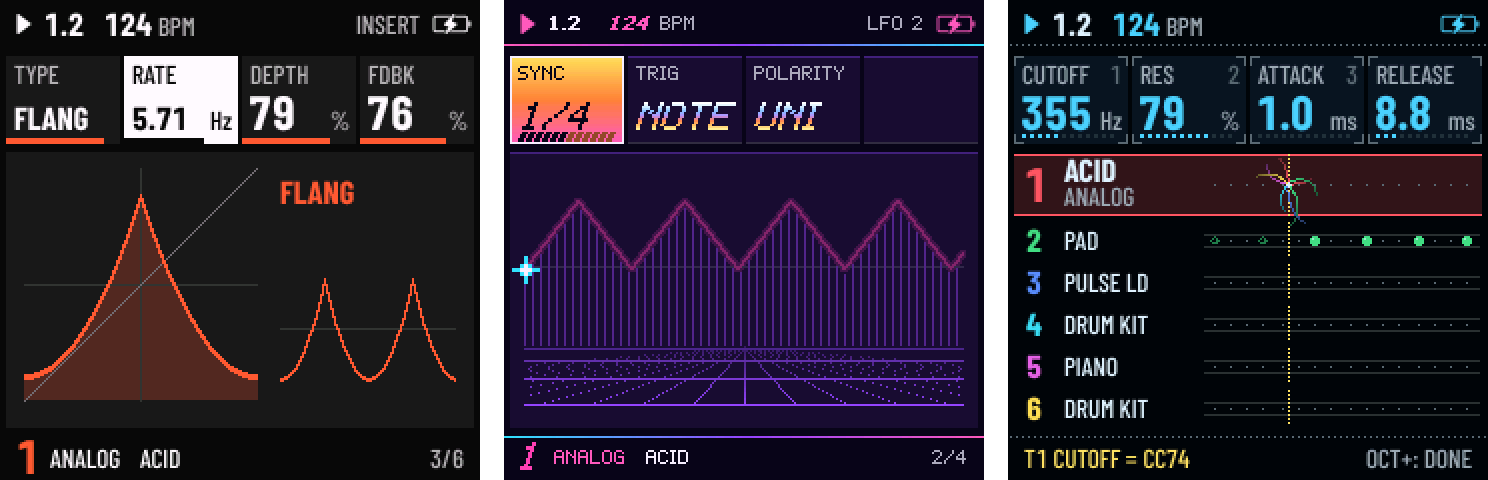
- The second core (BETA, #14). MENU › SYSTEM › CPU picks 2 CORES, applied at the next power-on. The FM-1's second processor core then renders some of the tracks of every block: the sound is bit for bit the same, there is far more headroom, and 12 voices can sound at once instead of 8. On a unit, six busy tracks (GRAIN chords, three PHYS, DRUM-X and DRUM) ran at about 60 % with no dropouts. If the second core misreads or stops answering, the FM-1 carries on with one core, says CORE 2 FAILED and sets the row back to 1 CORE.
- MIDI LEARN. MENU › MIDI › MIDI LEARN, turn a knob (HOME, a sound page, the MIXER, the GLO layer's levels), move a control on your controller: it now sets that parameter of that track. Up to 10, kept with the settings; OCT− clears the one you picked, OCT+ is done, LEARN CLEAR forgets them all.
- A MIDI channel per track. MENU › MIDI › T1–T6 CHANNEL: each track listens (and its keys play out) on any channel, 1–6 by default.
- MIDI Program Change loads the nth sound of the track's engine, in the PRESETS list's order.
- FX › INSERT: a second effect on every track, after DRIVE: SOFT, HARD, FOLD, FUZZ, CRUSH (a bitcrusher), PHASR, FLANG or CHOR, with three values named by the type and a MIX on INSERT 2, and a graph of what it does.
- LFO 2 (#16): SYNC to a note value of the tempo (4 bars to 1/32), TRIG FREE (a note doesn't restart it), POLARITY UNI (one-sided).
- ENV SYNC (ENV DEST's KNOB 4): ATTACK, DECAY and RELEASE as note values, from 1/64T to 4 bars.
- SPREAD (EDIT › VOICE 2's KNOB 3): a POLY or UNISON track's voices left and right of PAN in turn.
- The MOD matrix gets two sources, S&H and SLEW (a random value each LFO cycle, stepped or gliding), and three destinations: DEPTH (the LFO's own depth: MODW → DEPTH is a mod-wheel vibrato), VEL and TIME to humanize (each note's velocity, each step a little late).
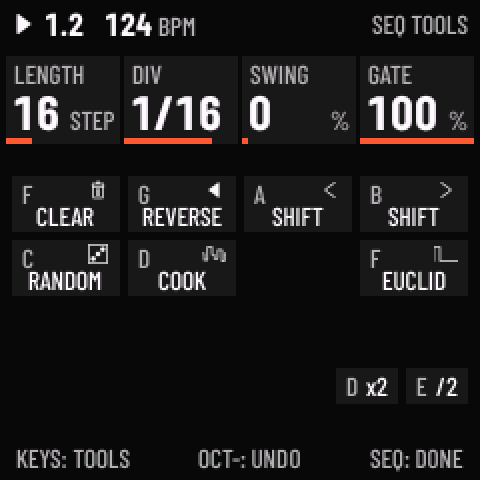
- SEQ TOOLS (hold SEQ): EUCLID on F4 (hits spread over the steps, rotated), DOUBLE on D5 and HALF on E5.
- MOMENTARY: hold LFO and turn knobs; let go and the values spring back (OCT+ keeps them).
- Lane mutes: on a DRUM or DRUM-X track, the EDIT layer's black keys 1–8 mute its lanes.
- The step pages follow the playhead past step 16 while playing; STEP PREVIEW (MENU › CONTROL) sounds the step KNOB 1 lands on; QUANTIZE SEQ+T transposes the sequencer's notes before snapping them.
- Sounds: ANALOG's WAVE gets SYNC and SUB (with the HARD SYNC and SUB SAW presets), PHASE gets FOLD, DRUM gets the DEEP, TIGHT and PERC kits (DEEP DRUMS, SNAP KIT, PERC KIT), and the delay gets dotted times (1/8D, 1/16D, 1/4D). 148 factory sounds in all.
Changed
- MENU has a fifth tab, MIDI: CLOCK and MIDI IN moved there from CONTROL, with MIDI LEARN, LEARN CLEAR and T1–T6 CHANNEL. It holds ten rows and scrolls, six at a time.
- PAN and the other two-sided values read −100 to +100 % (the top read +98).
- SPEAKER EQ's BASS+ is gentler (a full kick pulled the whole mix down through the limiter).
- SAMPLE's FLUTE and SAX loop a shorter stretch of their sustain (0.28 s), which made room for everything above.
- The web editor speaks 1.3 (its engine values now have numbers past 127) and has the new pages; an older editor can't edit 1.3's sounds.
Fixed (from Felucca 1.4 to 1.6.1)
- Changing PRESETS' LIST or a favourite no longer pauses the LEDs and the audio on every knob detent: it's saved when you leave the page.
- macOS up to 15 sees the FM-1's USB audio input.
- While flash is written, the panel goes dark instead of lighting one column.
- PLAY in a locked GLO layer starts and stops; RESTART needs GLO held.
- AUTOMATION's KNOB 3 keeps its row in place.
- The installer refuses a package for another board before erasing anything.
- The arpeggiator's held and latched notes follow TRANSP, ROOT, SCALE and QUANTIZE as they change.
- MENU › LARGE: a tall card keeps one value size while you turn its knob.
Going back to 1.2.1
Projects and user sounds saved with 1.3 open on 1.2.1 without the new settings (LFO 2, SPREAD, the INSERT, ENV SYNC). A pattern whose automation or locks move one of a sound's engine values (ANALOG's CUTOFF on HOME, say) is stored in a newer form that 1.2.1 shows as empty: its notes come back when you return to 1.3, as long as nothing was saved over it. MIDI LEARN's CCs are forgotten there; the channels and the CPU setting are kept for when you come back.
Credits
Felucca by Leo Kuroshita (Hügelton Instruments) is what Skiff is built on, and almost all of this release is ported from it. Its MIDI Program Change is by @renebohne (Felucca #179). The second core's start code is from X0X by @charlesvestal, after Melodee by @keremimo and with Jangada's measurements and hardening by @zednaked; its host tests by @gospodindilly-ops.
Files
skiff-1.3.fwsc: the firmware package (identity FM-1_713)skiff-1.3.zip: the package, the app image,SHA256SUMSand every licence and attribution text they need
The package holds three unmodified files of the JieLi AC79 SDK (Apache-2.0); see LICENSING.md. SLICE's BREAK and FUNK were made with YuE2 by Multimodal Art Projection.
v1.2.1Skiff 1.2.12 files
Skiff 1.2.1: fixes and wishes from your issues.
Thank you, @Schmongo and @Yeremel, for reports this detailed: every one of them is in this release.
Install: in Chrome or Edge with the Skiff installer, or download
skiff-1.2.1.fwscbelow and runpython tools/fm1_install.py skiff-1.2.1.fwsc. Custom firmware, at your own risk; the installer page also takes the FM-1 back to the official V15 firmware. Your projects, sounds and patterns from 1.2 stay as they are.New
- Rests in a song (#12). With SONG on, an empty entry between two of a track's patterns now plays as a rest: silence for its REPS passes of the track's length, instead of being skipped. SEQ › SONG's KNOB 3 sets an empty entry's REPS, and the rows show a rest as a dash, lit while it plays. Empty entries after a track's last pattern still end its list.
- Start from scratch (#6). On SAVE › PROJECT, KNOB 3 reads NEW on an empty slot: a blank project, the one the FM-1 powers on with. Your CLOCK, MIDI IN and TUNE stay. If the music changed since its last save, it asks first.
- Delete a project (#6). SAVE › PROJECT's KNOB 2 picks DELETE, and one step further NAME. DELETE asks first, then empties the slot.
- Lock a layer the other way round (#13): hold FX, GLO, SEL, EDIT, ARP or SEQ, then press HOME. HOME then the button still works too. REC is left out, since it arms the moment it's pressed.
Changed
- GLO's keys follow the screen (#11): F3 to D4 solo tracks 1 to 6, then E4 is ALL (unmute all), F4 FILL and G4 TAP. In 1.2, tracks 5 and 6 sat on E4 and G4, between ALL, FILL and TAP.
- The button is called SEL (#8), as printed on the FM-1: its layer, hints and calibration prompt say SEL, and the page it opens is now called SCALE.
- The LFO runs free on drum kits (#9). On DRUM and DRUM-X, every hit used to restart the LFO, so each hit got the same value and LFO DEST AMP did nothing you could hear. It now runs across the hits: LFO DEST AMP gives a tremolo over the pattern, and the LFO as a MOD source (on a lane's TUNE or DECAY, say) moves from hit to hit. PHASE and FADE are dimmed on drums, since nothing restarts the LFO there.
- The battery shows at every level (#5), not only when it's low or on USB.
Fixed
- FM6's OPERATOR and ALL OPS pages and DRUM-X's SOUND page show their page number at the bottom (3/6, 4/6, 3/3) like every other page (#7).
- On a drum track, SEQ's first page draws the grid at the same height as its other pages (#10).
- GLO's MIXER no longer flashes the faders when ALGORITHM picks another track (#15, thanks @Yeremel).
- MENU › SYSTEM › RESET SETTINGS: the dialog's button says RESET (it said CLEAR).
- MENU: stepping TUNE, CLOCK or MIDI IN now shows the new value at once (the row kept its old value until you moved to another row), and SYSTEM › CPU follows the load while the menu is open.
Coming next
The FM-1 has a second processor core, and Skiff 1.3 will use it to render part of the sound, as a BETA switch in the MENU (#14). That room is what bigger effects and more voices need.
Going back to 1.2
Projects saved with 1.2.1 open on 1.2: a song's rests are skipped there again, as before.
Files
skiff-1.2.1.fwsc: the firmware package (identity FM-1_712)skiff-1.2.1.zip: the package, the app image,SHA256SUMSand every licence and attribution text they need
The package holds three unmodified files of the JieLi AC79 SDK (Apache-2.0); see LICENSING.md. SLICE's BREAK and FUNK were made with YuE2 by Multimodal Art Projection.
v1.2Skiff 1.22 files
Skiff 1.2: more sounds, a list by type, and new ways to shape them.
Install: in Chrome or Edge with the Skiff installer, or download
skiff-1.2.fwscbelow and runpython tools/fm1_install.py skiff-1.2.fwsc. Custom firmware, at your own risk; the installer page also takes the FM-1 back to the official V15 firmware. Your projects, sounds and patterns from 1.1 stay as they are.What's new
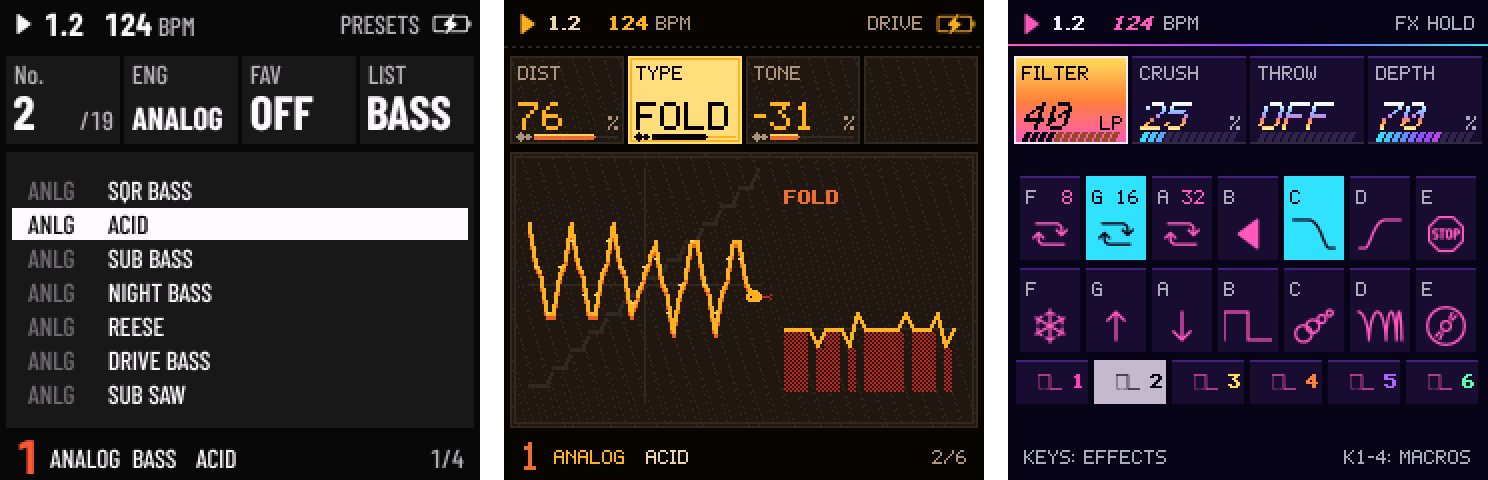
- 143 factory sounds, up from 100, at least 8 for every engine: 18 basses among them, presets for all six of DRUM's kits (four of them only EDIT › KIT reached before) and eight new DRUM-X kits, each loaded by its preset (SAVE held brings your own kit back).
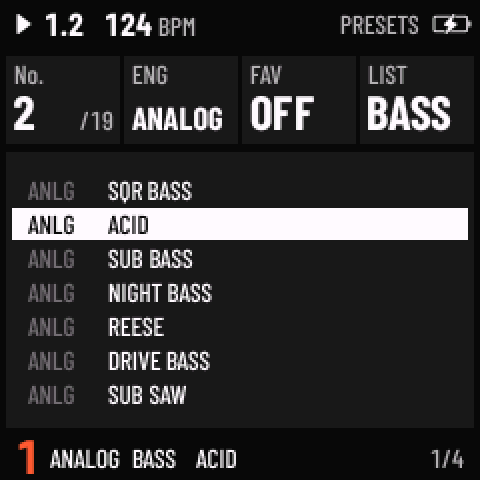
- A list by type. Every factory sound is a BASS, LEAD, PAD, KEYS, PLUCK, DRUM or FX sound. On SAVE › PRESETS, turn KNOB 4 (LIST) to BASS, and PRESETS steps through the basses of every engine, on HOME and the sound pages too. The LIST stays where you leave it.
- Shape a sound: FX › DRIVE gives DIST four types (SOFT, HARD, FOLD, BITS) and a TONE; ENV 2 is a second envelope for the MOD matrix; on DRUM, EDIT › LANES sets each lane's TUNE and DECAY.
- Effects: a HALL reverb next to ROOM and SPRING; the chorus plays CHORUS, FLANGER or PHASER, with FEEDBACK; and four more hold effects on the FX layer: GATE (B4), DUB (C5), FLANGE (D5) and VINYL (E5).
- SLICE: a new BREAK (one bar at 120 BPM) and a second loop, FUNK (SOURCE 5: two beats at 86 BPM), both generated with the YuE2 music model; seven new presets play them, FUNK BREAK among them.
- Every new page draws what it does, in each theme's own way: CRYPT's snakes and skulls, NEON's tubes and sun, QUARK's nuclei and particle tracks.
Changed
- SLICE's BREAK is a new recording, so a track playing it in a saved project plays the new break.
- Thirteen sounds have new names, so that no two share one (ANALOG's PLUCK is now SYNTH PLUCK, FM6's BELL is GLASS BELL, PHASE's BRASS is PD BRASS, DRUM-X's DRUM KIT is OWN KIT, …); they sound as before.
- ANALOG's STRINGS and DARK STRINGS now sound unlike each other and unlike SOFT PAD, and NOISE's RAIN comes in more slowly. A saved project keeps the sound it was saved with.
Fixed
- HOME, opened from the sequencer's first page, drew that page's hints under HOLD HOME SHIFT at the bottom left (#3, thanks @hit3nkuro).
Going back to 1.1
Projects, patterns and sounds saved with 1.2 open on 1.1 without what 1.1 doesn't have: DIST plays SOFT, HALL plays SPRING, the chorus plays CHORUS, SLICE's FUNK plays PIANO. A MOD slot set to ENV2 becomes EXPR on 1.1, which with no MIDI expression coming in is its full amount all the time: set it OFF there.
Files
skiff-1.2.fwsc: the firmware package (identity FM-1_712)skiff-1.2.zip: the package, the app image,SHA256SUMSand every licence and attribution text they need
The package holds three unmodified files of the JieLi AC79 SDK (Apache-2.0); see LICENSING.md. SLICE's BREAK and FUNK were made with YuE2 by Multimodal Art Projection.
v1.1Skiff 1.12 files
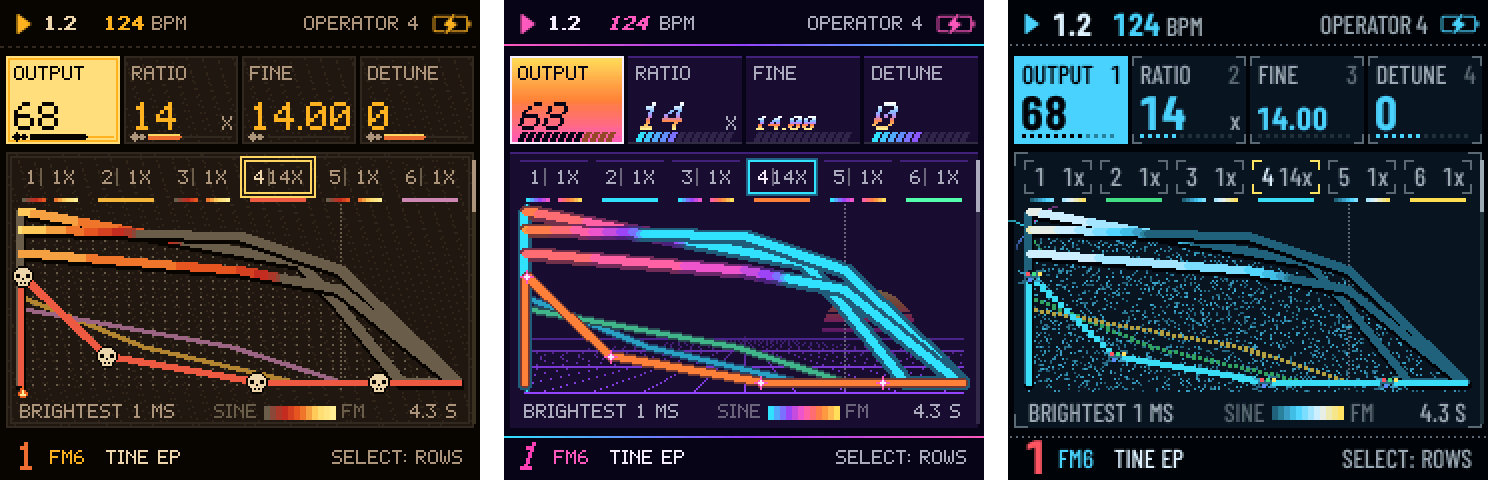
Skiff 1.1: build an FM6 sound from scratch, on the unit.
Install: in Chrome or Edge with the Skiff installer, or download
skiff-1.1.fwscbelow and runpython tools/fm1_install.py skiff-1.1.fwsc. Custom firmware, at your own risk; the installer page also takes the FM-1 back to the official V15 firmware. Your projects, sounds and patterns from 1.0 stay as they are.What's new
- Every value of an FM6 patch on the unit's knobs. Two new pages after EDIT 2 on an FM6 track:
- EDIT › OPERATOR: PRESETS picks OP1 to OP6, SELECT walks its values: OUTPUT, RATIO (x0.5 to x31, or a fixed 1 Hz to 1 kHz), FINE, DETUNE; the envelope's four rates and levels; keyboard scaling (BREAK, the curves and depths, KEY RATE); VELOCITY and LFO AMP.
- EDIT › ALL OPS: the algorithm, feedback and transpose; the pitch envelope; the LFO (wave, rate in Hz, fade, key sync) and its vibrato and tremolo depths.
- A graph that shows the sound, after an idea by Floyd Steinberg: every operator's envelope as the engine plays it, each carrier coloured along its length from cool (a plain sine) to hot (where the modulators make it bite), the operator you edit drawn with handles on its breakpoints. KEYS draws its level across the keyboard, ALGO the algorithm with the operator picked, PITCH and LFO what they do to the pitch.
- Start from a bare sine: INIT on an FM6 track (hold EDIT, press F5, then OCT+) gives one sine on OP1; the footer names the patch (INIT VOICE). SAVE › USER keeps the result as a sound of your own, and the name you type goes into the patch too, so a
.syxexported from the web editor carries it. - CRYPT, NEON and QUARK dress the new pages their own way: fire, skulls and a snake; tubes, the sun and a laser; nuclei, bubble-chamber tracks and collisions.
The FM6 engine itself is unchanged: sounds and projects play exactly as in 1.0.
Files
skiff-1.1.fwsc: the firmware package (identity FM-1_711)skiff-1.1.zip: the package, the app image,SHA256SUMSand every licence text they need
The package holds three unmodified files of the JieLi AC79 SDK (Apache-2.0); see LICENSING.md.
- Every value of an FM6 patch on the unit's knobs. Two new pages after EDIT 2 on an FM6 track:
v1.0Skiff 1.02 files
The first release of Skiff, a six-track groovebox firmware for the M-VAVE FM-1, built on Felucca 1.1.5.
Install: in Chrome or Edge with the Skiff installer, or download
skiff-1.0.fwscbelow and runpython tools/fm1_install.py skiff-1.0.fwsc. Custom firmware, at your own risk; the installer page also takes the FM-1 back to the official V15 firmware.What's in it
- Six tracks, fourteen engines (ANALOG, FM6, PHASE, LOFI, SAMPLE, VOICE, TRIO, WHEEL, GRAIN, PHYS, NOISE, SLICE, DRUM and DRUM-X), 100 factory sounds
- A 64-step sequencer with chords, ratchets and FLAM, per-step chance, trig conditions, NUDGE, parameter locks and automation; STEP tiles, a piano roll and a drum grid; live recording with overdub and FEEL, TAKE, 8 levels of undo
- Patterns and songs: a pool of 64 patterns shared by every project, a list of 16 entries per track, SONG; PERFORM with launches, staged mutes and 16 scenes on LOOP, BAR, BEAT or NOW
- Every page draws what it does, and HOME held shows what every control does there
- Six themes: SKIFF, HI-CON, PAPER, CRYPT, NEON and QUARK
- The Skiff Editor in the browser: sounds, steps, the mixer, the song lists, scenes and pattern pool, projects, the DRUM-X kit, the settings and the transport
Felucca's sounds and projects load in Skiff. Please report problems in this repository's Issues, not Felucca's.
Files
skiff-1.0.fwsc: the firmware package (identity FM-1_710)skiff-1.0.zip: the package, the app image,SHA256SUMSand every licence text they need
The package holds three unmodified files of the JieLi AC79 SDK (Apache-2.0); see LICENSING.md.