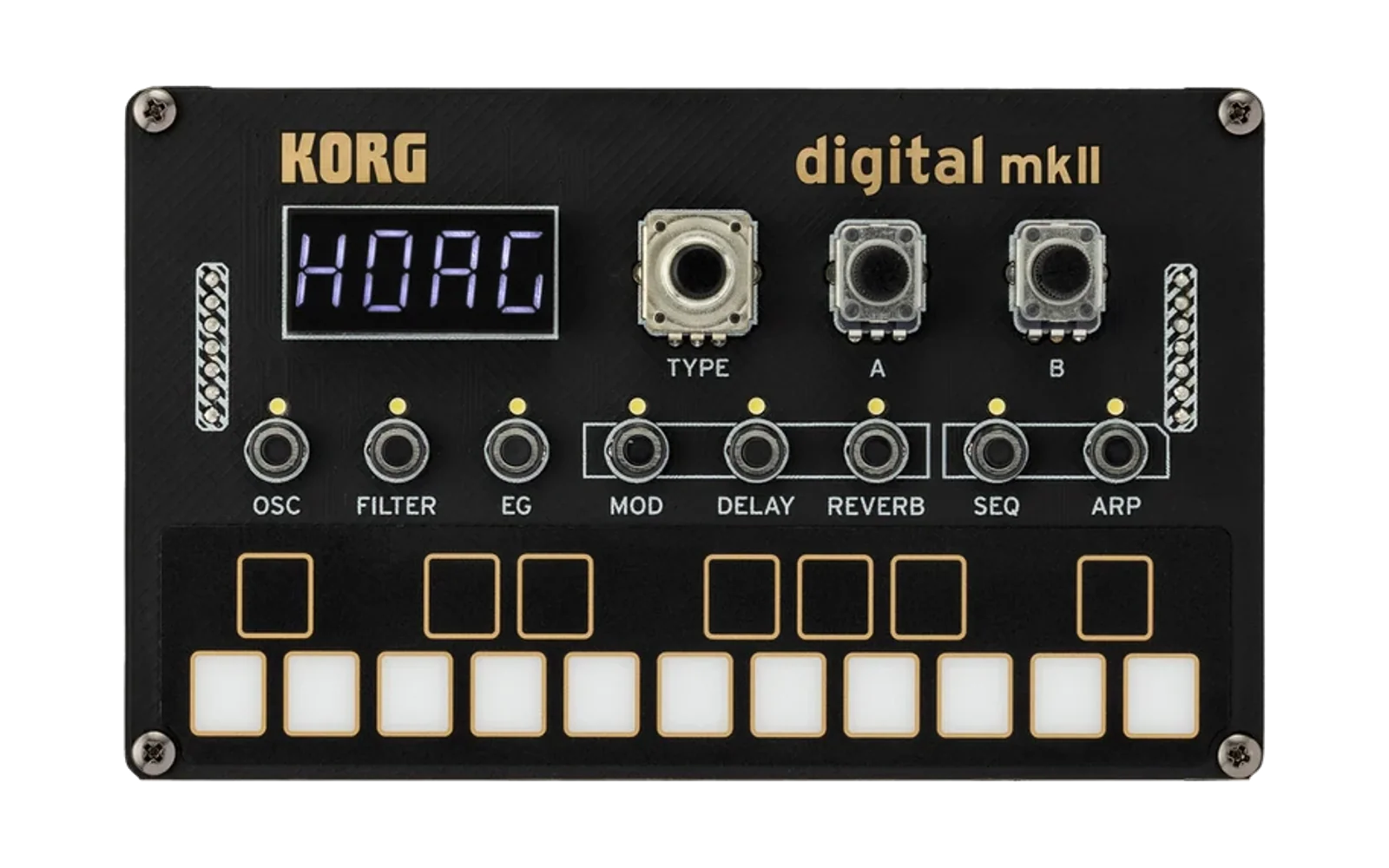
SIDLogue
A custom oscillator unit for the KORG NTS-1 mkII that emulates the MOS Technology SID chip (Commodore 64) — its combined-waveform artifacts, hard sync, and ring modulation, and (via the NTS-1's own Filter) a single resonant filter shared across all three internal voices, just like the real chip.
Playing SIDLogue (for musicians) · Developer Guide (architecture, building, testing) · Design History (how this design came to be)
Playing SIDLogue
A guide to playing SIDLogue on your KORG NTS-1 mkII. No prior NTS-1 experience assumed, and no programming knowledge needed — just what to press, what each control does, and why the sound behaves the way it does.
1. What is SIDLogue?
SIDLogue is a custom sound engine ("oscillator") for the NTS-1 mkII that recreates the sound of the SID chip — the sound chip inside the classic Commodore 64 home computer.
Once installed, SIDLogue shows up as a new oscillator option alongside the NTS-1's built-in ones, and works the same way: pick it, play notes, and shape the tone with the synth's own Filter, EG, and LFO controls — SIDLogue leans on those sections entirely rather than doing its own filtering or envelope shaping, which matters more than usual for getting a sound out of it (see Section 3).
2. What you'll need
- A KORG NTS-1 mkII
- A USB cable to connect it to your computer
- KORG Control Editor, KORG's free software for managing custom sounds (install it from KORG's website if you don't have it already)
- The SIDLogue file (ends in
.nts1mkiiunit)
3. Installing SIDLogue
- Open KORG Control Editor on your computer.
- Connect your NTS-1 mkII with the USB cable and power it on.
- In Control Editor, find the section for installing a custom oscillator (usually labeled something like "Install" or "User Module" — separate from the regular MIDI/panel-mapping screens).
- Select the SIDLogue
.nts1mkiiunitfile, choose an open slot number, and start the install/write. - Wait for the transfer to finish completely before disconnecting the USB cable or touching the device.
If Control Editor shows an error during this step, something's wrong with the file itself — that's a bug to report, not something to work around.
4. Selecting SIDLogue on the device
- Press the OSC button (top row of section buttons).
- Turn the TYPE knob until you reach the custom/user oscillator slots — these come after the built-in oscillator types (Saw, Square, VPM, etc.). Keep turning until the screen shows SIDLogue.
That's it — you're now playing SIDLogue. Play a note on the keyboard to hear it.
Tip: to change octave, hold down OSC and slide your finger along the keyboard.
5. If you don't hear anything (read this first)
SIDLogue relies on the NTS-1's own Filter and EG (envelope) sections to shape the volume and tone of every note — unlike most built-in oscillators, it doesn't do any of that shaping itself. If you press a key and hear nothing, or the note never stops (a "stuck" drone), try this known-good starting point:
- Press FILTER. Turn knob A (Cutoff) most of the way up (clockwise). Leave knob B (Resonance) low for now.
- Press EG. Turn the TYPE knob to ADSR (not "Open" — Open holds the sound at full volume forever and ignores key releases, which is great for a drone but confusing as a starting point). Set knob A (Attack) low and knob B (Release) to a short-to-medium amount.
- Play a note again.
From here, everything below assumes you can hear the instrument and you're just shaping it further.
6. The controls
With OSC selected, the NTS-1's two physical control knobs are labeled A and B — what they do depends on which oscillator is selected, and the screen shows their current function. For SIDLogue: knob A is SHAPE and knob B is GRIT. These two are the "performance" controls — worth having your hands on live, since both are always audible no matter what else is set (unlike the remaining controls below, which are more "pick it for this patch" decisions).
| Knob | What it does |
|---|---|
| A — SHAPE | On pulse-based tones (see WAVEFORM below), changes the pulse width — thin and nasal at the extremes, fuller in the middle. Classic PWM-sweep territory — try riding this knob live, or route the OSC-section LFO to Shape for an automatic sweep (Section 8). On TRI, it instead skews the triangle's peak toward one edge — center is a normal symmetric triangle, sweeping either way morphs it toward a ramp/sawtooth-like shape. Has no effect on SAW or NOISE. |
| B — GRIT | Adds crunch/dirt/distortion to the tone, for a rougher, more aggressive sound — standing in for some of the vintage warmth real SID chips get from their filter's imperfections. Set to zero (fully counter-clockwise) for a completely clean tone. |
The remaining six controls — WAVEFORM, SYNC/RING, DETUNE, CHORD, GLIDE, and ARP RATE — don't have their own physical knobs; they're the ones you set for a patch rather than sweep mid-note. To reach them:
- With OSC's oscillator TYPE set to SIDLogue, press the OSC button once more. Its light blinks to show you're now in this extra-parameter mode.
- Turn the TYPE knob to choose which one to adjust — the name shows on screen.
- Turn knob B to change its value.
- Press OSC again to leave this mode.
| Parameter | What it does |
|---|---|
| WAVEFORM | Picks the basic tone color: SAW (bright, buzzy), TRI (soft, round, flute-like), PULSE (hollow, reedy — this is where SHAPE matters), NOISE (hiss, for percussion/wind effects), and two blended options, TRI+PULSE and SAW+PULSE, for more complex/nasal tones. |
| SYNC/RING | Adds harsh, metallic, or robotic textures by cross-modulating the internal voices. Three settings: off, sync (a classic screechy/glitchy character — most obvious with CHORD set to a shape that spreads the voices apart, like 12TH, see Section 7), and ring (bell-like, inharmonic — only audible on the TRI waveform, since that's how the real chip behaves too). |
| DETUNE | Thickens the sound by very slightly detuning the internal voices against each other — like a chorus effect, more noticeable at higher settings. |
| CHORD | Instant harmony: pick a chord shape and every note you play sounds as that full chord. See Section 7 for the full list, including the special 12TH and experimental TOUCH shapes. |
| GLIDE | When turned up, notes slide smoothly into each other instead of jumping — classic "portamento." At zero, notes change pitch instantly. The knob is deliberately more sensitive at the low end than the high end, so short, subtle slides are easy to dial in precisely while still reaching a full second of slide at maximum. Works for held/overlapping notes too, not just one-at-a-time playing. |
| ARP RATE | At 0 (off), CHORD sounds as a normal sustained chord. Turn it up and instead of sustaining, all 3 voices rapidly cycle through the chord's notes together — the classic Commodore 64 trick composers used to fake a chord on a 3-voice chip. Speed is tied to the NTS-1's tempo, so it stays musical if you change the song tempo. Higher values are faster. |
7. Chord Mode
CHORD lets a single note you play sound as a full chord — pick a shape and every note becomes that chord, built from up to 3 internal voices.
| Shape | What you get |
|---|---|
| OFF | Single voice, no chord |
| OCTAVE | Full octave spread (root, one octave up, one octave down) |
| FIFTH | Power-chord voicing (root, fifth, octave) |
| MAJOR | Major triad |
| MINOR | Minor triad |
| SUS4 | Suspended 4th triad |
| 12TH | A wide, open two-voice interval (root plus an octave-and-a-fifth up) — also the shape that shows off SYNC (Section 6) most obviously, since SYNC needs a pitch difference between voices to have any audible effect at all |
| TOUCH | Play up to 3 notes using the keyboard - see below |
TOUCH mode: play 2–3 notes close together (within about 150ms — a fast grab or genuinely simultaneous press) and it builds a real chord from the actual notes you played, instead of one of the fixed shapes above. Play a normal single-note melody and it behaves just like CHORD=OFF. One quirk worth knowing: it's the timing between key presses that matters, not whether the keys are still held down — a fast tap or a simultaneous multi-finger grab chords correctly, but deliberately holding one note, pausing, then holding a second note often does not chord, even though both end up held together, if that pause is longer than the ~150ms window.
LFO
Hold down OSC and turn knob A to set the LFO's speed, or turn knob B to set how deeply it modulates — turning knob B one way routes it to Pitch (vibrato), the other way to Shape (a slow, swept pulse-width effect — a very classic C64 sound, worth trying with WAVEFORM set to PULSE). Let go of OSC when you're done; no special exit step needed for this one.
9. Preset ideas
Starting points to dial in and adjust from — SHAPE/GRIT/DETUNE are 0–1023, GLIDE and ARP RATE have their own smaller ranges (see Section 6).
- C64 Lead: WAVEFORM=TRI (needed for ring mod), SYNC/RING=RING, GRIT≈300. EG: fast Attack, short-medium Release, for a punchy lead.
- Arpeggio Bass: WAVEFORM=SAW, DETUNE≈150 (low), CHORD=OCTAVE, GRIT≈200. EG: fast Attack and Release, for tight note separation.
- SID Chord Stab: SHAPE≈400, WAVEFORM=TRI+PULSE, CHORD=MAJOR, GRIT≈500. EG: short Attack, medium Release.
- Noise Hat: WAVEFORM=NOISE, GRIT=0. EG: instant Attack, very short Release — the percussive "click" depends entirely on keeping Release short.
- Multitouch Pad (experimental, mkII only): WAVEFORM=SAW, DETUNE≈150 (light thickness), CHORD=TOUCH. Play 2–3 keys together (within ~150ms) for a real finger-chosen chord — see Section 7. EG: medium Attack, long Release, for a pad-like sustain.
- Ocean Pulse (Green Beret / Martin Galway style): SHAPE≈850 (narrow base pulse width), WAVEFORM=PULSE, DETUNE≈100 (low), GRIT≈150 (gentle warmth), GLIDE≈65 (a fast-ish slide between notes). The defining move is a continuously swept pulse width: hold OSC, set knob A (rate) to something slow, and route knob B (depth) to Shape (Section 8's LFO note). EG: slow Attack, moderate Release, for a pad-like swell.
- Hubbard Arp (Rob Hubbard style): WAVEFORM=SAW, DETUNE≈80 (subtle thickness), CHORD=MAJOR, GRIT≈100 (light grit), ARP RATE≈16 (fast, tempo-synced). The other classic C64-composer technique: rapidly cycling a chord's notes to fake polyphony on a 3-voice chip, rather than Galway's swept pulse width. EG: fast Attack, no Release (let the arpeggio itself provide the rhythmic movement).
10. MIDI Implementation
For automating SIDLogue's controls from a DAW or MIDI controller:
| Function | CC / NRPN | Notes |
|---|---|---|
| Pulse Width (SHAPE) | CC 54 (MSB), CC 102 (LSB) | |
| Grit (ALT) | CC 55 (MSB), CC 103 (LSB) | |
| Waveform | NRPN OSC EDIT PARAM1 | Stepped 0–5, see Section 6's waveform list |
| Sync/Ring | NRPN OSC EDIT PARAM2 | Stepped 0=OFF/1=SYNC/2=RING |
| Detune | NRPN OSC EDIT PARAM3 | |
| Chord | NRPN OSC EDIT PARAM4 | Stepped 0–7, see Section 7's shape table |
| Glide | NRPN OSC EDIT PARAM5 | |
| Arp Rate | NRPN OSC EDIT PARAM6 |
Two separate global settings gate MIDI reception on the mkII — "MIDI Short Message" and "MIDI NRPN Message" — both must be On for NRPN parameter changes to reach the unit. If CC54/55 work but NRPN doesn't respond, check these two toggles first.
11. Troubleshooting
| Problem | Likely cause / fix |
|---|---|
| No sound at all | Check FILTER's Cutoff isn't fully closed, and EG isn't set to a type/level that keeps volume at zero. Try the reset steps in Section 5. |
| A note won't stop / drones forever | EG is probably set to Open. Switch it to ADSR (or AHR/AR) for a normal fade-out on key release. |
| Turning SHAPE does nothing | Check WAVEFORM — SHAPE affects PULSE, TRI+PULSE, SAW+PULSE (pulse width) and TRI (triangle skew), but not SAW or NOISE. |
| Turning SYNC/RING does nothing on TRI | Ring mod specifically only affects the plain TRIANGLE waveform — this matches how the real chip behaves. Try SYNC instead, which works on any waveform, and is most audible with CHORD set to a shape that spreads the voices apart (e.g. 12TH). |
| Sound is too harsh/distorted | Turn GRIT down, or bring FILTER's Resonance down. |
| Chords sound like a single note | Make sure CHORD isn't set to OFF. |
| CHORD=TOUCH isn't building a chord | You likely need to play notes closer together in time — see Section 7's timing note. |
12. Known Limitations
- One envelope shapes the whole chord. With CHORD set to anything but OFF, all voices rise and fall together — there's no way to have one note drone while others fade.
- No 6581-vs-8580 chip-model selection. The real SID chip shipped in two hardware revisions with a noticeably different filter character (6581 vs. the "corrected" 8580). SIDLogue emulates a single algorithmic core shared by both, not a switchable model — combined with the Filter being a clean digital one (below), the specific coloration either real chip's filter adds isn't reproduced. GRIT is a compensating effect, not a substitute for the real thing.
- The Filter is a clean digital filter, without the extra warmth/grit real vintage SID chips get from their filter's own imperfections.
- No portamento on real SID hardware — GLIDE is an original addition to this instrument, not something the original chip could do.
- No "digi-sample"/"digi-drum" playback — the SID chip's classic volume-register PCM trick (one of the most recognizable pieces of real C64 game-audio character) isn't implemented.
- Combined waveforms (TRI+PULSE, SAW+PULSE) are a recognizable approximation, not a bit-perfect reproduction — the same approximation real SID emulators have used for decades, not a shortcut specific to this instrument.
- CHORD's shapes are fixed intervals (plus the experimental TOUCH mode, Section 7) — not a full independent per-note polyphonic engine.
13. Credits & License
SIDLogue's SID chip emulation (waveform generation and multi-voice
orchestration) is a derivative work, adapted from the algorithmic code path
of FastSID (fastsid.c), part of VICE, the Versatile Commodore
Emulator. Original authors: Teemu Rantanen, Michael Schwendt, Ettore
Perazzoli
(https://github.com/VICE-Team/svn-mirror/blob/main/vice/src/sid/fastsid.c).
As a derivative work, SIDLogue is distributed under the GNU General
Public License, version 2 or later — see the top-level LICENSE file.
Each source file documents exactly what was ported, what was changed, and
what's an original addition — see unit/nts-1_mkii/sidlogue/sid_voice.h
and voice_bank.h.
MOS 6581/8580 SID is a product of MOS Technology / Commodore. SIDLogue is an independent, unofficial emulation and is not affiliated with or endorsed by any successor entity.
Developer Guide
Repo layout
unit/nts-1_mkii/sidlogue/— the actual unit source (osc.h,sid_voice.h,voice_bank.h,header.c,unit.cc/wasm.ccentry points). This is the only directory you need to touch to work on the synth itself.vendor/logue-sdk/— KORG's SDK, vendored as a real git submodule (not a flattened copy). Clone withgit clone --recurse-submodules, or rungit submodule update --init --recursiveafter a plain clone.docs/DESIGN_HISTORY.md— how this design came to be: decisions, dead ends, bugs found and how.run_sim.sh— one-command browser sim: kills anything on the port, force-rebuilds from current source, serves it. Just run it.
Building
ARM (Docker), from the repo root — produces the .nts1mkiiunit you load onto real hardware via
KORG's Control Editor:
vendor/logue-sdk/docker/run_cmd.sh --platform="$(pwd)" build unit/nts-1_mkii/sidlogue
# -> unit/nts-1_mkii/sidlogue/sidlogue-<version>.nts1mkiiunit (e.g. sidlogue-0.1.86.nts1mkiiunit)
Browser sim — one-time setup (installs emscripten via the vendored emsdk submodule):
cd vendor/logue-sdk/tools/emsdk && ./emsdk install latest && ./emsdk activate latest
Then, from the repo root, one command that always rebuilds from current source and kills whatever's already on the port first:
./run_sim.sh [port] # defaults to 8765
This uses emrun (emscripten's dev server), not a plain static file server — that distinction
matters, not just convenience. See
unit/nts-1_mkii/sidlogue/run_sim.sh's own comment if
you're curious why (short version: WASM_WORKERS needs SharedArrayBuffer, which needs
cross-origin-isolation response headers that emrun sends and a plain server doesn't).
Native host build (no Docker, no hardware, no listening required) — for objective pitch/waveform
testing during development. Use -std=c++11 specifically, to match the real ARM toolchain (a
C++17-only construct has silently passed native g++ before while breaking the actual ARM build —
see docs/DESIGN_HISTORY.md for the specific bug this caused):
g++ -std=c++11 -O2 \
  -I unit/nts-1_mkii/sidlogue \
  -I vendor/logue-sdk/platform/nts-1_mkii/common \
  tools/render_wav.cpp -o /tmp/render_wav
/tmp/render_wav <note 0-127> /tmp/out.wav
Testing
No unit-test framework — verification is scratch C++ harnesses compiled against osc.h directly
at -std=c++11, doing objective numeric checks (zero-crossing frequency measurement, RMS,
Goertzel frequency-energy detection, waveform direction-reversal counting for phase-drift) rather
than relying on "it compiled" or listening alone. See docs/DESIGN_HISTORY.md for the specific
bugs this discipline has actually caught.
Architecture
Three layers, each in its own header, each owning a different scope:
osc.h(Osc) — the top-level class the SDK talks to. Owns everything host-facing: parameters (header.c's list), note-on/off, pitch/tempo/LFO callbacks, and the per-sample render loop. Entirely original code, not derived from anything — see its file header for the full design rationale (why there's no internal filter/envelope, what GRIT/GLIDE/ARP RATE/TOUCH are and why they exist).voice_bank.h(VoiceBank) — owns the 3SidVoiceinstances and the cross-voice logic a single voice can't do on its own: hard sync (does voice N's phase wrap trigger voice N+1's reset?), ring modulation routing, and mixing the 3 outputs down to one signal.sid_voice.h(SidVoice) — one voice's waveform generator. Given a frequency and a waveform selection, produces raw samples. This is the actual SID chip emulation, adapted from FastSID (see its file header for exactly what's ported vs. changed vs. new).
Data flows one direction per sample: Osc::process() drives VoiceBank::renderSample(), which
ticks all 3 SidVoices and mixes them, once per output sample. No internal filter or envelope
anywhere in this chain — SIDLogue returns raw waveform and lets the NTS-1's own Filter/EG/LFO
sections shape it, the same path any built-in oscillator's signal takes (see osc.h's file header
for why this is a deliberate choice, not a missing feature).
Two build targets share this same source: unit.cc (real ARM hardware, via the SDK's Processor
base class and KORG's C callback ABI) and wasm.cc (the browser simulator, via Emscripten's Web
Audio Worklet API). osc.h itself is deliberately platform-agnostic — no KORG/CMSIS headers, no
Emscripten headers — so it also compiles as a plain native program for the fast scratch-test
harnesses described above.
DSP/C++ concepts used throughout the code
Written for someone comfortable with C++ but new to audio programming — code comments assume this and don't re-explain it inline.
Phase accumulator. The core of every oscillator here is a uint32_t that counts up every
sample and wraps around (overflows back past 0) once per waveform cycle — that wraparound is the
oscillator; the accumulator's current value maps directly to "where in the cycle am I right now,"
which is all a waveform generator needs. How much it adds each sample (its increment) controls
how fast it wraps, i.e. the pitch. Using the full 32-bit range and letting it overflow naturally
(rather than an explicit if (phase >= max) phase -= max) is the standard trick — unsigned
integer overflow wraps predictably in C++, so the hardware does the modulo for free. This general
technique is called direct digital synthesis (DDS); see SidVoice::tickPhase()/fs_ for the
implementation.
Blocks/frames, not one sample at a time. The host doesn't call into this code once per sample —
it calls process() once per block (a batch of samples, e.g. 64 or 128 at once) for efficiency.
Anything that only needs to change once per block (reading the host's current pitch or LFO value)
is cheaper to do at block granularity; anything that needs to change smoothly within a block
(like the phase accumulator itself, or a value being ramped to avoid an audible "zipper" step) is
handled in a for loop over frames inside process().
Pitch in log2(Hz), not Hz. Code that manipulates musical pitch (osc.h's glide/vibrato/chord
logic) works in log2(frequency) rather than plain Hz. This is because musical intervals are
ratios in Hz (an octave is always ×2, regardless of starting pitch) but fixed distances in
log2 space (an octave is always exactly +1.0). That turns "add a fixed chord interval" or "glide
linearly from one note to another" into plain addition/linear-interpolation instead of needing
exp/log math scattered everywhere — the conversion back to a real Hz value (exp2f(...))
happens once, right before the number is actually used to set a voice's frequency.
w0 / normalized frequency. The SDK hands this code the host's current pitch as w0 = freq_hz / sample_rate — a fraction representing "how much of one full cycle to advance per sample," which
is exactly what a phase accumulator's increment needs (scaled to the accumulator's integer range).
Multiplying back by sample_rate recovers the actual Hz value.
Hard sync / ring modulation, if unfamiliar: hard sync forcibly resets one oscillator's phase back to 0 every time a different ("master") oscillator's phase wraps, locking the synced oscillator's cycle rate to the master's regardless of its own pitch — the classic "screechy," pitch you can bend rhythm stays" sync-lead sound. Ring modulation instead multiplies (here, XORs the top bit of) two oscillators' outputs together, producing inharmonic sum/difference frequencies — the metallic/bell-like character.
static constexpr members and the One Definition Rule (ODR). C++ lets a class declare a
constant array (kChordIntervals in osc.h) directly in the class body. Reading its values is
always fine. But the moment its address is taken anywhere — which happens implicitly whenever
you index it with a variable, like kChordIntervals[chord_], since that has to decay to a pointer
at runtime — the compiler needs exactly one real memory location for it to point to. Under C++17
that's automatic; under C++11 (what this project's ARM target actually builds with) it isn't, and
skipping the explicit out-of-class definition compiles and links without any error, but produces
broken behavior at runtime. This bit the project for real once (see osc.h's comment right after
the class, and docs/DESIGN_HISTORY.md) — worth understanding before adding another address-taken
static constexpr member anywhere in this codebase.