Smack
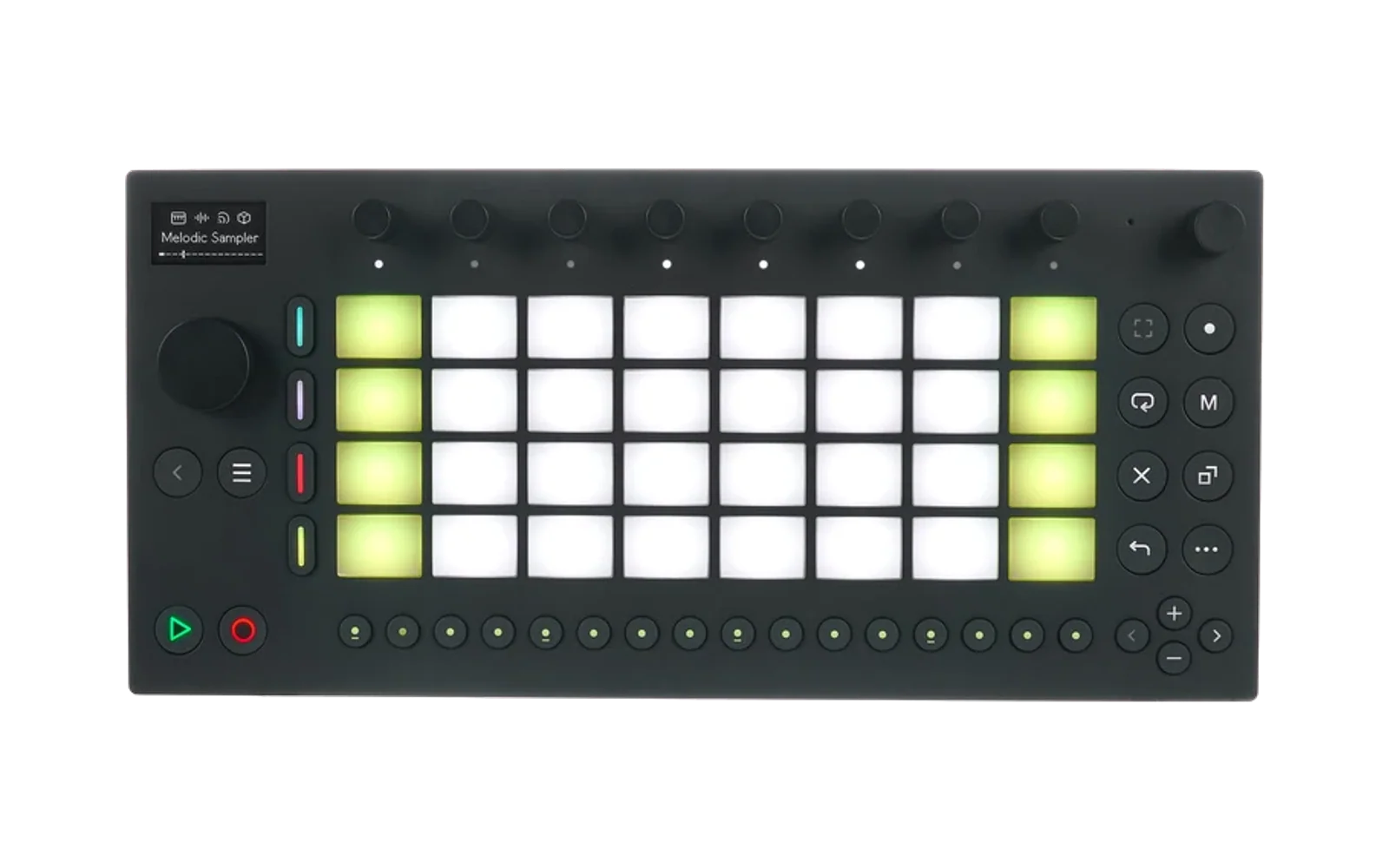
A schwung module for the Ableton Move: grab a quantized loop of live audio, auto-slice it, and let seeded randomness assign glitch effects and a new play order to the slices. Inspired by Sugar Bytes Looperator and dblue Glitch, built for hands-on hardware use.
(It's basically how the artist Honeysmack uses the Octatrack to process modular. All hail Honeysmack!)
📖 Operation manual — every pad, knob, and effect, with an interactive surface map.
- Capture: retroactive grab (loop the last N steps/bars you just played — also on the hardware Capture button) or arm-and-record. Lengths from 1 step to 16 bars, clock-synced, with project-tempo free-run fallback. After capture, Loop Length edits the playing window immediately: shortening keeps its most recent audio and lengthening reveals retained earlier audio.
- Slice: grid slicing at 1/2-step to 4-step resolution. Changing Slice Res re-slices and re-rolls the active loop immediately without another capture.
- Pattern: per-slice effects rolled at a set density, plus a separate slice-reorder density. Patterns are seeded: they repeat identically every loop pass until you re-roll, and the Seed knob browses patterns by number. Step buttons show the pattern (color per effect) with a playhead chase; press a step to mute that slice's effect.
- A/B: punch between the clean loop (A) and the pattern (B), quantized to slice or loop boundaries.
- 26 effects: retrigger, reverse, pitch (±24 st varispeed), half/double speed, gate, buzz, bitcrush, repeat-after-split, reverse-after-split, tape stop, tape start, vinyl scratch, envelope shapes, pan tricks, LP/HP filter sweeps, morphing vowel filter, tonal delay, granular freeze, tempo-synced delay (incl. ping-pong), distortion (soft/hard/fold/gnash), phaser sweeps, gated reverb bursts, time-preserving pitch shift, ring mod, tuned feedback comb, and granular scatter.
- Dual mono: treat the L and R inputs as two independent mono signals — each gets its own effect pattern and slice order, then Pan L / Pan R place them in the stereo field (two mono synths into Move's stereo line-in). Lanes share the seed stream, so patterns stay reproducible.
- Presets: full settings snapshot via schwung's module-preset system; transport follow (Move's stop pauses the loop, play restarts it).
- On-device help: full manual in schwung's Help viewer (Shift+Vol+Menu → Help → Modules).
- Accessible: with schwung's screen reader enabled, the chain editor announces pads, knob changes, and loop state; the Master FX knob pages are announced by the host.
Three builds from one core:
| module | type | where it runs |
|---|---|---|
smack | audio_fx | Signal Chain slots and Master FX (glitch the whole Move mix) |
smack-in | sound_generator | standalone, reads Move's selected input (mic/line/USB-C) directly |
oversmack | overtake | full-surface looper (mic/line/USB-C) with the whole pad grid as a step-FX editor |
The canonical repository owns all three builds and its multi-module release manifest. One tag publishes all three archives together.
Oversmack takes over the entire Move surface (launch from the overtake menu, Shift+Vol+Jog-Click): steps show the pattern and select a slice, the upper three pad rows are an effect palette (tap to pin any effect — or Clean, or Unlock — to the selected slice; pins survive Re-Roll; the layout, including per-pad variants and duplicates, is rearrangeable in the web editor), the bottom pad row is transport, and the Play button passes through to Move so clock keeps running. Back hides the UI while the audio keeps processing.
Install
- Module Store: search for
smack(Audio FX),smack-in(Voice), oroversmack(full-surface tool). All three entries resolve through this repository's release manifest. - From GitHub: schwung-manager → Install Custom Module →
timncox/schwung-smack-fx(chain/master FX),timncox/schwung-smack-voice(standalone mic/line/USB-C looper), ortimncox/schwung-oversmack(full-surface editor). These are compatibility mirrors for Schwung's current single-choice Custom GitHub installer; all source and suite release metadata live here.
Sync note: set Move's MIDI Clock to Out so Smack locks to the transport (same requirement as the Arp). Without it, Smack free-runs at the project tempo.
MIDI CC control
A controller on the Move's USB-A port drives the performance surface. Continuous CCs scale 0–127 across each range; buttons act at value ≥ 64 (momentary for the triggers, toggle for A/B and monitor).
| CC | function | CC | function | |
|---|---|---|---|---|
| 20 | wet | 28 | pan L | |
| 21 | FX density | 29 | pan R | |
| 22 | reorder density | 30 | punch (0 release, 1 clean, 2+ effect) | |
| 23 | slice resolution | 31 | punch pressure (raw 0–127) | |
| 24 | pitch range | 40 | arm | |
| 25 | seed (browse patterns) | 41 | capture | |
| 26 | quantize mode | 42 | reroll | |
| 27 | A/B (≥64 = B) | 43 | clear | |
| 44 | monitor |
Channel notes: smack in a chain or Master FX slot hears CCs on any
channel. smack-in / oversmack follow note routing — match the
controller's channel to the slot's receive channel (Move's auto channel
mapping remaps notes, not CCs).
Build from source
make test   # native sanity tests, no hardware
make arm    # Docker cross-compile for the Move (aarch64), makes tarballs
scripts/deploy.sh   # scp to move.local (dev loop)
Credits
Built on schwung by Charles Vestal (vendored API headers, MIT). Effect vocabulary inspired by Sugar Bytes Looperator. Heavily written by coding agents, with human supervision.