schwung-mark
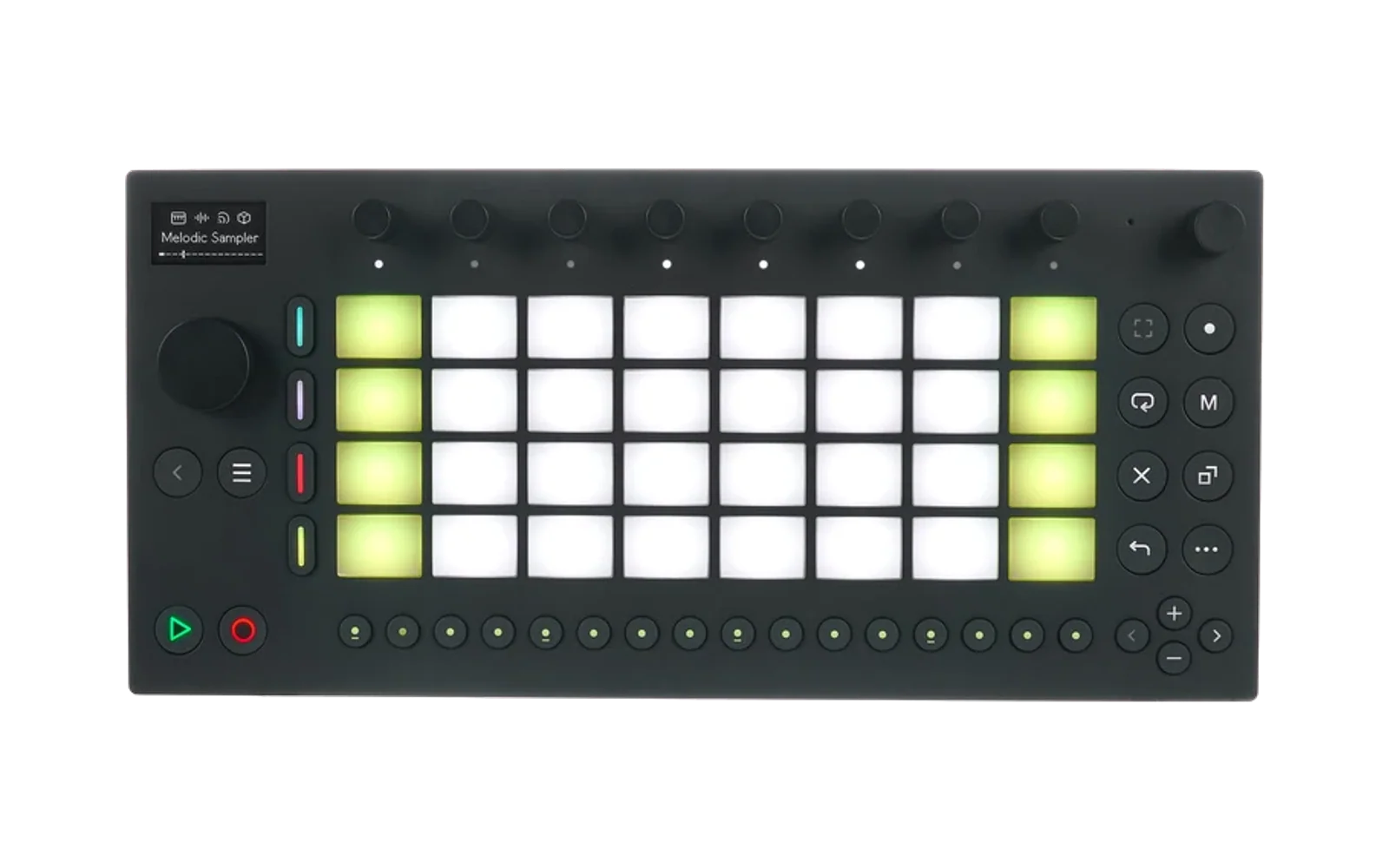
Hype15/100RC-505-style 5-track live looper for the Ableton Move (schwung overtake module)
schwung-mark is custom firmware for the Ableton Move, by @timncox. Latest release v0.5.1 (July 2026), 2 stars on GitHub.
forAbleton Move·by@timncox
Unclaimed. Is this yours? Sign in with GitHub as @timncox to claim it.
mark-module.tar.gz· 128 KB
Custom license· timncox/schwung-mark·downloads come from the creator’s GitHub releases
v0.5.1Latest1 file
What's Changed
- MIDI CC control for the performance surface by @timncox in https://github.com/timncox/schwung-mark/pull/8
- Align Mark's hosted FX controls with the generic module contract by @timncox in https://github.com/timncox/schwung-mark/pull/9
Full Changelog: https://github.com/timncox/schwung-mark/compare/v0.5.0...v0.5.1
v0.5.0v0.5.0 — MIDI CC control1 file
The whole performance surface responds to MIDI CC, one column per track: CC 20–25 levels+master, 30–34 pan, 40–44 FX amount, 50–55 rec/play/dub + All, 60–65 stop + undo, 70–74 clear, 80–94 toggles, 102–106 globals. Any channel. README has the table + a suggested Launch Control XL layout. PR #8.
What's Changed
- Link back to the all-modules landing page by @timncox in https://github.com/timncox/schwung-mark/pull/6
- Keep Mark release metadata canonical by @timncox in https://github.com/timncox/schwung-mark/pull/7
Full Changelog: https://github.com/timncox/schwung-mark/compare/v0.4.0...v0.5.0
v0.4.01 file
v0.3.3Mark 0.3.31 file
Keeps the Schwung Remote UI stable during parameter edits and includes the current five-track looper ARM module.
v0.3.2Mark v0.3.2 — resilient sessions and track FX1 file
Mark 0.3.2 makes session persistence, worker teardown, undo ownership, and track delay processing resilient. Includes native, sanitizer, aarch64, and archive validation.
v0.3.1Mark v0.3.11 file
Direct from the Discord test bench:
- Step buttons set the loop length: the steps show the current track's length as a green bar (one step = 1/16 of a measure) — tap step 5 and the loop is 5/16, churning against the drums. Tap a later step to get trimmed audio back.
- Quantize is one tap: tap toggles on/off; Shift+tap picks the grid — measure, beat, 8th, or 16th.
Update via schwung-manager.
v0.3.0Mark v0.3.01 file
Polyrhythms, by request from the schwung Discord:
- Quantize grid: the Quantize pad cycles measure → beat → 8th note → off. Fine grids round record lengths to the nearest unit — capture a 15/16 loop against a 16/16 drum groove and let it churn.
- Loop trim: Left/Right arrows shorten/lengthen the current track by one grid unit after the fact (web mixer has −/+ per channel). Trimmed audio is kept — lengthening restores it — and trims survive session save/load.
Update via schwung-manager (Install Custom Module → this repo URL picks up the new release).
v0.2.1Mark v0.2.11 file
- Delete sessions: Shift+tap a slot on the pads, or the del button in the web mixer.
- Name credit where it belongs: Mark is named after Marc Rebillet, the RC-505's most famous player.
v0.2.0Mark v0.2.01 file
The looper grows up: sessions, track FX, single mode, web mixer.
- Sessions: 16 save slots on the Move — loop audio + all settings, survives reinstalls. Session pad (row 3, col 7) turns the step row into the slot grid: tap = load, hold = save.
- Track FX: one insert per track — low-pass, high-pass, crush, tempo-synced delay, phaser, ring mod. Row-4 pads toggle; knobs 7–8 pick type/amount. One-shot moved to Shift+row-4.
- Single play mode: tracks become exclusive song sections, switching on the measure.
- Web mixer: move.local → Remote UI → Tool tab (needs schwung-manager > v0.11.4) — faders, pans, FX, modes, session grid, live playhead.
- Screen-reader polish and an operation manual: https://timncox.github.io/schwung-mark/
Hardware-verified on a Move (loops, overdub, undo, sessions).
v0.1.0Mark v0.1.01 file
First release: RC-505-style 5-track live looper for the Ableton Move.
- Per-track record → play → overdub cycle, stop (hold to clear), level, pan, reverse, one-shot
- Measure-quantized loop sync: MIDI clock when running, else the first loop anchors the grid
- Single-level undo/redo of the last recording or overdub
- All Start/Stop, overdub/replace dub modes, rec→play / rec→dub
- Feedback-guarded input monitoring (mic/line/USB-C via Move's input select)
- Install via schwung-manager → Install Custom Module → this repo URL
Sim-tested only — not yet verified on hardware.