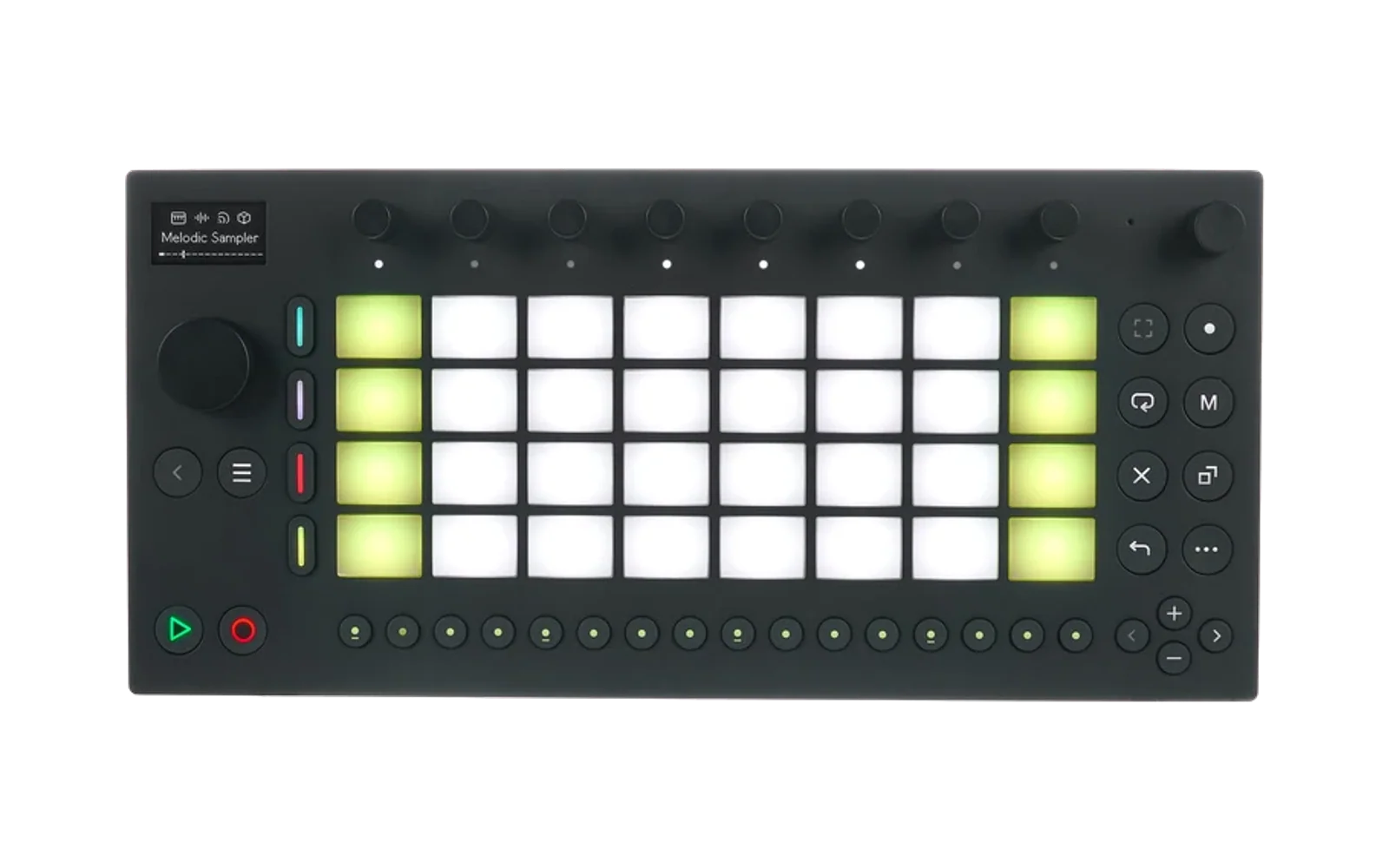
schwung-installer
Hype41/100Cross-platform installer for Schwung
schwung-installer is custom firmware for the Ableton Move, by @charlesvestal. Open source under MIT, latest release v0.4.10 (June 2026), 41 stars on GitHub.
forAbleton Move·by@charlesvestal
Unclaimed. Is this yours? Sign in with GitHub as @charlesvestal to claim it.
Schwung.Installer-0.4.10-mac-arm64.zip· 104 MB· +5 files
MIT· charlesvestal/schwung-installer·downloads come from the creator’s GitHub releases
v0.4.10Latest6 files
- Fix install failing at the final permissions step with
chmod: /data/UserData/schwung/start.sh: No such file or directory(andstop.sh). The Schwung package no longer ships those standalone launchers, but the installer still tried tochmodthem, which aborted an otherwise-successful install. The chmod step now skips files that aren't present (fixes #15).
- Fix install failing at the final permissions step with
v0.4.96 files
- Fix SSH commands failing with
syntax error near unexpected token '('when the installer falls back to its bundled ssh2 client (e.g. Windows without OpenSSH on PATH). Most visibly affected Re-enable. - Root cause: the native-
sshand ssh2 transports quoted$incompatibly — native wrapped commands in a local shell (needing\$), while ssh2 sends them raw (so\$reached the device literally). The native path now usesexecFileso both transports deliver commands identically, and the affected commands use plain$.
- Fix SSH commands failing with
v0.4.86 files
Windows users: You must install Git for Windows before running the installer.
What's new
- More transparent SSH key disclosure — the warning and SSH-setup screens now state plainly that the installed key grants the installer root access to make the system-level changes Schwung requires, rather than the softer "connect securely" wording. The reassurance is unchanged: the key is used only for Schwung and is removed when you uninstall.
v0.4.76 files
Windows users: You must install Git for Windows before running the installer.
What's new
- Clearer SSH key consent — the installer now states up front that it installs an SSH key on your Move so it can connect securely. The key is used only for Schwung and is removed when you uninstall.
- In-app support guidance — if you hit any issues, don't contact Ableton Support; the installer now points you to the Schwung Discord for help.
- ECDSA key support —
id_ecdsakeys are now recognized alongsideid_ed25519andid_rsa, so users whose other keys are passphrase-protected no longer have to shuffle keys around (fixes #11). - Readability polish on the warning/info screens (legible link colors).
v0.4.66 files
Windows: fixes "Git Bash is required" for users who already have Git installed.
Git Bash detection was too narrow — it only checked the
Program Filesinstall locations and a barebashon PATH (which is ignored when it's WSL). Users who installed Git for Windows per-user (%LOCALAPPDATA%\Programs\Git, the default when running without admin rights) or with the "Git Bash only" option, especially on machines that also have WSL, hit this error despite having Git Bash installed.- Detect the per-user
%LOCALAPPDATA%\Programs\Gitinstall location - Read the authoritative
SOFTWARE\GitForWindows\InstallPathregistry key (HKCU and HKLM) - Derive Git Bash from
giton PATH (git --exec-path/where git) - Use file-existence checks instead of flaky process spawns, and reuse a successful result so the pre-install check and the install step always agree
- Detect the per-user
v0.4.56 files
Windows users: You must install Git for Windows before running the installer.
Schwung Installer 0.4.5
This release addresses a Windows+WSL user report and adds defense-in-depth across all install paths.
Windows fixes
- Better detection of Git Bash; correctly ignores WSL or Cygwin bash on PATH instead of silently using them
- Better diagnostics for SSH connectivity issues
- Sync SSH key into WSL when available, with a permanent link to re-trigger it
Cross-platform fixes
- Bonjour installation prompt only on Windows
- SSH-only repair pre-checks for a numeric IP
- Validates install.sh before executing in case of a 404
Companion script changes (also live on schwung main)
install.sh,uninstall.sh, andfix-ssh.shnow correctly look up SSH keys for the actual target host (not justmove.local), so they work with--host=<ip>/MOVE_HOST=<ip>for users whose mDNS doesn't resolve.uninstall.shnow surfaces the real SSH error when it fails (was swallowed), supportsMOVE_HOST=<ip>documented in--help, and detects non-TTY stdin to give piped-curl users a clear hint.fix-ssh.shhonorsMOVE_HOSTand shows the real connection error on failure.
v0.4.46 files
Installer v0.4.4
- Adds a new "repair" detection if the shim is in a stale/stuck state.
- Offers Schwung updates, not just installer updates, preferring update over repair.
v0.4.26 files
- Fix: only run the Git Bash availability check on Windows; the missing IPC handler no longer breaks pairing on macOS/Linux
- Fix: register the
check_git_bash_availablehandler so the Windows path actually works - Update Manual links (footer + post-install screen) to https://www.schwung.dev/manual.html
Companion fix in
schwung/scripts/install.sh(already onmain): preventset -efrom silently aborting at "Configuring features..." when upgrading from an olderfeatures.jsonthat lacksshadow_ui_trigger.Windows users: install Git for Windows before running the installer.
v0.4.16 files
What's New
- Multi-Move support: When discovery resolves a device, the installer now shows a 5-second countdown with Continue Now and Use a Different Move buttons so you can override the auto-discovered target. If you have
move.local,move-1.local, etc. on the same network, you're no longer forced onto whichever one mDNS resolves first. - Hostname/IP entry: The hostname input now has a Connect button (Enter also works) and the manual entry field accepts hostname or IP.
- Dynamic manager link: The "Manage your installation at" link and the post-install restart notice now reflect the hostname you actually connected with (e.g.
move-1.local:7700) instead of always pointing atmove.local:7700.
Slim Installer (since v0.3.10)
- Stripped module catalog, asset browser, and version management — Schwung's built-in Module Store handles modules now.
- Always restores
MoveWebServicecleanly on uninstall. - Never deletes SSH keys, preventing device lockout.
- WiFi modal is now a proper accessible dialog for NVDA focus mode.
- Multi-Move support: When discovery resolves a device, the installer now shows a 5-second countdown with Continue Now and Use a Different Move buttons so you can override the auto-discovered target. If you have
v0.3.106 files
Windows users: You must install Git for Windows before running the installer.
v0.3.96 files
Windows users: You must install Git for Windows before running the installer.
v0.3.86 files
Windows users: You must install Git for Windows before running the installer.
v0.3.76 files
Windows users: You must install Git for Windows before running the installer.
v0.3.66 files
Windows users: You must install Git for Windows before running the installer.
v0.3.56 files
Windows users: You must install Git for Windows before running the installer.
v0.3.46 files
- SSH fallback repair: When the web interface is unreachable (e.g. after a broken upgrade), the installer now detects if SSH is still available and offers a one-click "Repair via SSH" that reinstalls Schwung core directly
- Restart notice: All completion screens now show a message directing users to http://schwung.local after the web servers restart
v0.3.36 files
Windows users: You must install Git for Windows before running the installer.
v0.3.26 files
Windows users: You must install Git for Windows before running the installer.
v0.3.16 files
Windows users: You must install Git for Windows before running the installer.
v0.3.06 files
Schwung Installer 0.3.0
- Updated to point to
schwung-*repos - Removed ineffective standalone mode toggle
- Includes additional SSH improvements (thanks @seajaysec)
- Updated to point to