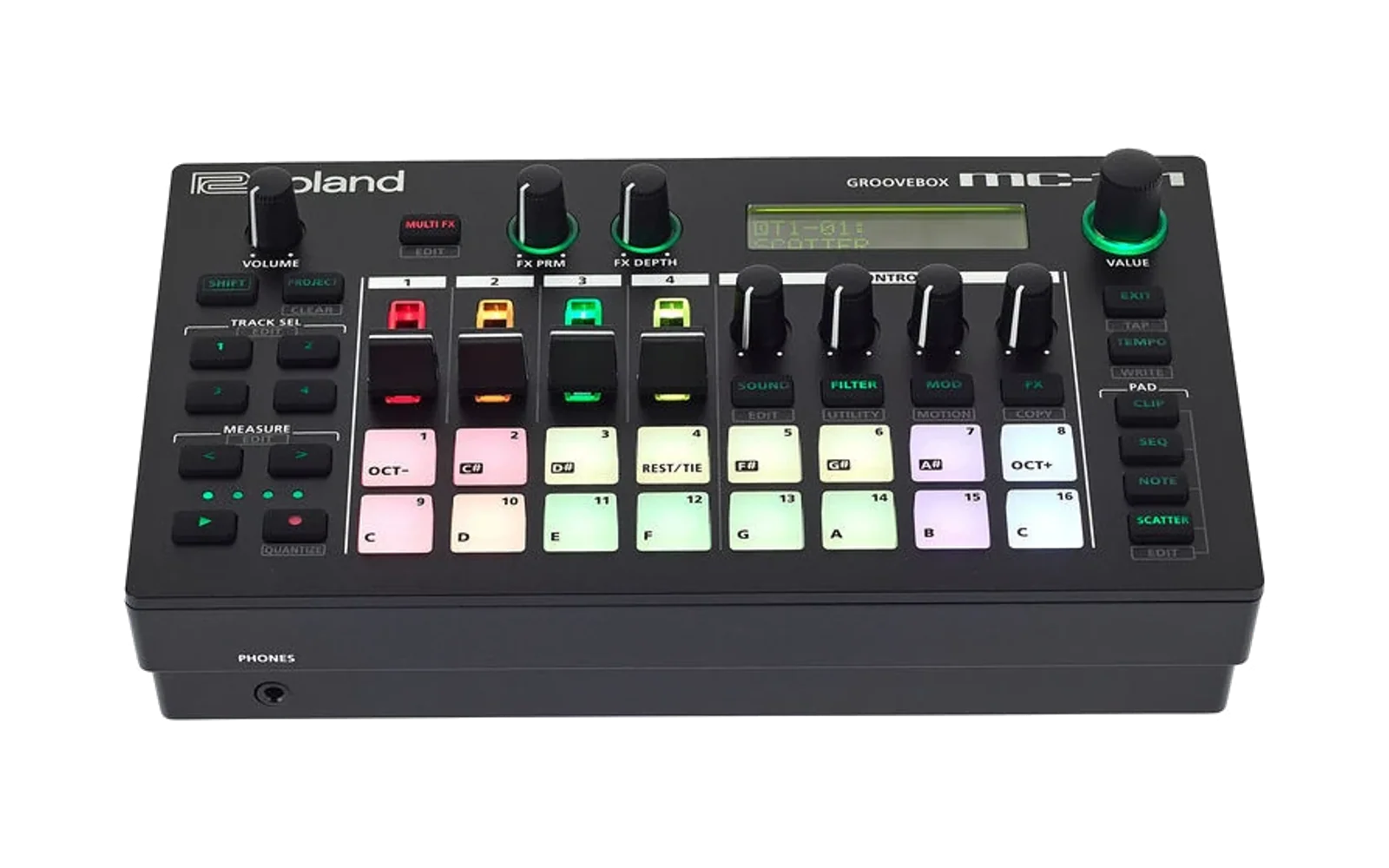
Roland Structured Storage
A JavaScript library for reading, writing, and manipulating Roland structured file formats (e.g., SH-4d, MC-VL project files). This library provides a structured object-oriented interface to work with Roland's binary file formats.
See https://github.com/DrKnackeratorStrikesAgain/Roland-Structured-Storage-CLI for a CLI tool to do some testing/inspection etc.
Support/questions on Discord https://discord.gg/eKpk7Z6eZm
Also up there is a pattern file for the great free hex editor ImHex https://imhex.werwolv.net/. This will allow you to see the whole binary structure and enable you to work on any additions. Find it at https://github.com/DrKnackeratorStrikesAgain/roland-structured-storage-pattern
That also has information on the sample formats (for MC/MV looper and pad samples different format)
Todo
- Sample in/out
- Sequencer in/out
- Zencore samples (and perhaps others) not mapped yet
Table of Contents
- Overview
- Installation
- File Types Supported
- Class Hierarchy
- File Types and Chunks
- Basic Usage
- Advanced Examples
- Extending
- API Reference
- License
Overview
Roland structured files contain multiple data chunks, each with its own structure. This library parses these files into a hierarchical object model, allowing you to:
- Load and parse Roland structured files
- Access and modify file chunks and their properties
- Compare files to find differences
- Save modified files back to binary format
Installation
This is an ES6 module. Import the classes you need:
import { RolandStructuredFileFactory } from './RolandStructuredFileFactory.js';
import { RolandStructuredFile } from './RolandStructuredFile.js';
import { RolandStructuredObject } from './RolandStructuredObject.js';
File Types Supported
The library automatically detects and handles different file types:
- SH-4d Project Files (
sh4dProject) - Automatically detected - MC-707/MC-101/Verselab VL-1 Project Files (
mcProject) - Automatically detected - Fantom Files
- Zencore Sound files
- anything else that fits. Zencore tones, Fantom projects
Class Hierarchy
The library is organized around a core set of classes that extend from RolandStructuredObject:
RolandStructuredObject (base class)
├── RolandStructuredFile
│   ├── RolandStructuredFileHeaderA
│   │   └── e.g. MCFile (MC-VL project files)
│   ├── RolandStructuredFileHeaderB
│       └── None as yet
│
├── RolandStructuredNamedObject (objects with getName/setName)
│   └── e.g. ZencoreTone
│
├── RolandStructuredArrayBase (internal base for arrays)
│   ├── RolandStructuredVariableArray (dynamic size arrays with header)
│   ├── RolandVariableArrayWithAppendedData (as above but added data blocks)
│   |   └── e.g. MCUSD (MC pad sample data chunk)
│   └── RolandFixedArray (fixed size arrays, no header)
│       └── e.g. ZenDrumKitInfo
│
File Types and Chunks
If child class is just RolandStructuredObject then it has not been mapped yet.
MC-707 / MC-101
| Chunk | Model | Array Type | Child Class | Description |
|---|---|---|---|---|
| PRJa | MC77 | RolandStructuredVariableArray | MCPRJ | Project. Tones, Drums, Sequencer, everything |
| STPa | MC77 | RolandStructuredVariableArray | RolandStructuredObject | ? |
| SYSa | MC77 | RolandStructuredVariableArray | RolandStructuredObject | ? |
| USRa | MC77 | RolandStructuredVariableArray | MCUSR | Patches, drums etc but doesn't seem to be used |
| LPPa | MC77 | RolandStructuredVariableArray | RolandStructuredObject | Looper sample information |
| LPDa | MC77 | RolandVariableArrayWithAppendedData | MCLPDItem | Looper sample wave data |
| USDa | MC77 | RolandStructuredVariableArray | MCUSD | Pad sample wave data |
| DIFa | MC77 | RolandStructuredVariableArray | RolandStructuredObject | ? |
| DUMY | MC77 | RolandStructuredVariableArray | RolandStructuredObject | Dummy, 0 length |
Verselab MV-1
Looks the same as MC, with added PRJb
| Chunk | Model | Array Type | Child Class | Description |
|---|---|---|---|---|
| PRJa | MV44 | RolandStructuredVariableArray | MCPRJ | |
| PRJb | MV44 | RolandStructuredVariableArray | RolandStructuredObject | Additional project settings? |
| STPa | MV44 | RolandStructuredVariableArray | RolandStructuredObject | |
| SYSa | MV44 | RolandStructuredVariableArray | RolandStructuredObject | |
| USRa | MV44 | RolandStructuredVariableArray | MCUSR | |
| LPPa | MV44 | RolandStructuredVariableArray | RolandStructuredObject | |
| LPDa | MV44 | RolandVariableArrayWithAppendedData | MCLPDItem | |
| USDa | MV44 | RolandStructuredVariableArray | MCUSD | |
| DIFa | MV44 | RolandStructuredVariableArray | RolandStructuredObject | |
| DUMY | MV44 | RolandStructuredVariableArray | RolandStructuredObject |
SH-4d
| Chunk | Model | Array Type | Child Class | Description |
|---|---|---|---|---|
| PRFd | JP-M | RolandStructuredVariableArray | SH4dPattern | Project, sequencer |
| PATc | JP-M | RolandStructuredVariableArray | SH4dPatch | Zencore Patches |
| SYSd | JP-M | RolandStructuredVariableArray | RolandStructuredObject | |
| RHYa | JP-M | RolandStructuredVariableArray | ZencoreKit | Zencore Drumkit |
| RHIa | JP-M | RolandStructuredVariableArray | ZenDrumKitInfo | Zencore Drum |
| DIFn | JP-M | RolandStructuredVariableArray | RolandStructuredObject |
Fantom 6/7/8 06/07/08
| Chunk | Model | Array Type | Child Class | Description |
|---|---|---|---|---|
| DIFa | KY19 | RolandStructuredVariableArray | RolandStructuredObject | |
| PRFa | KY19 | RolandStructuredVariableArray | RolandStructuredObject | |
| PATa | KY19 | RolandStructuredVariableArray | ZencoreTone | |
| USPa | KY19 | RolandStructuredVariableArray | RolandStructuredObject | |
| USDa | KY19 | RolandStructuredVariableArray | RolandStructuredObject |
Zencore sounds
| Chunk | Model | Array Type | Child Class | Description |
|---|---|---|---|---|
| DIFa | ZCOR | RolandStructuredVariableArray | RolandStructuredObject | |
| PATa | ZCOR | RolandStructuredVariableArray | Zencore Tone | Zencore Patches |
| MDLa | ZCOR | RolandStructuredVariableArray | RolandStructuredObject | Zencore Patches with model information |
| USPa | ZCOR | RolandStructuredVariableArray | RolandStructuredObject | Sample information |
| USDa | ZCOR | RolandStructuredVariableArray | RolandStructuredObject | Sample wave data |
Basic Usage
Loading a File
The way to load a Roland structured file is using the RolandStructuredFileFactory:
// From an ArrayBuffer (e.g., from FileReader or fetch)

    const fileObj = RolandStructuredFileFactory.createFromBuffer(buffer, filename);

    console.log('File type:', fileObj.fileType);
    console.log('Number of chunks:', fileObj.numChunks);
});
File structure
Every file contains chunks. Each chunk contains a RolandStructuredVariableArray or variant, even if it only contains one object.
RolandStructuredObject contains a property called children. This is either the child objects of an array say RolandStructuredVariableArray, or the sub elements of the actual objects like chunks inside file objects or all the different elements in the MCUSR
Accessing Chunks
// Check if a chunk exists
if (fileObj.hasChunk('PATc')) {
    // Get the chunk
    const patchesChunk = fileObj.getChunk('PATc');

    // Access children of the chunk (usually an array)
    const patches = patchesChunk.children;
    console.log(`Found ${patches.length} patches`);

    // Access a specific child
    const firstPatch = patches[0];
}

// Most chunks only contain one object so there is a shortcut
const usr = fileObj.getChunkFirstChild('USRa');

// but MCFile and SH4dFile have shortcuts for even that so you don't typo
// when extending for other formats, good idea to add something like this, easier for clients
const usr_again = fileObj.getUSRa();
Reading Properties
There are two property structures, blocks and groups (naming coming from the original Jupiter editor XML). Think of a block as a single entity - i.e. a set of values for a compressor. A group is a list of blocks, and they can optionally be an array of those blocks.
For example a Zen Patch object is a group called PCMEX
PCMT_CMN // common - name etc
MFX
...
PCMT_PTL[4] // part information (4 parts)
PTL_PENV[4]
PTL_FENV[4]
and PCMT_CMN is a block
NAME_1 - first char of patch name
CATEGORY - "0": "None","1": "Ac.Piano","2": "Pop-Piano","3": "E.Grand Piano" ....
AFT_BEND_SW
...
A RolandStructuredObject has a property called propertiesName. Set this to the name of the group or block as needed. It knows no difference between the two and is down to you calling the correct property access function. All the special objects should be set correctly
// Get value from a block
// Get a single property value. output for display i.e. string versions of values
obj.getBlockProperty('NAME_1');
obj.getBlockProperty('VOLUME');
// Get raw (unprocessed) property value
obj.getBlockPropertyRaw('VOLUME');

// getGroupPropertyRaw( blockName, blockIndex, propertyName )
obj.getGroupPropertyRaw("PCMT_CMN",0,"NAME");
obj.getGroupPropertyRaw("PTL_FENV",3,"DEPTH");  // get depth of the frequency envelope on part 4
Writing Properties
Modify properties using setter methods:
// Set a string property (automatically padded/truncated to 16 chars)

// Set a numeric property (raw value)
obj.setBlockPropertyRaw('VOLUME', 100);
obj.setBlockPropertyRaw('CUTOFF', 64);

// setGroupPropertyRaw( blockName, blockIndex, propertyName, value )
obj.setGroupPropertyRaw("PTL_FENV",3,"DEPTH",100)
Working with Arrays
All chunks contain an array - even if it is just a single item (think project settings)
const patchesChunk = fileObj.getChunk('PATc');

// Access all children
patchesChunk.children.forEach((patch, index) => {
    console.log(`Patch ${index}: ${patch.getName()}`);
});

// Find a patch by name
const myPatch = patchesChunk.findName('My Patch Name');

// Find all patches matching a name
const initPatches = patchesChunk.findAllOfName('INIT PATCH');
Comparing Files
Compare two files to find differences using compareWith():
const file1 = RolandStructuredFileFactory.createFromBuffer(buffer1, 'file1.svd');
const file2 = RolandStructuredFileFactory.createFromBuffer(buffer2, 'file2.svd');

const differences = [];
file1.compareWith(file2, differences);

differences.forEach(change => {
    switch(change.blockChangeType) {
        case BlockChangeType.sameItem:
            if (change.bytesChanged) {
                console.log('Modified:', change.leftItem.getFullName());
            }
            if (change.lengthChanged) {
                console.log('Length changed:', change.leftItem.getFullName());
            }
            break;
        case BlockChangeType.newItem:
            console.log('New item:', change.rightItem.getFullName());
            break;
        case BlockChangeType.deletedItem:
            console.log('Deleted item:', change.leftItem?.getFullName());
            break;
    }
});
Saving Files
After making modifications, save the file back to a binary format. It is preferable to use prepareOutputDataView() as if you have done something to change the size of the file (added samples or extra patches or something), this will walk the whole tree calculating the sizes all the way back up, so the chunk headers can be updated. If you have just changed, say, a name it is not technically necessary, but heck - why not.
New samples are not directly added to the original data, they are held in their original container until prepareOutputDataView() places them.
// Prepare the output data view
const outputDataView = fileObj.prepareOutputDataView();

// Convert to ArrayBuffer for download
const arrayBuffer = outputDataView.buffer;

// Create a Blob and download
const blob = new Blob([arrayBuffer], { type: 'application/octet-stream' });
const url = URL.createObjectURL(blob);
const a = document.createElement('a');
a.href = url;
a.download = 'modified_file.svd';
a.click();
Advanced Examples
Working with Named Objects
Many objects in Roland files have names:
// Objects that extend RolandStructuredNamedObject have getName()/setName()
const patch = patchesChunk.children[0];

// Get the name
const name = patch.getName(); // Returns trimmed string

// Set the name (automatically sanitized and padded)
patch.setName('New Patch Name');
Generating HTML Property Lists
Generate HTML representations of object properties:
// Generate HTML for a single object
const html = patch.generateHtmlPropertyList();

// Generate HTML with comparison highlighting
const compareHtml = patch.generateHtmlPropertyList(otherPatch);
// Differences will be wrapped in `<ch>` tags
Direct Data Access
For low-level access, you can read/write raw bytes:
// Read values at specific offsets
const uint32Value = object.getUint32(offset);
const uint16Value = object.getUint16(offset);
const uint8Value = object.getUint8(offset);
const stringValue = object.getString(offset, length);

// Write values
object.setInt32(offset, value);
object.setInt16(offset, value);
object.setInt8(offset, value);
Extending
Files
Derive from RolandStructuredFileHeaderA or RolandStructuredFileHeaderB (depending on the header of course, use the test CLI should tell you unless its something else). Override getChunkClass() in there to point the chunk at the right class. Edit RolandStructuredFileFactory and edit createFromBuffer(), do a test for your model text and create your object.
Chunks or other container objects
Take a look at MCUSD and SH4dPatch, specifically the nestedLoad() function, for loading in child objects. MCUSD shows how to use fixed array sized children (i.e an array of something else), SH4dPatch for just simple sub objects that probably have properties.
length vs ownedLength
RolandStructuredObject has length and ownedLength as properties as well as start and a dataView. length is the total length of the object and all its children. If you have children, then the ownedLength is just the part of this data that is owned by the parent (so for variable arrays the header containting count, size etc). Only ownedLength bytes will be written from this object when it is written out, the rest will be written out by the children.
Simple objects with properties
Simple example, we just need to set the length and optionally the propertiesName.
import {RolandStructuredNamedObject} from "../RolandStructuredObject.js";

export class MCClipInfo extends RolandStructuredNamedObject {
    constructor(file, data, parent, start, length, description) {
        super(file, data, parent, start, length, description);
        this.length=23616;
        this.propertiesName = "CLIPINFO";
    }
}
Add any new blocks/groups to jupiter.js. AI is good for converting from say, an ImHex pattern to this format if you give it an example, saves loads of time.
jupiter.js comes from the Roland Zen Decode project on GitHub, translated from the XML files from the Roland Jupiter editor.
Unless you are writing anything that through sub items changes the length of the file, you probably don't need to bother with this.
API Reference
RolandStructuredFileFactory
Static Methods:
createFromBuffer(buffer, fileName)- Creates a file object from anArrayBuffergetFileTypeFromView(view)- Detects file type fromDataViewguessHeaderType(data)- Guesses header type (A or B) [how the size of chunk array is stored in file]
RolandStructuredFile
Properties:
fileType- Type of the filefileName- Name of the filenumChunks- Number of chunks in the filechunkHeaders- Array of chunk headerschunkHeaderMap- Map of tag names to chunk headers
Methods:
hasChunk(tagName)- Check if chunk existsgetChunk(tagName)- Get chunk by tag namegetChunkFirstChild(tagName)- Get first child of chunkcompareWith(other, resultsArray)- Compare with another fileprepareOutputDataView()- Prepare file for savingdump()- Dump file structure to console
RolandStructuredObject
Methods:
getBlockProperty(propName)- Get property valuegetBlockPropertyRaw(propName)- Get raw property valuesetBlockPropertyString(propName, value)- Set string propertysetBlockPropertyRaw(propName, value)- Set numeric propertygetProperties(propDefs, propList)- Get all propertiesgetFullName()- Get full hierarchical namegenerateHtmlPropertyList(compareWith)- Generate HTML property listgetString(offset, length)- Read string at offsetgetUint32(offset),getUint16(offset),getUint8(offset)- Read integerssetInt32(offset, value),setInt16(offset, value),setInt8(offset, value)- Write integers
RolandStructuredVariableArray
Methods:
getNames()- Get names of all children (assuming children areRolandStructuredNamedObject)findName(name)- Find child by name (assuming children areRolandStructuredNamedObject)findNameIndex(name)- Find child index by namefindAllOfName(name)- Find all children with name (i.e. you are looking for everything that is INIT TONE)findNotName(name)- Find all children without name (i.e. you are looking for everything that isn't INIT TONE)addChild(child)- Add a child to the array
License
MIT License - See LICENSE file for details.