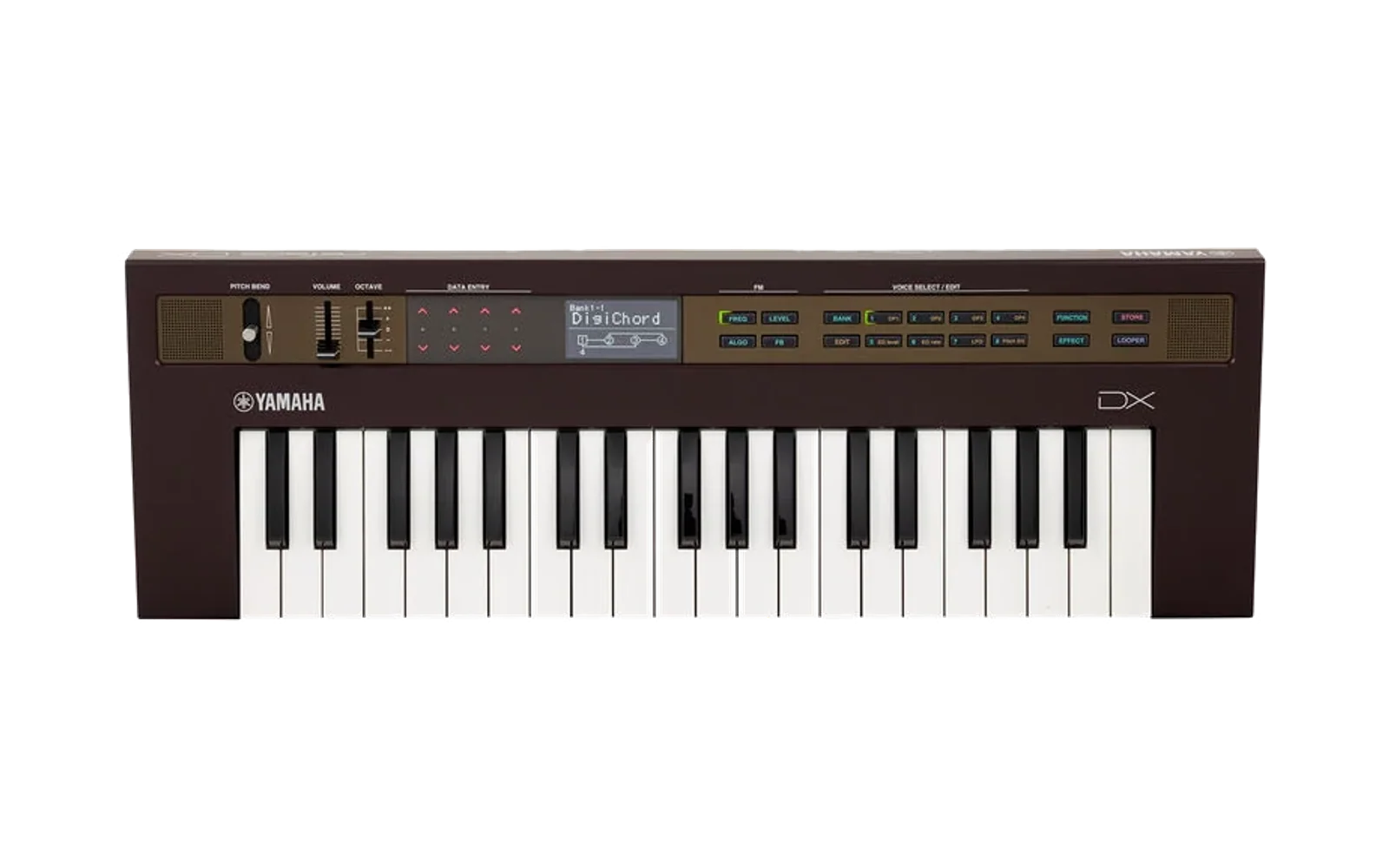
MIDI clock switch firmware for the Yamaha reface DX
Unofficial firmware for the Yamaha reface DX that adds a switch to turn off the MIDI clock it sends. Made from Yamaha's own firmware v1.30, the last version Yamaha released.
This is independent work, not affiliated with or endorsed by Yamaha. Yamaha's firmware is not included. You download its updater from Yamaha, and the patcher page turns it into the new firmware on your own computer and sends it to the DX. You can also build it yourself.
What it adds
- A CLOCK switch in the FUNCTION menu. The DX normally sends MIDI clock all the time and Yamaha gives no way to stop it, which makes it hard to use as a keyboard alongside another clock source. This firmware adds a sixth FUNCTION page, MIDI 2, with one item, CLOCK. When CLOCK is off the DX sends no clock. The DX saves the setting when you leave the FUNCTION menu (see Using it).
- A version with the clock always off, if you prefer no menu change. Four bytes differ from Yamaha's firmware.
Everything else is unchanged: sounds, the other FUNCTION pages, the Looper, notes, Start and Stop, Active Sensing.
Before you install
- This replaces the main firmware of your DX. The small built-in program that performs updates is never changed, so if anything goes wrong you can put Yamaha's firmware back the same way you installed this one. Yamaha's own updater has been run on a DX carrying this firmware, and a transfer that stopped partway was repeated from the start without harm. That is good evidence, not a guarantee.
- Yamaha's licence does not allow altering or reverse-engineering its firmware without permission. Installing this is your decision and your responsibility. This project's MIT licence covers its own code only and comes with no warranty.
- Testing has been limited. The firmware was installed and tested on one reface DX on 20 October 2026, over USB. Many things were checked in a software simulation of the DX rather than on the instrument (see Known limitations).
What you need
- A Yamaha reface DX with firmware v1.30 (every DX updated with Yamaha's updater has it). The reface CS shares the firmware file but has no display, so this project does not support it.
- Its AC adaptor, and a USB cable to a computer, with no hub in between.
- Chrome or Edge on a computer, so the patcher page can send the firmware to the DX. In another browser the page can still make the file, and you send it with a SysEx tool.
- Yamaha's reface CS/DX updater v1.30 download (the patcher page links to it).
Install
- Make the file. Open the patcher page, download Yamaha's updater zip from the link there, and drop the zip on the page. The page makes the firmware on your computer and uploads nothing.
- Put the DX into Update mode. Power it from its AC adaptor and connect
it by USB. Close any music software. Switch the DX off, hold the keys
F#3, A3 and C#4 together, and switch it on. The display reads
reface DX Update. - Send the file. On the page, press Connect, allow MIDI access when
the browser asks, pick the reface port and press Send. The transfer
takes about three minutes. Don't touch the DX or the cable until its
display reads
Completed. 1.30 --> 1.30 Reboot. - Switch the DX off and on with its Standby/On switch.
If the display stops at a percentage, switch the DX off, enter Update mode again and send again. The same four steps with Yamaha's own updater put Yamaha's firmware back.
Using it
The MIDI 2 page. Press FUNCTION repeatedly. The pages are Voice, Tuning, MIDI, System, Job, then MIDI 2, and the six dots in the title bar show which one you are on.
Switching the clock. On MIDI 2, tap the leftmost DATA ENTRY switch, the one that toggles AUTO P.OFF on the System page. CLOCK changes between ON and off, and the clock stops or starts at once.
Saving the setting. The DX writes its settings to memory when you leave the FUNCTION menu by pressing any other button. If you switch off while still on the FUNCTION pages, the change is lost.
External clock. When the DX receives MIDI clock from another device, Yamaha's firmware follows that clock and sends none of its own, whatever CLOCK says. After three seconds without incoming clock it goes back to its own.
What still gets sent. Active Sensing, notes, controllers, Start, Stop and Continue from the Looper, and SysEx are not affected.
Going back to Yamaha's firmware
Run Yamaha's own updater, following its guide: Update mode as in Install, step 2, then start the updater. Your voices and settings stay. The clock setting stays in memory too, and Yamaha's firmware ignores it.
If the DX won't start after an update
Update mode is entered with the three keys before the main firmware runs, so a damaged main firmware can be replaced from Update mode. Switch the DX off, hold F#3, A3 and C#4, switch on, and run Yamaha's updater, or this project's. This was exercised once when a transfer stopped at 98% and was repeated.
Known limitations
- Only USB MIDI has been checked on the instrument. The DIN MIDI OUT uses the same sending code and should behave the same, but this has not been measured.
- The CLOCK setting cannot be read or changed over SysEx. Yamaha's firmware only handles the documented system parameters that way, and this project did not extend it. The DX's own settings dump does include the byte.
- The reface CS has not been tested at all.
- Persistence, the page cycling and the key routing were each confirmed on the instrument once, on 20 October 2026; the rest of the behaviour rests on the software simulation described in docs/menu-internals.md.
Building and developing
- Build from source. macOS and Python 3. Put Yamaha's updater zip,
reface_updater_CSDX_v130-3_mac.zip, inreface_csdx_fw/updater/and runreface_csdx_fw/tools/make_updaters.sh. It extracts the stock image, builds the two patched payloads, runs every check, and makes re-signed copies of Yamaha's updater app with each payload. Rosetta is needed on Apple Silicon because the app is Intel-only. - Checks.
tools/selftest.pypins the SHA-256 of all three payloads (standard library only). Withunicornandcapstoneinstalled inreface_csdx_fw/venv,tools/verify_menu.py,tools/verify_ui.pyandtools/verify_paths.pyrun the patched firmware in an emulator: the real parameter engine, the real key dispatcher from the FUNCTION button to the settings save, the screen renderer, the boot-time settings load and the SysEx paths. - The browser patcher lives in patcher/;
tools/export_recipe.pywrites its recipes from the stock file. - Firmware notes: the updater format, the CPU, the clock sender and the patches.
- Menu internals: the FUNCTION menu, parameter system, LCD and settings persistence.
- Hardware tests and the write-up.
Licence and credits
MIT licence for this repository's code and documentation: see LICENSE. Yamaha and reface are trademarks of Yamaha Corporation. The board details quoted in the notes come from sandsoftwaresound.net.