🧪 In active testing. This project is changing quickly, so new releases will come thick and fast. Suggestions, bug reports and ideas for changes are very welcome — please open an issue or start a discussion.
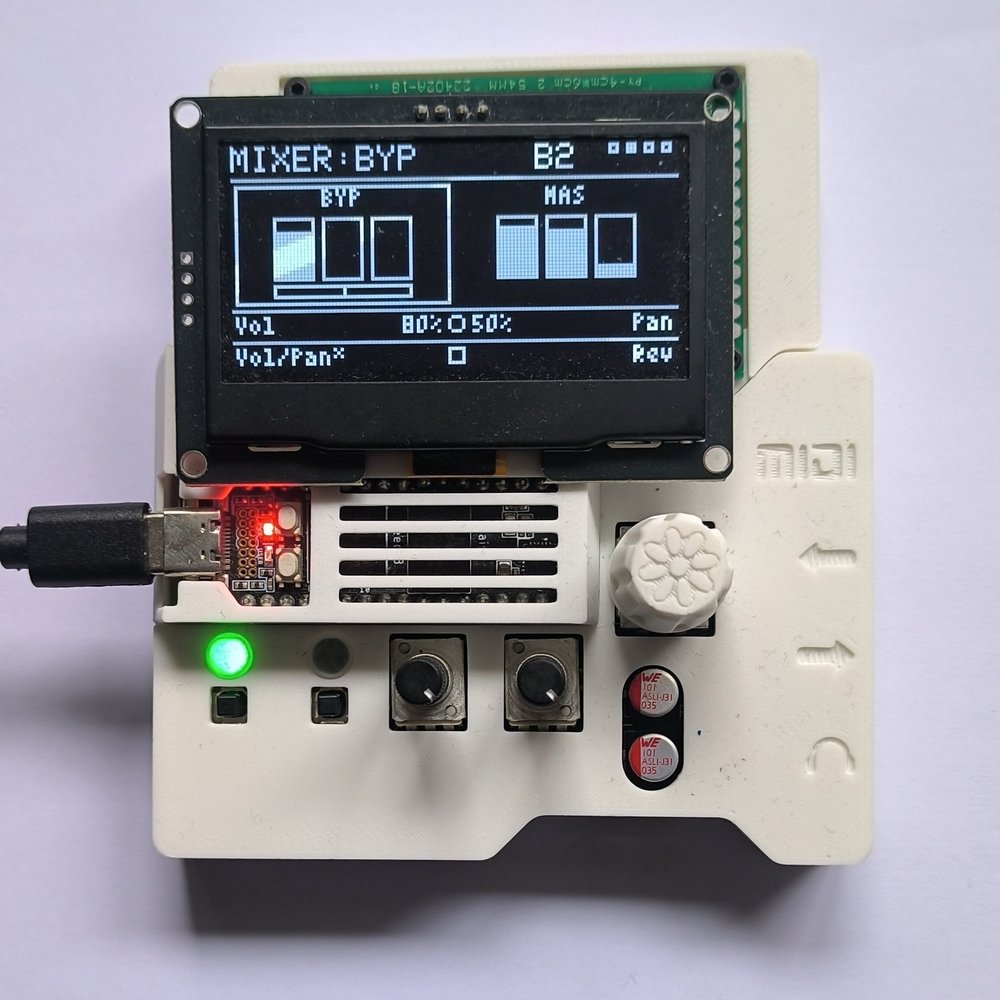
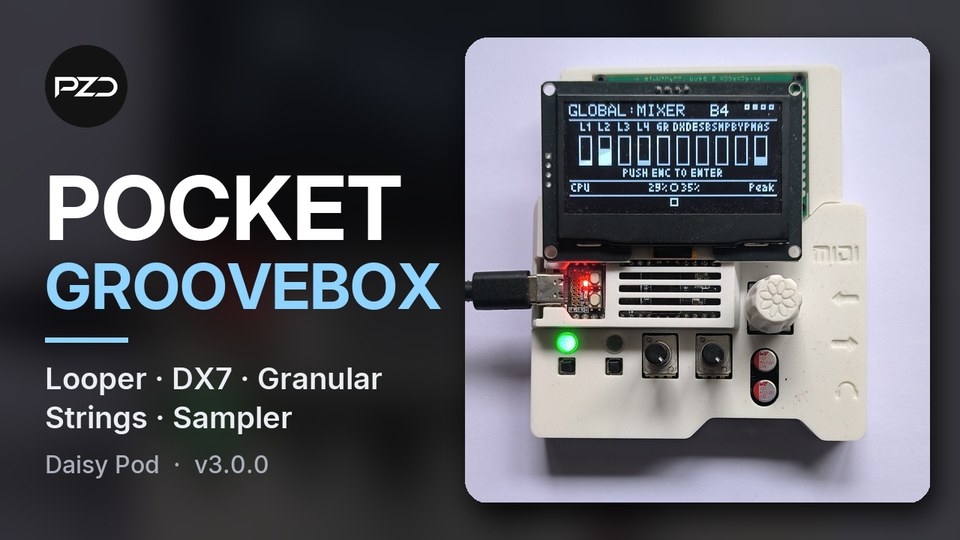
▶ Watch the v3.0.0 overview on YouTube
Video and looper generated WAV file below!
PZD-Daisy-Pod-Groovebox
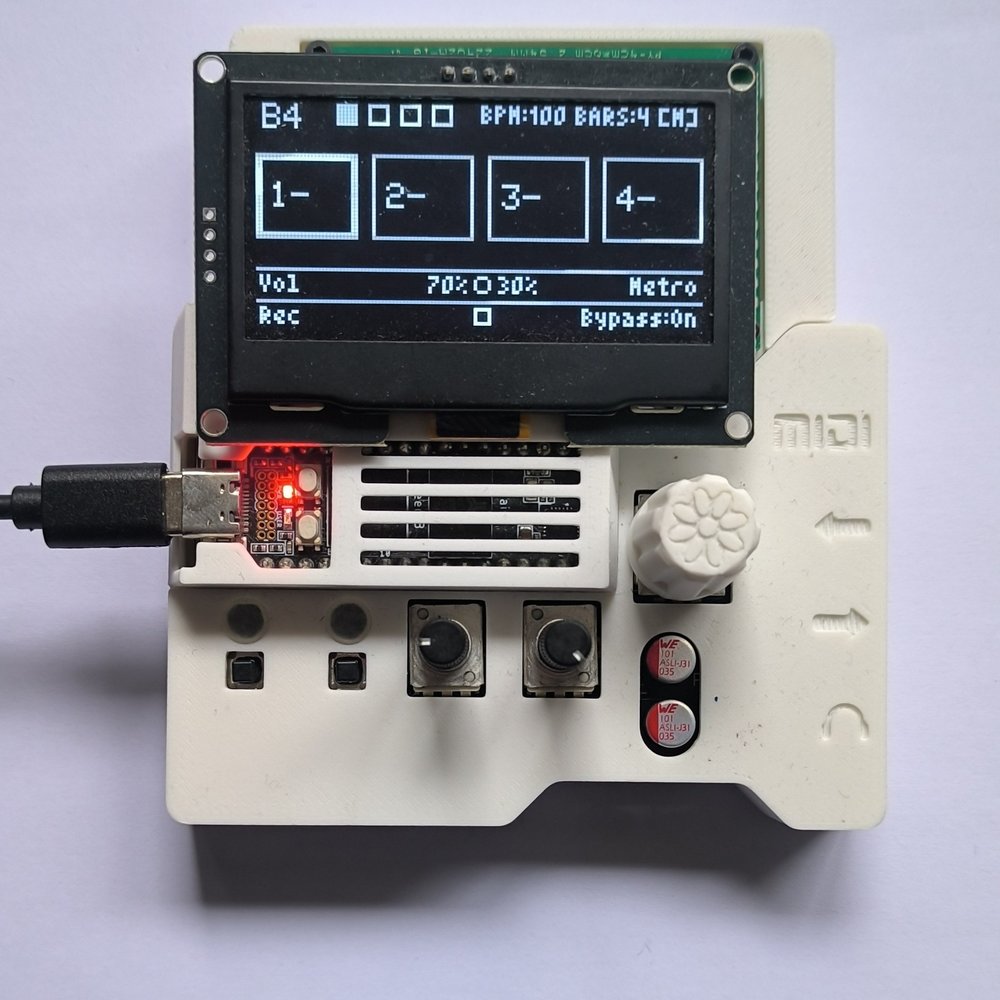
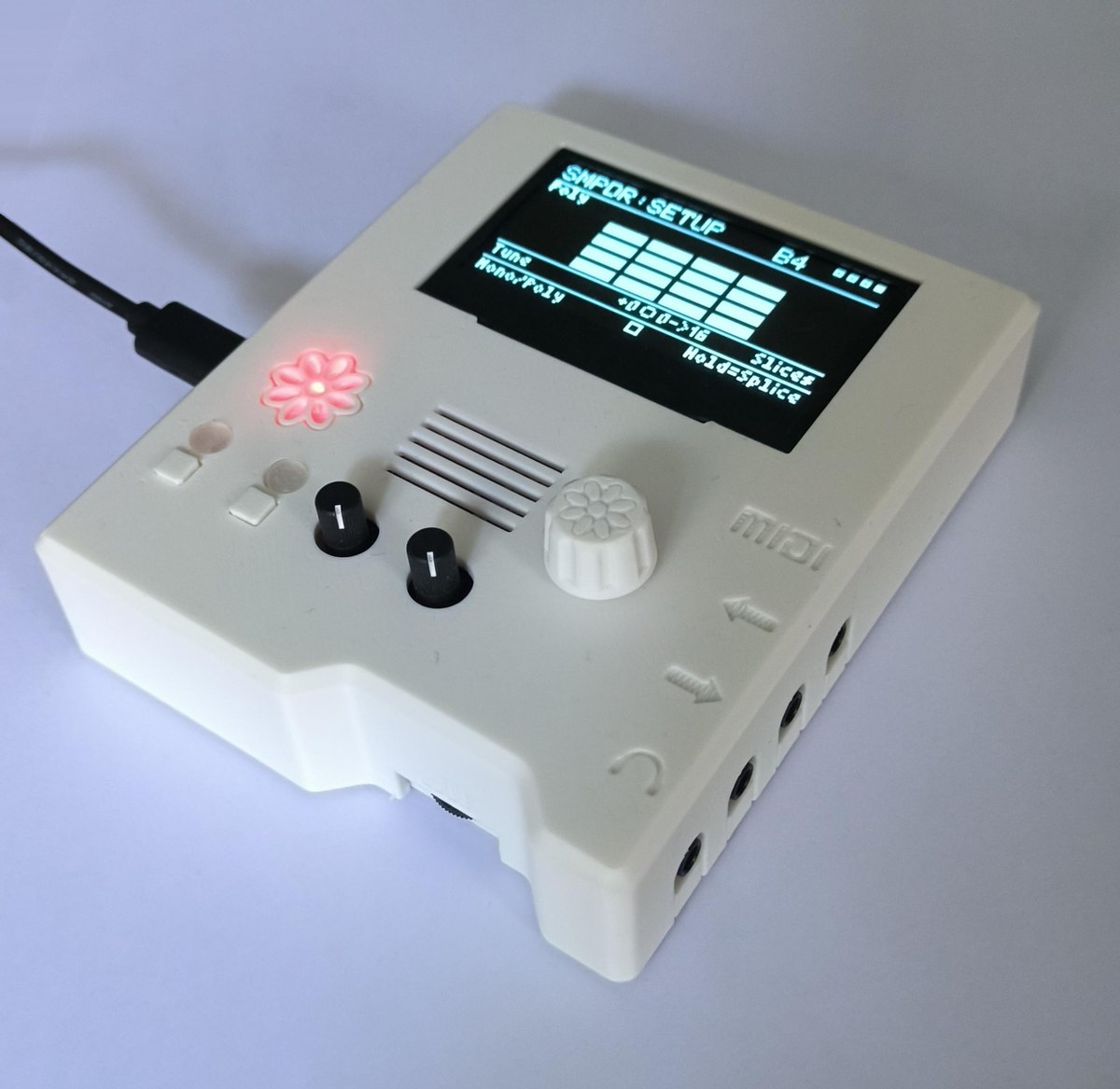
A pocket, multitimbral groovebox for the Electrosmith Daisy Pod: a 4-layer stereo looper plus five synth/sampler engines, every one of them playable together at the same time on one small board — not one-at-a-time — each independently switchable and MIDI-played alongside the looper. An added I2C OLED display gives it a full on-device menu: live waveform/level display, per-layer filter/effects/reverb, tempo-locked recording, and SD card save/load, all controlled from the Pod's two knobs, two buttons, and one clickable encoder.
Engines
-
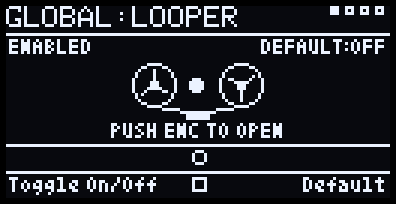
Looper — 4 independent stereo layers sharing one tempo-locked loop length (the first layer recorded sets it for the rest). Record, overdub, undo, per-layer filter/character effect/reverb send, and project-wide vari-speed with Scrub/Freeze transport modes. Polyphony: n/a — 4 loop layers playing together.
-
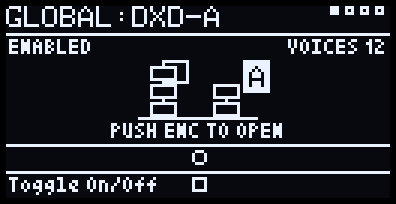
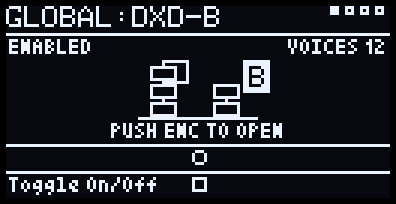
Dexed — a real 6-operator DX7 clone built on Google's own msfa emulation core, as two engines, DXD-A and DXD-B, that can layer two patches or split the keyboard between them, like a DX5. 3129 factory presets across 54 folders, SysEx import for your own banks, a real algorithm diagram, and a full per-operator advanced editor on both. Polyphony: 12 voices per engine by default (about 20% CPU for one), adjustable on the MIDI page: up to 16 for one engine alone, and up to 24 between the two.
-
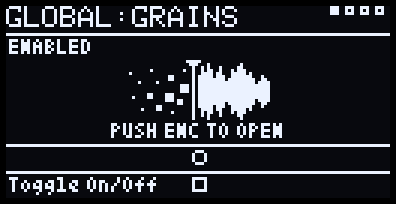
Grains — a granular instrument modelled on the Tasty Chips GR-1, using its names: Position, Scan, Spray, Grain Size and Density, plus Loop Start/End, rhythmic grain patterns, and audio-inclusive presets. Capture live input, pull from a loop layer, or import a WAV. Polyphony: 4 voices sharing 32 grains (or Mono).
-
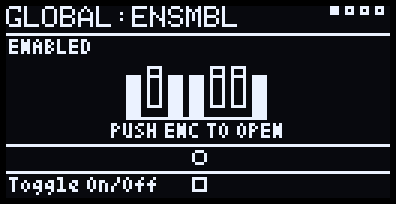
Ensemble — a divide-down string-machine/ensemble organ in the ARP Solina lineage: 7 real drawbars, built-in chorus, pitch bend, and a mod wheel. Polyphony: 8 voices.
-
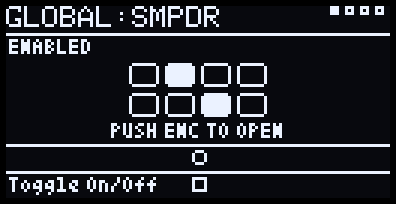
Sample Drum (SMPDR) — a multi-pad one-shot drum sampler for Kits and Breaks, up to 24 slices each, with live re-slicing and direct import of real OP-1 drum packs. Polyphony: 10 voices (optional choke so each new pad cuts the last).
-
Sample Sound (SMPVO) — a melodic, chromatic sampler for one captured or imported sound at a time, with its own Capture/Trim/Tune workflow and direct import of real OP-1 instrument packs. Polyphony: 10 voices, or monophonic via its Mono/Poly switch.
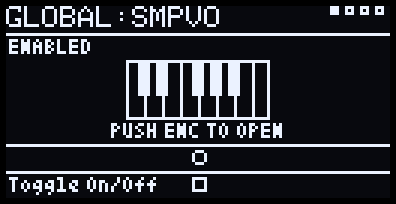
SMPDR and SMPVO share one underlying sample-playback engine and are mutually exclusive — enabling one disables the other.
Each engine has its own voices — polyphony isn't shared, so a big Dexed
chord never takes notes away from Ensemble or the Sampler, however many
engines are playing. (The one exception is the pair DXD-A and DXD-B,
which share a ceiling of 24.) What they do share is the CPU — the meter in
Global:Mixer's footer shows how much is left (see CPU tips below).
Hardware
- Daisy Pod — two knobs, two buttons, one clickable encoder, two RGB LEDs, stereo in/out, all built in.
- I2C OLED display (SSD1306/SSD1309, 128x64) on the Pod's default
I2C1 pins:
SCL→D11,SDA→D12, plus3V3/GND. Default address0x3C— if it stays dark, try the commented-out0x3Dline inmain.cpp. - MIDI IN (optional) — the Pod's built-in jack, plays Dexed/ Ensemble/Grains/SampleSynth.
- Micro SD card, FAT32. A hand-wired socket with no card-detect pin
— power off before swapping cards. See
sdcard-template/for a ready-made folder set to copy onto a fresh card (most folders are created automatically as you use each feature; the Import staging folders aren't, so the template pre-makes those). Ships 9 starter Grains sounds inGRAINS/PRESETS/, set up to scan and play chords, with Airy Piano first. - PZD Daisy Pod Groovebox Case — the new case made for this project: PZD Daisy Pod Groovebox case on CULTS3D. More PZD designs, free to print on CULTS3D or PRINTABLES, or buy one ready-made on ETSY.
Features
Looping — 4 tempo-synced layers; record/pause/overdub with count-in; undo last overdub; live waveform with moving playhead.
Per-layer — Volume/Pan/Speed (0.3x–2x), Filter (Off/Low-pass/ High-pass/Band-pass), one character effect at a time (Drive/Bitcrush/ Chorus/Tremolo/Phaser/AutoWah/Flanger), reverb send, input gain (1x–4x).
Global — Tempo (50–240 BPM)/Bars (1–16)/metronome, master filter, one shared Dattorro-topology plate reverb (Size/Tone/Diffusion pages), one shared stereo delay (free time or tempo-synced note values, Ping-Pong, Tone that darkens each repeat, and a Dly-Rev send that puts the echoes into the reverb), Bypass (live monitoring) with its own reverb and delay sends, and project-wide vari-speed with Scrub/Freeze transport modes. Delay settings are saved in performances and startup defaults.
Save/load — Performances (Global:Perf: all 4 layers' audio plus
every looper/global setting) and every engine's own presets save to SD.
Every engine has the same pair of pages:
- Preset — the sounds that come with the engine (and, for Grains and SMPVO, the captures you've saved), load only. B2 opens the folder list; K1 scrolls folders, B2 opens one; inside a folder K2 scrolls the sounds and a B2 tap loads one and stays in the folder, so you can keep auditioning. B1 backs out one level.
- User — your own saves. B1 = Save (K1 picks Overwrite or Save New, hold B2 to confirm); B2 = Load from a list that starts with New (K2 scrolls, a tap loads and stays).
A User save keeps everything on that engine's pages: the sound, its Mix
settings (Level, Pan, Gain, sends), the mod wheel target and the
engine's MIDI channel. So one preset can bring back "Dexed on
channel 1" and another "SMPDR kit on channel 10". Loading a factory
sound, or a User preset saved by older firmware, leaves the channel and
wheel target as they are, and older Grains presets keep the current
Level/Pan/Gain/Delay. Performances don't store MIDI channels; startup
defaults (hold B2 on Global:Tempo) still do, so channels are set at
power-on.
MIDI (Global:MIDI) lists every engine's MIDI channel in one place:
Grains, DXD-A, DXD-B, Ensemble and the Sampler, each with its on/off dot.
K1 picks an engine (its row is highlighted) and K2 sets its channel
(Omni, 1–16); these are the same settings as each engine's own MIDI
page. While DXD-B is locked to DXD-A it shows "Locked to A"; giving it a
different channel here unlocks it.
Sustain pedal — a pedal sending CC 64 (the sustain jack on most
controllers) holds notes on every keyboard engine: Grains, DXD-A, DXD-B,
Ensemble and SMPVO. Each engine follows the pedal on its own MIDI
channel. Releasing the pedal lets go of every held note except keys
still pressed; playing a held note again restarts it. If your pedal works
backwards (some controllers detect pedal polarity at power-on), set B2
Sus-Pedal:Rev on Global:MIDI; B1 Sus-Pedal:Norm sets it back.
The setting is saved to the card straight away (PEDAL.DAT). A SUS
box in the page title shows the pedal live — filled while it's down.
Sustained notes still count towards an engine's Voices, and a
triple-click (or CC 123) clears them too.
Snapshots (Global:Snap) save every synth engine at once: each
engine's sound and settings, Mix, MIDI channel and mod wheel target,
which engines are on, and whether the Sampler is SMPVO or SMPDR. For
Dexed that's both DXD-A and DXD-B, plus how the pair is set up: their
Level and Pan on the Mix page, the MIDI Lock, and the Split page.
Snapshots saved before DXD-B existed load as the single Dexed they were
(B off, Layer). Grains' audio goes into the snapshot itself; the
Sampler's Sound or Kit is referenced by name, as in its User presets.
Saving works like a User page: B1, then K1 picks Overwrite (the snapshot
last loaded or saved) or Save New, and holding B2 confirms. B2 opens the
list, K2 scrolls and B2 loads; the snapshot number shows next to K2. A
grid shows each engine — Grains, DXD-A, DXD-B, Ensemble and the Sampler
(a filled dot = on) — with its sound and its MIDI channel: what's live
now, or while browsing, what the highlighted snapshot holds. Snapshots live in
SNAPSHOTS/ on the card (created on first save if it's missing);
duplicate or delete them in Global:SdMgmt → GLOBAL → Snapshots.
Dexed User saves are named after the patch. If another User save already
has that name, the new one is numbered ("E.PIANO 1 2", "E.PIANO 1 3", cut
to fit DX7's 10 characters), so copies stay apart in the User list and
Global:SdMgmt.
Global:Perf works like a User page. A small * after the page title
means the sound has changed since it was last loaded or saved. Global:Export
(with its own waveform-into-SD-card graphic) exports the current performance
as a WAV — full-quality native 48kHz, or 44.1kHz straight into a
custom/ folder so the same card drops into MicroDexed Touch's second
slot with no copying needed.
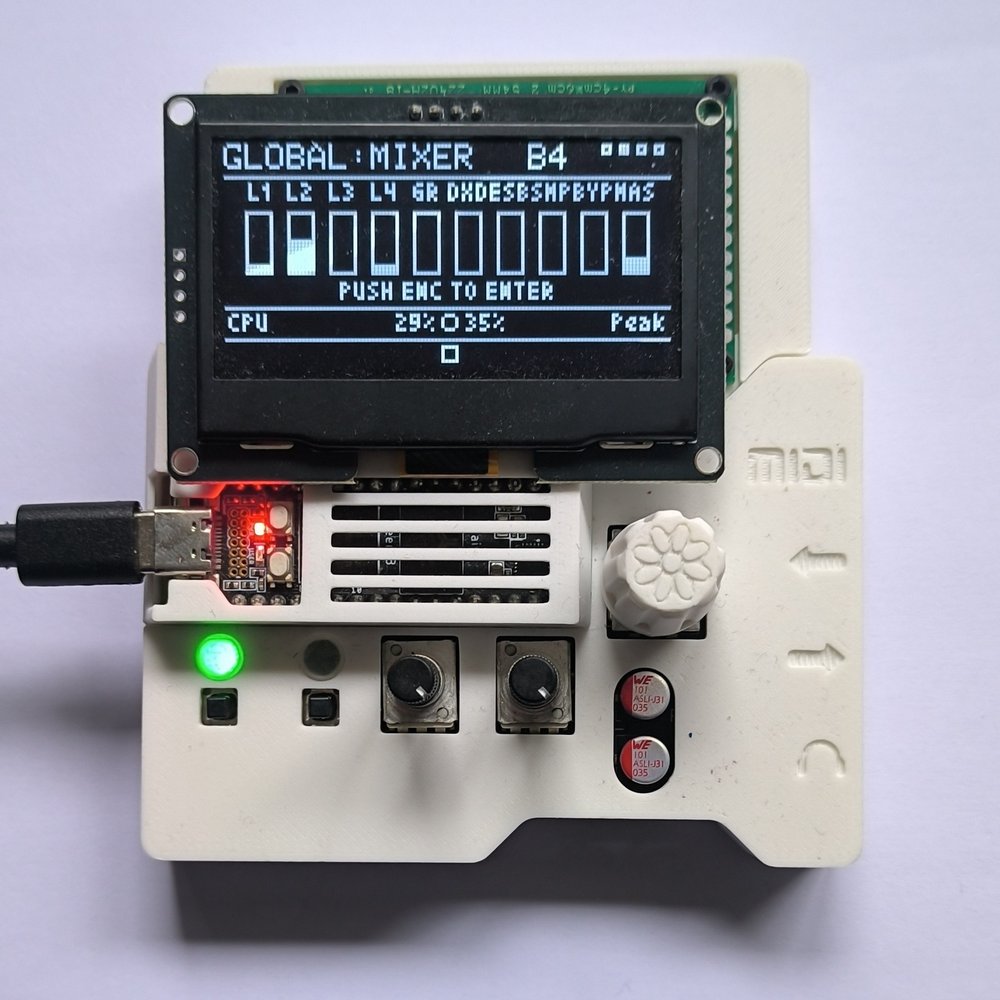
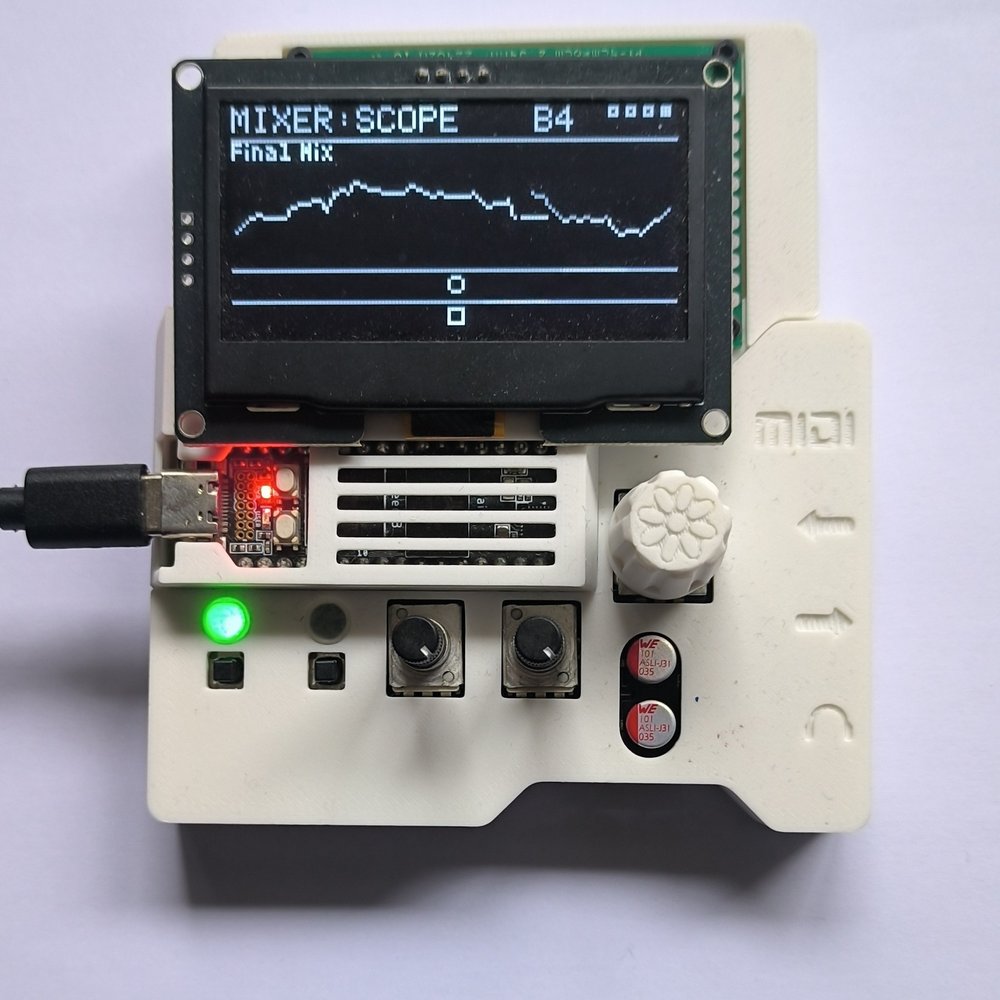
Mixer (Global:Mixer) — one screen with Volume/Pan/Reverb-send for
all 4 layers plus every engine and Bypass, a live oscilloscope of the
final mix, per-channel peak meters in dB (−48 dB to 0 dBFS, with clip
indicators), and a live CPU meter. Global:Mixer itself puts Master
Vol and Bypass Vol on K1/K2, so you can pull a live mic down
without touching the mix (Bypass starts at 60% at power-on). Every
channel pans with an equal-power law (−3 dB in the centre), and a soft
limiter on the master output catches loud peaks instead of clipping.
Mix pages — Dexed, Ensemble, SMPVO/SMPDR and Grains each have a Mix
page with that engine's output meter (clip cap at the top). Ensemble,
the Sampler and Grains show a live scope beside it; Dexed shows four
bars instead — DXD-A, DXD-B, the shared Dexed bus, and the OUT meter
(see the Dexed table below). Every engine has a Gain (0 to +12 dB) before
its limiter, for lifting quiet patches and samples: turn it up until the
meter sits high without the clip cap lighting, then set how loud it sits
in the mix with Level. Gain is saved in every engine's User presets
(older presets load at 0 dB). Global:Bypass shows the same scope
and meter for the monitored input, and the shared FX pages (Filter,
Reverb, RevTone, RevDiff, Dly-Rev, Delay, DlyTone) show the final mix
scope.
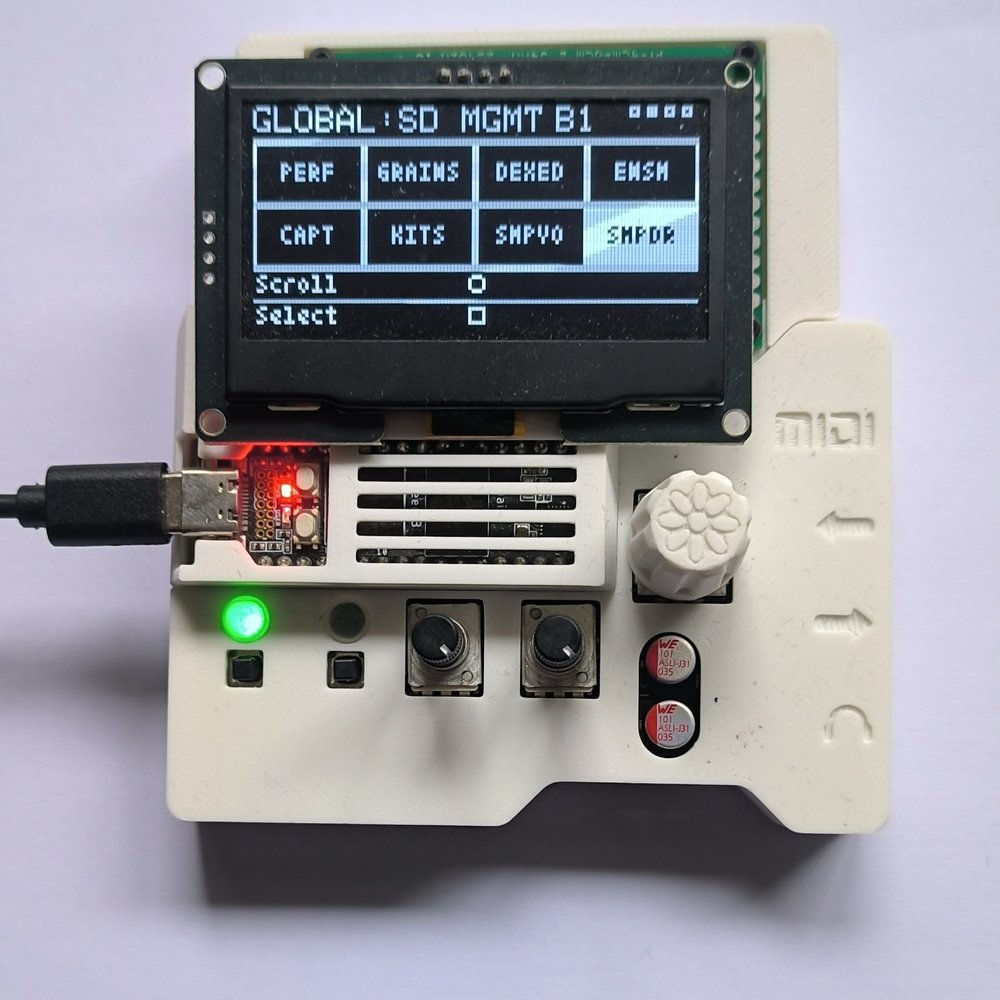
SD card management (Global:SdMgmt) — a grid of all 8 save
categories (Global, Grains/Dexed/Ensemble user presets, Captures,
Sampler imports, and the SMPVO/SMPDR user presets) — duplicate or delete
any file directly on the device, no computer needed. GLOBAL opens to
a choice of Performances or Snapshots; Captures opens to a
choice of Sampler or Grains captures; SMPIMP (Sampler imports) to
Voice → Sounds/Multi or Drum → Kits/Breaks. Same browse controls as the Preset pages: K1
scrolls the grid and folders, B2 opens; in a file list K2 scrolls, B1
backs out (hold = Duplicate) and holding B2 for 1.5 s deletes.
Sample library on the card — SampleSynth content lives in numbered
folders of up to 32 items under SAMPLES/: SOUNDS1, CAPTURED1,
MULTISMP1, KITS1, BREAKS1, … When one fills up, the next is created
automatically, so the library grows with the card. SMPVO's Preset page
starts with Sounds / Captured / Multi, then a folder, then an item;
SMPDR's goes straight to its Kits and Breaks folders.
You can also build content on a computer, no import needed:
- Sounds — copy
.wavfiles into anySAMPLES/SOUNDSnfolder. Any sample rate (8–192 kHz), 16/24/32-bit or float, mono or stereo. A note at the end of the name (Cello C3.wav,Cello_C3.wav) sets its root. - Multi-samples — make a folder in
SAMPLES/MULTISMPnwith one WAV per sampled note, the note in each name (Cello C3.wav, or Salamander-styleA0v10.wav). Each note plays from its nearest recording. Up to 24 notes and about 33 s of audio. The card template includes a ready-made Upright Piano (CC0, from FreePats). - Kits and breaks — make a folder in
SAMPLES/KITSnorSAMPLES/BREAKSnand copy WAVs in: they load in name order, one per key from C2 (01 kick.wav,02 snare.wav…). Up to 24 pads and about 33 s of audio. Kits play poly, breaks start with Choke on; a single loop in a break folder can be chopped with Setup's Break Divide.
Importing real OP-1 sample packs
The actual licensed OP-1 packs aren't bundled with this firmware, but
you can download your own from op1fun (or export one
from the OP-1 pack builder) as .aif files and convert them yourself:
- Drop
.aif/.aifffiles into the staging folders at the card's root — the folder decides what each becomes:DRUM PACK IMPORT/KITS/— drum packs, each becoming a Kit.DRUM PACK IMPORT/BREAKS/— breaks and loops, each becoming a Break.SOUND PACK IMPORT/— OP-1 sampler patches, each becoming a Sound. (OP-1 synth presets hold engine settings, not a sample, and are skipped.)
- On the Pod:
Global:SMPDRorGlobal:SMPVO→ Import page. On SMPDR, K1 picks Kits or Breaks and B2 opens it. Then K1 picks the destination — a new bank (the default), or an existing bank with room for the whole import — and holding B2 imports. - One press imports every file in that folder, however many. Splice points and pitch come straight from the pack's own metadata — no manual trimming.
- Imported files move into that folder's
Done/(a name already there is kept asname (2)). A file that fails is retried, then left in place for the next press.
op1.fun often names downloads patch.aif — rename the file first to give
the kit a proper name.
Recording Dexed, Ensemble, Grains, or SampleSynth into a loop layer — playing any instrument while a layer is recording/overdubbing captures its live sound directly into the take, mixed with your physical input, no patch cable needed.
CPU tips
The Pod runs at 480 MHz, and every engine skips its processing entirely while it's silent, so an engine that's switched on but not playing costs almost nothing. With all engines playing chords over four looping layers with effects, the load peaks in the mid-80s %. A few habits keep headroom on your side:
- Looper, DXD-A, DXD-B, Ensemble, Grains, and SampleSynth are each
independently switchable from their own
Global:page — switching one off frees its CPU share entirely, not just its output. - Each Dexed engine's Voices (its MIDI page) is the biggest CPU lever there: every held voice costs, so lower it when both engines or several other engines are playing.
- SMPVO/SMPDR share one engine and are mutually exclusive, so only one of them ever costs CPU at a time.
- Record your synth parts into loop layers first, then switch those engines off once you've got the take you want.
- Dial in reverb/delay last, once you know what's actually being kept — several engines sending into effects at once is the heaviest realistic combination.
Global:Mixer's bottom row shows a live CPU meter (average and peak) if you want to check headroom directly. Press Button 1 there for a per-part breakdown — Grains, Dexed, Ensemble, Sampler, Looper, Delay, Reverb and everything else — each as average/peak % of the time available per audio block.- On looper layers, AutoWah is the heaviest effect, then Chorus and Flanger; Bitcrush and Drive are the lightest.
How to use it
Recording your first loop
- On the Home screen, rotate the encoder to pick a layer (1–4).
- Hold Button 1 to arm recording — the metronome counts in a bar first if it's on.
- Play. Recording stops automatically at the bar loop length (or tap Button 1 to stop early).
- Tap Button 1 to pause/resume playback; hold it again to overdub more onto the same layer.
At power-on the PZD GROOVEBOX logo shows for about 1.5 seconds, then Home. Press either button or the encoder to skip it. Sound and MIDI already work while it's up.
Navigating the menu
- Rotate the encoder: on Home, moves between layers; on any other page, cycles through that page's sub-pages.
- Click the encoder: goes one level in or one level back. From Home
it opens the selected layer's pages; on a Global page hosting an
instrument (DXD-A/DXD-B/Ensemble/Grains/SMPVO/SMPDR) or the Mixer it enters
that screen, and on
Global:Looperit opens Home, the looper's own screen. Each of these pages shows its own graphic andPUSH ENC TO OPEN. Inside an instrument or the Mixer it goes back to its Global page; on a layer's pages or any other Global page it goes back to Home. (Dexed's Advanced page is the exception: click enters the operator editor, and click again comes back out.) - Long-press the encoder: from Home, opens Global settings; from anywhere else, goes back to Home.
- Triple-click the encoder (three clicks within about a second): All Notes Off on every engine, for a stuck note. "ALL NOTES OFF" shows briefly, and you end up on the screen you started from.
To pause all the loops, use Button 1 on Home; Global:Looper switches
the whole looper off.
Both knobs and both buttons are "soft" — what they do depends on which page is open, and it's always shown on screen in the footer.
Knob pickup — knobs don't jump the moment you touch them. Each one shows its live current value; turning the physical knob only takes control once it reaches that value.
Basic workflow, using pocket operators (applied effects before making the video). Also includes a WAV file of acoustic guitar input, MicroDexed Touch for drums, and testing using some headphones as a mic input (put the gain up to x4):
https://github.com/user-attachments/assets/1c081390-e61f-4a1b-9088-a552860b9a5d
4 layers with Dexed, Grains, PO-12 rhythm, and live mic input — a full performance combining everything above at once:
https://github.com/user-attachments/assets/025a71a1-f06f-424a-bb34-b3bdb560e121
Playing it live from a MIDI keyboard (Akai), with the mixer scope on screen:
https://github.com/user-attachments/assets/06309104-cfa7-48a7-a779-843a4013368b
Sound demos:
Dexed — Flexatone preset:
https://github.com/user-attachments/assets/97224b5d-5bb5-43d6-b5bd-c86889a3bdcf
Dexed — marimba with the DX-FX delay:
https://github.com/user-attachments/assets/503eac2f-d13b-45ba-b6f8-a0e96201a33a
Dexed — Clav Ens preset:
https://github.com/user-attachments/assets/e36b5d1a-9d93-4104-a111-929924a4d059
Grains:
https://github.com/user-attachments/assets/e122daff-1afa-49e2-88ab-0b2763cc9b64
Grains — the Grain page:
https://github.com/user-attachments/assets/ad574fd1-3dca-4543-8e85-5edf645627ee
Global mixer, with the live CPU meter:
https://github.com/user-attachments/assets/2a0b04fc-17b1-4224-9207-e0b60eb56236
LEDs — LED1 shows the looper's transport at a glance: green = any layer playing, blue = any layer paused, off = looper disabled or nothing playing/paused yet. It flashes blue in time with the click during a record or overdub count-in. LED2 lights red whenever something is actively recording — a loop layer recording/overdubbing, or a Grains/SampleSynth capture in progress.
Control reference
| Page | Knob 1 | Knob 2 | Button 1 | Button 2 |
|---|---|---|---|---|
| Home | Master volume | Metronome volume | Rec / Pause / Overdub (tap/hold, state-dependent) | Toggle bypass |
| Layer: Status | Volume | Pan | Same transport as Home | Tap = Undo last overdub, hold 800ms = Clear layer |
| Layer: Gain | Input gain | — | — | — |
| Layer: Speed | Speed | — | Tap = reset to 1.0x | — |
| Layer: Filter | Cutoff | Resonance | Cycle filter mode | — |
| Layer: Effect | Effect param A | Effect param B (Drive: output trim, center = unchanged) | Cycle effect | — |
| Layer: LYR-FX | Send | — | — | — |
| Global: Tempo | BPM (50–240) | Bars (1–16, lower-capped at slower BPM) | Toggle metronome | Hold 800ms = Save as startup default |
| Global: Speed | Vari-speed | — | Cycle Normal/Scrub/Freeze | Reset to 1.0x |
| Global: Filter | Cutoff | Resonance | Cycle filter mode | — |
| Global: Reverb | Size (= Decay) | — | — | — |
| Global: RevTone | PreDelay / DecayDiffusion | PreFilter / Damping | Knobs → PreDelay+PreFilter | Knobs → DecayDiffusion+Damping |
| Global: RevDiff | Input Diffusion 1 | Input Diffusion 2 | — | — |
| Global: Dly-Rev | Delay → Reverb (echoes into the reverb) | — | — | — |
| Global: Delay | Time (Off, 20 ms–3 s, or a note value when synced) | Feedback | Sync Off (free time) | Sync On (1/16 … 1/2 at the current BPM) |
| Global: DlyTone | Ping-Pong (0% = echoes follow the sound's pan, 100% = always bounce L/R) | Tone (darker repeats) | — | — |
| Global: Bypass | Reverb send / Delay send | Shared reverb size / delay time | Reverb | Delay |
| Global: Snap | Saving: Overwrite/Save New | Open: scroll snapshots | Save / Back | Open / Load (tap loads, stays in list) / Hold 800ms = confirm Save |
| Global: Perf | Saving: Overwrite/Save New | Loading: scroll New + PERF list | Save / Back | Load (tap loads, stays in list) / Hold 800ms = confirm Save |
| Global: SD Mgmt | Scroll (category grid, folder lists) | Scroll (file list) | Back, Hold = Duplicate | Open, Hold 1500ms = Delete (file list) |
| Global: Export | — | — | Tap = Export, native 48kHz ("Studio") | Tap = Export, 44.1kHz for MicroDexed ("CD") |
| Global: MIDI | Pick an engine (Grains, DXD-A, DXD-B, Ensemble, Sampler) | That engine's MIDI channel (Omni, 1-16) | Sus-Pedal: Norm | Sus-Pedal: Rev (saved immediately) |
| Global: DXD-A | — | — | Toggle DXD-A on/off (off by default) | — (push encoder to enter Screen::Dexed, editing DXD-A) |
| Global: DXD-B | — | — | Toggle DXD-B on/off (off by default) | — (push encoder to enter Screen::Dexed, editing DXD-B) |
| Global: Ensemble | — | — | Toggle Ensemble on/off (off by default) | — (push encoder to enter Screen::Ensemble) |
| Global: Granular | — | — | Toggle Grains on/off | — (push encoder to enter Screen::Granular) |
| Global: SMPVO | — | — | Toggle SMPVO on/off (disables SMPDR) | — (push encoder to enter Screen::SampleSynth) |
| Global: SMPDR | — | — | Toggle SMPDR on/off (disables SMPVO) | — (push encoder to enter Screen::SampleSynth) |
| Global: Looper | — | — | Toggle the whole 4-layer looper on/off | Toggle Default On/Off (whether the looper starts enabled at power-on; saved immediately, shown top right) — push encoder to open Home |
| Global: Mixer | Master Vol | Bypass Vol | Toggle the CPU profile view | — (push encoder to enter the Mixer screen; bottom row shows CPU avg/peak) |
Dexed (Screen::Dexed, rotate to cycle pages; titles read DXD-A: or DXD-B:)
| Page | Knob 1 | Knob 2 | Button 1 | Button 2 |
|---|---|---|---|---|
| Algo | — (diagram only; set ALGORITHM in Advanced) | — | — | — |
| Feedback | Feedback amount (0-7) | — | — | — |
| Vibrato | LFO speed | LFO pitch-mod depth | — | — |
| Brightness | Modulator level scale (center = as saved) | — | — | — |
| EnvSpeed | Envelope rate scale (center = as saved) | — | — | — |
| Filter | Cutoff | Resonance | Cycle filter mode | — |
| Mix | Level of the selected bar / Gain (0 to +12 dB into the limiter) | Pan of the selected bar | Select DXD-A → DXD-B → Bus | Knobs → Gain (tap again to go back) |
| DX-FX | Reverb send / Delay send | Shared reverb size / delay time | Reverb | Delay |
| DX-FOLD | Fold Amount (0% = bypass) | Output trim | — | — |
| MIDI | MIDI channel (Omni, 1-16) | Voices (1-16, default 12; at most 24 between DXD-A and DXD-B) | Lock On/Off (On: DXD-B uses DXD-A's channel) | — |
| Split | Split point (C#1–F5) | Octave shift of A or B (-2 to +2) | Layer / Split | Knob 2 → A or B |
| Advanced | — | — | — | — (push encoder to enter the operator editor) |
| Import | — | Scroll .syx files in DEXED IMPORT/ | — | Hold 800ms = Import (becomes a folder under Preset → Imports) |
| Preset | Scroll Roms/Dexed/Imports, then folders | Scroll presets in a folder | Back | Open / Load (tap, stays in folder) |
| User | Saving: Overwrite/Save New | Scroll New + your saves | Save / Back | Load (tap) / Hold 800ms = confirm Save |
The Algo page shows a real box-and-arrow diagram of whichever algorithm
is loaded, drawn like the DX7's own (OP1 on the left, every carrier on
one row above the OUT line, filled boxes = carriers, outlined =
modulators, "FB" tags the feedback operator). New on the User page loads
INIT VOICE like a DX7, keeping your Mix and MIDI settings. Clicking the
encoder on any Dexed page other than Advanced goes back to the
Global:DXD-A or Global:DXD-B page you came in from.
DXD-A and DXD-B are two identical engines feeding one shared Dexed bus. Each has its own patch, Advanced editing, User preset loaded and Voices. The bus is shared: the Filter, DX-FX and DX-FOLD pages, and the Bus bar's Level, Pan and Gain, are the same settings whichever engine you entered from.
- Mix shows four bars: DXD-A and DXD-B (each engine's own level and pan into the bus), BUS, and OUT (the live output meter, the same as the DXD channel on the Mixer). B1 picks which of the first three the knobs set. A and B start at 100% and centre, where an engine sounds just as the single Dexed did.
- MIDI: with Lock on (the default) both engines play on one channel and Knob 1 sets it for both. With Lock off, each engine's MIDI page sets its own channel, for two parts from a sequencer or two keyboards.
- Split: in Layer both engines play every key; in Split DXD-A plays below the split point and DXD-B from it upwards. The keyboard drawing shows each engine's zone and the split point. Each engine has an octave shift, which works in Layer too (the same patch an octave apart thickens it). Moving the split or an octave while keys are held never leaves a note stuck.
- Voices: one engine alone can use up to 16. With both on they share 24: the engine already playing keeps its voices and the one switched on gets what's left, and Knob 2 stops at what the other leaves free.
- Loading a preset into one engine while the other is on changes only that engine's sound, not the shared bus, so choosing B's patch doesn't reset A's Filter or Mix. With only one engine on, a preset loads everything as before.
Dexed advanced editor (Screen::DexedOperator, entered from the
Advanced page above, rotate to cycle pages)
The full DX7 voice, using the DX7's own parameter names. The first ten
pages edit one operator: Button 1 picks OP1-OP6, and the title shows
OP3 (or OP3 OFF when that operator is switched off). The last six
are voice pages that apply to the whole patch (title VOICE, Button 1
unused). Unless a cell says otherwise, Button 1 = select operator on
operator pages.
| Page | Knob 1 | Knob 2 | Button 2 |
|---|---|---|---|
| ALGORITHM | ALGORITHM (1-32), with the routing diagram | — | — |
| OSC FREQUENCY | F COARSE (0-31) | F FINE (0-99) | OSC MODE: RATIO / FIXED |
| OSC DETUNE | DETUNE (-7 to +7) | — | — |
| OUTPUT LEVEL | OUTPUT LEVEL (0-99) | — | OP ON/OFF |
| EG RATE | R1 (or R3) | R2 (or R4) | Switch R1/R2 ↔ R3/R4 |
| EG LEVEL | L1 (or L3) | L2 (or L4) | Switch L1/L2 ↔ L3/L4 |
| KEYBOARD LEVEL SCALING CURVE | L CURVE (or BREAK POINT) | R CURVE | Switch Knob 1 between L CURVE and BREAK POINT |
| KEYBOARD LEVEL SCALING DEPTH | L DEPTH (0-99) | R DEPTH (0-99) | — |
| KEYBOARD RATE SCALING | RATE SCALING (0-7) | — | — |
| SENSITIVITY | KEY VELOCITY (0-7) | A MOD SENS (0-3) | — |
| PITCH EG RATE (voice) | R1 (or R3) | R2 (or R4) | Switch R1/R2 ↔ R3/R4 |
| PITCH EG LEVEL (voice) | L1 (or L3) | L2 (or L4) | Switch L1/L2 ↔ L3/L4 |
| LFO (voice) | LFO SPEED | LFO DELAY | LFO WAVE: TRIANGL, SAW DWN, SAW UP, SQUARE, SINE, S/HOLD |
| LFO DEPTH (voice) | LFO PM DEPTH | LFO AM DEPTH | LFO KEY SYNC ON/OFF |
| P MOD SENS / OSC KEY SYNC (voice) | P MOD SENS (0-7) | — | OSC KEY SYNC ON/OFF |
| KEY TRANSPOSE (voice) | TRANSPOSE (shown as MIDDLE C = C3) | — | — |
- Envelope graph (EG and PITCH EG pages). Drawn like the DX7's own
picture. L1-L4 are numbered squares and R1-R4 the numbered slopes
joining them (a higher rate is steeper). The line starts at L4, L3
holds until the dotted
OFF(key release) line, and R4 falls back to L4. What the knobs are changing is highlighted: reversed slope numbers on the RATE pages, filled squares on the LEVEL pages. Button 2 shows1/2* 3/4with the asterisk on the pair being edited. PITCH EG has a dotted centre line at 50 (no pitch change). - Level scaling graph. Shows the level change across the keyboard, with BREAK POINT marked by note name (A-1 to C8, middle C = C3).
- OP ON/OFF is saved in Dexed User presets and snapshots. Factory
patches,
.syximports and older saves load with all six on. A switched-off operator shows as a dotted box in the algorithm diagram. - Algorithms 4 and 6 feed back through 2-3 operators like a real DX7 (OP4 or OP5 back into OP6), so they no longer sound the same as 3 and 5. The diagram shows the loop as a line beside those operators.
- TRANSPOSE, OSC KEY SYNC, LFO KEY SYNC and LFO DELAY now affect the sound (older firmware stored them but ignored them).
- ALGORITHM is only set here. The Dexed Algo page just shows the diagram.
- The Dexed Vibrato page is a shortcut to the same LFO SPEED, LFO PM DEPTH and P MOD SENS as the voice pages.
A short encoder click here returns to Screen::Dexed's own Advanced page; long-press goes all the way to Home.
Ensemble (Screen::Ensemble, rotate to cycle pages)
| Page | Knob 1 | Knob 2 | Button 1 | Button 2 |
|---|---|---|---|---|
| Registration | Select drawbar (0-6) | Level of the selected drawbar | — | — |
| Env | Attack / Sustain | Decay / Release | — | Toggle AD/SR |
| Ensemble (Chorus) | Chorus depth | Chorus rate | — | — |
| Filter | Cutoff | Resonance | Cycle filter mode | — |
| Mix | Output level / Gain (0 to +12 dB into the limiter) | Pan | Knobs → Level+Pan | Knobs → Gain |
| FX | Reverb send / Delay send | Shared reverb size / delay time | Reverb | Delay |
| MIDI | MIDI channel (Omni, 1-16) | — | Cycle mod wheel target (Off/Chorus/Level/Filter) | — |
| Preset | — | Scroll the factory sounds | Back | Load (tap, stays in list) |
| User | Saving: Overwrite/Save New | Scroll New + your saves | Save / Back | Load (tap) / Hold 800ms = confirm Save |
Clicking the encoder on any Ensemble page goes back to
Global:Ensemble. Boots with all 7 drawbars flat at 60% before any preset is
loaded.
Grains (Screen::Granular, rotate to cycle pages)
| Page | Knob 1 | Knob 2 | Button 1 | Button 2 |
|---|---|---|---|---|
| Grain | Grain Size (1-1000 ms) | Density (0.5-500 grains/s) | — | — |
| Position | Position | Spray (±0-2000 ms) | — | — |
| Scan | Scan (−2× ◀ Hold ▶ +2×) | — | Mode: Loop / One shot / Ping pong | Direction: Forward / Reverse / Random |
| Rhythm | — | — | Cycle Rhythm pattern | Cycle Speed (Slow/Medium/Fast/Sync) |
| Loop | Loop Start | Loop End | — | — |
| Pitch | Pitch (±24 semitones) | — | Keymap On/Off | Mono / Poly |
| ADSR | Attack / Sustain | Decay / Release | Knobs → Attack+Decay | Knobs → Sustain+Release |
| Filter | Cutoff | Resonance | Cycle filter mode | — |
| Mix | Output level / Gain (0 to +12 dB into the limiter) | Pan | Knobs → Level+Pan | Knobs → Gain |
| GR-FX | Reverb send / Delay send | Shared reverb size / delay time | Reverb | Delay |
| MIDI | MIDI channel (Omni, 1-16) | — | — | — |
| Capture | — | — | Cycle source (Direct/Layer/Import) | Hold = record or capture |
| Trim | Trim start | Trim end | Play trimmed section | Hold 800ms = save capture (Preset → Captured n) |
| Preset | Scroll Starter/Captured n folders | Scroll sounds in a folder | Back | Open / Load (tap, stays in folder) |
| User | Saving: Overwrite/Save New | Scroll New + your saves | Save / Back | Load (tap) / Hold 800ms = confirm Save |
Clicking the encoder on any Grains page goes back to Global:Granular.
How it plays, in GR-1 terms:
- Position is where each note's play pointer sits; Scan moves it through the sample (x1.00 replays the sample at its own speed, slower stretches it in time without changing pitch, negative runs backwards, Hold keeps it still). Every note starts at Position, and turning Position while notes play carries the whole cloud with it. The pointer stays within Loop Start/End, and Mode sets what it does at the edges.
- Spray scatters each grain's start around the pointer. Direction is which way each grain plays its own slice, separate from which way Scan moves the pointer.
- Grain Size and Density set how long each grain is and how many start per second. A note can have at most 32 grains sounding (fewer each in a chord), so very long grains at high Density thin out and get quieter: roughly, keep Size (s) × Density under 32.
- Up to 4 notes at once (Pitch page B2 toggles Mono). Keymap on plays each grain at the note's pitch; off, every note plays at Pitch alone. A 5th note takes over the oldest voice, its grains fading out rather than cutting.
- The waveform shows Position's span and a tick for each sounding note's pointer; the Rhythm page draws the 16-step pattern.
Older Grains presets (made with the earlier two-cloud engine) still load, converted as closely as one cloud allows.
SampleSynth (Screen::SampleSynth, shared by SMPVO/SMPDR — rotate to
cycle pages)
Shared by both:
| Page | Knob 1 | Knob 2 | Button 1 | Button 2 |
|---|---|---|---|---|
| Filter | Cutoff | Resonance | Cycle filter mode | — |
| Env | Attack / Sustain | Decay / Release | Target AD | Target SR |
| Mix | Output level / Gain (0 to +12 dB into the limiter) | Pan | Knobs → Level+Pan | Knobs → Gain |
| FX | Reverb send / Delay send | Shared reverb size / delay time | Reverb | Delay |
| MIDI | MIDI channel (Omni, 1-16) | — | — | — |
| Import | Destination (SMPDR: first Kits/Breaks) | — | Back (SMPDR: to Kits/Breaks) | SMPDR: Open (tap); Hold 800ms = Import |
| Preset | Scroll types, then folders (SMPVO: Sounds/Captured/Multi; SMPDR: Kits/Breaks) | Scroll items in a folder | Back | Open / Load (tap, stays in folder) |
| User | Saving: Overwrite/Save New | Scroll your saves | Save / Back | Load (tap) / Hold 800ms = confirm Save |
SMPVO-only:
| Page | Knob 1 | Knob 2 | Button 1 | Button 2 |
|---|---|---|---|---|
| Capture | — | — | Cycle source (Direct/Layer/Import) | Hold = record or capture |
| Trim | Trim start | Trim end | Play trimmed section | Hold 800ms = save as Sound |
| Tune | Cap Tune (±24 semitones) | Imp Tune (±24 semitones) | Mono/Poly-Cap | Mono/Poly-Imp |
SMPDR-only:
| Page | Knob 1 | Knob 2 | Button 1 | Button 2 |
|---|---|---|---|---|
| Setup | Tune (±24 semitones, live) | Slices (0-16, pending) | Toggle Mono/Choke (per-kit) | Hold 800ms = apply Slices |
Clicking the encoder on any SampleSynth page goes back to Global:SMPVO
or Global:SMPDR. See Importing real OP-1 sample packs above for how Kits/
Sounds get onto the card.
Mixer (Screen::Mixer, rotate to step through channels)
Each of the 10 channels (Layer 1–4, Grains, Dexed — DXD-A and DXD-B together, after their shared bus — Ensemble, SampleSynth, Bypass, Master) gets its own stop; rotating past the last one shows a live oscilloscope of the final output mix, then wraps back to Layer 1.
| Channel | Knob 1 | Knob 2 | Button 1 | Button 2 |
|---|---|---|---|---|
| Layer 1–4 / Grains / Dexed / Ensemble / SampleSynth / Bypass | Volume | Pan | Knobs → Volume+Pan | Knobs → Reverb send |
| Master | Volume | Reverb size | — | — |
Building and flashing
As of v1.6.0 this firmware boots via a small separate bootloader and runs from the Pod's external QSPI flash chip instead of internal flash, which was nearly full — see DESIGN.md for why. This changes how flashing works, and means a one-time setup step on any Pod that hasn't run this bootloader before.
One-time setup (skip this if your Pod already has the bootloader — e.g. you've flashed v1.6.0 or later before):
- Put the Pod into DFU mode (hold the
BOOTbutton, tapRESET, releaseBOOT). - Flash the bootloader itself — either:
dsy_bootloader_v6_4-intdfu-2000ms.bin, attached to this project's Releases, via Electrosmith's web programmer (no toolchain needed), or- from source:
cd src && make program-boot
From then on, the Pod boots straight into whatever app is on QSPI — normal power-on, no button-holding, just a slightly longer boot.
Flashing the looper firmware itself (every time, including that very first time right after the bootloader install above):
- Easiest — SD card: copy
main.bin(from Releases, or your ownsrc/build/main.bin) onto the root of a FAT32 SD card, insert it into the Pod, and power-cycle. The bootloader notices any.binfile on the card and flashes it automatically — no DFU window to catch, works every time. If it's a fresh card, copy the contents ofsdcard-template/onto the same root first (or alongsidemain.bin, order doesn't matter). - Alternative — DFU: put the Pod into DFU mode the same way as above,
then either
make program-dfufromsrc/, or dropmain.binonto Electrosmith's web programmer. The bootloader's own DFU window is brief (~2 seconds) once it boots, so the SD card method above is generally more forgiving.
Building from source:
Needs the ARM GNU toolchain
(arm-none-eabi-gcc) and make. The two libraries are built once, then
the firmware:
git clone --recurse-submodules https://github.com/Peteranthony1st/PZD-Daisy-Pod-Groovebox.git
cd PZD-Daisy-Pod-Groovebox/src
make -C libDaisy
make -C DaisySP && make -C DaisySP/DaisySP-LGPL
make
build/main.bin is what you flash via either method above. After pulling
changes that move libDaisy or DaisySP to a new commit, run
git submodule update and rebuild that library (make -C libDaisy clean && make -C libDaisy, likewise for DaisySP) before make.
Thanks
- kooliha's Ouroboros Loop Station — this project's original concept and file organization came from that design, a DIY 5-track stereo loop station for the Daisy Seed (the name has since diverged, grown well past a pure loop station). This firmware follows its per-layer loop-buffer struct as a direct structural template, then rewrites everything else — no direct hardware coupling in the DSP layer, plus filter/effects/reverb, the OLED menu, and SD save/load, none of which exist in the original. See DESIGN.md for the specifics.
- Robey Pointer, for the tiny "Tom Thumb" font used throughout the OLED UI — a readability-tuned version of the original 3x5 font by Brian J. Swetland and Vassilii Khachaturov, ported here from Adafruit-GFX.
- Google's msfa
(Apache License 2.0) — the real DX7 emulation core Dexed is built
around, vendored unmodified into
src/msfa/. - The broader Dexed/MicroDexed open-source ecosystem — source of Dexed's 3129 factory presets, freely distributed real DX7 SysEx bank dumps.
- el-visio's dattorro-verb
(MIT License, Pauli Pölkki 2022) — a real C implementation of Jon
Dattorro's 1997 figure-8 plate reverb topology, ported here (
src/ dattorro_reverb.h/.cpp) as the shared reverb bus — same real delay lengths, tap offsets, and tuned defaults, justfloat/static-buffer instead ofdouble/malloc. - op1fun and the broader OP-1 community — not
code vendored into this firmware, but the real community resource
SampleSynth's OP-1 pack Import feature is built to read: real
.aifdrum/sampler packs, complete with the splice/pitch metadata this firmware decodes directly rather than guessing at. Nothing from op1fun is bundled or redistributed here — the feature exists so you can bring your own packs in, not to ship anyone else's content.