Mixxx Mode for Push 3
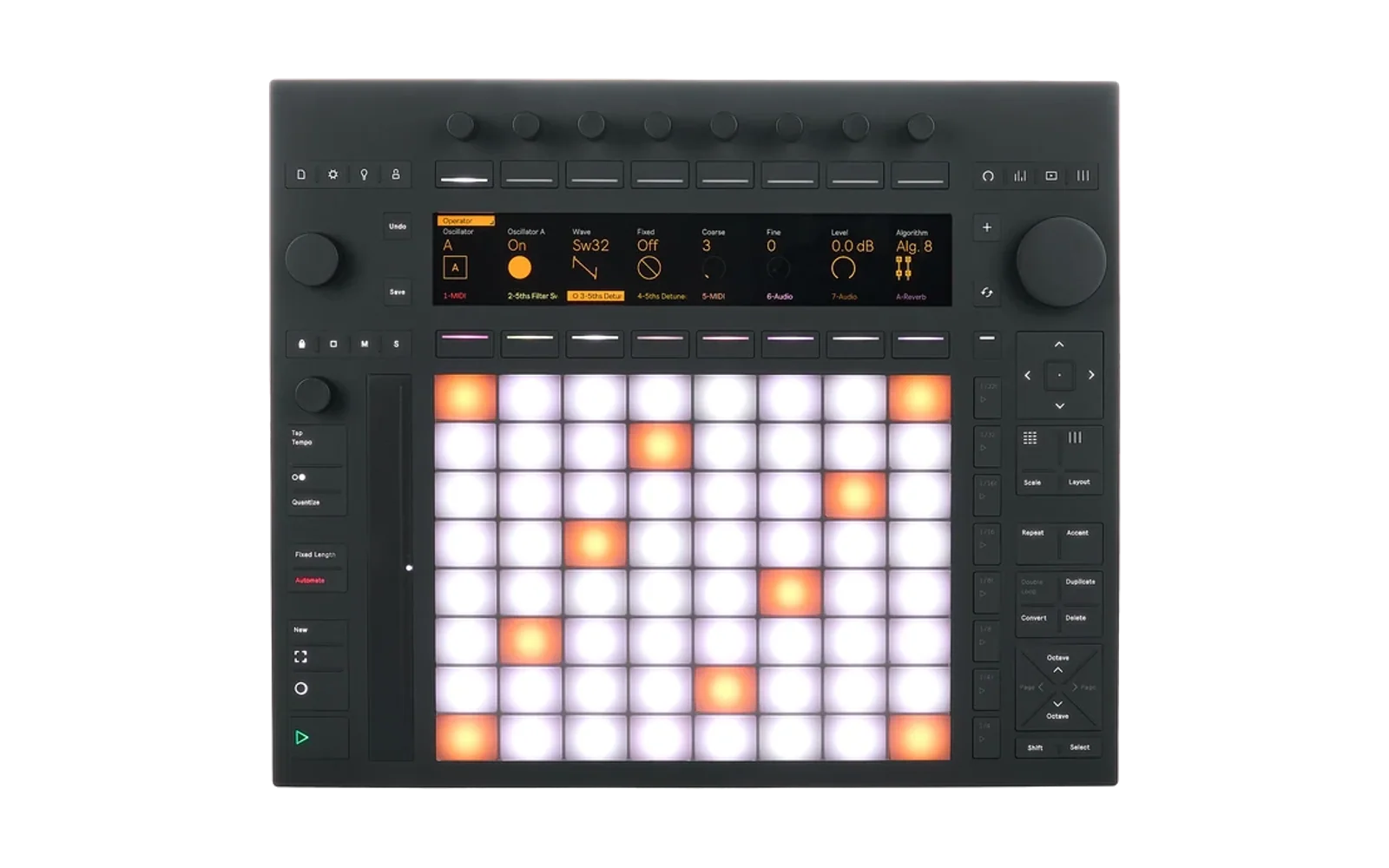
DJ with Mixxx on an Ableton Push 3 in standalone mode. Switching to Mixxx mode stops Push3 and Live, starts Mixxx on the Push's own audio outputs, maps two decks to the controls and shows a 960x160 Mixxx skin on the Push screen.
Requires push-manager from ableton-push-hack
with POST /api/display/direct, which drives the screen while Push3 is stopped.
Install
Install Mixxx Mode from Push Hack Catalog. The download is large because it bundles Mixxx and its
libraries. Everything lives in /data/push-hack/hacks/mixxx/; updates keep your Mixxx library and
settings (settings/ in that folder).
Remove in the catalog deletes that whole folder, including your library, playlists, cue points
and audio settings. Copy settings/ elsewhere first to keep them. Music copied from USB drives
(/data/Music/DJ/USB/) stays.
Switching
- From push-manager's web page: open Mixxx Mode, then Switch to Mixxx / Back to Push.
- On the Push: Shift+Set opens the Shadow UI, go to the MIXXX tab and press START (first button under the screen). Needs a push-manager that closes the Shadow UI when direct mode turns on.
- Back to Push mode: hold Settings for 1.5 s.
Controls
Each side of the Push runs one deck. Undo and Save switch a side between its two decks and are lit while it is on deck 3 or 4. Everything on that side follows, including the screen labels.
| Control | Left side (deck 1 or 3) | Right side (deck 2 or 4) |
|---|---|---|
| Play / cue | Play / Record | 1/4 / 1/4t |
| Switch deck | Undo (deck 1 <-> 3) | Save (deck 2 <-> 4) |
| Tempo of the master deck (press = original tempo) | Tempo encoder | Tempo encoder |
| Nudge | Volume encoder (above tempo) | Jog wheel (decks shown) |
| Pull-up | Shift + volume encoder | Shift + jog wheel |
| Hot cues, loops, jumps | Pad columns 1-3 | Pad columns 6-8 |
| Sync, key lock, volume | Pad column 4 | Pad column 5 |
| Encoders | 1-4 | 5-8 |
| Headphone cue (fixed per deck) | Lock = deck 1, Stop Clips = deck 2 | Mute = deck 3, Solo = deck 4 |
Pull-up holds the track like a record and moves it, also while it plays. Stop turning or let go of Shift and it plays on.
Pads
Per deck, top row first:
- Hot cues 1-3
- Hot cues 4-6
- Hot cues 7-8
- Loop in, loop out, reloop / exit loop
- Loop 4, 8, 16 beats
- Halve, double, slip
- (empty)
- Jump back, (empty), jump forward
Inner column, top down: sync, key lock, then a 6-pad volume fader (silent, 20, 40, 60, 80%, full), lit up to the level. Hold Delete and press a hot cue to clear it.
Colors: each set hot cue has its own color (red, orange, yellow, green, sky blue, blue, violet, pink), near-black while empty. Loops dark brown, amber while a loop plays. Jumps blue. Slip, sync (red) and key lock (violet) are dark when off and bright when on.
Encoders
Buttons 5-8 below the screen pick the mode. Hold Shift for FX mode until you let go.
| Mode | Left (1-4) | Right (5-8) |
|---|---|---|
| 7 EQ | High, Mid, Low, Filter | same |
| 8 FX | FX 1, FX 2, FX 3, FX mix | same |
| 6 GRID | Grid position, BPM, waveform zoom | same |
| 5 GAIN | Deck gain (0 dB at center) | same |
- The top screen row shows what each encoder controls and where it is set.
- EQ, filter and deck gain stop at center. Pause 1/8 s, then turn again to go past. A knob less than a tenth of its range from center turns straight past.
- Hold Delete and touch an encoder to reset it: EQ and gain to 0 dB, filter to center, effect off, FX mix to full, grid and BPM undo the last grid change, zoom to default.
- Buttons above the screen: in FX mode, the button over an effect loads the next one (with Delete, the previous). In GRID mode, the button over GRID puts the grid's beat at the play position. In GAIN mode, AUTO (2 or 6) turns auto gain on or off for all decks and is lit while on. Without it, deck gain is the only level adjustment.
Effects
Each effect unit starts with Reverb, Echo and Flanger; an effect's encoder is its amount. At 0, Reverb and Echo ring out like in Rekordbox: nothing new goes in, the tail keeps playing, and the effect turns off 6 s later. FX mix starts at full and fades all three. Effect changes last until Mixxx mode ends.
Accent = reverb at 75% on both decks the Push controls, press again to let it ring out. Lit while either deck has reverb on. Reverb is effect 1; if you loaded another effect there, Accent uses that.
Master deck
The master deck is marked MASTER on the screen and the tempo encoders change its tempo. With sync on it is the sync leader and the other deck follows. All decks start with sync and key lock on, deck 1 as master. Button 3 below the screen swaps the master deck.
Master volume: press Main, then turn the jog wheel. Main lights white, the top row shows the level in dB, and it stops at 0 dB like EQ. Press Main again or stop turning for 3 s to give the jog back.
Other buttons
- Session: open / close the library.
- Layout (above Accent and Repeat): side by side, top/bottom (waveforms meet in the middle), four decks. With four decks, the decks the Push controls have colored numbers.
- Quantize: quantize on all decks.
- Touch strip: crossfader, back to center when you let go.
- Help: this manual. Jog scrolls, Help again closes.
- Settings (hold 1.5 s): back to Push mode.
Lights
- Play is green: solid while playing, blinking while stopped. Cue is yellow, orange when at the cue point, blinking in step with play when paused elsewhere (Mixxx's Pioneer cue mode).
- Headphone cue buttons are yellow off, orange on.
- The button column right of the pads (1/8 at the bottom to 1/32t) meters the master output in green, yellow and red. Main lights red while the master clips.
- Buttons without a function in Mixxx mode stay dark.
Library
- Jog wheel: turn to scroll, press to open, click left for the tree, right for the track list. If the list stops moving, click right (or left) to give it focus again.
- Add loads the selected track on the left deck, Swap on the right deck. Both close the library.
- Buttons above the screen sort the list: #, title, artist, BPM, key, time, date added, genre. Press again to reverse.
- Search (button 1 below the screen): the top 4 pad rows become a keyboard (A-Z, space, - and ', DEL, CLEAR; with Shift 1-0 and . & ( ) / !), with the key map at the bottom of the screen. Turn the jog to go back to the track list. Search again, or closing the library, hides the keyboard.
- Import (button 2): copies the Rekordbox playlist selected in the tree, see Music.
- Mixxx windows such as "Couldn't load track." show on the screen. Turn the jog to pick a button, press it to click.
Screen
Side by side layout: deck 1's info line and overview on top, both scrolling waveforms in the middle (shared zoom, so beats line up), deck 2's overview and info line at the bottom. Waveforms are 3-band: low blue, mid amber, high white.
The encoder and button label rows slide in while you touch an encoder or press a button next to the screen, and hide 1.5 s later. They stay while the library is open.
Music
Mixxx reads /data/Music/DJ, rescanned on every start. Copy tracks there with Push Manager.
Rekordbox USB drives show up under Rekordbox in the library tree. For a drive plugged in while Mixxx runs, select Rekordbox and press the jog wheel.
Import creates a Mixxx playlist with the same name, order, hot cues and beatgrids, then copies
the tracks to /data/Music/DJ/USB/ with the drive's folder structure. The bottom line of the screen
shows progress. Once copied, Mixxx plays them from the Push and the drive can go. Importing again
copies only what is missing; a track in two playlists is copied once and stays one library track.
Tracks removed from the library lose their copy at the next Mixxx start or stop. Only the USB
folder is touched, never your own tracks.
A track that can't be loaded leaves the deck empty and shows an error; click OK with the jog wheel.
USB drives in Mixxx mode:
- FAT drives are remounted with UTF-8 names, so tracks like
DārinorROSALÍAload, and matching ignores case (BakeyfindsBAKEY). This includes drives plugged in while Mixxx runs. Push mode gets the original mount back. - If the Push skips mounting a drive it has seen before, the bridge asks it again within seconds.
Audio
Set the buffer size and outputs on the Mixxx Mode web page (Audio). Defaults: master on outputs
1/2, cue on the headphone jack (3/4), 256-frame buffer (5.8 ms, against Mixxx's default 23 ms, about
50 ms from button to sound). If you hear clicks, pick a bigger buffer. Changes apply at the next Mixxx
start and are stored in settings/audio.json. Mixxx's audio thread runs with realtime priority.
- EQ: Bessel8 LV-Mix isolator (full kill, like Rekordbox's isolator mode), crossovers at 265 Hz and 3.6 kHz (band centers about 70 Hz, 1 kHz, 13 kHz, like a Pioneer DJM).
- Auto gain (ReplayGain) targets -18 LUFS with no boost, so club tracks play 7-12 dB quieter than without it. Turn up the master or deck gain if needed.
Development
| Path | What |
|---|---|
src/ | mixxx-bridge: mode switch, screen copy, exit button, USB handling, import copies |
mapping/ | Mixxx controller mapping (XML + JS) |
skin/PushHack/ | 960x160 Mixxx skin |
patches/ | Patches for Mixxx 2.5.6 (Rekordbox import, live relocation) |
scripts/build-mixxx.sh | Builds the patched Mixxx package (Docker) |
scripts/bundle-mixxx.sh | Builds the Mixxx bundle (Mixxx 2.5 from the Mixxx PPA, Ubuntu 22.04) |
scripts/release.sh | Packages a release for Push Hack Catalog |
Tuning:
PUSH3.PULLUP_TICKS(mapping JS): jog ticks per pull-up step, fewer moves further.PUSH3.DETENT_NEAR(mapping JS): how close to center a knob turns straight past the stop.InitialReplayGainBoost(src/mode.go): extra ReplayGain boost, 0 by default.- The bridge rewrites the track list columns on every start.
Rekordbox import needs the patched Mixxx: patches/sidebar-import-playlist.patch adds the
[Library],import_playlist control, patches/import-relocate.patch lets the bridge point Mixxx at
the copies (settings/import-ready.json). Anything Mixxx misses is fixed at the next start.
Building a release
Everything builds on a computer with Docker, never on the Push. On Apple Silicon the Mixxx build
runs under emulation and takes a few hours the first time; the mixxx-build volume keeps objects so
later builds only compile what changed.
- Give Docker Desktop at least 8 GB of memory (Settings > Resources).
- Build the patched Mixxx package (each compile job needs 1-1.5 GB, raise
PARALLELonly if Docker has the memory):docker run --rm --platform linux/amd64 -v "$PWD":/work -v mixxx-build:/build -e PARALLEL=2 ubuntu:22.04 /work/scripts/build-mixxx.sh - Build the bundle:
docker run --rm --platform linux/amd64 -v "$PWD":/work ubuntu:22.04 /work/scripts/bundle-mixxx.sh - Bump
versioninhack.json, then runscripts/release.sh. gh release create v<version> dist/mixxx.tar.gz dist/mixxx-source.tar.gz, then commit and push the newrelease.json. The catalog reads it frommain.
License
GPL-2.0-or-later, see LICENSE. The release bundles Mixxx (GPL-2.0-or-later) built with the patches
in patches/; each release has the matching Mixxx source attached.