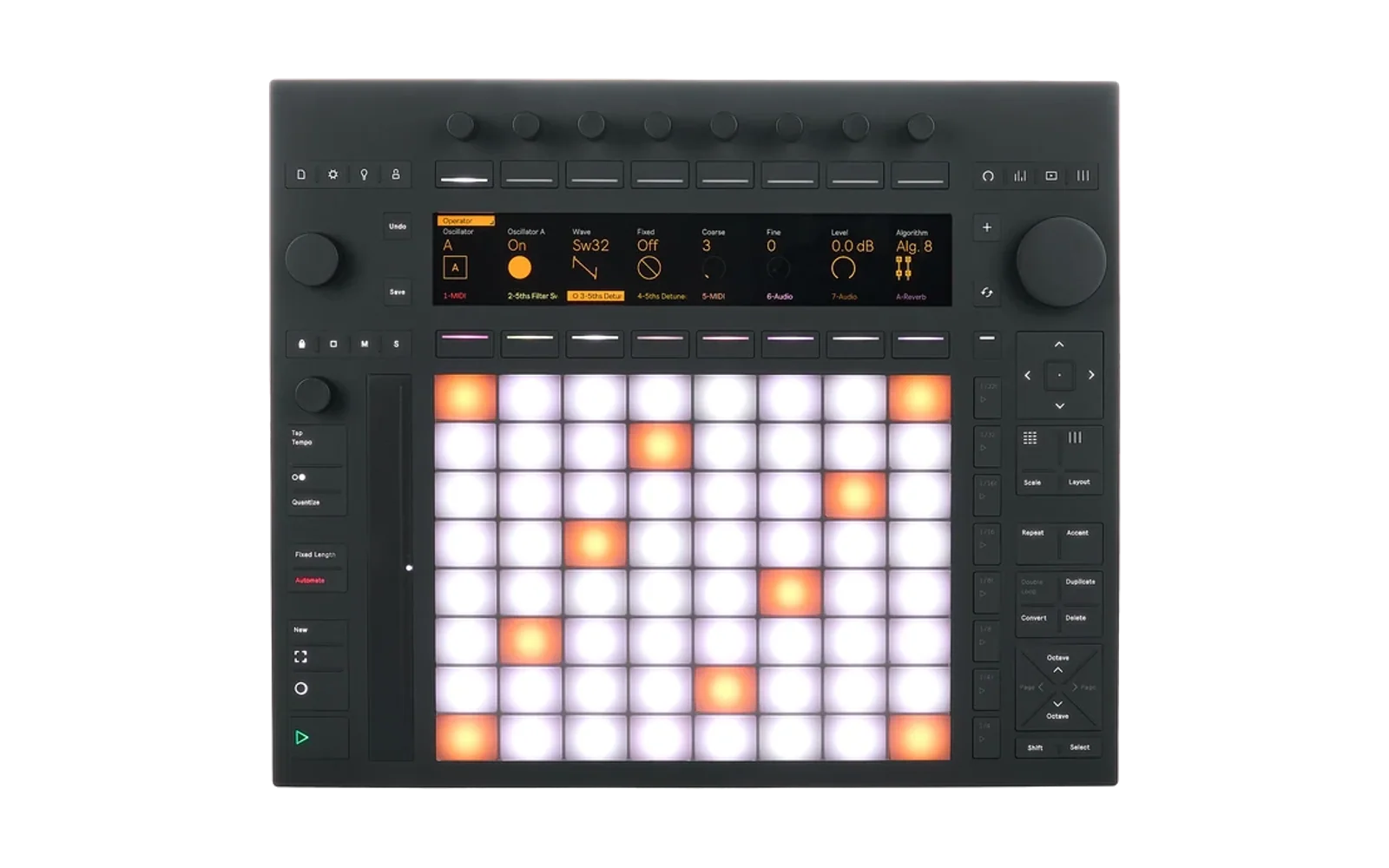
Stacks for Push 3
Stacks is a chord-progression tool. It was made for Ableton Move as a Schwung module (schwung-stacks). This repo runs the same Stacks on Ableton Push 3 Standalone, as a Push Hack catalog hack.
Status: early. Stacks plays into Live and follows Live's transport. You edit it on Push itself (screen, encoders, buttons and pads) or from a browser.
On Push
Every control is in the
control matrix
(docs/control-matrix.html, built from the code by make matrix).
- Open Stacks from Push Hack Home: press Shift + Help and pick STACKS (a top button, its pad column, or the jog). Stacks then has the screen, pads and buttons (editing). Shift + LIVE (the eighth top button) switches to listening (the screen only); Shift + Help goes back to Home, the LIVE tab back to Live. Star Stacks in Home, or make it the superstar to open it with Shift + Help, Help. While Stacks is not editing it plays nothing. Home's card for Stacks shows its key and its progression.
- With an older Push Hack (no Push Hack Home), Shift + Help cycles three modes as in 0.2: Live, then Stacks editing, then Stacks listening, then Live again.
- Listen mode keeps your pads, buttons and encoders with Live. Play as usual; the screen names the chord you play, animated as you add notes: its name, degree and role in the key, inversion or slash bass, and what your voicing leaves out (no 5th). Two notes show as an interval. When you let go of every pad, the name clears. LAST, a small dim line under the notes, then shows the chord you played before, with its degree. Lifting some notes while others are held keeps the name. Once before the first use: Browser Bridge 0.4 or later active in Live (Settings > MIDI > Control Scripts), and Track switched on for the output Stacks Listen (Settings > MIDI). Browser Bridge adds a silent track named Stacks Listen to your Set; it listens to the track you select.
- Bottom two pad rows are the chords. Press a pad to select its chord. Hold it to hear the chord with its rhythm, again and again, for as long as you hold it.
- Middle four pad rows edit the selected chord. Three scene buttons pick the page: 1/4 is WRITE, 1/4t is VOICE, 1/8 is FEEL. The lit one is the page you are on.
- Hold a scene button to see on the screen what every pad row on that page does. Let go and the screen goes back.
- Top two pad rows are the 16 patterns. Tap a pad to go to that pattern. Hold it to copy the current pattern into it. On the PATTERNS tab, each slot shows its chords, and the bottom buttons are CLEAR SLOT and COPY TO SLOT: press one, then tap the slot. Press it again to cancel. Holding Delete and tapping a pattern pad also clears it.
- The note lanes keep their size while you change voicings (inversion, octave, colour, grouping). They zoom out only when notes would leave the screen. They zoom back in only when the harmony changes: a new chord, a chord added or removed, or a pattern or progression loaded. Undo and Redo also give back the zoom that the state had. To keep the lanes still, the view moves up or down by whole octaves. The thin bar at the right edge shows which part of the register is on screen.
- Shift + Scale follows Push's scale. Stacks' Key and Scale then
follow the scale you set with Push's Scale button, within a second, and
the MAIN tab marks them FROM PUSH. A scale Stacks does not have (it has
13, Live about 30) keeps Stacks' scale and follows the key only. Turning
Stacks' own Key or Scale stops following. Needs Browser Bridge 0.3 or
later, active in Live (Settings > MIDI > Control Scripts), and a Push
Hack with
/api/live/scale(pending: push-hack-browser-bridge#3, ableton-push-hack#36). - Inversion shows AUTO when Voice Grouping is a "dyn" mode. Then Stacks picks each chord's inversion itself, so the chord moves as little as possible from the chord before. The first chord, and a chord after a rest, keep their own inversion. The value you set is kept and comes back if you change grouping.
- Chord names spell their quality in full, because Push's screen has capitals only: CMAJ, CMIN, CMAJ7, BMIN7-5. A plain major chord reads CMAJ, not just C.
What it does
- Plays your progression into Live, on the selected track.
- Follows Live's transport: it starts on Play, follows the tempo, and stops on Stop.
- Has the same browser panel as on Move, at
http://push.local:<port>/. Push Manager's menu bar links to it. - Saves everything (the progression, the 16 patterns, all settings) to
/data/push-hack/data/stacks/state.json. A reinstall keeps it. - Tells other apps what it plays: the key, the scale and each chord, on the port Stacks Harmony (Push Hack Harmony, docs/harmony-sync.md). An app that follows Push Hack Harmony finds the port by itself and plays over Stacks' chords. Each chord change is sent a moment before it happens, so the follower changes on the same beat.
- PLAY CLOSED (CLIP tab, button 4): with Push Hack Home only the app on Push's screen plays. Turn it on to keep Stacks playing while another app is on screen. Off by default: closed, Stacks is silent.
Set up on Push (once)
Stacks opens three MIDI ports. Live finds them by itself.
- Stacks Out is the chords. Live plays notes from it on the selected track. Nothing to do.
- Stacks In is Live's clock. In Push's Settings → MIDI, find Stacks In under outputs and turn Sync on. Without this, Stacks cannot follow Play and Stop.
You can also send notes from a Live track to Stacks In. A note selects a chord, the same way a keyboard does on Move.
- Stacks Harmony says what Stacks plays, for other apps (only SysEx, no notes). A follower connects to it by itself. Live connects to it too and ignores it.
Requires
- Push 3 Standalone with Push Hack installed: Push Manager (port 7701) and Push Display.
- For Stacks on Push's screen, pads and buttons: a Push Hack release with
pass-through buttons and raw frames
(#33).
With an older one, Stacks still plays into Live and the browser panel
works. Shift + Help then shows on the screen what to update. Push Hack
Home (#38)
is how Stacks opens on a Push Hack that has it. The log
(
/data/push-hack/logs/stacks.log) says it too, with lines startingdeps:. - For listen mode and Shift + Scale: Browser Bridge active in Live, 0.4 or
later for listening, 0.3 or later for the scale
(push-hack-browser-bridge#3,
#4),
and a push-manager with
/api/live/scaleand/api/live/listen(#36, #37). - Not supported yet: Read Clip and Read Track. On Move they read the set file, and Live's sets are a different format. They will come through Browser Bridge.
Build and run (developers)
Push is x86-64 Linux with glibc 2.35. Stacks has a C core, so the binary uses cgo, and it is linked statically so it runs on any glibc. The build runs in Docker. You do not need Go installed.
make test                       # Go tests, with the C core, in an amd64 container
make build                      # ./stacks, static linux/amd64
./scripts/deploy.sh push.local  # copy to the Push and start it as push-catalog would
./scripts/deploy.sh push.local stop
The log is /data/push-hack/logs/stacks.log on the Push. Once a minute it
prints how late the block timer woke, so timing is measured, not assumed.
POST /api/param {key: "plays_closed", value: "on" | "off" | "toggle"}
switches PLAY CLOSED; GET /api/state carries plays_closed. It is the
host's setting, not the core's, saved in
/data/push-hack/data/stacks/plays-closed.json.
Two read-only routes are there for testing what Push shows:
GET /api/screen returns the mode, the tab, the editor page, whether a
pad map is held up (legend), an armed slot action (pat_mode), the held
chord pad and the toast; GET /api/leds returns the last colour sent to
each pad (pads, eight rows, the bottom row first) and each button
(buttons, by CC).
How it is built
src/upstream/stacks/is Stacks' own code, copied from schwung-stacks at the commit inUPSTREAM_REF. Do not edit it here../scripts/sync-stacks.sh [ref]copies a new version,./scripts/sync-stacks.sh --checkchecks the copy, and./scripts/sync-stacks.sh --behindsays whether schwung-stacks has newer commits that change the copied files (exit 3 if it has).src/dsp/builds that code without changes, and gives it the host API that Schwung gives it on Move (host.c,stacks_unit.c).src/engine.gois the one goroutine that calls into Stacks. It renders a 128-frame block every 2.9 ms, passes MIDI through as it arrives, and pollsrui_pollandstatefor the panel, like Schwung's Tool tab.src/web.goservesweb_ui.htmlunchanged, plus a smallwindow.schwungRemotestand-in.
core version
src/go.mod pins core. Until the Push Hack PR that adds pass-through
buttons and raw frames
(#33) is
merged and tagged, a replace points at that PR's commit on a fork. When
a core/vX.Y.Z tag carries it, pin the tag and delete the replace.
To work on core and Stacks together, a local go.work (not committed)
can point at a checkout next to this one. make mounts
../ableton-push-hack into the build container for that:
go 1.25.0

use ./src
use ../ableton-push-hack/core
Releases
A v* tag that matches hack.json's version runs
.github/workflows/release.yml. It tests, builds the static binary,
publishes stacks.tar.gz and updates release.json, which Push Hack
Catalog reads. CI (ci.yml) runs the tests on every push and checks that
src/upstream/stacks/ matches schwung-stacks at UPSTREAM_REF. It also
checks whether schwung-stacks has moved on: on a push or a pull request
that is a warning; on the weekly run (Mondays) the run fails, so GitHub
sends the owner an email.
License
MIT, see LICENSE. Third-party code and its licenses (Schwung's headers, the Push Hack core, Go) are listed in THIRD_PARTY_LICENSES.md.