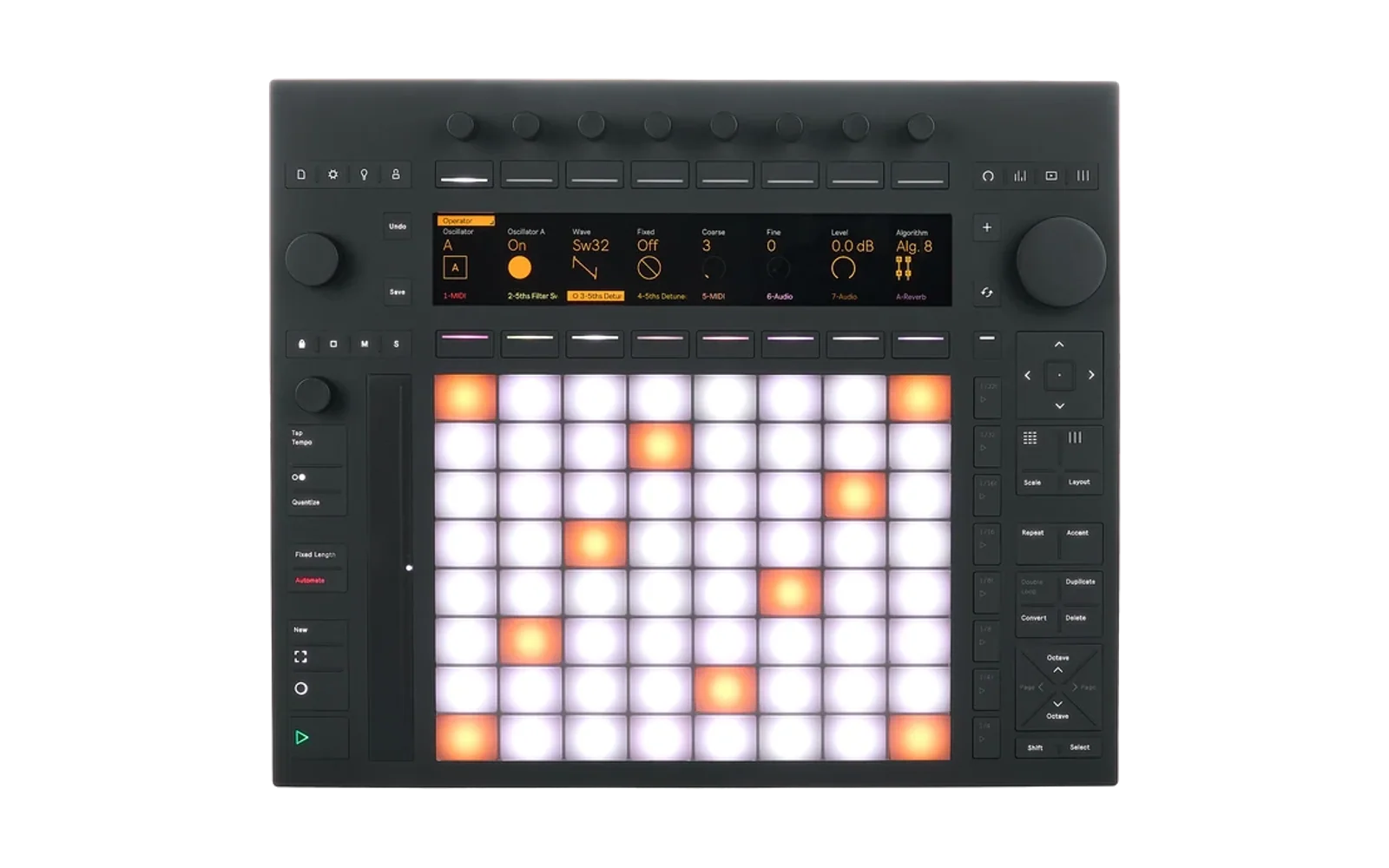
Net MIDI for Push 3
Net MIDI puts the MIDI ports of Ableton Push 3 Standalone on the network. It speaks Apple MIDI (RTP-MIDI), the network MIDI that is built into iOS, iPadOS and macOS. An iPad then sees the Push as a network MIDI peer, and an app such as AUM gets its notes from the Push and sends notes to it.
It is a Push Hack catalog hack. It needs push-manager (for its tab on the Push's screen and the link on the web page); it does not draw on the display.
Status: early, but it works with an iPad running AUM. See "Timing and sync" for what to expect over Wi-Fi.
Why not USB
Push and iPad are both USB hosts, and a host only talks to devices. The Push's main computer has no USB device controller and no Bluetooth, so no driver can change that. The network can: the Push has Wi-Fi, and drivers for common USB Ethernet adapters for a wired link.
What you get
- One MIDI port on the Push, Net MIDI. Live lists it as an input and as an output, like any other port. What Live sends to it reaches the iPad; what the iPad sends comes out of it into Live.
- Routes bridge other ports too: Stacks Out to the network, the network to Riffs In, and so on. A route can move every message to one channel, because the iPad merges every peer into one port.
- Bonjour: the Push announces itself as "Push 3" (the name is yours to change), and lists the iPads it sees.
- Both sides can start the session: the iPad connects to the Push, or the Push connects to the iPad (CONNECT on the Push, or on the web page).
- Peers the Push connected to can be remembered; it connects again after a start or a drop.
- A monitor on the web page shows the last messages each way.
On the iPad
iPadOS has Apple MIDI built in, but an app has to turn the network session on. AUM has a network MIDI list of its own: tap the Push there. Other apps need a helper such as the free midimittr (Network, Session on); the Push then shows up in that app's directory under its name. In AUM, pick Network Session 1 as a MIDI input or output.
For the Push to connect by itself, the iPad must allow connections from anyone (in midimittr: "Who may connect: Anyone").
On the Push
Open the Shadow UI and pick the NETMIDI tab. It has every setting of the web page except the ones that need typing: the session's name and port, and connecting to an address. Rows:
SESSIONon or off, the name and the UDP port.CLOCK INoff or on: whether clock and transport from the network reach Live. See "Timing and sync".BUFFER: how long messages from the network wait past their time, and how far behind their time packets have lately come.PEERfor each connected peer: address, latency, packets lost.FOUNDfor each network session Bonjour sees.SAVEDfor each remembered peer.ROUTEfor each route: direction, port, channel, on or off, and whether the port is there.ADD ROUTE ...opens a list of the Push's MIDI ports.
The jog wheel moves the cursor. The buttons under the screen depend on the row:
| Row | Buttons |
|---|---|
| any | 1 ON, or OFF (twice: the first press asks OFF: SURE?) |
CLOCK IN | 4 CLOCK ON / CLOCK OFF |
BUFFER | 5 -5 MS, 6 +5 MS, 7 -50 MS, 8 +50 MS |
PEER | 3 DROP |
FOUND | 2 CONNECT, 3 CONNECT+SAVE (remembered, invited at every start) |
SAVED | 2 CONNECT, 3 FORGET |
ROUTE | 4 ROUTE ON / ROUTE OFF, 5 CH -, 6 CH +, 7 REMOVE (twice) |
ADD ROUTE | 2 ADD: the port list opens. There: jog to a port, 2 TO NET or 3 FROM NET, 1 BACK. R after a port means it sends (a route to the network reads it), W that it receives. |
OFF ends the whole session: every peer is dropped, the Push leaves the iPad's list, the ports close. DROP ends one peer's connection; the session stays on and the iPad can connect again. Leaving the tab changes nothing: the session lives in the hack, not on the screen.
Timing and sync
What the first evening with an iPad taught, in the order it came up.
Tempo. Live on the Push follows MIDI clock on any input that has
Sync on, and most iPad hosts send clock. With clock arriving over Wi-Fi
the Push's tempo wandered, even though the Push was meant to be the
master. So clock, Start, Continue, Stop and Song Position from the
network are kept out unless CLOCK IN is on. Use Ableton Link
for tempo instead: AUM and Live on the Push both have it, it carries
tempo and beat phase over the network with no jitter, and whichever side
changes the tempo last sets it. With Link on, leave Sync off for the Net
MIDI input and output. A tempo such as 120.01 is Link agreeing a value
with the iPad, not a fault. If the Push must drive the iPad with MIDI
clock instead, turn Sync on for the Net MIDI output and Link off.
Note timing. Each message from the iPad carries the time it was sent. The hack does not play it when the packet lands; it plays it at that time, moved by the clock offset the two sides measure every few seconds, plus the buffer. The offset comes from the clock sync with the shortest round trip of the last minutes, so one slow exchange does not move every note. A packet that arrives later than its time plus the buffer goes out at once, with the spacing between its messages kept.
The buffer. Its job is to be longer than the worst delay on the way. The tab and the page show how far behind their time packets have lately come; set the buffer above that and the timing is steady. Below it, notes come out as they arrive, with the network's jitter. The page also counts the packets that came later than the buffer, and the packets the sequence numbers say were lost.
What the delay is. On a home Wi-Fi the Push reaches the router in a few milliseconds; an iPad is the slow leg, because iOS puts its radio to sleep between packets and traffic comes in bursts. Measured here: Push to router 4 ms, Push to iPad 70 ms on average with peaks of 120 ms, and packets up to 240 ms behind their time, with no loss at all. A buffer of 200 ms made it play evenly. What shortens the delay, in the order it helps: a USB-C Ethernet adapter on the iPad into the router (the Push can stay on Wi-Fi; a buffer of 10 to 20 ms should then do), keeping the MIDI app in the foreground with the screen on, Low Power Mode off.
Lining the delay up with the beat. With the buffer set, everything from the iPad plays that many milliseconds late, evenly. Live on Push 3 Standalone does not take a negative Track Delay large enough to pull it back. AUM has a Link offset: set it so AUM runs that many milliseconds early (try the negative value first; the sign is AUM's), and the notes land on the Push's beat.
The web page
Open it from push-manager's menu bar (the Net MIDI link), or from
the hack's card in Push Hack Catalog (Open). Both know the port. To
type it yourself: http://push.local:<port>/, where the port is the one
Push Hack Catalog assigned at install (the lowest free port from 7711;
it is in /data/push-hack/hacks/netmidi/hack.json on the Push). A dev
deploy with scripts/deploy.sh uses 7713, from this repo's
hack.json. The page has the
same settings as the tab plus: the session name and port, connect by
address, the route editor (pick a port from the list, a direction, a
channel) and the monitor.
API
All on the hack's port. GET /api/state is the whole state;
GET /api/events streams it (SSE). POST /api/session {name, port, enabled} (each optional). POST /api/connect {host, port, name, remember}. POST /api/disconnect {ssrc}. POST /api/forget {host, port}. GET /api/ports lists ALSA ports. POST /api/routes replaces the
route table: [{client, port, dir: "out"|"in", channel: 0-16, on}].
GET/POST /api/shadow is push-manager's tab contract.
Settings live in /data/push-hack/data/netmidi/config.json, outside the
hack folder, so a reinstall keeps them.
How it works
src/rtpmidi is the protocol with no sockets: the session packets
(invite, accept, reject, bye, clock sync, feedback), the RTP-MIDI data
packets and their MIDI list (delta times, running status, SysEx, the
journal skipped), and a state machine for each peer that says what to
send. peer.go puts it on two UDP sockets (control port and control +
1). The Push both accepts invitations and sends them.
Bonjour goes through avahi-daemon, which the Push runs already, over its
D-Bus API (godbus/dbus, pure Go): the hack asks the daemon to announce
_apple-midi._udp and to browse for it. The service points at
push.local, which avahi owns.
Messages from the network are not played as the packets land. Each one
is due at the sender's stamp, moved by the offset the clock sync
measures, plus the delta times inside the packet, plus the buffer; a
scheduler (sched.go) holds it until then. A packet that is already
late goes out at once with its inner spacing kept. The page counts late
packets and the packets the sequence numbers say were lost.
The ALSA side is core/alsaseq: one port that reads and writes, plus a
subscription for each "out" route. A read's events go out in one packet,
so a chord stays a chord.
The binary is pure Go (CGO_ENABLED=0), 6.6 MB, about 7 MB resident, and
idle at 0% CPU.
Build, test, deploy
make test                      # go test in a Go container
make build                     # ./netmidi for linux/amd64
./scripts/deploy.sh push.local # copy and start it on the Push (dev)
SSH_OPTS="-o HostKeyAlias=push.local" ./scripts/deploy.sh 192.168.0.134
The Mac needs Docker, not Go. A v* tag builds a release and updates
release.json for Push Hack Catalog.
Status
- Done: the protocol, both roles, Bonjour, the Net MIDI port, routes, the web page, the NETMIDI tab. On the device, a second instance playing the iPad connects, syncs clocks, and carries notes both ways; Live connects to Net MIDI by itself; Apple's resolver on a Mac sees the Push.
- Tested with an iPad running AUM over Wi-Fi: it connects (over IPv6), notes go both ways, and with the buffer above the Wi-Fi's delay the timing is steady. See "Timing and sync".
- Known: iOS merges every network peer into one port, so two Push sources need two channels. Live's own ports are not shown one by one; Net MIDI is one port, and routes add more.