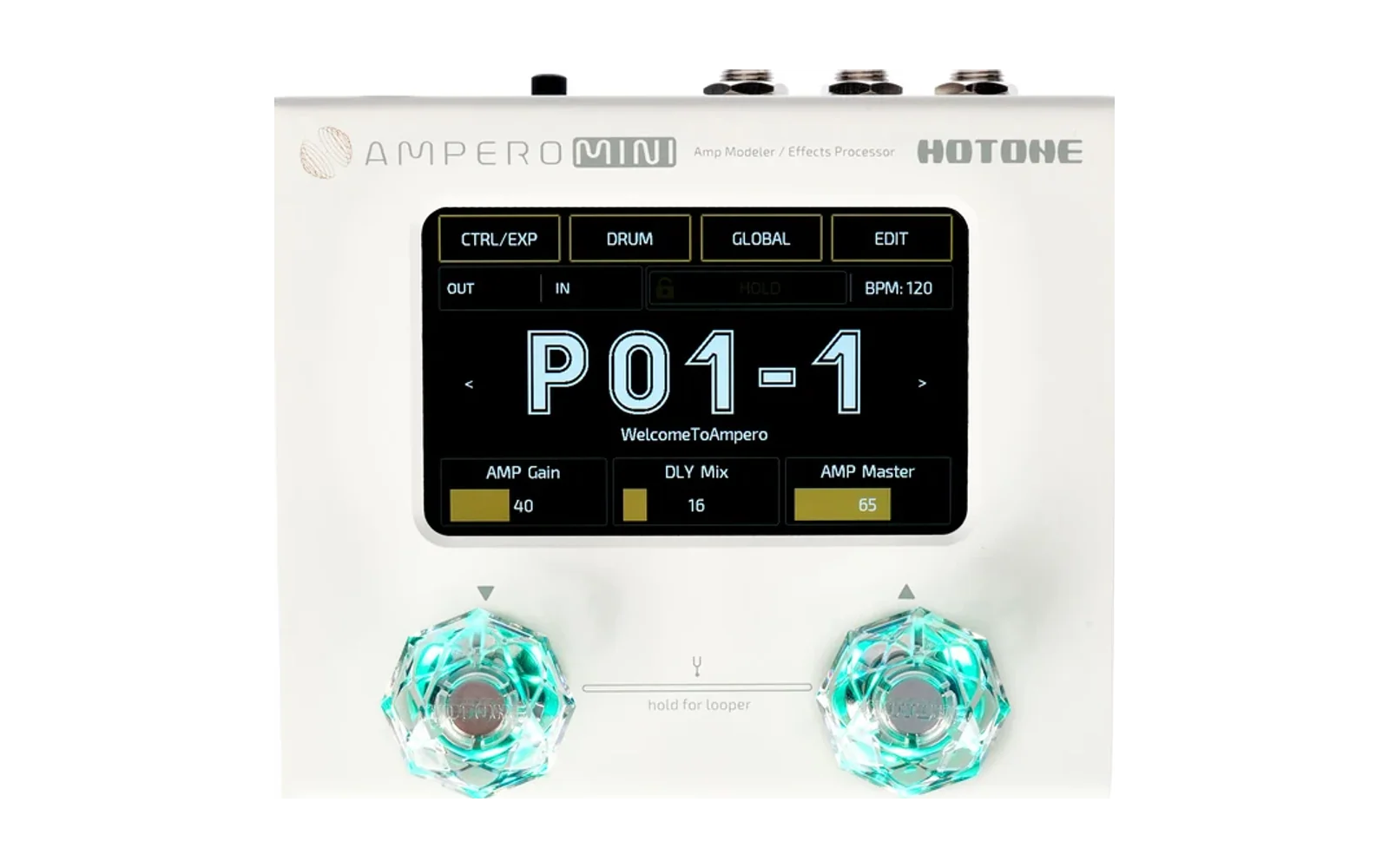
Pitik for Hotone Ampero Mini (unofficial)
pitik is a flick, a pulse, a spark of light.
Pitik requires installing modified firmware on your Ampero Mini using the Ampero Editor.
Pitik changes the teal footswitch light of the Hotone Ampero Mini (the colour the footswitches show in preset
mode, and on a looper footswitch set to the drum machine while the drums play) to off or white. Green, red and
blue stay as they are. White is all three colour channels on; on the unit it looks pale mint, because the green light is
the brightest (the light has only on/off per colour, no brightness steps). GLOBAL > About shows which Pitik build is installed, e.g. V2.2 + Pitik 1.0.0 08dd891c;
the Ampero Editor still sees firmware V2.2.
Version 1.0.0, for Ampero Mini firmware V2.2 only.
Pitik is not affiliated with or endorsed by Hotone. "Hotone" and "Ampero" are named only to say what this tool is for. We never host or distribute Hotone's firmware: you download it from Hotone and the patch is applied on your own device.
How to use it
- Back up your presets in the Ampero Editor. The editor cannot download Sound Clones or user IRs from the unit, so keep the original files of any you uploaded.
- Download the Ampero Mini V2.2 firmware from Hotone's support page
(hotone.com/support). Keep the zip as it is, or unzip it and use
Ampero Mini_firmware_V2.2.bin. Keep a copy of Hotone's file: it is what you install to go back to stock, even if Hotone's download page changes. - Open the Pitik page (https://pitik-ampero-mini.raki-rarufu-dev.workers.dev, or
index.htmlfrom this repository), drop the zip from Hotone (or the.bininside it) on it, choose off or white, and download the patched file. The page runs entirely in your browser: nothing is uploaded, there is no tracking, and it works offline (download this repository as a zip, unzip it, openindex.html). It only accepts the official V2.2 file, or Hotone's zip holding it (checked by the.bin's sha256) and shows the sha256 of the file it makes. - Install: power the Ampero Mini off, hold footswitch 1 (FS1) and power it on (update mode), connect USB, and install the patched file from the Ampero Editor. Do not unplug during the install. Wait for the editor to finish. If the screen stays black after the restart, power-cycle the Mini; this is expected.
- GLOBAL > About shows
V2.2 + Pitik 1.0.0 ....
Command line instead of the page (same code, same output): node patcher.js "Ampero Mini_firmware_V2.2.bin" out.bin --teal off
(or --teal white; Hotone's zip works as input too).
Going back to stock (recovery)
Power off, hold FS1, power on (update mode), and install Hotone's original Ampero Mini_firmware_V2.2.bin from the
Ampero Editor. Update mode runs before the firmware, so this works even if the unit does not start normally. Restore
your presets from the backup, and upload your Sound Clone and IR files again, if anything is missing.
Please read
- Installing modified firmware may affect warranty claims. Installing Hotone's firmware again puts the unit back to stock.
- Use at your own risk. The software is provided "as is", without warranty of any kind (see LICENSE).
What the patch contains
Only our own bytes. patch-data.js holds, per option:
- our appended code (
src/about.ccompiled with clang 22.1.8): the About text; - one branch instruction (our encoding) at the About screen's version getter, pointing at that code;
- four one-byte colour values (the footswitch colour masks: off = 0, white = all three channels).
Everything else in the output comes from the file you got from Hotone. The patched firmware adds no flash writes of its own, and the install does not touch the bootloader (which is why FS1 update mode always gets you back).
Expected output sha256 (input: Hotone's Ampero Mini_firmware_V2.2.bin, sha256
2928e3ca297cce1759944418cb91ce73a936a6b35032219086b652c3708c6f7c; the same from Hotone's zip
Ampero Mini_firmware_V2.2.1773025831434.zip, sha256 9b5565ceb6011abc3c6d287eee28e7a42444427f260958eebcb17738830c44e1):
| Option | About shows | Output sha256 |
|---|---|---|
| off | V2.2 + Pitik 1.0.0 08dd891c | d78cfe47c8acf35ff7e15a3e56b844ae1ebfe4cd8d42d43f112a0438ebf3fae6 |
| white | V2.2 + Pitik 1.0.0 4f2770aa | 60bd65ac01a432b2c2d1777d840aae28f26c03d82ad7c33ed24b2d4e37022bf2 |
For maintainers
python3 tools/build_patch.py "<Ampero Mini_firmware_V2.2.bin>"regeneratespatch-data.js(needs clang, ld.lld, llvm-objcopy, llvm-nm 22.1.8 and node; another compiler version gives other bytes).uv run --with playwright==1.63.0 python3 tools/check.py "<Ampero Mini_firmware_V2.2.bin>" --zip "<Hotone's zip>"runs the release checks: regeneration identical, no shipped byte equals Hotone's byte at its site and no 8-byte run of our code occurs in Hotone's file, CLI output sha256, the page (headless Chromium, over http and file://) byte-identical to the CLI, zip input =.bininput, modified input and foreign zips refused, no network request.- Hooks:
git config core.hooksPath githooks(refuses.bin/.zip/.pdf, multi-line messages, Co-Authored-By). - Never commit Hotone's firmware or any patched file.
Support

Pitik is free, and nothing will ever be paywalled. If it is useful to you, you can leave a tip: buymeacoffee.com/rakirarufu.
Licence
MIT (LICENSE) for our code. Hotone's firmware is Hotone's and is not part of this repository.