Phazerville Suite
Rising55/100Actively developed successor to Hemisphere Suite with Teensy 4 support.
forOpen hardware (mxmxmx and community) Ornament & Crime,Open hardware (mxmxmx and community) uO_C,Open hardware (mxmxmx and community) O.R.N.8·by@djphazer
Unclaimed. Is this yours? Sign in with GitHub as @djphazer to claim it.
o_C-phazerville-v2.0.2_T41-92740448e5.hex· 3.4 MB· +2 files
No license: reuse rights unclear· djphazer/O_C-Phazerville·firmware.phazerville.com/·downloads come from the creator’s GitHub releases
PSv2.0.2Phazerville Suite v2.0.2Latest3 files
Some housekeeping and several new additions in this one.
Watch out for v2.1 Beta coming soon, including float32 precision for the internal audio processing pipeline. Developers should target the
main-devbranch, especially for new audio effects.Fixes
- Prevent graphics from drawing outside framebuffer, corrupting memory
- Fix memory leak in Quadrants when loading a Preset with the same applet in a slot - #276
- Clock UI tempo underflow bug
- all the small things
Features
- USB Gamepad support - big thanks to @beau-seidon !!
- Input Mapping includes G1-G32 sources for buttons/axes
- new Joystyx applet for configuration
- new FrogSeq applet from @mulkeybe - CV-controlled frog, getting hit by a car mutates the pattern - #270
- new Piquet applet - dual envelope generator, similar to the Piqued app - #174
- AD and ADSR applets also now have non-linear time parameters, allowing more precision for short attack lengths, etc. - #240
- new SeQuant applet from @Dragoo417 - specialized quantizer for sequencing scale settings (chord progressions) - #249
- new Panner applet from @Ericxgao - similar to Xfader, but with CV control over pan - #248
- Seq8 - added CV input maps for each step, making it an 8-way sequential switch (quantized to semitones) - @beau-seidon
- Relabi updates from @TricksterSam (breaks existing Preset data) - #274
- Logic applet expanded with every variant of 1- or 2-input binary logic operations - @beau-seidon
- updates to Burst and Combin8 from @mulkeybe
- new Abyss audio applet - vibe-coded imitation of a lush BlackHole-style reverb (RAM and CPU hungry!)
- configurable Play and Sync trigger inputs added to the Clock; toggle option for auto-stop
- new static +5V CV source for Input Mapping - @beau-seidon
- Quadrants reloads the last-saved Preset in Bank 0 on startup
- Sequins expanded to 4 channels
- Quantermain expanded to 8 channels (Reminder: Sequins, Quantermain, and the rest of the legacy Apps are in Boot Slot X on T41)
Footnotes
I am not a vibe-coder. My codebase is still meticulously managed by hand, for the love of the game. This is an educational playground. Tool-assisted contributions are welcome, but please consider the AI Code Policy.
Behind the scenes, I've been implementing proper USB Serial command hooks for remote UI possibilities like CalSynth's web viewer. It's important to get the scaffolding right before using rapid development tools to build massive extensions. Hopefully my careful engineering decisions allow for an extensible and sustainable platform, for both manual coders and agentic tools.
Cheers! ☕
File Choices
- _T41 is for all ORN8 modules.
- _T40 is for O_C modules with Teensy 4.0.
- _NLM+cardOC is for the Buchla Easel card O_C using Teensy 4.0.
Full Changelog: https://github.com/djphazer/O_C-Phazerville/compare/PSv2.0.1...PSv2.0.2
PSv1.14v1.14 (T32 only)4 files
Long Live Teensy 3.2!
I took a day to backport as much as I could from v2.0.1 to the original
phazervillebranch for old O_C users, making sure new settings are saved, and cleaning things up for others to continue maintaining it. There's also a fix for Calibr8or - #244I originally just wanted to make this thing a Pam's killer - with a proper internal clock, multiplier/divider options, tempo-synced LFOs, creative gate or trigger generators, and more. With the newest distractions sequestered to firmware v2.x, the old branch can once again focus solely on supporting Teensy 3.2 and all of its creative limitations!
Saved Settings
Warning: Don't update unless you're prepared to lose your settings! (Calibration is unaffected)
I broke old save data to squeeze all the important Hemisphere Config settings in here, including:
- Trigger Input mappings + passive divider/multiplier setting
- CV Input mappings + Attenuversion
- Trigger input random skip %
- Trigger output random skip %
- Output Slew
- Output Attenuversion
This almost doubles the storage needed for each Preset, so there are only 4 Preset slots by default... but I get the impression that the majority of folks only need ONE preset anyway. You can enable the
MOAR_PRESETSflag for 8 if you don't need to include other Apps that use EEPROM space...By going all-in with Hemispheres, someone could theoretically go even further in the future - more Presets or more settings per Preset.
Too Many Applets
I've grouped the Applets loosely by category with new build flags to help you fit only what you need. The
PEWPEWPEWflag selects my personal choice of Applets that fit comfortably - provided here as the default build. As always, you can edithemisphere_config.hto completely customize the Applet selections, making your own trade-offs for size constraints and reordering them if you're a stickler for alphabetization.If editing text files is too scary for you, I've updated the Custom Build automation as well, where you can leave a cryptic comment for a robot and pray your request is not too greedy. I spotted a web UI on a downstream fork that I might try to steal...
Stock
In addition to regular T32 and VOR builds, there are also "+stock" builds that omit Hemisphere in favor of all the original Apps, with some updates like Slew in Quantermain and Sequins.
Enjoy!
Happy Hacking!
If you need my help with any T32-related issues, make sure to include a message when you Buy Me a Ko-Fi! ;)
Full Changelog: https://github.com/djphazer/O_C-Phazerville/compare/PSv1.13.1...PSv1.14
PSv2.0.1Phazerville Suite v2.0.13 files

Stability Updates
This release includes critical fixes to prevent crashes when memory runs out... more safety checks, and dynamic objects are now created in RAM2 for speed, automatically overflowing into PSRAM when necessary.
Fixes
- MIDI auto-learn should work now - press 'Z' in the MIDI Map popup editor
- In Calibr8or the "clocked transpose" mode was fixed, after being broken since v1.7.1. In this mode, inputs are continuously quantized and corrected, but changes to the Octave/Semitone transpose setting in the UI are supposed to wait for a clock trigger.
- Corrected math errors and a possible memory corruption problem in the Dynamics processor. This improves the behavior of the single- and multi-band compressors.
- As a temporary fix for a strange firmware timing glitch, the 2nd PSRAM chip slot has been disabled. Units with two chips installed will only use the first one... but 8MB is still plenty for now! ;)
4-Channel USB Audio
On ORN8, the audio interface accessible via the USB Device port in Slot A has been expanded to 4-in / 4-out. On the host side (a PC, phone, or tablet), Inputs 3 & 4 come directly from the physical input jacks, and Outputs 3 & 4 are sent directly to the physical outputs.
Demo Presets
I've included some preset banks to explore over in the Discussions - #245
Full Changelog: https://github.com/djphazer/O_C-Phazerville/compare/PSv2.0...PSv2.0.1
PSv2.0Phazerville Suite v2.03 files
Come On into the New Dawn!
Harness the full power of Teensy 4 with the next-generation firmware for the next generation of hardware. We've broken through some performance barriers, and provisions are in place for future feature expansion. This is your new hackable modular brain!
O.R.N.8 - Winner of #SuperBoot26 🥾
Teensy 4.1 has space to fit multiple partitions with completely separate firmwares. Hold 'Z' on startup to choose between them:
Slot ID / Button Firmware option A standard Phazerville Suite with Quadrants, Calibr8or, & Scenery
- MIDI + Audio on the USB Device port
- includes Audio DSP Applets
- no WavRec appletB same as A but:
- MIDI only on the USB Device port
- includes WavRec for recording to SD card
- better screen cap framerateX MTP Disk mode + stock apps
- USB file transfer via the MTP Disk protocol
- no Applets or audio processing
- includes all legacy Apps* from stock and Hemisphere
(*a few Apps are still broken - Passencore, References, Captain MIDI).Y Hardware debug / diagnostics mode
- convenient for verifying all I/O is working on new builds
- secretly just lives in Slot A, press encoder to finish bootingHold 'Z' while making a selection to make it the default boot choice.
Everything is Awesome
If this framework catches on, I hope to see 4-way (or even 8-way) collaborative firmware packages, each section with a special curation of CV and/or Audio toys!
Version Two 2️⃣
Massive code refactoring finally incorporates the abandoned work from Patrick Dowling, using more forward-thinking design choices for app-switching and I/O configuration, while continuing to expand the Phazerville firmware architecture. Dynamic memory management leaves more room for what you actually use in a session, while also allowing more new Applets to be included...
Start Fresh?
A lot has changed. I can't guarantee full backward compatibility with v1.x, although I've made a strong effort. On first boot of v2.0, you will be prompted to "Reset Settings in EEPROM" ...
- it's just a suggestion - does not reset calibration, only App Data and LittleFS
- recommended for new builds
- a good idea to start fresh with v2.0 after upgrading
If you Cancel to try to preserve your old App settings, it might keep asking unless you Long-press Right-Encoder on the main menu to re-save, which also sets the default startup App. (That gesture hasn't changed!)
UI Gestures 👈
Watch out! Some things have changed. The two global gestures for Main Menu (long-press Right-Enc) and screensaver (long-press A) have been removed, paving the way for more advanced context menu actions and modifier buttons. You can now push-and-turn the encoders for 10x acceleration in many places!
The new global UI gestures are:
Action Button Combo go to Main App Menu Hold Z + press Right-Enc go to IO Settings for current App Hold Z + press Left-Enc invoke screensaver Hold Z + press A Alternatively, Hold A (or UP) instead of Z for the first two, which works on T40.
After you hold Z for a moment, some context help appears on screen. I plan to expand on this idea, making the UI more self-explanatory.
New Applets 🆕
So many new toys! Andy aka @uglifruit has been steadily cranking out new Audio and CV applets using some AI assistance... After being scrutinized with adequate care, I think these new sequencers and effects are well done. It demonstrates the potential of this firmware platform when paired with the right tools.
Also new additions from @beau-seidon, @defnpablo (#205) and @danut007ro (#214, #204) in here, as well as a pitch detection applet from @jklepsercyber (#160) and a Oneshot player from @twhiston.
Extra Storage
Some applets like EnvSeq, CVRec and the new CVSeq can now save their entire sequence data to the preset bank files, which is kind of a big deal - your sequences persist, no fuss. We can expand other applets with this as well...
Details
CV Applet Description CVSeq clocked dual-channel CV/note sequencer with a shared 32-value CV pool. EuclidO simplified 16-step trigger sequencer, with a nice UI MarkoV Markov chain melodic generator — 5 weighted tendency profiles (Stability, Tension, Jazz, Glacial, Drone), CV chaos control, seed/reset system, V/Oct transpose. MarkovPerc Markov chain rhythm generator — 4 hit types (rest, hit, flam, ratchet), 4 style profiles (Steady, Syncopated, Jazz, Sparse), accent CV output, density CV input. TruthCat3 Catalan Boolean Gate (C₃) — truth-table rhythm generator using all 5 parse trees of A NOR/NAND B NOR/NAND C NOR/NAND D. 8 operator patterns × 5 bracketings = 40 distinct rhythms. 16-step cycle. TruthCat4 Catalan Boolean Gate (C₄) — truth-table rhythm generator using all 14 parse trees of A NOR/NAND B NOR/NAND C NOR/NAND D NOR/NAND E. 16 operator patterns × 14 bracketings = 224 distinct rhythms. 32-step cycle. Audio Applet Description WTVCO load your own wavetables from the SD card, blend between shapes, crazy wavefolding HarmOsc Harmonic oscillator with 16 partials, configurable ratios and amplitudes TuneTracker proper monophonic audio Pitch Detection, with pitch CV on virtual outputs #Mand#OFMDrum 4-mode FM + noise percussion synthesiser Glitch Live-input stutter/glitch processor KrpsStrng Advanced Karplus-Strong string synthesiser with custom DSP engine Misty Clouds-inspired live granular processor ModalResonator Physical modelling modal resonator filter WavRec WAV file recorder - records in 48 kHz 16-bit Stereo to SD card Grit 4-mode distortion/lo-fi processor: Clip, Fold, Crush, Decimate Oneshot Simple file player, using the same engine as WavPlay; organize oneshots in subfolders I love it!
I think the Markov sequencers sound like professional musicians without even trying! Plus, now you can tell your kids, "We have Rings-into-Clouds at home..." - thanks to a bunch of ornate criminals. >:]
The FMDrum makes fantastic little percussion bits, and Glitch is going to be my new best friend. I'm already filling up my SD card with jam recordings for later, so WavRec is working well.
Pong 2.0 🏓
Thanks to the efforts of @swampflux for the #SuperBoot26 challenge, Pong has been revitalized as a 2-player App! CV2 and CV4 control absolute position of each paddle, and output D now has cute little audio sound effects.
32 Channels 🎛️
Internal I/O structures have been expanded to allow 32 virtual channels of any type - Trigger inputs, CV inputs, CV outputs, MIDI Mappings, etc. This anticipates potential I/O expansions via USB, I2C, MIDI, etc. and also allows extra Applets to send signals to virtual DAC outputs.
The internal clock uses 4 virtual outputs:
#I#J#K#LClock pulse x1 Clock pulse x4 Clock RUN gate Clock RESET gate (~RUN) Audio applets can use 4 more virtual outputs, 2 on each side:
#M#N#O#PTuneTracker (Left) Pitch CV (unused) TuneTracker (Right) Pitch CV (unused) What about O_C? 🥺
T32 ❌
Unfortunately, after optimizing for Teensy 4, performance on Teensy 3.2 is now terrible, so it won't be supported on v2.0 (unless something improves?)
Some CV applet updates could be backported to a v1.x branch fairly easily, given the time and determination to try it and test it... this is a cue for someone to continue maintaining the old
phazervillebranch for T32! Try usinggit cherry-pickor just copy whole applet files between branches. Steal my code, even rebrand it if you want, publish new releases for users of legacy hardware... or send me a PR, I guess. ;PT40 ✔️
Teensy 4.0 still works great, since it's basically a smaller version of Teensy 4.1. Hemispheres + all stock Apps included. Potential for Serial MIDI. Without a Z-button, the new global UI gestures use the UP button instead - so hold UP + press encoder for IO Settings (left) or Main Menu (right). Press UP again on the IO Settings menu to invoke screensaver.
Have Fun! ⚡
Feel free to file Issues if things are broken, or dive in and fix things and send a Pull Request! Or just help by filling my cup 😎☕... the best is yet to come!!!
Full Changelog: https://github.com/djphazer/O_C-Phazerville/compare/PSv1.13...PSv2.0
PSv2.0-beta2v2.0 Beta2Beta3 files
Please read the PSv2.0-Beta release notes carefully, a lot has changed, including global UI gestures!
An Updated Beta
The saga continues, and we are still evolving...
Now, on first boot of v2.0, you will be prompted to "Reset Settings in EEPROM"
- it's just a suggestion - does not reset calibration, only App Data and LittleFS
- recommended for new builds
- a good idea to start fresh with v2.0 after upgrading
If you Cancel to preserve your old App settings, it might keep asking unless you Long-press Right-Encoder on the main menu to re-save. (That gesture hasn't changed!)
Highlights
- DAC calibration is fixed - vendors can ship this now!
- USB Host MIDI shouldn't choke anymore
- T40 Hemisphere got some attention
- Integrated MIDI Pitch Bend with Range setting - affects any "Note" type of MIDI Map
- Audio Applets show full-screen view after 5 seconds when only one side is opened
- gain reduction meters added to Dynamics and 3-Bandz
- Audio CPU usage watchdog/limiter, to prevent UI freeze
- CVRec applet saves/reloads full step data - 384 steps of 2-channel CV!
- new Input Skip % option in Clock Setup, similar to Out Skip %
- randomly drop triggers going into or out of an applet
Plus various other fixes, check the commit history if you're nosy. ;)
Full Changelog: https://github.com/djphazer/O_C-Phazerville/compare/PSv2.0-beta...PSv2.0-beta2
PSv2.0-betav2.0 Beta + ORN8 Multi-BootBeta3 files
I don't know why I didn't think to try this sooner, but we can easily fit several alternate firmware programs into the ~7.5MB flash space on Teensy 4.1.
#SuperBoot26 🥾
So, I've produced a combined firmware HEX file that can jump between a few options on startup. Holding the 'Z' button on power-up brings up a menu to choose between them, similar to GRUB for Linux systems. Use A/B/X/Y to boot into an option; hold 'Z' while making a selection to set it as the new default (stored in calibration data).
There are 3 firmwares combined in this T41 release:
Slot ID / Button Firmware option A standard Phazerville Suite v2.0 with Quadrants, Calibr8or, & Scenery
- USB MIDI only
- includes Audio DSP AppletsB same as A but with USB Audio enabled on the USB device port
- USB MIDI + Audio
- includes Audio DSP Applets, excluding WavRecX MTP Disk mode + stock apps
- USB file transfer via the MTP Disk protocol
- no Applets or audio processing
- includes all legacy Apps* from stock and HemisphereY ???? Beware, there is nothing loaded in the Y slot... trying to boot from it would crash. This leaves an opportunity to configure a 4th firmware build env inside
platformio.iniand link it usingslot3.ldas your own custom sandbox... add the new target to theassemble_multiboot.pyscript called from the last build task... or use thesrec_catutility to manually stitch different firmwares together.If this framework catches on, I hope to see 4-way collaborative firmware packages, each section with a special curation of CV and/or Audio toys!
Version Two 2️⃣
Massive code refactoring finally incorporates some abandoned work from Patrick Dowling, using more forward-thinking design choices for app-switching and I/O configuration, while continuing to expand the Phazerville firmware architecture. Dynamic memory management leaves more room for what you actually use in a session, while also allowing more new Applets to be included...
(*Some things are still evolving, and a couple legacy Apps are still broken - Passencore and References). (Note: Calibration is also broken - use v1.x if you need to calibrate!)
UI Gestures 👈
Watch out! Some things have changed. The two global gestures for Main Menu (long-press Right-Enc) and screensaver (long-press A) have been removed, paving the way for more advanced context menu actions and modifier buttons. You can now push-and-turn the encoders for 10x acceleration within Quadrants!
The new global UI gestures are:
Action Button Combo go to Main App Menu Hold Z + press Right-Enc go to IO Settings for current App Hold Z + press Left-Enc invoke screensaver Hold Z + press A After you hold Z for a moment, some context help appears on screen. I plan to expand on this idea, making the UI more self-explanatory.
New Applets 🆕
Of course, there are a bunch of new toys. Andy aka @uglifruit has been steadily cranking out new Audio and CV applets using some AI assistance... but this is far from slop! After being scrutinized with adequate care and attention to detail, I think these new sequencers and effects are examples of vibe-coding done well, with clear intentions. It also demonstrates the potential of this firmware platform when paired with modern dev tools.
Also some new additions from @beau-seidon, @defnpablo (#205) and @danut007ro (#214, #204) in here, as well as a pitch detection applet from @jklepsercyber (#160) and a Oneshot player from @twhiston.
CV Applet Description CVSeq clocked dual-channel CV/note sequencer with a shared 32-value CV pool. EuclidO simplified 16-step trigger sequencer, with a nice UI MarkoV Markov chain melodic generator — 5 weighted tendency profiles (Stability, Tension, Jazz, Glacial, Drone), CV chaos control, seed/reset system, V/Oct transpose. MarkovPerc Markov chain rhythm generator — 4 hit types (rest, hit, flam, ratchet), 4 style profiles (Steady, Syncopated, Jazz, Sparse), accent CV output, density CV input. TruthCat3 Catalan Boolean Gate (C₃) — truth-table rhythm generator using all 5 parse trees of A NOR/NAND B NOR/NAND C NOR/NAND D. 8 operator patterns × 5 bracketings = 40 distinct rhythms. 16-step cycle. TruthCat4 Catalan Boolean Gate (C₄) — truth-table rhythm generator using all 14 parse trees of A NOR/NAND B NOR/NAND C NOR/NAND D NOR/NAND E. 16 operator patterns × 14 bracketings = 224 distinct rhythms. 32-step cycle. (I swear, the Markov sequencers sound like professional musicians without even trying!) Also, EnvSeq and the new CVSeq can now save their entire sequence data to the preset bank files, which is kind of a big deal - your sequences persist, no fuss. We can expand other applets with this as well...
Audio Applet Description WTVCO load your own wavetables from the SD card, blend between shapes, crazy wavefolding HarmOsc Harmonic oscillator with 16 partials, configurable ratios and amplitudes TuneTracker proper monophonic audio Pitch Detection, with pitch CV on virtual outputs #Mand#OFMDrum 4-mode FM + noise percussion synthesiser. Kick, snare, hat, tom, etc. presets + random. Glitch Live-input stutter/glitch processor. Captures audio into a buffer and plays it back with variable slice offset, bit crush, sample rate reduction, and reverse/freeze modes. KrpsStrng Advanced Karplus-Strong string synthesiser with custom DSP engine. V/Oct pitch, decay, tone, and mix controls. Misty Clouds-inspired live granular processor. Position, size, pitch, density, and texture controls; feedback and stereo spread. ModalResonator Physical modelling modal resonator filter. Gate-triggered resonance with pitch CV, brightness, structure, and damping parameters. WavRec Transparent SD card WAV recorder. Uses 1 MB PSRAM ring buffer (T41 with PSRAM) or 64 KB internal RAM fallback. Records 48 kHz stereo to SD. Grit 4-mode distortion/lo-fi processor: Clip, Fold, Crush, Decimate. Oneshot Simple file player, using the same engine as WavPlay; organize oneshots in subfolders Now you can tell your kids, "We have Rings-into-Clouds at home..." thanks to a bunch of ornate criminals!
The FMDrum makes fantastic little percussion bits, and Glitch is going to be my new best friend. I'm already filling up my SD card with jam recordings for later, so WavRec is working well.
Pong 2.0 🏓
Thanks to the efforts of @swampflux for the #SuperBoot26 challenge, Pong has been revitalized as a 2-player App! CV2 and CV4 control absolute position of each paddle, and output D now has cute little audio sound effects.
32 Channels 🎛️
Internal I/O structures have been expanded to allow 32 virtual channels of any type - Trigger inputs, CV inputs, CV outputs, MIDI Mappings, etc. This anticipates potential I/O expansions via USB, I2C, MIDI, etc. and also allows extra Applets to send signals to virtual DAC outputs.
The internal clock uses 4 virtual outputs:
#I#J#K#LClock pulse x1 Clock pulse x4 Clock RUN gate Clock RESET gate (~RUN) Audio applets can use 4 more virtual outputs, 2 on each side:
#M#N#O#PTuneTracker (Left) Pitch CV (unused) TuneTracker (Right) Pitch CV (unused) What about O_C? 🥺
T32 ❌
Unfortunately, after restructuring the code, performance on Teensy 3.2 is terrible. It still runs, but only if you slow down the ISR... needless to say, it won't be supported on v2.0 unless something improves. Some new CV applets may be backported to a v1.x branch.
T40 ✔️
Teensy 4.0 still works great, since it's basically a smaller version of Teensy 4.1. Hemispheres + all stock Apps included. Without a Z-button, the new global UI gestures use the UP button instead - so hold UP + press encoder for IO Settings (left) or Main Menu (right). There may be other regressions - T40 could use more testing!
Have Fun! ⚡
Feel free to file Issues if things are broken, or dive in and fix things and send a Pull Request!
Or just help by filling my cup 😎☕... the best is yet to come!!!
Full Changelog: https://github.com/djphazer/O_C-Phazerville/compare/PSv1.13...v2.0-beta
PSv1.13Phazerville Suite v1.13 (Winter Edition!)9 files
We're nudging this release out of Beta to wrap up what we've got before we freeze operations and migrate to v2.0.
What's New?
UX Improvements
In Hemispheres/Quadrants, the applet header now changes when editing a parameter. Some applets have parameter labels here, and a ZAP icon indicates where an AuxButton action is possible. Hopefully, this provides better contextual clues when configuring applets, and reduces the need to read pesky manuals!
Snow!
https://github.com/user-attachments/assets/06afd10d-85f7-417f-ab81-7257b0a33ef3
The Zaps screensaver has been replaced with fluffy precipitation! If the system is running low on RAM (from loading too many reverbs, etc) the snow will turn back into Zaps...
Applet Updates
There's an ambitious new wave-shape sequencer applet called EnvSeq, but to make it fit, I had to disable some applets in
hemisphere_config.h. If something you want is missing, it's still available in the "library"! ;)https://github.com/user-attachments/assets/d0278b56-64b9-4e0f-8f38-17ddddee64a3
- NEW: EnvSeq - a 32-step Envelope Sequencer contributed by @danut007ro
- similar to the Curve track type on the Westlicht Performer, but perhaps even more versatile
- each step can use a VectorOsc waveform (custom shapes), varied step durations, offset, amplitude, etc.
- (sequences are not saved, but other settings are...)
- NEW: Relabi applet from @TricksterSam - #167
- VectorLFO - CV modulation for Shape - use AuxButton to toggle, and then sequence externally.
- VectorEG - CV modulation added for Shape and Frequency
- ResetClk - 1ms minimum spacing
- TB-3PO: "hold pitch" behavior - pitches don't wiggle around when the gate is low - #180
- RunglBook - CV2 modulates Threshold, thanks to @xmacex - #194
- RndWalk - AI-assisted optimizations from @aking7
- Fixed #178 bug - Q-engine scale mask editing didn't take effect
- New Beat Counter screensaver (assumes 4 beats per bar, 4 bars per phrase)
- For the ORN8 Audio Applets:
- Scala file support on T41 (not thoroughly tested)
- user scales are saved/loaded as
000.SCL-003.SCLfiles on the SD card
- user scales are saved/loaded as
MIDI Out
I spent a little time to rework the applet for CV-to-MIDI conversions - you can specify any CC# now.
You can also toggle Auto-MIDI-Out in the General Settings config menu in Quadrants or Hemispheres... sends Pitch and NoteOn/NoteOff for each applet output. Beware, this can overwhelm the system if it generates a lot of traffic!
Output Attenuverters
On the applet help/config screen, along with Slew, you can now adjust attenuation of each output from -448% to +448% (exponential, same as Input Maps). Any signal can be dialed in for more precise modulation; triggers and gates can be inverted for ducking; etc. Thanks again to @danut007ro for this addition!
Randomize / Clear Applets
The option with strange symbols in the config menu popup gives you a clean slate, like a "New Preset" - it resets all input mappings and clock multipliers, clears out the Audio stuff, and switches to a set of random CV applets for you to try. In Quadrants, using the action repeatedly cycles through a few "starter templates" with sets of applets for common use cases - quantizers, envelopes, LFOs, sequencers, etc.
Stock Firmware
The OG quantizer apps can now do portamento/glide! Per a user request, I've added Slew and Slew CV parameters to Quantermain, Sequins, and CopierMaschine. Similar functions and other updates might be added to the other stock apps when I have time and Ko-Fi...
I've included additional "+stock" firmware builds for T32 - original apps only, without Hemispheres - so users with even the oldest hardware can get some updates to their beloved stock Apps. These updates will also be available on the legacy T32 branch for Custom Builds.
Full Changelog: https://github.com/djphazer/O_C-Phazerville/compare/PSv1.12...PSv1.13
Choices
Pay attention! There are 8 different binary .hex files here for 5 different hardware variants:
- T32 or T32+stock - for standard O_C hardware with Teensy 3.2
- T32+VOR or T32+stock+VOR - for Plum Audio O_C / OCP / OCP X hardware with Variable Output Range (VOR)
- T40 - for standard O_C hardware with Teensy 4.0
- NLM+cardOC - for the Northern Light Modular Easel card module with Teensy 4.0
- T41 or T41+audio - for all new O_CT4.1 aka ORN8 hardware
- BANK_009.DAT - demo preset bank, for the SD card
- features VectorEG, EnvSeq, TB-3PO, HandSaw
- uses TR4 to jump presets
(disclaimer: some settings won't be saved in T32)
There are two T41 builds - the main one, and another with "+audio" for USB Audio. Both still have the audio applets for DSP, but on the latter, it's easier to overload the CPU; sometimes the USB serial connection crashes; and it doesn't play nice with Screen Capture. YMMV. Both T41 builds now use 48kHz 16-bit audio processing.
⚡ Enjoy! ☕
- NEW: EnvSeq - a 32-step Envelope Sequencer contributed by @danut007ro
PSv1.13beta-with-snowv1.13 Beta - Winter Edition!Beta7 files
❄️ Let It Snow! ❄️
It's Winter here in Phazerville... and for the season, the Zaps screensaver has been replaced with digital snow! Available for all platforms.
https://github.com/user-attachments/assets/06afd10d-85f7-417f-ab81-7257b0a33ef3
These builds include the latest stuff from the development branch - some fixes and some features, including:
- TB-3PO: "hold pitch" behavior - pitches don't wiggle around when the gate is low - #180
- New Beat Counter screensaver (assumes 4 beats per bar, 4 bars per phrase)
- New Audio Applets: a Phazer and a 3-Bandz dynamics processor.
- WavPlay: parameter for start position in beats, with CV mod
- Scala file save/load from SD card - user scales appear as
000.SCL-003.SCL - Relabi applet - #167
- OffsetQuant applet - #164
- Re-enabled EnsOscKey, with rework from @adegani
Full Changelog: https://github.com/djphazer/O_C-Phazerville/compare/PSv1.12...PSv1.13beta-with-snow
At this point, not much else will fit in the T32 build... if I continue to support T32 on newer releases, it will be strictly Hemispheres, Scenery, and Calibr8or.
There are two T41 builds, one with +audio... on the latter, it seems easier to overload the CPU with Audio stuff, and sometimes the USB serial connection crashes. YMMV.
Enjoy! ☕
T41-v1.13betav1.13 Beta (T41 only)Beta3 files
More Choices
This is where the Teensy 4.1 really starts to shine! I'm offering 2 new firmware options: USB Audio support and MTP Disk support. All builds still have USB MIDI, and Screen Capture should also work.
-
USB Audio is class-compliant 16-bit, 48khz - 2 inputs, 2 outputs. Inputs (aka outputs from a PC or mobile device) are available in the Input audio applet. Outputs (aka inputs in your DAW) are copies of the physical audio output signals.
-
MTP Disk support enables file transfer to and from the internal LFS storage or SD card. The protocol is well-supported by Android, Windows, and Linux; options exist for Mac/iOS. Teensy library support is still experimental, so things like renaming or deleting files may require a power cycle to reflect the change.
This release is built with bleeding-edge Teensyduino 1.60-beta "cores" library, along with extra tweaks for 48khz audio and custom USB device configurations. Link-Time Optimization (LTO) has also been enabled for maximum efficiency, but this seems to break T32... hopefully no surprises on T41.
Updates
These builds are basically identical to PSv1.12, but with these changes:
- Audio DSP processing runs at 48khz, 16-bit in all 3 builds
- Uses smaller block size for minimal latency.
- Possibly higher CPU usage.
- I think this is stable, but needs testing to ensure no lockups or audio stuttering...
- New applet: Relabi - complex system of 3 LFOs, chaotic gate patterns - Thanks @TricksterSam!
- needs some work, not fully optimized
Future Features
In the pipeline, there's Scala file support for User Scales, a TuneTracker applet (#160) for pitch detection, and a Record-to-WAV function. These might have to wait for v2.0... the best is yet to come!
-
PSv1.12Phazerville Suite v1.126 files
✨ 'Tis The Season For Updates! ⚡
Another batch of handy new features is stable enough for release, with the usual lineup of pesky bugs squashed.
The new Jump To Next Preset trigger mapping lets you use any Trig/CV input, output from an applet, MIDI message, or internal clock division to advance - the most complex sequencing engine you've ever seen! For basic composition, Presets can represent song sections, while Banks are entire songs. With more than 70 CV applets, the possibilities for self-patching/feedback to jump Presets while also transforming several channels of CV (and Audio on T41) lets chaos reign supreme in your favorite micro-controller module.
I also made a dedicated Config page (in Quadrants) to make setting up all your MIDI input mappings easier, without having to use the MIDI In applet.
✔️ Features
- "Jump to Next Preset" trigger mapping
- located on the "General Settings" config page; saved per Bank
- Multiplier/divider for all trigger input mappings
- Extra internal clock sources, "CL1" & "CL4" for trigger input mappings
- Action to Delete Presets
- MIDI Maps popup editor and Config page (Quadrants only)
- New applet: Combin8 - simple CV mixer, 3 inputs per channel
- Mixer:Bal applet renamed to Xfader, added gate inputs for gradually fading left/right - Thanks @beau-seidon!
- WavPlay can read tempo from 'acid' metadata in WAV files
- Delay: "Send" mode (instead of Wet) - AuxButton to toggle
- Calculate: add bipolar random mode
🐛 Fixes
- Use mild smoothing to tame ADC noise for CV inputs
- (this was already in the driver code, I just wasn't using it)
- Reduce T40 clock speed for power efficiency (600Mhz -> 300Mhz)
- Cleanup for Arduino IDE support (notes in the README)
- Bugfix: all outputs at 1V after preset load
- Correct bad VectorOsc waveform data on startup
- EuclidX: fix CV modulation (using CV2 to modulate channel 1 parameters was broken, and vice versa)
- Dynamics: parameters weren't actually set when loading
- T41 includes a last-minute fix for Audio Input level on a fresh install - #175
Full Changelog: https://github.com/djphazer/O_C-Phazerville/compare/PSv1.11.1...PSv1.12
5️⃣ Choices
Pay attention! There are 5 different files here for 5 different hardware variants:
- T32 - for standard O_C hardware with Teensy 3.2
- T32+VOR - for Plum Audio O_C / OCP / OCP X hardware with Variable Output Range (VOR)
- T40 - for standard O_C hardware with Teensy 4.0
- NLM+cardOC - for the Northern Light Modular Easel card module with Teensy 4.0
- T41 - for all new O_CT4.1 aka ORN8 hardware
- BANK_000.DAT - demo presets, for the SD card
(disclaimer: some settings won't be saved in T32)
👉 T4.1 / ORN8 users might want to try the latest Beta instead - 48khz audio, USB Audio interface, and MTP Disk support!
☕ Goals
Buy me a Ko-Fi if you're able, to fund further development and help me hit my goal by the end of the year! Lots of cool stuff in the pipeline, as long as my bills are paid - the best is yet to come! ;)
- "Jump to Next Preset" trigger mapping
PSv1.11.1Phazerville Suite v1.11.15 files
One
I fixed and refined some things...
- Eliminate memory leaks introduced in v1.11
- Guard against excessive MIDI processing, lock-ups
- Bigger USB Host buffer for high-speed devices
- Reworked UI for Quantizer selection in TwoRings, TB-3PO
- DuoTET: fix clocked mode
- Bungverb/Freeverb: fix CV control for decay, damp, and cutoff
Full Changelog: https://github.com/djphazer/O_C-Phazerville/compare/PSv1.11...PSv1.11.1
Two?
As always, the best is yet to come. I'd like to get a v2.0 beta build ready by the end of the year (2025). It will include major code restructuring and support for file management over USB - easy access to the SD card or internal LFS storage via a PC or mobile device. This currently depends on using the latest Teensyduino beta library with some custom modifications to
usb_desc.hfor MIDI + MTP support. Another possibility is class-compliant USB Audio support.Firmware version 2.0 will drop support for Teensy 3.2 to fully embrace floating-point math operations and other luxuries of Teensy 4.
Free
I'm working to provide a great, extensible firmware platform with high-quality ideas and implementations for anyone to utilize at no cost. You can help by contributing code or coffee, by writing/editing documentation, or making demo/tutorial videos!
Choices
Pay attention! There are 5 different files here for 5 different hardware variants:
- T32 - for standard O_C hardware with Teensy 3.2
- T32+VOR - for Plum Audio O_C / OCP / OCP X hardware with Variable Output Range (VOR)
- T40 - for standard O_C hardware with Teensy 4.0
- NLM+cardOC - for the Northern Light Modular Easel card module with Teensy 4.0
- T41 - for all new O_CT4.1 aka ORN8 hardware
PSv1.11Phazerville Suite v1.115 files
✨ Smooth Operation
Thanks to @HaveANiceDay33 (aka Flashbung), we have two new flavors of reverb, and a super-mega-oscillator called HandSaw.
I also added global Slew for every output! Easily add portamento to pitch CV, decay tails to triggers, and smoothing to modulation.
Behind the scenes, I'm working on optimizations to prevent crashes when some processing takes too long, or when memory runs out.
✔️ Features
- Global output Slew
- Edit on full-screen applet config or in Clock Setup.
- Linear slew rate, approximate range: 6ms to 1.47s per octave
- Remember seed values for Shredder & ProbDiv/ProbMeloD - #157
- Save & recall the same exact deterministic sequences
- Thanks to @benirose! Long Live Benisphere!
- Support for 20Vpp DAC range on T41 (using HW_ID = ~0.125V)
- This may also be feasible on old O_C hardware, but will require a custom build... (hint)
- New T41 Audio Applets:
- Reverb (basic Freeverb algorithm)
- Bungverb (Schroeder/Moorer algorithm) - #162
- HandSaw - 4 voices, 3xOsc each, with Detune and Phase offset
- Calibration: hold X or Y for coarse encoder adjustments
🐛 Fixes
- Avoid some clumsy clock duplication scenarios
- Extra UI context labels in Clock Setup
- Clip after final gain in Dynamics applet (instead of overflowing)
- WAVPlay support for any sample rate (resampled to native 44.1khz)
- Various memory optimizations and crash guards
Caveats
T32 builds are still here, unsupported. (v2.0 will not support T3.2!) Some new features may be ported to the
T32branch for availability on Custom Builds, long-term support on v1.9.x. Output Slew works, but the setting is not saved. Newer applets like DuoTET and WTVCO may misbehave on old hardware.⚡⚡⚡☕⚡⚡⚡
Enjoy the new PEW-PEWs, and please support me if you're able! Happy Patching!
Full Changelog: https://github.com/djphazer/O_C-Phazerville/compare/PSv1.10.2...PSv1.11
- Global output Slew
PSv1.10.2Phazerville Suite v1.10.25 files
Squashed a few more pesky MIDI config bugs that were hiding. Clock Sync should work better now.
🐛 Fixes
- On a fresh install, MIDI Input config didn't take effect until changing the channel number.
- Incoming MIDI Clock/Start/Stop were ignored unless a mapping was configured for Omni-channel.
- On Teensy 4.0 & 4.1, the Hemispheres app didn't save MIDI Maps or Sequence patterns.
- Some applets were loading/changing settings on the wrong quantizer slots.
- "Backup/Restore" App included on T4.0 & T4.1 - untested
- should work for copying Calibration Data between T32 and T40 EEPROM
- App Data isn't guaranteed to work, but you can try...
By The Way
- You can change Banks in the Quadrants Preset Load screen by pressing the Left-Encoder.
Check previous release notes for more info about the v1.10 series.
Full Changelog: https://github.com/djphazer/O_C-Phazerville/compare/PSv1.10...PSv1.10.2
PSv1.10.1Phazerville Suite v1.10.15 files
Some important fixes, and tweaks to make the calibration process easier for vendors.
🐛 Bugs Squashed
- Quantizer engine scale mask editing was broken (could only turn notes off) - #154
- Quadrants: Input Mapping settings weren't saved/loaded correctly for the "southside" applets
- Presets saved with v1.10 will be slightly broken, sorry!
- WavPlay applet: fixed crash when looping; improved stability
- also added input map for retriggering with a gate source
- Avoid CPU spikes by not waiting for display transfer in ISR
- Streamlined initial Calibration procedure ("Start Fresh? Yes")
- DAC interpolation is automatic (no need for long-press B)
- ADC offset is automatic; optionally use long-press B to re-zero
Full Changelog: https://github.com/djphazer/O_C-Phazerville/compare/PSv1.10...PSv1.10.1
PSv1.10Phazerville Suite v1.105 files
Known Issue in Quadrants: Input Mappings don't save correctly for the "southside" applets. Presets saved with v1.10 will be slightly broken.
Video Overview
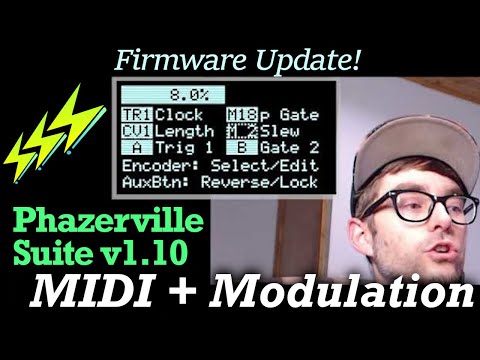
🎹 MIDI & Modulation Enhancements
- All CV input mappings can be attenuverted, range of +/-448%
- Expanded MIDI input mapping - 32 slots (M1 - M32) to capture incoming MIDI traffic
- output as CV via MIDI-In applet (also used for editing the slots)
- map to inputs of any applet via Input Mapping
- modulate any parameter within the Audio applets or advanced CV applets
- mappings are saved globally (per bank file)
- (WIP) Captain MIDI partially reworked for new MIDI system changes, expanded to 8 channels on new hardware
⚡ Updates
- New DivSeq10 applet - single-channel variant of DivSeq
- Experimental MidiLoop applet - a clocked step recorder, up to 64 steps
- (audio) Fold/MMF - added multimode options: LP, HP, and Tilt EQ
- (audio) WavPlay - filter rework, with CV modulation
- Fixed save/load custom Waveforms on T4.x
- UI Long-press actions for Clock Start and Main App Menu happen on button release
- Various bugfixes and refactoring behind the scenes...
✔️ Made for Teensy 4.0 and 4.1
New features & new settings require more storage! While expanding to make the most of the new, we are surpassing the limitations of the old... This time around, we're making MIDI control and input modulation more flexible and capable.
The T40 build still includes most of the available apps, excluding Viznutcracker. (Try the BitBeat applet instead!) The NLM build is for the new T4.0-based cardOC for the Buchla Easel.
The T41 build includes the core Phazerville Apps (Quadrants, Scenery, Calibr8or, Scale & Waveform Editors) plus Piqued, Quadraturia, Captain MIDI, and Pong. This unified T41 firmware has hardware detection, suitable for all O.R.N.8 variants...
What about Teensy 3.2?
This version will still build and run on old modules, but no guarantees... there are only 8 MIDI map slots, input attenuversion settings won't be saved, and there's increasingly limited room for other Apps. All saved data from previous firmwares will be lost when upgrading to v1.10 on T3.2.
The Custom Build script will continue to use the
T32branch for stable long-term support with v1.9.x, possibly receiving cherry-picked updates.⚡⚡⚡☕⚡⚡⚡
Full Changelog: https://github.com/djphazer/O_C-Phazerville/compare/PSv1.9.1...PSv1.10
PSv1.9.1Phazerville Suite v1.9.16 files
Primarily bugfixes for Teensy 3.2 EOL. Additional fixes may be pushed to the
T32branch to serve the Custom Builds.(More updates for T4.x are right around the corner, including expanded MIDI Mapping... stay tuned!)
⚡ Features
- New BitBeat applet by @Ericxgao - #152, #148, #147
- supercedes Viznutcracker app
- use AuxButton to assign input modulation to parameters
- WARNING: T3.2 might choke when running it on both sides...
🐛 Fixes
- FLIP180: Corrected I/O reversal in legacy apps
- Metronome: properly restore modulated tempo/shuffle on unload
- Increased standard trigger pulse voltage from 5V to 6V
- EbbAndLfo: bipolar mode maxes out at +/-6V; Amp Level can be reduced to avoid clipping at -3V
- Waveform Editor: fix crash while editing
- Calibr8or: transpose works in semitones when Scale is set to OFF
- Various minor T41 fixes for Quadrants and Audio Applets...
🎓 New Contributors
- @Ericxgao made their first contribution in https://github.com/djphazer/O_C-Phazerville/pull/152 - THANK YOU!
Full Changelog: https://github.com/djphazer/O_C-Phazerville/compare/PSv1.9...PSv1.9.1
- New BitBeat applet by @Ericxgao - #152, #148, #147
PSv1.9Phazerville Suite v1.95 files
It's time for new Crimes... we're out of beta! This chapter explores themes of Complexity & Contradiction.
⚡ Teensy 4.1 - Very Ornate
This is the first official firmware release for the new T4.1-based hardware... (TODO: links to products for sale ;)
Featuring Quadrants - 4x CV applets + 10x DSP slots (5 per channel) using new Audio Applets (designed by @qiemem) for effects chains and sound sources, with vast external or internal modulation potential.
Audio Applets currently include:
- Input - physical jack inputs
- Oscillator - various waveshapes and modulation options
- Ladder-style low-pass filter
- State-variable filter + wavefolder
- WAV file player with variable speed, tempo sync, DJ filter
- Delay - w/ 12-second buffer, multi-tap, time/feedback/dry/wet modulation, synced or free-running, Crossfade or Stretch modes (for Karplus-Strong)
- VCA - with variable curve
- Dynamics - gate + compressor + limiter
- Crosspan
- Mid/Side
- more to come...
The DSP runs at 16-bit 44.1khz - higher sampling rates may be possible in the future. The entire platform is open-source, holding massive potential for ideation, prototyping & embedded development!
💽 Teensy 4.0 - Extra Storage
T4.0 on old hardware also gains more storage space for presets and sequences, lifting previous EEPROM constraints.
- 50 Hemisphere Presets on any hardware with Teensy 4.0
- 32 global sequence slots for Seq32/SeqPlay7
- 512KB total space in LittleFS (upgraded from ~3KB in EEPROM)
- Warning: save data from v1.8.x will be lost on T4.x after upgrading.
T4.1 will also use microSD storage for Quadrants preset banks - 32 Presets per Bank file. This means patch storage is portable! I've included a
BANK_000.DATfile here with a handful of demo patches and sequences.Calibration data is still stored separately in "EEPROM", so calibration on all modules should persist when upgrading.
✔️ Fresh Features in v1.9
Even Teensy 3.2 gets in on these goodies:
- Full-screen applet config view (double-click select button)
- with a cursor for configuring input mappings, internal clock trigger multipliers, or switching applets with a list
- rotate Left Encoder to switch between applet view and applet config
- Enhanced polyphonic MIDI Input handling from @beau-seidon (#113, resolves #32)
- WTVCO - new wavetable oscillator applet from @beau-seidon
- DuoTET - new microtonal quantizer applet from @efairbanks
- Mask rotation functions added to ProbMeloD, including CV modulation
- TwoRings - (renamed from DualTM, minimal changes)
- Scenery - upgraded from Scenes App
- 8 scenes on Teensy 4
- revised UI with coarse/fine adjustment via Left/Right encoders
- Quantermain octave range constraint parameters added by @Loupi - #134, #133
- Various fixes - #136, #132
🧓 Teensy 3.2 - EOL
The v1.9 series is the final stretch of support for Teensy 3. New hardware features have priority, and it's becoming less feasible to accommodate the speed, memory, and storage limits of the previous generation. Added features will continue to increase the binary size, leaving less room to squeeze in legacy apps next to Hemispheres on T3.2. Things might break, and some new settings won't be saved.
- Reverted large OLED support (subpage display transfer) to restore maximum framerate and reduce CPU usage.
📜 Legacy Apps
While most of the Apps fit into a single firmware for T4.0, most are excluded from the official T4.1 build in favor of the Audio DSP subsystem and its resource requirements - and I simply haven't been motivated to maintain a lot of them on the new hardware. They all still run great as 4-channel applications! Yet viable alternatives for quantizers, envelopes, LFOs, and sequencers exist as applets, so apps like Quantermain, Piqued, Quadraturia, and Sequins are somewhat deprecated. Later on, with better dynamic memory management, we can squeeze more stuff back into the binary, and maybe expand old favorites to utilize the 8-channel I/O (maybe for v2.0?) - maybe you can help?
Choices
_T41 includes: Quadrants, Hemispheres, Calibr8or, Scenery, Piqued, Quadraturia, Viznutcracker _T40 has everything except Sequins _T32 includes Hemispheres, Scenery, and Calibr8or, and a limited selection of other apps. I will make a reasonable effort to backport applet updates when possible, to make them available for the Custom Build bot 🤖
☕ Thank You for the Support!
Help fund R&D ⚡ and watch for exclusive T41 Preset Banks! Include your feature requests in a message for consideration ;-)
Full Changelog: https://github.com/djphazer/O_C-Phazerville/compare/PSv1.8.4...PSv1.9
PSv1.8.4Phazerville Suite v1.8.48 files
Maintenance release with fixes and features backported from v1.9 development.
Fixes
- Fixed SSD1306 display support regression - #121
- Calibration: use a lower Max point for DAC; avoids non-linearity at top of range - #114
Features
- New Clk2Gate applet - two-channel gate generator
- Parameters for Length, Length Variance, and Skip Probability.
- CV modulates Length.
- Calibr8 UI update by @beau-seidon in https://github.com/djphazer/O_C-Phazerville/pull/111
- Brancher: flip-flop gate mode using TR2
- Squanch: added note wrap range parameter
- Metronome: CV inputs modulate internal Clock Tempo and Shuffle
- Max internal tempo raised to 65535 BPM for audio-rate clocking
- BugCrack: shorter minimum Snare decay
- Seq8 (fka SequenceX): reworked CV Randomize
- positive gate = unipolar; negative gate = bipolar
- Quantermain: clock divider max increased to 128 - #119
⚡⚡⚡☕⚡⚡⚡
Full Changelog: https://github.com/djphazer/O_C-Phazerville/compare/PSv1.8.3...PSv1.8.4
PSv1.8.3Phazerville Suite v1.8.310 files
This is the final v1.8.x release for the year before we move on to v1.9 and start changing things around. Some fixes, some features, all crimes.
Eye Candy
- New applet icons from ph.xyz! Visible in full-screen help, preset picker, and applet filtering list.
- Clock Setup makeover as an overlay
- DualTM UI update - dynamically adjusts depending on length
- DrumMap UI update from @qiemem - #110
Features & Fixes
- DivSeq - randomize on startup, UI button to re-roll (16 steps left, 32 steps right)
- TB-3PO - save/load seed-lock state; fix gate output stuck high after 36 hours
- Shredder - optional Shred-on-Reset, per-channel
- EuclidX - gate mode
- ADSR applet - save both envelope settings - #108
- Clock Out trigger skipping %, per output (settings in Clock Setup, not yet saved)
- Simplified DAC calibration routine
- support for larger OLED screens (slower refresh rate, subpage SPI transfer) - #91
- Expanded support for NLM hardware via Custom Builds
Build Choices
There are no more "_flipped" builds! Flipped screen/controls is configured by a calibration flag now. I'm also decommissioning the "_phz" builds after this one, but they're still here for existing v1.8 users with saved Hemisphere presets - the main builds have 4 preset slots, _phz has 8, and switching will invalidate Hemisphere save data. Are you confused yet?!
T3.2 builds include: Hemisphere, Calibr8or, Scenes, Piqued, Quadraturia, Passencore, Pong, Viznutcracker, Dialectic Ping-Pong T4.0 includes everything except References.
T41 here is the same as T3.2. The latest Audio DSP features for T4.1 beta hardware are still under development on a separate branch while we work out better memory management strategies! Currently, it excludes all the legacy apps to make room in RAM...
⚡⚡⚡☕⚡⚡⚡
Full Changelog: https://github.com/djphazer/O_C-Phazerville/compare/PSv1.8.2...PSv1.8.3 (wiki-docs branch has been merged, so there are lot of documentation commits)
PSv1.8.2Phazerville Suite v1.8.210 files
What's my age again?
Monthly maintenance release for the v1.8 series. See previous release notes for more details. Custom Builds are always produced with the latest updates and bugfixes. Stable nightly builds here.
Fixes
- Building with PlatformIO on Windows no longer requires Linux CLI tools (thanks to @zerbian!) - #105 / #19
- Calibration fixes - prevent right encoder long-press from exiting; updated text for ADC 1v & 3v steps
Features
- AutoReset - applets are automatically reset when the internal clock starts
- (currently no option to disable this; I couldn't imagine a use case where you'd want to start the clock without resetting...)
- Seq32 - record mode reworked; gate & glide options for accent
- Strum - step mode added, AuxButton on Length to toggle
- when engaged, only advance on clock
⚡⚡⚡☕⚡⚡⚡
Full Changelog: https://github.com/djphazer/O_C-Phazerville/compare/PSv1.8.1...PSv1.8.2

