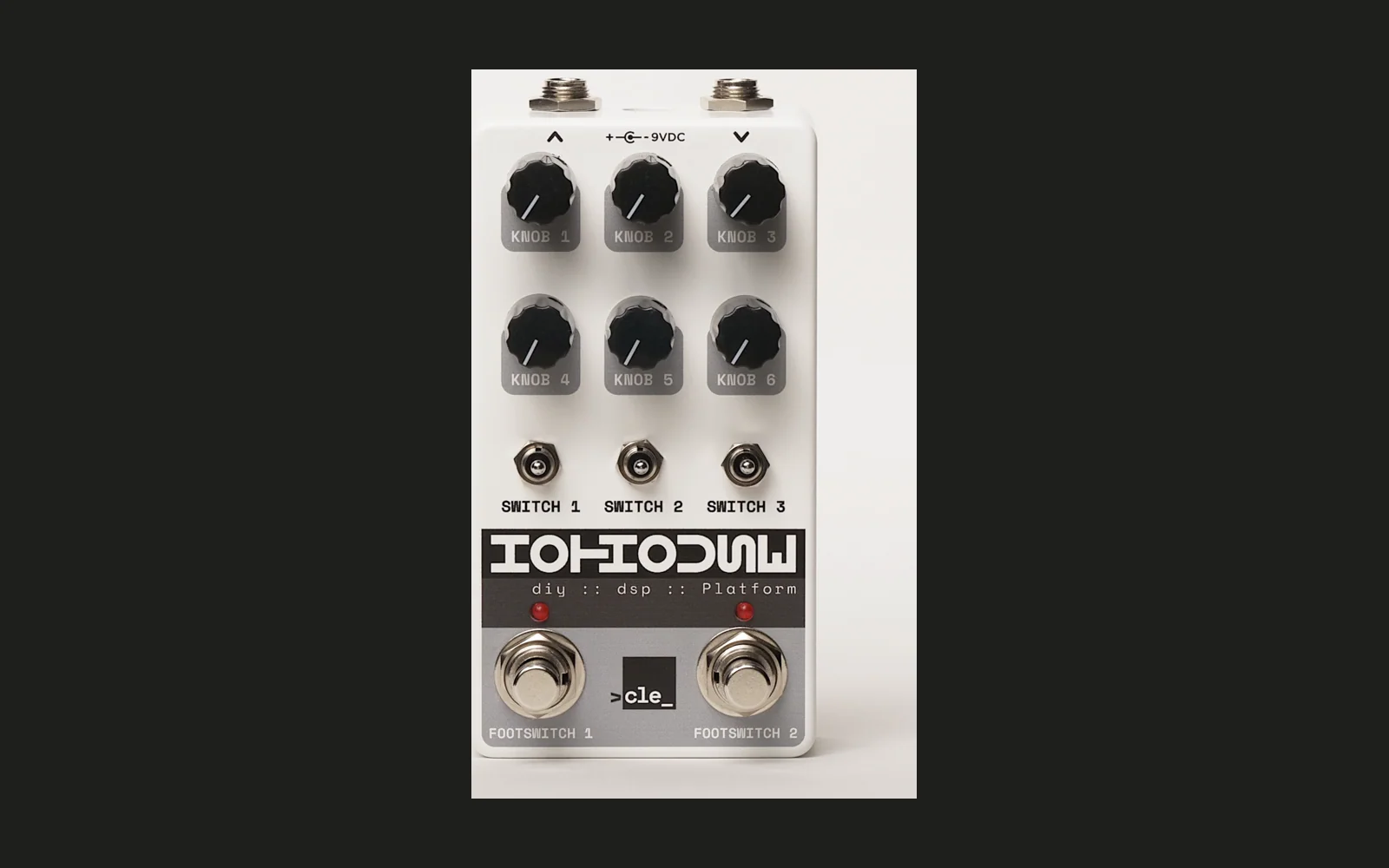
PedalEffects
A true stereo multi-effect pedal for the Hothouse DIY DSP Platform, featuring delay and plate reverb in series with an Abbey Road-style output stage.
The reverb is built on the Dattorro/Griesinger topology from Mutable Instruments Clouds.
Signal Chain
Input -> Abbey Road Filter -> Delay -> Reverb -> Soft Clip -> Output
Each effect can be independently enabled or bypassed via toggle switches. The input is filtered through a 600 Hz high-pass and 10 kHz low-pass (Abbey Road trick) before hitting the effects chain, followed by tanh soft clipping on the output.
Controls
Effects are controlled by three toggle switches and six knobs. Each toggle has three positions:
| Switch | Up | Middle | Down |
|---|---|---|---|
| TOGGLE 1 | — | — | — |
| TOGGLE 2 | Delay ON | Delay OFF | Delay EDIT |
| TOGGLE 3 | Reverb ON | Reverb OFF | Reverb EDIT |
Flipping a toggle to EDIT mode maps the shared knobs to that effect's parameters. LED 1 lights up when any effect is in edit mode.
Knob Mapping (in Edit Mode)
| Knob | Delay | Reverb |
|---|---|---|
| KNOB 1 | Time (2ms – 1s) | Decay time |
| KNOB 2 | Feedback (0 – 0.95) | Damping (LP in feedback loop) |
| KNOB 3 | Tone (LP filter) | Diffusion (0 – 0.95) |
| KNOB 4 | — | — |
| KNOB 5 | — | — |
| KNOB 6 | Mix (dry/wet) | Amount (dry/wet) |
Knob Pick-up
When switching between edit targets, knobs use pick-up behavior — a knob has no effect until it crosses through the stored parameter value. This prevents jumps when the physical knob position doesn't match the current parameter.
Footswitch & LEDs
| Control | Function |
|---|---|
| FOOTSWITCH 2 | Master bypass toggle |
| LED 1 | Edit mode indicator (on = an effect is in edit mode) |
| LED 2 | Bypass indicator (on = effect active) |
Bypass Tail
When bypass is engaged, both delay and reverb tails ring out naturally rather than cutting off abruptly. New input stops feeding the effects, but the existing tails are mixed with the dry signal until they decay to silence.
Architecture
True stereo throughout — two independent delay lines (SDRAM, 1s max each) and two independent reverb instances (16 KB buffer each) process left and right channels separately.
Building
Requires the Daisy toolchain.
make
make program-dfu
License
MIT License. See LICENSE for details.