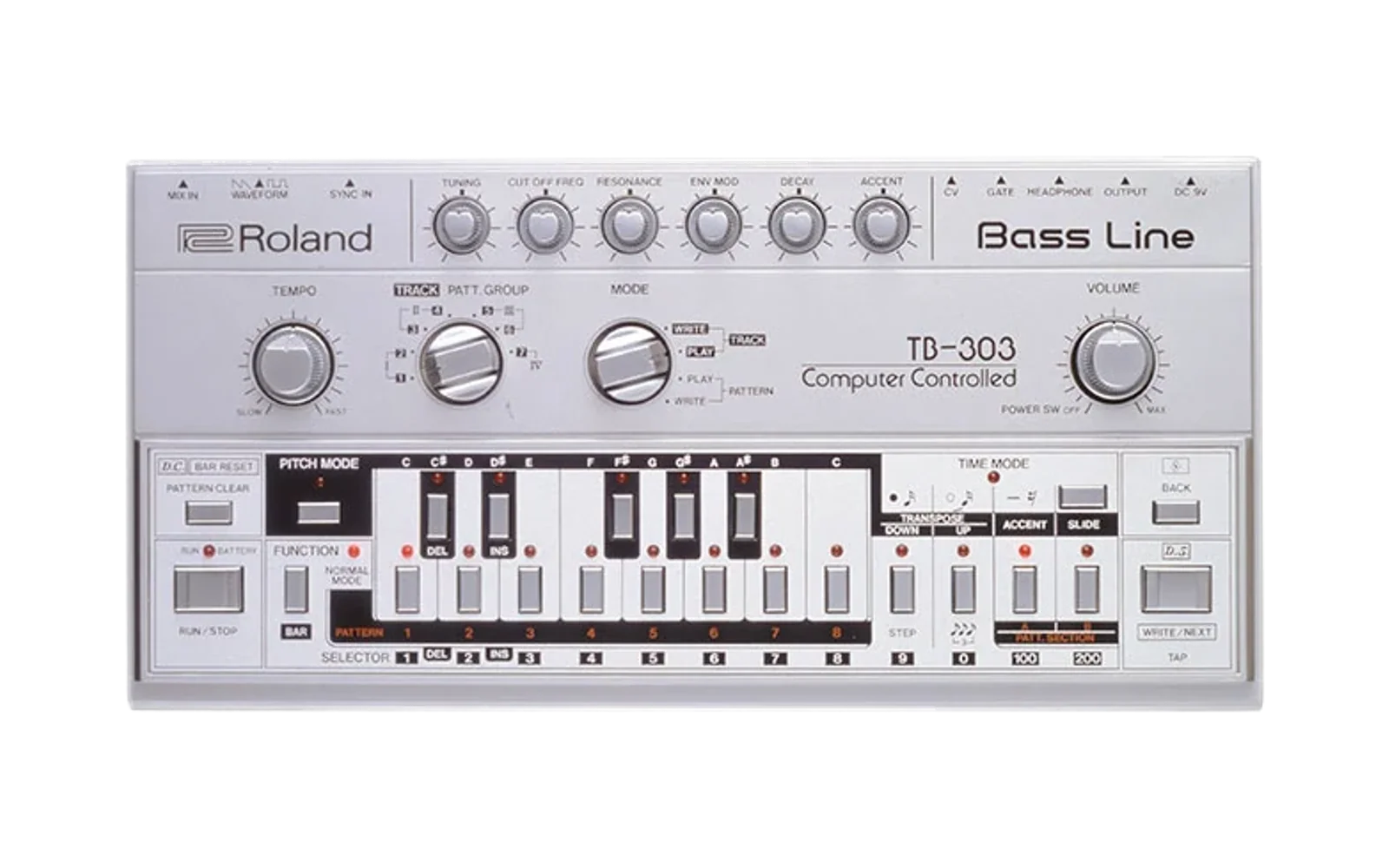
OS-303
Hype41/100Open Source TB-303 CPU firmware
OS-303 is custom firmware for the Roland TB-303, by @djphazer. Open source under MIT, latest release os303-v0.8.1 (July 2026), 52 stars on GitHub.
forRoland TB-303·by@djphazer
Unclaimed. Is this yours? Sign in with GitHub as @djphazer to claim it.
OS-303_v0.8.1_9a88226.syx· 23 KB· +1 file
MIT· djphazer/OS-303·downloads come from the creator’s GitHub releases
os303-v0.8.1OS-303 v0.8.1Latest2 files
Stability Update
- Fixed Accent signal / Latch timing bug in units with CD4013
- optimized DAC::Send to reduce noise
Full Changelog: https://github.com/djphazer/OS-303/compare/os303-v0.8...os303-v0.8.1
os303-v0.8OS-303 v0.82 files
📜 User Guide
Data Migration
The data layout of the internal EEPROM storage has been adjusted slightly for compatibility with the downstream SuperOS-303 fork. When upgrading from v0.7, a small migration will happen and pattern data will be preserved.
The quantizer mask setting is now saved. The quantizer also properly rounds to the nearest note, up or down.
New Features
Perform Mode
A new way to perform, this mode gives sequences more immediacy by only playing while a key is held.
To engage Perform Mode, hold CLEAR while starting the clock - either with RUN or an external MIDI Clock. Then, press and hold a pattern key (1-8) to switch to it and play on-demand. Playback will normally start "instantly" (actually the next tick from the 24ppqn clock source) unless you enable the new Beat Sync option, which snaps to the next step interval to keep you in time.
Holding the PITCH key while in Perform Mode allows you to adjust the root key for Transpose like normal, and it also plays the last sequence while holding a key, with similar Sync behavior. (Known issue: a few keys don't seem to work with this: C#, D#, G#)
Beat Sync
This is a new toggle option that affects synchronization of pattern changes or transpose changes while the clock is running. It's available as option 8 in the Global Config menu, and can also be toggled with the
A#key in Normal Pattern Play mode.When enabled, Pattern Play mode uses the
C#/D#/F#/G#keys to set the grid interval for snapping pattern or transpose changes - 1, 2, 4, or 8 steps, respectively. Patterns can be switched or retriggered with the select buttons (1-8 and A/B).When Beat Sync is disabled, pattern changes normally wait until the end of the previous pattern with the clock running, or instantly in Perform Mode.
File Assets
The .SYX file can be used to update the application via the MIDI bootloader. The .HEX file is the full program, including bootloader.
Full Changelog: https://github.com/djphazer/OS-303/compare/os303-v0.7...os303-v0.8
os303-v0.7OS-303 v0.72 files
Initial Release
After some fix-ups, this version has been verified against a handful of reference patterns for authentic 303 sequencer behavior. Previous firmwares that shipped with early units had some bugs that affected Slides and patterns with a Rest on the first step.
The firmware is still considered "alpha" until v1.0, since things may break between versions and some key features are still missing (e.g. SysEx pattern dump/restore). Still, this release is a milestone that we can track bugs against.
Basic Pattern sequencing/editing is fairly stable. Track Mode chains are also implemented and saved. Transpose and Scale Mask Quantization are implemented, but not yet saved. MIDI Clock sync works, Program Change works (Omni channel), regular MIDI Notes work (Channel 1 only) - and toggle settings for each (Rx/Tx) are saved. The work continues and the source code is wide open...
While the main firmware is still in development, you might want to check out the fully-featured SuperOS-303 fork - including a comprehensive web editor and more! I'm working closely with Bjorn to ensure cross-compatibility at version 1.0. He might get there first! ;)
Pattern Data Loss
Disclaimer: The internal save data format is mostly stable, but still subject to change before v1.0 - meaning pattern data may be lost or mangled when upgrading. I will avoid this if at all possible, but you've been warned!
Upgrade Procedure
Hold the WRITE/NEXT/TAP button while powering on to access the bootloader. 4 solid LEDs will appear: FUNCTION, PITCH, TIME, and A#. Connect MIDI from your PC to the OS-303 and use a program like MIDI-OX or SysEx Librarian to send the
*.syxupdate file. The LEDs will cycle as the program is written to flash, and the device will automatically reboot. In case of an error, all 4 LEDs will flash - turn off power and try again, possibly throttling the send speed in your SysEx program.If you know what you're doing, the
*.hexfile can be used to reflash the chip directly with a programmer, including the bootloader. The bootloader code is quite stable and has not changed from earlier hardware releases. Fuse values are insideplatformio.ini.