opus
Loud91/100Opus 2 beta: a plugin manager for the original OP-1 (firmware 246). By LizardMan.
opus is custom firmware for the Teenage Engineering OP-1, by @LizardMan245. Open source under GPL-3.0, 27 stars on GitHub.
forTeenage Engineering OP-1·by@LizardMan245
Unclaimed. Is this yours? Sign in with GitHub as @LizardMan245 to claim it.
Betaopus2-starter-pack.zip· 204 KB· +23 files
GPL-3.0· LizardMan245/opus·opus-op1.pages.dev·downloads come from the creator’s GitHub releases
v2.0-beta.3.2Opus 2.0 beta 3.2 (build 5)Beta24 files
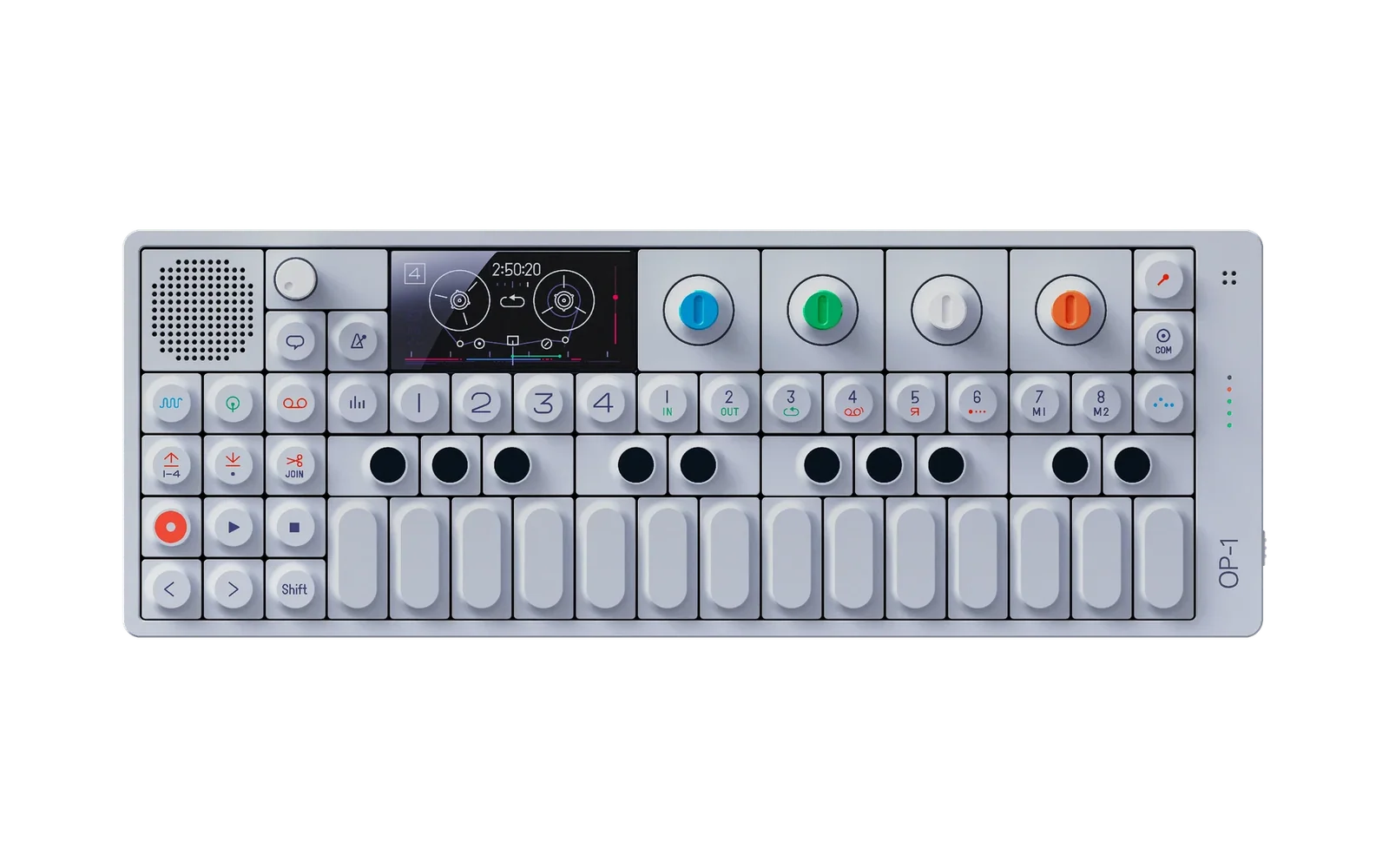
Opus 2 is a firmware mod for the original Teenage Engineering OP-1 on firmware #246 (not the OP-1 field). Its small core loads plugins:
.opmodfiles you copy into a mods folder on the OP-1's USB disk.Beta 3.2: crash logs you can send, and a fix for bridged effects. The plugins, the starter pack and the bridge are beta 3's (attached here again, the same files); the plugin kit adds a crash log reader. It has run in an emulator with the OP-1's own firmware and on my own OP-1.
New
- Crash logs on the USB disk. After a crash, the next start writes a log, and disk mode shows it in the
crash folder (
/crash/N.txt, the last eight). If the OP-1 crashed, attach the log to your report: it says what stopped the OP-1 and which plugins were loaded. Delete a log on the computer and it's gone from the OP-1 too. Every OP-1's disk now shows acrashfolder. It stays empty until a crash. - For plugin authors: the kit's
tools/crashlog.pyreads a crash log;--plugin ID=build/NAME.build/plugin_0.elfnames your plugin's functions in it.
Fixed
- Many of op1r's and Hundekraft's effects through the bridge stopped the OP-1 when their page showed, warble among them, and so did swapping effects between bridged plugins (a known issue since beta 2). Their values are now read in their own range.
- Hundekraft's plate beside Opus's plate turned "plate" into a broken effect. Opus's plate keeps its name.
Get it
Make the update again on https://opus-op1.pages.dev/patcher/ from your own copy of TE's
op1_246.op1. It runs in your browser and nothing is uploaded. Install it through the OP-1's update mode: switch it off, hold COM while switching it on, press 1, copy the file onto the "OP-1" disk and eject it. Never choose 7 or 8 there, they erase your sounds and tape.Your plugins stay as they are. New to Opus 2: the starter pack and the bridge are below, and the steps are in beta 3's notes and on the site.
Target the original OP-1, firmware #246 only The update op1_246_opus2.op1, 13,162,385 bytesIts SHA-256 1be7eeda076c8c4e502d007147005f92a0b96a0de14779a65356660de8f94dddMade from TE's op1_246.op1, SHA-256c5315218f825f143b415ca554516541898abee843d3a236df0b54c04e1fb13a9The starter pack opus2-starter-pack.zip(beta 3's), 21 plugins, SHA-256957d0972b9b5492c0b70bf79b630d82685daa89f2140bce8aaeecdf1f0ca358eThe bridge bridge.opmod0.9.0 (beta 3's), SHA-256155bb7c50cbc38bb97ef14eb9869a5664117c50f615c73c73c0959ff2e1d8afdEvery file's SHA-256 is in
SHA256SUMS.txt. Everything that changed: https://opus-op1.pages.dev/changes/Known issues
- With a colour theme, the dim edges of text in a colour other than green can look green on the OP-1's screen. TE's own screens show it too: it's the panel, not Opus.
- With USB plugged in, holding Stop at power-on makes the logo take longer.
- In the bridge: a bridged effect's settings can be pulled into the OS filter's range when a sound loads or its knob turns (no crash), and a colour theme misses some shades on bridged plugins' pages.
- A downloaded engine that plays the slot's sample stays silent after a restart until it's rebuilt for the core's sampler service.
Going back
te-boot, the OP-1's own updater and recovery, is never touched, so the way back is always there. To stock or another firmware: Opus's menu, T1 (system), the cleaner: turn green to "at restart", then switch the OP-1 off and on, and install the other firmware through update mode as above (stock is TE's
op1_246.op1). To Opus 1: just install it.Licence
The plugins are © LizardMan, free to use and share. Their source is not published yet, apart from the plugin kit's four examples (GPL-3.0). dx contains code derived from Google's Music Synthesizer for Android (Apache License 2.0): its LICENSE and NOTICE are in the zip's
licenses/opus.dx/folder. The core's update file and the patcher's data are all rights reserved: please don't share them, link to the site instead.Opus is an independent project and is not affiliated with, endorsed by or supported by Teenage Engineering. OP-1 is a trademark of Teenage Engineering AB. Modifying firmware is at your own risk.
Found a bug? Report it here, with your build (hold help on Opus's menu), the plugins in your mods folder, and the crash log if it crashed.
- opus2-starter-pack.zip204 KB77↓
- bridge.opmod23 KB37↓
- dx.opmod49 KB24↓
- outatime.opmod67 KB19↓
- dimension.opmod28 KB19↓
Show all 24 filesHide 19 files
- tapeundo.opmod53 KB17↓
- amp.opmod76 KB15↓
- chorus.opmod11 KB15↓
- scales.opmod23 KB14↓
- overdrive.opmod12 KB14↓
- bitcrush.opmod3.2 KB14↓
- filter.opmod664 B13↓
- plate.opmod10 KB12↓
- iter.opmod624 B12↓
- halloween.opmod928 B11↓
- triggerguard.opmod4.2 KB10↓
- rename.opmod12 KB9↓
- overwrite.opmod16 KB8↓
- dice.opmod2.6 KB8↓
- bend.opmod14 KB7↓
- zoom.opmod2.4 KB7↓
- playpause.opmod1.8 KB7↓
- splash.opmod14 KB6↓
Other files- Crash logs on the USB disk. After a crash, the next start writes a log, and disk mode shows it in the
crash folder (
v2.0-beta.3.1Opus 2.0 beta 3.1 (build 4)Beta24 files
Opus 2 is a firmware mod for the original Teenage Engineering OP-1 on firmware #246 (not the OP-1 field). Its small core loads plugins:
.opmodfiles you copy into a mods folder on the OP-1's USB disk.Beta 3.1 is a fix for anyone coming from Hundekraft 3.0.3. Only the core changed: the plugins, the starter pack, the bridge and the plugin kit are beta 3's (attached here again, the same files). It has run in an emulator with the OP-1's own firmware and on my own OP-1.
Fixed
- Opus 2 wouldn't start on an OP-1 with more than 100 of your own synth presets, such as one that ran Hundekraft 3.0.3 (it allows 300, and its preset pack alone has 152): every start stopped at Opus's crash page. Opus 2 now takes up to 300 of your own synth presets, as Hundekraft does, and saving goes up to 300 too.
Get it
Make the update again on https://opus-op1.pages.dev/patcher/ from your own copy of TE's
op1_246.op1. It runs in your browser and nothing is uploaded. Install it through the OP-1's update mode: switch it off, hold COM while switching it on, press 1, copy the file onto the "OP-1" disk and eject it. Never choose 7 or 8 there, they erase your sounds and tape. This works on an OP-1 stuck at the crash page too: update mode is TE's own and always there.Your plugins stay as they are. New to Opus 2: the starter pack and the bridge are below, and the steps are in beta 3's notes and on the site.
Target the original OP-1, firmware #246 only The update op1_246_opus2.op1, 13,161,829 bytesIts SHA-256 a41c9f2486ac7c289c1f934076435adad4cf534b6564376aa6b43b69d7a5aee5Made from TE's op1_246.op1, SHA-256c5315218f825f143b415ca554516541898abee843d3a236df0b54c04e1fb13a9The starter pack opus2-starter-pack.zip(beta 3's), 21 plugins, SHA-256957d0972b9b5492c0b70bf79b630d82685daa89f2140bce8aaeecdf1f0ca358eThe bridge bridge.opmod0.9.0 (beta 3's), SHA-256155bb7c50cbc38bb97ef14eb9869a5664117c50f615c73c73c0959ff2e1d8afdEvery file's SHA-256 is in
SHA256SUMS.txt. Everything that changed: https://opus-op1.pages.dev/changes/Known issues
Beta 3's: beta 3's notes.
Going back
te-boot, the OP-1's own updater and recovery, is never touched, so the way back is always there. To stock or another firmware: Opus's menu, T1 (system), the cleaner: turn green to "at restart", then switch the OP-1 off and on, and install the other firmware through update mode as above (stock is TE's
op1_246.op1). To Opus 1: just install it.Licence
The plugins are © LizardMan, free to use and share. Their source is not published yet, apart from the plugin kit's four examples (GPL-3.0). dx contains code derived from Google's Music Synthesizer for Android (Apache License 2.0): its LICENSE and NOTICE are in the zip's
licenses/opus.dx/folder. The core's update file and the patcher's data are all rights reserved: please don't share them, link to the site instead.Opus is an independent project and is not affiliated with, endorsed by or supported by Teenage Engineering. OP-1 is a trademark of Teenage Engineering AB. Modifying firmware is at your own risk.
Found a bug? Report it here, with your build (hold help on Opus's menu) and the plugins in your mods folder.
- opus2-starter-pack.zip204 KB6↓
- bridge.opmod23 KB5↓
- amp.opmod76 KB2↓
- outatime.opmod67 KB2↓
- tapeundo.opmod53 KB2↓
Show all 24 filesHide 19 files
- dx.opmod49 KB2↓
- dimension.opmod28 KB2↓
- scales.opmod23 KB2↓
- overwrite.opmod16 KB2↓
- splash.opmod14 KB2↓
- bend.opmod14 KB2↓
- overdrive.opmod12 KB2↓
- rename.opmod12 KB2↓
- chorus.opmod11 KB2↓
- plate.opmod10 KB2↓
- triggerguard.opmod4.2 KB2↓
- bitcrush.opmod3.2 KB2↓
- dice.opmod2.6 KB2↓
- zoom.opmod2.4 KB2↓
- SHA256SUMS.txt1.9 KB2↓
- playpause.opmod1.8 KB2↓
- halloween.opmod928 B2↓
- filter.opmod664 B2↓
- iter.opmod624 B2↓
v2.0-beta.3Opus 2.0 beta 3 (build 3)Beta24 files
Opus 2 is a firmware mod for the original Teenage Engineering OP-1 on firmware #246 (not the OP-1 field). Its small core loads plugins:
.opmodfiles you copy into a mods folder on the OP-1's USB disk. Every feature is a plugin, so you pick the mods and swap them as files, with no reflashing.Beta 3: plugin engines that sample, no more plugin limits, the OP-1 telling you when a plugin wasn't installed, a trigger guard for worn keys, and fixes from your reports. Still a beta: it has run in an emulator with the OP-1's own firmware and on my own OP-1. Back up your tape, synth and drum folders first.
Get it
- The core. Make the update on https://opus-op1.pages.dev/patcher/ from your own copy of TE's
op1_246.op1. It runs in your browser and nothing is uploaded. Install it through the OP-1's update mode: switch it off, hold COM while switching it on, press 1, copy the file onto the "OP-1" disk and eject it. Never choose 7 or 8 there, they erase your sounds and tape. - The plugins. Download
opus2-starter-pack.zipbelow, put the OP-1 in disk mode (shift + COM, then T3) and drag the zip'smodsfolder onto the disk. It merges with the one there and replaces the plugins that changed. Or take only the.opmodfiles you want. Then eject the disk on your computer (the OP-1 leaves disk mode): they load at the next start. - Coming from op1r or Hundekraft? Add
bridge.opmodtoo (below).
From beta 1 or 2: the same steps. Make the new file (the old one is the older beta's), install it, then drag the new pack's
modsfolder onto the disk, and the newbridge.opmodif you use it. Your sounds, presets and tape stay.Target the original OP-1, firmware #246 only The update op1_246_opus2.op1, 13,161,789 bytesIts SHA-256 3c624cf6c49c3548dc5bbc113cad3a66fec6784dcd5d643133de70ea20bab951Made from TE's op1_246.op1, SHA-256c5315218f825f143b415ca554516541898abee843d3a236df0b54c04e1fb13a9The starter pack opus2-starter-pack.zip, 21 plugins, SHA-256957d0972b9b5492c0b70bf79b630d82685daa89f2140bce8aaeecdf1f0ca358eThe bridge bridge.opmod0.9.0, SHA-256155bb7c50cbc38bb97ef14eb9869a5664117c50f615c73c73c0959ff2e1d8afdEvery file's SHA-256 is in
SHA256SUMS.txt.What's new
- Trigger guard, a new plugin: a worn key that fires twice plays once. A second press on the same note key inside the window is dropped. Its settings (blue push on its row in the mods list): on or off, the window (50 ms to start, 10 to 300), one window per note or one for all keys, and "false releases held", which keeps a note sounding through a bounce. The synth, the drums, the sequencers and USB MIDI out all get the cleaned keys. Thanks to u/Andromax_sussybaka for the idea.
- The OP-1 tells you when a plugin wasn't installed, and why. Right after disk mode for a file it didn't take
(not a plugin file, an op1r or Hundekraft file that belongs in
mods/bridge, too large, no room on the flash), at the next start for a plugin that didn't load (damaged, needs a newer Opus or another plugin), and once after a crash for the plugin left out. The mods list keeps each one in red with the reason. - Switched off in disk mode: plugin files copied or deleted then are now taken in at the next start.
- No fixed limits on plugins: any number of engines, effects and sequencers, memory the only limit. Until now a ninth engine with its own audio routine or a ninth plugin effect type failed.
- Sampling for plugin engines (core 2.10): an engine built for it samples like the stock sampler. mic or shift + mic opens the input menu with sampling on, a held note records into the slot, and the sound stays the plugin's. The sample is saved with presets and on the disk, and in the engine list such an engine has the sampler's samples as a column of its own.
- A progress bar across the top of the start-up picture, on all three OP-1 screen types. "start bar" in the system menu switches it off.
- Outatime 1.3: the overdrive type is on shift + orange on its page, and saved with each sound and preset.
- Overwrite save 1.1: its popup says OVERWRITING again, as in Opus 1.
- Diagnostics: the performance tab shows the audio's worst block and the blocks that came late (the crackles).
- The bridge 0.9.0: no fixed number of files.
- For plugin authors: core 2.9 to 2.13 add the sampler service,
opus_called,opus_replace(draw over an OS screen, its file untouched),opus_key_postandopus_on_key_filter(every key event first). The plugin kit's api.md has them.
Fixed
- Another firmware's drum kits stopped the start at the logo (Hundekraft 3's gin and drum+ kits). Such a kit now plays as the OP-1's own drum kit, and the OP-1 says which engine it needs.
- Hundekraft's effects crashed through the bridge with the starter pack installed: beta 2 had room for too few effect types.
- Peal and other sequencers through the bridge froze the OP-1 at their first saved change.
- Tape undo failed to load once more plugins were added. Plugins that patch the OS now get the memory they need first.
- A crash during the start shows Opus's crash page instead of a stuck logo, and the crash page says to read the crash record after the restart.
- Plugin engines were silent after a restart when they played the slot's sample: fixed for engines built for the sampler service.
- Delay as Fx overdrive's second effect didn't show its orange value while turned.
New plugin versions: outatime 1.3.0, overwrite save 1.1.0, trigger guard 1.0.2 (new), the bridge 0.9.0. The others are as in beta 2. Every plugin with its keys, CPU and memory: https://opus-op1.pages.dev, and every release's changes: https://opus-op1.pages.dev/changes/
Known issues
- With a colour theme, the dim edges of text in a colour other than green can look green on the OP-1's screen. TE's own screens show it too: it's the panel, not Opus.
- With USB plugged in, holding Stop at power-on makes the logo take longer.
- In the bridge: swapping effects between bridged plugins can stop the OP-1 as you leave the effect list, and a colour theme misses some shades on bridged plugins' pages.
- A downloaded engine that plays the slot's sample stays silent after a restart until it's rebuilt for the core's sampler service.
The bridge (alpha)
bridge.opmodis a download of its own, not part of the starter pack. It runs op1r's synth engines, effects and sequencers (.op1p) and Hundekraft's (.knl) on Opus as they are, with their own screens and pages, and sounds saved with them play. Put new plugin files in the disk'smods/bridgefolder. The bridge's settings list every file it found, what loaded and why a file didn't. Where both firmwares have a sequencer of the same name, the first file loads. A drum kit made with Hundekraft's own drum engines (gin, drum+) plays as the OP-1's own drum kit.It's an unstable alpha, expect bugs. Opus's own plugins run much better on Opus 2, since they're made for its core, while a bridged plugin runs through a layer that stands in for its own firmware. Porting a plugin to Opus 2's format is the way to go. Not bridged yet: LFOs (Hundekraft's quad) and other features, drum and sampler engines, and engines that play samples.
op1r is by popcorp and Hundekraft's firmware by Hundekraft. Every bridged plugin stays its author's work.
Going back
te-boot, the OP-1's own updater and recovery, is never touched, so the way back is always there.
- To stock or another firmware: Opus's menu, T1 (system), the cleaner: turn green to "at restart", then
switch the OP-1 off and on. Then install the other firmware through update mode as above (stock is TE's
op1_246.op1). The cleaner keeps a copy of everything it changes, so installing Opus again brings it all back. - To Opus 1: no cleaner needed, just install it.
- If the OP-1 stops at a black screen with white text: your data is fine. Hold COM while switching on and install Opus or your old firmware again. If a plugin is the cause, hold Stop while switching on and delete it from the mods folder.
Make your own
The plugin kit is in this repo, in plugin-kit/: guides, the API reference, the SDK headers, the build tool, four example plugins (bitcrush, zoom, halloween and outatime) and instructions an AI agent can follow, all GPL-3.0. Plugin ideas are welcome in Discussions.
Licence
The plugins are © LizardMan, free to use and share. Their source is not published yet, apart from the plugin kit's four examples (GPL-3.0). dx contains code derived from Google's Music Synthesizer for Android (Apache License 2.0): its LICENSE and NOTICE are in the zip's
licenses/opus.dx/folder. The core's update file and the patcher's data are all rights reserved: please don't share them, link to the site instead.Opus is an independent project and is not affiliated with, endorsed by or supported by Teenage Engineering. OP-1 is a trademark of Teenage Engineering AB. Modifying firmware is at your own risk.
Found a bug? Report it here, with your build (hold help on Opus's menu) and the plugins in your mods folder.
- opus2-starter-pack.zip204 KB12↓
- bridge.opmod23 KB8↓
- outatime.opmod67 KB5↓
- dx.opmod49 KB5↓
- dimension.opmod28 KB5↓
Show all 24 filesHide 19 files
- overwrite.opmod16 KB5↓
- triggerguard.opmod4.2 KB5↓
- SHA256SUMS.txt1.9 KB5↓
- tapeundo.opmod53 KB4↓
- scales.opmod23 KB4↓
- bend.opmod14 KB4↓
- overdrive.opmod12 KB4↓
- rename.opmod12 KB4↓
- chorus.opmod11 KB4↓
- plate.opmod10 KB4↓
- bitcrush.opmod3.2 KB4↓
- zoom.opmod2.4 KB4↓
- playpause.opmod1.8 KB4↓
- filter.opmod664 B4↓
- iter.opmod624 B4↓
- amp.opmod76 KB3↓
- splash.opmod14 KB3↓
- dice.opmod2.6 KB3↓
- halloween.opmod928 B3↓
- The core. Make the update on https://opus-op1.pages.dev/patcher/ from your own copy of TE's
v2.0-beta.2Opus 2.0 beta 2 (build 2)Beta23 files
Opus 2 is a firmware mod for the original Teenage Engineering OP-1 on firmware #246 (not the OP-1 field). Its small core loads plugins:
.opmodfiles you copy into a mods folder on the OP-1's USB disk. Every feature is a plugin, so you pick the mods and swap them as files, with no reflashing.Beta 2: sequencers through the bridge, lighter audio, and fixes from the first week. Still a beta: it has run in an emulator with the OP-1's own firmware and on my own OP-1. Back up your tape, synth and drum folders first.
Get it
- The core. Make the update on https://opus-op1.pages.dev/patcher/ from your own copy of TE's
op1_246.op1. It runs in your browser and nothing is uploaded. Install it through the OP-1's update mode: switch it off, hold COM while switching it on, press 1, copy the file onto the "OP-1" disk and eject it. Never choose 7 or 8 there, they erase your sounds and tape. - The plugins. Download
opus2-starter-pack.zipbelow, put the OP-1 in disk mode (shift + COM, then T3) and drag the zip'smodsfolder onto the disk. It merges with the one there and replaces the plugins that changed. Or take only the.opmodfiles you want. Then eject the disk on your computer (the OP-1 leaves disk mode): they load at the next start. - Coming from op1r or Hundekraft? Add
bridge.opmodtoo (below).
From beta 1: the same steps. Make the new file (the old one is beta 1's), install it, then drag the new pack's
modsfolder onto the disk, and the newbridge.opmodif you use it. Your sounds, presets and tape stay.Target the original OP-1, firmware #246 only The update op1_246_opus2.op1, 13,150,681 bytesIts SHA-256 763fb0a463024eb24a70b5039979d6280a7a59c6b070cf3088aa513aa19bd0afMade from TE's op1_246.op1, SHA-256c5315218f825f143b415ca554516541898abee843d3a236df0b54c04e1fb13a9The starter pack opus2-starter-pack.zip, 20 plugins, SHA-2565f9f0a7b07957c630b7c9fa017e55c7561b2e089d323e99086a61b38ad8a3843The bridge bridge.opmod0.8.0, SHA-2569be7d1b0bbf542675f4da355b1b31a73af52929a4c30b440c5212cf109b868e6Every file's SHA-256 is in
SHA256SUMS.txt.What's new
- Lighter audio. Plugins' audio memory now sits where the screen's updates don't slow it down. With the pack installed and nothing playing, the audio load on my OP-1 went from about 36-43 % to about 10 %. Plate and chorus rest while nothing reaches them, and plate, chorus, bitcrush and outatime do the same sound in fewer cycles.
- Plate fixed. It lagged or got switched off on the master: its audio was slowed by the screen sharing its memory, at times enough for the CPU guard to switch it off. Thanks to Audivit for the report.
- Sequencers through the bridge (bridge 0.8.0): op1r's chord, dots, euclid, grids, oracle and peal, and Hundekraft's c64arp, dots, euclid, oracle and peal, as new rows in the OP-1's sequencer list (shift + the sequencer key), each with its own page. Their patterns are saved, and left / right move the keyboard's octave as on the stock sequencers.
- FN + blue push switches Fx overdrive's second effect on an effect page where the effect itself takes the blue push, such as a bridged one. Thanks to EmergingStates for the report.
- Engine pages follow the LFO in every value they show, as the OP-1's own screens do.
- An incompatible preset (a sound whose engine isn't installed) is refused again, with "needs" and the engine's name. Since beta 1 it loaded as iter.
- The diagnostics' task manager no longer counts the plugins' work twice under "opus core".
- For plugin authors: core 2.8 runs plugin sequencers, keeps a page's still part (
opus_page_still) and gives audio buffers memory of their own (opus_alloc_audio). A page's art may be up to 128 KB. The plugin kit's docs are updated.
New plugin versions: amp 1.0.5, bitcrush 2.0.1, chorus 2.0.2, dx 0.4.0, outatime 1.1.3, Fx overdrive 2.0.1, plate 2.0.4, scales and chords 1.1.0, the bridge 0.8.0. The others are as in beta 1. Every plugin with its keys, CPU and memory: https://opus-op1.pages.dev
Known issues
- With a colour theme, the dim edges of text in a colour other than green can look green on the OP-1's screen. TE's own screens show it too: it's the panel, not Opus.
- With USB plugged in, holding Stop at power-on makes the logo take longer.
- In the bridge: swapping effects between bridged plugins can stop the OP-1 as you leave the effect list, and a colour theme misses some shades on bridged plugins' pages.
The bridge (alpha)
bridge.opmodis a download of its own, not part of the starter pack. It runs op1r's synth engines, effects and sequencers (.op1p) and Hundekraft's (.knl) on Opus as they are, with their own screens and pages, and sounds saved with them play. Put new plugin files in the disk'smods/bridgefolder. The bridge's settings list every file it found, what loaded and why a file didn't. Where both firmwares have a sequencer of the same name, the first file loads.It's an unstable alpha, expect bugs. Opus's own plugins run much better on Opus 2, since they're made for its core, while a bridged plugin runs through a layer that stands in for its own firmware. Porting a plugin to Opus 2's format is the way to go. Not bridged yet: LFOs (Hundekraft's quad) and other features, drum and sampler engines, and engines that play samples.
op1r is by popcorp and Hundekraft's firmware by Hundekraft. Every bridged plugin stays its author's work.
Going back
te-boot, the OP-1's own updater and recovery, is never touched, so the way back is always there.
- To stock or another firmware: Opus's menu, T1 (system), the cleaner: turn green to "at restart", then
switch the OP-1 off and on. Then install the other firmware through update mode as above (stock is TE's
op1_246.op1). The cleaner keeps a copy of everything it changes, so installing Opus again brings it all back. - To Opus 1: no cleaner needed, just install it.
- If the OP-1 stops at a black screen with white text: your data is fine. Hold COM while switching on and install Opus or your old firmware again. If a plugin is the cause, hold Stop while switching on and delete it from the mods folder.
Make your own
The plugin kit is in this repo, in plugin-kit/: guides, the API reference, the SDK headers, the build tool, four example plugins (bitcrush, zoom, halloween and outatime) and instructions an AI agent can follow, all GPL-3.0. Plugin ideas are welcome in Discussions.
Licence
The plugins are © LizardMan, free to use and share. Their source is not published yet, apart from the plugin kit's four examples (GPL-3.0). dx contains code derived from Google's Music Synthesizer for Android (Apache License 2.0): its LICENSE and NOTICE are in the zip's
licenses/opus.dx/folder. The core's update file and the patcher's data are all rights reserved: please don't share them, link to the site instead.Opus is an independent project and is not affiliated with, endorsed by or supported by Teenage Engineering. OP-1 is a trademark of Teenage Engineering AB. Modifying firmware is at your own risk.
Found a bug? Report it here, with your build (hold help on Opus's menu) and the plugins in your mods folder.
- opus2-starter-pack.zip199 KB34↓
- bridge.opmod43 KB15↓
- dx.opmod49 KB10↓
- outatime.opmod66 KB9↓
- dimension.opmod28 KB7↓
Show all 23 filesHide 18 files
- tapeundo.opmod53 KB6↓
- scales.opmod23 KB6↓
- splash.opmod14 KB6↓
- bend.opmod14 KB6↓
- overdrive.opmod12 KB6↓
- chorus.opmod11 KB6↓
- plate.opmod10 KB6↓
- bitcrush.opmod3.2 KB6↓
- dice.opmod2.6 KB6↓
- zoom.opmod2.4 KB6↓
- playpause.opmod1.8 KB6↓
- SHA256SUMS.txt1.8 KB6↓
- filter.opmod664 B6↓
- amp.opmod76 KB5↓
- rename.opmod12 KB5↓
- overwrite.opmod8.4 KB5↓
- halloween.opmod928 B5↓
- iter.opmod624 B4↓
- The core. Make the update on https://opus-op1.pages.dev/patcher/ from your own copy of TE's
v2.0-beta.1Opus 2.0 beta (build 1)Beta23 files
Opus 2 is a firmware mod for the original Teenage Engineering OP-1 on firmware #246 (not the OP-1 field). Its small core loads plugins:
.opmodfiles you copy into a mods folder on the OP-1's USB disk. Every feature is a plugin, so you pick the mods and swap them as files, with no reflashing.This is a beta. It has run in an emulator with the OP-1's own firmware and on my own OP-1, but not yet on many others. Back up your tape, synth and drum folders first.
Get it
- The core. Make the update on https://opus-op1.pages.dev/opus2/patcher/ from your own copy of TE's
op1_246.op1. It runs in your browser and nothing is uploaded. Install it through the OP-1's update mode: switch it off, hold COM while switching it on, press 1, copy the file onto the "OP-1" disk and eject it. Never choose 7 or 8 there, they erase your sounds and tape. - The plugins. Download
opus2-starter-pack.zipbelow, put the OP-1 in disk mode (shift + COM, then T3) and drag the zip'smodsfolder onto the disk. Or take only the.opmodfiles you want. Then eject the disk on your computer (the OP-1 leaves disk mode): they load at the next start. - Coming from op1r or Hundekraft? Add
bridge.opmodtoo (below).
Target the original OP-1, firmware #246 only The update op1_246_opus2.op1, 13,144,971 bytesIts SHA-256 42d63d5d07319f0dcf7795b493c20dc3e57c41463b680cf3a22a1ca11b04f26eMade from TE's op1_246.op1, SHA-256c5315218f825f143b415ca554516541898abee843d3a236df0b54c04e1fb13a9The starter pack opus2-starter-pack.zip, 20 plugins, SHA-2569dfdca508784a07875857c850d57ce21dd4d46843b70fee230750e0845aa6b63Every file's SHA-256 is in
SHA256SUMS.txt.What's in it
- Plugins. Opus's menu (hold synth + drum + tape + mixer) lists them on T2, each with its version, memory and CPU, settings, controls and details. A plugin that crashes the OP-1 is left out at the next start. One that uses far more CPU than it should is switched off. Hold Stop while switching on to start without any.
- The starter pack: all of Opus 1's features as plugins (dimension and amp, bitcrush, chorus and plate, Fx
overdrive's second effects, pitch bend, scales and chords, dice, zoom, tape undo and redo, play as pause, preset
rename, overwrite save, the start-up picture), and new ones:
- dx, a DX7 voice player with its own voices and your
.syxbanks from the disk; - outatime, a time-travel synth engine whose page is a time machine at 88 mph, its overdrive in four types;
- iter, the OP-1's own hidden synth engine, back in the engine list;
- Halloween, a colour theme, and the first plugin with no code at all.
- dx, a DX7 voice player with its own voices and your
- The core's own features: FN (the help key, for plugins' extra controls), voices (polyphony and unison, 1 to 6 each), date and time, and diagnostics (menu, T3): a task manager with each plugin's and each of the OS's threads' CPU and memory, the audio's load over the last minute, the memory map and the battery.
- Fixed in the stock OS: the USB disk freezing Windows Explorer after a reset (USB MIDI too), recording marking good flash blocks as bad (credit to op1r, whose release notes also pointed at it), a save cut off by a crash, Stop or the power switch, running out of memory in long sessions, a large shape on the screen stopping the OP-1, and keys pressed during a long disk-mode start stopping it.
- The loop jump on shift + arrow is back as on stock (#1).
- Opus 1's sounds play under Opus 2 with the starter pack in the mods folder. A sound whose plugin is missing is kept and shows "needs" with the plugin's name.
Every plugin with its keys, CPU and memory: https://opus-op1.pages.dev/opus2/
The bridge (alpha)
bridge.opmod(opus.bridge 0.7.0) is a download of its own, not part of the starter pack. It runs op1r's synth engines and effects (.op1p) and Hundekraft's (.knl) on Opus as they are, with their own screens and pages, and sounds saved with them play. Put new plugin files in the disk'smods/bridgefolder. The bridge's settings list every file it found, what loaded and why a file didn't.It's an unstable alpha, expect bugs. Opus's own plugins run much better on Opus 2, since they're made for its core, while a bridged plugin runs through a layer that stands in for its own firmware. Not bridged: sequencers, arpeggiators, LFOs and other features, drum and sampler engines, and engines that play samples.
op1r is by popcorp and Hundekraft's firmware by Hundekraft. Every bridged plugin stays its author's work.
Going back
te-boot, the OP-1's own updater and recovery, is never touched, so the way back is always there.
- To stock or another firmware: Opus's menu, T1 (system), the cleaner: turn green to "at restart", then
switch the OP-1 off and on. Then install the other firmware through update mode as above (stock is TE's
op1_246.op1). The cleaner keeps a copy of everything it changes, so installing Opus again brings it all back. - To Opus 1: no cleaner needed, just install it.
- If the OP-1 stops at a black screen with white text: your data is fine. Hold COM while switching on and install Opus or your old firmware again. If a plugin is the cause, hold Stop while switching on and delete it from the mods folder.
Make your own
The plugin kit is in this repo, in plugin-kit/: guides, the API reference, the SDK headers, the build tool, four example plugins (bitcrush, zoom, halloween and outatime) and instructions an AI agent can follow, all GPL-3.0. Plugin ideas are welcome in Discussions.
Licence
The plugins are © LizardMan, free to use and share. Their source is not published yet, apart from the plugin kit's four examples (GPL-3.0). dx contains code derived from Google's Music Synthesizer for Android (Apache License 2.0): its LICENSE and NOTICE are in the zip's
licenses/opus.dx/folder. The core's update file and the patcher's data are all rights reserved: please don't share them, link to the site instead.Opus is an independent project and is not affiliated with, endorsed by or supported by Teenage Engineering. OP-1 is a trademark of Teenage Engineering AB. Modifying firmware is at your own risk.
Found a bug? Report it here, with your build (hold help on Opus's menu) and the plugins in your mods folder.
- opus2-starter-pack.zip197 KB85↓
- bridge.opmod32 KB43↓
- dx.opmod48 KB19↓
- chorus.opmod9.7 KB18↓
- bitcrush.opmod3.0 KB18↓
Show all 23 filesHide 18 files
- dice.opmod2.6 KB18↓
- dimension.opmod28 KB17↓
- amp.opmod73 KB16↓
- plate.opmod13 KB16↓
- outatime.opmod65 KB15↓
- splash.opmod14 KB15↓
- filter.opmod664 B15↓
- tapeundo.opmod53 KB14↓
- scales.opmod22 KB14↓
- bend.opmod14 KB14↓
- overdrive.opmod12 KB14↓
- rename.opmod12 KB14↓
- iter.opmod624 B14↓
- halloween.opmod928 B13↓
- zoom.opmod2.4 KB11↓
- playpause.opmod1.8 KB11↓
- overwrite.opmod8.4 KB10↓
Other files- The core. Make the update on https://opus-op1.pages.dev/opus2/patcher/ from your own copy of TE's