
Optimist
A modular firmware for the M-VAVE FM-1: pick what goes into your FM-1, build it in the browser, try it in
the browser, install it from the browser.
Free software (GPL-3.0-only), built on SLOOP, Felucca, Melodee, X0X and other
FM-1 projects (see Credits).
[!WARNING]
🚧 SD card mod: experimental, off in the releases 🚧
The SD card mod (a microSD card on the FM-1's LCD bus, a bigger flash layout, projects and samples on the card) is in the source, behind builder items that are off by default, and is not in the releases. It has run on one modded FM-1 (2026-11-04: an SDHC card mounts and reads); writes, sample streaming, recording and a long run of the screen with the card in are not tested on hardware yet.
- The SD board is a first prototype:
hardware/sd-board/(see its README); build one only if you are ready to rework it.- Do not install a build with the card on an FM-1 you depend on.
- Anything here may change without notice.
[!CAUTION] Early access: work in progress, no warranty, use at your own risk. Optimist runs on real FM-1s, but most features are tested in the emulator and on the host, and formats can change between versions. An install could fail or erase your data: back up first (below), and read Getting back before you start.
Everything happens on one site: w0ts.github.io/optimist
Use Chrome or Edge (they have Web MIDI) and a USB data cable, straight into the computer.
| Firmware | Install a release flavour, your own build or a .fwsc file on your FM-1. It offers a backup first, and can put the official firmware back. Build your own… opens the builder: start from a flavour or a configuration you saved, choose the engines, drum kits, effects and features with a live flash and RAM budget, and press Build (no GitHub account needed). The page follows the build, then offers Flash it and Try it in the simulator. |
| Simulator | The firmware running in your browser, with the FM-1's panel and its keyboard shortcuts: try a build before you install it. It can copy your FM-1's memory in, and write it back. |
| Editor | The Backup of your whole FM-1 in one file, the projects and presets librarian, and the FM-1's screen mirrored. A build with live editing (ED_LIVE, not in the four flavours) adds every sound, drum, effect and setting as knobs, the drum grid and the samples (with CHOP). |
The firmware files are also on the releases page.
The flavours
Four ready-made builds, in every release; the builder makes any other.
| Flavour | What it is |
|---|---|
| synths-USB-BTA-BTM (the default) | ANALOG 2, DIGITAL, FM6 with five voice packs, PLAITS, JUNO, ACID, PHYS; the synthesised kits with KAWA and PLAITS, the X0X 909 and 808, your kits; USB audio, Bluetooth MIDI, Bluetooth audio. The web editor does backup, restore and the screen mirror. |
| synths | ANALOG 2, DIGITAL, PHASE, FM6 with five voice packs, PLAITS, STRINGS, PROPHET, JUNO, ACID, PHYS; the synthesised kits with KAWA and PLAITS, the X0X 909 and 808, your kits; Bluetooth audio. The web editor does backup, restore and the screen mirror. |
| synths-2 | LOFI, VOICE, WHEEL, DRONE, VPS, TERRAIN, WSEQ, VECTOR, WAVE, SID, PROPHET; the synthesised kits; Bluetooth audio. The web editor does backup, restore and the screen mirror. |
| drum machine | The synthesised kits with KAWA and PLAITS, the sampled kits, the X0X 909 and 808, the drum editor, your samples and kits, SAMPLE, GRAIN; USB audio, Bluetooth MIDI, Bluetooth audio. The web editor does backup, restore and the screen mirror. |
Your first install
- Back up. Open the Editor, Connect, then
Backup: one
.optimist-backupfile with your projects, presets, kits and settings (tick with the samples for those too). Coming from another firmware, use its own backup as well. - Open Install: Connect says what your FM-1 runs, Choose a release and a flavour (or your cloud build, or a file), Install and wait for Done.
- The FM-1 restarts into Optimist. If an install is cut off, the FM-1 stays in update mode: press Install again.
Your projects, presets, kits and samples live above the firmware: an install writes only the firmware area. Data that Optimist cannot read may not be kept, except SLOOP's: SLOOP 2.7 data is kept.
Getting back
- To the official firmware: in Install, step 4, take
the copy of M-VAVE's FM-1 V15 the site keeps (or your own
FM-1.fwscfrom m-vave.com, unchanged) and install it. Or use M-VAVE's own updater, M-UPGRADE. The official firmware does not read Optimist's data: back it up first. - The FM-1 does not start Optimist: hold OCT− alone while switching on (OPTIMIST USB RESCUE), then install again. After two start-ups that crash, the FM-1 goes there by itself.
- Switching between Optimist's own firmware and the release, or from any firmware: the installer picks the way itself (the running firmware's updater, else the chip's download mode through M-Flasher, a full backup first): docs/INSTALL-PATHS.md. No detour through V15.
- Nothing starts at all: hold OCT− + OCT+ while switching on and keep them held for 3 s: the chip's own update mode
(UBOOT; the screen stays dark). Then M-UPGRADE, or
tools/fm1_rescue.pyfrom this repository (macOS; from X0X: it backs up the whole flash first and writes only the firmware area), or FM-1-transporter.
What is in it
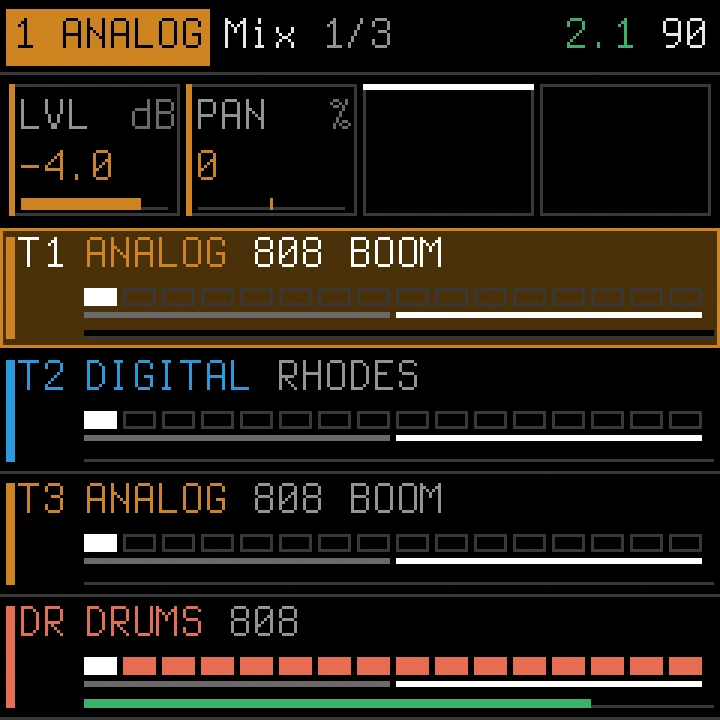
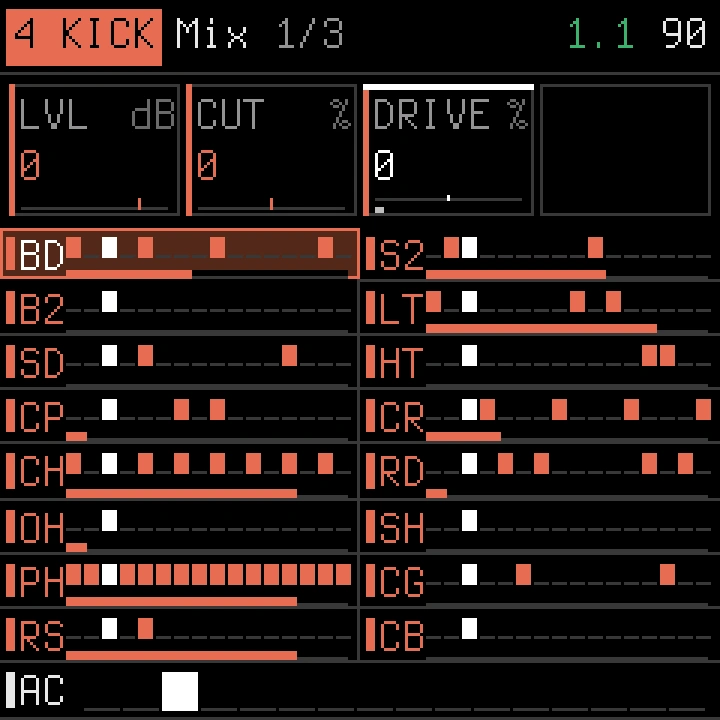
- Four tracks: three synth tracks and a drum track with 10 lanes on the black keys, ghost and hard hits, ratchets.
- Up to 28 synth engines: ANALOG 2, FM6 (plays DX7 voices as Dexed does), JUNO, ACID, CZ, PHYS, DIGITAL, PHASE, LOFI, SAMPLE, VOICE, TRIO, WHEEL, GRAIN, SLICE, NOISE, DRONE (a LYRA-style coupled drone with binaural beats), PLAITS (four of Mutable Instruments Plaits' models), Clipper's STRINGS, VPS, TERRAIN, WSEQ, VECTOR and WAVE, SID (the C64's chip, after reSID), PROPHET (a Prophet-5 style voice), CS80 (a CS-80 style voice, after CS-1) and STRETCH (PaulStretch-style stretching of the samples). Two LFOs and two envelopes per sound.
- Drums: 5 sampled and 34 synthesised kits, the X0X 909 and 808 with eight style kits, every sound editable, your samples and kits.
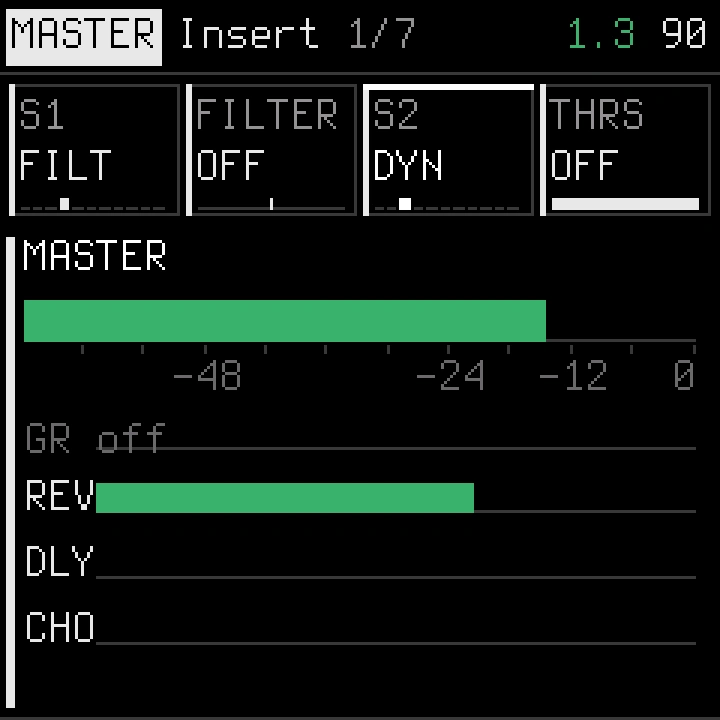
- Effects: two insert slots on every track, drum sound and the master (DYN, EQ3, filters, drive, chorus, echo, the Juno chorus and more), reverb, delay and chorus sends with three returns, punch-in effects.
- Sequencer: 64 steps a track, parameter locks, motion recording, chance and conditions, note generators (EUCLID, RANDOM, PULSE, GRIDS), pattern tools, fills, patterns and scenes, sections A–P and a song chain, snapshots, undo.
- Connections: USB and TRS MIDI in, MIDI out over USB, MIDI clock in and out (also over Bluetooth MIDI), Bluetooth MIDI and Bluetooth audio (headphones, speakers) at once, USB audio.
- One interface: rows of values on the screen, SELECT / ALGORITHM / PRESETS, SAVE = yes, HOME = no, and held buttons for performance layers. PLAY's two lights show the transport: green dim stopped, green full playing, red full recording.
The guide
| The interface · every shortcut | the controls, pages, settings and read-outs |
| Sound · Drums | the engines, voices, modulation and presets · kits, drum sounds, your samples and kits |
| Effects · Sequencer | inserts, sends, returns, the master · steps, locks, motion, patterns, the song |
| MIDI, Bluetooth, USB audio, the web editor | connections and the editor |
| The builder | every builder item, its cost, the profiles |
Build it on your computer
For developers, or to build without the cloud: macOS arm64 or Linux x86-64, Python 3.11+ (the compiler, pi32v2-llvm, runs natively on both; other hosts build it first: BUILDING.md).
git clone https://github.com/w0ts/optimist.git && cd optimist
make setup      # fetch the toolchain, the SDK files and the builder's Python packages
make builder    # the builder in the terminal: pick, see the budget, build
make web        # the same site on your machine (installer, editor, simulator)
make test       # the host tests
BUILDING.md has the details: profiles, the emulator (make emu), the simulator, flashing from the command
line (make flash), releases and the site. The toolchain and SDK files are downloaded from JieLi and checked by SHA-256;
they are not in this repository.
Credits
Optimist stands on other people's work. Each ported part is marked in its source files, keeps its authors' notice, and is listed with its licence and commit in LICENSING.md.
- SLOOP by isod89 and contributors: the base of this firmware; Erick Buendia Barrientos (Erbubar23); renebohne's SLOOP fork.
- Felucca by Leo Kuroshita (@kurogedelic), Hügelton Instruments: the platform, engines, sequencer, editor and installer SLOOP is built on, and many later features; Felucca-Engines; CrispyZebra.
- Melodee by Kerem Kilic (Ellic Studio) and contributors: FM6, CZ, the PROPHET voice, USB audio, TRS MIDI in, clock follow, MIDI expression, inserts, the rescue tool's checks, the second core's fault handling.
- Clipper by 3dSam: the STRINGS, VPS, TERRAIN, WSEQ, VECTOR and WAVE engines.
- Mini-Tone by Stephane Schmitz: the SID engine (after reSID 0.16 by Dag Lem).
- CS-1 by twochannels: the CS80 engine's voice design.
- X0X by Charles Vestal: the rescue tool, the ACID engine (Open303, TB-3PO), the X0X 909 / 808 kits (9W9, 8W8 by athousanddetails, ER-99 by Matthew Cieplak), the mixer glides, the second core's start.
- Flowstate by Zakaria Chowdhury: the performance macros, the CPU guard. Jangada by zednaked: the SUPER engine, the second core's supply settings. Caravel by bonszaimusic: the DRONE engine's coupled network. fm-106 by PatttF, after Ultramaster KR-106: the JUNO engine and chorus.
- DaisySP, Rings, Plaits, MAME's uPD933, Airwindows, MSFA and Dexed, sc808; samples from Versilian Studios and Sonic Pi (CC0); fonts Terminus and JetBrains Mono (SIL OFL), Fukiai (MIT); fm1-emulator by Simon Johansson; jl-uboot-tool by kagaimiq; M-Flasher and m-bootloader by Julius Vitkauskas: download-mode installs and the open bootloader (docs/INSTALL-PATHS.md).
Unofficial: not made, endorsed or supported by M-VAVE. M-VAVE and FM-1 are trademarks of their owners. Product names (Juno-106, TB-303, TR-808, TR-909, DX7, CZ, Prophet-5, Prophet VS, Wavestation, SID) only say what an engine or kit models.
Licence and contributing
Code: GPL-3.0-only (LICENSE), the Bluetooth stack and the Wi-Fi code GPL-3.0-only OR MPL-2.0 (the Ableton Link port stays GPL-3.0-only); assets have their own terms (LICENSING.md). No warranty. If you distribute a build, give its source under the same licence.
To add an engine, an effect, a note generator or a UI change, read CONTRIBUTING.md: where the code lives, how a piece becomes a builder item, three worked examples in the tree, and how to open a pull request.
Issues and pull requests: github.com/w0ts/optimist. A useful report names the build
(the flavour and release, or the cloud build's id), says whether it happened in the simulator, the emulator or on an
FM-1, and how to reproduce it. Run make test before sending a change, and keep each ported part marked with its source
and licence.