OPEN MPK4
Open firmware for the Akai MPK mini IV. A MIDI looper, a harmony engine and a playable screen, in the keyboard you already own. It makes no sound itself: it plays your synths, DAW, sampler or modular over USB or the DIN MIDI out. Akai's bootloader stays untouched: back to stock any time.



Follow: Instagram @gius.marci · GitHub giusmarci · Reverbose giusmarci
Not affiliated with or endorsed by Akai Professional or inMusic. MPK and MPK mini are trademarks of inMusic Brands, Inc., used here only to name the hardware. This is unofficial firmware: use it at your own risk.
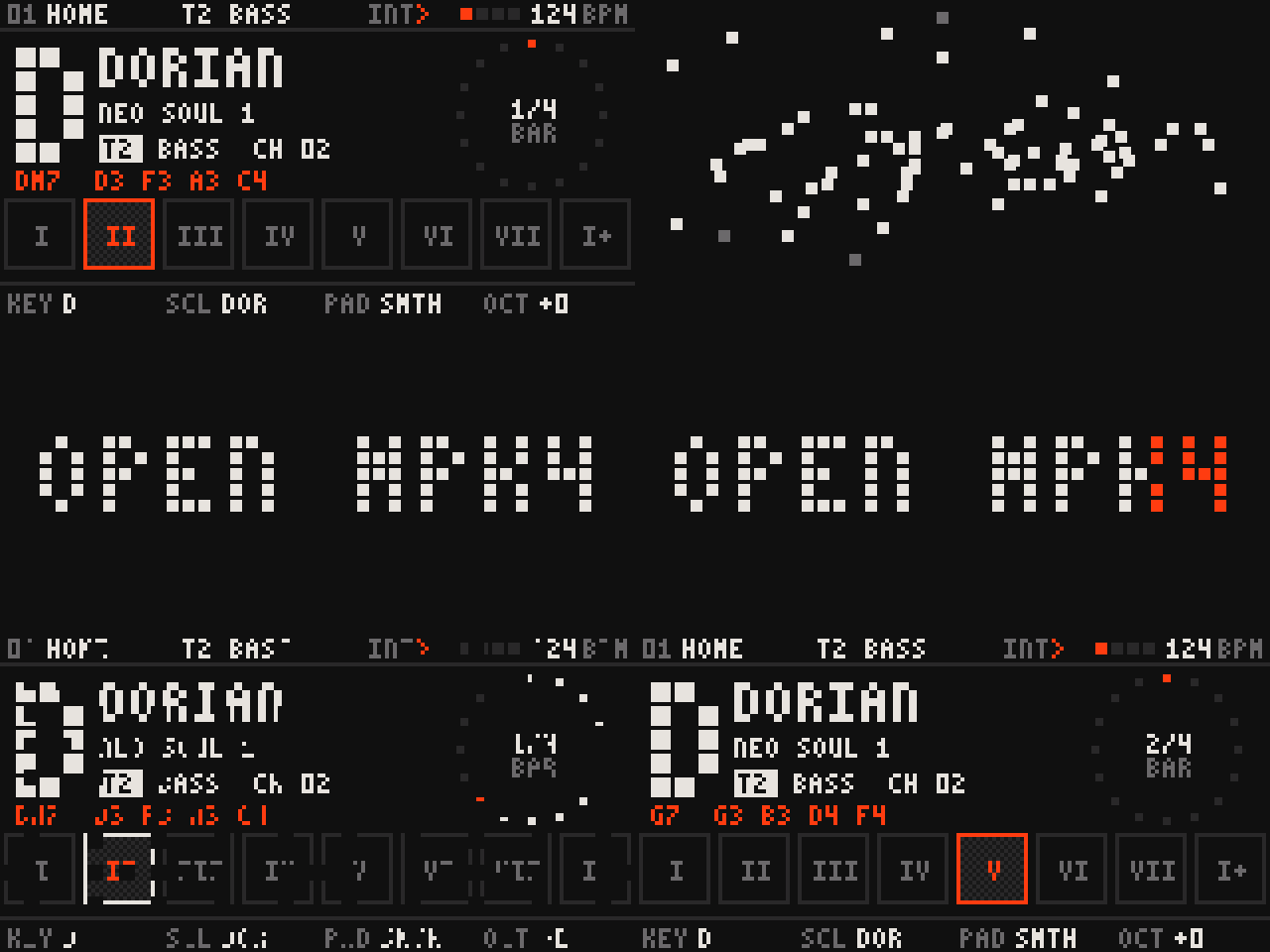
What it does
| Looper, 8 tracks | Each track is an instrument: its own MIDI channel and output (USB, DIN or both). Record, overdub, undo every take. 8 patterns, switched on the loop, chained into a song. |
| Harmony | The keys play a scale, so nothing sounds wrong. The pads play its chords, or one of 53 styles, coloured by function. |
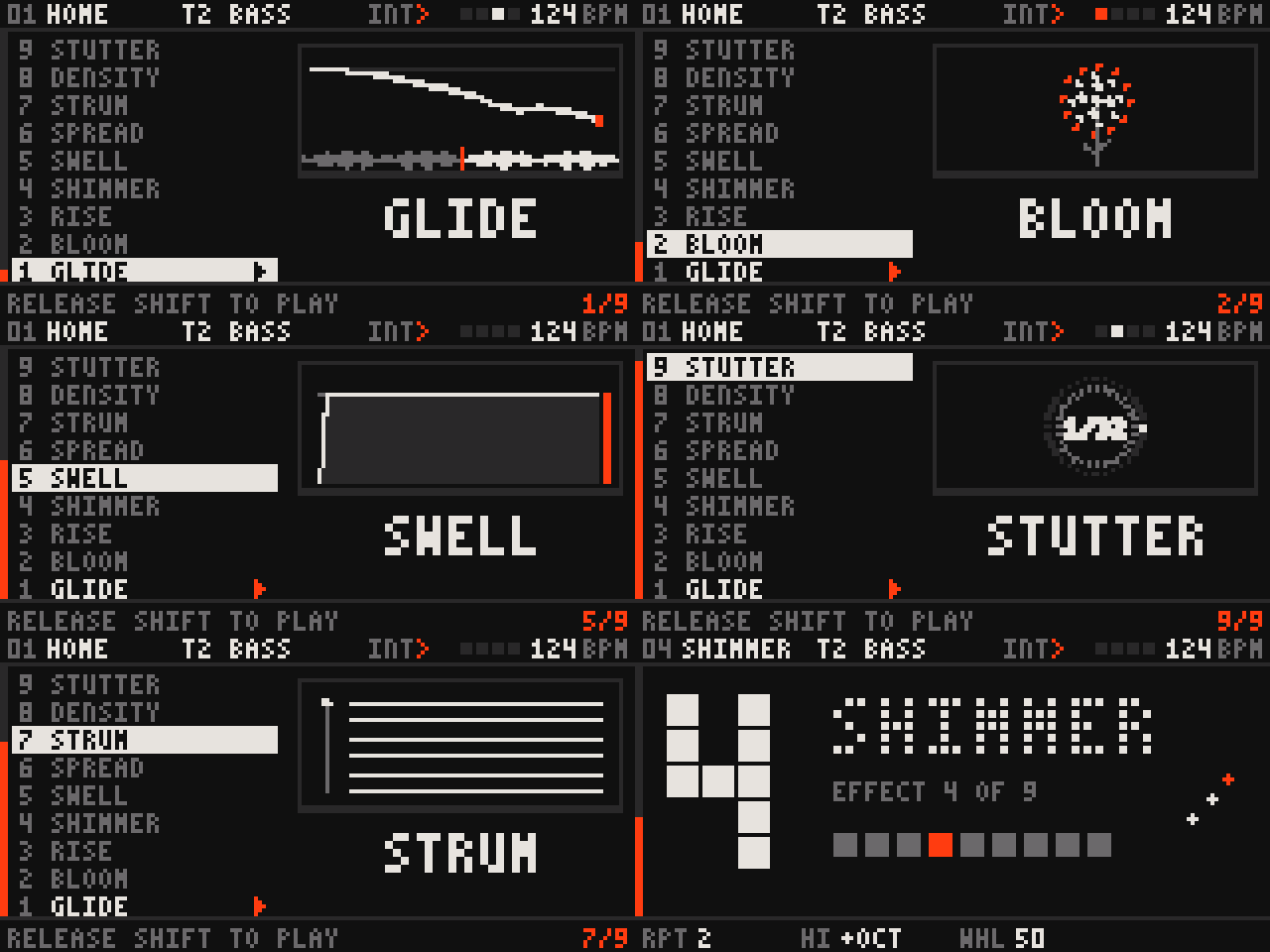
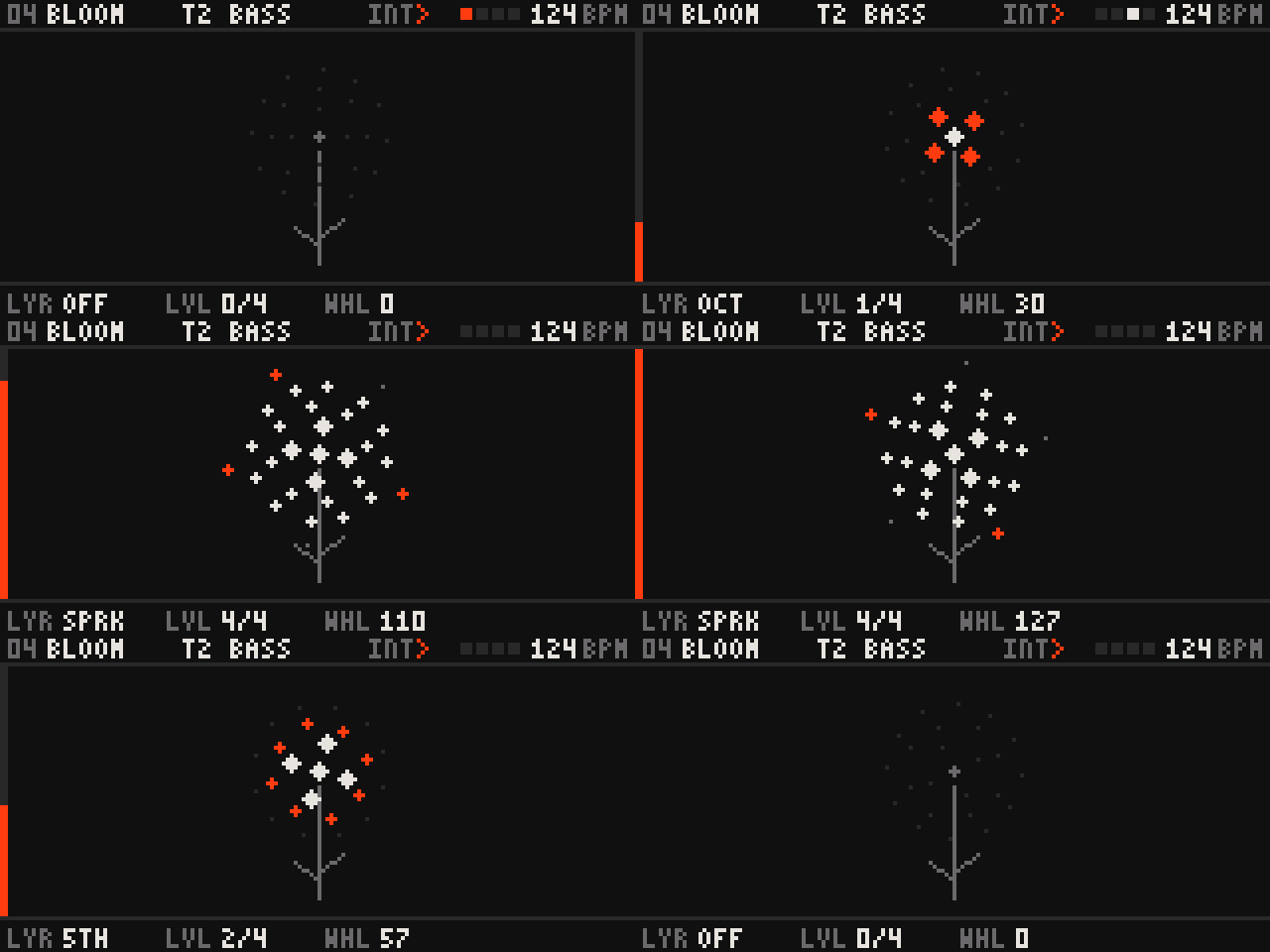
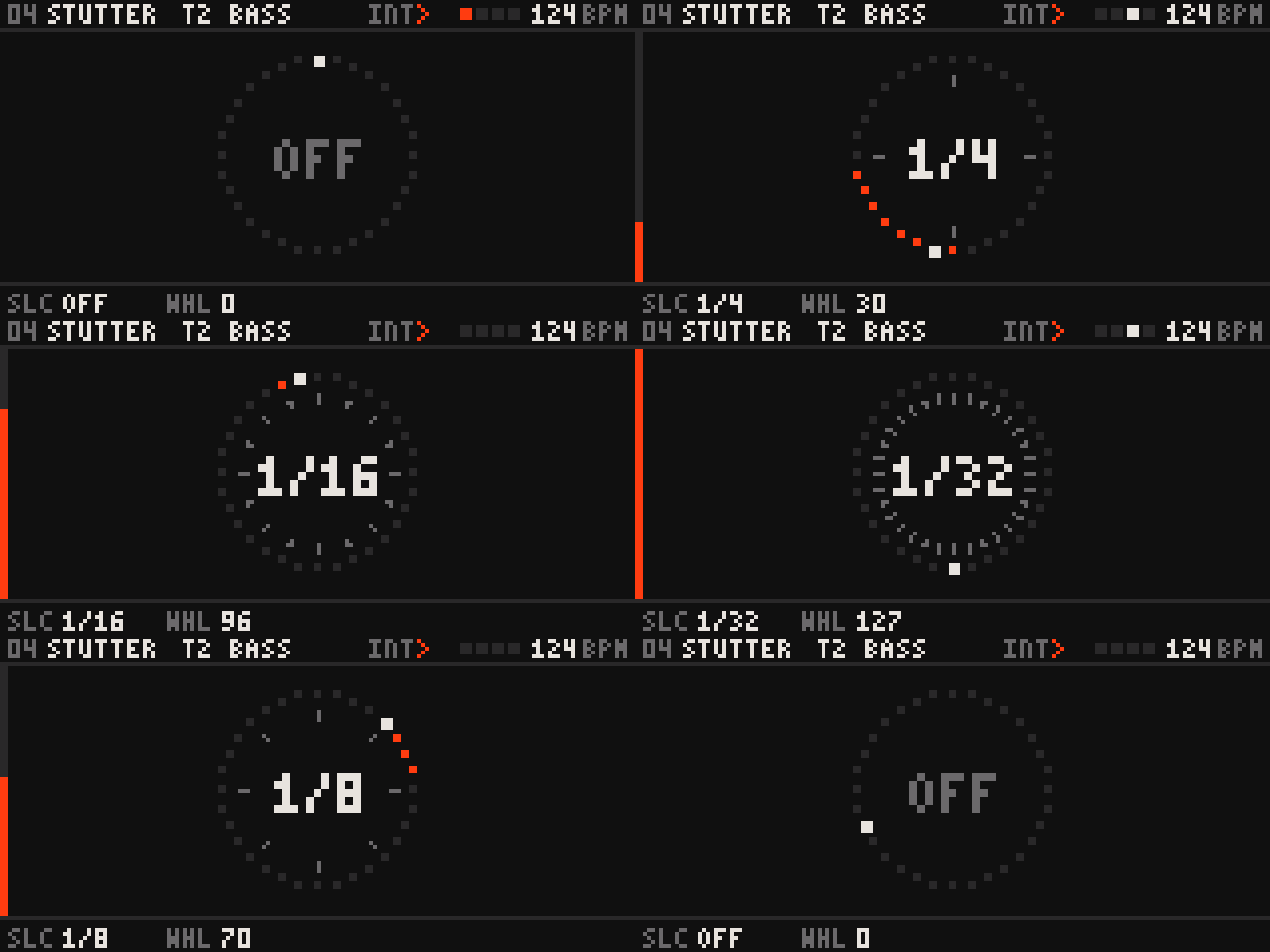
| 9 wheel effects | Every track has its own mod-wheel effect: GLIDE, BLOOM, RISE, SHIMMER, SWELL, SPREAD, STRUM, DENSITY, STUTTER. SHIFT + wheel picks one. |
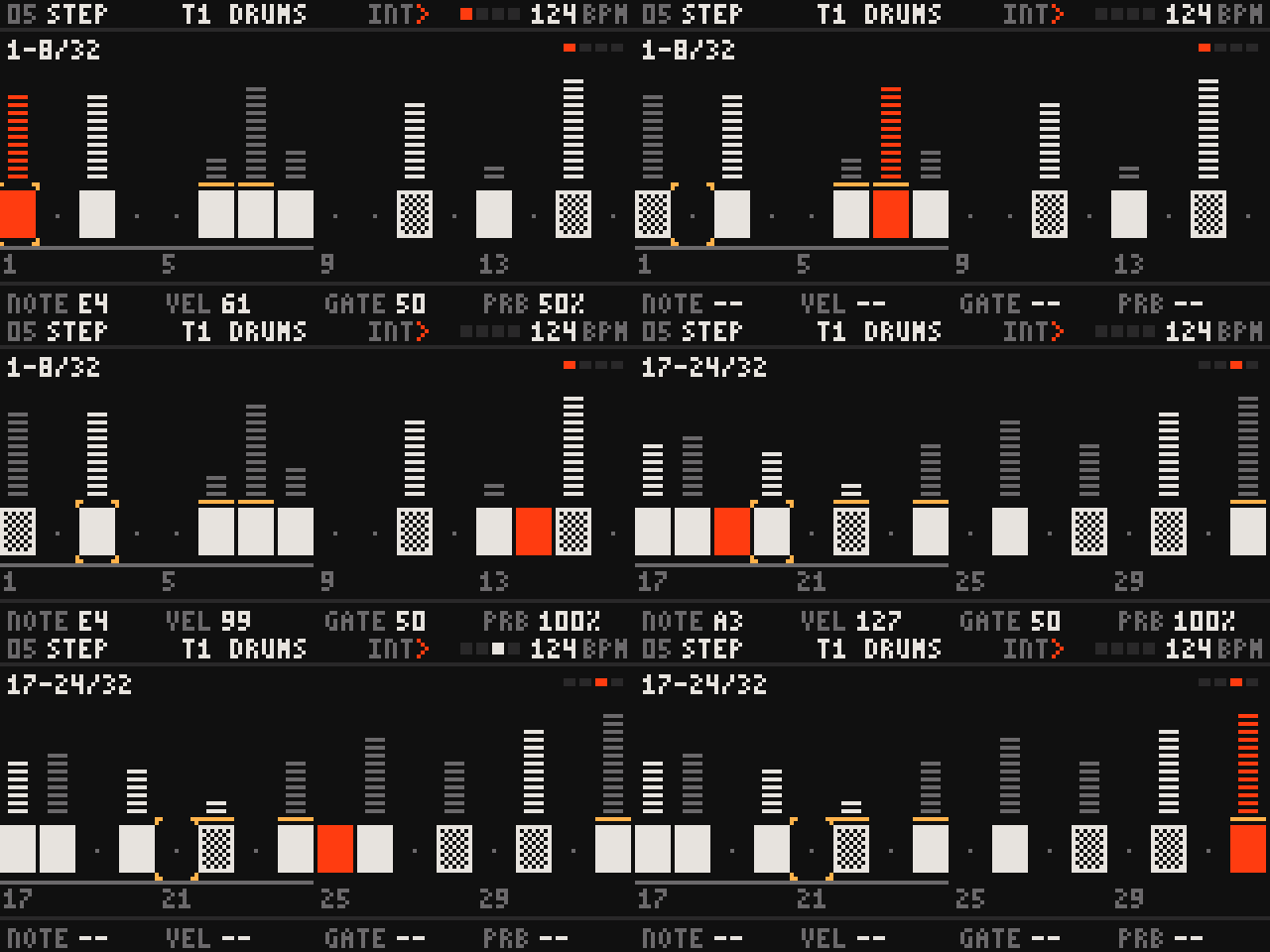
| Step edit | The pads are 8 steps; note, velocity, gate, probability, ratchet, accent. Polymeter up to 256 steps. |
| Clock | Internal or following USB clock, clock out on USB and DIN. With DIN synths it runs without a computer, powered from any USB power bank. |
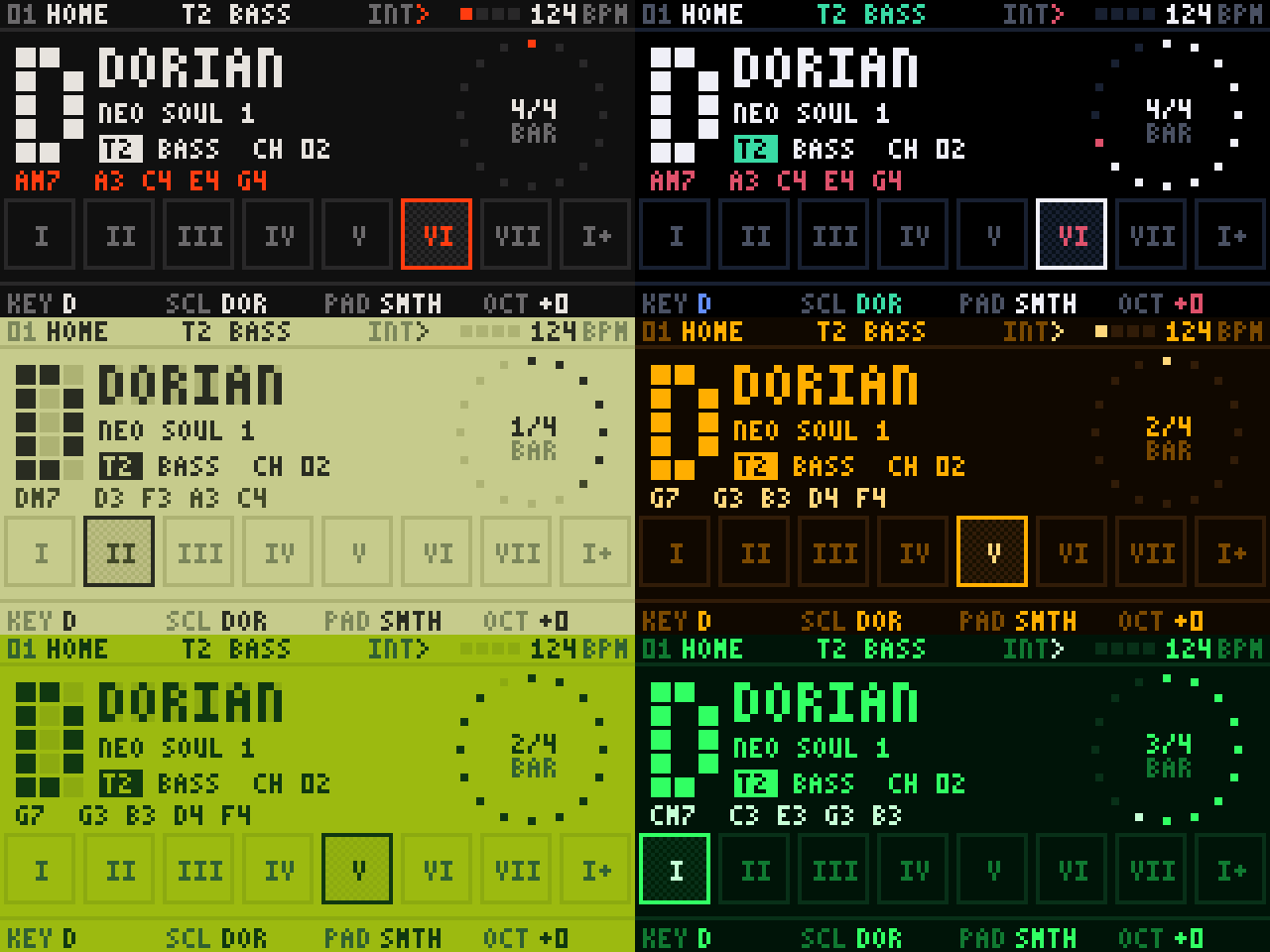
| Themes | Seven screen themes, one dot-matrix type family, eased motion. |
| Arp and effects | Arpeggiator, octaver, shadow harmony, drift, echo, strum, trance gate, ratchet, per track. |
| Home | Track switch | Glide |
|---|---|---|
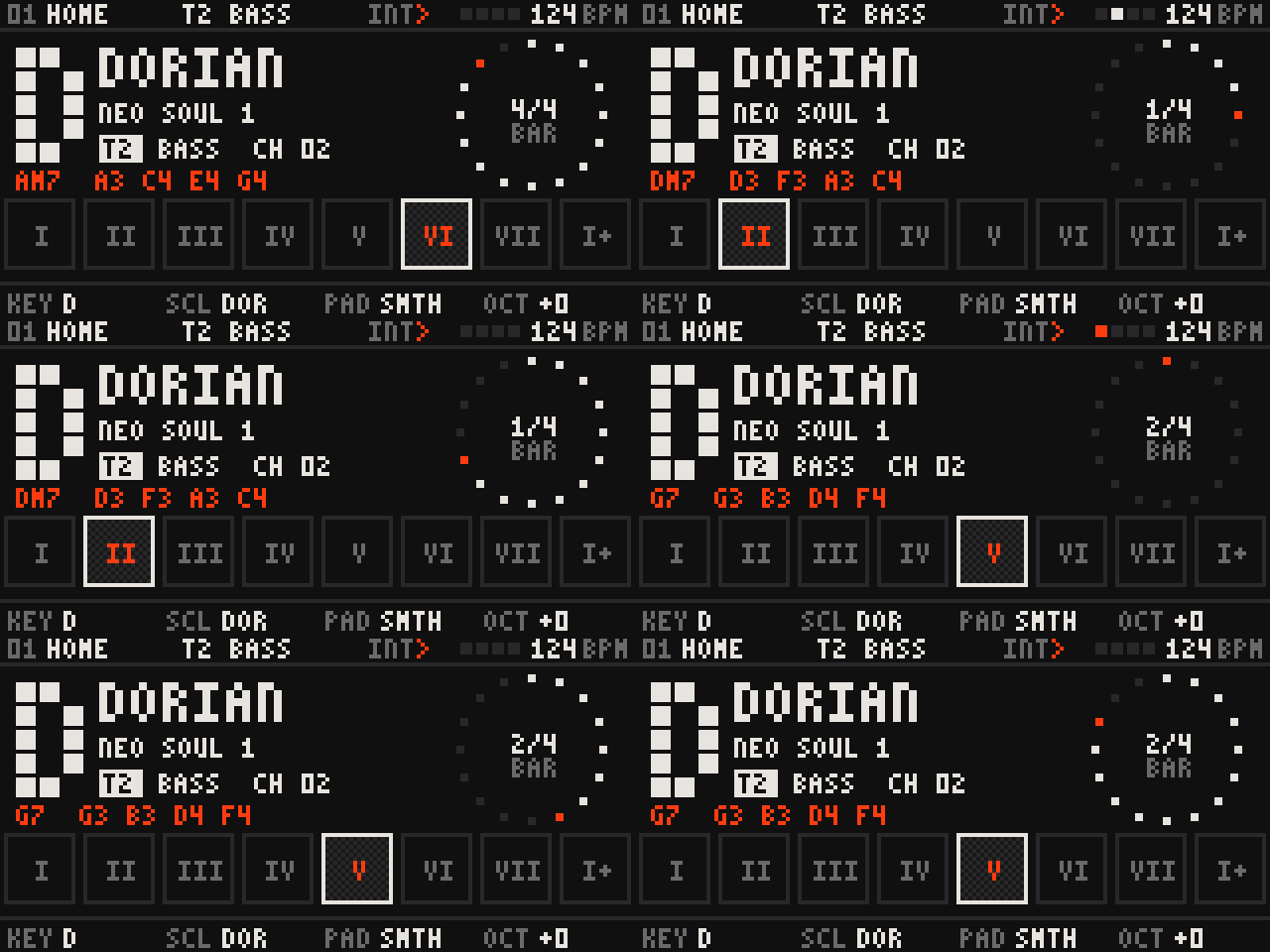 | 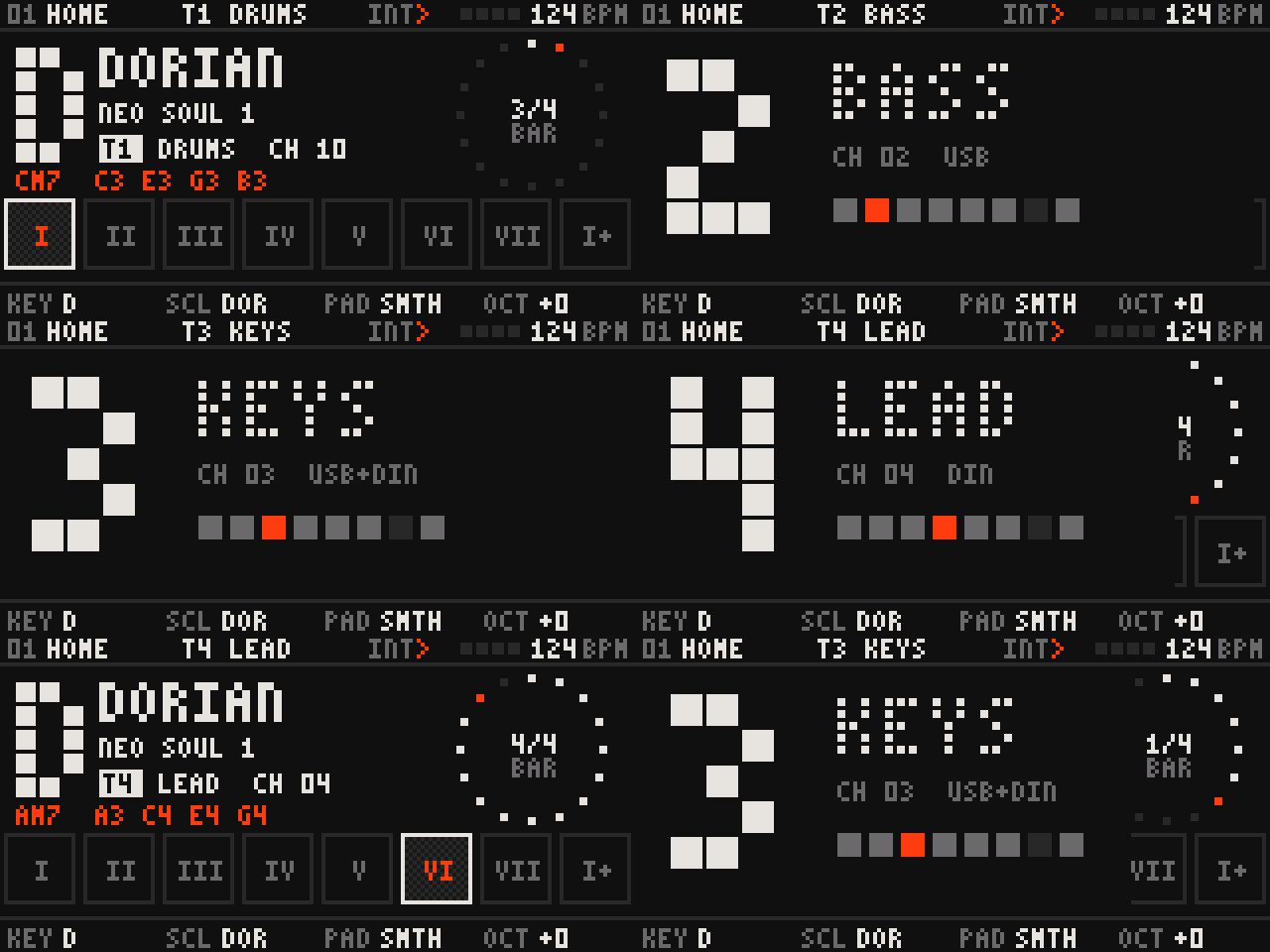 | 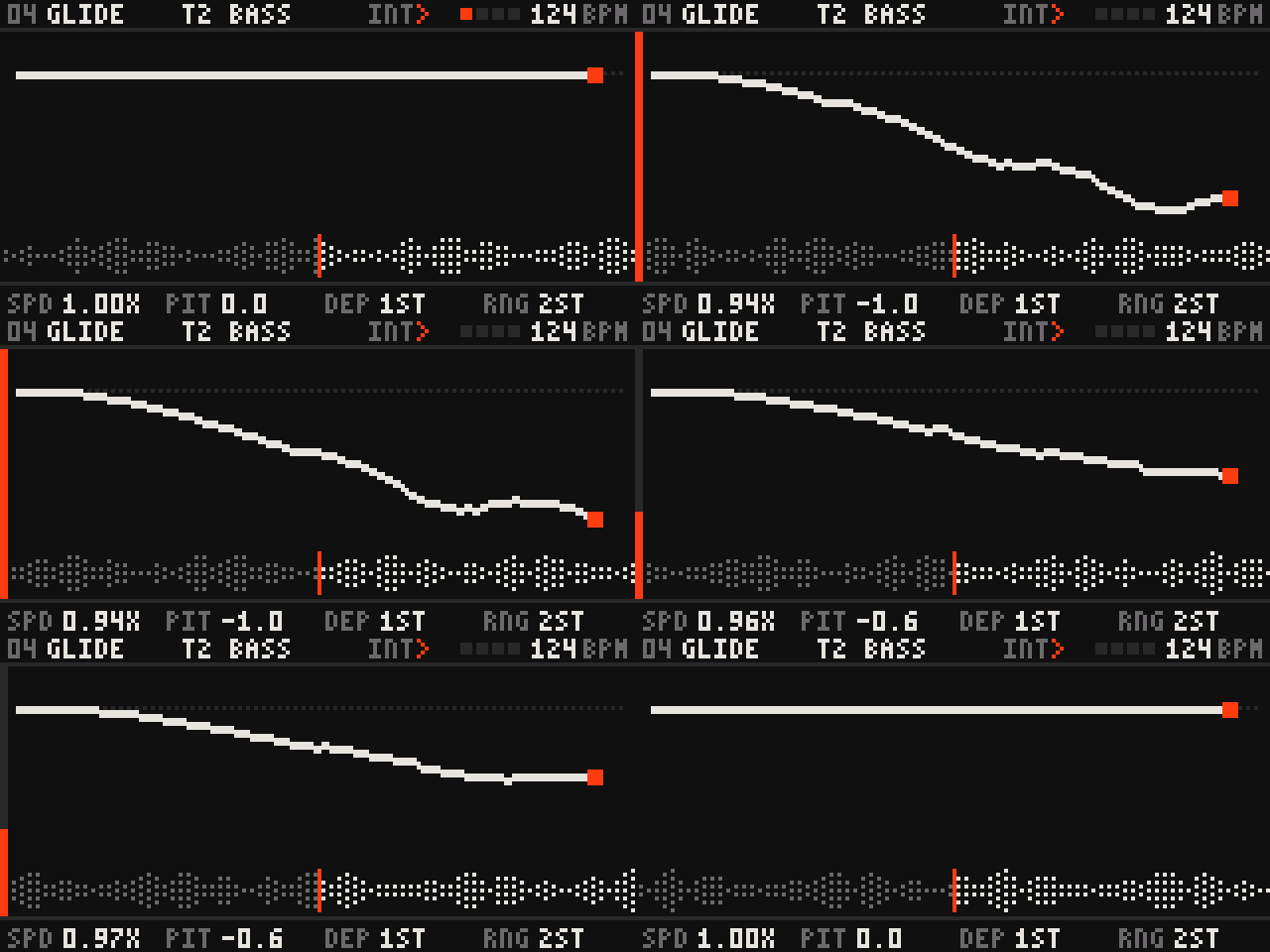 |
| Wheel picker | Bloom | Stutter |
 |  |  |
| Step edit | Themes | |
 |  |
Safety
- Akai's bootloader is never written. Every image carries it byte for byte from your own stock image, checked by sha256 before anything is sent. The flasher refuses any image that fails a gate.
- Recovery is always there. Unplug, hold SHIFT + UNDO, plug in: the screen shows "Upgrade" and the flasher works again.
- Back to stock any time:
python3 tools/mpk4_flash.py flash stock --write. - Dry run first. Without
--writethe flasher only checks the image and prints the plan.
Install
You need Python 3.10+ and python3 -m pip install mido python-rtmidi hidapi.
git clone https://github.com/giusmarci/open-mpk4.git && cd open-mpk4
python3 tools/fetch_stock.py          # Akai's stock image, from Akai's own installer, verified (never shipped here)
Get openmpk4_<version>_app_package.bin from Releases, or build it
(below). Then, with the keyboard on Akai's firmware:
python3 tools/mpk4_backup.py                                         # back up your programs
python3 tools/mpk4_flash.py flash openmpk4_<version>_app_package.bin # dry run: must say "image OK"
python3 tools/mpk4_flash.py flash openmpk4_<version>_app_package.bin --write
The flasher puts the keyboard into update mode by itself. On macOS, click Allow if it asks "Allow accessory to connect?". The manual covers playing it.
Install with an AI assistant
Paste this into Claude or ChatGPT; it walks you through it safely, one step at a time (docs/INSTALL_PROMPT.md).
You are helping me install OPEN MPK4, an open-source firmware for my Akai MPK mini IV, from
https://github.com/giusmarci/open-mpk4. Guide me one step at a time. After each step, wait for me to paste what the
terminal printed before you go on. Be careful: this writes to my keyboard's flash memory.

Hard rules (never break them, even if I ask):
- Use only the commands written below, from the repository's tools/ folder. Never invent flags, never edit any
  address, file in tools/, or anything about the bootloader. Never skip or work around a safety check.
- If any command prints REFUSED, FAILED, an error, or anything you did not expect: stop, ask me to paste the whole
  message, and explain it. Do not guess a fix that changes files.
- Always do the dry run (without --write) first, and only flash when it printed "image OK".

Steps:
1. Ask which computer I use (macOS, Windows or Linux) and adapt every command to it (python3 vs py, paths).
2. Prerequisites: Python 3.10 or newer, then: python3 -m pip install mido python-rtmidi hidapi
   Only if I want to build from source instead of downloading a release: the Arm GNU toolchain (arm-none-eabi-gcc)
   and make.
3. Get the code: git clone https://github.com/giusmarci/open-mpk4.git and cd open-mpk4
   (or download the ZIP from GitHub and open a terminal in that folder).
4. Get Akai's stock firmware image (it is never shipped by this project; the tool downloads only the firmware piece
   from Akai's own public installer and verifies it): python3 tools/fetch_stock.py
   It must end with "stock image OK". Check any time with: python3 tools/fetch_stock.py --check
5. Get the firmware, one of:
   a. Download openmpk4_<version>_app_package.bin from https://github.com/giusmarci/open-mpk4/releases into the folder.
   b. Build it: cd firmware, then make, then cd .. (the result is firmware/build/openmpk4_app_package.bin).
6. Check everything offline: python3 tools/selftest.py   (it must end with "ALL PASSED")
7. With the MPK mini IV plugged in and still on Akai's firmware, back up my programs:
   python3 tools/mpk4_backup.py   (it saves them under backup/programs/)
8. DRY RUN (sends nothing to the keyboard): python3 tools/mpk4_flash.py flash <the package file>
   It must print "image OK" and a plan. If not, stop (rule above).
9. Flash: python3 tools/mpk4_flash.py flash <the package file> --write
   It puts the keyboard into update mode itself, then asks me to type yes. Tell me not to unplug it while it writes.
   On macOS a dialog "Allow accessory to connect?" may appear when the keyboard restarts into update mode: I must
   click Allow. It ends with "done"; then the keyboard restarts into OPEN MPK4.

Recovery (tell me this before step 9):
- If flashing stops halfway or the keyboard does not start: unplug it, hold SHIFT + UNDO, plug it back in. The
  screen shows "Upgrade" (Akai's bootloader, which OPEN MPK4 never changes). Then run step 9 again, or go back to
  Akai's firmware with: python3 tools/mpk4_flash.py flash stock --write
- Back to Akai's firmware any time: python3 tools/mpk4_flash.py flash stock (dry run), then the same with --write.
Build from source
Needs the Arm GNU toolchain (arm-none-eabi-gcc) and make.
cd firmware && make           # build/openmpk4_app_package.bin; also build/openmpk4.bin once the stock image is fetched
make test                     # host tests of the music core and the app on a fake board
cd .. && python3 tools/selftest.py && python3 tools/test_fetch_stock.py
The app package holds only OPEN MPK4 code plus its version and storage range; the flasher assembles the full image from it and your stock image, with every safety gate.
Docs
- Manual: every control, screen and setting
- Architecture: flash layout, firmware and tools
- Hardware map and update protocol: the reverse-engineered facts the firmware and the flasher rely on
- Hardware test: checking every input and output on a unit
- Changelog
Credits
Made by @gius.marci · GitHub giusmarci · Reverbose giusmarci. Built on TinyUSB, the Artery AT32F402/405 firmware library and Arm CMSIS. The music core started in OPENMPK3, the same idea for the MPK mini mk3.
License
MIT (LICENSE). Third-party code keeps its own license (NOTICE): Artery's chip library is licensed by Artery for use with Artery microcontrollers, which is what this firmware runs on.
Not affiliated with or endorsed by Akai Professional or inMusic Brands, Inc. MPK is their trademark, used only to name the hardware. Use at your own risk.