OP-1 custom firmware patcher (R246)
Web patcher
Patch OG OP1 Firmware in your browser
What is this
Turns the original Teenage Engineering OP-1 firmware R246 (op1_246.op1) into a custom firmware
with:
- custom synth engines with their own screens: supersaw (chainsaw), fmbell (bell), granular; they follow note velocity
- granular plays the slot's sample: press input on a granular slot for "keyboard to sample" and record straight into it (the slot stays granular); white press = sample browser (the sampler presets, as on sampler+; the slot stays granular); red press = page 2, sample gain (0–4×); values shown in ms / s / ×
- animated lab screen for the stock iter synth: gauges follow the knobs; bubbles, flame, falling dashes, voice
dots and a note display react to the knobs and to what you play (graphic:
iter-lab.svgfrom op1repacker, MIT License, © 2016 op1hacks) - boot screen shows
op1r <version>under the TE logo - custom FX with their own screens, usable on instruments and as master FX (mixer):
- tape: vintage tape echo (time with tape-speed pitch bends, feedback up to self-oscillation, wow & flutter, age)
- clouds: granular texture FX, a port of Mutable Instruments Clouds (position, size, pitch, density; encoder presses switch to a second page, red press freezes)
- reverb: lush plate/hall reverb, a port of the Mutable Instruments Elements reverb (time, tone, diffusion, mix); its own screen (Kali: graphics by DAN76): blue shows 1–6 arms, green fades in the fire (tone), white brightens the skulls, red lights the mix scale
- nostromo: Dattorro plate reverb as room / plate / hall with the Chase Bliss CXM 1978's controls (mid decay, bass, treble, pre-delay, mix; HIFI / STD / LOFI clock with Lexicon 224-style 12-bit converters; 27 programs of type × diffusion × tank mod); its screen draws the impulse response with the Nostromo from Alien riding the tail
- quad LFO: four LFOs in one slot, one row each: live output, frequency, amount, target and type
- blue frequency (0.05–20 Hz) or tempo division, green amount (±100 %), white target (synth / drum engine knob, envelope A D S R, FX knob, or another LFO's frequency / amount / phase offset (F / A / O), shown as a symbol plus a dot in the knob / LFO colour; an LFO can't target itself), red type
- types: VOIC (per voice), FREE (free-running), GATE (restarts at note-on), MONO (restarts at every note-on, shared), SHOT (one cycle after note-on, then holds), RAND (new random value per note)
- press an encoder to select LFO 1–4
- hold Shift for a table of all four LFOs: blue phase offset, green smoothing, white waveform (sine, triangle, ramp up/down, square, sample & hold), red sync to the OP-1 tempo (4/1 … 1/32, triplets)
- euclid sequencer, an extra sequencer next to the stock ones (pick it in the sequencer list), for synth and drums
- 6 sequencer slots, each playing one note; Shift + white selects the slot, a note key on the euclid screen assigns its note, at the octave of that moment
- blue steps, green pulses, white rotation, red start/stop (Shift + red: all slots); press an encoder for page 2: rate (1/4 … 1/32, triplets), gate, octave, level (note velocity, per slot)
- the level is always shown as a red bar at the right border (triangle next to the dot while red is on page 2); a playing slot shows a red dot in the centre of its ring
- Shift + G A B C D E (the last six white keys) mutes/unmutes slots 1–6, Shift + D# mutes/unmutes all; a muted slot keeps running (dimmed dots) but plays nothing; works from any screen
- Shift + C# starts all slots at once, or stops them if any is running; works from any screen. Hold REC (tape armed) while starting and the tape starts recording with the first step
- 4 patterns per synth/drum: Shift + F G A B (the first four white keys) switches to pattern 1–4 immediately, from any screen (also the tape view). A pattern holds the notes and settings of all slots incl. mutes; which slots are playing stays the same across patterns. The pattern number (P1–P4) is shown bottom left
- on the euclid screen lift / drop / scissors copy / paste / cut the selected slot; with Shift the whole pattern
- runs at the OP-1 tempo, plays polyphonically and sends MIDI; slot settings and mutes are saved (slots come back stopped)
- punch in / out at markers: hold tape and press REC to arm punch mode (markers turn red,
[o]around the record circle). While playing, forward or in reverse, the next marker starts recording, the one after stops it, then punch mode turns off. PLAY while punched in: 1st press ends punch mode (recording continues), 2nd press stops recording. STOP stops; armed and stopped, STOP disarms. Tape + REC again cancels - sample editor (synth sampler): on the sampler page hold synth and press scissors. Blue / green move
start / end (the sampler's own markers, so keys play the range at once); a blue press switches blue / green to the
loop points (shown in grey, in blue / green while edited), white zooms (Shift: move the selection),
red sets the volume of the whole sample (−60 to +24 dB, applied on close; louder clips peaks above full scale), Shift + red scrolls (with transient snap
on: sets the detection sensitivity, shown as
tr 1…tr 7), red press snaps to zero crossings / transients / off. T1 trim (Shift: DC offset), T2 zero (Shift: fade mode: in / out / both, linear / power / exp, length on blue), T3 normalize, T4 reverse; Shift + left undoes a trim. Lift / scissors / drop copy, cut and paste the selection (paste also onto the tape or another sampler slot). Shift shows the alternate key labels. Closing saves - drum sample editor: on the drum page hold drum and press scissors: the same editor for the pad played
last (exact to the sample; pressing a key selects and shows its pad). T1
fittrims the pad's silence, Shift + T3autocuts the kit into pads (first 24 hits, or 1–24 equal slices; preview, blue sets the sensitivity (hits 1…hits 7) or the number of slices (equal), Shift + left undoes). Cut zeroes, drop overwrites. A red line shows the play position (also in the synth editor). Tapping synth or drum alone closes the editor and goes to that mode (synth: its T1 page) - count-in: with the tape stopped, hold REC and press metronome: 4 / 8 / 16 metronome clicks, then recording starts on the next beat and runs until STOP (REC can be released). STOP or REC + metronome again cancels. Audible even with the metronome level at 0. The number of beats is set on the settings page: clock / card + T3
- keyboard velocity: the OP-1's keys always play at full velocity; set another one on the settings page (clock / card + T3, green VELOCITY 1–127, default 127). Only notes played on the keys change (also what MIDI out sends and the MIDI recorder records); sequencers, arpeggio and received MIDI keep theirs
- metronome accent: beat 1 of each 4/4 bar clicks an octave higher (bars follow the tape; after a count-in they start where the recording started)
- Oblique Strategies cards: Shift + help shows a random card from Brian Eno and Peter Schmidt's Oblique Strategies in the clock's place; Shift + help again shows the clock, again a new card (the last view is remembered). T1 / T2 (monitor, USB out) work from both. Idea and card list from ultralazr/op1-oblique-strategies (code MIT, Martin Mairinger; the card texts are Eno / Schmidt's and not covered by that licence)
- resource monitor: on the clock screen (Shift + help) press T1 to switch to a page with CPU load, audio processing load (both with a peak marker), RAM and disk usage and the MIDI in / out buffer fill; T1 again goes back to the clock. The audio bar is split into instruments (green), envelopes (blue), custom FX (white) and the rest (grey); the blue knob steps through detail pages (audio split, synth / sampler / drum voices, plugins, disk)
- USB track outs: the OP-1 shows up as a 6-channel USB audio input (24 bit, 44.1 kHz): main L/R on channels 1–2, tape tracks 1–4 on channels 3–6 (pre-fader, following tape speed and reverse). Clock screen + T2: the blue knob switches between MASTER (track channels silent, saves 5–7 % CPU; default) and MASTER + TRACKS; the setting is saved. Tested on Linux and macOS (Windows untested: if the OP-1 still shows 2 channels, remove the old OP-1 device entry once)
- tape markers: on the tape screen, press red to set a marker at the cursor, Shift + red press removes the marker under the cursor, Shift + red turn jumps to the next / previous marker (wraps around; works while playing). Up to 32 markers, shown as green ticks above the tracks, saved
- MIDI CC control (USB MIDI, on the OP-1's MIDI channel):
- keys: CC = key code + 5 as in the OP-1's own CTRL mode, value ≥ 64 press / < 64 release: 5 help, 6 metronome, 7–10 synth/drum/tape/mixer, 11–14 T1–T4, 15–17 lift/drop/scissors, 21–25 and 50–52 the keys 1–8, 26 sequencer, 38/39/40 REC/PLAY/STOP, 41/42 left/right, 43 Shift, 48 mic/input, 49 COM
- encoders: CC 102–105 = blue/green/white/red, relative (1–63 up, 65–127 down); works on every screen
- mixer: CC 106–109 track 1–4 volume, 110–113 pan (64 = centre), 114–117 mute (≥ 64 = muted); CC 118 tape input level
- synth automation (current synth slot, absolute 0–127, changes the sound like turning the knob): CC 53–56 engine knobs, 57–60 envelope A/D/S/R, 72–75 FX knobs (when the FX is on), 76–79 LFO knobs (when the LFO is on)
- MIDI sequencer (opt-in: clock screen + T2, green knob MIDI SEQ ON): SEQ + TAPE opens a 4-track MIDI recorder that runs with the tape (same position, play / stop, loop, markers). T1–T4 select the track (Shift: mute), hold REC to record the selected track (Shift + REC latched); from stop, REC held or Shift + REC waits for the first note, which starts the tape (recording then stays on until STOP), and REC held + metronome counts in (4 / 8 / 16 beats, settings page) before it starts. Shift + blue turn sets the quantize grid (off, 1/4 … 1/32, 1/8T, 1/16T): a take's notes snap when it ends; Shift + blue press quantizes the selection. White press switches between the track's input and output, white turn chooses I (keyboard), S (stock sequencers / arpeggio), M1–M16 (USB MIDI channel) as input and I (instrument), S (stock sequencer), M1–M16 (USB MIDI out) as output. Scissors sets the selection start / end, lift cuts it from the track (Shift + lift: all tracks) and moves the playhead to the first note, drop pastes at the playhead. Notes and CCs, saved in one song file; TAPE leaves the view
- dots step sequencer (pick it in the sequencer list), for synth and drums
- 6 slots playing at the same time, each up to 64 steps (4 rows of 16 dots); a step is empty (grey) or a trigger (green) with its own note and level
- blue moves the cursor, Shift + white selects the slot, red starts / stops the slot, Shift + red (or Shift + C#) starts / stops all slots
- REC switches recording on / off, press red chooses the type: REC (step: a note key puts a trigger at the cursor and moves on) or LIVE (while the slot runs, keys are recorded at the playhead, quantised, with the gate taken from how long the key is held; while stopped LIVE records at the cursor). Keys always sound
- while recording: red sets the level of the trigger, Shift + blue erases while moving, green changes the length, Shift + green extends to the next full row and copies the row above
- per-trigger parameters (white; press white to choose the parameter): gate (or tie), ratchet 1–8, chance, condition (play in loop a of b), nudge (±1/2 step), ratchet level ramp
- FX parameter locks: FX1–FX4 in the same list set knob 1–4 (blue … red) of the instrument's FX for that
step (
--= off, the default, or 0–100 %); the knob returns to its own setting after the step's gate (TIE: at the slot's next trigger). Press blue while recording to put a lock trigger (no note, hollow square) on an empty step, again to remove it; a key on it adds a note - synth engine locks (synth mode, by Anthony Berg): SY1–SY4 after FX4 lock knob 1–4 of the instrument's
synth engine the same way (sample start / end knobs are skipped); the info line shows
LKon a lock trigger - mutes (Shift + G A B C D E, D# all), 4 patterns (Shift + F G A B), lift / drop / scissors copy / paste / cut the slot (Shift: whole pattern), all saved
- more synth engines: mixtur (subharmonic organ after Oskar Sala's Mixtur-Trautonium), arc (Duddell's singing arc); more FX: palme (Ondes Martenot Palme / Métallique diffuseur), in a room (Alvin Lucier's I am sitting in a room as a looping FX), steve (Steve Reich's phase process: capture a loop, 2–4 copies drift apart as in It's Gonna Rain / Come Out or move one unit at a time and lock as in Piano Phase; one rabbit per copy on the screen; stereo on the master, A left, B right)
- aether: a tilt theremin. The key sets the note; tilting the OP-1 forward / back bends the pitch, raising the right side fades the volume out, shaking adds vibrato (the angle at the key press is "home"). Blue pitch range, green timbre, white vibrato, red volume tilt; presses: dead zone, tilt for the full range, vibrato rate. Its screen (graphics by DAN76/Rackes) is a satellite dish that turns with the tilt (dials and sliders show the knobs and page-2 values)
- oracle (geomantic shield chart as a 16-step chord / drum pattern) and peal (English change ringing) sequencers, for synth and drums
- chord mode (
chordsequencer plugin): one key plays a chord, on every screen while the sequencer is on. Blue chord type (fixed) or stacked from a key and scale (press), green voicing (close, inversions, drop 2, spread; press adds the bass note), white strum (off … 1/8 beat; press: up / down / random), red key and scale. In drum mode the chord's notes play as pads - grids (
gridssequencer plugin): a port of Mutable Instruments Grids (Emilie Gillet): drum patterns from a map of real grooves. Blue / green move through the map (X / Y), white sets the fill of the selected part (press: next part, BD → SD → HH), red adds chaos (press: play / stop); Shift: swing, 1/16 or 1/32 steps, the part's pad or note, accent amount. Drum mode plays pads; synth mode plays the keys held on the grids page (or three stored notes); elsewhere the keys play as usual - brassophone (synth plugin, by nvmsocool): brass from a phase-warped sine whose timbre and pitch follow the envelope, with vibrato that fades in on held notes; a Dr. Seuss-style horn screen whose parts move with the knobs
- vapora (synth plugin, by AiAAAA): six-voice PADsynth pads, two detuned playback heads per voice. Blue morph
(press: 14 characters), green thickness (press: interval of the second head), white brightness, red motion (press:
speed). Its screen is an ocean under a sky with seven suns; notes ripple the water, Shift shows the values. 15
factory presets in op1r-src (
synth_sdk/plugins/vapora/presets) - blot (synth plugin): TB-303 style acid bass: saw to square into a resonant 4-pole ladder with a decaying filter envelope and accent (velocity 100 and up: further, faster, louder; with the keys at full velocity, set a lower keyboard velocity to choose). Blue cutoff, green resonance, white envelope mod, red decay; Shift + turn: blue waveform, green accent amount, white drive. Slide: mono / legato play mode with portamento. Its screen is an acid house smiley: blue eyes open with the cutoff, the green smile grins with the resonance, notes open the mouth, red drips grow with the decay, an accent winks, drive makes the face wiggly; the values below (Shift: the second ones)
- dddd (synth plugin): harsh noise. Paraphonic: the first key sets the pitch, further keys add to it. Blue source, green feedback, white destroy, red hands; a limiter keeps it from clipping. Wasp screen
- FX2 routing (Shift + mixer, T2; T1 = the stock overview): blue chooses what the master FX processes, master (stock), instrument (only the live synth / drum: the rest of the mix stays dry) or aux (the tape tracks' sends); green chooses where it goes, stereo master (not recorded) or mono tape (recorded on the selected track; in aux mode that track's own send is muted). With aux on, mixer T1 shows a send knob under each pan knob and smaller volume numbers: press an encoder to switch that track between aux (default) and pan, Shift + turn sets the selected one. Sends follow the track's volume and mute. Works with the FX plugins on the master (stock master FX keep processing the whole mix); no extra CPU while the source is master
- scale mode (clock screen + T4): blue root, green scale (major, minor, the church modes, harmonic / melodic minor, pentatonics, blues), white mode: snap (a key outside the scale plays the scale note below), white keys (the scale's degrees on the white keys, C = root), mute (keys outside the scale are silent). Applies to the keyboard and the stock sequencers in synth mode, MIDI out included; not in drum mode, and off while euclid, dots, chord, grids or another sequencer plugin is selected (their keys stay their controls)
- MIDI sync (tempo sync = MIDI in): on MIDI START the stock pattern sequencer, dots and euclid restart so their first step falls on the master's downbeat, also right after a pause; notes then follow the external clock within about 1 ms
- pulse clock in: follow an analog / modular clock on the input jack. Tempo page: green on a follow mode (SYNC, or
PO SYNC with the link), Shift + white = PPQ 1 / 2 / 4 / 24 / 48 (one step from MIDI goes to 4; MIDI = stock).
PPQ 4above the sync box and a dot per detected pulse; the first pulse starts the OP-1 like MIDI start, 2 beats without pulses stop it; MIDI clock is ignored meanwhile. Use an attenuator for 5–10 V modular clocks.tools/pulse_clock.py(op1r-src) sends test pulses from a computer's headphone output - hidden OP-Z controller mode in COM → CTRL, switched on by the SysEx
F0 00 20 76 00 01 03 F7from the host (any MIDI tool that can send SysEx;F0 00 20 76 00 01 00 F7switches it off) - firmware update over USB MIDI SysEx:
tools/op1push.py(op1r-src) or the web patcher stage changed files while the OP-1 runs; the OP-1 then asks (T1 restart and apply, T2 cancel). te-boot is never written - synths, effects, sequencers, drum+, sampler+ and tools as plugin files: loaded at boot from
plugins/, installed / removed one by one (web patcher orop1push.py) without a firmware update; a plugin that locks the OP-1 at boot is skipped on the next boot. Euclid, dots, oracle and peal are sequencer plugins: without the file a sound that uses one loads with the pattern sequencer. drum+ (drumplus) is a drum plugin: without it drum+ kits play as normal kits. In both cases the saved data comes back when the plugin is installed again - sampler+ (
samplerplusplugin, by pcppcp): a synth type next to the stock sampler (Shift + T1,sampler+), the stock sampler's sound and presets plus loop crossfade, ping-pong, loop in release, pitch envelope, drive, random start, velocity → start, reverse, tempo sync (the region or loop lasts 1/4 … 8 bars, repitched) and a sample browser (T1 white press, the sampler presets). T2 is an envelope page as on drum+: attack / decay / sustain / release with curve and hold, filter (type, cutoff, resonance, envelope and velocity amount). Shift + T2 is the play mode page: blue play mode, green portamento, Shift + white / red cutoff / resonance (press: envelope / velocity → cutoff). The region is still edited in the sample editor (synth + scissors). Without the plugin a sampler+ sound plays as the stock sampler and keeps its settings - randomiser (
randomisertool plugin, by Lewis-Clayton): on a synth page Shift + drop makes a random variation of the current sound (engine knobs, envelope, FX type and settings, LFO type and settings; the engine stays), Shift + lift steps back, Shift + drop again steps forward; the original and the 6 newest variations are kept per synth slot. A panel showsrandom(forward) ormodnar(back) - the hidden Lander game is gone (synth + drum + tape + mixer does nothing): frees about 190 KB of memory and shortens the start-up
Screens
Rendered on the PC from the same screen code that runs on the OP-1 (host harness in the synth SDK).
| Synth engines | |
|---|---|
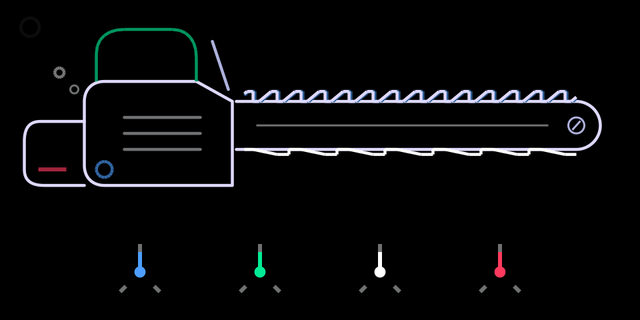 supersaw | 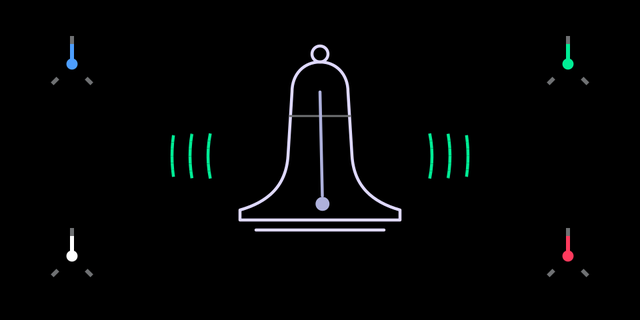 fmbell |
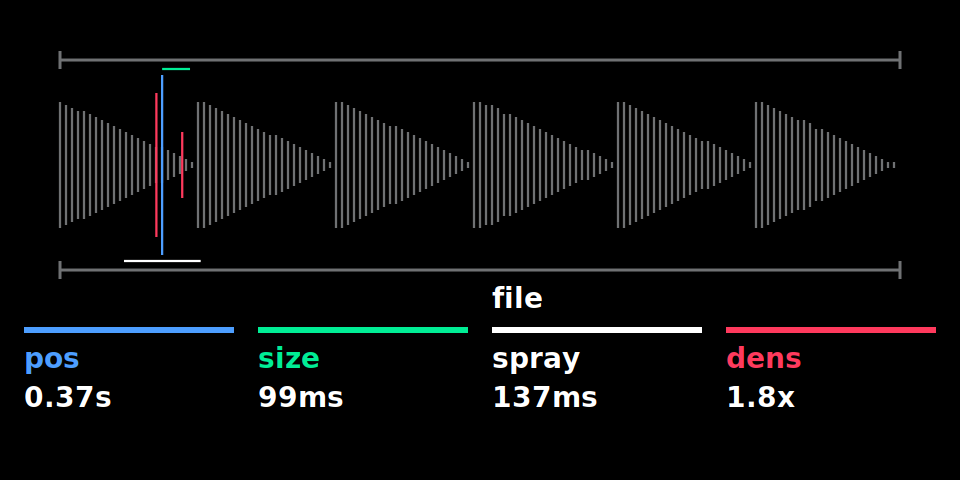 granular | 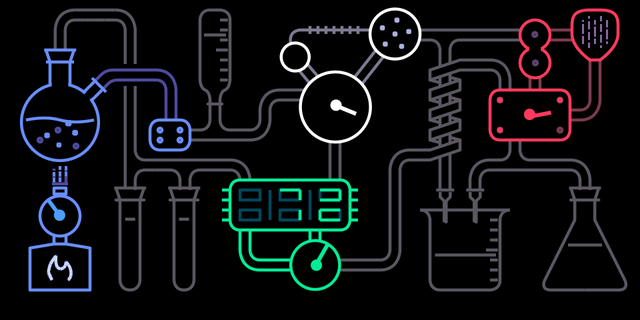 iter (lab screen) |
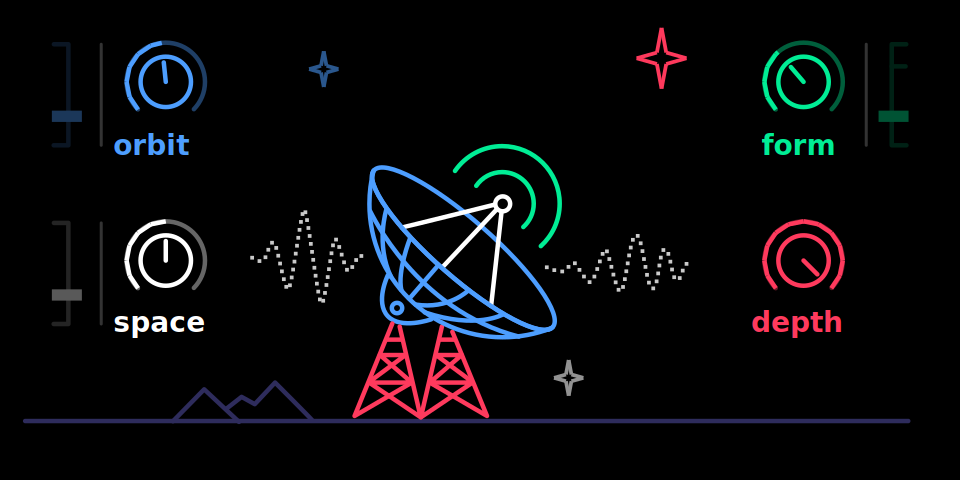 aether: the dish turns with the tilt, waves = FORM | 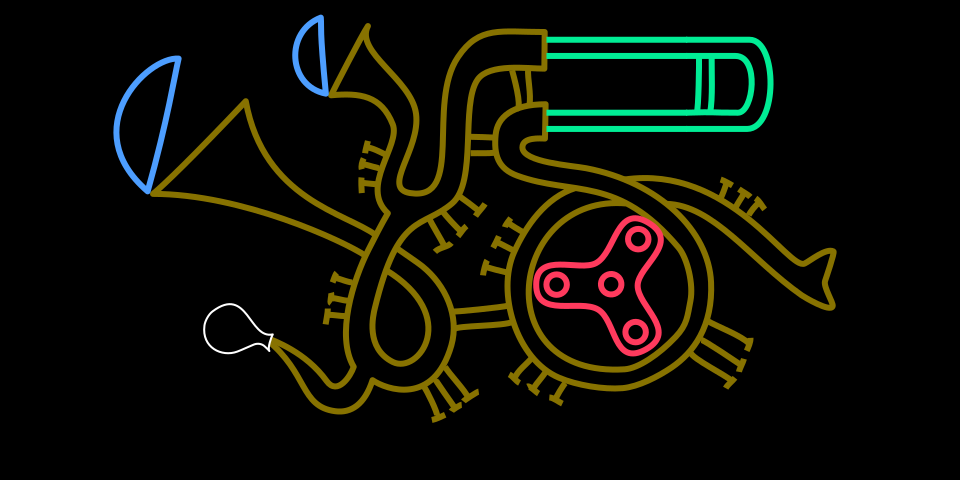 brassophone (by nvmsocool): mutes, slide, balloon and spinner follow the knobs |
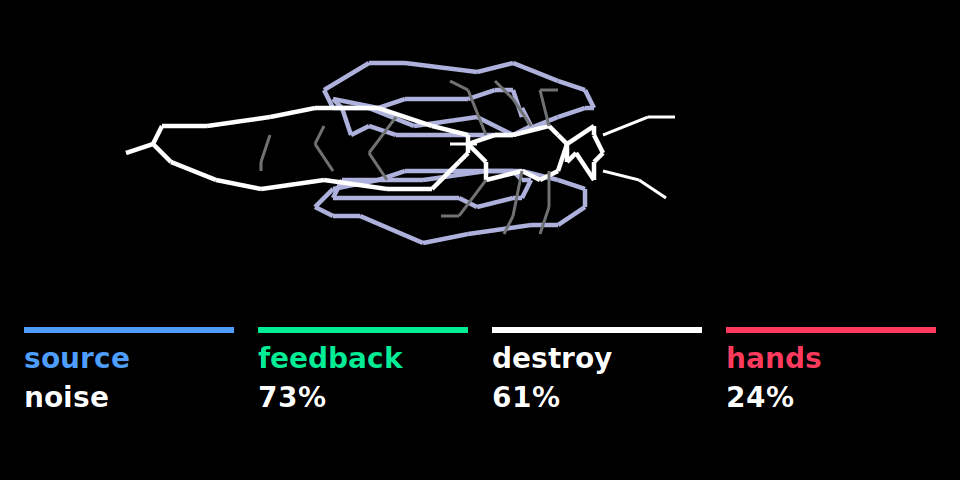 dddd: the wasp |  vapora (by AiAAAA): the ocean and the stars follow the knobs, notes ripple the water |
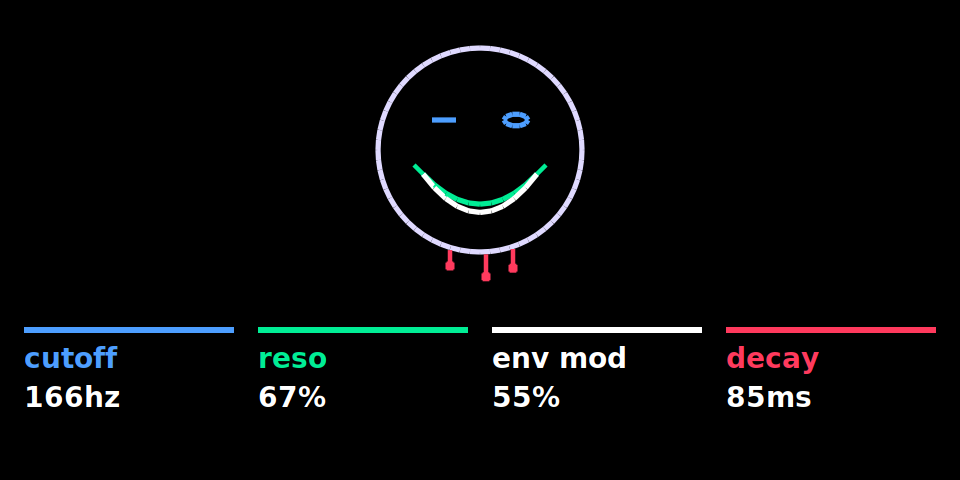 blot: the acid smiley (eyes, grin, mouth, drips, wink = the knobs and the notes) |
| Effects | |
|---|---|
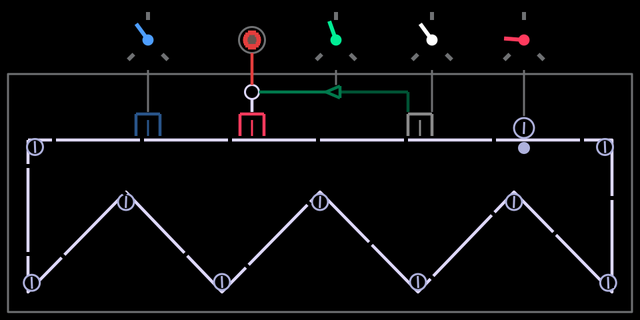 tape echo | 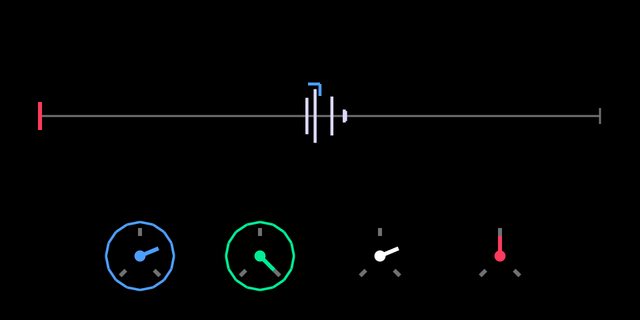 clouds |
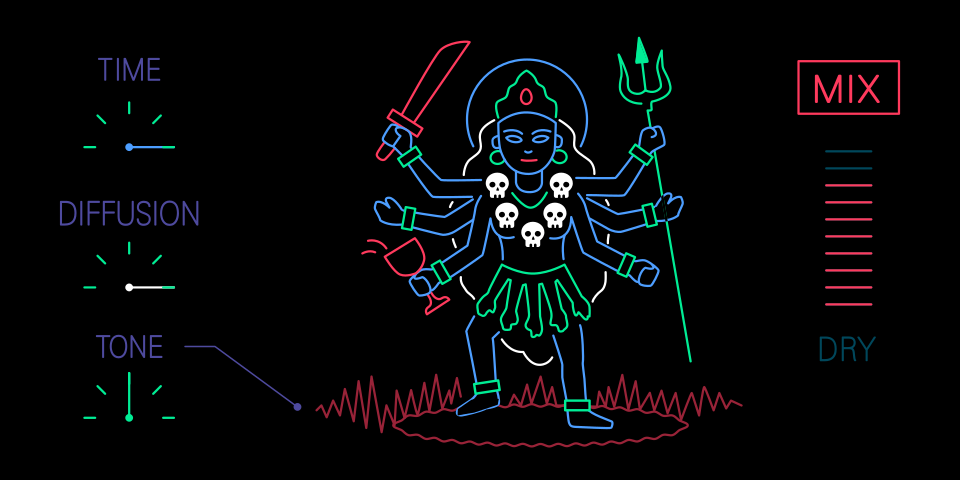 reverb | 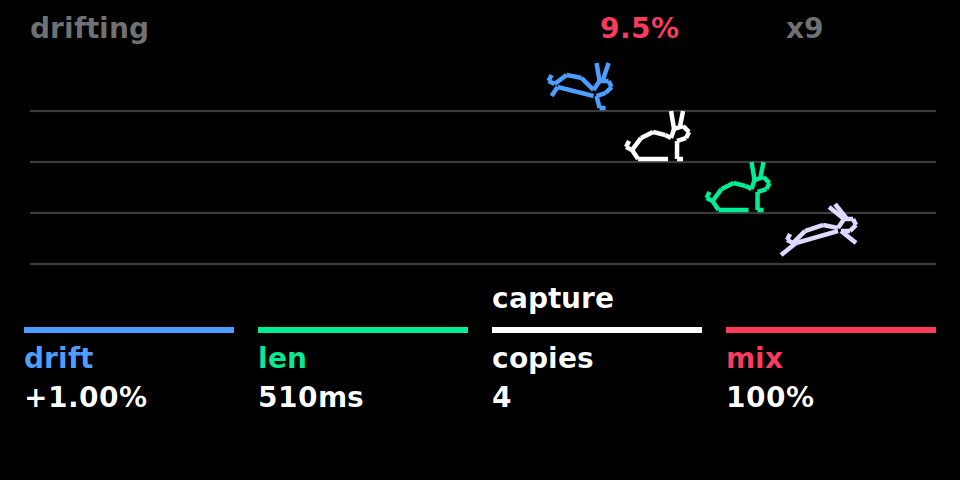 steve: four copies drifting apart, one rabbit each |
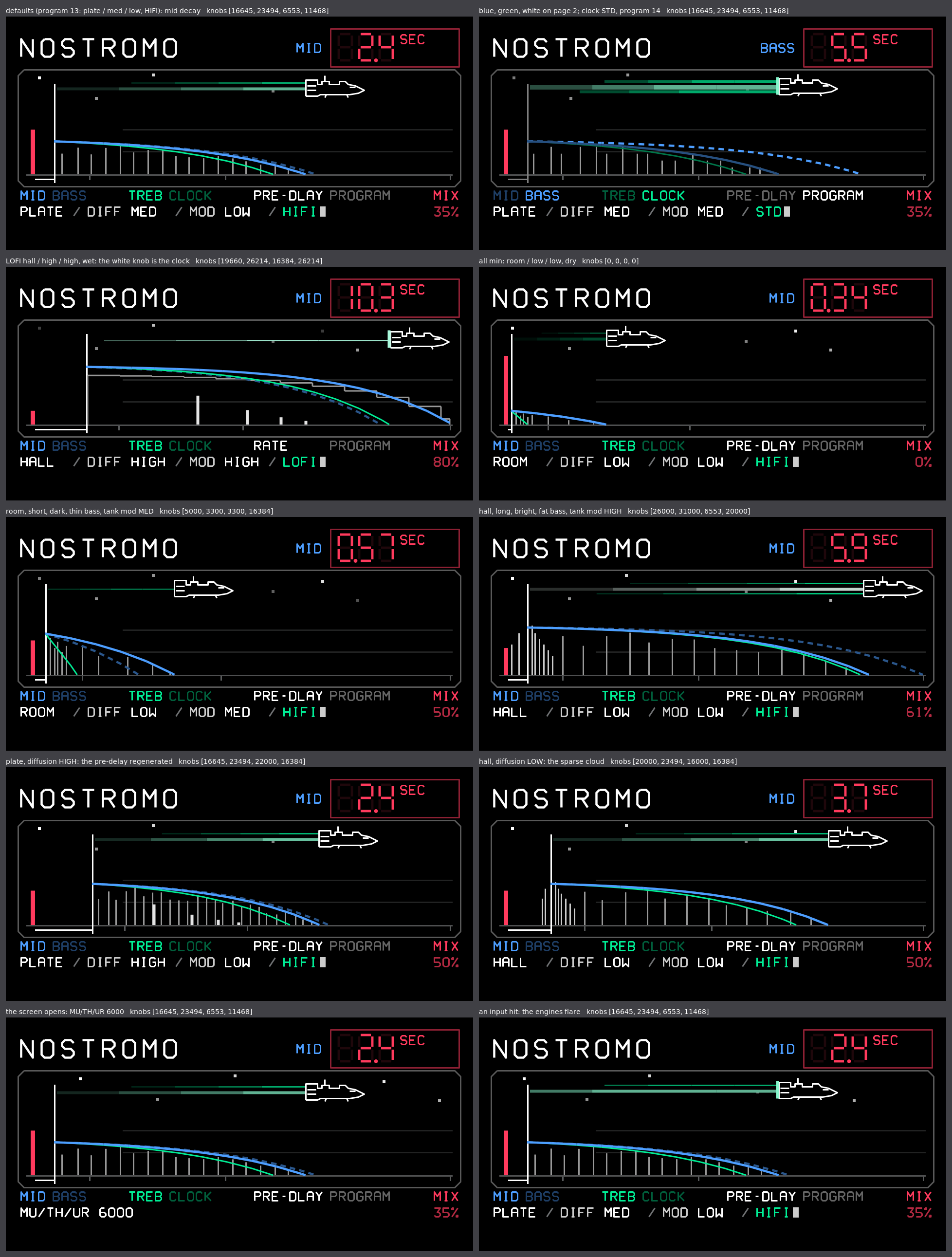 nostromo: the impulse response, the ship where the tail falls silent |
| LFO | Sequencer |
|---|---|
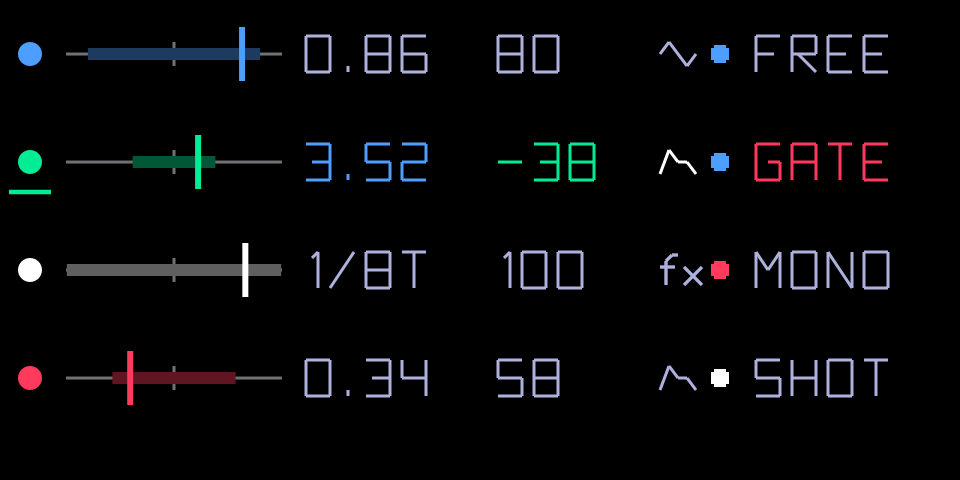 quad LFO | 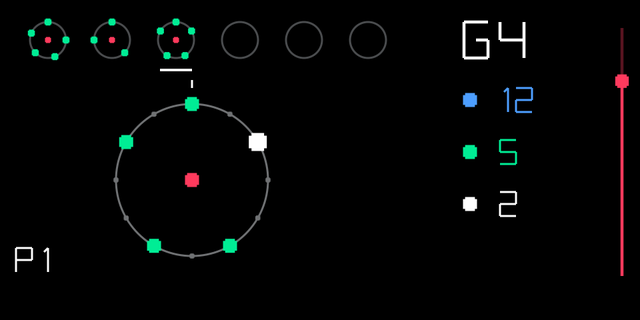 euclid sequencer |
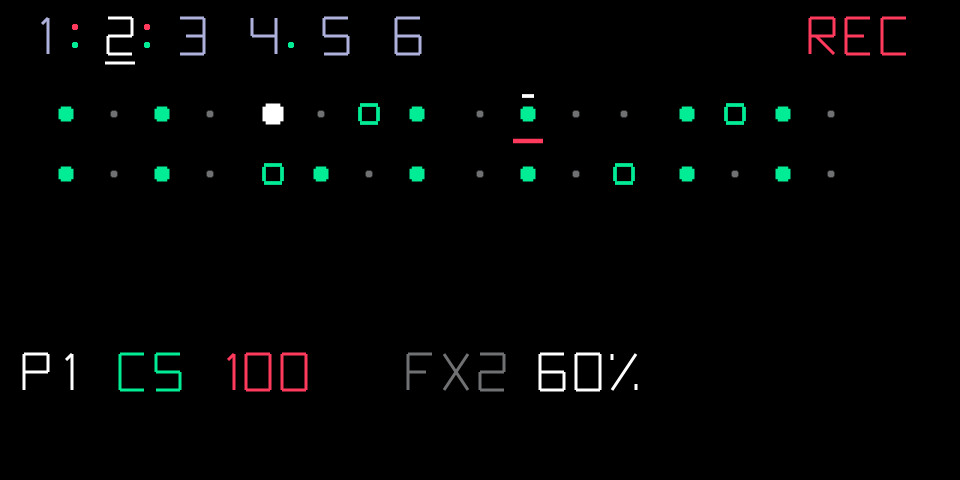 dots sequencer (record mode: notes, lock triggers as hollow squares, a note with an FX lock) | 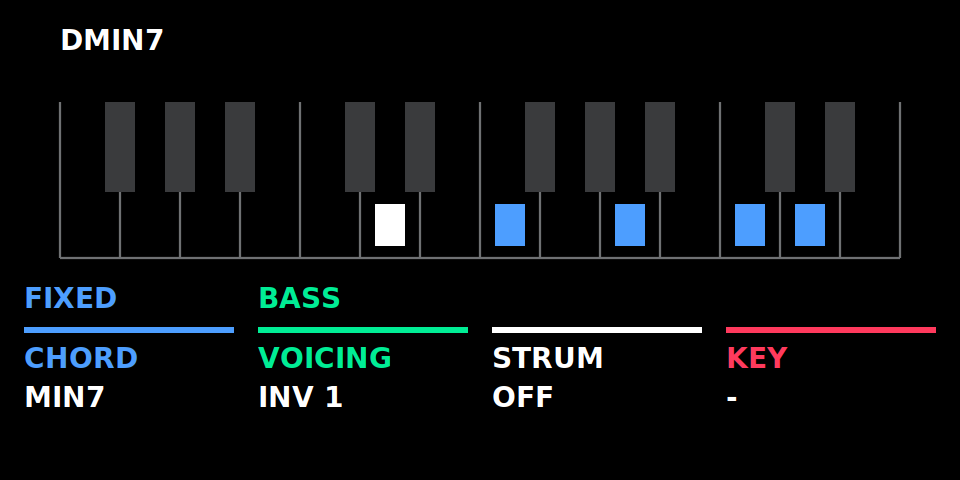 chord mode: the chord's notes on the keyboard, the key played in white (OP-1 font on the device) |
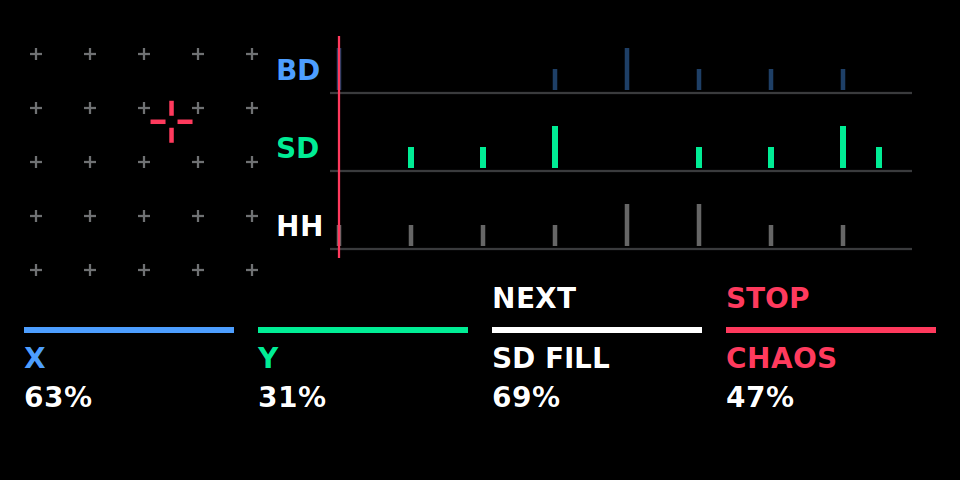 grids: the map (left, X / Y cross-hair) and this bar's pattern per part |
| Pages | |
|---|---|
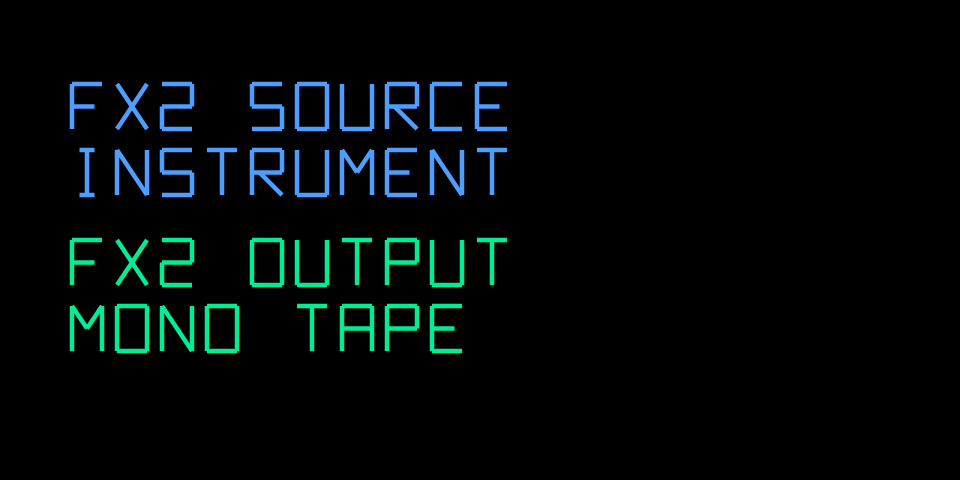 FX2 routing (Shift + mixer, T2) | 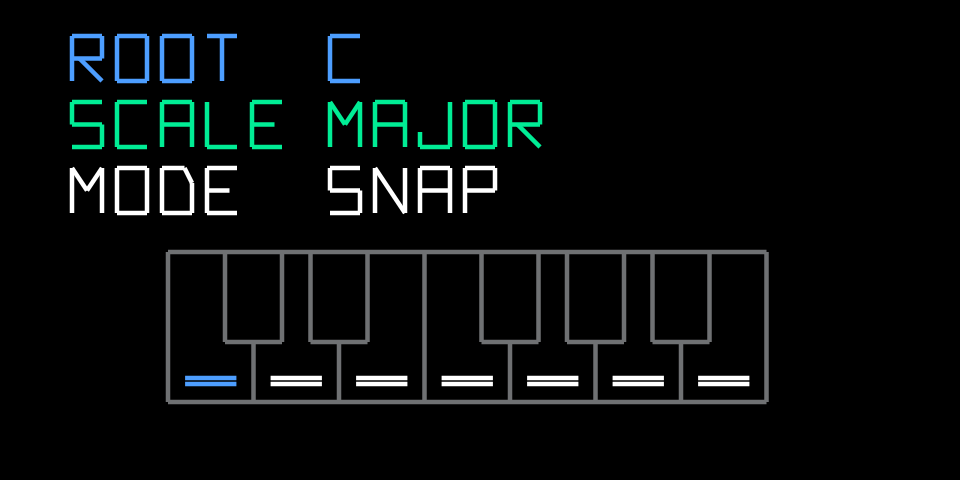 scale mode (clock, T4) |
| sampler+ | |
|---|---|
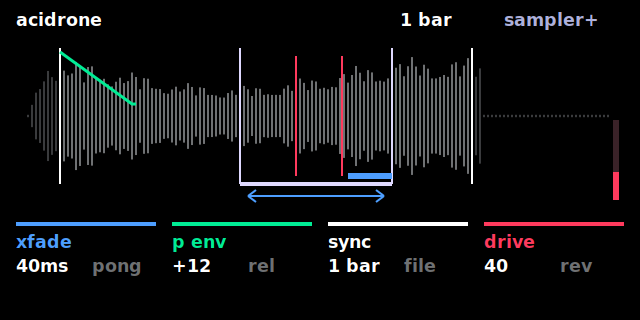 sampler+ T1: region, loop with crossfade / ping-pong, playing voices, pitch envelope, drive | 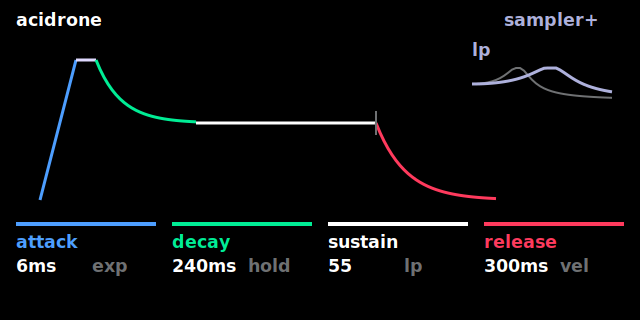 T2: envelope and filter |
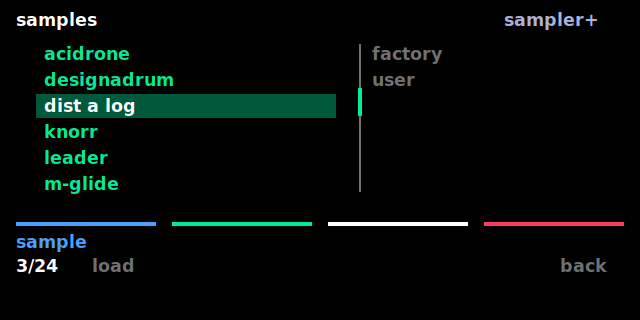 T1 white press: sample browser | 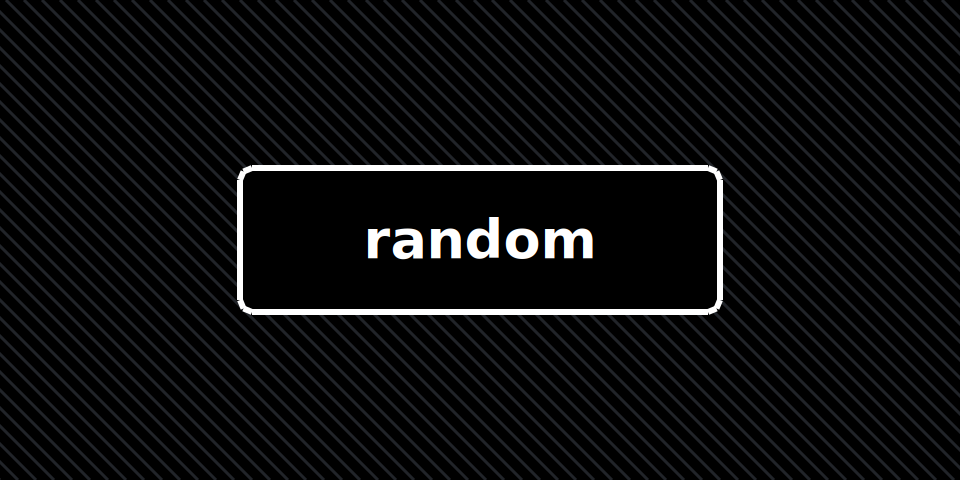 randomiser panel (Shift + drop; Shift + lift shows modnar) |
| Resource monitor | Sample editor |
|---|---|
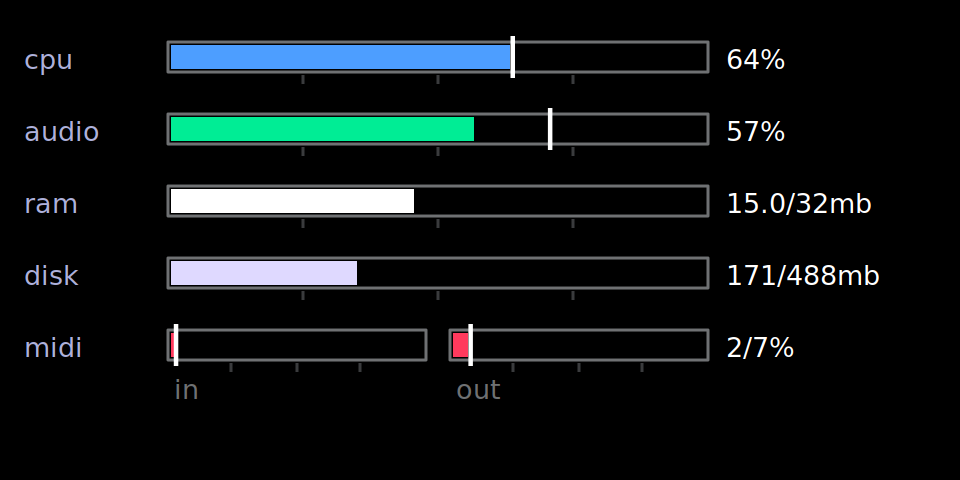 clock screen + T1 (text in the OP-1 font on the device) | 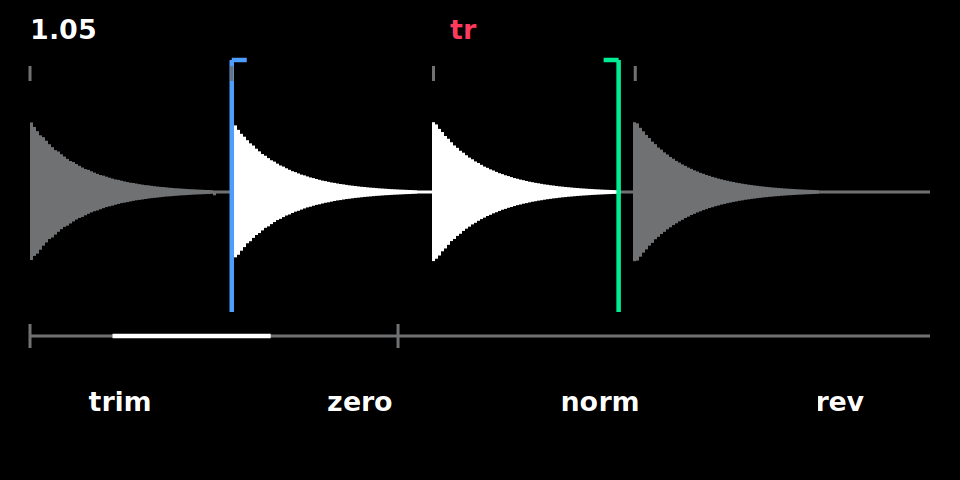 synth + scissors on the sampler page: selection, transient snap ( tr), key labels (OP-1 font on the device) |
The repository contains no Teenage Engineering firmware. You provide the original update file, and the
patcher applies only the differences stored in data/. These are our code, our screen SVGs and small
byte edits.
Usage
Requirements: Python 3.8 or newer, standard library only.
git clone https://github.com/pcppcp/op1r.git && cd op1r
python3 patch_op1.py /path/to/op1_246.op1            # -> /path/to/op1_246-custom.op1
python3 patch_op1.py /path/to/op1_246.op1 -o op1-custom.op1
python3 patch_op1.py --info                          # what the patch contains + checksums
python3 patch_op1.py /path/to/op1_246.op1 --plugins supersaw,clouds   # only these synths / FX (default: all)
python3 patch_op1.py /path/to/op1_246.op1 --plugins none              # firmware only
Choosing synths and FX: the custom synth engines and effects are plugin files (plugins/<name>.op1p on the
OP-1), loaded by the firmware at boot. --plugins (or the ticks in the web patcher) picks which ones are installed;
--info lists the names. Sounds that use a missing one play the stock iter / filter until it is back, then they find
it again by name. With a selection the checksum differs from the one below: the firmware is still verified against
the reference build, each plugin file against its own checksum.
Managing them later: an OP-1 that runs op1r 34 or newer needs no firmware file for this. The web patcher
(Connect OP-1, section 3) shows the installed synths / effects, installs ticked ones and removes unticked ones over
USB MIDI; the OP-1 asks before anything changes (T1 restart and apply, T2 cancel). From the command line:
op1push.py --port … --list / --delete plugins/<name>.op1p / --files plugins/<name>.op1p (op1r-src).
Only install plugin files from people you trust: a plugin is program code with full access to the OP-1.
The patcher:
- Checks the input SHA-256 against the original R246 image and refuses anything else.
- Unpacks it (CRC-32 → LZMA → tar).
- Checks every file it touches, both before and after patching (SHA-256 per file).
- Repacks deterministically: original tar order and metadata, op1repacker's LZMA settings.
- Checks the result against the reference build's SHA-256.
If only the last step differs while the archive content matched, your Python has a different liblzma
version. The firmware content is still verified identical, and --accept-recompressed writes it anyway.
| SHA-256 | |
|---|---|
input op1_246.op1 (original R246) | c5315218f825f143b415ca554516541898abee843d3a236df0b54c04e1fb13a9 |
| output (reference build, all plugins) | 1c3f9a475cc76c37410a6749419ef35597fc34152597341aa79309dd2e486a59 (also python3 patch_op1.py --info) |
Install the result like any OP-1 update (bootloader update mode). The bootloader is not modified, so the
original op1_246.op1 can always be flashed back. Use at your own risk.
Original firmware files (*.op1, *.ldr, unpacked trees) are git-ignored and must never be committed.
See CHANGELOG.md for what changed between versions.
Credits
- pcppcp: op1r, the synth SDK and most plugins
- ultralazr: the plugins arc, mixtur, palme, in a room, oracle and peal, the stroke font of their screens, the MIDI sequencer idea; the Oblique Strategies cards (ultralazr/op1-oblique-strategies, Martin Mairinger)
- Lewis-Clayton: the randomiser tool plugin, the nostromo reverb
- nvmsocool: the brassophone synth plugin
- Hundekraft: the sample-exact clouds optimisation (op1r 43); the Blackfin kernels of clouds, nostromo, granular, brassophone, arc and mixtur and the reverb speed-up (op1r 47)
- AiAAAA: the vapora synth plugin
- Anthony Berg: the dots synth engine locks
- DAN76: the reverb's Kali screen; DAN76/Rackes: the aether satellite-dish screen
- Emilie Gillet (Mutable Instruments): Clouds and the Elements reverb, ported to fixed point (MIT License); Grids, its pattern generator and drum map ported (GPL-3.0)
- Katherine Whitlock (Synthstrom Deluge): the "Digital" reverb after Dattorro, nostromo's reference (GPL-3.0)
- op1hacks: op1repacker (iter lab graphics, LZMA settings; MIT License)
- Brian Eno and Peter Schmidt: the Oblique Strategies card texts
Support
Buy some tokens for the Clanker
Maintainers: rebuilding the patch data
The patch data is generated from a custom firmware tree built with the synth SDK (make_firmware.py,
not part of this repository; needs the Blackfin toolchain):
python3 <sdk>/synth_sdk/make_firmware.py --opz --release          # builds <sdk>/op1_246_custom/
python3 build_patch.py /path/to/op1_246.op1 <sdk>/op1_246_custom  # regenerates data/ + reference image
build_patch.py diffs the custom tree against the original image:
- Changed files (
OP1_vdk.ldr,content/op1_factory.db): stored as byte edits plus one insertion, the new code block. - New files (our SVGs): stored whole.
- New files identical to a stock file, such as
fxgeneric.svg(=iter.svg): recorded ascopy_ofand recreated from the user's image.
It then runs the patcher once. It writes the reference image (<custom tree>-patched.op1, or
--reference <file>) and its checksums to data/manifest.json, and checks that the reference unpacks to exactly the custom tree.
Flash-test the reference image before publishing a new patch, and commit data/ together with the
updated output checksum in this README.
License
op1r is free software under the GNU General Public License v3.0 or later (LICENSE), with an additional permission to combine it with the OP-1 firmware (NOTICE). In short: use it, modify it and patch your own firmware freely; if you distribute op1r or anything built on it (a modified patcher, another firmware mod, a product containing this code), you must release its complete source under the same license.
Source code: op1r-src: the firmware code, the synth SDK, and how to write your own synth / effect plugin (PLUGINS.md). Releases from op1r 27 on are built from it.
Not covered: the Teenage Engineering firmware (never included here) and the Oblique Strategies card texts (Brian Eno and Peter Schmidt). Third-party parts (MIT): Mutable Instruments Clouds / Elements reverb ports (Emilie Gillet), op1repacker's iter-lab.svg and LZMA settings (op1hacks), svgfont.py (Martin Mairinger). Details in NOTICE.