Oblique Strategies for the OP-1 (original)
Shift + press the orange encoder shows a random card from Brian Eno and Peter Schmidt's Oblique Strategies on top of whatever screen you are on. Any key closes it; that key press is swallowed and does nothing else.
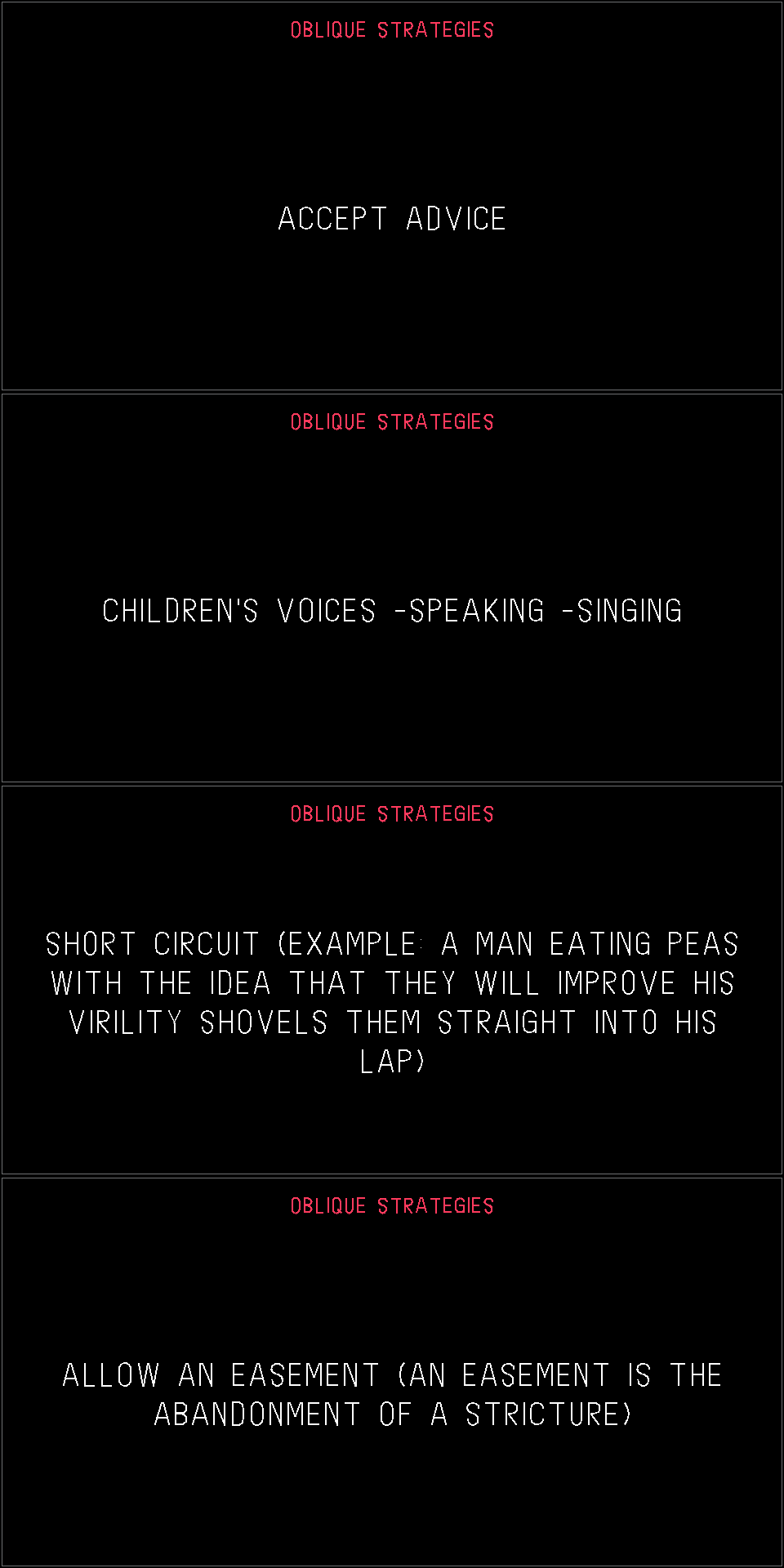
Firmware R246 only. Tested on hardware. The card is drawn in the OP-1's own font, which is converted from the
stock opfont.svg at build time.
This repository contains no Teenage Engineering firmware or assets. You provide the original
op1_246.op1 from https://teenage.engineering/downloads/op-1/original. The build reads the font from it,
and the patcher adds our code to it.
Use
Requirements: Python 3 (standard library only), plus bfin-elf binutils and GCC on PATH. Tested with
binutils 2.42 and GCC 13.3.0.
bash build.sh op1_246.op1                                   # -> build/obl.bin, build/obl.sym
python3 patch_oblique.py op1_246.op1 -o op1_246-oblique.op1 # stock R246 only (SHA-256 checked)
python3 patch_oblique.py op1r.op1 --allow-modded            # on top of an op1r build: chains to op1r's key hook
To install, hold COM while switching on, choose firmware update, and copy the .op1 file over. To go
back, flash the original op1_246.op1 the same way. The bootloader (te-boot.ldr) is never modified.
The patcher refuses unknown input and verifies its output by unpacking it again.
Expected output for stock R246: sha256 e452aa9576ec8af500442d95bc373eaf2ed9a3634cf5c972c73908067a7ed1db.
Use at your own risk.
How it works
The patch does two things. It adds one 8 KB LDR block, loaded at 0x01E40000, just before the FINAL block, and
it redirects two CALLs into that block.
| What | Stock R246 address | Notes |
|---|---|---|
| Key hook | CALL at 0x019C2D3E | Input loop (0x019C2CC0) → key_handler(keycode, pressed) at 0x019B6C74. op1r redirects this same call. |
| Frame hook | CALL at 0x01A3BC0E | End of the GUI frame function 0x01A3BB20, after every active screen has drawn; the original target is 0x019D7ED0. Not used by op1r. |
| Shift held | 0x019D7C6C() | Returns the byte at 0x01DD7F78. |
| Raster | 0x01A3B490() | Returns the global rasterizer (Screen.cpp s_raster). |
| Line drawing | 0x01A24A4C(raster, const pt*, const pt*, int width, const u8 rgba[4]) | Points are in screen px (320×160) as 10-bit fixed point (px << 10). Width 0x400 = 1 px. Colours are {r, g, b, a}. |
| Encoder push switches | keycodes 59–62 (blue, green, white, orange) | Read by the encoder handler at 0xFFA04A44 (L1). CTRL-mode MIDI CC = keycode + 5, so CC 64–67. |
| Key event queue | 0x01DD5044 | u16 entries (pressed << 8) | keycode; read index 0x01DD5244, write index 0x01DD5248. |
obl_key and obl_frame end by jumping through obl_next_key and obl_next_frame. The patcher fills these
in with whatever the hooked CALLs pointed at before: the stock functions, or another mod's hook. That makes
the mod chainable.
Files:
oblique.c: key handling and drawing, about 150 lines of freestanding C, with no libgcc calls.gen_data.pyandsvgfont.py: turnopfont.svgandcards.txtinto stroke and layout tables. Lines are pre-wrapped and centred.'and( )are hand-drawn because the font doesn't have them.preview.pyrenders a PNG.patch_oblique.py: LDR insertion, CALL patching and repacking (CRC32 + LZMA "alone" + tar, using op1repacker's LZMA settings).tools/: LDR parser, image builder and RE helpers; see MODDING.md.
Make your own mods
See MODDING.md. It covers the toolchain (binutils, GCC, Ghidra), the firmware format, the memory map, the calling convention, the input and rendering internals with addresses, debugging, and a step-by-step workflow, and it's written so a coding agent can follow it. The helper scripts are in tools/.
For op1r / other firmware builders
This is pure UI. It uses no engine or effect ids, makes no database changes, adds no SVG files, and keeps about 80 bytes of state. To include it in a build:
- Code: compile
oblique.ctogether with the generatedobl_data.cinto your own code block. The fixed address0x01E40000only matters for the standalone patcher. - Key hook: if your build already hooks
0x019C2D3E, callobl_key(key, state)first from your handler instead of adding a second hook. It returns without forwarding when it consumes the event. Setobl_next_keyto your own continuation. - Frame hook: patch
0x01A3BC0Etoobl_frame, or call it from your own end-of-frame hook. Drawing there lands on top of every screen, which is useful for any overlay. - Combo: Shift + orange push. Check this against your own use of red/orange encoder presses. op1r uses Shift + red to start/stop all slots on its sequencer screens. You may want another combo, or to skip the card on those screens.
Credits
- Card texts: Oblique Strategies by Brian Eno and Peter Schmidt. They are not covered by the licence below.
- Groundwork:
- the op-forums custom firmware thread
- op1repacker
- ghidra-blackfin and op1-decryptor
- op1dumps
- op1r, whose patch sites pointed the way
- Independent project: not affiliated with Teenage Engineering.
Code: MIT, see LICENSE.