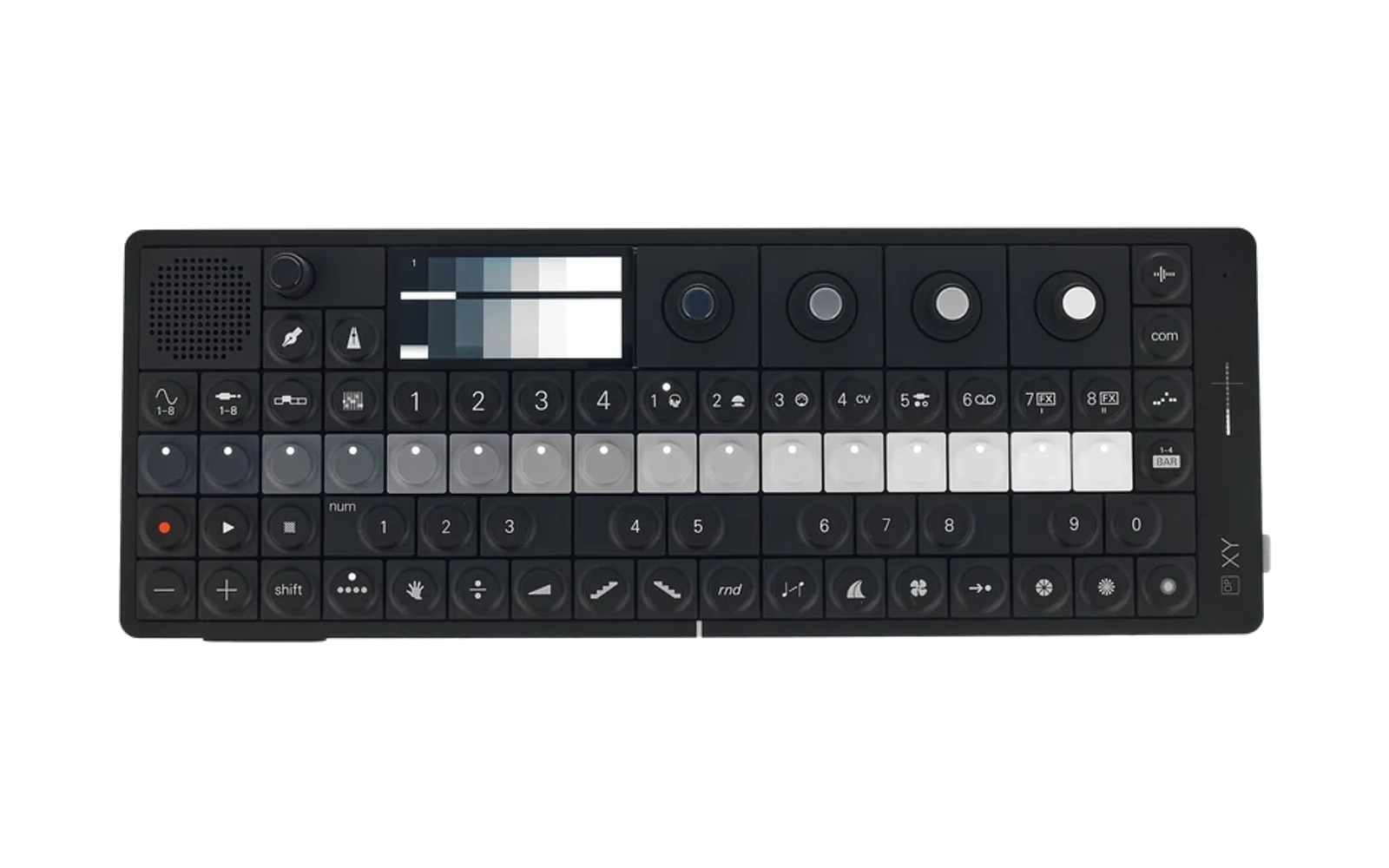
OP‑XY Vibe Coding
Create music collaboratively with AI agents and your OP‑XY in real time.
What is this?
OP‑XY Vibe Coding lets you make music by talking to AI assistants like Claude, Codex, or ChatGPT. Instead of clicking around in a DAW, you describe what you want — for example, "make the kick punchier," "add a subtle hi-hat shuffle," or "try a darker pad sound" — and the AI edits a JSON loop that can be played on the OP‑XY over USB‑C MIDI.
Core loop playback still lives here:
- A music loop is stored as JSON.
- The Python conductor reads the JSON and plays it on the OP‑XY.
- The web UI and WebSocket API allow live editing.
- AI assistants can edit the loop while the device is playing.
Current repo boundary / cross-repo note
This repository is currently serving two related but distinct jobs:
- Live MIDI loop playback — the original
op-xy-vibingpurpose. This is the conductor, loop JSON spec, web UI, tests, and OP‑XY MIDI runtime. - Temporary OP‑XY preset/drop export tooling — newer helper scripts that generate OP‑XY
.presetfolders and a copy-ready package layout.
The active app/exporter work may ultimately belong in op-xy-live, but while the exact repo split is still being sorted out, the drop-export tooling is documented and runnable here so the workflow can keep moving.
When moving this later, preserve these invariants:
- Generated presets should live under
presets/<drop-name>/. - Individual presets should live directly inside that drop folder as
.presetdirectories. - Project/preset mappings should use browser-style paths like
<drop-name>/<preset-name>. - Export code must rewrite every mapped track; do not preserve stale template mappings, even if one track already appears to work.
- The copy target should be shaped like the OP‑XY root, so the generated
presets/andprojects/folders can be copied directly to the device.
OP‑XY drop-root preset export
The current drop-root exporter is:
tools/generate_latin_trap_opxy_drop.py
It creates a copy-ready package at:
~/Documents/xy-remix/opxy-copy/
  presets/
    latin_trap/
      LatinTrap_DrumKit.preset/
        patch.json
        *.wav
      LatinTrap_808Sub.preset/
        patch.json
        *.wav
  projects/
  manifest.json
Run it with:
make opxy-drop-latin-trap
That target runs the exporter with --overwrite --open, so on macOS it opens Finder windows for the generated package root and the per-drop preset folder.
You can customize the drop name or output folder by passing ARGS:
make opxy-drop-latin-trap ARGS='--drop-name my_drop --out-dir ~/Documents/xy-remix/opxy-copy'
The generated manifest.json records the expected track mappings, for example:
track 1: latin_trap/LatinTrap_DrumKit
track 2: latin_trap/LatinTrap_808Sub
The matching on-device folder layout should be:
OP-XY root/
  presets/
    latin_trap/
      LatinTrap_DrumKit.preset/
      LatinTrap_808Sub.preset/
  projects/
    <matching project file>
The key fix is that the drop folder lives directly under root presets/, not in a separate side folder. The project file should map tracks to that same browser-visible hierarchy.
First-time setup
Requirements
- OP‑XY connected over USB‑C
- macOS, currently the primary tested platform
- Python 3
ffmpegfor preset/sample export tooling- MIDI dependencies for live playback
Install common system dependencies:
brew install python pkg-config portmidi ffmpeg
Set up Python:
python3 -m venv venv
source venv/bin/activate
pip install -r requirements.txt
Check that the OP‑XY is visible as a MIDI device:
python3 -c "import mido; print('MIDI ports:', mido.get_output_names())"
Basic playback
Play a loop with internal clock:
make play-internal LOOP=loop.json BPM=120 PORT="OP-XY"
Play with external clock, using the OP‑XY as master:
make play-external LOOP=loop.json PORT="OP-XY"
Run the full conductor server:
make conductor-run LOOP=loop.json PORT="OP-XY" BPM=120 CLOCK=external
Direct form:
python3 -m conductor.conductor_server \
  --loop loop.json \
  --port "OP-XY" \
  --bpm 120 \
  --clock-source external \
  --ws-host 127.0.0.1 \
  --ws-port 8765
Open the web UI at:
http://127.0.0.1:8080
Explore sample loops
cp samples/house/house-chorus-8bar.json loop.json
cp samples/downtempo/lullaby-beat.json loop.json
cp samples/techno/midnight-express.json loop.json
Each sample is intended to be editable by a human or AI assistant and then played through the conductor.
Working with AI assistants
This project is designed for AI-assisted musical iteration. Useful requests include:
- "Make the kick drum hit harder on beats 1 and 3."
- "Add a subtle swing to the hi-hats."
- "Try a darker chord progression."
- "Speed up the tempo to 128 BPM."
- "Generate a drop-root preset package and open the copy folders."
For AI assistants: check CLAUDE.md, AGENTS.md, and PROJECT_PLAN.md before making structural changes. Be especially careful with MIDI safety, stuck-note prevention, atomic file writes, and repo-boundary confusion between live playback and preset/export tooling.
System architecture
Human ⇄ LLM / Agent
          │
          ▼
   Conductor
     ├── HTTP UI
     ├── WebSocket API
     ├── File watcher / atomic writes
     ├── Git-backed iteration
     └── Playback Engine ⇄ OP‑XY over USB‑C MIDI

Spec: docs/opxyloop-1.0.md
The drop-export path currently sits alongside this architecture as a utility workflow:
NI/shared samples → preset generator → opxy-copy/presets/<drop-name>/... → OP‑XY root
Loop format
Loops are defined using the opxyloop‑1.0 JSON specification. See:
docs/opxyloop-1.0.md
Minimal example:
{
  "version": "opxyloop-1.0",
  "meta": {
    "tempo": 120,
    "ppq": 96,
    "stepsPerBar": 16
  },
  "tracks": [
    {
      "type": "drum",
      "channel": 10,
      "steps": [
        {"vel": 110}, null, null, null,
        {"vel": 90}, null, null, null,
        {"vel": 110}, null, null, null,
        {"vel": 90}, null, null, null
      ]
    }
  ]
}
Available commands
Playback
make play-internal— play with internal clockmake play-external— play with external clock, OP‑XY mastermake conductor-run— start the full conductor server
Drop / preset export
make opxy-drop-latin-trap— generate the temporary Latin trap OP‑XY copy package and open Finder windows
Development
make test— run the test suitemake clock-smoke— test clock timingmake demo-note— test note lifecyclemake validate FILE=<path>— validate a loop filemake validate-fixtures— validate all test fixtures
Utilities
make panic PORT="OP-XY"— send MIDI panic / all notes offmake kill-procs— kill running conductor/player/helper processesmake kill-ws-port— kill anything listening on the WebSocket portmake ui-serve— serve the web UI
WebSocket control
make ws-tempo BPM=130— change tempo via WebSocketmake ws-patch-vel VEL=105— modify velocity via JSON patch
File structure
conductor/          # Core playback engine and server
├── midi_engine.py  # Real-time MIDI scheduling
├── clock.py        # Internal/external clock handling
├── ws_server.py    # WebSocket API server
├── validator.py    # Loop JSON validation
└── tests/          # Test suite and fixtures

ui/                 # Web interface
├── index.html
└── app.js

docs/               # Documentation
├── opxyloop-1.0.md
└── ...

tools/              # Utilities and temporary export helpers
├── wsctl.py
├── panic.py
├── generate_latin_trap_presets.py
└── generate_latin_trap_opxy_drop.py

favorites/          # Example loops
samples/            # Curated sample loops
Troubleshooting
OP‑XY not detected
- Make sure the OP‑XY is powered on and connected with a data-capable USB‑C cable.
- Check MIDI ports:
python3 -c "import mido; print(mido.get_output_names())"
Presets copied but project does not load the right sounds
- Confirm the drop folder is directly under
presets/on the OP‑XY. - Confirm each preset is a
.presetdirectory containingpatch.jsonand its WAV files. - Confirm the project mapping uses
<drop-name>/<preset-name>and not an old template preset. - Re-run
make opxy-drop-latin-trapand inspectmanifest.jsonfor the expected track mappings.
WebSocket errors
make kill-procs
make kill-ws-port
make conductor-run LOOP=loop.json PORT="OP-XY" BPM=120 CLOCK=external
Hanging notes
make panic PORT="OP-XY"
Then check that the loop and runtime are correctly sending note-offs and all-notes-off on transport stop.
Development status
This project is active and experimental. The live playback system belongs here today. The preset/drop export tooling is currently here as a practical bridge, but may move to op-xy-live once the repo boundary is cleaned up.