
Octo-Vave
by Artificial Music
Every free firmware for the M-VAVE FM-1, in one place: found, ranked, downloaded, checked, and played.
Look for the orange octopus  : tested on a real FM-1.
Homepage ·
Quick start ·
Report a validation
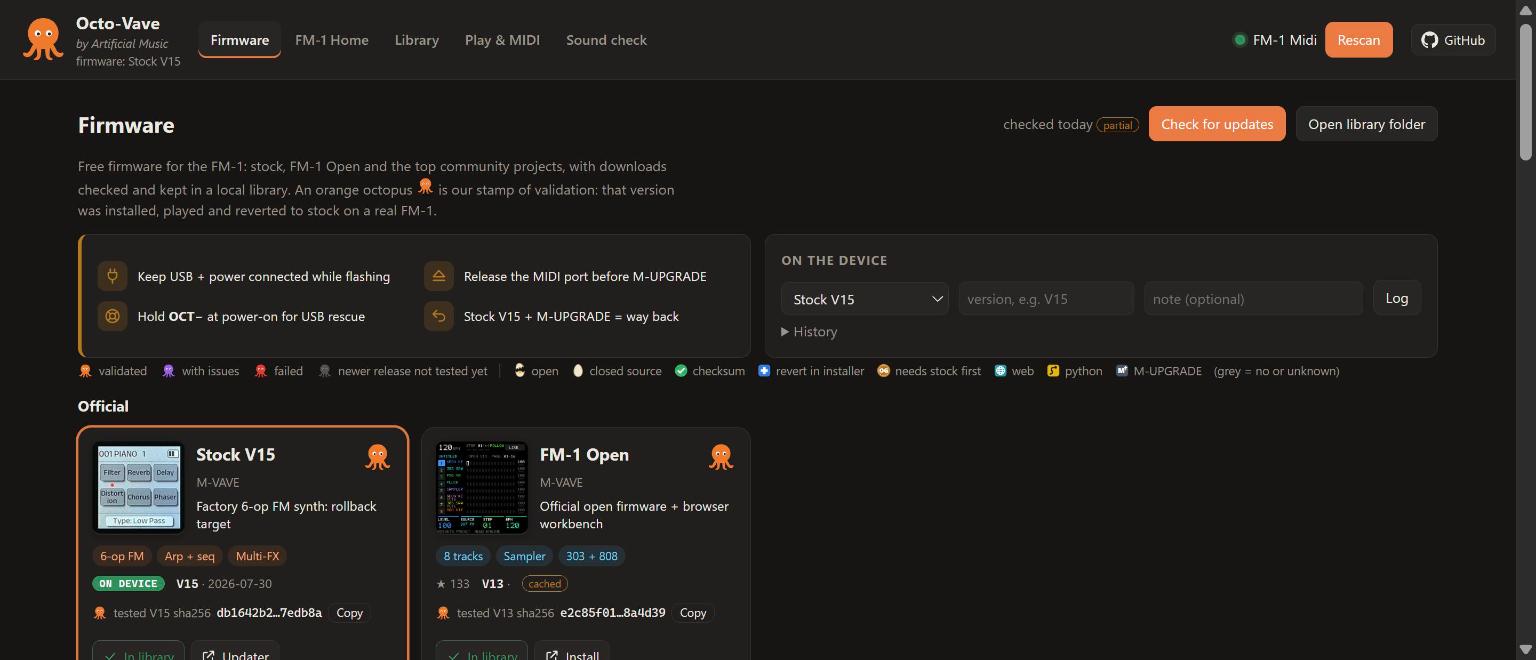
Quick start
- Get Python 3. That's all: Octo-Vave uses the standard library only. Nothing to
pip install. - Get Octo-Vave.
git clonethis repository, or use the green Code button → Download ZIP and unzip it. - Run it.
Your browser opens http://127.0.0.1:8765. Use Chrome or Edge (they have Web MIDI with SysEx).python server.py # on Windows you can also double-click start.cmd - Plug in the FM-1 over USB, press Connect and allow MIDI + SysEx. The FM-1 is picked automatically.
- You land on the Firmware page. Browse the cards, read the tags, and look for the
orange octopus.
What is Octo-Vave?
The FM-1 is a tiny 6-operator FM synth, and its community has turned it into much more: groove boxes, chord harps, a ReBirth-style 909/808/303, a self-playing ambient garden, a sampler that records from your phone. Those projects live on different GitHub pages and web installers, each with its own downloads, checksums and way back to stock.
Octo-Vave gathers them into one local web app:
- Finds and ranks every free FM-1 firmware: official, the community top 10 (by GitHub stars and downloads), free closed-source projects, and the next 20 under Also popular.
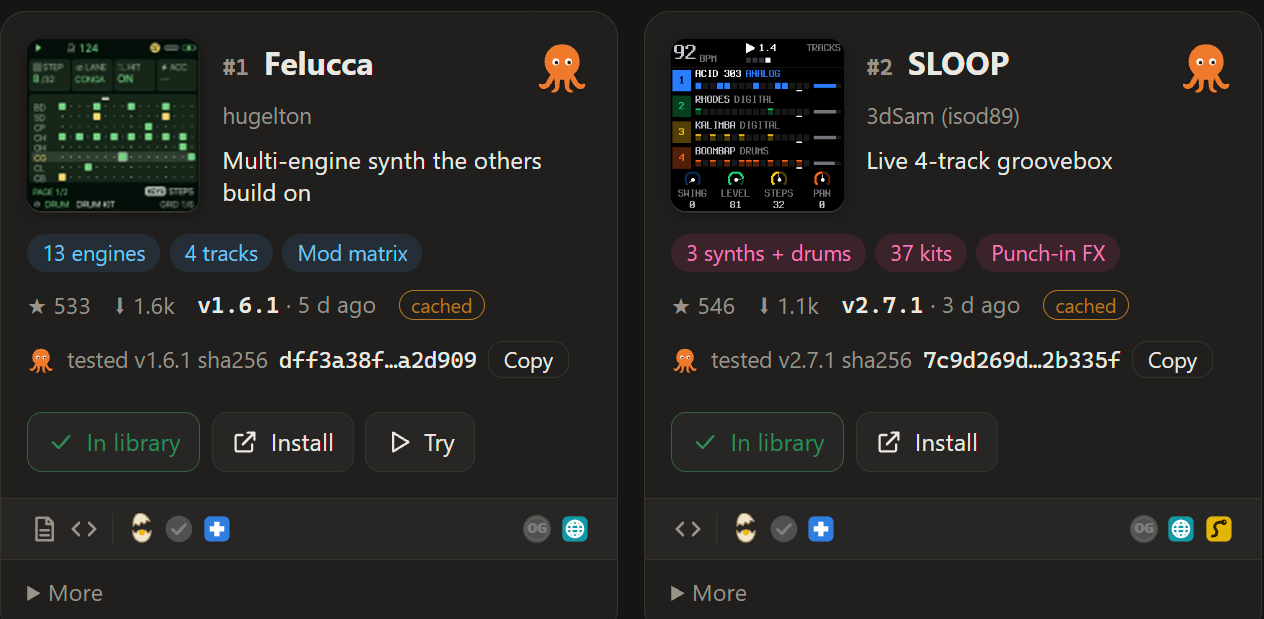
- Tags every card so you know what you're getting: an egg, cracked open for open source or whole for closed source; a green check when the release publishes a checksum; a blue first-aid cross when the project's installer can put stock firmware back; and, on the right of the same icon row, a bronze OG seal when a stock firmware version is needed first, plus how it installs: a globe for the web installer, a snake for a Python script, an M for M-UPGRADE.
- Downloads into a local library and verifies each file's SHA256 against what the project publishes.
- Stamps validated firmware with an orange octopus
after a hands-on session on a real FM-1: installed, played, and reverted to stock. The card shows
the SHA256 of the exact file that was tested, so a copy downloaded anywhere else can be checked against it.
- Plays and edits the FM-1 from the browser: a key bed modeled on the device, perform and FX controls, a full DX7-style voice editor, a patch library, MIDI tools, and a guided Sound check.
Everything runs on your computer: a small Python server on 127.0.0.1 and a page in your browser.
No account, no cloud. Octo-Vave never flashes firmware itself; each project's own installer does that.
The orange octopus
Orange is the stamp of validation.
A firmware gets it only after someone has installed it on a real FM-1, played it, run the Sound check,
and reverted to stock V15, with everything working. The colour tells you how it went:
| Octopus | Meaning |
|---|---|
| orange | Validated cleanly: install, play and revert all worked |
| purple | Validated with issues: it works, with a workaround described in the notes |
| red | Failed validation |
| grey | Validated before, but the project has a newer release that hasn't been tested yet |
Validated so far, all orange:
| Firmware | Version | Author | |
|---|---|---|---|
| Stock V15 | V15 | M-VAVE |
| FM-1 Open | V13 | M-VAVE |
| Felucca | v1.6.1 | hugelton |
| SLOOP | v2.7.1 | 3dSam (isod89) |
| ChoralRoot | v0.25.1 | Quixotic7 |
| AMB-1 | v1.3 | Charles Vestal |
The live list, with notes from each session, is at the bottom of the Firmware page and in
firmware/validated.json. How a session runs: VALIDATION.md.
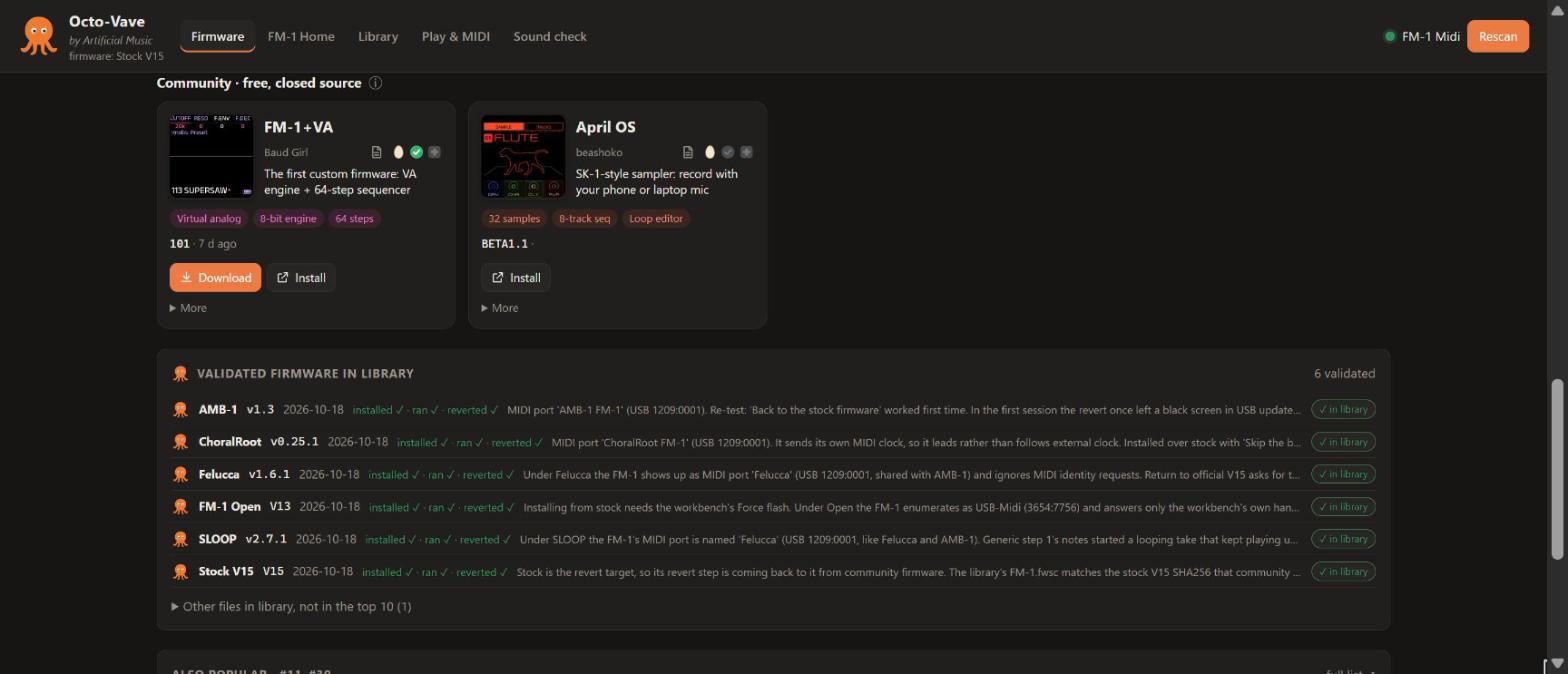
The firmware
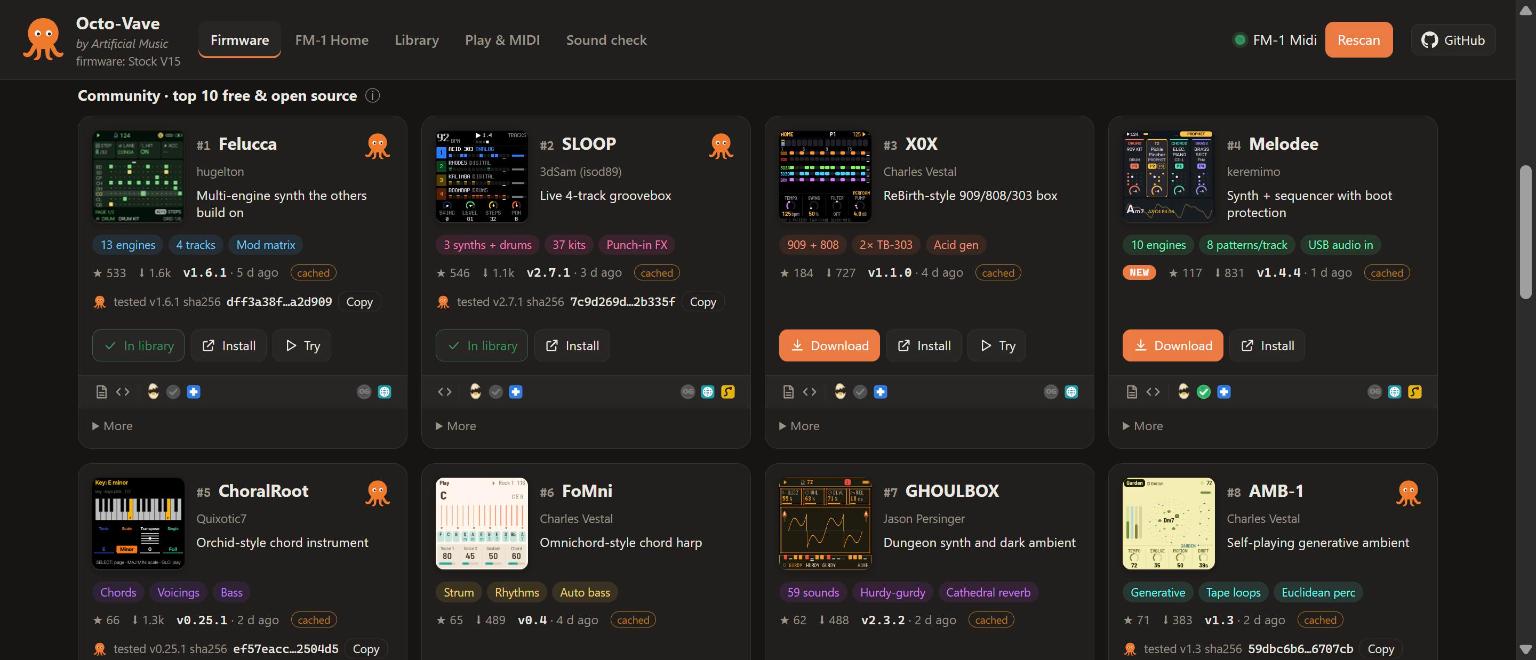
The community top 10, ranked by ln(1 + stars) + ln(1 + downloads), with the tags and octopus on each card:
Up close: screen capture, author, docs and source links, the three tags, and the octopus.
Gallery
Screens from each project (images belong to their projects; click through to each one):
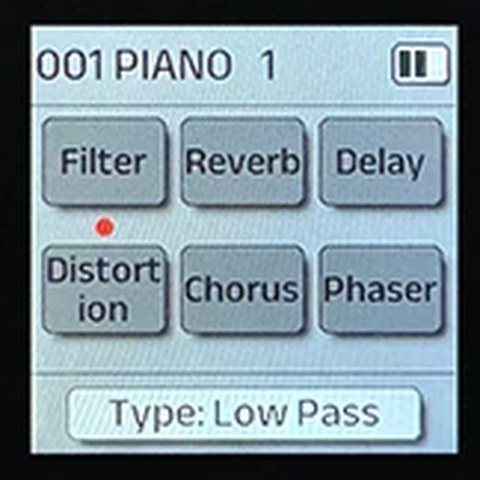 Stock V15 M-VAVE · factory 6-op FM, the way back |
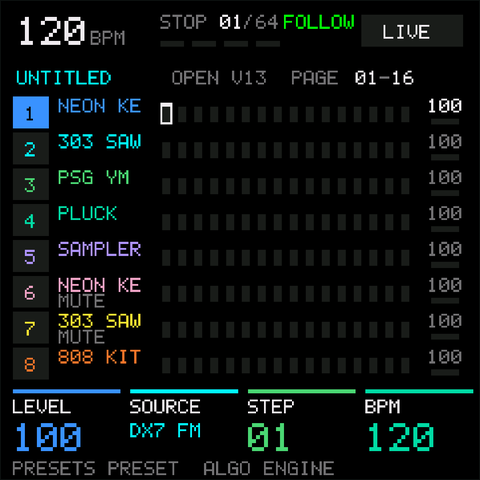 FM-1 Open M-VAVE · official open firmware + workbench |
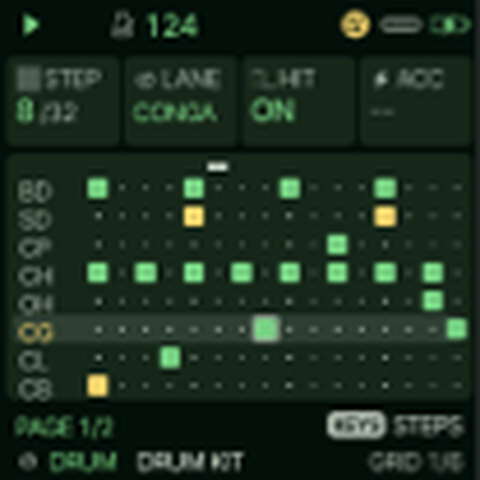 Felucca hugelton · multi-engine synth the others build on |
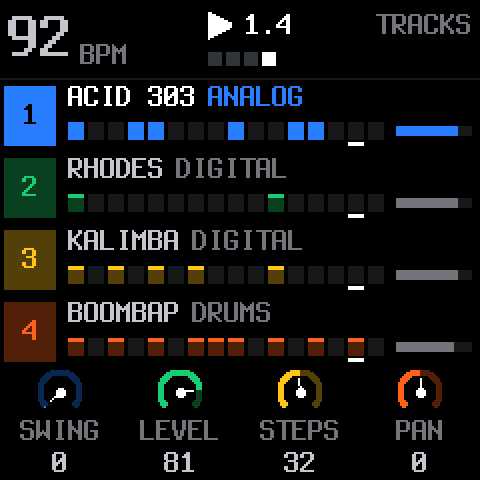 SLOOP 3dSam (isod89) · live 4-track groovebox |
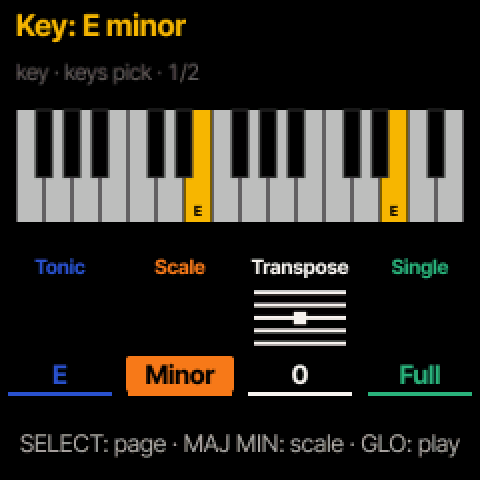 ChoralRoot Quixotic7 · Orchid-style chord instrument |
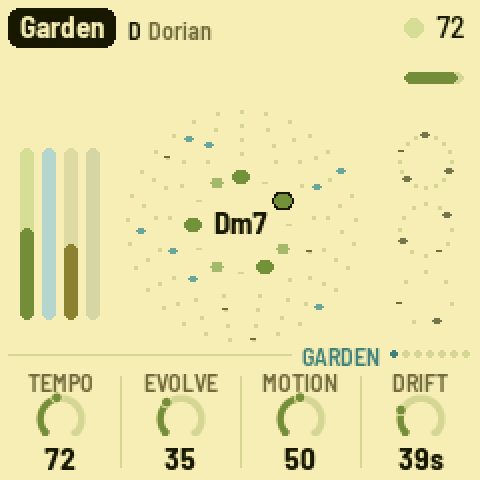 AMB-1 Charles Vestal · self-playing generative ambient |
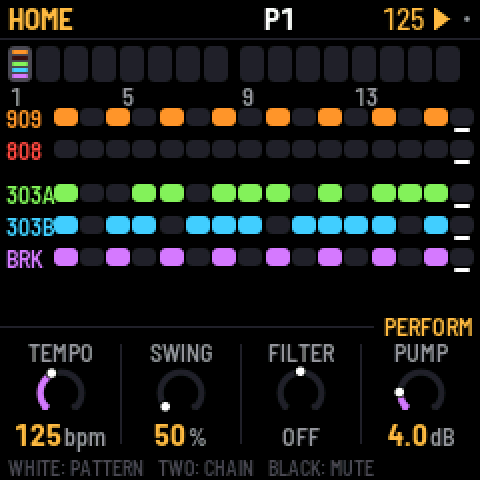 X0X Charles Vestal · ReBirth-style 909/808/303 box |
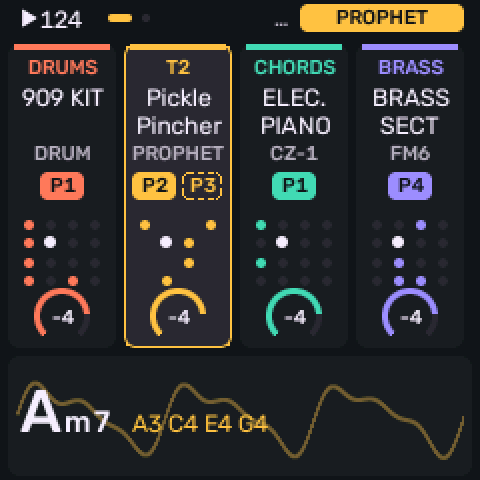 Melodee keremimo · synth + sequencer with boot protection |
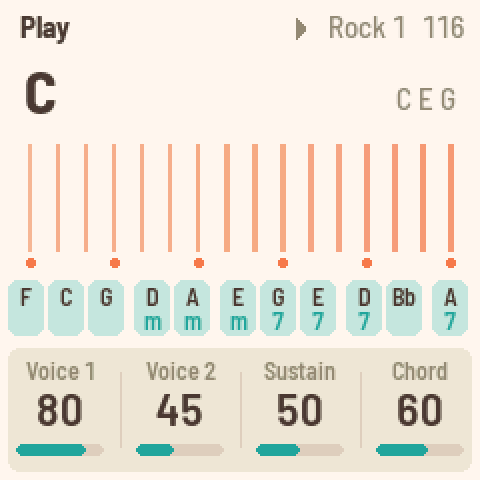 FoMni Charles Vestal · Omnichord-style chord harp |
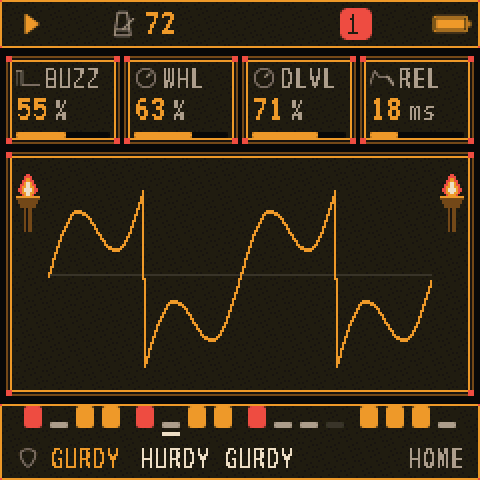 GHOULBOX Jason Persinger · dungeon synth and dark ambient |
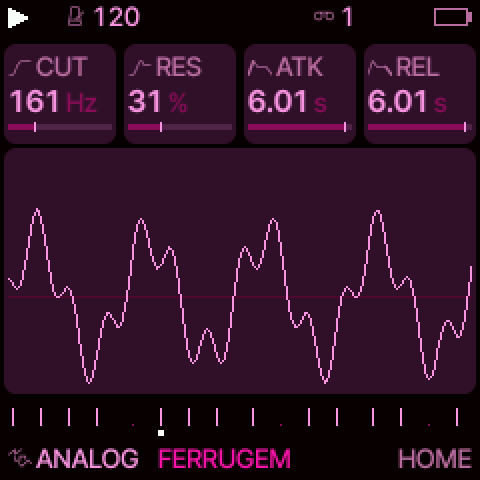 Jangada zednaked · superwave analog + mod matrix |
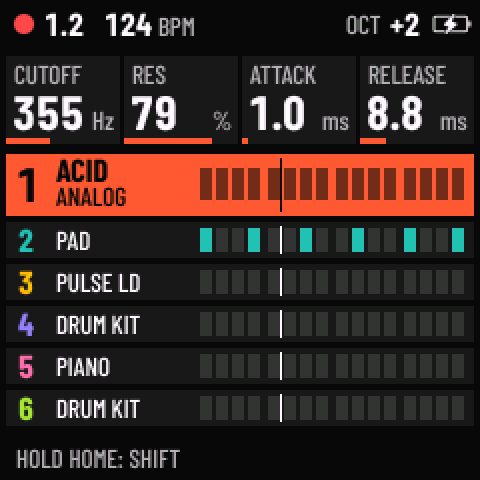 Skiff illuminus5 · 6-track groovebox with p-locks |
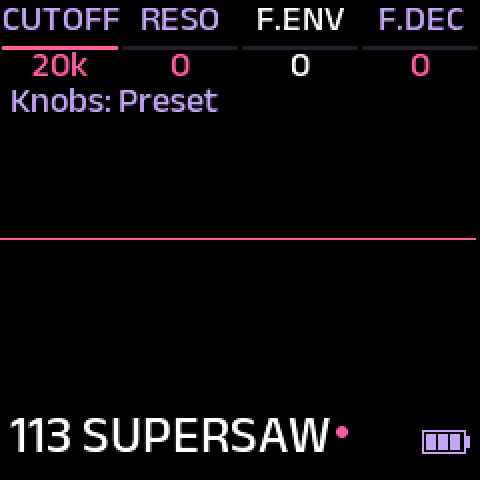 FM-1+VA Baud Girl · the first custom firmware: VA engine + 64-step sequencer (free, closed source) |
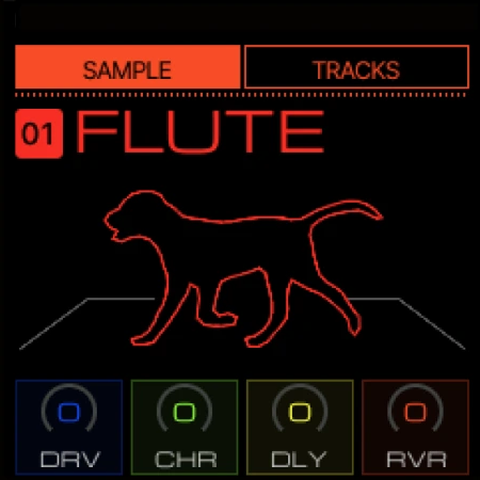 April OS beashoko · SK-1-style sampler (free, closed source) |
Only free firmware is listed; paid packages never are. The ranking is refreshed with Check for updates, so the top 10 on your screen may differ from this snapshot.
Play it too
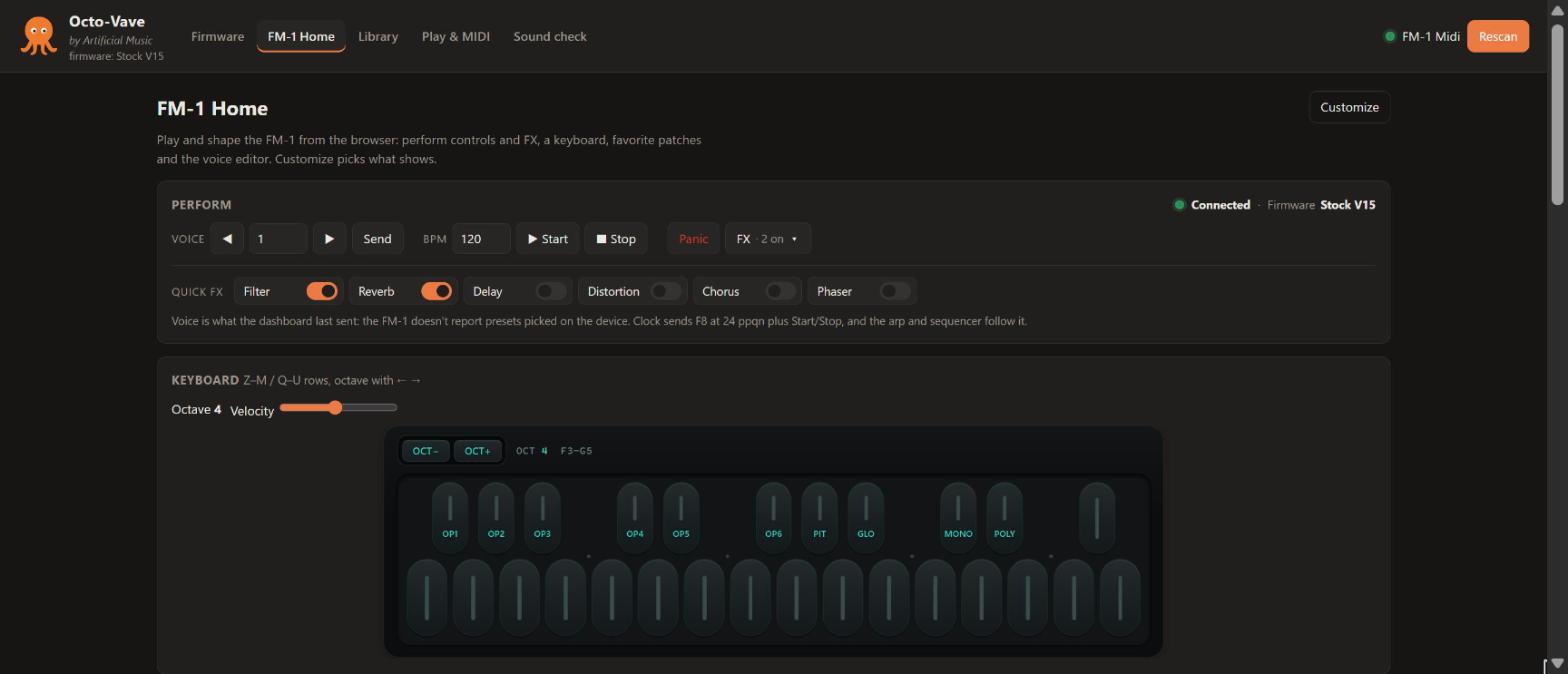
FM-1 Home puts the synth on screen: voice and clock controls, quick FX toggles, a key bed that mirrors the FM-1's own (play it from your computer keyboard), favorite patches, and a full DX7-style voice editor whose notes are saved with each patch.
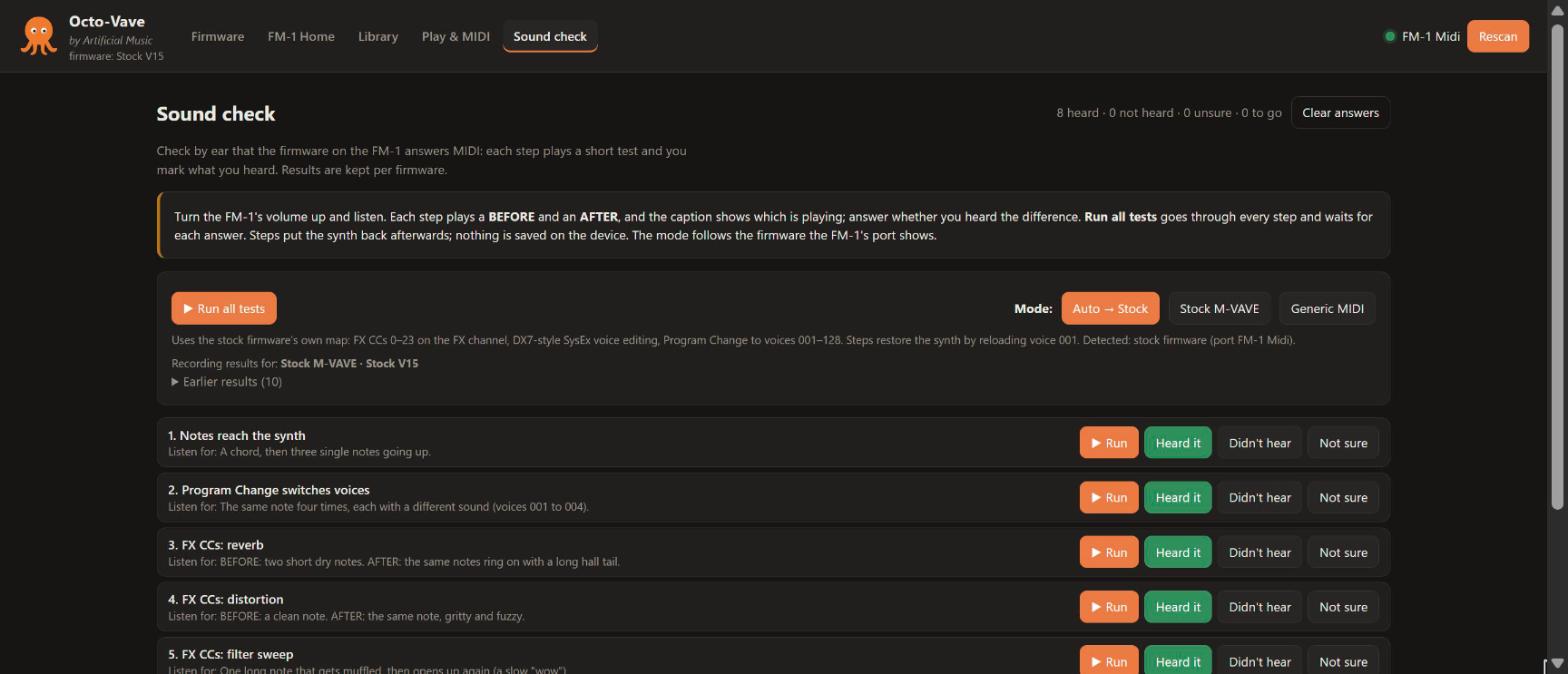
Sound check proves by ear that the firmware on your FM-1 answers MIDI. Each step plays a short test and you mark what you heard; Run all tests walks through them all. The mode follows the firmware the FM-1 reports, and results are kept per firmware.
Tabs in detail
| Tab | What it does |
|---|---|
| Firmware | The exploration hub, and the page the app opens on. An orange octopus is the stamp of validation (see above). Check for updates rescans the awesome-fm-1 list and GitHub search and ranks every free, open-source firmware with a .fwsc release by ln(1+stars) + ln(1+downloads): top 10 as cards, #11–#30 under Also popular. Official cards: Stock V15, FM-1 Open. Curated cards lead with a real screen capture from the project (web/img/fw/, credited in catalog.json); a project that enters the top 10 without a curated entry gets a card from its GitHub metadata with a placeholder screen and a not curated yet marker. Results are cached in data/discovery-cache.json with ETags; when the GitHub limit runs out, cards keep their last numbers and the header shows partial. firmware/directory.json is the offline fallback (python tools/fm1_discover.py --write refreshes it). Free closed-source firmware (FM-1+VA, April OS) has no stars or downloads to rank by, so it gets its own curated, unranked section; FM-1+VA's versions and SHA256s are read from its install page, and FM-1 Open's from open.m-vave.com (M-VAVE publishes there before its GitHub mirror, with a SHA256SUMS file per release). Paid firmware is never listed. Each card carries three tags: an egg, cracked open for open source or whole for closed source; a green check when the latest release publishes a checksum; a blue first-aid cross when the project's installer can put stock V15 back (grey = no or unknown, details in the tooltip). All of a card's icons sit in one row under its buttons: docs and source links and those three tags on the left; on the right, an OG seal, lit when the project needs a stock firmware version on the FM-1 first (requires_stock_version), and one icon per install method (install_method): web installer, Python script, M-UPGRADE. A validated card shows the tested file's pinned SHA256 with a Copy button. Downloads go into firmware/library/ with SHA256 checks; a downloaded card's button reads Downloaded, or Validated when a passing validation pins that file; downloaded files of firmware without a card on screen are listed under Other downloaded files. Opening More on a card opens the other cards in its row too. First installs stay manual, through each project's installer. |
| FM-1 Home | Everything FM-1 on one page. Perform: connection and logged firmware, voice program ◀▶, MIDI clock, Panic, and an FX ▾ pull-down (six FX units, FX channel, Send all, Save to Patches). The FM-1 key bed: 27 pill keys F–G with the device's OP1–OP6 / PIT / GLO / MONO / POLY labels in black and teal, OCT− / OCT+ (or ← →; at octave 4 it spans F3–G5). Favorite patches below the key bed. The Voice editor: full DX7-layout SysEx editor (F0 43 10 pp qq vv F7), 6 operators, algorithm, feedback, LFO, pitch EG, name, operator on/off, .syx import/export, randomize, and Notes that are saved with the patch in Patches and come back when it is loaded. About the FM-1 at the bottom: specs, MIDI implementation, things to try, firmware history, sources. Sections fold up; pick sections, theme and accent under Customize. |
| Patches | Firmware-aware patches in data/patches/*.json (schema v2): each records the firmware it was made for (firmware: {id, version}) and a format. The list shows both, filters by firmware (default: the one logged on the device), sorts or groups by firmware. Sending a patch made for another firmware asks for confirmation on the card; formats with no known transport can be stored but not sent. Star a patch to pin it on FM-1 Home; ✎ on a row edits its name and hashtags. Older patches load as stock patches and are upgraded when saved. Patches are personal data: data/ is git-ignored, so they never go into the repository (back them up with Export / JSON or by copying data/patches/). |
| Play & MIDI | A generic MIDI I/O utility for any device or firmware: ports, note channel, SysEx spacing, controllers (mod, bend, aftertouch, sustain), Program Change with bank and any CC, a raw hex sender with Identity request, and a classic 3-octave keyboard (computer keys Z–M / Q–U). The MIDI monitor uses standard CC and SysEx manufacturer names, filters by type and exports the log as text. CC discovery shows each controller's standard name, last value and range; click a row to resend it. |
| Sound check | Guided listening tests with BEFORE/AFTER captions and Heard / Didn't hear / Not sure answers. Stock M-VAVE mode (8 steps) tests the stock map: FX CCs, SysEx voice editing, Program Change. Generic MIDI mode (11 steps) uses only standard MIDI, for community firmware: channel scan, velocity, sustain, mod wheel, bend, aftertouch, Program Change, clock sync, All Notes Off and a configurable CC probe. Run all tests plays every step in turn and waits for each answer. Auto mode follows the MIDI port: "FM-1 Midi" is stock, anything else ("Felucca", "AMB-1 FM-1", "USB-Midi") gets Generic; when the port shows stock but the log says otherwise (after a revert), Stock V15 is logged automatically. A manual mode lasts until the loaded firmware changes. A re-run greys out the earlier answer until a new one is clicked. Results are stored per mode and firmware in data/settings.json. |
Validating firmware
A firmware card gets an octopus once that firmware has been installed, run and reverted to
stock V15 on a real FM-1. If the project then publishes a newer stable release, the octopus stays
but turns grey until that release is retested. Testing happens hands-on, not in the app: follow
VALIDATION.md and record the result with
python tools/fm1_validate.py add … [--result clean|issues|failed], which writes
firmware/validated.json and pins the tested file's SHA256. The bottom of the Firmware page lists
every tested firmware under Validated firmware, and each validated card shows the
pinned SHA256 of the file that was tested.
- Grey flips automatically. A nightly GitHub Action (watch-releases.yml)
runs
tools/fm1_watch.py, which checks every validated firmware for a newer stable release and marks superseded records with"supersededBy": "<version>". The app and the homepage show those octopuses grey until the new release is validated. Run it yourself withpython tools/fm1_watch.py. - The homepage shows the live Firmware page. The same nightly Action runs
tools/fm1_site.py, which runs Check for updates and publishes the Firmware page's data, without anything from your computer, todocs/data/firmware.json. The homepage draws it with the app's own card code:web/fwcards.jsandweb/css/firmware.css, copied todocs/with the firmware screens. After changing those, runpython tools/fm1_site.py --write; CI's--checkfails when the copies differ. - Anyone can contribute a validation. Open a
validation report,
then a pull request that adds the record with
tools/fm1_validate.py add. CI runspython tools/fm1_validate.py checkon every pull request. Details in VALIDATION.md.
Catalog data for other tools
firmware/catalog.json and firmware/validated.json are meant to be read by other tools too.
Both carry "schema_version": 1. Within a schema version, changes are additive only: new optional
fields may appear, existing fields keep their names, types and meaning. Anything else bumps
schema_version. Raw URLs on the main branch:
https://raw.githubusercontent.com/amacias/octo-vave/main/firmware/catalog.jsonhttps://raw.githubusercontent.com/amacias/octo-vave/main/firmware/validated.json
Fields other tools can rely on:
| File | Field | Meaning |
|---|---|---|
| catalog | firmware[].id, name, author, kind, source, links | the firmware and where it comes from |
| catalog | traits.source | "open" or "closed" |
| catalog | traits.revert | true when the project's installer can put stock V15 back |
| catalog | traits.requires_stock_version | stock version needed on the FM-1 before installing ("V15"), or null for none |
| catalog | traits.install_method | list of "web", "python", "m-upgrade" |
| validated | validations[].id, version, file, sha256, date | the exact file that was tested |
| validated | validations[].result | "clean", "issues" or "failed" |
| validated | validations[].steps | install, run, revert as true/false |
| validated | validations[].supersededBy | set when a newer stable release exists (grey octopus) |
python tools/fm1_validate.py check validates both files.
Flashing: what Octo-Vave does and doesn't do
Octo-Vave downloads and organizes firmware files and links to each project's installer. It does not flash firmware itself. Flash with:
- Stock / rollback: M-UPGRADE (download
M-UPGRADE.zipfrom the Official card) withFM-1.fwsc(V15). - Community firmware: each project's web installer (Chrome/Edge over USB). Melodee and TransitFM1 add interrupted-write protection; TransitFM1 is meant as a stop between firmwares.
Windows MIDI ports are exclusive. Press Release MIDI port (Play & MIDI tab) or close the Octo-Vave tab before running an installer or M-UPGRADE. USB rescue: hold OCT− while switching on. After flashing, log it under On the device so Octo-Vave knows what's running. The Voice editor and FX on FM-1 Home only target the stock firmware, and a banner warns you otherwise. Loading validated firmware from the Firmware page is planned.
Flashing firmware is at your own risk. Keep USB and power connected while flashing, and keep the stock V15 file and M-UPGRADE at hand as the way back.
Patch formats
Patch formats live in firmware/formats/<firmwareId>.json: how a patch is sent (DX7 SysEx, CC list,
parameters at CC / NRPN / SysEx addresses, raw SysEx, or not yet) and its known parameters, each
marked confirmed / discovered / unknown. Supporting a newly tested firmware is a new file, no
code change; see firmware/formats/_example.json. official.json describes the stock DX7 voice +
FX patch, and midi-cc.json captures CCs, SysEx and a program number for any firmware.
GET /api/formats serves the registry.
Configuration
FM1_PORT: the local port (default 8765).- Update checks use the anonymous GitHub API (60 requests/hour). Set
GITHUB_TOKEN, orFM1_USE_GH=1to use your GitHub CLI login, for a higher limit. - Developed and tested on Windows 11 with Chrome.
Layout
server.py               local server + JSON API (127.0.0.1 only, origin-checked)
start.cmd               Windows launcher
web/                    the app (index.html, app.js, dx7.js, fm1keys.js, fwcards.js, style.css, css/<feature>.css)
web/img/fw/             firmware screen captures (credited in catalog.json)
docs/                   homepage (GitHub Pages: index.html), its firmware data (data/) and copies
                        of the card code and styles (js/, css/, img/fw/), README images (img/)
.github/                workflows (nightly release watch, record checks), issue and PR templates
firmware/catalog.json   curated firmware cards + discovery settings
firmware/formats/       patch format registry (one file per firmware)
firmware/validated.json validated firmware records (the octopus)
firmware/library/       downloaded firmware files (per id/version, not committed)
data/                   settings, patches, firmware state, discovery/release caches (not committed)
tools/fm1_test.py       interactive command-line MIDI tester
tools/fm1_validate.py   record firmware validations (firmware/validated.json)
tools/fm1_discover.py   run firmware discovery from the command line
tools/fm1_watch.py      grey out validations superseded by new releases (nightly Action)
tools/fm1_site.py       publish the Firmware page's data and card code to the homepage (nightly Action)
Notes
- The FM-1 doesn't send its current voice back over MIDI, so the voice editor starts from INIT, an import or a saved patch, and shows what was last sent. Save on the device to keep edits there.
- The DX7 parameter map comes from the official MIDI guide's SysEx description (0–155). The
.syximport uses the standard DX7 VCED/VMEM formats.
Credits
Every firmware here is the work of its authors: M-VAVE, hugelton, 3dSam (isod89), Charles Vestal,
keremimo, Quixotic7, Jason Persinger, zednaked, illuminus5, Baud Girl and beashoko. Screen captures
in web/img/fw/ come from each project's own pages and remain theirs; the source of each is
listed in firmware/catalog.json. Firmware files are never included in
this repository: Octo-Vave downloads them from each project. Discovery starts from the community's
awesome-fm-1 list.
Octo-Vave is an independent project, not affiliated with or endorsed by M-VAVE.
License
Octo-Vave's own code and docs are released under the MIT License. The license doesn't
cover the firmware projects or their screen captures in web/img/fw/, which stay under their
authors' terms.
Octo-Vave · by Artificial Music