Octatrack Manager
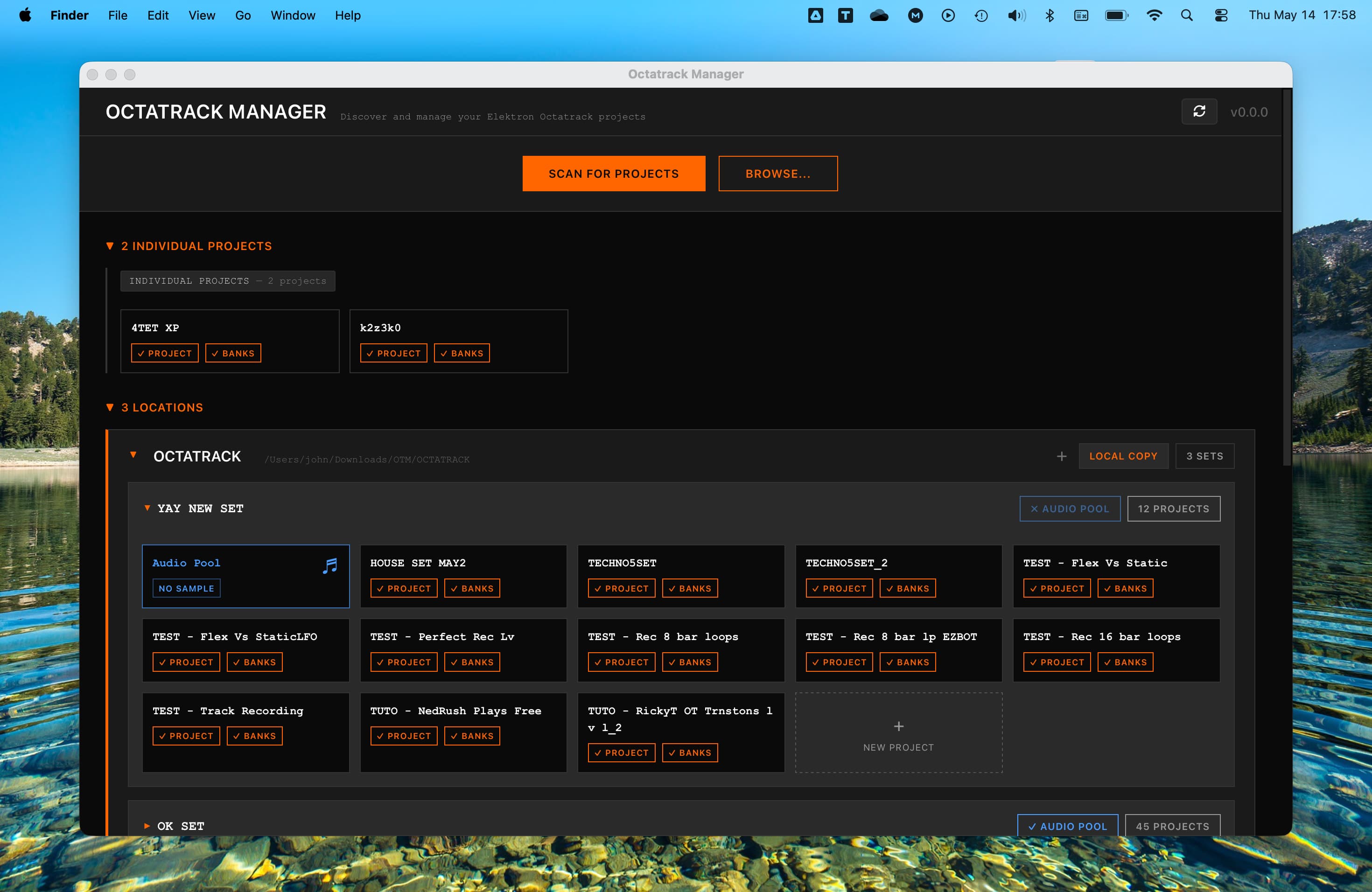
Octatrack Manager is a task-oriented desktop application designed to simplify the management, visualization and edition of your Elektron Octatrack projects. It provides a powerful and intuitive interface for browsing, inspecting, and editing your projects away from the hardware.
Read the User Guide | Join the Discussion on Elektronauts

Key Features
- Project Discovery: Automatically scan CF cards, USB drives, and local backups to find your Sets and projects.
- In-Depth Inspection: View mixer settings, MIDI configuration, memory allocation, and metronome settings at a glance.
- Pattern Visualization: Explore every step of your sequences, including micro-timing, trig conditions, and chord information for MIDI tracks.
- Audio Pool Management: Browse your samples with detailed metadata and transfer files with automatic WAV conversion (44.1 kHz resampling).
- Parts Editor: Modify sound design snapshots for both audio and MIDI tracks, including machine parameters, effects, and a custom LFO Designer.
- Bulk Operations: Powerful tools for copying banks, parts, patterns, and sample slots between projects.
Active Development
Octatrack Manager is currently a work in progress. New functionalities are being added regularly to expand its capabilities.
Your feedback and bug reports are essential to make the project better.
Documentation
For detailed instructions, troubleshooting, and feature explanations, please visit the official documentation:
Installation
- Download the latest release for your platform (Windows, macOS, or Linux) from the Releases page.
- Follow the Installation Guide for platform-specific steps, especially for macOS Gatekeeper bypass.
Compatibility
- This application is only compatible with projects saved on Octatrack OS 1.40 or later.
- Projects from older versions must be opened and re-saved on the hardware first.
Contributing & Feedback
Feedback from the community matters more than you think. Please share your experiences, bug reports and ideas:
- Elektronauts: Project Manager for Octatrack Thread
Credits & Tech Stack
Built with:
- ot-tools-io - Octatrack file I/O library
- Tauri - Desktop application framework
- React - UI framework
- Vite - Frontend build tool