▄▄▄▄▄▄▄▄▄▄▄▄▄▄▄▄▄▄▄▄▄▄▄▄▄▄▄▄▄▄▄▄▄▄▄▄▄▄▄▄▄▄▄▄▄▄▄▄▄▄▄▄▄▄▄▄▄▄▄▄▄▄▄
▐░░  O T   K Y O T I   F W   ·   custom Octatrack firmware  ░░▌
▀▀▀▀▀▀▀▀▀▀▀▀▀▀▀▀▀▀▀▀▀▀▀▀▀▀▀▀▀▀▀▀▀▀▀▀▀▀▀▀▀▀▀▀▀▀▀▀▀▀▀▀▀▀▀▀▀▀▀▀▀▀▀
OT Kyoti FW
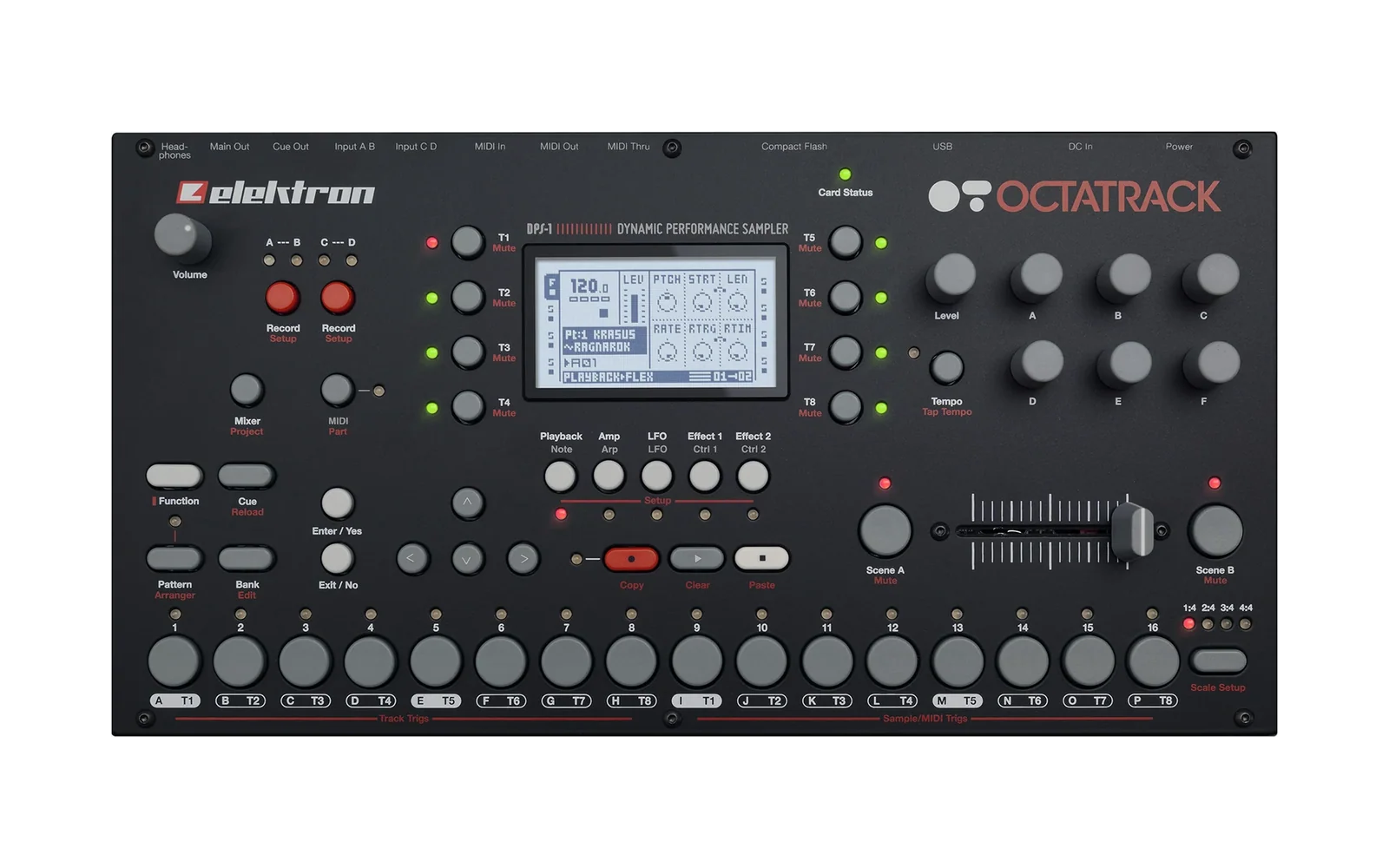
Welcome Elektron fans. I'm Zac Kyoti, a musician and music tech hacker located on the US west coast. This repo contains knowledge and tools that may be used to research and explore modifications to the Octatrack stock firmware.
Design Philosophy: KYOTI firmware is designed as a set of new or extended features, QOL improvements, and bugfixes, not available in the factory firmware, which can be applied individually, in combination, or as a comprehensive build. All mods are designed to cleanly interlock. The KYOTI firmware design perspective comes foremost from a place of deep respect and appreciation for the architecture of these instruments before any mod is applied. As such, my approach is to make the modded instrument "feel" like stock — customizations appearing seamless, respecting existing UX/UI conventions, and (ideally) stage-ready and bug-free. KYOTI firmware is not about complete overhaul of the instrument's plumbing (there are plenty of other projects that do that, which you may consider combining with KYOTI); it's more about making the stock instrument the best version of itself it can be. Read on and enjoy!
The features list on the
mainbranch will be updated as new builds roll out.
Influenced by the concepts of mxldyn/octamax
by Maxolydian and other Octatrack RE projects — full credits in CREDITS.md.
Builds
You bring your own copy of the official OS 1.40C; the tools here turn it into a modified image, byte-for-byte reproducibly from your copy. No Elektron binary is included or distributed. Every feature is off by default — a freshly flashed unit behaves like stock until you opt in. The bug fixes are always on.
How to build: BUILD_KYOTI.md. How to flash, and how to get back to
stock: FLASHING.md.
The WIP gate
Everything in this repo is work in progress until I promote it to final. Only final features are listed below. Every other build refuses to run unless you opt in:
KYOTI_ALLOW_WIP=1 python3 tools/build_<name>.py
An update to a final feature is work in progress too, until I promote it: the final build refuses to produce a changed image without the opt-in.
Features
Hardware testing is on my Octatrack MKI; nothing here has been tested on an MKII, but the MKII panel layout has been considered for every build.
MUTE_MODES
Choose how an audio track's mute behaves, in PERSONALIZE → MUTE MODE:
OT— stockOTFX— a hard dry cut, but FX inserts ring out their tails and the sequencer keeps running underneath, so unmuting picks up where the pattern would have beenOTFX-T— the same, and new trigs stay suppressed until you unmuteDT-T— Digitakt-style: a sounding voice rides out its own amp envelope and FX, and only new trigs are suppressed
SOLO follows the same rule as a manual mute; CUE MUTES TRK stays a hard cut. The
setting survives a power cycle.
Hardware: confirmed.
Final build: tools/build_mute_modes.py →
OCTATRACK_OS1.40C_MUTE_MODES
DIRECT_JUMP_KYOTI
An optional immediate pattern change, toggled with [PTN] + [YES] (a toast
confirms; it is OFF at every power-on). A cued pattern takes over on the next step
instead of waiting for the current one to finish, locked to the master clock: it
plays exactly where it would be had it been running since START, whatever its track
lengths, scales or master settings. The Part, START SILENT and trig conditions change as
on a stock pattern change, and the last MIDI Program Change sent always names the
pattern that plays. The arranger and chains are untouched; with DIRECT JUMP off, pattern
changes are stock. The image also carries BATCH_BUGFIXES' MIDI Plays-Free fix, which
keeps a stock bug from feeding DIRECT JUMP a bad scale.
Hardware: confirmed: the clock-locked timing and the Part change. Not yet tested on
hardware: MIDI tracks, Program Change on fast re-cues, START SILENT, and the trig-condition
reset.
Final build: tools/build_direct_jump_kyoti.py →
OCTATRACK_OS1.40C_DIRECT_JUMP_KYOTI
SIDECHAIN_COMPRESSOR
An external key input for the stock DynamiX COMPRESSOR, with a base-width key filter, on the effect's page 2:
MON—OFF(left) /ON(right): auditions the filtered key in place of the track; switching it, or changingKEYwhile it is on, fades instead of clickingKEY— which of the eight audio tracks drives the compression, even while it is muted; one position per detent, also with the encoder pressedKGN— the key's gain, about −24 to +24 dB; centre is unityKBAS— the filter's base: a high-pass (18 dB/oct) atOFFor 20 Hz to 19.6 kHz, shown in Hz (40,1.2k= 1.2 kHz)KWID— the filter's width: a low-pass (12 dB/oct) set this many octaves aboveKBAS,0.5to9.9orOFF. WithKBASatOFFit counts up from 20 Hz: a plain low-pass
The base-width filter isolates the key — a kick's fundamental, for example, with KBAS
cutting the sub-sonic rumble below it — which reduces distortion and keeps the compression
smooth at short attack and release settings. The two knobs cannot cross.
The DSP space comes from SPRING REVERB, which leaves the FX2 list; a project that still uses it loads it as NONE.
Changed on 25 Oct 2026.
MONshowsOFFon the left andONon the right (it was the other way round), and a COMPRESSOR saved with any earlier version comes up withMONOFF.
Changed on 22 Oct 2026. The base-width filter replaced the earlier one-knob
KFLT, and page 2 was laid out again (it wasRMS KEY KFLT KGN MON). A COMPRESSOR saved with the earlier version keeps itsKEY, but its other page-2 values now land on different knobs:KGNgets the oldKFLT,KBASthe oldKGN,KWIDthe oldMON, andMONcomes upOFF. Such a project sounds different until you setKGN,KBAS,KWIDandMONagain. A COMPRESSOR saved on stock firmware is not affected.The earlier version is still buildable, though not recommended:
tools/build_sidechain_compressor_light.pybuilds it behind the WIP gate (KYOTI_ALLOW_WIP=1, see above); OS VERSION reads140C_SCLT.
Hardware: confirmed.
Final build: tools/build_sidechain_compressor.py →
OCTATRACK_OS1.40C_SIDECHAIN_COMPRESSOR
BLACKPYRAMIDS_303
A TB-303 voice as a track machine, shown as BLKPYRAMD, running on the Octatrack's DSP in 24-bit fixed
point with its filter 4× oversampled at 176.4 kHz. Built on Open303 and recalibrated on the TB-303's own
circuit against recordings of a real 303. It is the sixth row of a track's machine list (double-tap the
track, or [FUNC] + [SRC] → MACHINE). One per DSP core: one on T1–T4, one on T5–T8.
- SRC:
PTCH(C0–C8, a semitone a step, shown as note names;FUNC+ turn or push + turn steps by octaves, on every held trig too) ·CUT(0–100 the real 303's whole range, evenly; 101–127 an octave beyond, where the top ofRESis eased) ·RES·ENV·DEC(50 ms–2 s) ·ACC.RES,ENVandACCcover the real 303's range;RESandACCare spaced so every step does as much. SETUP:WAVE(saw → square, at equal loudness) ·TUNE·SLID(slide time; default the 303's) ·GATE(note length; default the 303's) ·VOL(clean up to 64, driven above, rising smoothly; the default 99 adds about +5 dB). - Notes: each trig plays a note with the knobs at that step; p-lock
PTCHfor a melody. - Accent: p-lock
ACCon the steps to accent, as a 303 marks them; theACCknob scales every accent at once (127 plays the locks as set, 0 none; default 100). Accents in a row stack into the 303's rising sweep. A note without anACClock is never accented. A MIDI note with velocity above 100 is accented. - Slide: an OT slide trig glides into its note from the previous one, without a retrigger.
- Ties: trigless locks and/or trigless trigs right after a note hold it. A trigless trig still resets LFOs and FX envelopes as on stock, so a trigless trig after a note also ties it.
- Live: the track key, chromatic keys and MIDI notes play it, held while the key or note is down. TRIG + YES previews a step, and one-shot trigs play once until re-armed.
- Chromatic mode: four octaves of absolute notes.
[FUNC]+[LEFT]/[RIGHT]pick the octave (the page LEDs show it); trig 1 plays C1, C2, C3 or C4,[PAGE]the note above trig 16. SLOTS and SLICES modes have nothing to play here: their LEDs stay dark. - AMP, FX1, FX2, LFOs (
PMTRlists the six SRC knobs), scenes, p-locks and trig conditions work as on any track.
Limits:
- SPRING REVERB is removed: its DSP space holds the voice.
- On a stock OS, the track opens as a FLEX track.
Credits: built on Open303 (MIT) by Robin Schmidt: its
filter, oscillator and envelope algorithms. The recalibration takes its values from the TB-303's circuit
(Roland's service notes, the x0xb0x schematics, Robin Whittle's notes) and Din Sync's recordings of a real
TB-303. The machine registration follows repeat98's ANALOG BD for octabam. The Octatrack port, design,
calibration and voicing are by Zac Kyoti, every choice made by ear, as is the hardware testing. What is
Open303's and what is new, every voicing decision and full attribution:
reference/BLACKPYRAMIDS_303.md and CREDITS.md.
Hardware: confirmed.
Final build: tools/build_blackpyramids_303.py →
OCTATRACK_OS1.40C_BLACKPYRAMIDS_303
VARISPEED
Tempo-locked varispeed for STATIC and FLEX tracks. SRC SETUP's TSTR gets a fifth position,
VARI: the sample plays dry, tape-style, its speed and pitch moving together and locked to
the project tempo. RATE still applies. On TSTR AUTO, a sample whose TIMESTRETCH (audio
editor → ATTR) is VARI plays the same way.
QUAN: on a VARI trackPTCHbecomesQUAN, a ratio on the tempo-locked speed: 1/2, 2/3, 3/4, 4/5, 1/1, 5/4, 4/3, 3/2, 2/1. Leaving VARI givesPTCHits value back.- Above twice the sample's own speed, it folds down an octave.
- A sample or project tempo outside 30–300 BPM plays as
TSTROFF.
Hardware: confirmed.
Final build: tools/build_varispeed.py →
OCTATRACK_OS1.40C_VARISPEED
VARISPEED_EMUS
VARISPEED with two sampler emulations. On a VARI track TSNS becomes EMUS, which picks
the engine the track plays through:
OT: the Octatrack's own playback, as in VARISPEEDS950: the Akai S900/S950, 12-bit at its 40 kHz rateSP12: the E-mu SP-1200, 12-bit at 26.04 kHz through its raw outputs, in stereo
A change of engine takes effect at the track's next trig. The engines run on the DSP. A
change that would overload a DSP core is refused and shows MAX DSP: EMU LIMIT: an EMUS
turn stops at the heaviest engine that fits, an FX type doesn't land, and a track coming
onto VARI plays OT.
The DSP space comes from SPRING REVERB, which leaves both FX lists; a project that still uses it loads it as NONE.
Hardware: confirmed.
Final build: tools/build_varispeed_emus.py →
OCTATRACK_OS1.40C_VARISPEED_EMUS
RELOAD_FROM_PROJECT
Reload one track's sequence from the CF card without stopping the transport:
[PTN]+[TRACK n]— reload that track's card-saved sequence, Part untouched[BANK]+[TRACK n]— the same, and re-apply the saved Part
[CUE] + [TRACK n] stays stock. It reloads the pattern that is playing, on an audio or a MIDI track, and never restarts
the sequence or the metronome. A toast confirms when the reload has finished, and says
so if the trigs did not land.
Hardware: confirmed.
Final build: tools/build_reload_from_project.py →
OCTATRACK_OS1.40C_RELOAD_FROM_PROJECT
QUANTIZE_LIVE_REC_TOGGLE
Reach the QUANTIZE LIVE REC setting from the front panel. Hold [REC] and tap
[PLAY]: a toast shows the setting, LIVE REC: QUANTIZED or LIVE REC: UNQUANTIZED.
Tap [PLAY] again while the toast is up to invert it; if PERSONALIZE is open, its check
mark follows. Once the toast has gone (1 s), a tap just shows the setting again. The first
[REC] + [PLAY] still starts live recording as on stock.
Hardware: confirmed.
Final build: tools/build_quantize_live_rec_toggle.py →
OCTATRACK_OS1.40C_QUANTIZE_LIVE_REC_TOGGLE
ERASE_EMPTY_TRIGLESS_LOCKS
A trigless lock — a step with parameter locks but no audible trig — now disappears from
the trig row once you erase its last lock, instead of staying lit. One placed
deliberately with FUNC + TRIG is left alone.
Hardware: confirmed.
Final build: tools/build_erase_empty_trigless_locks.py →
OCTATRACK_OS1.40C_ERASE_EMPTY_TRIGLESS_LOCKS
REC_TRIG_MUTE
Mute a track's recorder trigs without deleting them. Hold [TRACK] and press
[REC]: that track's recorder trigs stop firing — a recording already running finishes —
and a toast reads REC TRIGS MUTED. Press it again to bring them back (REC TRIGS UNMUTED).
Each track keeps its own state: with several track keys held, each one flips
(REC TRIGS TOGGLED when they end up mixed). The toast stays up while you hold the track
key, up to 1 second, as QUANTIZE_LIVE_REC_TOGGLE's does, and closes when you let go. While a
track key is held, [REC] does not switch grid recording; on its own [REC] works as on stock. It works on any screen and holds
across pattern changes until you unmute; every track starts unmuted at power-on. A muted
track shows two dots beside its play/stop icon at the screen edge (..■ / ..▶).
MIDI: CC 80 on a track's channel mutes it (1–127) or unmutes it (0); on the AUTO
channel it acts on the active track. The keys send CC 80 (1 muted / 0 unmuted) on each held
track's channel. Both need AUDIO CC IN / OUT on, as for every audio-track CC. [TRACK] +
[YES] / [NO] arm and disarm recorder one-shot trigs as on stock.
Hardware: confirmed in KYOTI V1.6 ([TRACK] + [REC], the per-track toggle, the toast).
MIDI CC 80 not specifically tested.
Final build: tools/build_rec_trig_mute.py →
OCTATRACK_OS1.40C_REC_TRIG_MUTE
BATCH_BUGFIXES
Three fixes to stock bugs. Each has its own build.
- MIDI_PLAYS_FREE_FIX — a Plays-Free MIDI track with trig quantize Direct and
pattern scale Per Track no longer stalls after its first step on a manual trig.
Hardware: confirmed. Final build:tools/build_midi_plays_free_fix.py - EMPTY_PATTERN_LED_FIX — a pattern whose only content is parameter locks now lights
its grid LED under
[PTN], instead of showing as an unused slot.
Hardware: confirmed. Final build:tools/build_empty_pattern_led_fix.py→OCTATRACK_OS1.40C_EMPTY_PATTERN_LED_FIX - PART_CHANGE_CARRYOVER_FIX — after a pattern-triggered Part change, a track leaving
PICKUP for FLEX no longer keeps playing the old Part's pickup loop, and a switch into a
PICKUP track no longer marks the Part edited when nothing changed.
Hardware: confirmed. Final build:tools/build_part_change_carryover_fix.py→OCTATRACK_OS1.40C_PART_CHANGE_CARRYOVER_FIX
Each feature + BATCH_BUGFIXES
One image per feature above, with all three BATCH_BUGFIXES folded in — ten images, for flashing a single feature without giving up the bug fixes. The features are not combined with each other.
Hardware: every ingredient is confirmed on its own; these combined images have not been
flashed as such.
Final build: tools/build_bugbuilds.py →
out/Bugbuilds/OCTATRACK_OS1.40C_<FEATURE>_BATCH_BUGFIXES
KYOTI V1.7
Every feature above except BLACKPYRAMIDS_303 and VARISPEED_EMUS, and all three
BATCH_BUGFIXES, in one image. The boot splash and SYSTEM STATUS → OS VERSION read
KYOTI V1.7. It replaces KYOTI V1.6 and earlier, and the withdrawn V1.0 (see below). A
COMPRESSOR saved with V1.5 or earlier keeps its KEY; set its KGN, KBAS, KWID and MON
again.
Hardware: confirmed (this combined image).
Final build: tools/build_kyoti.py →
out/KYOTI/OCTATRACK_OS1.40C_KYOTI_V1.7
⚠️ Before you flash
KYOTI V1.0 (the earlier all-in-one image) is withdrawn as of 2026-10-06. It can crash the unit when an encoder is turned on an FX page set to NONE, and when T8's PLAYBACK or LFO page is shown with T8 as MASTER. If you flashed it, flash KYOTI V1.7 above, one of the single-feature builds, or stock OS 1.40C. None of those has this problem.
KYOTI V1.2 breaks PLATE REVERB (a damaged page, and its knobs do nothing). Flash KYOTI V1.7.
KYOTI V1.1–V1.6 change the stock DELAY's tone, and so does the VARISPEED_EMUS + BATCH_BUGFIXES
image (BUG_VEM10) built before 2026-11-02: at most BASE / WDTH settings, the defaults included, the
repeats are filtered darker than on stock. Flash KYOTI V1.7, or rebuild BUG_VEM10.
This is for personal study. Updating an Elektron unit with anything other than official firmware is risky: it puts the warranty in question and can leave the unit needing the bootloader recovery path. Nothing here is endorsed by, supported by, or affiliated with Elektron. If in doubt, don't flash — just read, disassemble, and learn.
Keep the official .syx on hand: [FUNC] + power on → [TRIG 3] recovers the unit
even from a bad OS, because an OS update never touches the bootloader. Never cut power
during UPDATING FLASH. The full procedure and recovery net are in
FLASHING.md.