OceanTouch Firmware for Synthux Touch 2
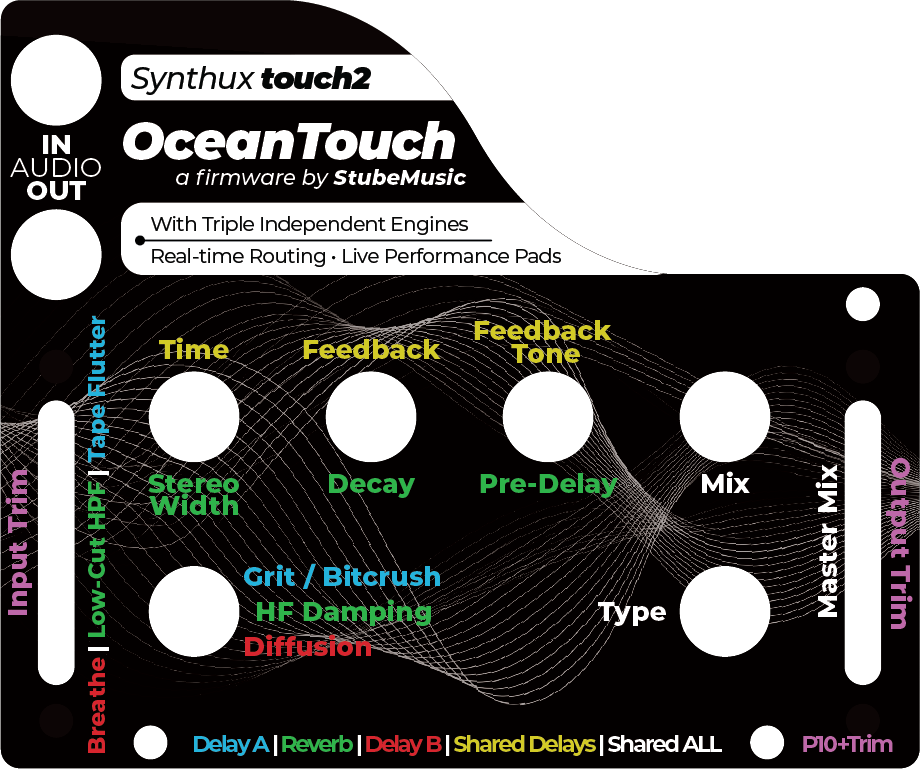
OceanTouch transforms the Synthux Touch 2 (powered by Daisy Seed) into a professional dual-delay and reverb workstation. Featuring 3 routing modes, 27 effect zones, 12 performance pads, and full USB MIDI class compliance.
📖 Interactive Web Manual
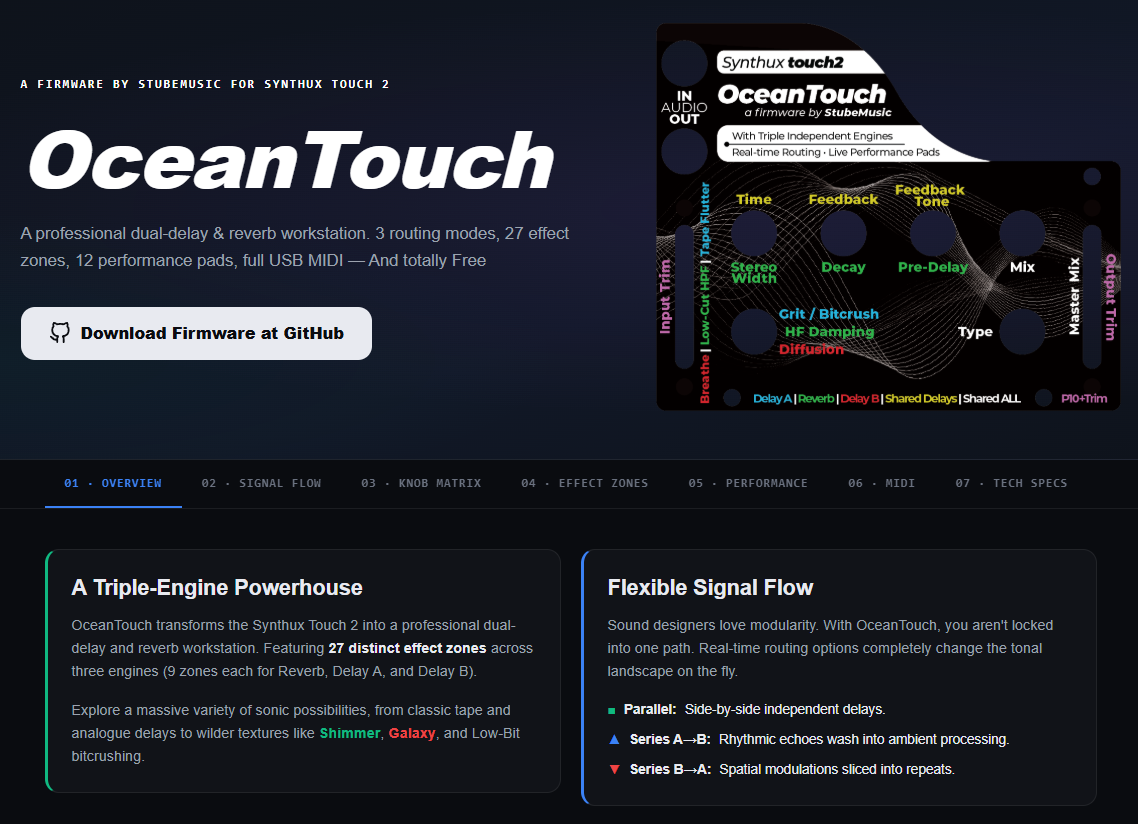
Explore the Interactive OceanTouch Web Manual
Dive into the complete web documentation to master your firmware. The interactive manual features a visual signal flow routing simulator, a fully clickable knob matrix to understand the controls, detailed breakdowns of all 27 effect zones, and a complete guide to MIDI mapping.
🌊 A Triple-Engine Powerhouse
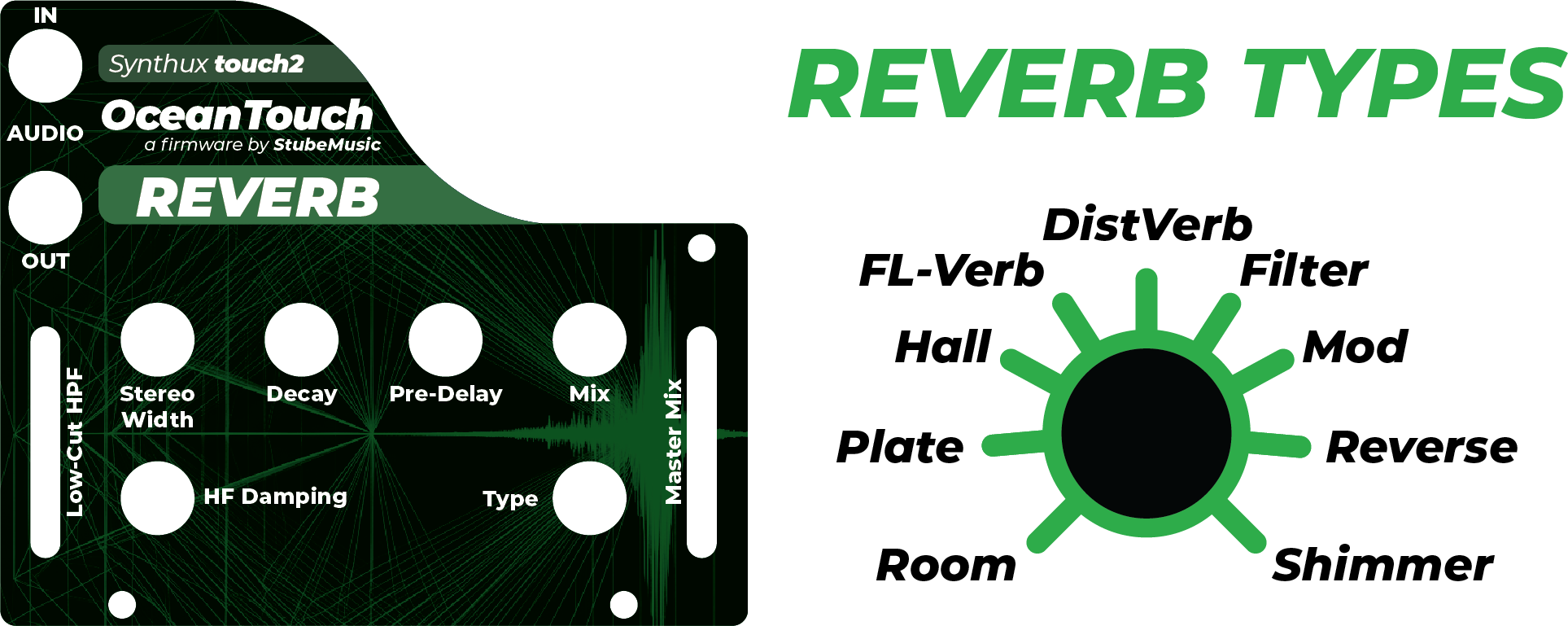
OceanTouch features 27 distinct effect zones across three engines (9 zones each for Reverb, Delay A, and Delay B). Explore a massive variety of sonic possibilities, from classic tape and analogue delays to wilder textures like Shimmer, Galaxy, and Low-Bit bitcrushing.
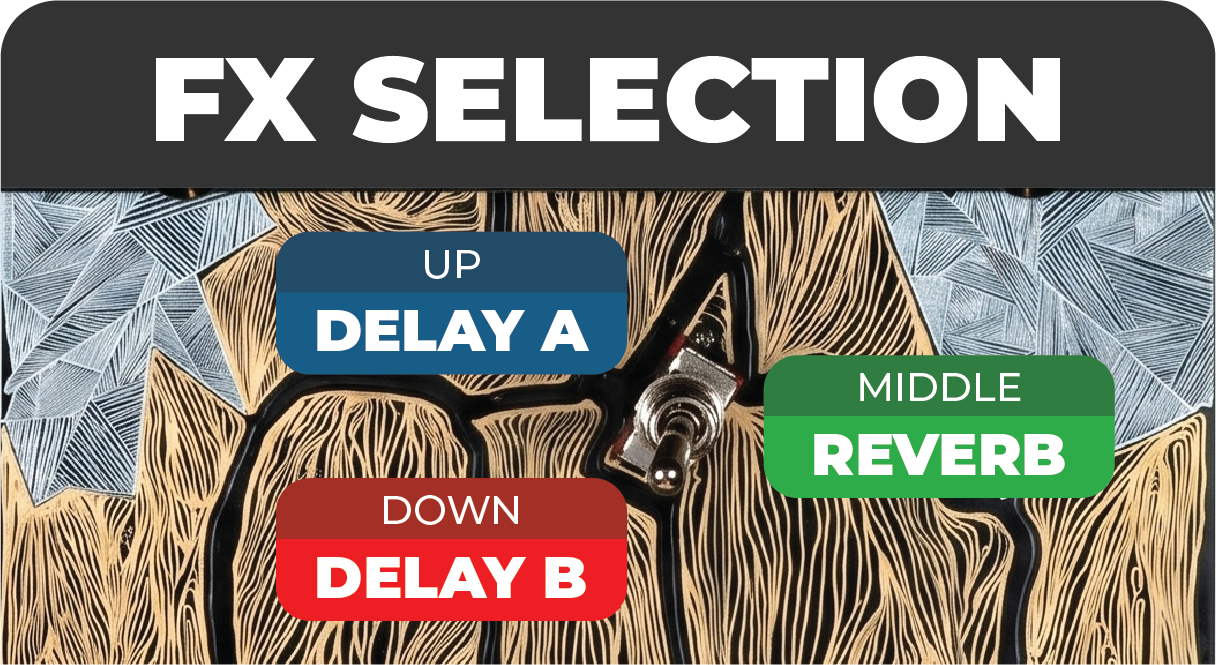
Effect Zones Overview
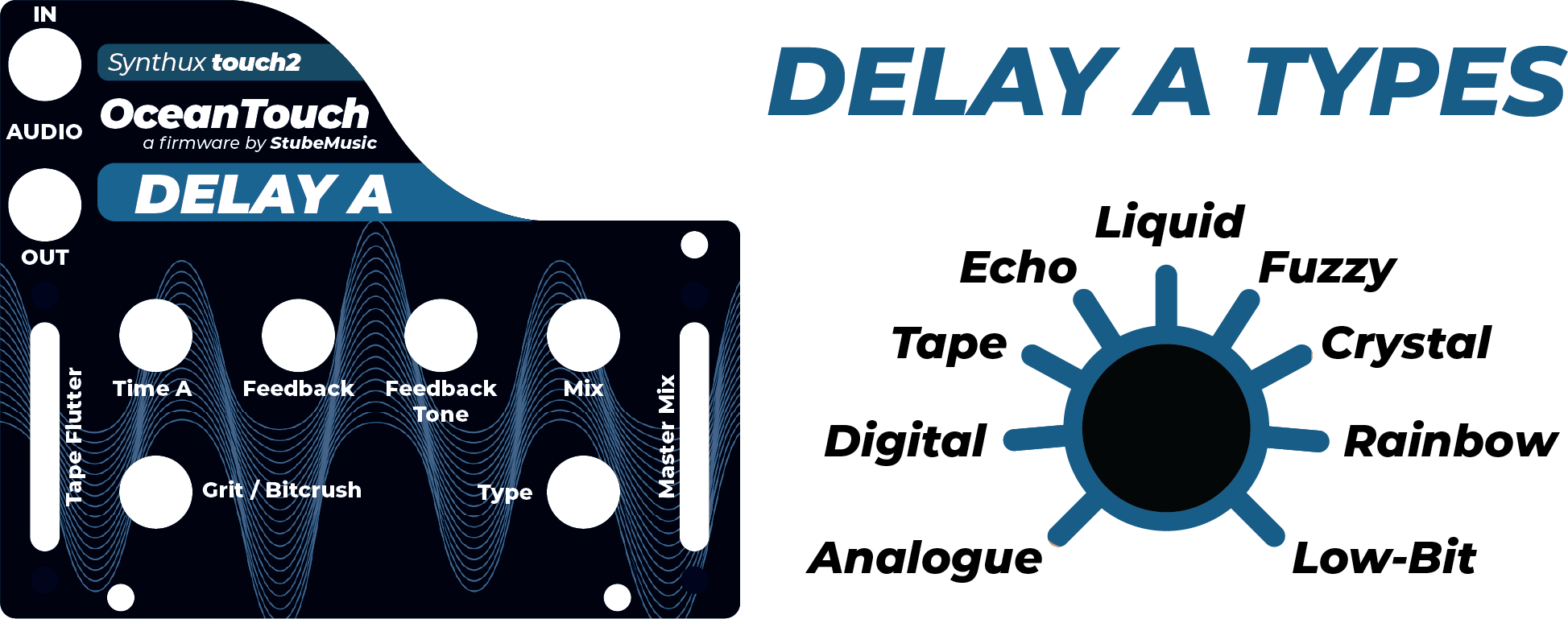
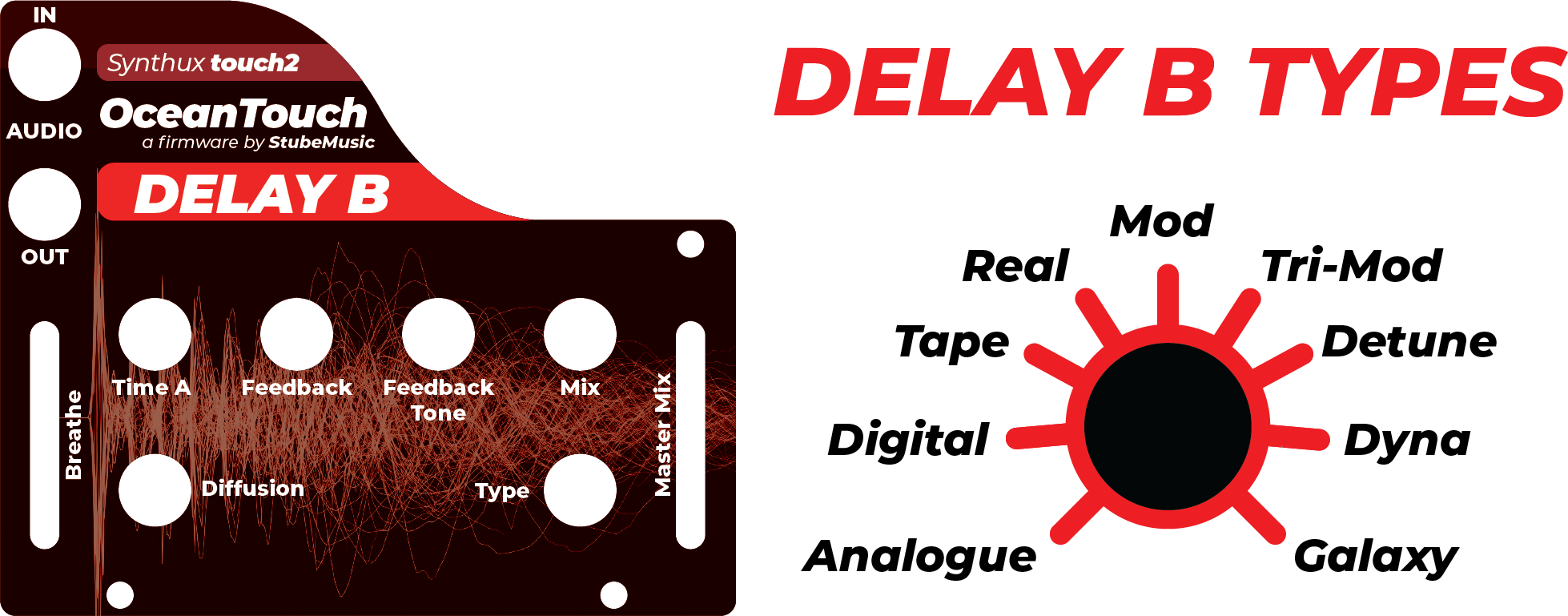
🔀 Flexible Signal Flow
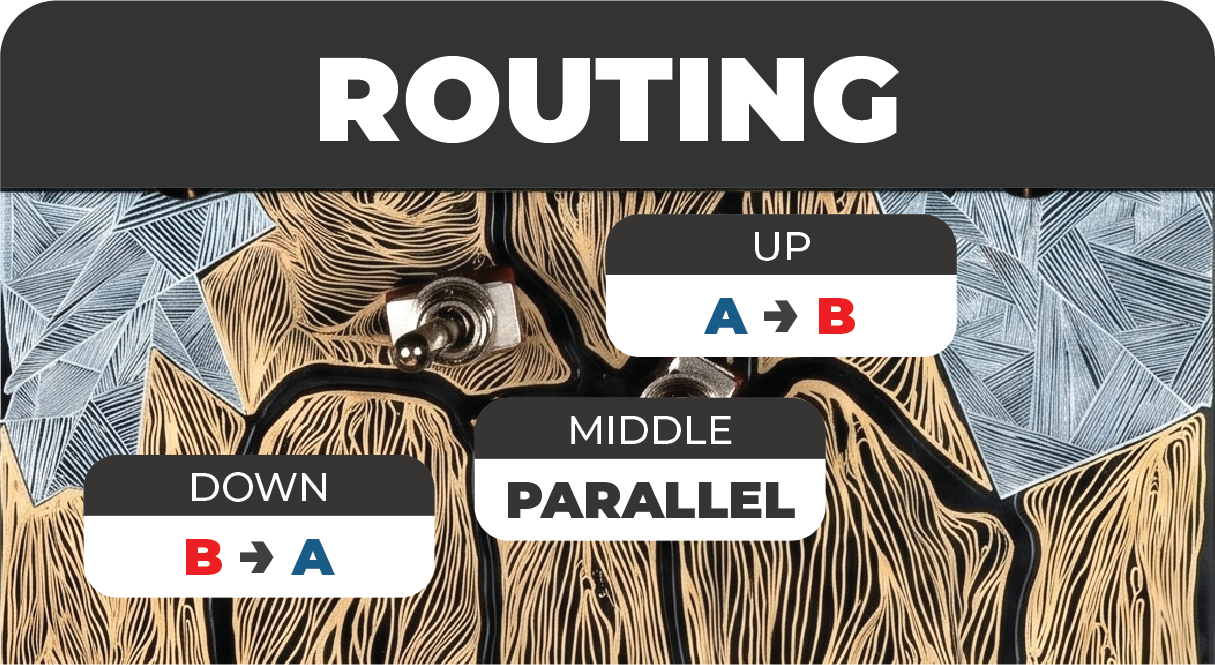
Sound designers love modularity. With OceanTouch, you aren't locked into one path. Real-time routing options completely change the tonal landscape on the fly:
- Parallel: Side-by-side independent delays. Both delays run independently on the clean input and outputs are summed.
- Series A→B: Rhythmic echoes wash into ambient processing. Delay A's output feeds Delay B's input.
- Series B→A: Spatial modulations sliced into repeats. Delay B processes first, then Delay A.
🎛️ Expressive Live Performance & Studio Integration
Turn effects into a playable instrument. The Synthux Touch 2's 12 click-free capacitive pads offer highly musical gestures (freezes, reverse washes, time dives) perfect for live sets. Additionally, the firmware features full USB MIDI class-compliance with zero drivers required, tap-tempo sync via MIDI notes, and automatic MIDI Clock detection.
📥 Download Firmware
You can download the compiled firmware binaries right here in the repository:
- Download OceanTouch Firmware V1.1 (.bin) (Latest)
- Updates: Made the necessary adjustments to boost the volume cleanly:
- +6dB Digital Makeup Gain
- Upgraded Output Protection
- Updates: Made the necessary adjustments to boost the volume cleanly:
- Download OceanTouch Firmware V1.0 (.bin) (Legacy)
🚀 How to Install
- Connect your Daisy Seed (inside the Synthux Touch 2) to your computer via USB.
- Put the Daisy Seed into bootloader mode:
- Hold the BOOT button on the Daisy.
- Press the RESET button.
- Release the RESET button.
- Release the BOOT button.
- Flash the
.binfile using the Daisy Web Programmer or your preferred Daisy flashing tool.
A firmware by StubeMusic for Synthux Touch 2
🖨️ Printable Paper Templates
We provide PDF templates that are ready to print to paper and can be placed over any faceplate on the Touch 2. Important: All prints should be printed without any resize, the plate should have 8.1mm width.