NAM FORGE · Zoom MultiStomp ZDL Workbench
Turn NAM (Neural Amp Modeler) captures into Zoom MultiStomp .ZDL effects for the MS-50G / MS-60B / MS-70CDR, and design 128×64 1-bit covers. The UI palette is inspired by the Zoom G1on.
Runs entirely in the browser. Files never leave your machine.
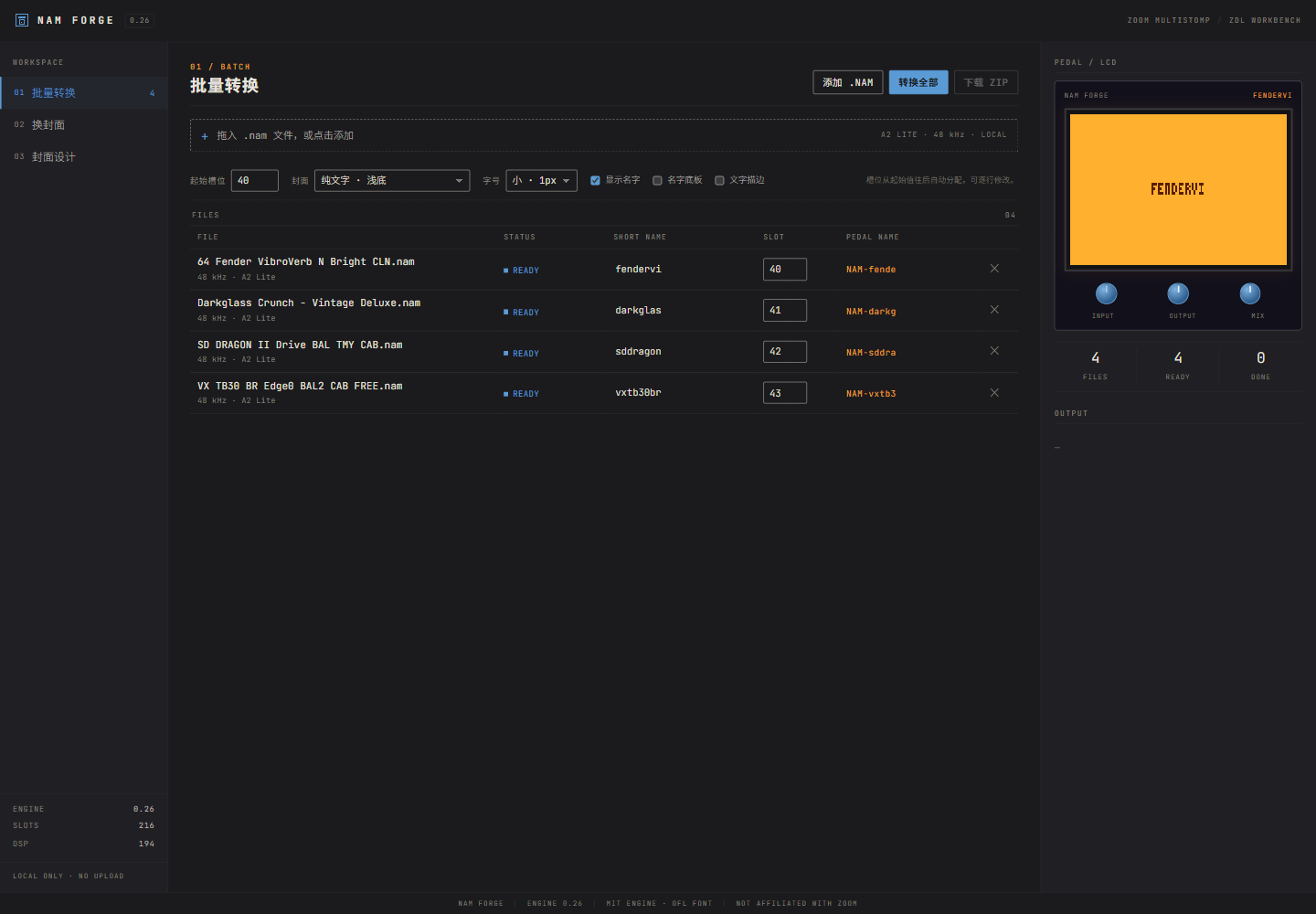
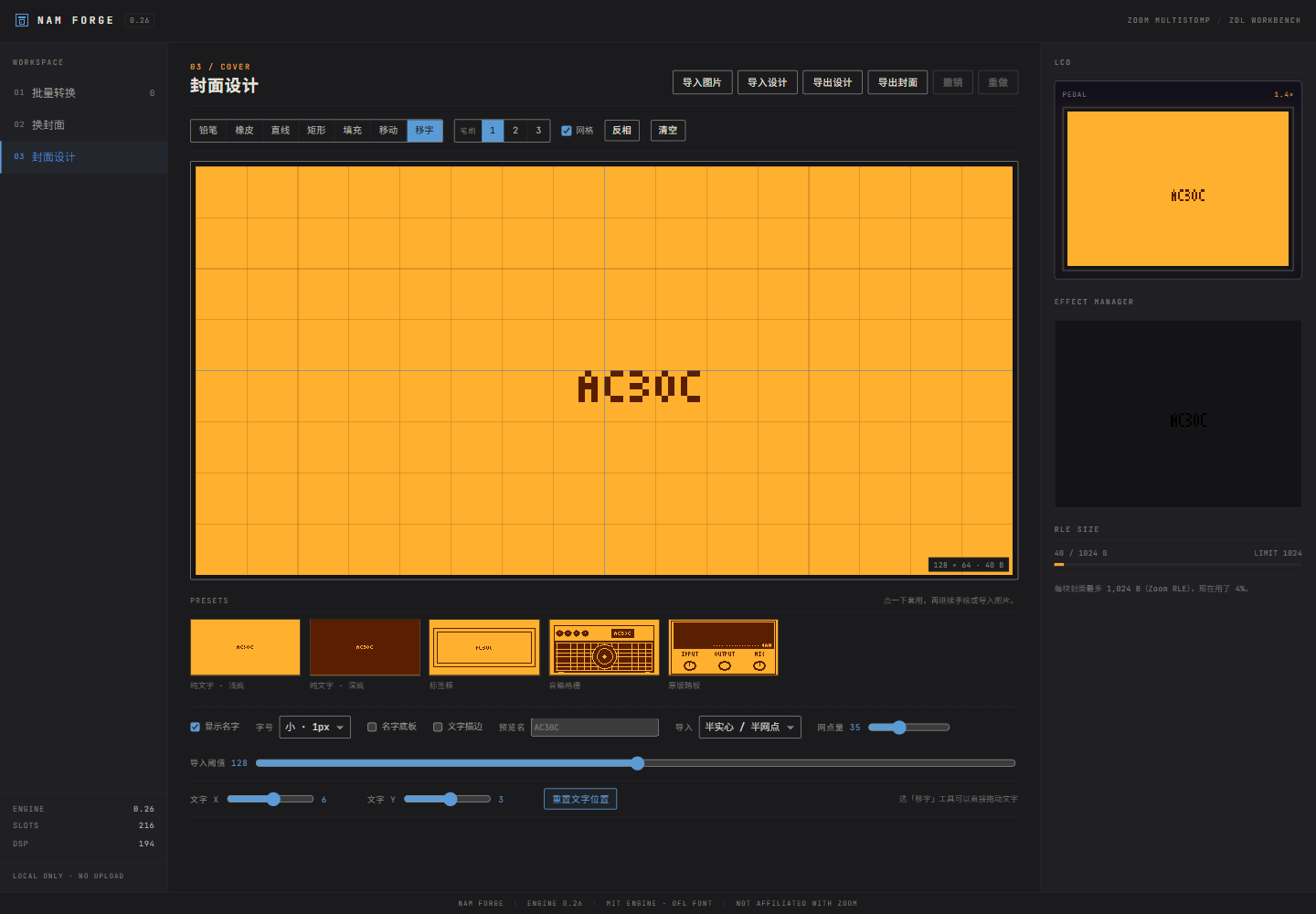
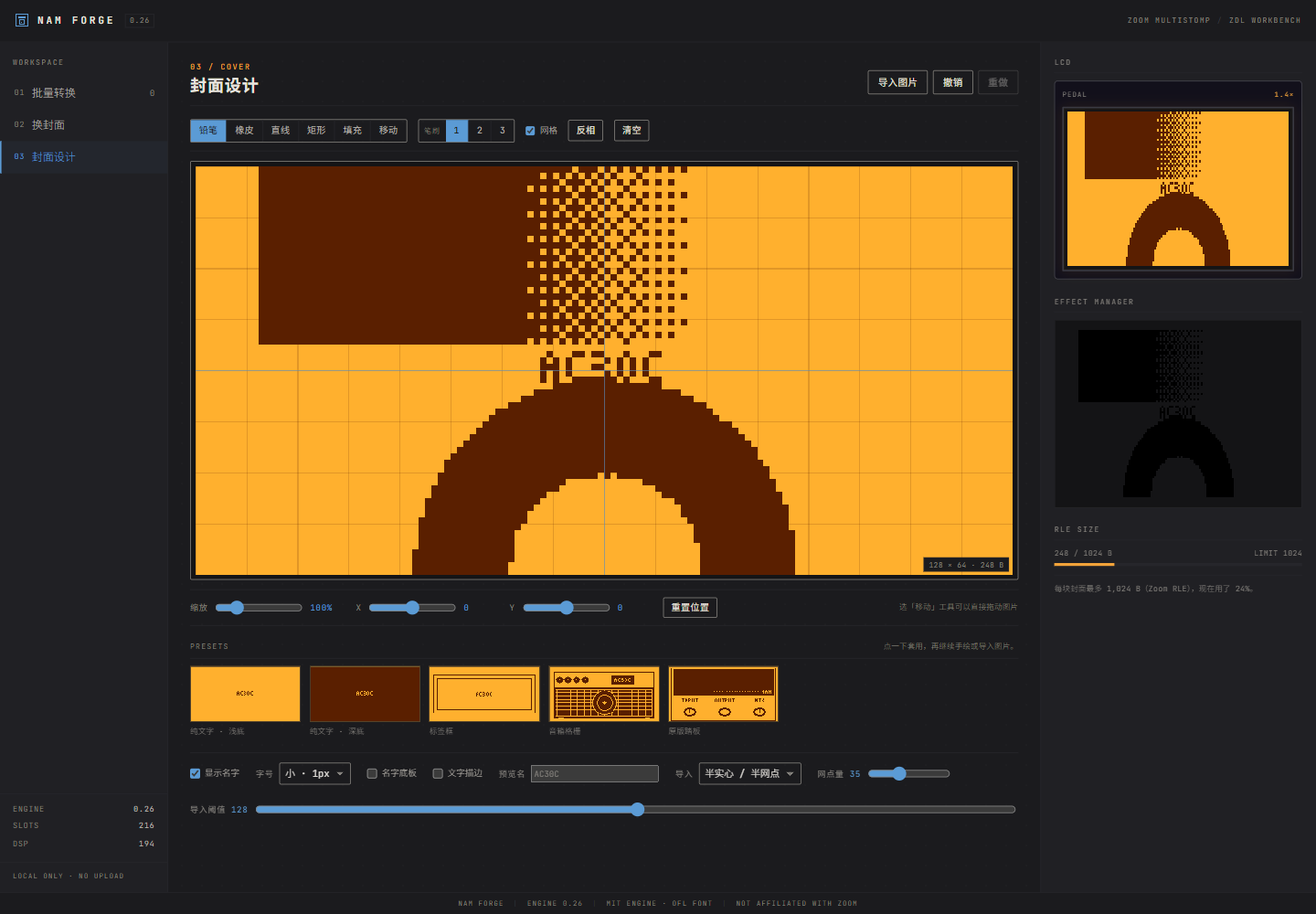
The app UI is Chinese-first. This README is in English.
Compatibility
- Zoom MultiStomp MS-50G / MS-60B / MS-70CDR (original models; not the “+” series or the Four series).
- Zoom G1on: visual/hardware reference only (amber LCD, blue knobs, gray-black panel). The G1on itself is not a target device for these ZDLs.
- NAM / Neural Amp Modeler: A2 Lite captures (
.nam, SlimmableContainer, 3-channel WaveNet). - Output:
.ZDLeffects for Zoom Effect Manager 2.3.3+.
Shared covers
Browse community covers in NAM FORGE COVERS. Download a design JSON from the library, then use 封面设计 → 导入设计 in the app.
Share from the app: in the cover editor, click 分享到共享库, fill in name/author/license/source and click 分享. The app packs the design into a prefilled GitHub issue; click Submit new issue once. No token and no exports. A GitHub Action validates it and adds the design JSON + 128×64 PNG to library.json automatically.
Features
- Batch conversion — drop multiple
.namfiles; the app detects A2 Lite models (3-channel WaveNet inside a SlimmableContainer), assigns short names and slots, and exports a ZIP with.ZDL+ matching.png+.jsonnotes. - Cover library — save multiple edited covers from the Cover designer (stored in this browser's localStorage). In the Batch and Re-cover tables, click a row's cover thumbnail to pick a cover just for that file (library, built-in preset, or the current edit); one button resets everything to the default cover.
- Re-cover — drop existing
.ZDLfiles; only the 1,024 B picture area and 12 B display name are rewritten. Weights, FXID and version are left untouched (byte-diff verified). Each file can use its own cover. - Cover designer — 128×64 1-bit; default “plain text on light” with 1 px small text; presets, freehand drawing, invert, clear. The “original pedal” preset draws no name by default; enable “show name” if you want it.
- Image import — half-solid / half-dither hybrid (default, dot amount adjustable), pure dither, solid, or line/edge mode; scale 25–400%, X/Y offset, or drag with the Move tool. Artwork is fitted to the pedal's display shape (LCD pixels are 1.4× taller than wide), so it is not stretched on the ZDL.
- What you see is what you get — editor, pedal previews, thumbnails and the exported PNG all use the pedal's real 1.4× shape.
- Text — show/hide, small 1 px or large, X/Y offset or drag with the Move-text tool; optional plate and outline.
- Import / export — export the cover as a 128×64 PNG; export/import the full design as JSON (bitmap + text position/size/toggles), so you can continue on another machine.
- Engine 0.26, 216 capture slots, 194 DSP per full-rate capture.
Quick start
- Download or clone this repo and open
index.htmlin Chrome or Edge. - No server, no network: files are processed locally in the browser.
- Or use the GitHub Pages build: https://zisonzishen0415-stack.github.io/nam-forge/
Convert
- Batch → drop multiple
.namfiles. - Start slot defaults to 40 and can be changed per row (any value 1–216).
- Convert all → Download ZIP.
- Each capture gets
NAM<slot><shortname>.ZDL, a matching.png(Effect Manager thumbnail), andNAMLite-<shortname>.json(conversion notes).
Re-cover
- Re-cover → drop existing
.ZDLfiles (0.26 templates). - Edit the display name; click a row's cover thumbnail to pick a cover for that file, then Apply cover.
- Only the cover area and display name change; the amp model data is untouched.
Install on the pedal
- Use Zoom Effect Manager 2.3.3+ → Settings → Read Effects from folder → From Folder, pointing at the extracted folder.
- The
.ZDLand matching.pngmust sit together; do not rename them (the pedal only keeps the first 8 characters of the basename, and duplicate names can freeze it). - Original MultiStomp only: MS-50G / MS-60B / MS-70CDR. The “+” models (MS-50G+, MS-60B+, MS-70CDR+) and the Four series are not supported.
- Back up your patches first. A full-rate capture declares 194 DSP; several captures usually cannot run at once.
- If the pedal freezes: unplug it, hold Up + Down while plugging in USB to enter update mode, then delete the last installed effect with Effect Manager. As a last resort,
All INITIALIZEerases all patches.
Technical notes
- Cover: 128×64, 1-bit, Zoom column-major RLE, 1,024 B capacity.
- Names: 3×5 pixel font; only A–Z, 0–9 and
- + / . !; filenamesNAM<slot><name>are at most 8 characters. - Engine 0.26: full rate 194 DSP; 48 kHz sources run on the pedal's 44.1 kHz rate without sample-rate conversion.
- All conversion happens locally in the browser; there is no server and no upload.
References & credits
- Palette / hardware reference: Zoom G1on — amber LCD, blue knobs, gray-black panel. Zoom and G1on are trademarks of Zoom Corporation; this project is not affiliated with or endorsed by Zoom.
- Engine and ZDL/cover format: themanro/ZoomMultistompZDL — NAMLite 0.26, templates, slot identity and cover encoding. The fork's original work is MIT; see its notes for the upstream repeat98/ZoomMultistompZDL.
- NAM format: NeuralAmpModelerCore (Steven Atkinson, MIT).
- Font: JetBrains Mono (SIL Open Font License 1.1), embedded in the page; see
FONT-LICENSE.txt. - Installer: Zoom Effect Manager (third-party; not bundled).
Third-party notices and the full MIT/OFL texts are in NOTICE.txt and FONT-LICENSE.txt.
Keywords: Zoom MultiStomp, Zoom G1on, MS-50G (MS50G), MS-60B (MS60B), MS-70CDR (MS70CDR), NAM, Neural Amp Modeler, NAM capture, NAMLite, .nam, .ZDL, ZDL, Zoom Effect Manager, amp modeling, guitar, bass, multi-effects, effect pedal.
Disclaimer
- This is not an official Zoom Corporation product and is not endorsed or supported by Zoom.
- Custom effect files can freeze or prevent the pedal from booting; back up your patches and use at your own risk.
- Engine templates and formats come from the open-source projects above. NAM captures are supplied by the user; no captures are bundled.