mpc-vst-machinedrum
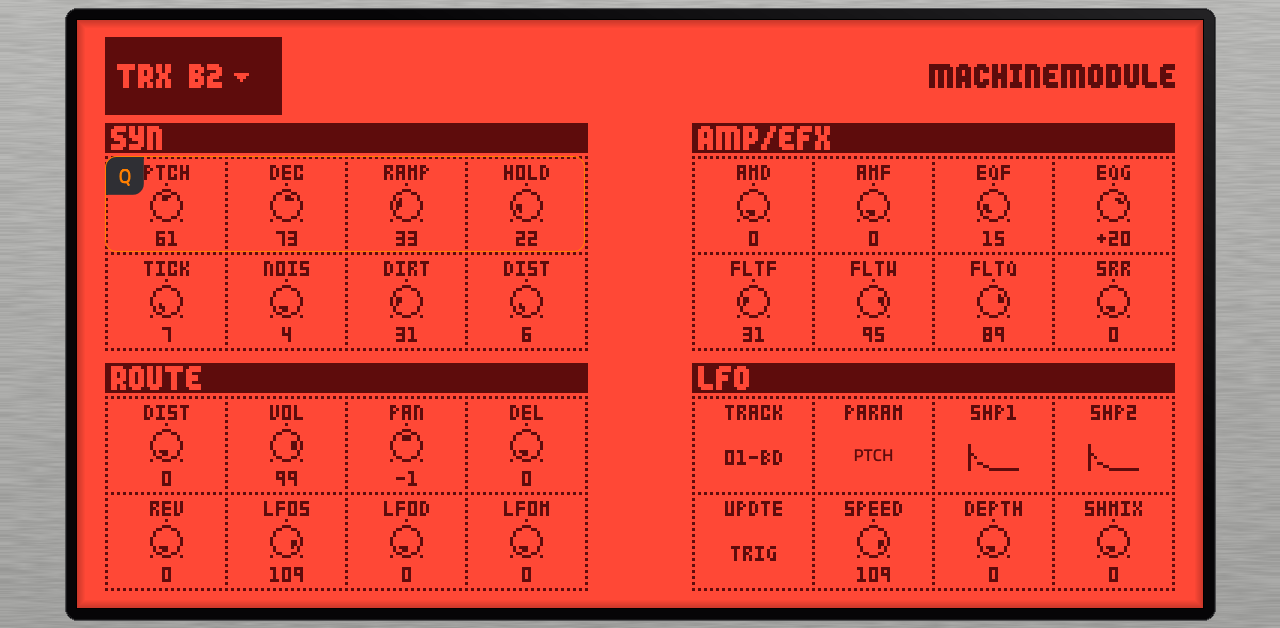
Peaking95/100Machinedrum SPS-1 UW sound engine as a native VST2 instrument for Akai MPC OS standalone devices
mpc-vst-machinedrum is custom firmware for the Akai Professional MPC Live, by @sd88me. Open source under AGPL-3.0, latest release v1.0.3 (November 2026), 22 stars on GitHub.
forAkai Professional MPC Live·by@sd88me
Unclaimed. Is this yours? Sign in with GitHub as @sd88me to claim it.
Machinemodule-1.0.3-mpc-aarch64.zip· 7.7 MB· +1 file
AGPL-3.0· sd88me/mpc-vst-machinedrum·downloads come from the creator’s GitHub releases
v1.0.3Machinemodule 1.0.3Latest2 files
Fix: pressing Stop twice no longer resets the voices. MPC's plugin host sets the first parameter (T1 Machine) to its maximum and back on every Stop; if that jump got applied, track 1's SYN values and machine were reset. The engine now ignores that transient jump.
Same download as before: nothing of Elektron's inside; put your own Elektron_SPS1-1UW_OS1.63.syx in the plugin's machinedrum/ folder.
v1.0.2Machinemodule 1.0.22 files
Lower CPU on Gen2 (MPC Live III). The engine and voice threads now run on the Live III's fast cores (Cortex-A76). The least-busy core choice used to pick the slow Cortex-A55 cores, because MPC keeps the fast ones busy. Measured with a kit playing: engine and voice threads about 37-40% of a core, was 81-92%. Gen1 (Force, MPC Live/One/X): unchanged.
Same download as before: nothing of Elektron's inside; put your own Elektron_SPS1-1UW_OS1.63.syx in the plugin's machinedrum/ folder.
v1.0.1Machinemodule 1.0.12 files
- OS file check in the installer app. The plugin declares its files, so the installer app's Your ROMs and files step checks your Machinedrum UW OS 1.63
.syx(by its exact size and Elektron header) and saves it asElektron_SPS1-1UW_OS1.63.syxwhatever it is called on your computer. The 8 MB flash image and your kit dumps (machinedrum/kits/) can be added the same way. A kit dump or a Monomachine file is refused as the OS. - Effects: correct audio at MPC block sizes 32/64/96/192 (wrapper fix sd88me/mpc-vst-plugins#676).
Downloads (Gen2, MPC OS 3.x):
Machinemodule-1.0.1-mpc-aarch64.zipandMachinemodule-Tap-1.0.1-mpc-aarch64.zip. Nothing of Elektron's is in them.- OS file check in the installer app. The plugin declares its files, so the installer app's Your ROMs and files step checks your Machinedrum UW OS 1.63
desktop-v0.3.0Machinemodule desktop 0.3.0Beta3 files
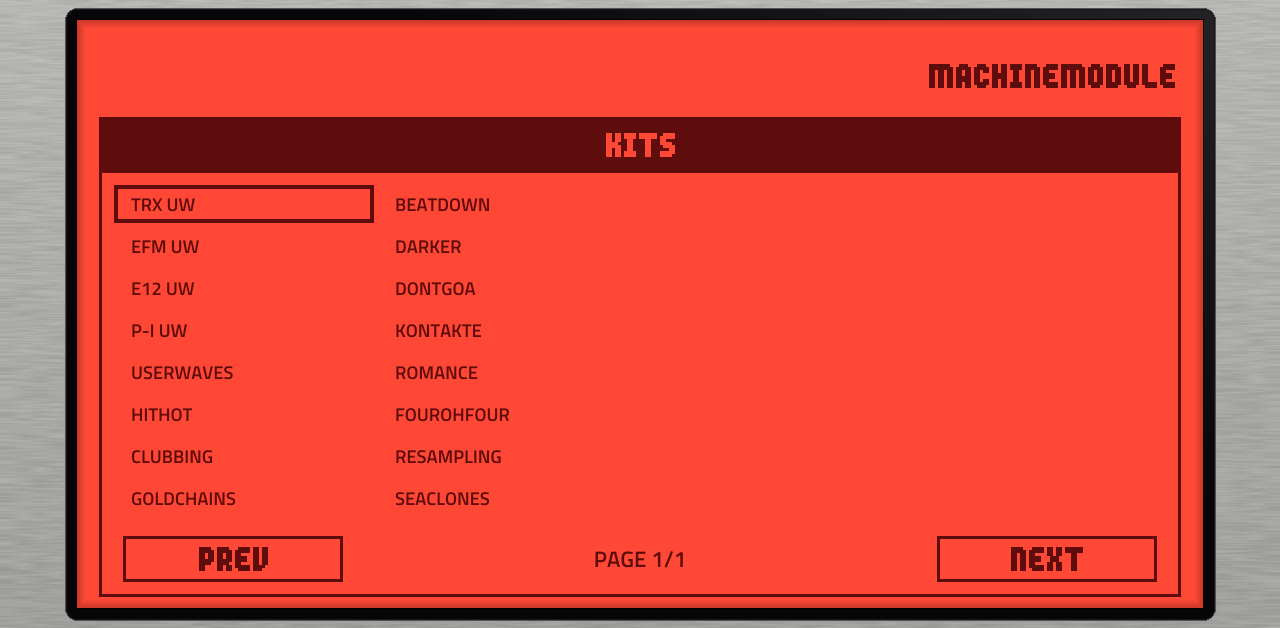
Machinemodule desktop 0.3.0: the Elektron Machinedrum SPS-1 UW sound engine as a VST3 / AU / Standalone plugin.
Changes since 0.2.1
- Mixer: solo and pan per track, plus mute groups.
- Machine descriptions in the picker.
- The master effects, input and control machines, and the per-track buses that the Schwung module uses are merged with the plugin's v1 engine work (the plugin's mixer, mute groups and CTR machines); both master-effect implementations are kept.
- The macOS build now runs on GitHub's macos-15 image.
Downloads: Windows x64, macOS arm64 and Linux x64 (VST3 and Standalone; AU on macOS). You need your own Machinedrum UW OS 1.63
.syx; the factory kits and ROM samples come from your own flash image via Import flash image. No Elektron firmware is included.Tested: CI builds on all three platforms and the render tests pass (MmRender: bit-identical to the bare engine, 48 kHz level, track buses, mute groups, solo). Not yet tried by hand in a DAW for this version.
v1.0.0Machinemodule 1.0.02 files
Machinedrum emulator for Gen 2 MPCs (public download: nothing of Elektron's inside; bring your own OS file, and optionally the flash
.binfor ROM machines and factory kits).New in v1:
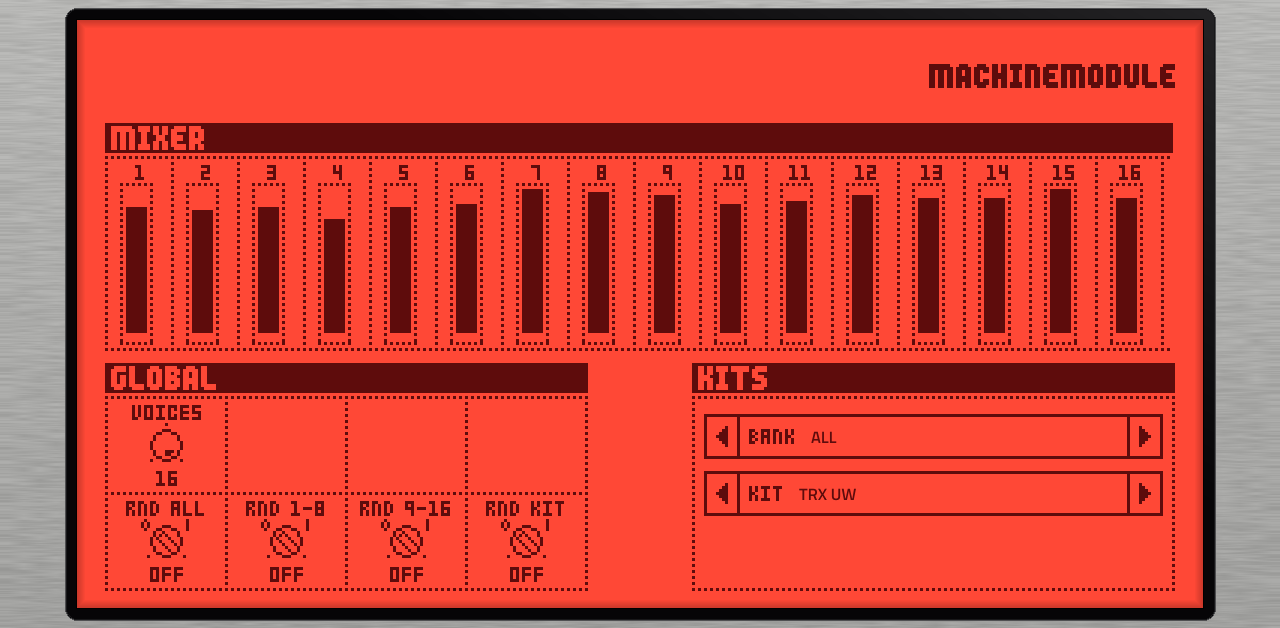
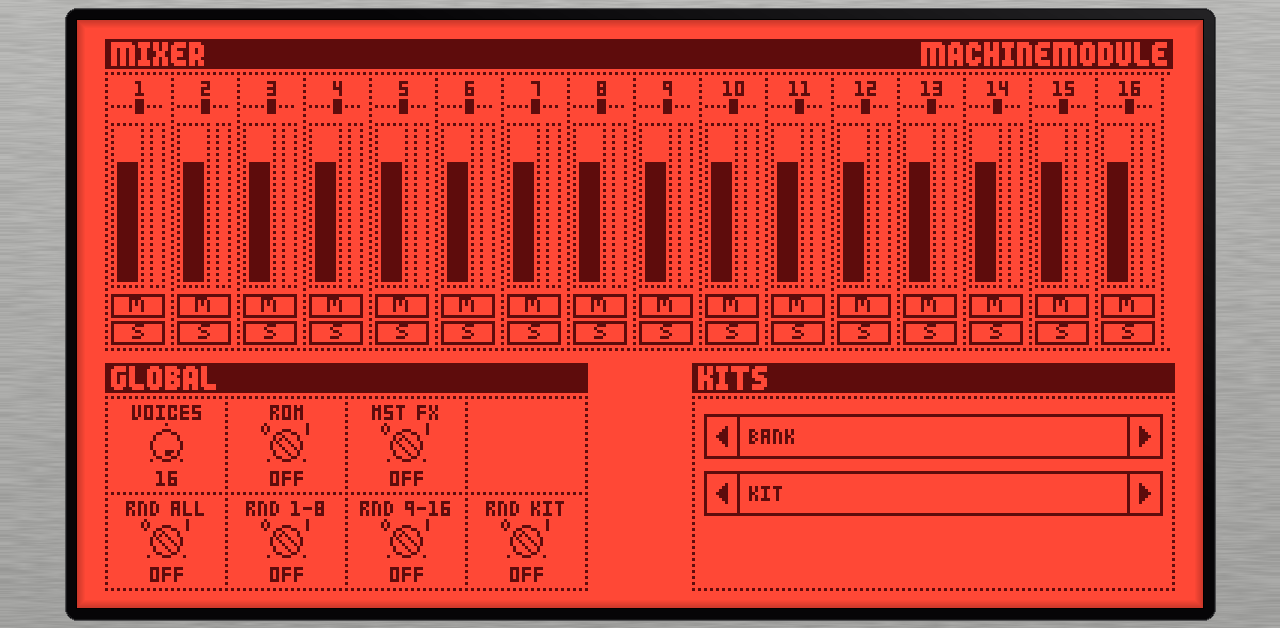
- Mixer page: mute, solo, meters; mute groups.
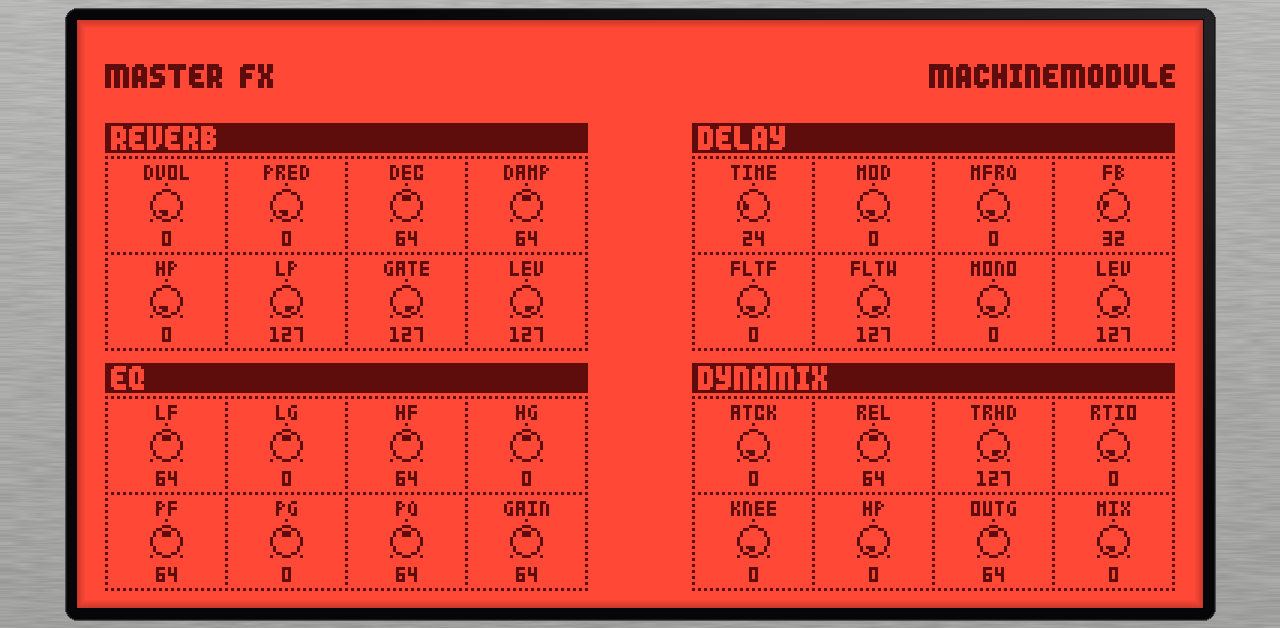
- Master effects (reverb, delay, EQ, dynamix) on the GLOBAL and FX tabs.
- CTR control machines: CTR-AL, CTR-RE / GB / EQ / DX, CTR-8P.
- Machine logos and descriptions in the picker.
- The installer keeps your
machinedrum/folder on upgrade.
Credit to K-X420's ModuleDrum for the ideas (see README / THIRD_PARTY). Tested on an MPC Live III: solo, master FX, CTR-AL and 16-track CPU.
v0.5.2Machinemodule 0.5.22 files
Gen2 (MPC Live III) zips only. Fixes the bundled INSTALL.md, which now gives the Gen2 install command (-t /nvme/Synths) and plugin list key. Plugin unchanged from 0.5.1.
v0.4.1v0.4.1: Gen2 MPC download, Q-Links on the automation screen3 files
Machinemodule for Gen2 MPCs, as a ready-made download (MPC Live III and the other 64-bit models, MPC OS 3.x).
Nothing of Elektron's is in these zips. You add your own Machinedrum UW OS 1.63 file, and the plugin makes its LCD skin from that file on the MPC. The result is the same skin as the self-built version.
Install
- Install
Machinemodule-0.4.1-mpc-aarch64.zip. The two taps are optional. - Put your
Elektron_SPS1-1UW_OS1.63.syx(a free download from Elektron) in/sdcard/Synths/sd88me - VST - Machinemodule/machinedrum/. - Load Machinemodule on a track once. It makes its skin from your OS file.
- Restart MPC to see the skin.
In this download: the voice DSP runs on the JIT compiler, which produced identical audio to the Force build and ran about 2.4x faster on a Cortex-A72. There are no ROM machines or factory kits, because those need your flash image. For them, build your own zips with
release/build_release.sh "<OS .syx>" "<flash .bin>" -a aarch64(see the README).Tested: the zips were unpacked into a Synths folder and run under arm64 emulation. The skin the plugin made was identical, file for file, to the generator's skin, and it played. Not yet tried on a Gen2 MPC, so please report how it runs.
New in 0.4.1: Q-Links now move parameters on track edit → automation (the plugin wrapper no longer makes MPC rebuild its parameter screen on every write; sd88me/mpc-vst-plugins#486). The SYN labels and LFO destination label still follow the machine and LFO selectors.
- Install
desktop-v0.2.1Machinemodule desktop v0.2.1 (lighter master effects)Beta3 files
Machinemodule desktop 0.2.1: the Elektron Machinedrum SPS-1 UW sound engine as a VST3 / AU / Standalone plugin.
Changes since 0.2.0
- Master effects at about half the CPU. The emulated mixer DSP was patching its own code every 32 samples, which made the JIT recompile the master section twice per block. It is now patched once. The audio is bit-identical.
- Flash image import is more reliable on slower computers. It now waits for the OS to upload the ROM samples before reading them (a slow machine could get an incomplete sample set). Its working files stay in the output folder instead of the system temp folder.
- Internal: the kit model and control-machine rules moved into shared code, also used by the new Machinemodule for Schwung (Ableton Move).
Downloads: Windows x64, macOS arm64 and Linux x64 (VST3 and Standalone; AU on macOS). You need your own Machinedrum UW OS 1.63
.syx; the factory kits and ROM samples come from your own flash image via Import flash image. No Elektron firmware is included.Tested: CI builds and tests on all three platforms (render tests bit-exact). Not yet tried by hand in a DAW for this version.
desktop-v0.2.0Machinemodule desktop v0.2.0 (CTR + INP machines)Beta3 files
New in 0.2.0
- CTR machines (CTR-AL, CTR-8P, CTR-RE/GB/EQ/DX) with the OS's own rules: CTR-AL shifts SYN1-8 of every other track by the amount its knob moves; CTR-8P sends P1-P8 to eight (track, parameter) targets set on its TARGETS pages; CTR-RE/GB/EQ/DX are SYN1-8 of the echo / reverb / EQ / dynamix.
- INP machines (INP-GA/GB, FA/FB, EA/EB) process an optional stereo Input bus (enable it in your DAW; left = input A, right = input B).
- MIXER and MASTER keys moved above the track panel; clicking the selected track (or the active key) returns to the sound pages.
- Still not offered: MID (MIDI out) and RAM (RAM record/playback).
Machinemodule desktop is the Elektron Machinedrum SPS-1 UW sound engine as a VST3 / AU / standalone plugin, with the Machinedrum's LCD as its editor (after shnolk's Monomodule).
You supply Elektron's data; none is included.
- MENU > Select OS File: your own Machinedrum OS 1.63
.syx(the LCD art and the voice DSP come from it). - Optional, for the factory kits and ROM-sample machines: MENU > Import Flash Image with your own 8 MB flash
.bin(about a minute, once).
Downloads: Windows x64 (VST3 + standalone), macOS arm64 (VST3, AU, standalone; unsigned: right-click > Open or
xattr -dr com.apple.quarantine), Linux x64 (VST3 + standalone). Keep the helper programs (md-import,mdProbe,mdsamples) next to the plugin binary. Tested by hand on Windows (the import) and in Linux only otherwise.v0.3.6v0.3.6: renamed to Machinemodule0 files
The project is now Machinemodule (was Machinedrum Module); the taps are Machinemodule Tap and Machinemodule Tap FX. Plugin ids and the repo name are unchanged, so it replaces the old entries on install.
The advanced, optional MPC OS patch (
release/build_release.sh ... -p) now matches the new plugin name, so rebuild it and uninstall any older patch first. Tested on the Force, MPC OS 3.9.1.2.v0.3.5v0.3.5: 16 red drum pads (advanced MPC OS patch)0 files
Improvement to the advanced, optional MPC OS patch (
release/build_release.sh ... -p): Machinedrum Module now gets the drum-pad layout with all 16 pads lit red (close to the Machinedrum's LCD) and playing, instead of 8 lit pads.- The patch colours all 16 pads of any plugin drum program, so Akai's DrumSynth Multi also shows 16 red pads (1-8 sound). Telling plugins apart at colour time isn't reachable from the colour code; see the handoff.
- Unchanged: it modifies the factory
/usr/bin/MPC, MPC OS 3.9.1.2 only (checked by md5, refuses anything else), backs up to the SD card, and a firmware update removes it.uninstall.shundoes it. - The plugin itself is identical to 0.3.4.
Tested on an Akai Force (MPC OS 3.9.1.2): 16 red pads lit and playing; other plugins unchanged; uninstall restores the stock binary.
No downloadable build: it needs your own Machinedrum firmware, so you build the installer yourself (see the README).
v0.3.4v0.3.4: 16 drum pads (advanced MPC OS patch), saved state0 files
- Saved state: a project or preset now stores and restores the whole Machinedrum Module instance (machines, parameters, kit, bank).
- Notes 0-15 also play tracks 1-16 (36-51 still do), for MPC's drum-pad layout.
- Advanced, optional: 16 drum pads.
release/build_release.sh ... -pstagesdist/mpc-os-patch/, an on-device patch of the factory MPC OS that gives Machinedrum Module the drum-pad layout with all 16 pads lit and playing. It modifies/usr/bin/MPC, works on MPC OS 3.9.1.2 only (it checks the exact file and refuses anything else), backs up the original to the SD card, and a firmware update removes it.uninstall.shundoes it. Side effect: Akai's DrumSynth Multi also shows 16 lit pads (1-8 sound). Read the README section before using it. The patch file holds only our own bytes, never Akai's.
Tested on an Akai Force (MPC OS 3.9.1.2): full build passes the bit-exact gate and catalog check; with the patch, 16 pads lit and play, other plugins unchanged; uninstall restores the stock md5.
No downloadable build: it needs your own Machinedrum firmware, so you build the installer yourself (see the README).
v0.3.3v0.3.3: flash image optional0 files
The flash image is now optional.
release/build_release.sh "<OS .syx>"builds with the OS file alone: every machine except the ROM sample machines plays (ROM machine tracks stay silent) and there are no factory kits. Give the script the flash image too for those. A full build sounds the same as 0.3.2. Tested on an Akai Force (MPC OS 3.9.1): flash-less build passes the bit-exact gate and catalog check, non-ROM machines play, ROM tracks stay silent.No downloadable build: it needs your own Machinedrum firmware, so you build the installer yourself (see the README).
v0.3.2v0.3.2: installers for the taps0 files
The two tap plugins now have their own installer zips.
release/build_release.shmakes three:Machinedrum-Module-,Machinedrum-Tap-andMachinedrum-Tap-FX-<version>-mpc-armv7.zip(each passes the catalog check), and-d <device-ip>installs all three (MPC restarts once per zip). Each plugin lives in its own folder in /sdcard/Synths; a tap finds the Module wherever it is installed. Installing replaces an earlier hand-copied setup in /sdcard/vst.Tested on an Akai Force, MPC OS 3.9.1. There is no downloadable build: it needs your own Machinedrum firmware, so you build it yourself (see the README).
v0.3.1v0.3.1: less crackle when played live0 files
Much less crackle when you play it live.
- A drum that has died away (below -96 dBFS for 100 ms) now stops using CPU until it is played again. Before, every track you had hit kept costing its full CPU time, so after playing freely the Force stayed overloaded even in silence. A hit after this release sounds the same as a normal retrigger.
- The voices render on three threads instead of two (each about 40% lighter on the Force).
- New instances start at VOICES 6 with ROM machines on. Projects you saved keep their own settings.
- GLOBAL page: VOICES and ROM on the top row, the four randomise toggles below.
- Build: the skin uses Monomodule's art file when you have it (the original toggle icon), otherwise the Machinedrum OS dump as before.
Tested on an Akai Force, MPC OS 3.9.1: VOICES 6-8 with ROM on ran at 2.3-2.9 ms per 2.9 ms block with underruns mostly flat.
There is no downloadable build: it needs your own Machinedrum firmware, so you build it yourself (see the README). The installer zip still ships the Module only; the Tap plugins are copied by hand (see the README).
v0.3.0v0.3.0: Machinedrum Tap and Tap FX0 files
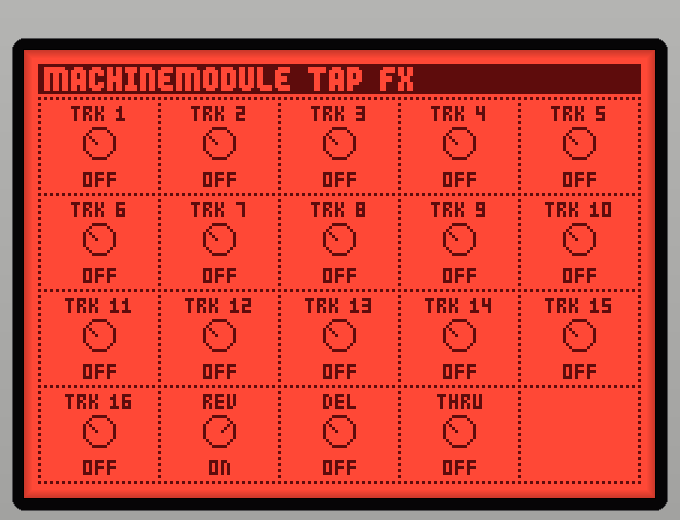
New: Machinedrum Tap and Machinedrum Tap FX. MPC only uses the first stereo pair of a plugin, so these extra plugins read any tracks and the reverb and delay sends from the Machinedrum Module in the same project and put them on their own MPC tracks, submixes or return tracks, where MPC's mixer and effects can process them. Tracks and sends can be mixed on one tap (on/off cells, LCD-style skin). A tapped track leaves only the Module's dry main mix and still feeds its reverb/delay sends. Timing against the main output was measured on a Force (sample-aligned); the Module's output is bit-identical when no tap is in use.
No master effects baked in (by design: the sends go out through the taps for MPC's own effects). A faithful build with the Machinedrum's master section is planned for faster devices.
Tested on an Akai Force, MPC OS 3.9.1.
Not in the installer yet: the installer zip ships the Module only. Build all three plugins with
vst/build_so.shand copy the tap.sofiles and skins by hand (see the README).There is no downloadable build: it needs your own Machinedrum firmware, so you build it yourself (see the README).