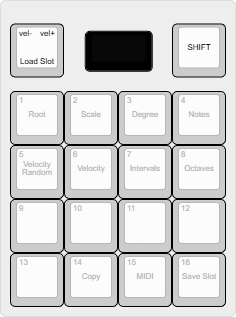
MP16 Custom Firmware
Alternative MIDI performance firmware for the PATS MP-16, a 16-key, RGB-lit MIDI controller. Each firmware folder is a complete Arduino sketch and can be opened, compiled, and flashed independently.
Built on the original MP16 firmware by Samuel Verburg (@samuelverburg).
Firmware
| Firmware | Best for | Description |
|---|---|---|
| MP16 ChordMaker | Deep chord control | Nine chord pads, 26 preset banks, scale mode, advanced arpeggiator, looper, generative mode, and glide mode. |
| MP16 Hang Pan | Expressive melodic playing | A full 4x4 handpan-inspired grid that moves smoothly from dark to bright and bass to shimmer. |
| MP16 JamPilot | Immediate performance and automatic arrangements | Beginner-friendly chords and notes, genre progressions, MIDI clock and transport, automatic phrases, and performance pitch bend. |
These are separate instruments. Flashing one replaces the firmware currently running on the controller; it does not modify the other source folders.
Repository Layout
MP16_Chordmaker/
├── firmware/
│   ├── MP16_Chordmaker/    Full chord workstation
│   ├── MP16_HangPan/       Handpan-inspired mood instrument
│   └── MP16_JamPilot/      Performance and auto-progression instrument
├── CHANGELOG.md
└── README.md
Arduino requires the sketch folder and its main .ino file to have the same
name. Keep that pairing intact when copying or renaming a firmware.
Hardware
- RP2040, nRF52840, or SAMD51 board with TinyUSB and LittleFS support
- 128x64 SSD1306 OLED at I2C address
0x3C - 17 WS2812B NeoPixels
- 4x4 key matrix, rotary encoder, and Shift button
- USB MIDI and hardware serial MIDI
The current hardware pin map is shared by all three firmwares:
| Function | Pins |
|---|---|
| NeoPixel strip | 2 |
| Shift | 3 |
| Encoder click / A / B | 6, 7, 8 |
| Matrix columns | 9, 10, 11, 12 |
| Matrix rows | 13, 14, 15, 26 |
| Serial MIDI TX / RX | 0, 1 |
Installation
- Install Arduino IDE and the board package for the controller.
- Install the dependencies listed below through Library Manager.
- Open the
.inofile inside the firmware you want to use. - Select the board and USB TinyUSB stack, then compile and upload.
Dependencies
- Adafruit TinyUSB
- Adafruit NeoPixel
- Adafruit GFX
- Adafruit SSD1306
- LittleFS
- Wire
Development
Keep shared helper files beside the main sketch that owns them. Build output,
IDE state, and operating-system metadata are excluded through .gitignore.
Credits
V2 was developed in collaboration with Gianluca Simonelli through iterative hardware jams, interface experiments, and musical prototyping.
License
This project is open source under the MIT License.