
A tracker for you and your LLM.
Firmware for the M-VAVE FM-1. Eight tracks, instruments you build
yourself, three effects a step, and songs that are text files —
the kind an LLM can write.
Try it in your browser · Read the manual · Install it
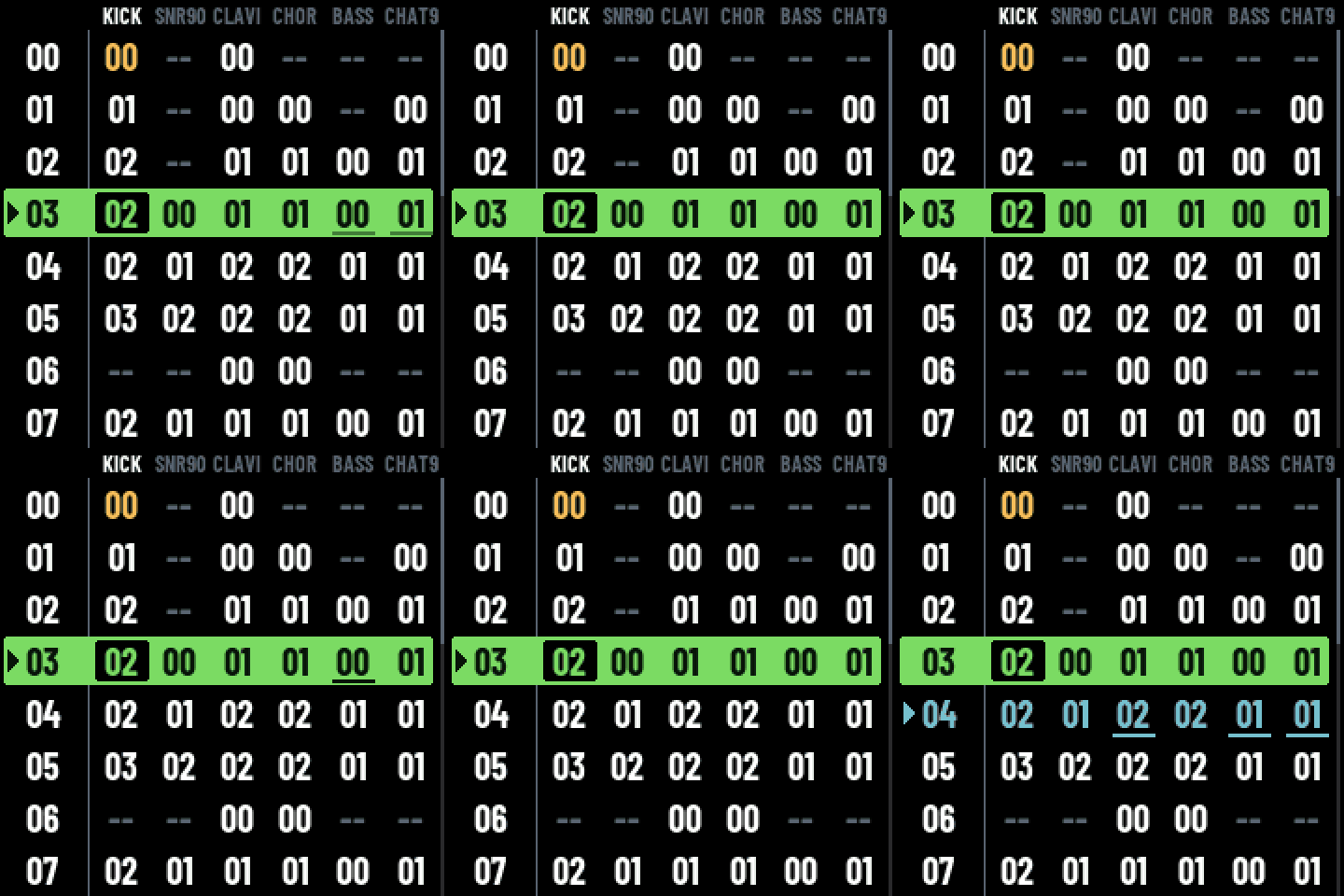
The FM-1 leaves the factory as a machine you play. MOONDAW turns it into a machine you write on. You put the notes down one at a time, listen, and fix them, wherever you are, on something the size of a phone. You don't need to know how to play: a song is carved, not recorded.
The browser version is the firmware itself, compiled as it stands, so you can find out if you like it before touching your FM-1.
Why you might like it
- Nothing is hidden. No tables, no hex: everything that decides the notes is
on the step row in front of you, and effects have names like
VIB,REV,FLT. - The screen is the manual. The buttons that do something light up, and HELP has a page for every screen and every effect, on the device.
- Your songs are yours. A song is a plain-text
.trkfile you can read, edit in any text editor, diff, keep under git and send over USB. - Your LLM can write them. A
.trkis text a model reads and writes: ask for a bassline and it lands in the file, ready to send over USB. You carve the steps with your thumbs; the typing you can hand over.skill/moondaw-fm1/is the whole of what a model needs to know, the format and the machine both. - It sounds like more than the box suggests. Chip voices, your own samples, a voice that sings the syllables you write, drums, reverb, delay and a limiter, all on 512 KB of RAM and no floating point.
A look around
Every picture here comes out of the firmware's own framebuffer
(tools/readme_shots.mjs).
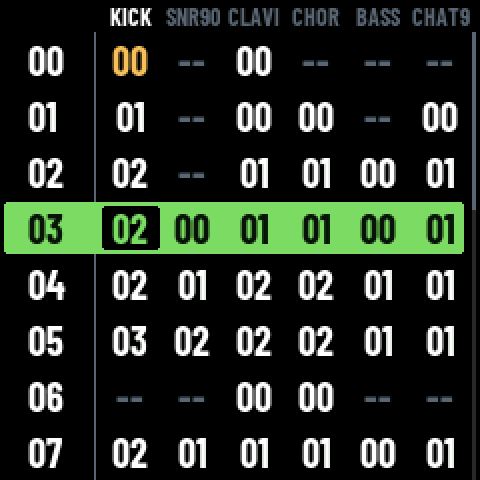 SONG the arrangement |
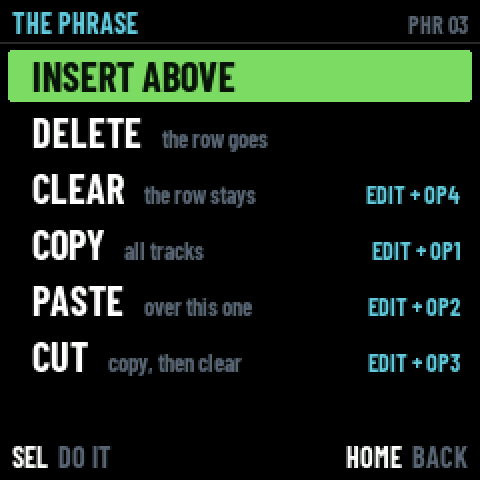 THE PHRASE what a row can do |
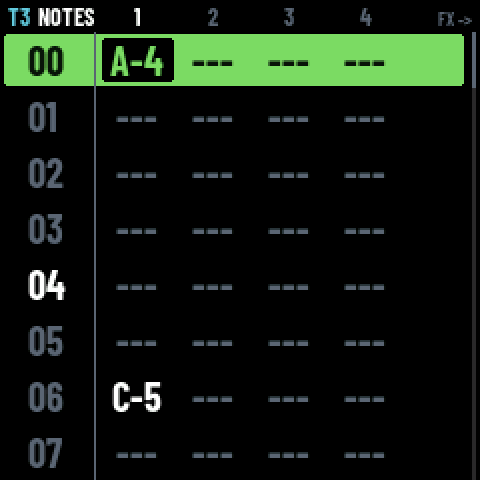 PATTERN up to four notes a step |
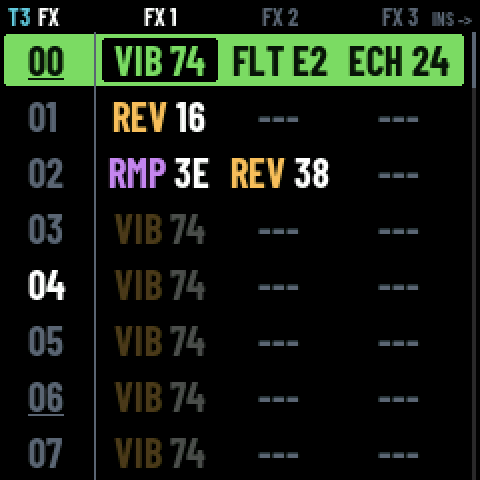 EFFECTS three a step, by name |
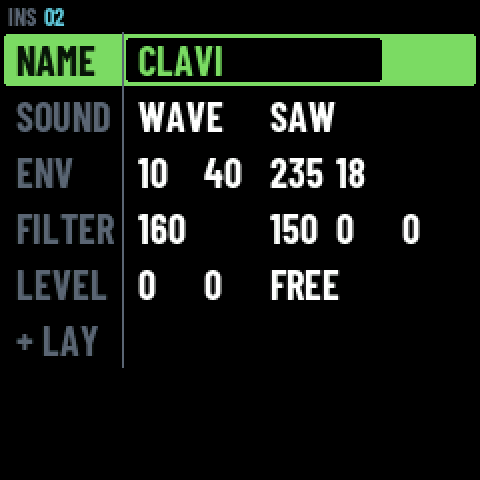 INSTRUMENT build your own |
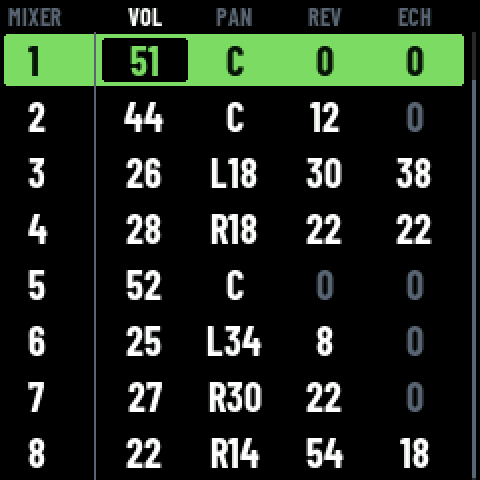 MIXER volume, pan, sends |
And a song, as it sits on the device:
pat t1 01 len 64
04 A-2 i04 fVEL7F fVOL76
05 --- fREV20
0C A-2 i04
14 A-2 i04
What it does
- Songs: an arrangement of phrases (SONG), each phrase holding one block per track, each block its steps (PATTERN): up to four notes, an instrument and three effects a step, 8 tracks. The device holds 31 songs.
- Sounds: PULSE, NOISE and WAVE chip voices, SMPL (your own samples), VOX (a singing voice that sings the syllables you write) and DRUM (Felucca's drum voices), with an envelope, a filter, layers, reverb and delay sends, and a master limiter.
- Writing: the keyboard writes notes, REC records what you play over a count-in, a selection copies, pastes, cuts and clears, a loop plays a passage round, UNDO and REDO on the ALGO knob.
- A MIDI keyboard: its notes play the instrument of the screen you are
on -- the one the cursor is on -- at the pitch the keyboard sends. The
FM-1 is a USB device, not a host, so a keyboard either plays through the
computer it is plugged into (
tools/fm1_midi.pyforwards it) or straight into the 3.5 mm MIDI jack, with no computer at all. - Playing: MIXER (volume, pan, sends, mute and solo), per-cell levels in SONG, solo and mute from any screen with a track in front.
- From a computer: send and fetch songs over USB, and drive the device
from a script (
tools/fm1_ctl.py: read its state, press its buttons, write steps, capture its screen).
Status
Beta, 0.1. It is built and tried on a real FM-1 every day, but it has not been through many hands yet and nobody has lived with it for long. Bug reports from yours are very welcome.
Install it
[!WARNING] Installing firmware on an FM-1 is at your own risk and can leave it unable to start. Back up the stock flash first, and have FM-1-transporter ready to restore it.
- In a browser: https://moondaw.com/install/ installs the firmware over
USB from Chrome or Edge, with nothing to install first -- it carries the
package and checks it against its own manifest. The page is
web/installer/; its README says what it checks and its state. - From a terminal:
python3 tools/fm1_install.py moondaw-0.1.fwsc(Python 3 andpython-rtmidi), with the package attached to a release or one you built yourself (build/moondaw.fwsc, below). - A device that does not start:
docs/ARRIVEE.mdwalks through the first install, the backup and the rescue path that needs no extra hardware.
Songs
python3 tools/fm1_send.py song.trk        # a song onto the device
python3 tools/fm1_send.py --list          # what is on it
python3 tools/fm1_send.py --get NAME -o song.trk   # a song back
Samples
SMPL plays short one-shots read from the flash. They are prepared and sent from the computer:
python3 tools/fm1_samples.py add kick.wav snare.wav   # into the bank
python3 tools/fm1_samples.py list                     # what is in it
python3 tools/fm1_samples.py remove tr9_kick          # one out
add takes any WAV and makes it what the device plays: mixed to mono,
resampled to 22 050 Hz, IMA ADPCM, the silence cut at both ends, a second
at most, normalised to -1 dBFS. A sample is named after its file, and a
song calls it by that name: smp 00 tr909/tr9_kick.wav plays the sample
named tr9_kick. A song carries its own instruments, so the zones that
spread samples across the keys travel in the .trk.
The bank is one file in the store, beside the songs, and it is rewritten whole each time: a sample more is a song less, and SYSTEM on the device says how much of each there is. A bank is taken on the home screen, as a song is.
Building
| Backend | Build | What it is |
|---|---|---|
| FM-1 | ./build.sh → build/moondaw.fwsc | the firmware (see BUILDING.md) |
| SDL2 | make sim → build/sim/moondaw-fm1 [song.trk] | the FM-1 simulated in a window |
| Browser | make web → build/web/ | the same in an AudioWorklet |
make test MOONDAW=<path to MOONDAW> runs the screens, the store, the link
and the remote headless, and the song reader on real songs; make difftest
renders those songs through this engine and through MOONDAW's own and
compares them.
core/        the tracker: song model, .trk, player, engines -- freestanding C,
             no libc, no malloc, no float
app/         the screens, the USB link and the remote, the on-device help
platform/    platform.h and its SDL and web implementations
firmware/    the FM-1 implementation, on Felucca's HAL and drivers
tools/       build, package, install, transfer and remote-control tools
skill/       what an LLM needs: the .trk format, the effects, the engines,
             and how to drive the machine over USB (tools/gen_skill.py)
tests/       host tests and the differential test against MOONDAW
docs/        studies and notes; NOTES.md is the design diary
Credits and licence
GPL-3.0-only (LICENSE), Copyright (C) 2026 Jaeger: use it, study it,
change it, share it.
MOONDAW stands on Felucca, the open firmware for the FM-1, without which none of this would run.
- The hardware abstraction, drivers, update loader and build tools are
from Felucca by Leo Kuroshita
(@kurogedelic), Hügelton Instruments, and so are the DRUM engine's voices
(Felucca's own, GPL-3.0, with DSP helpers from Felucca-Engines, MIT).
UPSTREAM.mdlists every file taken and what was changed. - The band-limited step table in
core/synth.cis from blip_buf by Shay Green (LGPL-2.1-or-later), rewritten in 32 bits. - The effects' help pages (
app/fx_help.c) are MOONDAW's own text, PRB's apart. - Fonts: Barlow Condensed and JetBrains Mono (SIL Open Font License), font8x8 (public domain).
- Three Apache-2.0 files from JieLi's AC79 SDK are in the package.
Every third-party licence is in LICENSES/, and LICENSING.md says which
part of this tree each one covers.
The name
"MOONDAW" is the name of this project and belongs to its author. The GPL grants no rights to it: forks are welcome, under another name.
"M-VAVE" and "FM-1" are trademarks of their respective owners. MOONDAW is an independent firmware, not affiliated with or endorsed by them.