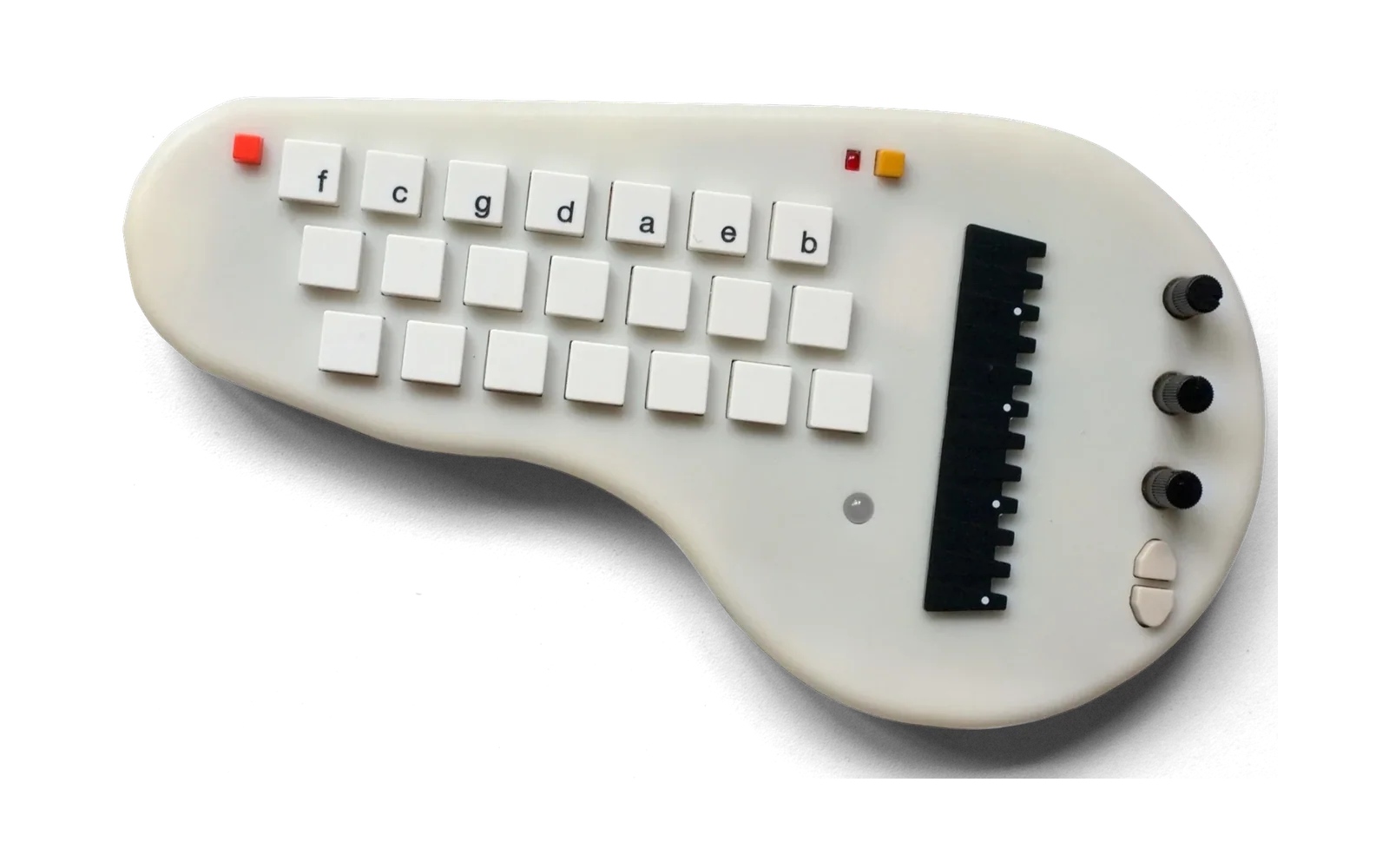
minictl
The minichord from the command line: read and change its settings by name, walk and back up its banks, turn words into a preset, tell it what to do in plain sentences, send it a drum kit of your own, play notes into it, watch what it sends, record it and flash it. It speaks the same SysEx as minicontrol, reads instructions with the same grammar, and describes presets with the same rules, so the page and the command line agree about every setting.
pip install "minichord[all] @ git+https://github.com/keyandcableco/minictl"
minictl info
minichord on minichord:minichord MIDI 1 28:0
stock firmware 9, 206 settings
bank 3
It runs on Linux, macOS and Windows, with Python 3.9 or later. [all] adds pyserial (for monitor) and sounddevice (for record); without them, everything else works.
Stock firmware and the fork
minictl works with Ben Poilvé's stock firmware and with the minichord fork's, and tells them apart by itself: stock reports version 9 and below, the fork 10 and up. The fork keeps every stock setting at the same address and adds a few hundred (sampled voices, drums, the looper, MIDI in, tunings, names kept in the preset, and more).
On stock firmware minictl offers stock's 206 settings, in stock's ranges. Words that reach past them still work as far as stock can follow: describe "choir chords, darker" makes it darker and says it left the choir out, and a backup from the fork's firmware restores into a stock minichord with what stock keeps. Reading banks (banks, backup, restore, do on banks) needs stock 9, which loads a bank by SysEx. Playing notes into it, snapshots, rhythm mode by SysEx and preset names are the fork's. --firmware stock or --firmware fork (or MINICTL_FIRMWARE) chooses when no minichord is plugged in, or to override it.
Stock firmware can't take settings 126 and 127 (oscillator 2's frequency multiplier and oscillator 3's amplitude) over USB: it reads a write to them as a universal SysEx message and drops it (#169 fixes this). minictl says so rather than failing silently.
Flashing from stock firmware to the fork's, or back, formats the preset storage, so every bank goes back to its factory preset. minictl backup first and minictl restore after.
Commands
info | firmware, bank and preset name |
ports | the MIDI and serial ports, and which one minictl takes |
list [words] | the settings by name, with their ranges or choices (-v says what each does) |
get [settings] | read settings; with none, every one away from its default. -b 3 reads a stored bank, -c CODE a preset code or a shared preset's name |
set setting value ... | change live settings: set reverb-size 0.8 temperament kellner mod-knob chord-attack |
bank [n] | which bank is playing, or load one |
banks | every bank's name (--codes adds each one's code) |
save [n] | save the live settings to the current bank, or bank n |
reset n | put a bank back to its factory preset |
name [text] | the live preset's name, or name it (fork firmware 50 and on) |
backup [file] | every bank to a file, in minicontrol's backup format |
restore file | write the banks in a backup (--banks 1,3,5-7 for some), then read them back to check |
code [code] | the live preset as a share code, or play a code or shared preset |
describe "words" | a preset from a description, by preset_maker's rules, starting from what's playing (--base for something else); --send plays it, --save n keeps it |
do "words" | an instruction, as minicontrol's instruction box reads it: do "turn off hover on banks 2 and 4, raise the reverb" (below) |
words | everything describe understands |
tuning [file.scl] | the tuning playing; with a Scala file of twelve notes, makes it your own temperament (fork firmware 67 on; --keep-a keeps A where it is, --export file.scl writes the tuning playing out) |
conflicts [code] | settings that undo one another (--strict exits 1 when there are any, for scripts) |
play C4 E4 G4 | notes through MIDI in, fork firmware 29 on (--harp for the harp's port, -l seconds, --arp seconds apart) |
panic | all notes off |
rhythm on/off/toggle | rhythm mode (fork) |
snapshot, revert | remember the live settings, and go back to them (fork) |
locks | the settings the minichord keeps as its own, whatever preset is loaded: --lock master-tuning, --unlock, --defaults, --none (fork firmware 76). restore, code and do leave locked settings alone |
kit info | what the minichord's drum kit slot holds: your own drum kit, drum kit 13 (fork firmware 113) |
kit send FILE.mckit | send a kit made in minicontrol into the minichord's flash (below); --select then plays it (drum kit 13, live), --force sends with a browser on the port |
kit clear | erase the kit from the minichord's flash; drum kit 13 plays the studio kit (drum kit 4) until another is sent |
monitor | what the minichord sends: its MIDI and its serial log (--midi, --serial) |
record file.wav | its USB audio (-s seconds) |
flash file.hex | put a firmware on it, through PJRC's loader |
--json gives scripts JSON from info, list, get, banks, describe and kit info.
Settings by name
Every setting has a name made from the firmware's parameters.json: chord-attack, harp-reverb-level, temperament. The controls have short ones: mod-knob, mod-knob-alt, chord-knob-alt, hover, double-tap, double-tap-2. A setting can also be given by its address, or by enough of its name to be the only one (werck is enough for a temperament; attack isn't, and minictl lists the attacks it could be). Values are in the setting's own units, as minicontrol shows them: times in milliseconds, frequencies in Hz, 0.8 for a decimal setting. Choices take their name (chord-voice choir), a control takes the setting it moves (mod-knob chord-crunch-level, or none), and on/off settings take on and off. Each value is checked and clamped the way preset_maker checks a preset, and the instrument's own setup (USB audio, the harp plate, its thresholds) can't be changed this way: set --raw writes a stored value to any address, unchecked.
After a set minictl says if the change made two settings undo each other, from the same list the describer warns with.
Instructions in words
minictl do reads what minicontrol's instruction box reads, with the same grammar: minictl/commands.py is a port of minicontrol's commands.js, kept line for line, and a test holds the two to the same answers.
minictl do "turn off hover, set the chord attack to 200 ms"
minictl do "darker and more reverb on banks 3 to 5"
minictl do "assign the mod knob to key signature on every bank except 1"
minictl do "make bank 5 like bank 2"
minictl do "copy the envelope from bank 3 to bank 4"
minictl do "load Twin Green on bank 6, then make it darker"
An instruction is for the live sound unless it names banks: "on banks 2 and 4", "every bank but 3", "this bank", "my Drone bank" (a name kept in the bank, fork firmware 50 on). Anything that isn't an instruction ("warmer", "Purple Rain") goes to the describer, once for each bank, so "darker" is darker than what each bank holds. minictl shows what changes in each place, asks which setting was meant when a name could be several, and asks before writing banks. -n shows the changes and sends nothing. -c CODE works on a preset code instead of the minichord and prints the new code.
Reading or writing a bank loads it, which drops what is live and unsaved, so afterwards minictl puts the live sound back as it was, with the changes on top.
Your own drum kit
Drum kit 13 (drum-kit 13, fork firmware 113) plays up to thirteen one-shots of your own in place of the drum machine's voices, any you leave out taken from one of the other twelve kits. minicontrol makes the kit from your sound files and saves it as a .mckit; minictl kit send kit.mckit puts it in the minichord's flash, between the firmware and the presets, where it stays through power cycles and preset changes. There is room for 256 kB of sound at most, less when the firmware is bigger; kit info says how much. Until a kit is sent, drum kit 13 plays the studio kit (drum kit 4).
minictl kit send tabla.mckit --select
minictl kit info
The file is checked before anything is sent, by the same checks the firmware and minicontrol use (the fork's generator/user_kit.md is the contract, and minictl/user_kit.py its reference, as the fork has it). While the kit is written the minichord goes quiet and answers nothing else, usually for under 20 seconds: don't unplug it. If its rhythm or looper is running it can't take a kit, so minictl stops them, says so, and sends again. On Linux minictl won't send while a browser (minicontrol in Chrome, say: Chrome, Chromium, Edge, Opera, Brave, Vivaldi or Firefox, told by its program's name or its MIDI client's) has the minichord's port open (--force sends anyway): close minicontrol's tab first, as its messages are dropped while the kit is written, and unplugging with Web MIDI open can hang USB on some Linux kernels. Other programs on the port, such as PipeWire's MIDI bridge, are only named. While another program sends the minichord a kit, minictl's commands wait for it to end, as the minichord answers nothing else meanwhile: one going when a command starts, and one heard beginning in the middle of it, when what minictl sends waits and a report it was waiting for (a bank walk's) is asked for again. The minichord also drops what reaches it in the moment before that upload is heard, so restore writes again any bank that then differs from the file; the other commands that send settings (set, code, do and the like) don't check, so run one again if another program sent a kit while it ran.
A firmware that grows past where the kit's sound starts leaves the kit unplayable (kit info says so). minictl keeps the last kit it sent in ~/.cache/minictl/last-kit.mckit, so minictl kit send ~/.cache/minictl/last-kit.mckit puts it back.
What it asks first
set, code, describe --send, do on the live sound, bank and play change only what's playing; the bank stays as stored until it's saved. save, reset, restore, set --save, do on banks, kit send, kit clear and flash write to the instrument's memory, so they ask first, or take --yes. Run from a script with no one to ask, they stop rather than go ahead.
Walking the banks (banks, backup, restore, get -b) loads each one in turn and comes back to the bank it started on. Loading a bank drops live changes that weren't saved.
The minichord's port on each system
minictl finds it by name: "minichord MIDI 1" on Linux, "minichord Port 1" on macOS, "minichord" on Windows, and the harp's second port beside it. --port (or MINICTL_PORT) picks a port by a piece of its name. On Windows only one program can hold a MIDI port, so close minicontrol, or a DAW, before using minictl. Linux and macOS share it.
record finds the minichord's audio input by name; on Linux, when PulseAudio or PipeWire holds the card (USB audio mode 1), it records through the sound server instead. --device (or MINICTL_AUDIO) names another input.
flash uses PJRC's teensy_post_compile from PlatformIO (~/.platformio/packages/tool-teensy) or the Arduino IDE's Teensy package, or the folder in MINICTL_TEENSY_TOOLS. Close every program using the minichord's MIDI first. On Linux it refuses to flash on kernel 6.1.0-53, whose USB MIDI disconnect hangs the machine, or while another upload is running. A firmware that changes the preset storage wipes the banks, so minictl backup first.
Tests
python tests/test_minictl.py
The tests check the names, values and codes, then run every device command against a pretend minichord on virtual MIDI ports (tests/fake_minichord.py), so they never touch a real one. Virtual ports exist on Linux and macOS; on Windows only the offline half runs. To try minictl without the instrument, run python tests/fake_minichord.py in one terminal and minictl --port fakechord ... in another.
The pretend minichord has the kit slot too, on a pretend flash that erases and programs as the real one does, and the kit tests send it the fork's test vectors (tests/kits: a synthetic kit, every message of its upload, and the broken images with the reason each must fail), lose a reply on the way, find it busy, and so on. Chrome sees its virtual ports as it sees the instrument's, so minicontrol's kit page can send it a kit; minicontrol looks for "minichord" in the port's name:
python tests/fake_minichord.py --name "minichord fake"
It prints what its kit slot does. --room 128 gives it less room, --kit file.mckit a kit to start with, --rhythm a rhythm running, and --lose-every 20 loses every twentieth piece's reply, so the sender must send it again.
The device tests run twice, against a pretend fork minichord and a pretend stock one (python tests/fake_minichord.py stock).
tests/parity_test.py ~/minicontrol runs the same instructions (tests/commands_cases.json: minicontrol's own tests and suggestions, and more) through commands.py and minicontrol's commands.js, and every one must change the same values and say the same things. It needs node. Run it after either side changes; a difference is a bug in one of them.
Where its data comes from
minictl carries what it knows, so it needs no firmware checkout: each firmware's parameters.json and shared presets (minictl/data/stock, minictl/data/fork), the names minicontrol's dropdowns give each choice (minictl/data/options.json), the describer (minictl/describer), which is written in the fork, and the user drum kit's reference (minictl/user_kit.py, the fork's generator/user_kit.py) with its test vectors (tests/kits). sync.py refreshes them all from a fork checkout, stock's branch in it, and minicontrol:
python sync.py --fork ~/minichord --stock upstream/main --minicontrol ~/minicontrol
Run it when either firmware gains settings or the describer learns words, then run the tests and commit what changed. A minichord running a newer firmware than minictl knows still works; its newest settings have no name until the next sync.