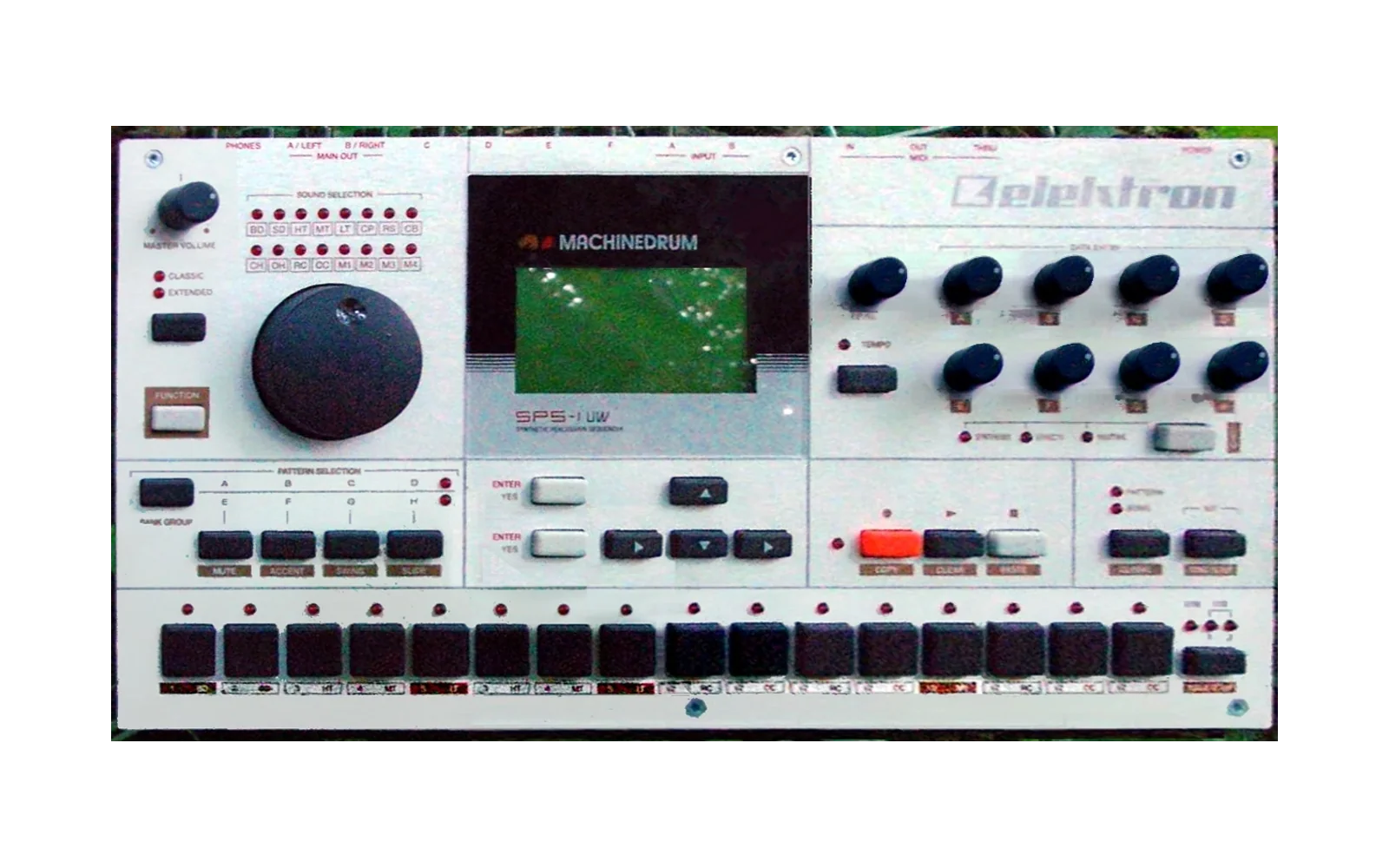
mdmm
Peaking96/100Machinedrum Editor + Monomachine Editor: free desktop editors for the Elektron Machinedrum and Monomachine (emulated firmware or your own machine over MIDI). Built on Gearmulator. GPL-3.
mdmm is custom firmware for the Elektron Machinedrum, by @radekdymacz. Open source under GPL-3.0, latest release mdmm-v0.8.1 (October 2026), 13 stars on GitHub.
forElektron Machinedrum·by@radekdymacz
Unclaimed. Is this yours? Sign in with GitHub as @radekdymacz to claim it.
Machinedrum-Editor-macOS.pkg· 42 MB· +8 files
GPL-3.0· radekdymacz/mdmm·mdmm.dev·downloads come from the creator’s GitHub releases
mdmm-v0.8.1Machinedrum Editor + Monomachine Editor 0.8.1Latest9 files
Machinedrum Editor + Monomachine Editor 0.8.1
A bug-fix release. The Monomachine starts a new kit with the values the machine itself uses, the keyboards match the machine's note range, and a number of smaller faults reported on Discord or found by the tests are closed.
A release on top of 0.8.0. Screenshots, features and FAQ: https://mdmm.dev · User guide: https://mdmm.dev/guide/
Monomachine
- A new kit starts with the machine's own values (B-175, B-176). The start values of the AMP, FLT, EFX and LFO pages and of the SYN page of every machine are now those the firmware gives a new kit, read from the machine. A new kit no longer starts with AMP VOL at 100.
- The piano keys run from C-0 to B-8 (B-185), the range the machine plays. Hover a key to see its note name. The Pattern roll still holds all 128 notes; only the keyboards stop at C-0 and B-8.
- A note drawn in the roll no longer hangs when the arpeggiator is on (B-179). With KEY, SID or ADD on, a new note is held to the next trig, as a trig key does on the machine, so a single note repeats. With the arpeggiator off, the draw length is kept. Notes drawn before keep their note offs: drag a note's end to lengthen it. The help and the guide say what ends an arpeggiator run.
- Renaming a kit and undoing it no longer leaves the kit marked "edited" (B-190). The undo now sends the stored name exactly.
- Kit edits wait until the machine can take them (B-027). A value changed while an earlier edit was still on its way is no longer lost.
- The GLOBAL page and window sizes are checked (B-186, B-063). Both editors' windows are covered by a test.
Machinedrum
- The tempo nudge is no longer counted twice. When the editor reads GLOBAL while the nudge is held, it keeps the tempo the nudge started from, so letting go returns to the right tempo.
- A press on the kit line of the lock lane snaps to the kit value. It no longer writes a lock beside it.
- M, M, Alt+M in a row mutes every track (B-191). A late report from the machine used to undo the second mute, so one track stayed unmuted.
Both editors
- SysEx import: the slot list is read again. Slots that were sent but not read back (Read back and compare off, or a slot given up) are now read again in the background, so the kit names listed match what the machine holds (B-174).
- Shorter audio pauses when a project's state is loaded. The factory flash is shared under the device lock and copied outside it, so the audio thread waits less.
- The Ableton note (B-187) is in the guide: Ableton keeps one window open per plug-in type by default (a host setting).
Linux
- Text is visible on SteamOS and other minimal systems. The text of the menu bar and the native panels was blank when the system had no font whose name contains Sans, Verdana, Arial or Ubuntu. The editor now falls back to any available font.
- The start-up failure card shows in full. When the web view cannot start, the native error is no longer covered by an empty browser window.
Emulator
- Three fixes from the upstream projects, copied one at a time: the 68k core builds its opcode table once (
std::call_once), so two editors starting together no longer race; the DSP's host port takes its pending flags with one atomic exchange; andAudioBuffer::appendwith size 0 no longer reads past the end. The sound is unchanged. The list is in doc/modern-ux/UPSTREAM.md.
Known
- Monomachine: a GLOBAL change made while the editor is still reading the machine at project open may not reach the memory file (B-192). The change reaches the machine; it is being looked into.
mdmm-v0.8.0Machinedrum Editor + Monomachine Editor 0.8.09 files
Machinedrum Editor + Monomachine Editor 0.8.0
The MIDI release. Notes, clock, transport and program change now run through the plug-in the way they do on the machines, and the editor shows what MIDI it takes in and sends out. The audio thread no longer waits for the editor, the Monomachine tester items are done, and stacked LFOs on the Machinedrum no longer miss trigs.
A release on top of 0.7.0. Screenshots, features and FAQ: https://mdmm.dev · User guide: https://mdmm.dev/guide/
New, on both editors
- MIDI Learn is back. Click the Control key in Setup (right of LEARN), press LEARN (L), click a value and turn a knob on your controller both ways: the knob now moves that value, on any track. A button that sends 127 and 0 is learned as the value's highest and lowest. Mappings are control changes only, 128 at most, and are saved with the project. A learned CC wins over the machine's own CC on that channel: the Control page says what it hides (for example "Overrides the machine's CC 21 on channel 1: T1 DEC"), and removing the mapping gives the CC back. In a DAW the moves are recorded as automation. Learn is off while the HW MIDI engine is in use, and the Control page says why. Projects from the early alphas bring their old mappings once.
- MIDI Learn covers every value of the page (B-169). Besides the sound values of the tracks, you can learn what belongs to no track: on the Machinedrum the four master effects (Rhythm Echo, Gate Box, Master EQ, Dynamix), the tempo and the pattern's swing and accent; on the Monomachine the tempo, the master tune, the multi envelope and the pattern's swing. The Machinedrum's LFO page of every track (target, shapes, update mode) is learnable too, and on the Monomachine the pattern and track transpose, the whole arpeggiator, the assign table and the values of the MIDI tracks. A choice such as an LFO shape or an arpeggiator mode is learned over its entries. They have their own FX column on the Control page, and a learned CC moves them as a click on the page does (one undo step per turn).
- MIDI monitor. The log carries a
midi: in … out … dropped …line every 10 seconds while MIDI counts change, and the standalone's AUDIO / MIDI panel has a Monitor row with IN and OUT totals and rates. Hover a number for the types: notes, controllers, program changes, clock, transport, SysEx. - A MIDI loop warning. When a virtual bus (an IAC bus on macOS, a loopMIDI port on Windows, Midi Through on Linux) is on as an input and is also the output, the panel shows a red line and the log carries it. A real port in and out never warns.
- The AUDIO / MIDI panel says why an input stays on NONE (microphone access off, no input channels at this rate, a device setup error, or another program holding the device), and the standalone has the Bluetooth permission key.
- Pattern and Kit. The first two tabs are named Pattern and Kit (they were Sequence and Sound), in the editor, the key view, the tooltips, the guide and the site.
- Follow played track. Engine menu > FOLLOW PLAYED TRACK: a note from a MIDI controller selects the track it plays. Off at first, saved with the project.
- Kit arrows. The KIT field has ‹ and › that step to the previous and next kit.
- Click a note or trig and it stays selected. Double-click removes it, Delete removes the selection. On the Monomachine, up and down change the pitch of one selected note.
- Lock lane. A thicker kit-value line with its value as a number. Drag the line to change the kit value; locks show their numbers at their bars.
- Song rows show their tempo, mutes and transpose on the arrangement cell.
- SysEx import read-back is a choice. The tick Read back and compare is on at first. Off, the import ends after Send and the report says what was sent and that it was not read back.
- The transport menu opens by right-click on the play key (Play or Stop, Pause or Continue, Record, Panic); the small arrow key beside it is gone.
- MKI / MKII plate moved into the engine menu.
- Chain, Pattern and Song stay in step with the machine (B-162, see Fixes).
- The user guide covers MIDI and sync: inputs, the Windows single-client rule, the loop warning, what MIDI out sends, notes and the key map, program change, Tempo INT and EXT, the control change map and host automation, Ableton's "Multiple plug-in windows" and Logic's old
.componentfiles.
New, Monomachine
- Mix meters. The routing graph shows the level of each output pair (A/B, C/D, E/F), with a hold tick and a clip mark.
- A forwarded trig lights blue. A track that plays because another track's trig forwards to it shows a blue lamp on its rail number.
- The DigiPRO D waves have their names (SINE, HSIN, TRI, 2OID … FEMÖ), read from the machine, under their number on the boxes and the morph and wave screens.
- The trig mark of the lock lane says what it is: red fires all three envelopes, green only some or none.
- Pitchless trig is in the step menu (the guide says how, and how on the machine).
- The filter envelope shows the full BOFS and WOFS range, -64 to +63, in a big pane and a small square pane with ATK and DEC dots.
- The LFO preview follows the track's locks. It draws the pattern's whole length and shades the steps where a lock changes the LFO.
- Octave range. Z and X reach -4 to +6 and the Perform keyboard runs from MIDI note 0 to 127.
- Slides in the lock lane are drawn as a ramp between real locks only, above the bars. Shift-drag from a lock to draw a slide to the parameter's next lock (a rubber band); click the line to remove it.
Changed
- Machinedrum: notes from a DAW or a port go to the machine's own MIDI input. The editor used to turn notes 36 to 51 on any channel into TRIG key presses. Now a note plays the track that the Global key map gives it, on the four channels from the base channel, as on the real machine. A change in GLOBAL > Map editor works from a DAW, and host notes no longer write steps when GRID RECORD is on. A note on a channel outside the four base channels plays nothing, so a drum track on channel 10 needs the base channel set so that channel 10 is among the four (B-163).
- Monomachine: deleting a note writes no NOTE OFF (cut and moved selections too). The note before runs on through the gap, as on the machine.
- Machinedrum: the background timing is finer (30 µs instead of 125 µs, the Monomachine's value). Patterns that depended on missed hits may sound slightly different (B-161).
Fixes
- Machinedrum: stacked LFOs no longer miss trigs. Three LFOs on a kick's pitch now sweep on every hit (B-161, from Discord).
- Both: switching between Chain, Pattern and Song no longer leaves the page and the machine in different modes or changes parameters (B-162, from Discord).
- Audio thread: it no longer waits for the editor. The page's commands go through a queue, machine memory is copied in parts, and the machine's facts are a snapshot. The longest wait on the audio thread under load is 0 ms in the real-time gate. This may also help the Windows crackle (B-156): please retest.
- Both: the Song page fits narrow windows (B-165). Its columns stack below 1240 px wide and the page scrolls as a whole; nothing is cut at 1100 x 800.
- Host saves keep the project's own machine state. A save that cannot read the machine at that moment writes the last good state, never an empty machine chunk; machine memory is copied in bounded parts.
- Standalone: choosing Bluetooth MIDI no longer takes the app down on macOS (B-155), and the input list says why it stays on NONE.
- Standalone: noise with Ableton over IAC (B-154) was a feedback loop of the app's MIDI out into its in; the panel now warns about it. An external 24 PPQN clock alone is clean.
- Monomachine: a lock the panel counts is now drawn (B-164). A lock on a step without a trig shows as a ghost bar, a lock of 0 keeps a mark, and the counts say their unit.
- Monomachine: the page no longer says the machine ignores a lock on a step without a trig (B-168). A firmware probe showed it plays it (volume, filter, tune), from that step to the next trig. The ghost bar stays; its tooltip and the guide now say so.
- Monomachine: BOFS and WOFS are signed (-64 to +63, B-148), FM+ frequencies show as the machine shows them (B-149), the DigiPRO waves are numbered D01 to D64 and S01 to S32 (B-150), PCH2 to PCH4 are the machine's list (B-151), and a pitchless trig can be made in the editor (B-152). The D wave names are done too.
- Monomachine: a track kept playing after the host's transport stopped is confirmed fixed through the processor, with All Notes Off on every channel (B-121).
- Emulator: 28 fixes from the upstream DSP emulator (dsp56300), copied one at a time: the JIT, DMA, host port and ESSI. The sound is unchanged (every reference recording equal) and the CPU use is about 1 % lower. The list, and what was left out and why: doc/modern-ux/UPSTREAM.md.
- Linux: the README has the SteamOS line, and a start test in CI runs the tarball on SteamOS 3 (B-153).
- CI: Windows, Linux and macOS run the same MIDI tests (B-044, B-047). The seqlock test no longer counts a start value as a torn read.
Known
- Machinedrum: after a sample is sent to the machine by SDS (Load sample, a dropped file, a rename), live recording records nothing until you restart the editor (B-133). The cause is a bug in the machine's OS 1.63 screen list; the editor keeps the hardware's behaviour. Restart the editor after loading a sample, then live record.
- Monomachine: a song's LOOP row goes back to row 1 (B-038), and a pattern pick during a SysEx import asks about kit edits you never made (B-045).
- Machinedrum: a SysEx import and the empty reset cannot be undone (B-130). Export a backup first.
- Monomachine Sound: the UNISON and SUB screens' stems can look thicker than they should in the standalone (B-132).
- Two reports we could not reproduce: Ableton Live seeming to route one editor's MIDI into the other (B-119), and crackle on Windows when steps are entered during playback (B-156, please retest). If you have steps, please send them: https://mdmm.dev/contact/
Tips
- Both editors open at once in Ableton Live: in Live > Settings > Plug-Ins, turn Multiple Plug-In Windows on and Auto-Hide Plug-In Windows off.
- Logic lists the editor twice or loads an old one: delete
GearmulatorMD.componentandGearmulatorMM.componentfrom/Library/Audio/Plug-Ins/Components, then restart Logic. - On Windows a MIDI port belongs to one program at a time. If Live holds the port, the standalone cannot open it, and the panel says so.
For developers
- MIDI Learn: the mappings are a member of the setup (
MDSK), the audio thread reads a fixed table through a seqlock and pushes learned CCs into a ring that the session drains, and no callback exists. Design indoc/midilearn/DESIGN-learn-0.8.md, threads inTHREADING.md. Global targets (B-169) cross the ring as ids and are applied by the desk as the page's own commands. Tests:deskLearnTest,mdLearnRouterTest(with a ThreadSanitizer stress run),mdLearnFirmwareTest, andEDITFLOW_LEARNin the real-time gate. - Tests for the MIDI path: host notes through the key map, the DAW transport and clock through the processor with a scripted play head, the B-154 loopback, the MIDI monitor, the loop rule, Mix meters, and the stacked-LFO firmware test.
- Monomachine machine-tier journeys still depend on run order (B-160).
Platforms
- macOS 12 or later (Intel and Apple silicon), not signed by Apple yet: the first install needs Open Anyway (on macOS 12 to 14: right-click the installer > Open).
- Windows x64 and Linux x64: not tested by a person yet. Feedback welcome: https://mdmm.dev/contact/
macOS: take the
.pkg.Machinedrum-Editor-macOS.pkgandMonomachine-Editor-macOS.pkgare the installers (the app, the VST3 and the AU; they also remove old copies of the editors; the original Gearmulator MD / MM plug-ins can stay installed beside them). The.dmgfiles hold the same files loose, to drag into place by hand, with no installer in them. Check your download:SHA256SUMSlists the SHA-256 of every file on this page (shasum -a 256 -c SHA256SUMS --ignore-missing).Windows and Linux: not tested. The
*-Windows-x64-not-tested.zipand*-Linux-x64-not-tested.tar.gzarchives are built and unit-tested by CI only; nobody has used them yet. Each has a README (install paths, required packages). Bring your own ROM.mdmm-v0.7.0Machinedrum Editor + Monomachine Editor 0.7.08 files
Machinedrum Editor + Monomachine Editor 0.7.0
A release about the grid and the lanes: a small GEN dialog on every track, shape tools for the lock lane, and a new look for the Monomachine's lane row, Arp, Trig setup and Perform pages.
A release on top of 0.6.0. Screenshots, features and FAQ: https://mdmm.dev · User guide: https://mdmm.dev/guide/
New, on both editors
- A dice key on each track, after M and S, opens a small GEN dialog. Pick Euclid or Random, set the MODE row, and the track changes as you turn the controls. Cancel puts the track back; Done keeps it. Either way it is one undo.
- The GEN dialog stays out of your way. Drag it by its head. Change track while it is open and it follows. ESC closes it. A Keep switch holds what you have; ⌘-click the dice to keep without opening, and ⌥R rolls all tracks and keeps them.
- The GEN bar under the grid is gone. The dice key replaces it.
- Lane shape tools on the lock lane. Eight shapes, ×1, ×2 and ×4, every 2nd, 3rd or 4th step, offbeats, Human, scale and Inv. Hover a tool to see a preview on the lane before you apply it. ⌘ adds the shape to the lane, ⌥ subtracts it, ⇧ scales it.
- Lane hover shows an outline only, so the values underneath stay readable.
- Mix strip heads show the track number and the machine name, and a trig light that flashes on trigs and played notes.
- Sound page: Clear sits next to R. It replaces Revert track on that page.
- Long track names end with an ellipsis, and the full name shows as a tooltip.
New, Monomachine
- Lane row: the tabs on the left, the tools on the right.
- Arp has a LEN box. The strip shows the LEN steps, and the values sit under the strips.
- Trig setup: the values sit under the graph, the graph is easier to read, and Legato has a restarts panel.
- Perform page redesigned. The envelope covers all tracks on the left. The track card has a T1 to T6 selector, the joystick and assign. Mutes and the keyboard modes sit on the right.
- ? help and 1/16 are now on the right of the roll bar.
New, Machinedrum
- Sampler: the source choice and the take status are in the card heads. Source and Playback faders share one line.
Fixes
- Firmware tests no longer crash when a SysEx import ends (B-147, test harness only).
Known
- Machinedrum: after a sample is sent to the machine by SDS (Load sample, a dropped file, a rename), live recording records nothing until the machine is restarted (B-133). Restart the machine before live recording if you work in the Sampler first. The sample itself is fine, and so is the rest of the machine.
- Machinedrum: a SysEx import and the empty reset cannot be undone (B-130). Export a backup first.
- Monomachine Sound: the UNISON and SUB screens' stems can look thicker than they should in the standalone (B-132).
- Window resizing: the Monomachine window does not resize with the mouse, and the Machinedrum looks distorted when resized (B-063).
- Machinedrum: in a small window the top bar's right end is cut below 864 px wide (B-061).
- Machinedrum: a lock on a step without a trig is kept but not played (I-019). OS 1.63 does this on the real machine too.
- A song's LOOP row in the Monomachine goes back to row 1 (B-038), and a pattern pick during a SysEx import asks about kit edits you never made (B-045).
- Drag and drop works on macOS only (I-017). On Windows and Linux, use the buttons.
- The update banner still offers Download (the site), never Update (I-005, waits for the signing key).
- Two reports we could not reproduce and are still looking at: Ableton Live seeming to route one editor's MIDI into the other (B-119), and "Reset to the pattern" loading another pattern (B-122). If you have steps, please send them: https://mdmm.dev/contact/
For developers
- ROM-free page preview with live reload:
scripts/mdmm-preview.sh md|mm. Data-driven scenarios (?scenario=,doc/modern-ux/scenarios) are checked against a schema. - The page suite runs in CI on every push to main: the page tests and the page-tier journeys of both editors, on Linux, no ROM.
- The E2E run ends with a pass or fail verdict, and check selection is narrower by area.
- Gate journeys start from factory memory, and the background meter reads -50 dB, so the six real-factory and real-sequence journeys can prove sound and pass.
- B-147: firmware tests clear the import's SysEx tap when the import ends.
Platforms
- macOS 12 or later (Intel and Apple silicon), not signed by Apple yet: the first install needs Open Anyway (on macOS 12 to 14: right-click the installer > Open).
- Windows x64 and Linux x64: not tested by a person yet. Feedback welcome: https://mdmm.dev/contact/
mdmm-v0.6.0Machinedrum Editor + Monomachine Editor 0.6.08 files
Machinedrum Editor + Monomachine Editor 0.6.0
The biggest release so far: the editors now do what the Machinedrum and Monomachine manuals describe, as far as that can be done from outside the machine. There is a user guide that follows the manuals' chapters, a long list of new features on both editors, and many fixes from your reports and from running every function against the real firmware.
A release on top of 0.5.1. Screenshots, features and FAQ: https://mdmm.dev · User guide: https://mdmm.dev/guide/
Feature parity with the manuals
- 265 of the Machinedrum's 280 functions and 336 of the Monomachine's 351 are in the editors, each with a test that uses it on the real firmware. The rest either need the machine's own hardware (a key combination the mouse makes pointless, the soft reset, the fixed PRG CHANGE channel) or are planned for 0.7 (the Machinedrum's sample manager features, SDS from other tools, the MKI model).
- A user guide, in the manuals' order: every chapter of both manuals, in our own words, with pictures taken from the editors themselves. On the site at https://mdmm.dev/guide/ and as a PDF for each machine. It also says where the editor works differently from the hardware.
New, on both editors
- Song slots. Load, rename (F2), copy, paste, drag one slot onto another, Save to…, clear (it asks, and Cmd+Z brings it back). Switch between PATTERN, CHAIN and SONG. On a real machine over MIDI, Save to… waits as SEND n.
- Transport. Pause and continue (⇧-click ▶ or ⇧Space), a ▾ on ▶ with Play/Stop, Pause/Continue, Record and Panic (⌘.), a tempo control (−/+, TAP, +10 % / −10 %, ⌥-drag), and ▶ From here on the song page. In a DAW the tempo stays locked to the host.
- Recording. Hold Delete during live recording to erase the selected track as it plays (Machinedrum and Monomachine), and on the Monomachine step recording from the keyboard: a red cursor on the roll, → leaves a rest, ← goes back, Delete clears the step.
- Copy, paste and clear "what". The ▾ beside COPY, CLR and PASTE picks what goes: trigs, accent, slide, sound. Also the Machinedrum LFO card's Copy, Paste and Clear LFO. Keys ⌘⇧C, ⌘⇧V and ⌘⇧⌫.
- GLOBAL as a page. Both editors: copy, paste and clear a global slot. Machinedrum: Trig in A / B (the factory global reads Gate 1, Sens 0, Vmin 0, Vmax 127), and LEARN on a track to map a MIDI note to it. Monomachine: master tune and Control out 1.
- SysEx import, export and reset in the engine menu. Export all of the machine, or only the kits, patterns, songs, globals and waveforms you tick, and import to a place you choose. Verify only shows what would change. Reset machine…: an empty reset on both, a factory reset on the Machinedrum.
- Machine memory for new sessions. What you save on the machine (a kit, a pattern, a song, a global) is kept in a file, and a new session starts from it. A DAW project still opens with its own memory. Reset machine… > Start from factory memory…, and a KEEP MEMORY switch turn it off. The standalone starts from the file as well. Two instances of one machine: the last save wins.
- Type a value. ⌘-click a value (Ctrl-click on Windows), type, Enter. A value out of range is refused with its range; ⌘Z takes a typed value back.
- Revert track. The key beside the machine key puts one track back to what its kit slot stores.
- The machine's own clock in a DAW. GLOBAL > Sync > Tempo in INT lets the machine run on its own clock, saved with the project.
- Incoming MIDI notes light up the keys (Monomachine Perform) and the tracks (Machinedrum), in the standalone and in a DAW.
- The Perform keyboard's keys light only while a key is held.
- UNDO KIT brings back the kit that was playing after you loaded another without saving it.
- GLOBAL, the kit library, AUDIO / MIDI, the machine picker and the SysEx panels are dialogs: a click beside one leaves it open, Esc closes it.
- The top bar and the LCD fit at every window size down to about 864 px wide, on every workspace.
- Solo is saved with the DAW project.
New, Machinedrum
- A LEV box above each Mix strip: the track's level, separate from VOL, with undo.
- Try a machine before you choose it. In the machine picker, ▶ puts the machine on the track and plays it once; Esc puts the old one back with its sound; Enter keeps it.
- Paint swing, accent and slide with the keys under the grid, for all tracks or the one you are on.
- Parameter relations are drawn as an arch over the knobs they link (RAMP and RDEC, AMD and AMF…).
- Sampler: Rename. Renames a ROM slot's sample on the machine, audio unchanged.
- Pattern length 32 or 64 repeats the existing pages, and a queued pattern shows as the current one when you stop.
- A song row with a repeat shows +2, +1, last as it plays.
- A cleared kit slot loads as a really empty kit.
New, Monomachine
- MKI and MKII plate key. The LCD is light blue on MKI and bluish white on MKII; the machine list greys the MKII-only machines on MKI.
- Perform: Poly, filter key tracking and the Multi envelope are easy to set up (a track's six voices, LPF tracks keys, the envelope's hint about the Multi trig mode). The Multi map's pattern list runs A01 to H16.
- A trig's marks on the roll. Which envelopes a note fires, locks, slides, swing, trigless trigs and NOTE OFF show on the note itself, and the right-click menu sets each one for every selected step. Clear locks keeps the notes. A lock key in the lock lane's header puts a lock at the kit's current value on every selected note.
- The pattern chooser can give a pattern a kit (⌥-click, then the Kit list), and the arrangement counts bars and beats as the song plays.
- A foot to the Monomachine roll. The Note, Slide and Swing row is gone; the roll is taller.
Changed
- The Monomachine roll has no draw mode any more. A click on an empty step adds a note, dragging a note's end lengthens it, dragging its body moves it, and Ctrl/⌘ selects (drag on the ruler or the grid to box select). One solid gate bar replaces the old marks, which show only where there is something to show. If you used the pencil, this is the main difference to learn.
- Import and Export SysEx are in the engine menu (the kit library and the pattern chooser no longer have SysEx keys). A .syx dropped on the window still opens the import.
Fixes
- Monomachine: a track kept playing after the host's transport stopped, until a note was played on it (B-121, from Discord).
- Monomachine: mute and solo seemed to stop responding after switching views, and a solo lit in Mix but not in Sequence (B-120, from Discord).
- Monomachine: an imported global's MIDI channels reach the machine (B-071).
- Monomachine: ▶ after a pause, Panic and PLAY right after an edit no longer refuse ("The panel is busy") or play silence while the machine takes an edit (B-099, B-129, B-135).
- Monomachine: Play from a song row starts in the row you picked after the song was edited (B-137), and a multi trig's setting no longer jumps back while the machine takes it (B-136).
- Import SysEx, Specific place: moving the first slot quickly no longer puts every kind back on and the place back to Original, so Import asks first and sends only what you ticked (B-146, both editors).
- Monomachine: RECORD during a dump waits and starts when the dump is in (B-092); a pattern with chords no longer says "chord notes but no trig" (B-093).
- Machinedrum: the first PLAY after start-up, and the first factory song, now play (B-109, B-098).
- Machinedrum: a value moved during live recording is recorded as a lock (B-134), live erase no longer sets a trig on another track (B-101), and Chain works after a live recording (B-127).
- Machinedrum: Undo straight after an Alt-drag (a sweep on every track) now reaches the machine; the sweep no longer stays on the machine while the page shows it undone (B-145).
- Machinedrum: a kit with a CTR machine on a track no longer refuses every later edit (B-131).
- Machinedrum: a pattern made 64 steps long from 48 repeats the right steps (B-103).
- Machinedrum: the Rhythm Echo and Gate Box cards on Mix show their own values (B-081); four E12 machines and the MID machines' routing knobs have their right names (B-080, B-082).
- Both: a swing mark no longer flashes back on a step whose trig you removed (B-070); the lock parameter keys show their names whole (B-097); the SysEx import panel keeps its size while it runs (B-095); the GLOBAL page's Trig in A / B shows its values under the right names (B-069).
- Both: dialogs stay open on a click beside them (B-094); text that was cut at the edge of a panel, a card or a list was fitted in the Machinedrum and Monomachine editors (B-111 to B-117, B-126).
- Both: a pause right after PLAY no longer ends at once (B-086), and ⇧-click on PLAY in the Monomachine shows paused (B-104).
- Both: solo is kept in the saved project (B-123).
- Both: a step menu's ⋯ key no longer covers its step (B-125).
Known
- Machinedrum: after a sample is sent to the machine by SDS (Load sample, a dropped file, a rename), live recording records nothing until the machine is restarted (B-133). Look for it if live recording goes quiet after you work in the Sampler: restart the machine before live recording. The sample itself is fine, and so is the rest of the machine.
- Machinedrum: a SysEx import and the empty reset cannot be undone (B-130). Export a backup first.
- Monomachine Sound: the UNISON and SUB screens' stems can look thicker than they should in the standalone (B-132).
- Window resizing: the Monomachine window does not resize with the mouse, and the Machinedrum looks distorted when resized (B-063). Waiting for a tester's host and screenshots.
- Machinedrum: in a small window the top bar's right end is cut (B-061 is fixed down to 864 px wide; below that it can still run past the edge).
- Machinedrum: a lock on a step without a trig is kept but not played (I-019). OS 1.63 does this on the real machine too.
- A song's LOOP row in the Monomachine goes back to row 1 (B-038), and a pattern pick during a SysEx import asks about kit edits you never made (B-045).
- Drag and drop works on macOS only (I-017). On Windows and Linux, use the buttons.
- The update banner still offers Download (the site), never Update (I-005, waits for the signing key).
- Two reports we could not reproduce and are still looking at: Ableton Live seeming to route one editor's MIDI into the other (B-119), and "Reset to the pattern" loading another pattern (B-122). If you have steps, please send them: https://mdmm.dev/contact/
Tips
- Both editors open at once in Ableton Live: in Live > Settings > Plug-Ins, turn Multiple Plug-In Windows on and Auto-Hide Plug-In Windows off.
- The machine memory file is
~/Documents/Gearmulator Preview/<Machine>/memory/machine-memory.bin. If it is damaged the editor says so, starts from factory memory and keeps the damaged file asmachine-memory.unusable.bin.
Faster
- The macOS profile (PGO) is trained again on this code, so the macOS build uses it for every changed function.
For developers
- Every function is a row of data in
doc/features/(one file per machine), proved by a journey that names it (proves:);scripts/mdmm-guide.mjswrites the feature maps, the guide and its PDFs from the rows and the hand-written chapters.scripts/mdmm-e2e.shruns every journey on the real firmware. - Journeys set up and tidy their own state and can run shuffled or one by one; the last order-dependent ones were fixed.
Platforms
- macOS 12 or later (Intel and Apple silicon), not signed by Apple yet: the first install needs Open Anyway (on macOS 12 to 14: right-click the installer > Open).
- Windows x64 and Linux x64: not tested by a person yet. Feedback welcome: https://mdmm.dev/contact/
mdmm-v0.5.1Machinedrum Editor + Monomachine Editor 0.5.18 files
Machinedrum Editor + Monomachine Editor 0.5.1
A release on top of 0.5.0: a CPU meter and an output meter with a master volume, less emulation work, fixes from your reports, and the editors' own plug-in identity.
Screenshots, features and FAQ: https://mdmm.dev · User guide: https://mdmm.dev/guide/
Read this first: insert the editor again in old DAW projects
- The editors have their own plug-in identity now (both editors, macOS, Windows, Linux). Up to 0.5.0 the editors used the same Audio Unit codes and VST3 IDs as the original Gearmulator Machinedrum and Monomachine plug-ins, so a Mac or a DAW could keep only one of the two, and sometimes opened the wrong one (B-048). From 0.5.1 the editors are registered as Future Native Audio plug-ins. You can install the original Gearmulator MD and MM beside the editors; each opens as itself, and the installer leaves the originals alone.
- A DAW project saved with 0.5.0 or earlier does not find the editor. Open the project, insert the Machinedrum Editor or the Monomachine Editor again on its track, once, and save the project. Your machine's memory (patterns, kits, songs, globals) is not in the DAW project and is not lost. The standalone apps are not affected.
New
- A CPU meter in the top bar (both editors, plug-in and standalone, I-018). After the version, a small bar shows how much of each audio block's time the editor uses, smoothed over half a second, with a mark for the worst block of the last 3 seconds. A block over its time shows as a thicker, hatched bar. Hover for the number. A click opens the details: average, worst block, machine speed, the host's sample rate and block size, which speed-ups are on, native or Rosetta, and the speed-up switches, so you can compare them there. The top bar still fits at 1280 px wide.
- An output meter and master volume at the LCD's right end (both editors, plug-in and standalone, I-021). Two thin bars show the left and right output after the volume, each with a peak line, and a clip mark at the top that lights when any output went over 0 dBFS (a click clears it). The volume is the line across both bars: drag it up or down (Shift for fine steps), scroll, or double-click for 0 dB; at the foot it is off. The dB value shows under the LCD while you change it. The volume is saved with the DAW project and in the standalone. It is applied after the emulation, so the machine's sound is not changed. It is not a host-automatable parameter.
- Developer > Speed-ups (faster, same sound) (both editors). The speed-ups switch is now a positive tick: ticked means the speed-ups run (the default). Developer > Speed-ups (each) turns one speed-up off at a time while the others stay on, for testers who want to find which one changes something; each one also has an environment switch (doc/md_mm_performance_diagnostics.md, "Switches for testers"). While the main switch is off, the single switches are grey.
- The native editor menu works (both editors). The menu shown when the page is not up closed without doing anything when you picked an entry. Every entry now does what it says. Every speed-up switch change and every menu pick is a line in the start-up log.
Faster
- Less emulation work (both editors). Four more small bit-exact changes: the DSP link rings and the codec output ring no longer use semaphores (both ends are on one thread), the ColdFire's idle-loop skip is tested right after its branch, a ColdFire slice with no input waiting skips the per-step input tests, and the Machinedrum's NOP-loop skip also tests the instruction target. Host work per audio frame against 0.5.0's code: the Machinedrum about 4 % less, the Monomachine about 7 to 8 % less, stopped and playing. The sound is the same, bit for bit. Each one has its own switch under Developer > Speed-ups (each).
- The macOS profile (PGO) is trained again on this code, so the macOS build uses it for every changed function.
Fixes
- Monomachine: a transpose changed while the pattern plays is heard at once (B-060). A tester on Discord said a transpose took effect only after STOP and PLAY; on the real machine it acts at once. The machine stores a transpose that comes over SysEx, but its sequencer keeps the transposes it took at PLAY. While the pattern plays, the editor now applies the change as the machine's own panel does (the TRANSPOSE screen's TRACK knob), for each track the edit changed, and goes back to the track that was in focus. Stopped, nothing extra happens: PLAY takes the new value. On a real Monomachine over MIDI this is not possible: the edit's note says it is heard from the next start, or press TRANSPOSE on the machine.
- Monomachine: a held key of the transpose keyboard no longer keeps sounding when the window loses focus (B-059). With the mouse button down on a key of the Sequence dock's transpose keyboard, leaving the window left the note on, and with the arpeggiator on the track went on playing. Leaving the window, or a move with no button, now ends the note. A tester on Discord saw the editor "play by itself" when its window was deactivated; we could not reproduce that as told, and this was the one way we found.
- Monomachine: pasting copied steps with nothing selected keeps the rest of the page (B-057). Pasting puts down only the copied steps, from the page's first step, as on the Machinedrum. COPY PAGE then PASTE PAGE still copies the whole page.
- A project with a damaged flash image no longer hangs the emulation (both editors, B-054). A DSP that stops on bad code is now set aside and the rest of the machine runs on, and a host port that nobody reads no longer blocks. When it loads a project, the editor puts the ROM's own bytes back in any flash sector of the operating system that does not match the ROM; the sample area stays as the project holds it. A running firmware never reaches any of this: the sound is the same, bit for bit.
- The start-up card's animation skipped now and then in a test (B-052). This was the test, not the editor: its audio thread ran without pause and kept the message thread waiting. The test now paces its audio as a DAW does. No change in the editor.
Tips
- Both editors open at once in Ableton Live: Live shows only the selected track's plug-in windows while Auto-Hide Plug-In Windows is on, so picking the Machinedrum track hides the Monomachine Editor and the other way round. In Live › Settings › Plug-Ins, turn Multiple Plug-In Windows on and Auto-Hide Plug-In Windows off. The user guide says this too.
Known
- Machinedrum: in a small window the top bar's right end is cut (B-061). In a window smaller than about 1440 x 720 the page is zoomed out, the web view makes small text larger, and the CPU meter, GLOBAL and MKI/MKII can run past the right edge. Make the window larger.
- Machinedrum: a lock on a step without a trig is kept but not played (I-019). OS 1.63 does this on the real machine too; the guide says a Machinedrum lock needs a trig.
- Monomachine GLOBAL: master tune is not on the page yet, and some bytes of the global are still not decoded.
- Machinedrum: a pattern pick during a SysEx import asks about unsaved kit edits you never made (B-045). It goes away when the import finishes.
- Monomachine: a LOOP row in a song written by the editor goes back to row 1 (B-038).
- Drag and drop works on macOS only (I-017). On Windows and Linux, use the buttons.
- The update banner still offers Download (the site), never Update. Installing from inside the app waits for our update signing key (I-005).
For developers
- Plug-in identity is set once in
scripts/mdmm-product.env: AU manufacturerFNAu, subtypesMded(Machinedrum) andMmed(Monomachine), VST3 class IDs from them. The old codes stay in the file for the installer and the tests only.scripts/check_mdmm_plugin_ids.py(ctestmdmmIdentityTest) checks the built AU and VST3 against the file and fails on the old codes. - Journeys reset GLOBAL first (B-058). Before its first journey each editor resets the active global of its sandboxed machine to the factory settings, so a personal or imported global (CHANNEL SPAN 0, another base channel) no longer fails the mute and note journeys. The person's own settings are never written.
MDMM_JOURNEY_CONFIG_MD/_MMstart the sandbox from another settings file. - New journeys:
*-top-cpu-meter,*-dev-speedups,*-lcd-volume,mm-seq-transpose-playing,mm-seq-transpose-key-blur,mm-top-leave-window-stopped,mm-seq-paste-steps-keeps-page. New firmware tests:mmTransposeLiveFirmwareTest,mdDamagedFlashFirmwareTest. - One switch per speed-up:
GEARMULATOR_MDMM_<lever>=0(L1, L11, L2B, L5, L4_NOP, L4_POLL, L4_CYCLE, L4_PORTC, CMPM, and the four new ones LINK_RINGS, UC_IDLE_PROBE, UC_QUIET, NOP_GATE);GEARMULATOR_MDMM_SPEEDUPS=0still turns all off. Measurements: doc/modern-ux/RESEARCH-emulation-cpu.md, "Small wins (0.6)".
Platforms
- macOS 12 or later (Intel and Apple silicon), not signed by Apple yet: the first install needs Open Anyway (on macOS 12 to 14: right-click the installer > Open).
- Windows x64 and Linux x64: not tested by a person yet. Feedback welcome: https://mdmm.dev/contact/
macOS: take the
.pkg.Machinedrum-Editor-macOS.pkgandMonomachine-Editor-macOS.pkgare the installers (the app, the VST3 and the AU; they also remove old copies of the editors; the original Gearmulator MD / MM plug-ins can stay installed beside them). The.dmgfiles hold the same files loose, to drag into place by hand, with no installer in them.Windows and Linux: not tested. The
*-Windows-x64-not-tested.zipand*-Linux-x64-not-tested.tar.gzarchives are built and unit-tested by CI only; nobody has used them yet. Each has a README (install paths, required packages). Bring your own ROM.mdmm-v0.5.0Machinedrum Editor + Monomachine Editor 0.5.08 files
Machinedrum Editor + Monomachine Editor 0.5.0
A release on top of 0.4.0: the Monomachine Editor at the Machinedrum Editor's level, less emulation work, fixes from your reports, and a project that no longer depends on the fork it came from.
Screenshots, features and FAQ: https://mdmm.dev · User guide: https://mdmm.dev/guide/
The Monomachine catches up
- A GLOBAL page (Monomachine Editor, B-051). The GLOBAL key in the top bar, or GLOBAL… in the engine menu, opens the same panel the Machinedrum Editor has: the 8 global slots (a click makes one active), Control (base channel, channel span with each track's channel shown, auto track, multi trig, multi map, program change in and out), Sync (tempo and transport in and out) and Routing. Each change is stored in the active global and made active. Both editors' panels get Reset to defaults (asked first), which writes the global the machine ships with.
- Sound edits reach the machine whatever the global's MIDI channels (Monomachine Editor, B-051). After importing a backup with its globals, turning values on the page could change nothing: the imported global had CHANNEL SPAN 0, so no track had a MIDI channel of its own. A value for a track without a channel now goes as a kit dump. A mute or note that cannot reach a track shows a notice with one key, Give each track its own channel. The SysEx import window's Globals tab says that importing a global changes the channels the machine listens on.
- Step selection as on the Machinedrum (Monomachine Editor). ⌘-click or ⌘-drag (Ctrl on Windows and Linux) in the piano roll, a trig row or the step ruler selects steps; ⌘C, ⌘X, ⌘V, ⌘D and ⌘A copy, cut, paste, duplicate and select all; ← and → move the selection, Shift with them extends it; a ⌘-drag of the selection drops a copy. Delete and the LCD's COPY, CLR and PASTE act on the selection. A right-click opens the step menu: note on or off, NOTE OFF, trigless, slide, a chord note, copy, cut, paste here, duplicate, clear, and fill every 2nd or 4th step (moved there from ⌘-click).
- Notes in the piano roll have a length (Monomachine Editor, I-010). A new note lasts the draw length (the Len key: 1/16, 1/8, 1/4, 1/2, 1 bar), and dragging a note's end sets it, as in Ableton. A note on a synth track writes its trig and a NOTE OFF where it ends; on a MIDI track it writes its LEN (6 a step, measured on the firmware; the roll assumed 8). The roll draws a note up to the track's next trig, and past the pattern's end onto its start, lighter. Deleting a note leaves the note before it its length.
- Draw and box select in the piano roll (Monomachine Editor, I-007). B on Sequence, or the Draw key, turns drawing on and off. With it off, a drag in an empty place boxes notes into the selection, a press on a note selects it, a drag moves the selection (one undo step), and a double-click adds a note.
- Tap tempo is Shift+B on every workspace of both editors. On the Monomachine, B is Draw on Sequence and still taps elsewhere; the Machinedrum keeps T and B.
- Live recording shows what it locks (Monomachine Editor). While LIVE RECORDING plays, a value you turn is locked on the step that plays. The editor marks that step's cell and lock lane for 3 s and says which value it locked.
- The keyboard view is complete (Monomachine Editor): the zoom keys, tips and pointer gestures the Machinedrum lists, where the Monomachine has them.
- The Sound page and GEN / MUTATE as on the Machinedrum (Monomachine Editor). Both editors now draw the Sound rows and the GEN and MUTATE bars from one source. Cmd or Ctrl-click on the R key randomises the track, as on the Machinedrum. At 1440 x 900, R and Defaults no longer fall off the GEN bar.
- The editor follows the kit the machine plays after a pattern pick (Monomachine Editor, B-053, B-046). The Monomachine's OS 1.32B loads a pattern's linked kit only for a pattern in banks A to D; in banks E to H the kit that played goes on, from the editor or from the panel. The editor asked about losing unsaved kit edits before an E-H pick, which was false, and the first edit in the piano roll then made the machine load the linked kit, and your edits were gone. Now the question comes only for an A-D pattern, and an edit of the pattern that plays keeps the kit that plays. The page says "The pattern now links K001, the kit that plays" (with the kit's number). This also explains B-046: picking H16 of a backup leaves the machine on the kit that played.
Faster
- Less emulation work again (both editors). The emulated DSPs skip more of the turns of their idle loops: the silent-voice NOP loops, the loops that wait on a DMA register, the Machinedrum's two sync waits and the Monomachine's Port C wait. Host cycles per audio frame against 0.4.0's code: the Machinedrum 3.7 % less stopped and 2.8 % playing, the Monomachine 18.7 % and 6.2 %. The last idle-loop change took a further 7.0 % and 6.5 % off the Machinedrum and 2.1 % and 3.6 % off the Monomachine. Every one of these is bit-exact: the sound is the same, bit for bit.
- The macOS build is optimised with a recorded profile (PGO). On top of the above, host cycles per frame: the Machinedrum about 7.5 % less, the Monomachine 5 to 6 %. The sound is the same, bit for bit. Windows and Linux builds do not have it.
- All of it together, measured against 0.4.0: per audio frame the Machinedrum needs about 19 % less work stopped and 16 % less playing, the Monomachine about 27 % less stopped and 18 % less playing (retired instructions; host cycles agree within a few points). The same sound, bit for bit. Measured on an M4 Pro, outside a DAW; not yet checked in a DAW or on an M1.
- To compare, the speed-ups are on by default and Developer > Speed-ups off (legacy emulation, slower) in the right-click menu, or
GEARMULATOR_MDMM_SPEEDUPS=0before you start your DAW, turns them all off. Both give the same sound. If a click or a timing difference goes away with them off, tell us. - An experiment, off by default: Developer > Exact MD audio timing (experimental, changes the sound) (Machinedrum Editor only, or
GEARMULATOR_MDMM_EXACT_ESSI=1). It wakes the Machinedrum's DSPs at the exact cycle of each audio slot. It saves some more CPU (measured before the last idle-loop change: 7.4 % fewer host cycles per frame stopped, 3.2 % playing), but it moves notes and DSP work by microseconds, so the Machinedrum sounds slightly different. It acts only while the speed-ups are on. - Fewer spikes on the audio thread (both editors). The Machinedrum Editor's sample list was built on the audio thread, with 143 allocations and up to 128 µs for one sample slot in a block. The audio thread now only copies the memory, at most 13 µs a block, and the editor builds the list. At host sample rates other than 44.1 kHz, each plug-in held 8 copies of the resampler's filter (4.8 MB); now there is one per process (0.34 MB) and the resampler takes about 40 % less time. Both bit-exact.
Fixes
- The Monomachine Editor draws the amp envelope the machine plays (B-049). A tester on Discord said the amp envelopes looked wrong. The values reached the machine as sent; the pictures were a guess. Measured on the firmware: ATK, DEC and REL are times, not steps of the tempo, and grow about twice every 8 to 10 values (ATK 64 reaches 90 % in 0.14 s, where the page drew 1 s; DEC 96 falls 20 dB in 4.7 s, where it drew 1.5 s; REL 127 never fades). Only HOLD followed the tempo. Sound › Amp, the TRIG SETUP plate and the piano roll's bars now draw from the measured times.
- A piano-roll note no longer puts another track's sound back (Monomachine Editor, B-050). A tester on Discord saw this on 0.3.5. It is B-027, fixed in 0.4.0; a firmware test now checks it.
- The AU no longer opens the old Gearmulator screen (macOS, B-048). A user on Discord got upstream's old panel when loading an editor as an AU in Ableton Live. Our AU only shows the editor page: an old preview build was still installed, and it registers the same Audio Unit codes with a higher version, so macOS used it. The installer removed old copies by name only; it now also removes a copy at any name in the plug-in folders it searches, when it carries our codes and is ours. The .dmg's and zip's install texts say an old AU can take the new one's place.
- macOS 12: the Sound page lays out as it should (both editors, B-055). macOS 12's web view (WebKit 15) has no
subgridand no:has(): on the Sound page each group's title sat at the top of a tall row and a short screen at its foot. Four smaller places used:has()too (the Machinedrum's Sampler set-up card, the GEN tag beside a track's name, the GEN bar's summary, the Monomachine's Perform assign rows without a joystick). None is left; every view of both editors is now checked as WebKit 15 lays it out. Not yet tried on a Mac with macOS 12. - The GEN bar keeps R and Defaults in view (Monomachine Editor, B-056). In a window smaller than 1440 x 720 the page is zoomed out and the web view raises small text, which pushed the keys off the bar's end. The bar now tightens its spacing and labels in steps until everything fits.
- The DSP bridge and the MCP server are gone (both editors). The MCP server (upstream's remote control for AI tools, off by default) and the DSP bridge (upstream's network DSP, with no switch in these editors) are removed. A project saved by an upstream build with the bridge on still loads, on the local machine.
A project of its own
- The editors no longer depend on the fork they came from. The emulator cores (DSP56300 and 68k), JUCE and RmlUi are folders in this repository, so the build no longer needs the fork's accounts (only freetype and lunasvg are still fetched from their own projects). The other synths, VST2, CLAP and LV2, upstream's tools and workflows, the DSP bridge and the MCP server are deleted: outside the emulator cores and the frameworks, about 200,000 lines of C and C++, almost half.
- Nothing you use changed: the same bundle names, identifiers, AU codes and VST3 class IDs, so a DAW finds the editors where it did and old projects load. The sound is the same, bit for bit, on both machines with the speed-ups on and off.
- Credits stay: the project grew out of joelanders' Machinedrum and Monomachine emulation, built on Gearmulator by The Usual Suspects and contributors (README).
Known
- A project with a damaged flash image can hang the audio thread (B-054). Seen once, in a test that damaged a project on purpose; not seen with a real project.
- The start-up card's animation may be skipped now and then on a second start (B-052). Seen in a test on a loaded Mac; not seen by a user.
- Monomachine GLOBAL: master tune is not on the page yet, and some bytes of the global are still not decoded.
- The AU version is still below the old preview builds' 2.2.9 (B-048). A left-over old AU the installer cannot see (another user's home folder, a subfolder, a disk-image install) still wins. If your DAW opens the old panel, tell us what is in
/Library/Audio/Plug-Ins/Componentsand~/Library/Audio/Plug-Ins/Components. - Machinedrum: a pattern pick during a SysEx import asks about unsaved kit edits you never made (B-045). It goes away when the import finishes.
- Monomachine: a LOOP row in a song written by the editor goes back to row 1 (B-038).
- Drag and drop works on macOS only (I-017). On Windows and Linux, use the buttons.
- The update banner still offers Download (the site), never Update. Installing from inside the app waits for our update signing key (I-005).
For developers
- The repository is
radekdymacz/mdmm(renamed from gearmulator-md-mm; old links redirect). Apps up to 0.4.0 accept only the old download prefix inlatest.json, so it keeps it; apps from 0.5 accept both. - One product set, no submodules but freetype and lunasvg. No per-synth switches; upstream's remotes, sync script and Jenkins files are gone. Upstream fixes are copied one commit at a time (doc/release/PLAN-0.5.md). What "unchanged" meant and how it was checked: doc/release/CLEANUP-BASELINE.md.
- PGO: a committed, firmware-free text profile (
source/elektron/md/pgo/), applied to both macOS slices by the release build, CI and the local gate; CI never trains it and needs no ROM. - Old WebKit checks: the journeys
md-old-webkitandmm-old-webkitcompare every view as WebKit 15 lays it out;scripts/mdmm-snap.pytakes page snapshots without Screen Recording (--safari15 --size WxH --check). - Windows CI: the machine MIDI out tests run there again (B-047, a test-only fault).
Platforms
- macOS 12 or later (Intel and Apple silicon), not signed by Apple yet: the first install needs Open Anyway (on macOS 12 to 14: right-click the installer > Open).
- Windows x64 and Linux x64: not tested by a person yet. Feedback welcome: https://mdmm.dev/contact/
macOS: take the
.pkg.Machinedrum-Editor-macOS.pkgandMonomachine-Editor-macOS.pkgare the installers (the app, the VST3 and the AU; they also remove the old Gearmulator MD / MM plug-ins). The.dmgfiles hold the same files loose, to drag into place by hand, with no installer in them.Windows and Linux: not tested. The
*-Windows-x64-not-tested.zipand*-Linux-x64-not-tested.tar.gzarchives are built and unit-tested by CI only; nobody has used them yet. Each has a README (install paths, required packages). Bring your own ROM.mdmm-v0.4.0Machinedrum Editor + Monomachine Editor 0.4.08 files
Machinedrum Editor + Monomachine Editor 0.4.0
A release on top of 0.3.5: a lighter emulation, drag and drop on the Mac, the machines' MIDI out, and the fixes from a code review and from your reports.
Screenshots, features and FAQ: https://mdmm.dev · User guide: https://mdmm.dev/guide/
Faster
- The emulation does less work (both editors, B-005, B-028). Four speed-ups in the emulated processor, and the sound is bit for bit the same. Per audio frame the Machinedrum needs about 15 % less work stopped and 16 % playing, the Monomachine 19 % and 21 %. One instance takes 16 to 19 % less CPU, and the longest buffer while you edit is 17 to 27 % shorter. Measured on an M4 Pro; not yet checked in a DAW on an M1.
- To compare, choose Developer > Speed-ups off (legacy emulation, slower) in the right-click menu, or start your DAW with
GEARMULATOR_MDMM_SPEEDUPS=0. Both give the same sound; only the CPU differs. If a click or a timing difference goes away with them off, tell us.
Fixes
- The buttons on the plug-in's messages work again (both editors). Since 0.3.0, pressing a button on a message or question from the plug-in did nothing, the update banner's Update, Download and Restart included. The answer now reaches the plug-in, and a question is answered once.
- Saving a project holds up the audio for a fraction of a millisecond (both editors, B-034). The machine's state is copied under the plug-in's lock and encoded after it: 0.13 to 0.24 ms in the Machinedrum Editor, 0.04 to 0.45 ms in the Monomachine Editor. 0.3.5 shortened the save's hold on the audio, but with a factory baseline cached on disk every save still decoded that cache under the lock: 48 to 59 ms in the Machinedrum Editor, 21 to 25 ms in the Monomachine Editor.
- The Monomachine Editor keeps a machine change (B-027). Choosing another machine for a track on Sound and then editing a step on Sequence used to put the machine back, with every other unsaved kit value. The machine plays the stored kit for about a quarter of a second after the edit; then your edits come back.
- Picking a pattern after a big SysEx import works (Machinedrum Editor, B-031). The editor no longer queues a status or dump request that is already waiting. A long backlog used to end in a burst of about 200 requests, and the Machinedrum's OS 1.63 loses input when that much arrives while it builds a reply: the pick never reached the machine and some read-backs failed ("Push failed"). 0.3.5's paced import hid it; a long backlog from any other source no longer causes it.
- A full MIDI queue no longer replays an old event (both editors). A burst of MIDI that filled the plug-in's queue could play an old event again and lose the new one, which could leave a note stuck.
- The DAW hears the new latency (both editors). After the resampler mode or the sample rate changes, the plug-in tells the host its new latency at once, so delay compensation is right.
- Windows: closing and reopening the plug-in's window no longer leaves it blank (B-029), and the standalone no longer starts with a blank window when its window is made again while it starts (B-022). The editor makes its web view again in the new window. We could not try this in a real Windows DAW yet; the Windows start test now closes and reopens the editor. If it still happens, send the
editor-*.log(Open Log Folder). - Windows: the standalone says when a MIDI port did not open (B-037). On Windows a MIDI port works in one program at a time: if a DAW or another editor uses it, the AUDIO / MIDI panel now says which port, why, and to switch it off there. The start-up log lists the audio device and the MIDI ports whenever they change. The Machinedrum Editor's start-up log gets its boot line once a second, as 0.3.5 said, not every 4 s (B-035).
- A note on MIDI in: in the app no MIDI input is on until you switch it on in AUDIO / MIDI, on every system.
- macOS: the installer removes the old plug-ins (B-032). It removes the old Gearmulator MD and Gearmulator MM VST3, AU and app bundles, in the install location and in your home folder, so a DAW lists each editor once. It leaves other names and links alone. If your DAW still lists an editor twice, tell us what is in
/Library/Audio/Plug-Insand~/Library/Audio/Plug-Ins. - The download page says which file is the installer (B-040): on macOS the big button reads "Download the installer (.pkg)", the .dmg is marked as loose files, and every release's notes on GitHub say it too.
- The Windows and Linux READMEs send reports to https://mdmm.dev/contact/ and Discord (#bugs), not to GitHub issues, which are off (B-042).
- Linux: the page stays up (both editors). A window that was not at the design size sent its zoom in a way that crashes WebKitGTK's web process, so a laptop screen below 1440 x 924 could blank the page; it now goes as an ordinary message. A file write that fails no longer freezes the page: it is tried again, in order, and the start-up log says why. A page that starts again shows the questions still waiting. Not tried on a real Linux desktop yet; it may be the blank window one tester saw on 0.3.4 (B-033). If your window is still blank, tell us your distribution and WebKitGTK version.
- The MCP server only answers your own computer. It is off unless you switch it on. It now listens on 127.0.0.1 only, checks the Host and Origin of every request and sends no CORS headers, so a web page in your browser can no longer call it; it stops at once when the editor closes, and limits the size and number of requests. It still has no password, so leave it off unless you use it.
- A broken network message ends its connection, not your DAW. In the MCP server and the DSP bridge (upstream's network-DSP feature: its server is a separate program we do not ship; its client is compiled into the plug-ins, but these editors have no switch for it), a malformed or oversized message, or an error on a network thread, now closes that one connection. The bridge server names a ROM it caches by its content only (1 byte to 16 MiB) and no longer takes a path from the other end.
New
- A notice when the editor runs under Rosetta (both editors, B-043). Testers on M1 Macs see about twice the CPU of M2 Macs. The likely cause is a DAW opened as an Intel app, which runs the whole emulator translated. The editor now says so once a session: "Running under Rosetta" with Don't show again and OK (on Windows on Arm: "Running in emulation"). It replaces the "Rosetta detected" box the editors inherited, which came back every time a window opened and could not be switched off. The performance report and the first line of the start-up log record
process_arch,machine_archandtranslated, so a report settles it. - Drag and drop files onto the window (both editors, macOS only for now). A ROM (
.bin, or a.zipwith it) installs after a question ("Install ... as the firmware? The machine starts again with it."), at once on the start-up card when no firmware runs yet. A SysEx file (.syx) opens the import window with its preview, as Import SysEx... does; one file a drop. Samples (.wav,.aif,.aiff; Machinedrum Editor, with the Sampler open) go into ROM slots: the one you drop on, or the selected one, then the slots after it, one file at a time, after one question. Anything else is named in a note. While files are over the window, a frame says what it takes. On Windows and Linux a dropped file is not opened; the card says to click the button. New in this release: if a drop is not taken, tell us. - The machine's own MIDI out reaches your DAW and the standalone's MIDI output (both editors, B-037). Notes, CCs, program changes, pitch bend and pressure, and clock, start, stop and continue, go where a real machine's MIDI OUT goes. Its SysEx never does: its dumps and answers to the editor must not reach a real Elektron on the port. In a DAW it arrives on the plug-in's MIDI output, which carried none of the machine's MIDI until now. In HW MIDI mode nothing changes.
Known
- Windows 10: both VST3s stay on the boot screen in Ableton, and the Monomachine standalone crackles (B-035, B-036). Most likely the machine runs below real time on that PC. We need the start-up log: Open Log Folder,
editor-*.log, after a minute in the DAW or the app. - Machinedrum: changing a machine in the stock patterns (B-039). We could not reproduce a machine change being lost; if it happens to you, tell us the pattern, the kit and what you did.
- Machinedrum: a pattern pick during a SysEx import asks about unsaved kit edits you never made (B-045). It goes away when the import finishes.
- Monomachine: in a backup we test with, picking pattern H16 leaves the machine on kit 58, not its linked kit 74 (B-046). The firmware decides this; not investigated.
- Monomachine: a LOOP row in a song written by the editor goes back to row 1, not to the row it names (B-038). The machine plays it so; where it stores the loop target is still to be probed.
- The update banner still offers Download (the site), never Update. Installing from inside the app waits for our update signing key.
For developers
- A local release gate.
scripts/mdmm-local-gate.shsays red or green for a release candidate on a Mac with the firmware that CI never has (doc/release/LOCAL-GATE.md). - CI: the macOS, Windows and core lists name the new tests; Linux fails on a test program that does not build; the integration policy gate of the upstream fork runs only in its own repository.
Platforms
- macOS 12 or later (Intel and Apple silicon), not signed by Apple yet: the first install needs Open Anyway (on macOS 12 to 14: right-click the installer > Open).
- Windows x64 and Linux x64: not tested by a person yet. Feedback welcome: https://mdmm.dev/contact/
macOS: take the
.pkg.Machinedrum-Editor-macOS.pkgandMonomachine-Editor-macOS.pkgare the installers (the app, the VST3 and the AU; they also remove the old Gearmulator MD / MM plug-ins). The.dmgfiles hold the same files loose, to drag into place by hand, with no installer in them.Windows and Linux: not tested. The
*-Windows-x64-not-tested.zipand*-Linux-x64-not-tested.tar.gzarchives are built and unit-tested by CI only; nobody has used them yet. Each has a README (install paths, required packages). Bring your own ROM.mdmm-v0.3.5Machinedrum Editor + Monomachine Editor 0.3.58 files
Machinedrum Editor + Monomachine Editor 0.3.5
A fix release on top of 0.3.4.
Screenshots, features and FAQ: https://mdmm.dev · User guide: https://mdmm.dev/guide/
SysEx import
- The file goes to the machine as it is, and the machine decides. The editor no longer guesses which OS a dump is from. Old backups, public ones among them, now import in full: kits, patterns, songs and globals from earlier OS versions that used to be refused as "wrong OS".
- The preview tells you what will happen: what each item overwrites, what plays now, and that an import has no Undo (Export SysEx first). Untick a whole kind or click single items away.
- A report per item once the machine has read everything back: taken, converted by the machine, ignored, or different from the file.
- A new import window (both editors): one tab per kind (kits, patterns, songs, globals) with the machine's own slot grid, so you see which slots get overwritten and what plays now. Click a slot to leave it out (Shift-click for a range), or use All, Empty slots only and None. While it runs, each tab shows its own progress; the report marks every slot and can show the problems only.
- Globals are off unless you tick them: they change the machine's MIDI channels and settings. An imported global for the slot the machine uses is made active at once, so the machine and the editor agree on the MIDI channel, and the report says what each global changed. If a global sets the MIDI base channel to OFF, the editor says so instead of showing mutes the machine never took; GLOBAL sets a channel again.
Fixes
- Start-up diagnostics in the plug-in too (both editors, B-035). While the machine starts, the start-up card says when the DAW is not running audio for the plug-in, or when the machine runs slower than real time; the start-up log (Open Log Folder) gets a line a second for the first 30 s, in the app and in a DAW.
- The Monomachine Editor's play head costs less (B-036): it moves without repainting the step cells and the piano rolls at every step, and the editor asks the emulator less often while the machine starts, as the Machinedrum Editor does.
- TEMPO shows the DAW's tempo in a DAW (both editors, B-030). The machine already followed the host's clock, but the LCD showed its own stored tempo. Now it shows the host's BPM (also while the DAW is stopped), marked DAW, and refuses edits: change the tempo in the DAW. The app is unchanged.
- No more glitch when you save a project or close the app (Machinedrum Editor): saving no longer holds up the audio for 25 to 30 ms. The app now fades out before it closes, so closing while a pattern plays no longer clicks.
- Set up sampling no longer loses tracks 13 and 14 (Machinedrum Editor). In 0.3.4, chopping right after Set up sampling with the machine stopped put the tracks back to the kit's stored machines, together with every unsaved kit edit.
- The arpeggiator range goes up to 9 octaves (Monomachine Editor), as on the machine, and shows the right number: it used to read one octave too many.
- Full screen and maximise work in the app, and the app menu no longer has a Settings entry that did nothing.
- ? works without clicking into the window first (both editors); in the Monomachine Editor it now opens the keyboard view.
- Shortcuts work while a value is focused, so ⌘Z (Ctrl+Z) undoes a Control All drag at once.
- Perform no longer jumps while you drag the envelope (Monomachine Editor).
- A SysEx file chosen as the ROM now says it is SysEx, not the ROM image, and where to import it.
- Windows: a faster, more reliable start. The editors try WebView2 again when it fails to start, write a start-up log, and say on screen what went wrong. Open Log Folder in the right-click menu finds the log to send us.
New
- The Song page shows what plays (both editors). Its left column now goes from the top: What plays (a big PATTERN | SONG switch and one live line: PATTERN B07, SONG 01 · row 017 of 65 · B01, or CHAIN A03»A05), the song, the pattern palette, the selected row. While a song plays, the arrangement is framed as playing; in PATTERN mode it stays as it is, ready to edit, and the header says the song is not playing. The switch lights what the machine reports.
- A song playhead (both editors): while the machine plays a song, the row it plays is marked in the arrangement, read from the machine itself, so it follows repeats, loops and jumps; the time bar above the grid fills up to it, and the LCD's pattern slot reads SONG 01 · 017.
- PAT / SONG on the LCD's second line, on every page: click it to switch between pattern and song mode. The LCD keeps its size in both modes.
- Song edits just play (both editors): no more "Reload song". An edit made while stopped is heard at the next PLAY; one made while the song plays, from the next start; one made in pattern mode, when you switch to SONG.
- GLOBAL key in the top bar (Machinedrum Editor), where FN was: the machine's MIDI channel, sync, note map and routing. The AUDIO / MIDI panel points to it. FN is gone: ⌥, ⇧ and ⌘ remain, and the step menu keeps every ⌥ action.
- The editor menu in the editors' own style (both editors): right-click anywhere the page has no menu of its own. Zoom (the page, and Window Size for the window itself), Updates, Open Log Folder, Audio/MIDI Settings… in the app, and a Developer submenu. It works with the keyboard and looks the same in every DAW.
- The GLOBAL panel's note map names every target (Machinedrum Editor): tracks, patterns A01 to H16, START and STOP. Map a note sends any note to any pattern, START or STOP. Maps from older backups now show as they are instead of being cut short.
Platforms
- macOS 12 or later (Intel and Apple silicon), not signed by Apple yet: the first install needs Open Anyway.
- Windows x64 and Linux x64: not tested by a person yet. Feedback welcome: https://mdmm.dev/contact/
mdmm-v0.3.4Machinedrum Editor + Monomachine Editor 0.3.48 files
Machinedrum Editor + Monomachine Editor 0.3.4
A fix release on top of 0.3.3, with a new keyboard map for the Machinedrum Editor.
Screenshots, features and FAQ: https://mdmm.dev · User guide: https://mdmm.dev/guide/
Fixes
- No more drop-outs while editing in a DAW (both editors). Every edit used to reach the machine at once: a parameter-lock drag sent the whole pattern up to five times a second, and each one kept the emulation busy on the audio thread, so a slower Mac missed audio buffers. While the machine plays, everything the editor sends now goes in one queue at the speed of a real MIDI cable, and the newest value wins while it waits. In a six-second lock drag the machine now takes 5 patterns instead of 31, and the audio thread runs hot about a sixth as long as before. The first edit is heard at once; during a long drag the machine follows at most about two seconds behind.
- Big imports run at full speed while the machine is stopped; while it plays they go at MIDI-cable speed so the audio never drops out. A full Machinedrum backup's 128 patterns take about 14 seconds while stopped, and about four minutes while playing.
- SysEx imports finish cleanly. A big import used to end with a flood of "Push failed" messages and old patterns on screen, although the machine had taken them in. The editor now checks the documents a couple at a time.
- ⌘C, ⌘V and ⌘X work in DAWs and in the app (Ctrl+C, Ctrl+V, Ctrl+X on Windows and Linux). Before, the plug-in window swallowed them on macOS.
- Lighter page graphics while playing (Machinedrum Editor): the moving play head no longer redraws a column of steps at every step, so the editor's window costs far less while the pattern plays.
New
- The version is shown: next to Setup in the top bar, in the keyboard view, as the first line of the right-click menu (with the Updates entries under it), and in the app's About box (the app menu on macOS, Help on Windows and Linux).
New: the keyboard map (Machinedrum Editor)
- ⌘-click and ⌘-drag select steps (Ctrl on Windows and Linux); ⌘⇧-click extends the selection.
- Right-click a step for the step menu: trig, accent, slide, copy, paste, duplicate, clear, and the fill (every 2nd or 4th step) that used to be on ⌘-click.
- FN button in the top bar: the next click, drag or key acts on every track, like holding ⌥ (double-click keeps it on).
- ? shows a keyboard view with every key and what it does.
- Delete with nothing selected no longer clears the page; it tells you how (Clr, or ⌥Delete for the whole pattern).
- COPY, CLR and PASTE in the LCD act on the selected steps when steps are selected.
- The Monomachine Editor gets the same selection and step menu next.
Platforms
- macOS 12 or later (Intel and Apple silicon), not signed by Apple yet: the first install needs Open Anyway.
- Windows x64 and Linux x64: not tested by a person yet. Feedback welcome: https://mdmm.dev/contact/
Windows and Linux: not tested. The
*-Windows-x64-not-tested.zipand*-Linux-x64-not-tested.tar.gzarchives are built and unit-tested by CI only; nobody has used them yet. Each has a README (install paths, required packages). Bring your own ROM.mdmm-v0.3.3Machinedrum Editor + Monomachine Editor 0.3.38 files
Machinedrum Editor + Monomachine Editor 0.3.3
A fix release on top of 0.3.2, with the first steps towards updating from inside the app.
Screenshots, features and FAQ: https://mdmm.dev · User guide: https://mdmm.dev/guide/
Fixes
- No more swing while editing parameter locks (Machinedrum). Each lock edit sends the whole pattern to the machine; it used to arrive all at once and stall the machine's sequencer for up to 17 ms. It now goes in at a steady pace, and the editor checks the machine once after you stop editing. Timing while dragging a lock lane: worst error 16.9 ms before, under 4 ms now.
- The Sampler fills on the very first start of a new install (it stayed empty until the editor was restarted).
- A SysEx message that a host delivers in pieces now reaches the machine once, not twice (from upstream Gearmulator).
New
- Update check: once a day the editor asks https://mdmm.dev/latest.json whether a newer version exists and shows a small notice; it starts showing notices once the update service is switched on, in a later release. Nothing else is sent; turn it off in the new Updates menu. Installing from inside the app also comes later.
Testing
- Every release is now checked on the exact files we ship before they are published: the apps and plug-ins start and show their editor on macOS, Windows and Linux, Apple's AU validation, and pluginval (strictness 5) on every VST3 and AU.
Platforms
- macOS 12 or later (Intel and Apple silicon), not signed by Apple yet: the first install needs Open Anyway.
- Windows x64 and Linux x64: not tested by a person yet. Feedback welcome: https://mdmm.dev/contact/
Windows and Linux: not tested. The
*-Windows-x64-not-tested.zipand*-Linux-x64-not-tested.tar.gzarchives are built and unit-tested by CI only; nobody has used them yet. Each has a README (install paths, required packages). Bring your own ROM.mdmm-v0.3.2Machinedrum Editor + Monomachine Editor 0.3.28 files
Machinedrum Editor + Monomachine Editor 0.3.2
Fixes and polish on top of 0.3.1: the Windows editor now opens, a new name, step selection on the Machinedrum, and rendering fixes for older Macs.
Screenshots, features and FAQ: https://mdmm.dev User guide: https://mdmm.dev/guide/
What's new
Names
- The editors are now Machinedrum Editor and Monomachine Editor, by Future Native Audio, in your DAW's plug-in list, in Finder and in the window titles.
- The installers remove the old Gearmulator MD and Gearmulator MM bundles they put in place, so a DAW does not list the editor twice. Your ROMs, settings and old DAW projects are untouched: projects still load.
Windows and Linux
- The Windows editor now works (WebView2): the window is no longer empty. Windows is still not tested in a real DAW.
- A Linux x64 build is available (not tested).
Machinedrum
- Select steps with Option-click, Option-drag or the ruler, then copy, cut, paste, duplicate and delete them (Cmd-C, Cmd-X, Cmd-V, Cmd-D, Delete). Slide moved to Option-Shift-click.
- The LCD's values follow a drag.
- The first start loads the ROM once, not twice.
Window and display
- Page Zoom in the right-click menu, and Cmd -, Cmd +, Cmd 0. The page always fits its window, and the plug-in window fits the screen (no more oversized window in Ableton Live).
- The MIX faders keep a sensible size at every window size.
- Older macOS (12 and later): the rendering fixes for the older Safari, and a visible play head on the white skin.
- The right-click menu no longer has a dead Settings entry. The standalone app has "Audio/MIDI Settings...".
Standalone
- A Record menu writes the window and its sound to an .mp4 (macOS 15 and later).
Requirements
- macOS 12 or later (Intel and Apple silicon). The installer now checks this.
- CPU use is unchanged: about half a core per instance.
Known limits
- Not notarised by Apple: on macOS 15 and later use Open Anyway in System Settings > Privacy & Security.
- High CPU in some hosts is not fixed yet.
Report a problem: https://mdmm.dev/contact/
Windows and Linux: not tested. The
*-Windows-x64-not-tested.zipand*-Linux-x64-not-tested.tar.gzarchives are built and unit-tested by CI only; nobody has used them yet. Each has a README (install paths, required packages). Bring your own ROM.mdmm-v0.3.1Machinedrum Editor + Monomachine Editor 0.3.15 files
Machinedrum Editor + Monomachine Editor 0.3.1
A fix release on top of 0.3.0.
Screenshots, features and FAQ: https://mdmm.dev
Fixes (Machinedrum)
- Unsaved kit edits are no longer lost when you click a step elsewhere.
- Kit values always reach the machine: undo after Control All is heard, and a value set right after a machine change stays.
- "Set up sampling" sets the recorder's volume to 0, so the recorder never records itself (no feedback loop).
macOS
- Each machine also comes as a drag-and-drop disk image (.dmg), next to the installer (.pkg).
- The editors have their own bundle identifiers and settings files, apart from upstream Gearmulator. Settings from 0.3.0 and earlier are copied over on first start.
- The release pipeline is ready for Developer ID signing and notarization.
Install
Bring your own ROM: nothing is bundled. If macOS says the app cannot be opened, go to System Settings › Privacy & Security and click Open Anyway.
Windows and Linux: not tested
- Windows x64:
MD-MM-Editors-Windows-x64-not-tested.zip(standalone apps + VST3). It passed the automatic tests, but no person has tried it yet. - Linux: coming in a later release.
mdmm-v0.1.0-alphaMachinedrum Editor + Monomachine Editor 0.1.0 alpha2 files
Machinedrum Editor + Monomachine Editor 0.1.0 alpha
The first public release of two screen-native editors for the Elektron Machinedrum and Monomachine. Each one runs the machine's real firmware in an emulator and puts the whole machine on one page: step grid, parameter-lock lanes, kit and pattern library, song chains, mutes, app LFOs, and a HW MIDI mode that drives a real machine instead of the emulator.
- Machinedrum Editor: a step grid, lock lanes by page and
index, kit/pattern library, chains, GLOBAL settings, a
?key list, and LFOs that keep running with the editor closed. - Monomachine Editor: a piano-roll sequencer, lock lanes, POLY, song picker, live and grid recording, and undo that covers library writes.
Both come as a standalone app, a VST3 and an Audio Unit for macOS (Apple silicon and Intel).
Screenshots, features and FAQ: https://mdmm.nativekloud.com
This fork's editors are separate from upstream's
mdmm-v0.1.0-alpha.N"Gearmulator MD/MM" builds, which ship the hardware-panel emulation. Those remain at joelanders/gearmulator-md-mm.Pay what you want
The editors are free software. If they are useful to you, you can pay what you want at https://mdmm.nativekloud.com/get/. Paying is optional; the download is the same.
Install (macOS)
File Installs Machinedrum-Editor-macOS.pkg/Applications/Machinedrum Editor.app,/Library/Audio/Plug-Ins/VST3/Gearmulator MD.vst3,/Library/Audio/Plug-Ins/Components/Gearmulator MD.componentMonomachine-Editor-macOS.pkg/Applications/Monomachine Editor.app,/Library/Audio/Plug-Ins/VST3/Gearmulator MM.vst3,/Library/Audio/Plug-Ins/Components/Gearmulator MM.component-
Download the package for your machine.
-
The packages are not signed yet (there is no Apple Developer ID for the project), so macOS blocks them on a plain double-click. Open one in any of these ways:
- Right-click (or Control-click) the
.pkgin Finder, choose Open, then Open again. - Or double-click it, dismiss the warning, then go to System Settings › Privacy & Security, scroll down and click Open Anyway next to the package's name.
- Or in Terminal:
xattr -d com.apple.quarantine ~/Downloads/Machinedrum-Editor-macOS.pkg
- Right-click (or Control-click) the
-
Follow the installer. Customize lets you leave out the app, the VST3 or the AU. It asks for your password because it writes to
/Applicationsand/Library. -
If the app is blocked the first time you open it, do the same: right-click it in Applications and choose Open, or use Open Anyway, or run:
xattr -dr com.apple.quarantine "/Applications/Machinedrum Editor.app" xattr -dr com.apple.quarantine "/Applications/Monomachine Editor.app" -
Rescan plug-ins in your DAW. The plug-ins are listed as Gearmulator MD and Gearmulator MM (instruments). If you installed an earlier build by hand into
~/Library/Audio/Plug-Ins, delete those copies so the DAW does not list two.
Terminal install, for scripts:
sudo installer -pkg Machinedrum-Editor-macOS.pkg -target /
sudo installer -pkg Monomachine-Editor-macOS.pkg -target /
To remove: delete the three bundles listed above. Your firmware and settings in
~/Documentsstay.Bring your own ROM
No firmware is included, and none will be provided. The Elektron firmware is Elektron's copyright; the editors are for people who own the machine.
Copy the complete 8 MiB firmware image (
.bin) from your own machine into:Machine Folder Machinedrum ~/Documents/Gearmulator Preview/Machinedrum/roms/Monomachine ~/Documents/Gearmulator Preview/Monomachine/roms/If no firmware is found, the editor says so and opens the folder for you. Then restart the app or reload the plug-in. Tested firmware: Machinedrum UW OS 1.63 and Monomachine SFX-60 OS 1.32B.
Please do not ask for, share or link firmware files in the issues or on Discord.
Known limits
This is an alpha. Save often and keep backups.
- HW MIDI is beta and untested on real hardware. It was verified only against the emulator acting as the MIDI peer; no real Machinedrum or Monomachine has been connected yet. Reports are very welcome.
- Over HW MIDI, some controls are disabled because the machine has no MIDI message for them (the editor says why), edits made on the machine before connecting are not seen until SAVE KIT, and the Monomachine's MIDI track mutes shown are the editor's own.
- Machinedrum: LOCAL CTRL and TRIG IN A/B are stored and shown, but their effect is not verified. In the MAP EDITOR, START and QUE were not told apart, and CTRL keymap values (32 and up), if any, are not shown.
- Monomachine: STEP RECORDING (STOP + RECORD) is not on the page; the record key uses GRID and LIVE.
- The page is the only UI. The older hardware-panel skins are not part of these builds.
- Names inside the apps still read "Gearmulator MD" / "Gearmulator MM" (menu bar, DAW plug-in list)
and the data folder is
~/Documents/Gearmulator Preview. - The standalone apps use stereo output. Extra output pairs are available in a multi-output VST3 host.
- macOS only for now. Tested on macOS 27 on Apple silicon; the Intel slice is built and checked but not played on an Intel Mac. The packages are unsigned and not notarized.
Credits
- joelanders: the Machinedrum and Monomachine emulation this is built on, running the real firmware.
- The Usual Suspects and the Gearmulator contributors: the emulation framework, the DSP56300 and 68k cores, and the plug-in infrastructure.
- The editors (the Machinedrum Editor and Monomachine Editor pages, HW MIDI mode, installers): Radek Dymacz, NativeKloud.
Licence and trademarks
GPL-3.0, like upstream Gearmulator. The full source for this release is at radekdymacz/gearmulator-md-mm under the
mdmm-v0.1.0-alphatag; the licence text is in LICENSE.md.Machinedrum, Monomachine and Elektron are trademarks of Elektron Music Machines MAV AB. This project is not affiliated with, endorsed by, or supported by Elektron, The Usual Suspects or joelanders. Please do not contact them for support: use the issues.
- Machinedrum Editor: a step grid, lock lanes by page and
index, kit/pattern library, chains, GLOBAL settings, a