mc-programmer
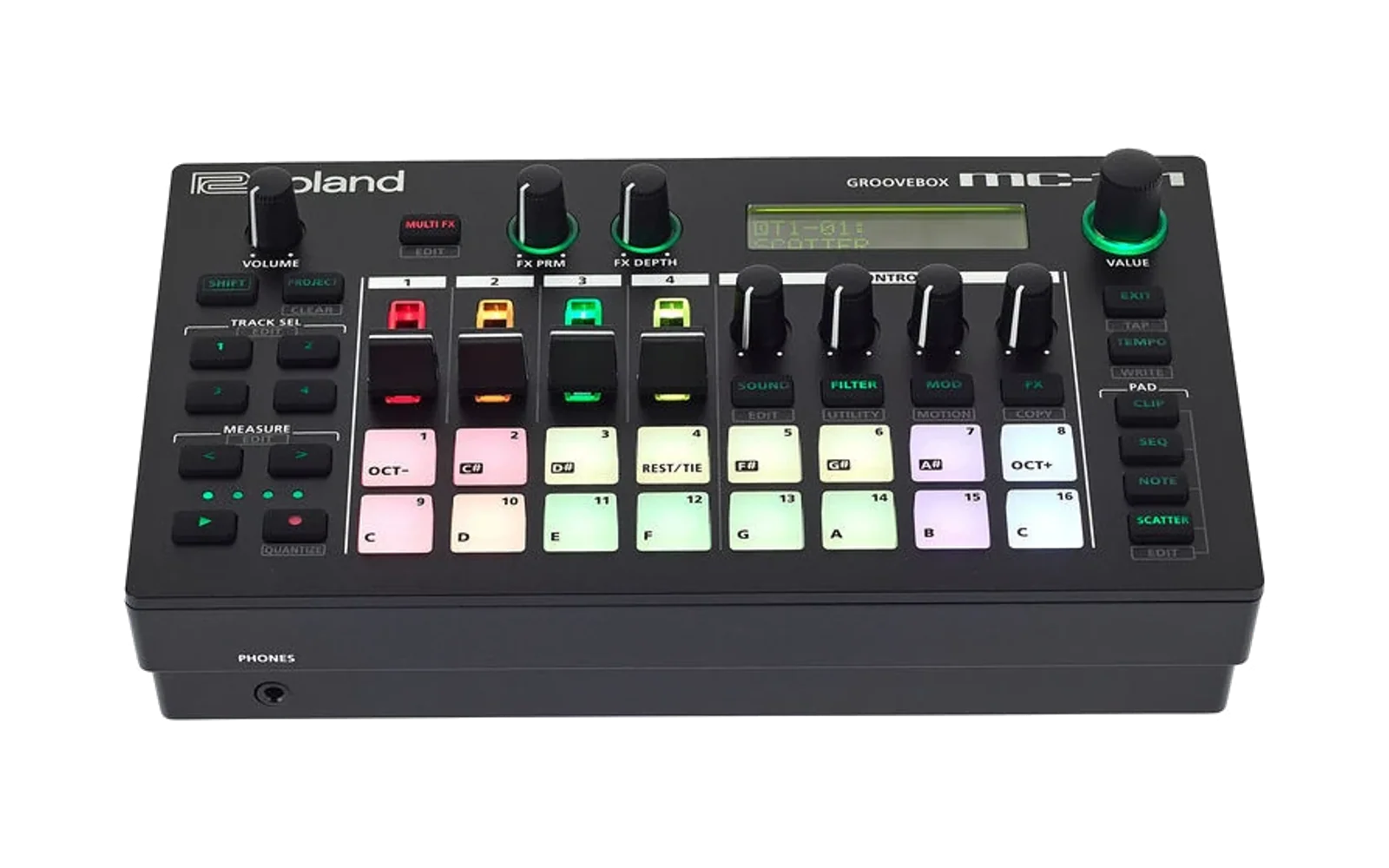
Programming tools for the Roland MC-101, MC-707 and MV-1 grooveboxes via MIDI System Exclusive — read and write any sequencer step, change ZEN-Core synth parameters, switch scenes and clips, dump and restore whole projects, all from your code.
Two parallel libraries that share the same data model and parameter table:
| Library | Status | Tests |
|---|---|---|
python_lib/ (Python) | works on macOS / Linux / Windows; CoreMIDI on Apple via python-rtmidi | 70 / 70 |
swift_lib/ (Swift) | native CoreMIDI on macOS / iOS; builds without it on Linux | 42 / 42 |
Both libraries cover ~389 named ZEN-Core tone parameters auto-generated from the official Jupiter-X/Xm MIDI Implementation, plus the full sequencer (notes + motion + pitch-bend), per-track settings, the system block, and full-project dump/restore. The parameter table works on the MC-101 and MC-707 unchanged (the MC-101 has 4 tracks instead of 8 — the high-level helpers know about this).
Quick start (Python)
from mc_programmer import LoopbackTransport, MCClient, ModelID

# Runs offline against an in-memory fake MC.
client = MCClient(LoopbackTransport(), model_id=ModelID.MC_707)
client.set_pattern(track=1, clip=1, notes={
    "C1":  [1, 5, 9, 13],     # kick on every downbeat
    "F#1": [3, 7, 11, 15],    # closed hat on the offbeats
})
To drive real hardware, change exactly one line:
from mc_programmer.coremidi import RtMidiTransport
client = MCClient(RtMidiTransport.connect("MC-707"), model_id=ModelID.MC_707)
See python_lib/README.md for the full Python guide.
Quick start (Swift)
import MCProgrammer

let client = MCClient(transport: LoopbackTransport(), modelID: .mc707)
try client.setPattern(trackNumber: 1, clipNumber: 1, notes: [
    "C1":  [1, 5, 9, 13],
    "F#1": [3, 7, 11, 15],
])
To drive real hardware:
let transport = try CoreMIDITransport(deviceName: "MC-707")
let client = MCClient(transport: transport, modelID: .mc707)
See swift_lib/README.md for the full Swift guide.
Repository layout
mc-programmer/
├── README.md                  ← you are here
├── ROADMAP.md                 ← what's done, what's pending
├── CLAUDE.md                  ← guidance for the Claude Code agent
├── LICENSE                    ← MIT
│
├── python_lib/                ← Python library (mc_programmer)
│   ├── README.md
│   ├── pyproject.toml
│   ├── mc_programmer/         ← package source
│   ├── examples/              ← runnable examples (LoopbackTransport)
│   └── tests/                 ← unittest suite (70 tests)
│
├── swift_lib/                 ← Swift Package (MCProgrammer)
│   ├── README.md
│   ├── Package.swift
│   ├── Sources/MCProgrammer/       ← library source
│   ├── Examples/              ← executable target with bundled examples
│   └── Tests/MCProgrammerTests/    ← XCTest suite (42 tests)
│
├── tools/
│   └── gen_zencore_params.py  ← parses Jupiter-X PDF, emits parameter
│                                tables for both libraries
│
└── reference/                 ← see reference/README.md
    ├── README.md              (download links + copyright policy)
    ├── MC_Programming_Video.txt      (transcript of MC sequencer video)
    └── ZC_Programming_Video.txt      (transcript of ZEN-Core video)
Note on Roland documentation. This repository deliberately does not bundle any of Roland's PDFs, firmware images, or extracted PDF text — those are copyrighted and would put the repo at risk of a DMCA takedown. The auto-generated parameter tables (
zencore_data.py/ZenCoreData.swift) are committed and contain only factual data (offsets, sizes, ranges, technical labels), so the libraries work out of the box with no downloads required. If you want to regenerate or extend the parameter tables,reference/README.mdhas direct download links to Roland's official support pages and the exactpdftotextcommands to extract them.
Running the test suites
Python
pip install python-rtmidi          # only if you want to talk to real hardware
PYTHONPATH=python_lib python -m unittest python_lib.tests.test_mc_programmer
70 tests; runs in ~13 seconds. The longest test does a full project
round-trip (dumps every byte of every track + clip + tone + system block
through LoopbackTransport, then writes them all back).
Swift
cd swift_lib
swift build
swift test
swift run MCProgrammerExamples           # runs the bundled offline examples
42 tests; ~40 seconds (the project round-trip exercises ~15 KB per tone).
Regenerating the ZEN-Core parameter tables
The auto-generated python_lib/mc_programmer/zencore_data.py and
swift_lib/Sources/MCProgrammer/ZenCoreData.swift are committed, so no
external tooling and no Roland downloads are required to use the
libraries. To regenerate the tables from a fresh Jupiter-X PDF, follow
the step-by-step in reference/README.md — it
walks you through downloading the PDF from Roland's official support
page, extracting the parameter sections with pdftotext, and re-running
the generator.
Use cases
See docs/USECASES.md for twelve worked examples
covering live performance, sound-design backup, cross-device transfer,
algorithmic pattern generation, custom hardware controllers, DAW
round-tripping, project archival, visual editors, bulk parameter
editing, test automation, MIDI controller integration, and address-space
exploration. Every example has been verified to compile and run.
What's covered, what isn't
See ROADMAP.md for the full list. Short version:
Done — sequencer notes / motion / pitch-bend, ~389 ZEN-Core tone
parameters across 12 substructures (Tone Common, MFX, PMT, Tone Partial
×4, Pitch/Filter/Amp Env ×4, LFO ×4, EQ ×4, Synth Common, Synth PMT,
Synth Partial ×4), per-track settings, system/setup block, single-tone
preset save/load, full-project save/load, scene/clip selection via
Program Change, two MIDI transports (CoreMIDI native + python-rtmidi),
plus a LoopbackTransport fake-MC for offline development.
Pending — drum kit tone parameters, scene-level "Part" parameters,
per-MFX-type parameter labels, Looper / Sample-Edit metadata. All
addressable in principle but need either an MC-specific reference or
hardware exploration via hack_tools.py to find the SysEx addresses.
Pushing to GitHub
A helper script lives at scripts/push-to-github.sh.
It runs both test suites, checks that no Roland-copyrighted files are
about to leak, stages every change, creates a clean commit, and pushes
to the configured GitHub remote (defaults to git@github.com:douglas-carmichael/mc-programmer.git).
Before running it, create the empty repository on GitHub first — the
script's header comment walks through every step.
bash scripts/push-to-github.sh                # default: SSH
USE_HTTPS=1 bash scripts/push-to-github.sh    # use HTTPS instead
License
MIT. See LICENSE.
Source documentation
The library derives from publicly available Roland documentation. The
PDFs themselves are not distributed in this repository — see
reference/README.md for download links and the
copyright policy. The two video transcripts (third-party content from
the original test scripts) are kept in the repo:
reference/MC_Programming_Video.txt— the MC sequencer programming videoreference/ZC_Programming_Video.txt— the ZEN-Core programming video
Roland's official documentation pages:
- Roland MC-707 support page
- Roland MC-101 support page
- Roland Jupiter-X support page (look for "MIDI Implementation")